On this page
Startups die by delay when every product idea waits for a developer hire and a six-week build. The eight tools below let a founding team ship an app, a landing page and a customer portal with drag-and-drop builders, for less than one developer day a month. Every price was checked on the vendor site on November 27, 2026, and the list runs from five dollars per user a month to fifty-two dollars a month. Bubble is our first pick — the no-code platform that builds full web apps a startup can sell, from the database to the checkout.
How we researched this
We started with the app builders startups actually ship on, then read each price on the vendor pricing page on November 27, 2026 and noted the trial or free plan each one carries. We judged them for a founding team of two to ten people that needs to launch fast, test ideas and change the app without a developer. We dropped Mendix and OutSystems because neither publishes a list price, so a startup cannot compare them without a sales call.
Compare the tools
| Name | Best for | Starting price | Free plan | |
|---|---|---|---|---|
 Bubble | Startups that want to build and sell a full web app without a developer | $32/month | Free plan for learning and prototyping | Visit |
 Glide | Startups that want a spreadsheet turned into a working app in an afternoon | $19/month | Free plan for small personal apps | Visit |
 Softr | Startups that want a client portal on top of Airtable or Google Sheets | $19/month | Free plan with one app | Visit |
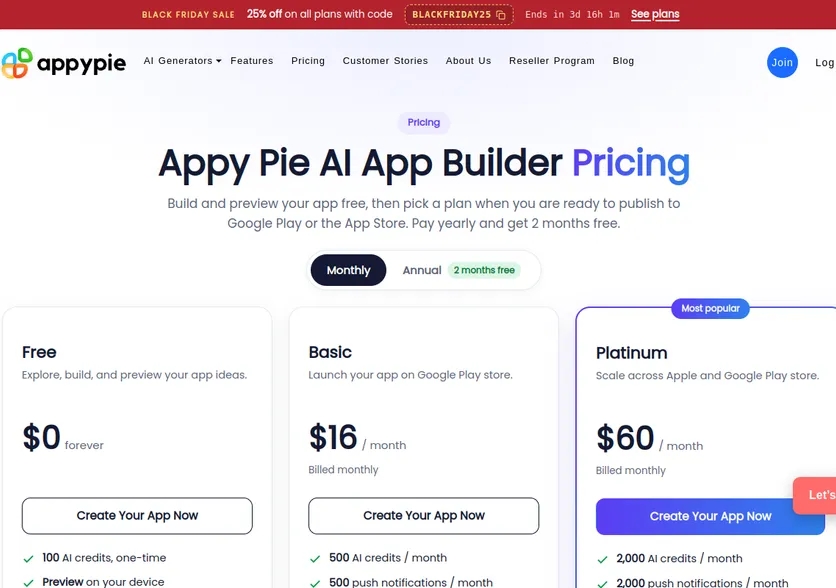
 Appy Pie | Startups that want a mobile app priced per app, not per user | $16/app/month | Free plan with Appy Pie branding | Visit |
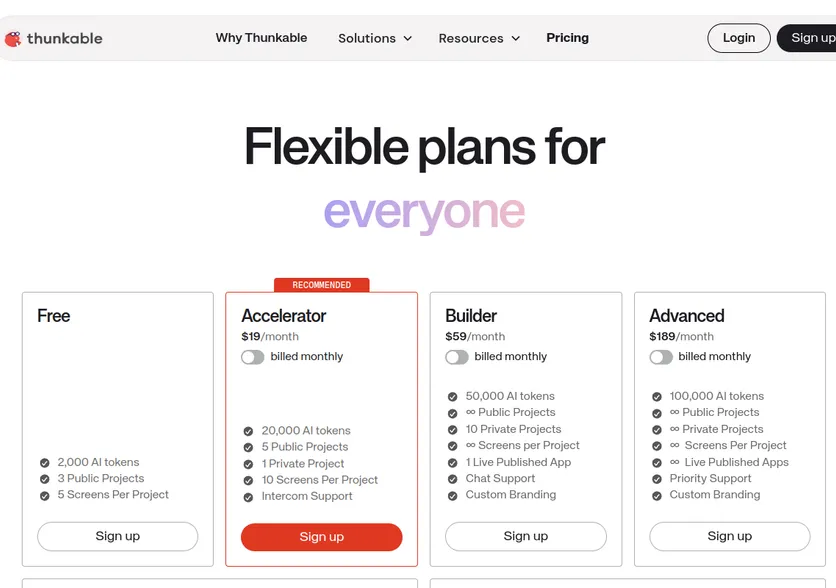
 Thunkable | Founders who want a native mobile app from a drag-and-drop canvas | $37/month | Free plan for learning and testing | Visit |
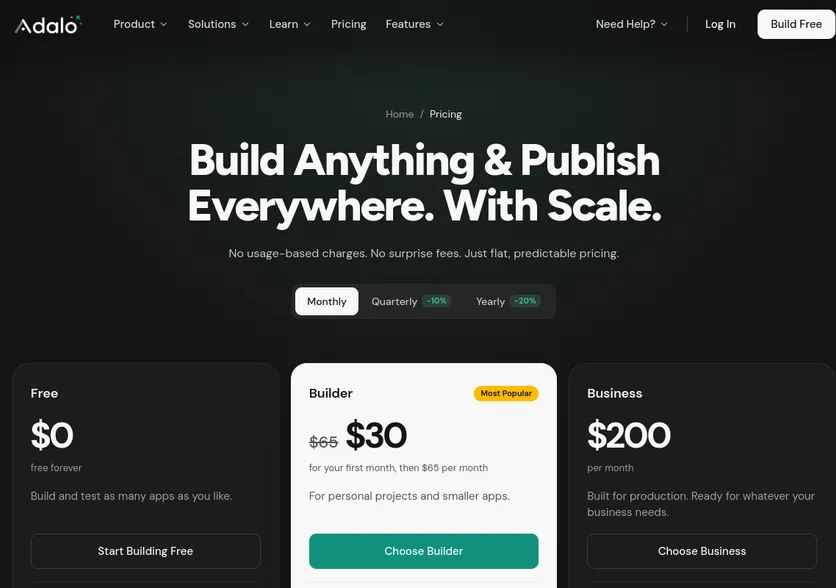
 Adalo | Startups that want a mobile app with push notifications from day one | $52/month | Free plan for learning and prototyping | Visit |
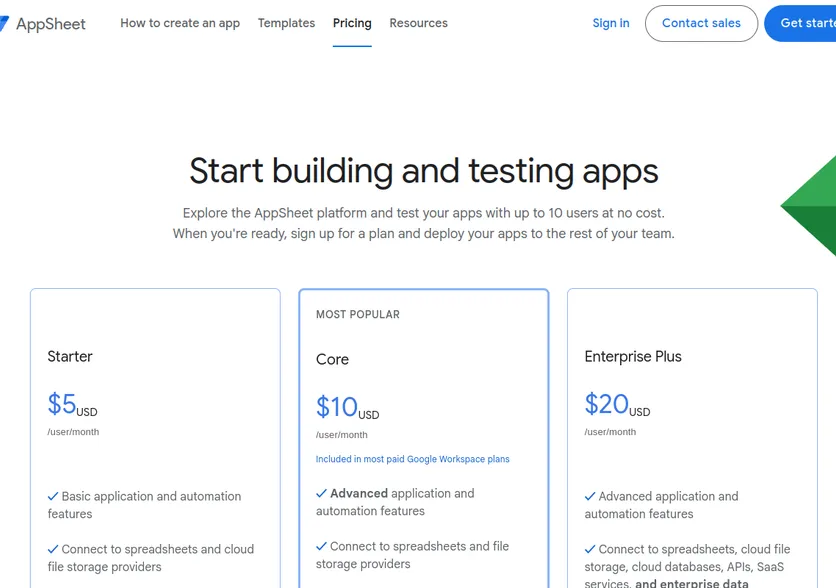
 AppSheet | Startups that run on Google Sheets and want a mobile app for the field | $5/user/month | Free plan for prototypes with up to ten test users | Visit |
 FlutterFlow | Startups that want a native mobile app and the code it generates | $29/month | Free plan for learning and testing | Visit |
The drag and drop app builder software for startups, compared
1. Bubble
Best for: Startups that want to build and sell a full web app without a developer
Paid tool Starting price: $32/month · Thirty-two dollars a month billed annually for the Starter Web plan, or thirty-nine dollars month to month; Growth costs one hundred and nineteen dollars and Team costs three hundred and forty-nine dollars a month billed annually
Free plan: Free plan for learning and prototyping
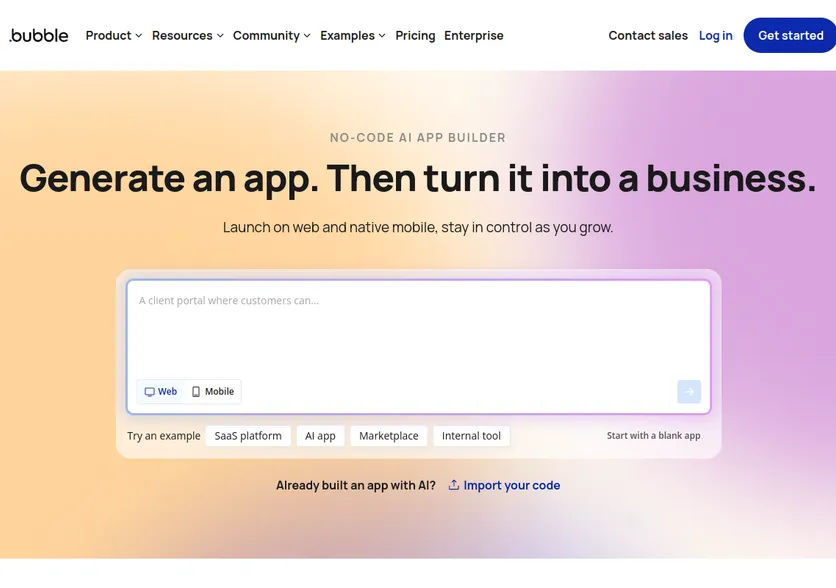
Bubble lets a startup build and sell a full web app without hiring a developer first. This Bubble Starter Web plan costs thirty-two dollars a month billed annually and covers one live app with a custom domain. A founding team gets a visual builder with plugins and API connectors, so the product it ships talks to payments, email and the tools it already runs.
What we like
- Builds full web apps a startup can sell
- Plugins and API connectors for payments and email
- Visual workflows that replace backend code
Watch out for
- Starter covers only one live app
- Complex apps need the Growth plan to scale
How to try it
- Open the Bubble site and start with the free plan
- Design a page and build the database visually
- Connect payments and publish the app on a custom domain
2. Glide
Best for: Startups that want a spreadsheet turned into a working app in an afternoon
Paid tool Starting price: $19/month · Nineteen dollars a month billed annually for the Explorer plan, or twenty-five dollars month to month; Maker costs forty-nine dollars and Business costs one hundred and ninety-nine dollars a month billed annually
Free plan: Free plan for small personal apps
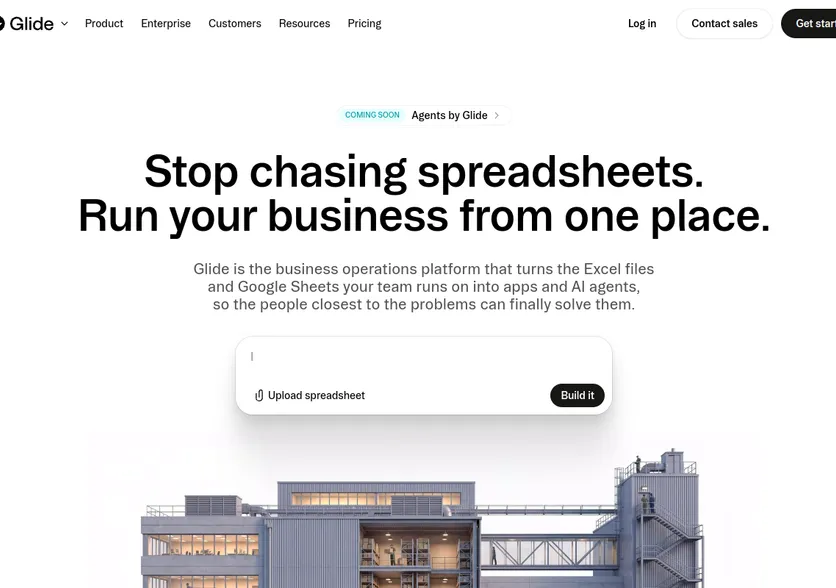
Glide gets a startup from a spreadsheet to a working app in a single afternoon. This Glide Explorer plan costs nineteen dollars a month billed annually and covers one published app with unlimited viewers. A small team gets portals, dashboards and internal tools that update live from the same sheet it already uses to track everything.
What we like
- Turns a spreadsheet into an app in hours
- Unlimited viewers on the Explorer plan
- Live data that updates for everyone at once
Watch out for
- Explorer covers only one published app
- Advanced features need the Maker plan
How to try it
- Open the Glide site and start with the free plan
- Connect a spreadsheet and pick an app template
- Publish the app and share the link with the team
3. Softr
Best for: Startups that want a client portal on top of Airtable or Google Sheets
Paid tool Starting price: $19/month · Nineteen dollars a month billed annually for the Basic plan, or twenty-five dollars month to month; Pro costs ninety-nine dollars and Business costs three hundred and twenty-nine dollars a month billed annually
Free plan: Free plan with one app
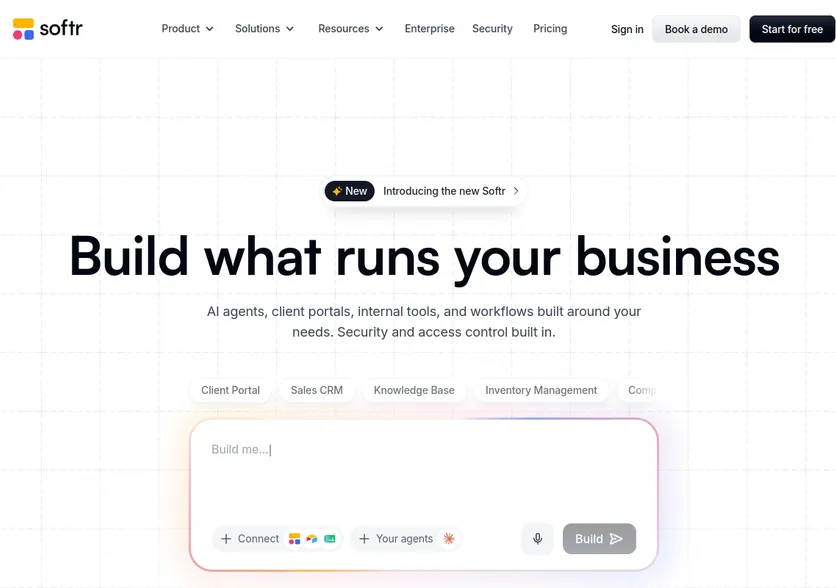
Softr turns Airtable or Google Sheets into a client portal a startup can charge for. This Softr Basic plan costs nineteen dollars a month billed annually and covers one published app with a custom domain. A founding team gets memberships, permissions and forms without writing code or waiting on a developer.
What we like
- Client portals with memberships and permissions
- Starts from Airtable or Google Sheets data
- Custom domain on the Basic plan
Watch out for
- Basic covers only one published app
- Needs Airtable or Google Sheets as the data source
How to try it
- Open the Softr site and start with the free plan
- Connect Airtable or Google Sheets as the data source
- Build a portal with memberships and publish it
4. Appy Pie
Best for: Startups that want a mobile app priced per app, not per user
Paid tool Starting price: $16/app/month · Sixteen dollars per app a month billed annually for the Basic plan, or thirty-two dollars month to month; Gold costs thirty-six dollars and Platinum costs sixty dollars per app a month billed annually
Free plan: Free plan with Appy Pie branding
Appy Pie builds mobile apps per app, so a startup pays for each product it ships and nothing else. This Appy Pie Basic plan costs sixteen dollars per app a month billed annually and covers one app with the core features. A small team gets an app builder with templates for restaurants, stores and services, without hiring a mobile developer.
What we like
- Per-app pricing that fits a startup budget
- Templates for restaurants, stores and services
- No mobile developer needed to ship
Watch out for
- Per-app pricing adds up with every product
- Advanced features need the Gold plan
How to try it
- Open the Appy Pie app builder and start with the free plan
- Pick a template for your business type
- Add your content and publish the app
5. Thunkable
Best for: Founders who want a native mobile app from a drag-and-drop canvas
Paid tool Starting price: $37/month · Thirty-seven dollars a month billed annually for the Builder plan, or fifty-nine dollars month to month; Accelerator costs eighteen dollars and Advanced costs ninety-nine dollars a month billed annually
Free plan: Free plan for learning and testing
Thunkable builds native mobile apps from a drag-and-drop canvas that a founder can learn in a weekend. This Thunkable Builder plan costs thirty-seven dollars a month billed annually and covers one live app that can publish to the stores. A startup gets app screens, databases and integrations in one place, without waiting for a release window.
What we like
- Drag-and-drop canvas a founder can learn fast
- Publishes native apps to the app stores
- Databases and integrations built in
Watch out for
- Builder covers only one live app
- Publishing needs the Builder plan, not Accelerator
How to try it
- Open the Thunkable site and start with the free plan
- Drag screens together and build the database
- Connect an integration and publish to the app stores
6. Adalo
Best for: Startups that want a mobile app with push notifications from day one
Paid tool Starting price: $52/month · Fifty-two dollars a month billed annually for the Builder plan, or sixty-five dollars month to month; Business costs two hundred dollars a month billed annually and the first month is thirty dollars on a launch offer
Free plan: Free plan for learning and prototyping
Adalo gives a startup a drag-and-drop mobile builder with push notifications from day one. This Adalo Builder plan costs fifty-two dollars a month billed annually and covers one published app. A founding team gets app screens, databases and push notifications in one place, without hiring a developer.
What we like
- Drag-and-drop canvas a non-technical team can learn
- Push notifications and databases built in
- Publishes native apps to the app stores
Watch out for
- Builder covers only one published app
- Highest entry price in this comparison
How to try it
- Open the Adalo site and start with the free plan
- Drag screens together and build the database
- Add push notifications and publish the app
7. AppSheet
Best for: Startups that run on Google Sheets and want a mobile app for the field
Paid tool Starting price: $5/user/month · Five dollars per user a month for the Starter plan; Core costs ten dollars and Enterprise Plus costs twenty dollars per user a month, while Publisher Pro costs fifty dollars per app a month
Free plan: Free plan for prototypes with up to ten test users
AppSheet turns the spreadsheet a startup already runs on into a mobile app its team can use in the field. This AppSheet Starter plan costs five dollars per user a month and covers one app per user with core automation. A small team gets apps that read from Google Sheets, with no coding and no new database to manage.
What we like
- Cheapest entry price in this comparison
- Turns a spreadsheet into a working app fast
- Included in most paid Google Workspace plans
Watch out for
- Starter covers only one app per user
- Tied closely to Google Sheets and Workspace
How to try it
- Open the AppSheet site and start with the free plan
- Point it at a Google Sheet and generate the app
- Add an automation and share the app with the team
8. FlutterFlow
Best for: Startups that want a native mobile app and the code it generates
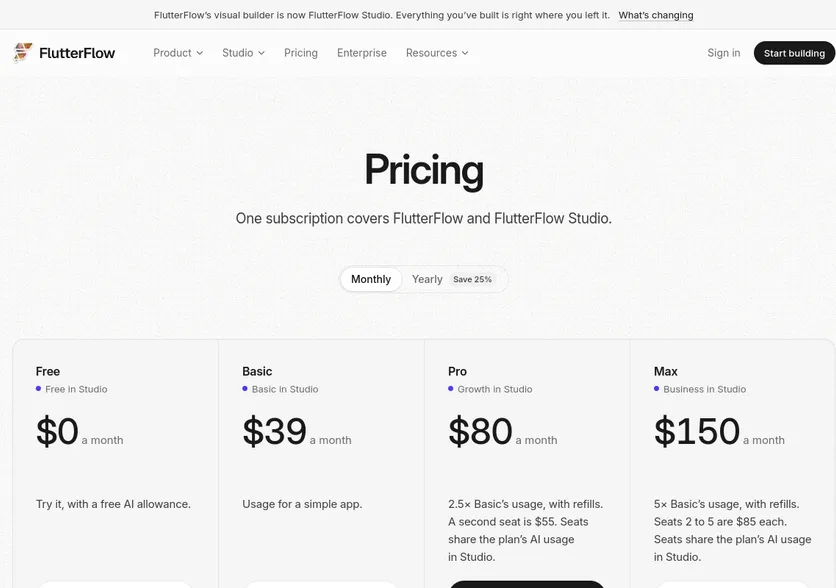
Paid tool Starting price: $29/month · Twenty-nine dollars a month billed annually for the Basic plan, or thirty-nine dollars month to month; Pro costs sixty dollars and Max costs one hundred and thirteen dollars a month billed annually
Free plan: Free plan for learning and testing
FlutterFlow lets a startup build a native mobile app visually and keep the code it generates. This FlutterFlow Basic plan costs twenty-nine dollars a month billed annually and covers one project with code export. A founding team gets a visual builder that exports real Flutter code, so the app it builds is not locked into the tool.
What we like
- Exports real Flutter code, so no lock-in
- Native mobile apps without a mobile team
- Visual builder that designers can use
Watch out for
- Basic covers only one project
- Code export needs the paid plan
How to try it
- Open the FlutterFlow site and start with the free plan
- Design the screens visually and connect your data
- Export the Flutter code and publish to the app stores
Prices above were checked on each vendor’s own website on Nov 27, 2026 and can change — the vendor’s page is the final word. Vendor links are editorial: nobody paid to be listed or ranked here. Vendors who want a featured listing can see how it works on our Get listed page.
What app builders cost a startup in 2026
App builders for startups charge in one of three ways, per user, per builder or per app, and the difference decides the bill. Per-app pricing suits a startup that ships one product and charges for it, while per-user pricing suits a team where everyone opens the internal tools. The cheapest plan here costs five dollars per user a month, while the most expensive costs fifty-two dollars a month for one published app.
Start with a trial on two tools and rebuild your core product flow in each, with the same signup, payment and notification. Time the build, test the app on a phone and check how fast you can change a screen. Pick the builder that lets you ship this week, because a startup that waits for the perfect tool ships nothing.
Before you buy
- Check whether the price is per user, per builder or per app, because the same plan can cost ten times more under the wrong model.
- Confirm the app can take payments, because a startup that cannot charge for its product is a demo.
- Test the app on a phone, because your first users will open it there, not on a desktop.
- Ask whether you can export the code, because a startup that cannot leave its builder is trapped.
- Check the free plan limits, because a free tier that caps users forces a paid upgrade at the worst moment.
Official websites
Official websites of the products reviewed above. Features and prices were checked against these sites when this guide was written, and they can change, so confirm on the vendor site before you buy.
Frequently asked questions
Which drag-and-drop app builder is best for startups in 2026?
Bubble is the best overall pick at thirty-two dollars a month, building full web apps a startup can actually sell, from the database to the checkout. AppSheet is the best budget pick at five dollars per user a month for teams that run on Google Sheets. Glide is the best pick for speed at nineteen dollars a month, turning a spreadsheet into a working app in an afternoon.
How much does an app builder cost a startup?
Prices in this list run from five dollars per user a month for AppSheet Starter to fifty-two dollars a month for Adalo Builder, with most tools landing between sixteen and thirty-seven dollars a month. Per-app pricing suits a startup that ships one product and charges for it, while per-user pricing suits a team where everyone opens the internal tools. Add payment and extra app fees to the subscription before you compare totals.
Can a startup build an app without a developer?
Yes, every tool here builds apps with drag-and-drop, and most founding teams ship a working app without writing code. Bubble and FlutterFlow even build products a startup can sell, while Glide and Softr start from a spreadsheet the team already uses. A startup should pick the builder its founders can use alone, because a product that waits for a hire is a product that never ships.
What should a startup check before choosing an app builder?
Start with payments, because a startup that cannot charge for its product is a demo, not a business. Then check code export, because a team that cannot leave its builder is trapped when it outgrows the tool. A startup should test the app on a phone during the trial, because the first users will open it there, not on a desktop.
Do app builders scale when a startup grows?
Yes, most of the tools here grow with a startup, from a free plan to paid tiers that add users, apps and features. Bubble and FlutterFlow scale furthest, because they build real products with databases and code export. A startup should watch the per-app and per-user limits on the entry plan, because a tool that caps the first ten customers forces a paid upgrade at the worst moment.
Need everyday business help too? Try Toolsvine's free business tools right in your browser.
Browse Business Tools tools