
On this page
Startups build edge AI products on a clock: the prototype has to demo, the beta has to ship, and the bill has to stay small until customers pay. The eight platforms below fit that reality, with free tiers, usage-based pricing and no sales call required to start. AWS IoT Greengrass is our first pick, the cheapest way to put intelligence on a device, with three devices free for a year. Prices run from pennies per device a month to thousands per GPU a year, so a startup can begin almost free and pay only as the product grows.
How we researched this
We started with edge AI platforms that publish a real dollar price and work for a team of two, not a department. We read each price on the vendor site or a corroborating listing on November 26, 2026 and judged them for a startup founder who needs free tiers, usage-based billing and no vendor lock-in. We kept only platforms a startup can buy without a sales call, and dropped a dozen well-known names, including ZEDEDA, Avassa and SiMa, because none of them publishes a price.
Compare the tools
| Name | Best for | Starting price | Free plan | |
|---|---|---|---|---|
| AWS IoT Greengrass | Startups building connected products on AWS | $0.16/device/month | First 3 Core devices free for 1 year | Visit |
| Losant | Startups that need to demo a connected product fast | $250/month | Free Developer Sandbox (10 devices) | Visit |
| Roboflow | Startups adding computer vision to a product | $39/month | Free tier (10 credits a month) | Visit |
| Azure IoT Hub | Startups on Microsoft infrastructure | $25/unit/month | Free tier (8,000 messages a day) | Visit |
| HiveMQ Cloud | Startups moving device messages without running servers | $0.34/hour | No free tier — Starter starts at $0.34 an hour | Visit |
| Latent AI | Startups compressing models for low-cost hardware | $99/month | Free trial available | Visit |
| balenaCloud | Startups shipping Linux devices to early customers | $159/month | Free tier for small fleets | Visit |
| NVIDIA AI Enterprise | Startups whose model genuinely needs a GPU | $4,500/GPU/year | 90-day evaluation licence | Visit |
The edge AI platforms, compared
1. AWS IoT Greengrass
Best for: Startups building connected products on AWS
Paid tool Starting price: $0.16/device/month · Per active Core device per month, or $1.49 per device per year on annual billing; first 3 devices free for 1 year
Free plan: First 3 Core devices free for 1 year
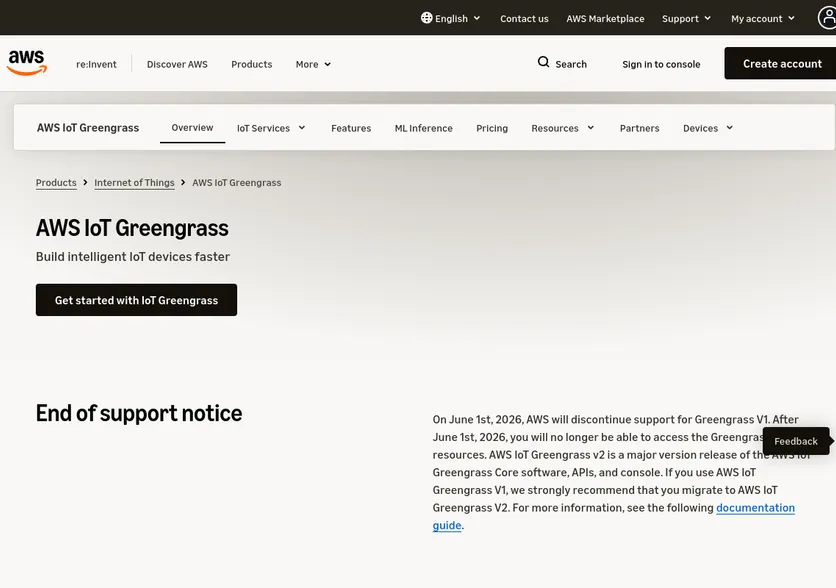
AWS IoT Greengrass is the startup-friendly way to put intelligence on devices, because the first three Core devices are free for a year and every device after that costs pennies a month. This AWS IoT Greengrass runtime runs Lambda functions and machine learning models on the device itself, so a prototype keeps working in a demo even when the venue wifi fails. It plugs straight into the rest of AWS, which means a two-person team gets device management, storage and analytics without hiring for any of them.
What we like
- Three devices free for a year
- Bills per device, so costs grow with revenue
- Devices keep working when the demo wifi fails
Watch out for
- Learning curve is steep for a tiny team
- Costs can creep up with message volume
How to try it
- Create a Greengrass Core device group for your prototype
- Deploy your model or Lambda function to the group
- Watch device health in CloudWatch as you demo
2. Losant
Best for: Startups that need to demo a connected product fast
Paid tool Starting price: $250/month · Launch plan with 100,000 payloads a month and 90-day retention; Growth is $1,000 a month and Enterprise is custom
Free plan: Free Developer Sandbox (10 devices)
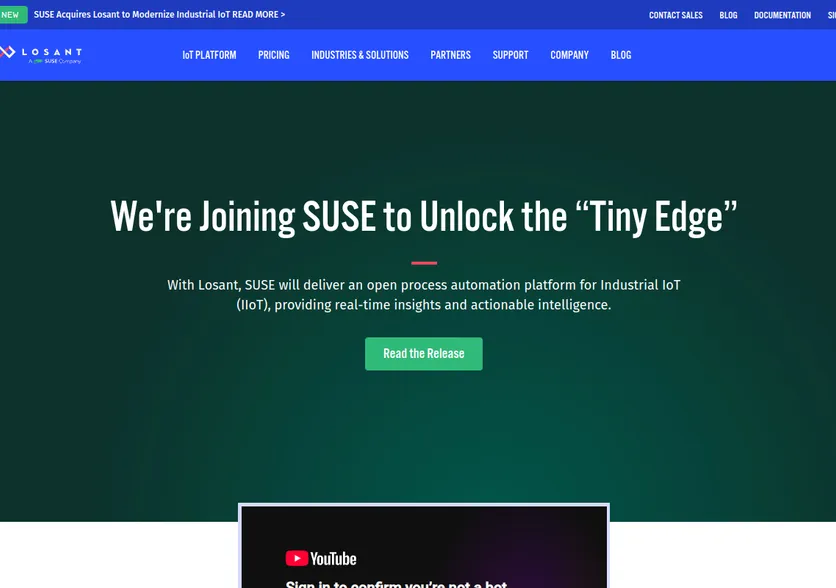
Losant is built for the startup moment when the product has to work in front of a customer, not just in the lab. This Losant free sandbox covers ten devices, and the low-code workflow builder lets a founder set up alerts and dashboards in an afternoon instead of waiting for a firmware sprint. When the pilot turns into paying customers, the Launch plan covers one hundred thousand payloads a month, which is enough runway for the first year of growth.
What we like
- Free sandbox covers ten prototype devices
- Low-code workflows ship without firmware work
- Payload pricing grows with paying customers
Watch out for
- Launch price is steep before revenue arrives
- Owned by SUSE since February 2026, so roadmap may shift
How to try it
- Connect your prototype devices to the free sandbox
- Build a workflow that shows live data on a dashboard
- Upgrade to Launch when customers start paying
3. Roboflow
Best for: Startups adding computer vision to a product
Paid tool Starting price: $39/month · Core plan billed monthly with 20 credits a month; annual billing lowers the per-month cost
Free plan: Free tier (10 credits a month)
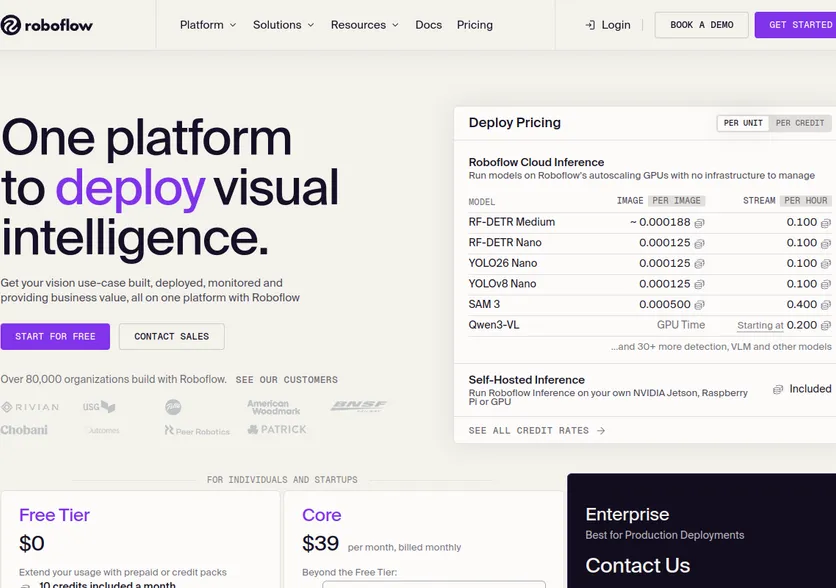
Roboflow is the fastest path from an idea to a vision demo a startup can show an investor, with labelling, training and deployment in one workflow. This Roboflow Core plan costs less than a single team dinner each month, and the free tier covers ten credits, enough to train a first model and run it on a camera. Models deploy to Jetson, Raspberry Pi and other cheap edge hardware, so the demo runs on a device the startup already owns.
What we like
- Free tier trains a first model
- Labelling, training and deployment in one place
- Deploys to cheap hardware you already own
Watch out for
- Credit limits can throttle a busy pilot
- Vision only — no general-purpose edge runtime
How to try it
- Upload and label images of what you want to detect
- Train a model and test it on your demo device
- Deploy it to the camera with the SDK
4. Azure IoT Hub
Best for: Startups on Microsoft infrastructure
Paid tool Starting price: $25/unit/month · S1 tier per unit per month; Basic B1 is $10 a month and S3 is $2,500 a month
Free plan: Free tier (8,000 messages a day)
Azure IoT Hub gives a startup enterprise-grade device management starting from a free tier that covers eight thousand messages a day, which is plenty for a prototype. This Azure IoT Hub S1 tier adds the throughput a launch needs, with device twins that show the live state of every unit from the office. The edge runtime is free, so the bill stays tied to hub capacity while the team is still finding product-market fit.
What we like
- Free tier covers a real prototype
- Device twins show live state from anywhere
- Edge runtime is free, you pay for hub units only
Watch out for
- Unit pricing is confusing until you model message volume
- Best value only inside a wider Azure estate
How to try it
- Create an IoT Hub and register your prototype devices
- Set up message routing to your storage
- Use device twins to watch each device from the office
5. HiveMQ Cloud
Best for: Startups moving device messages without running servers
Paid tool Starting price: $0.34/hour · Starter plan from $0.34 an hour, about $248 a month, plus $0.80 per million messages; self-managed Launch is $299 a month
Free plan: No free tier — Starter starts at $0.34 an hour
HiveMQ Cloud is the managed MQTT broker a startup uses when it needs reliable messaging and has nobody to run a server. This HiveMQ Cloud Starter plan bills by the hour, so a prototype that reports a few times an hour costs almost nothing, and the bill grows only when customers do. There is no server to patch and no broker to babysit, which is the right trade for a team whose engineers should be building the product.
What we like
- Hourly billing fits a pre-revenue prototype
- No server to run or patch
- Managed broker with enterprise-grade security
Watch out for
- Message charges add up on chatty fleets
- It is a broker, not a full application platform
How to try it
- Create a HiveMQ Cloud cluster
- Point your prototype devices at the broker with TLS enabled
- Connect your app to read the messages
6. Latent AI
Best for: Startups compressing models for low-cost hardware
Paid tool Starting price: $99/month · Premium plan per developer per month
Free plan: Free trial available
Latent AI compresses a trained model so it runs on the cheap, low-power chips a startup ships in its first product. This Latent AI Premium plan gives one developer the tooling to quantise and prune a model, then ship it to the edge with the runtime included. It is the tool that turns a model which works on a laptop into one that works inside a camera with no fan and a small battery, which is often the difference between a demo and a product.
What we like
- Runs models on cheap product hardware
- Per-developer pricing is simple to budget
- Runtime is included, not a separate purchase
Watch out for
- Smaller vendor with a narrower ecosystem
- Price confirmed by third-party listings, not the vendor page
How to try it
- Import your trained model into the workspace
- Compress and quantise it for your product hardware
- Deploy the runtime to your first production devices
7. balenaCloud
Best for: Startups shipping Linux devices to early customers
Paid tool Starting price: $159/month · Prototype plan for 30 devices; larger fleets move to custom pricing
Free plan: Free tier for small fleets
balenaCloud manages the Linux devices a startup ships to its first customers, with container updates that roll out and roll back from one dashboard. This balenaCloud Prototype plan covers thirty devices for a flat monthly price, which is enough for a beta programme, and the free tier covers even smaller fleets. A startup can ship a Pi board to a customer, push a fix overnight, and never ask the customer to touch the device.
What we like
- Ship devices, then fix them remotely
- Container updates with rollback built in
- Flat price covers thirty beta devices
Watch out for
- Price confirmed by third-party listings, not the vendor page
- Prototype tier caps at thirty devices
How to try it
- Flash balenaOS onto devices before shipping them
- Push your containerised app to the beta fleet
- Roll out fixes from the dashboard overnight
8. NVIDIA AI Enterprise
Best for: Startups whose model genuinely needs a GPU
Paid tool Starting price: $4,500/GPU/year · 1-year subscription per GPU; 2-year is $9,000, 3-year $13,500, 5-year $18,000; education pricing is $1,125 per GPU
Free plan: 90-day evaluation licence
NVIDIA AI Enterprise is the most expensive tool here, and most startups should skip it, but it earns its place for the ones whose model truly needs a GPU. This NVIDIA AI Enterprise licence covers the inference runtime, NIM microservices and enterprise support, and the 90-day evaluation licence lets a startup test the GPU question honestly before paying. If the model runs fine on a cheaper chip, the evaluation will prove it, and the startup saves thousands.
What we like
- Managed GPU stack with enterprise support
- 90-day evaluation before you commit
- NIM microservices deploy models in minutes
Watch out for
- Per-GPU price dwarfs every other tool here
- Needs NVIDIA hardware, so it locks in the vendor
How to try it
- Test your model on cheaper hardware first
- Start the 90-day evaluation if the GPU looks necessary
- Measure latency and cost before paying for a year
Prices above were checked on each vendor’s own website on Nov 26, 2026 and can change — the vendor’s page is the final word. Vendor links are editorial: nobody paid to be listed or ranked here. Vendors who want a featured listing can see how it works on our Get listed page.
What startup edge AI costs in 2026
Pay for usage, not for seats, while the team is small. The most expensive mistake is a GPU bought before the model needs one, so test on a Pi or a Jetson first and let the latency numbers decide. Use every free tier and startup credit available, and confirm you can export your models and data before you commit, because switching vendors later is far harder than choosing carefully now. A pilot that demos well on cheap hardware is worth more than an enterprise contract signed too early.
Before you buy
- Use the free tier or sandbox first and pay only when usage outgrows it
- Check that pricing scales with usage, not headcount, so hiring does not raise the bill
- Confirm you can move your models and data out, because a startup cannot afford vendor lock-in
- Ask whether the platform has a startup programme or credits that cut the early bill
- Read the support options for the tier you will actually buy, not the enterprise tier you cannot afford
Official websites
Official websites of the products reviewed above. Features and prices were checked against these sites when this guide was written, and they can change, so confirm on the vendor site before you buy.
Frequently asked questions
Which edge AI platform is best for a startup?
AWS IoT Greengrass is the best starting point, because three devices are free for a year and every device after that costs pennies a month. Roboflow is the best pick for computer vision, with a free tier that trains a first model and a paid plan at $39 a month. Losant is the pick when the product needs dashboards and alerts that a non-engineer can manage.
Can a startup build an edge AI product for free?
Yes. Greengrass gives you three devices free for a year, Azure IoT Hub has a free tier with eight thousand messages a day, Roboflow has a free tier with ten credits a month, Losant has a free sandbox for ten devices, and NVIDIA offers a 90-day evaluation. A startup can build and demo a real product without paying for a platform until customers arrive.
What hardware should a startup buy first for edge AI?
Start with the cheapest hardware that runs your model: a Raspberry Pi or a Jetson board for most pilots. Test the model there first, because a GPU is the most common premature purchase in edge AI. If latency or model size forces a GPU, NVIDIA offers a 90-day evaluation to prove the need before you spend thousands on hardware and licences.
Can a startup update devices after shipping them to customers?
Yes, and you should plan for it. balenaCloud pushes container updates to devices at customer sites and rolls them back if a release breaks, all from a dashboard. Greengrass and Azure IoT Hub also deploy new models remotely. Test every update on a small group first, because a bad release pushed to every customer at once is a support nightmare a small team cannot absorb.
How should a startup budget for edge AI?
Pick the platform whose free tier covers your prototype, run it for a month, and read the real bill. Favour usage-based pricing that grows with revenue over per-seat pricing that grows with hiring. Check whether the vendor offers startup credits, and confirm you can export your models and data if you ever switch, because lock-in is the most expensive bill of all.
Ship your edge AI product before the funding runs out — browse the full set of AI tools, free and running on your device.
Browse AI Tools (In-Browser, No API) tools


