On this page
Moving a ten-gigabyte video, a raw photo set or a CAD archive should not mean splitting it into pieces or waiting overnight. We compared eight paid file sharing tools against live vendor pricing pages on November 27, 2026, judging them on per-file limits, transfer speed, storage and price. Dropbox Business leads our list for large files, because its desktop app syncs without a file-size cap and its Standard plan pools three terabytes across the team. Read on for the full comparison, including the cheapest ways to send a single huge file.
How we researched this
We checked every price on the vendor's own pricing page, and we only included tools with a published per-user or pay-as-you-go rate. Each tool had to handle genuinely large files, either through a high per-file limit, unlimited uploads or a transfer service built for media, and to offer a free trial or free allowance. Tools that cap free transfers at two gigabytes or publish no price were left out.
Compare the tools
| Name | Best for | Starting price | Free plan | |
|---|---|---|---|---|
 Dropbox Business | Teams that move large files every day | $15/user/month | 30-day free trial | Visit |
 Box Business | Companies that need governance and admin controls | $15/user/month | 14-day free trial | Visit |
 Google Workspace Business Starter | Teams already using Gmail and Google Drive | $7/user/month | 14-day free trial | Visit |
| WeTransfer Ultimate | Sending huge files to clients with no account | $19/month | 7-day free trial | Visit |
| MASV | Video and media teams with occasional huge transfers | $0.25/GB | 15 GB free every month | Visit |
| pCloud Business | Small teams wanting unlimited file sizes at a low price | $7.99/user/month | 30-day free trial | Visit |
 Sync.com Teams Standard | Privacy-conscious teams wanting zero-knowledge encryption | $6/user/month | 30-day free trial | Visit |
 Egnyte Team | Small teams wanting governance without enterprise pricing | $10/user/month | Free trial available | Visit |
The best file sharing software for large files in 2026
1. Dropbox Business
Best for: Teams that move large files every day
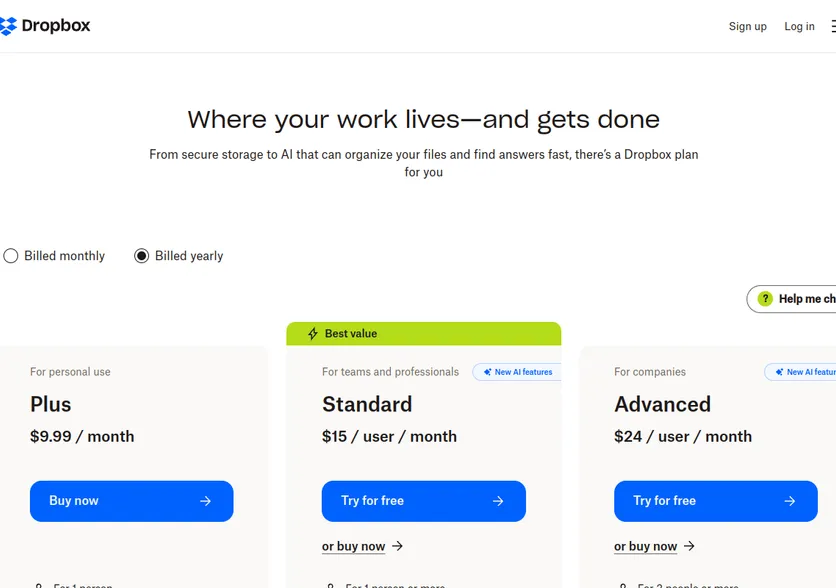
Paid tool Starting price: $15/user/month · Fifteen dollars per user a month billed annually, or eighteen dollars per user a month billed monthly. The Standard plan includes three terabytes of pooled storage and a three-user minimum, with a thirty-day free trial.
Free plan: 30-day free trial
Dropbox Business is the safest default for teams that move large files every day, because the desktop app syncs fast, handles files of any size, and keeps version history on everything. The Standard plan gives three terabytes of pooled storage, shared folders with granular permissions, and file requests for collecting big files from clients. The list price is fifteen dollars per user a month billed annually, with a thirty-day free trial.
What we like
- Desktop app syncs files of any size without a cap
- Three terabytes of pooled storage fits uneven teams
- File requests collect big files from clients with no account
Watch out for
- Three-user minimum means solo users pay for three seats
- Advanced security features need the higher Advanced plan
How to try it
- Start the thirty-day trial and install the desktop app
- Create a shared folder and set permissions for the team
- Send a file request link to collect a large file from a client
2. Box Business
Best for: Companies that need governance and admin controls
Paid tool Starting price: $15/user/month · Fifteen dollars per user a month billed annually, or twenty dollars per user a month billed monthly. The Business plan requires a three-user minimum and caps individual files at five gigabytes.
Free plan: 14-day free trial
Box Business is built for companies that treat files as governed content, with admin controls, retention policies and integrations across Microsoft 365 and Google Workspace. The Business plan allows unlimited storage for the team, with individual files capped at five gigabytes, and includes unlimited file versioning and granular permissions. The list price is fifteen dollars per user a month billed annually, with a fourteen-day free trial.

What we like
- Strong admin controls, retention policies and audit logs
- Integrates deeply with Microsoft 365 and Google Workspace
- Unlimited storage on the Business plan
Watch out for
- Five-gigabyte per-file cap blocks very large single files
- Three-user minimum adds cost for one-person teams
How to try it
- Start the fourteen-day trial and set up your team
- Create folders with granular permissions for each project
- Turn on version history so overwritten files can be restored
3. Google Workspace Business Starter
Best for: Teams already using Gmail and Google Drive
Paid tool Starting price: $7/user/month · Seven dollars per user a month billed annually, or eight dollars and forty cents per user a month on the flexible plan. Each user gets thirty gigabytes of pooled storage, and a fourteen-day free trial is included.
Free plan: 14-day free trial
Google Workspace Business Starter pairs Drive storage with Gmail, Meet and Docs, so large files move through the same account as email and meetings. Each user gets thirty gigabytes of pooled storage, and Drive accepts files up to five terabytes when uploaded through the desktop app. The list price is seven dollars per user a month billed annually, with a fourteen-day free trial.

What we like
- Drive, Gmail, Meet and Docs in one seven-dollar plan
- Desktop app accepts files up to five terabytes
- Real-time co-editing keeps the team on one version
Watch out for
- Thirty gigabytes per user is tight for video-heavy teams
- Storage is pooled, so one heavy user can crowd out the rest
How to try it
- Start the fourteen-day trial and add your team
- Install Drive for desktop and sync the shared folders
- Set sharing permissions before inviting clients
4. WeTransfer Ultimate
Best for: Sending huge files to clients with no account
Paid tool Starting price: $19/month · Nineteen dollars a month billed annually, or twenty-five dollars a month billed monthly. WeTransfer raised its prices on November 7, 2026, so older reviews showing twenty-three dollars a month are out of date. A seven-day free trial is included.
Free plan: 7-day free trial
WeTransfer Ultimate is the simplest way to send a huge file to someone who has no account, with a transfer link that just works. The Ultimate plan lifts the per-transfer limit from two gigabytes to hundreds of gigabytes, adds one terabyte of storage and portals for repeat clients, and keeps files available for a year. The list price is nineteen dollars a month billed annually, with a seven-day free trial.

What we like
- Recipients download with no account and no install
- Portals give repeat clients a branded drop-off page
- Files stay available for a year on the Ultimate plan
Watch out for
- No sync or versioning, so it is delivery only
- Price rose in November 2026, so older reviews show the old rate
How to try it
- Start the seven-day trial and create your first transfer
- Upload the file and copy the link for your client
- Set up a portal for clients who send files every week
5. MASV
Best for: Video and media teams with occasional huge transfers
Paid tool Starting price: $0.25/GB · Twenty-five cents per gigabyte transferred, with no subscription required. Fifteen gigabytes are free every month, storage costs seven cents per gigabyte a month after five free days, and subscriptions or pre-buy plans cut up to twenty-four percent off the pay-as-you-go rate.
Free plan: 15 GB free every month
MASV is a pay-as-you-go transfer service built for video and media teams that send terabytes without a monthly subscription. Files move over accelerated transfer with no per-file size cap, recipients need no account, and storage costs seven cents per gigabyte a month after five free days. The list price is twenty-five cents per gigabyte transferred, with fifteen gigabytes free every month.
What we like
- No per-file size cap and no subscription required
- Accelerated transfer with automatic resume and verification
- Fifteen gigabytes free every month for small sends
Watch out for
- Costs add up fast for teams that transfer daily
- No sync or collaborative editing, so it is delivery only
How to try it
- Create a free account and claim the fifteen free gigabytes
- Upload a file and send the download link to your recipient
- Set up a portal if clients send you files regularly
6. pCloud Business
Best for: Small teams wanting unlimited file sizes at a low price
Paid tool Starting price: $7.99/user/month · Seven dollars and ninety-nine cents per user a month billed annually, or nine dollars and ninety-nine cents per user a month billed monthly. The Business plan requires a three-user minimum and gives one terabyte per user, with a thirty-day free trial.
Free plan: 30-day free trial
pCloud Business gives each user one terabyte of storage and allows uploads of any file size, which is rare at this price. The plan includes shared folders, file requests, version history and a built-in media player, plus client-side encryption as a paid add-on. The list price is seven dollars and ninety-nine cents per user a month billed annually, with a thirty-day free trial.

What we like
- Unlimited file-size uploads at seven dollars and ninety-nine cents
- One terabyte per user with a built-in media player
- Thirty-day trial with no card required upfront
Watch out for
- Client-side encryption costs extra as a paid add-on
- Fewer third-party integrations than Dropbox or Google Drive
How to try it
- Start the thirty-day trial and invite three users
- Upload a large file to confirm the unlimited size works
- Create a shared folder and a file request link for clients
7. Sync.com Teams Standard
Best for: Privacy-conscious teams wanting zero-knowledge encryption
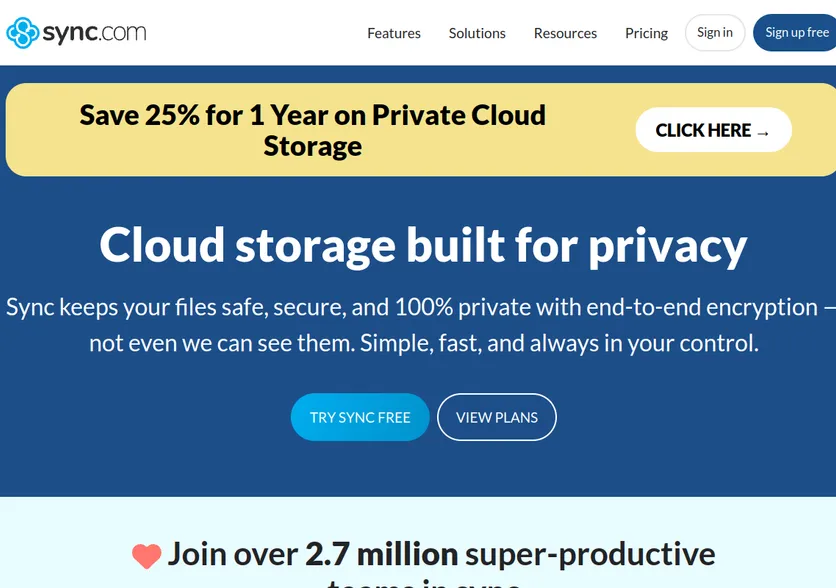
Paid tool Starting price: $6/user/month · Six dollars per user a month billed annually, or eight dollars per user a month billed monthly. The Teams Standard plan requires a three-user minimum and gives one terabyte per user, with a thirty-day free trial.
Free plan: 30-day free trial
Sync.com Teams Standard is a zero-knowledge cloud service that encrypts files before they leave your devices, so even Sync cannot read them. The Standard plan gives one terabyte per user, unlimited file sizes for uploads, and granular sharing controls, all from a Canadian company with strict privacy laws. The list price is six dollars per user a month billed annually, with a thirty-day free trial.
What we like
- Zero-knowledge encryption means Sync cannot read your files
- Unlimited file sizes with one terabyte per user
- Granular sharing controls with expiry dates and passwords
Watch out for
- Sync is slower than Dropbox for very large folders
- Three-user minimum rules out solo users
How to try it
- Start the thirty-day trial and install the desktop app
- Create a vault for sensitive files and share it securely
- Set link expiry dates on every external share
8. Egnyte Team
Best for: Small teams wanting governance without enterprise pricing
Paid tool Starting price: $10/user/month · Ten dollars per user a month paid annually. The Team plan covers one to ten users, and no monthly-billed price is published.
Free plan: Free trial available
Egnyte Team combines cloud storage with governance features that larger companies usually pay far more for, including ransomware detection and content classification. The Team plan covers one to ten users, with file versioning, granular permissions and integrations for Microsoft 365 and Google Workspace. The list price is ten dollars per user a month paid annually.

What we like
- Ransomware detection and content classification included
- File versioning and granular permissions for small teams
- Integrates with Microsoft 365 and Google Workspace
Watch out for
- Team plan caps at ten users
- No monthly-billed price is published
How to try it
- Book a trial and connect your existing cloud folders
- Set permissions for each team folder
- Turn on ransomware detection and review alerts weekly
Prices above were checked on each vendor’s own website on Nov 27, 2026 and can change — the vendor’s page is the final word. Vendor links are editorial: nobody paid to be listed or ranked here. Vendors who want a featured listing can see how it works on our Get listed page.
How to move large files without breaking them
Start by checking the per-file limit, not the storage total: a plan with a terabyte of storage is useless for a fifty-gigabyte video if its upload cap is five gigabytes. For one-off sends, a transfer service such as MASV or WeTransfer beats a storage subscription, because you pay for the transfer and the recipient needs no account. For files the team edits together, use a sync app with a desktop client, which resumes interrupted uploads instead of starting over.
Always verify the file after it lands — compare sizes, open the first and last seconds of a video, and check the checksum when the tool provides one. Finally, keep a local copy until the recipient confirms the download, because a transfer that fails halfway still costs the upload time.
Before you buy
- Check the maximum file size per upload, because it varies from two gigabytes to unlimited across these plans.
- Ask whether the desktop app resumes interrupted uploads, which matters more than raw speed for huge files.
- Confirm the storage is pooled across the team or allocated per user, since pooled storage suits uneven teams.
- Look for version history and file recovery, so an overwritten master file can be rolled back.
- Make sure recipients can download without creating an account, especially for clients and freelancers.
Official websites
Official websites of the products reviewed above. Features and prices were checked against these sites when this guide was written, and they can change, so confirm on the vendor site before you buy.
Frequently asked questions
What is the largest file I can send with these tools?
It depends on the tool. Dropbox, Sync.com and pCloud accept uploads of any size through their desktop apps, while Box Business caps individual files at five gigabytes. Transfer services are built for the biggest files: MASV has no per-file cap, and WeTransfer Ultimate handles transfers of hundreds of gigabytes. Always check the per-file limit before you buy, because the storage total says nothing about it.
Is it better to use cloud storage or a transfer service for large files?
Use cloud storage when the team edits the same files repeatedly, because syncing keeps everyone on the latest version. Use a transfer service when you send a finished file once to a client or collaborator, because you pay per transfer and the recipient needs no account. Many teams use both: Dropbox or Google Drive for daily work, and MASV or WeTransfer for the final delivery.
How much does file sharing for large files cost?
Paid plans start at six dollars per user a month for Sync.com and seven dollars for Google Workspace and pCloud Business, while Dropbox and Box cost fifteen dollars per user a month. Transfer services price differently: MASV charges twenty-five cents per gigabyte with no subscription, and WeTransfer Ultimate costs nineteen dollars a month. A five-person team usually spends between thirty and seventy-five dollars a month.
Do these tools compress my files?
No — the tools in this list store and transfer your files byte for byte, so a video or photo arrives exactly as you sent it. Compression happens only when you choose it, for example by zipping a folder before upload. The one exception is preview generation: some services create smaller previews for the web, but the original file stays untouched and downloadable at full quality.
What happens if a large upload fails halfway?
Desktop sync apps such as Dropbox, Sync.com and Google Drive resume interrupted uploads from where they stopped, so a failed connection costs minutes rather than hours. Browser uploads are less forgiving and often restart from zero, which is why large files should always go through the desktop app. Transfer services such as MASV also resume automatically and verify each chunk as it arrives.
Browse business tools for your team and find the file sharing plan that fits your largest files.
Browse Business Tools tools