On this page
An engineering project runs on dependencies: design approval gates testing, testing gates fabrication and one missed review pushes delivery by weeks. The wrong tool means a plan that lives in one engineer's head, while the right one keeps the whole team, the client and the schedule on the same page. Jira leads this list at seven dollars and seventy-five cents a user a month billed annually for its Standard plan, and the other seven tools are ranked on what matters to an engineering team: honest pricing, dependency handling and a Gantt chart engineers will actually update.
How we researched this
We checked every price on the vendor pricing page on November 27, 2026, and only included tools with a published US dollar list price. We ranked each tool on what an engineering team actually pays per user per month, including Gantt features, dependency tracking and project limits. Tools with quote-only pricing were left out, so every price below can be verified on the vendor site.
Compare the tools
| Name | Best for | Starting price | Free plan | |
|---|---|---|---|---|
 Jira | Engineering teams that live in sprints and need Gantt on top | $7.75/user/mo | Free plan for up to 10 users | Visit |
 Smartsheet | Engineering teams that plan in tables and want Gantt bars | $9/member/mo | Thirty-day free trial, no free plan | Visit |
 Microsoft Project | Engineering teams inside Microsoft 365 that want classic Gantt power | $10/user/mo | Thirty-day free trial, no free plan | Visit |
 Wrike | Engineering teams that want Gantt plus approvals and proofing | $10/user/mo | Free plan with up to 200 active tasks | Visit |
 GanttPRO | Teams that want a pure Gantt tool with no extra clutter | $7.99/user/mo | Fourteen-day free trial, no free plan | Visit |
 Zoho Projects | Small engineering teams on a tight budget | $4/user/mo | Free plan for up to 5 users | Visit |
 Airtable | Teams that plan engineering work in a flexible database | $20/user/mo | Free plan with 5 editors | Visit |
| ProjectManager | Engineering teams that want the schedule plus live reporting | $15/user/mo | Thirty-day free trial, no free plan | Visit |
The gantt chart software for engineering projects, compared
1. Jira
Best for: Engineering teams that live in sprints and need Gantt on top
Paid tool Starting price: $7.75/user/mo · Seven dollars and seventy-five cents a month per user billed annually on the Standard plan; Premium is fifteen dollars and twenty-five cents a month per user, monthly billing costs a little more, and the free plan covers up to ten users
Free plan: Free plan for up to 10 users
For an engineering team that already tracks work in sprints, Jira Standard costs seven dollars and seventy-five cents a month per user billed annually and adds a timeline view to the backlog. The Gantt-style timeline shows epics and dependencies across sprints, which suits a team that plans releases rather than single tasks. The free plan covers up to ten users, so a small team can run real projects before paying.

What we like
- Seven dollars and seventy-five cents a user is cheap
- Timeline view on top of real sprint tracking
- Free plan for up to ten users
Watch out for
- Timeline is lighter than a full Gantt tool
- Monthly billing costs a little more
How to try it
- Create the project and build the backlog
- Switch to the timeline and set dependencies
- Track sprints against the release date
2. Smartsheet
Best for: Engineering teams that plan in tables and want Gantt bars
Paid tool Starting price: $9/member/mo · Nine dollars a month per member billed annually on the Pro plan, or twelve dollars a month billed monthly; Business is nineteen dollars a month billed annually and Pro is limited to new customers with ten members, with a thirty-day free trial and no free plan
Free plan: Thirty-day free trial, no free plan
For an engineering team that plans in tables, Smartsheet Pro costs nine dollars a month per member billed annually and turns rows into Gantt bars with dependencies. The grid holds specs, owners and dates, then the timeline view shows the critical path for the design review, which suits a team whose engineers already work in sheets. The Pro plan is capped at ten members for new customers, so a bigger team needs the Business tier.

What we like
- Nine dollars a member is the cheapest here
- Grid view engineers already understand
- Thirty-day free trial
Watch out for
- Pro is capped at ten members
- Monthly billing is twelve dollars a member
How to try it
- Build the work breakdown in the grid
- Switch to Gantt and link the dependencies
- Share the critical path with stakeholders
3. Microsoft Project
Best for: Engineering teams inside Microsoft 365 that want classic Gantt power
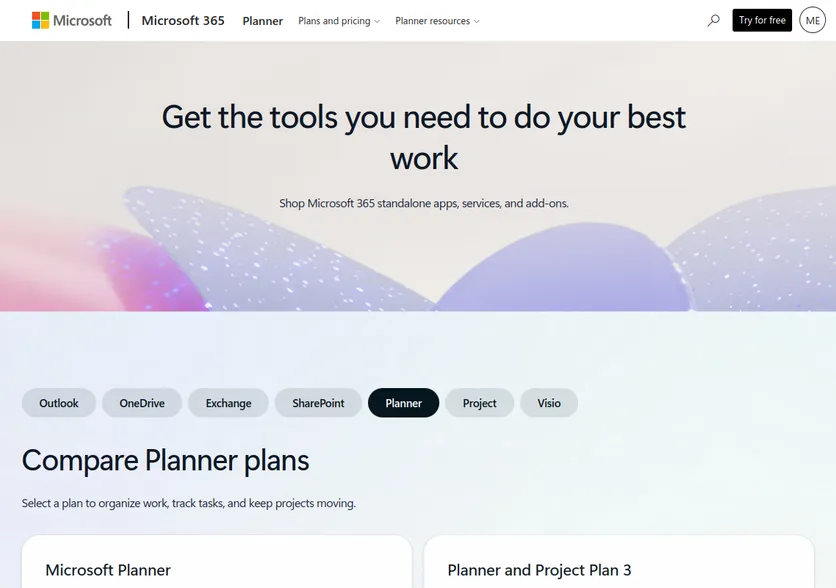
Paid tool Starting price: $10/user/mo · Ten dollars a month per user billed annually on Plan 1; Plan 3 is thirty dollars a month and Plan 5 is fifty-five dollars a month, with a thirty-day free trial and no free plan, and Plan 1 is browser-only while the desktop client needs Plan 3
Free plan: Thirty-day free trial, no free plan
For an engineering team inside Microsoft 365, Microsoft Project Plan 1 costs ten dollars a month per user billed annually and brings the classic Gantt engine to the browser. Baselines, critical paths and resource levelling handle the engineering schedule properly, which suits a team whose planners trained on Project. Plan 1 is browser-only, so the desktop client many engineers expect needs Plan 3 at thirty dollars a month.
What we like
- Ten dollars a user is cheap for Project
- Full baselines and critical path
- Works inside Microsoft 365
Watch out for
- Plan 1 is browser-only, no desktop client
- The pricing page shows no prices in its text
How to try it
- Create the project and list the work packages
- Set dependencies and the critical path
- Baseline the plan and track earned value
4. Wrike
Best for: Engineering teams that want Gantt plus approvals and proofing
Paid tool Starting price: $10/user/mo · Ten dollars a month per user billed annually on the Team plan for two to fifteen users; Business is twenty-five dollars a month per user and the free plan covers up to two hundred active tasks, while Pinnacle and Apex are quoted by sales
Free plan: Free plan with up to 200 active tasks
For an engineering team that reviews drawings as well as dates, Wrike Team costs ten dollars a month per user billed annually and pairs Gantt charts with proofing and approvals. Engineers mark up a drawing and the approval moves the task forward, which suits a team whose schedule depends on review cycles. The free plan covers up to two hundred active tasks, so a small team can test the workflow before paying.

What we like
- Gantt plus proofing in one tool
- Ten dollars a user is affordable
- Free plan with two hundred active tasks
Watch out for
- Team plan caps at fifteen users
- Business is twenty-five dollars a user
How to try it
- Build the project with Gantt dependencies
- Attach drawings and request approvals
- Track progress against the timeline
5. GanttPRO
Best for: Teams that want a pure Gantt tool with no extra clutter
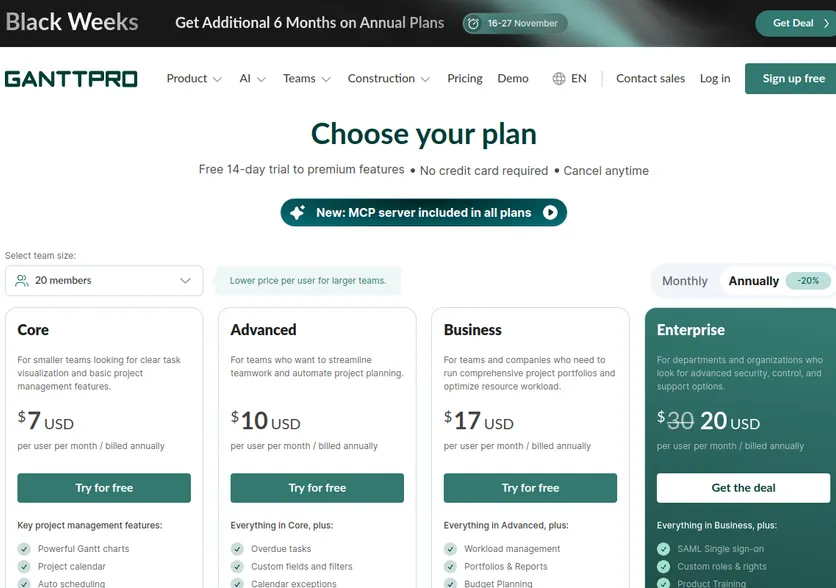
Paid tool Starting price: $7.99/user/mo · Seven dollars and ninety-nine cents a month per user billed annually on the Basic plan for five or more users; Pro is twelve dollars and ninety-nine cents a month and Business is nineteen dollars and ninety-nine cents a month, with a fourteen-day free trial and no free plan
Free plan: Fourteen-day free trial, no free plan
For a team that wants the Gantt chart to be the whole product, GanttPRO Basic costs seven dollars and ninety-nine cents a month per user billed annually and does timelines properly. Dependencies, milestones, baselines and resource views all live in one clean chart, which suits an engineering lead who plans visually. Some comparisons list renamed tiers at eight, twelve and nineteen dollars, so buyers should confirm the Basic name on the pricing page.
What we like
- Pure Gantt tool with no clutter
- Seven dollars and ninety-nine cents a user
- Baselines and resource views included
Watch out for
- No kanban or docs beyond the chart
- Tier names may have changed recently
How to try it
- Create the project and add the tasks
- Link dependencies and set the milestones
- Share the chart with the team and client
6. Zoho Projects
Best for: Small engineering teams on a tight budget
Paid tool Starting price: $4/user/mo · Four dollars a month per user billed annually on the Premium plan, or five dollars a month billed monthly; Enterprise is nine dollars a month and Ultimate is fourteen dollars a month, with a free plan for up to five users and three projects
Free plan: Free plan for up to 5 users
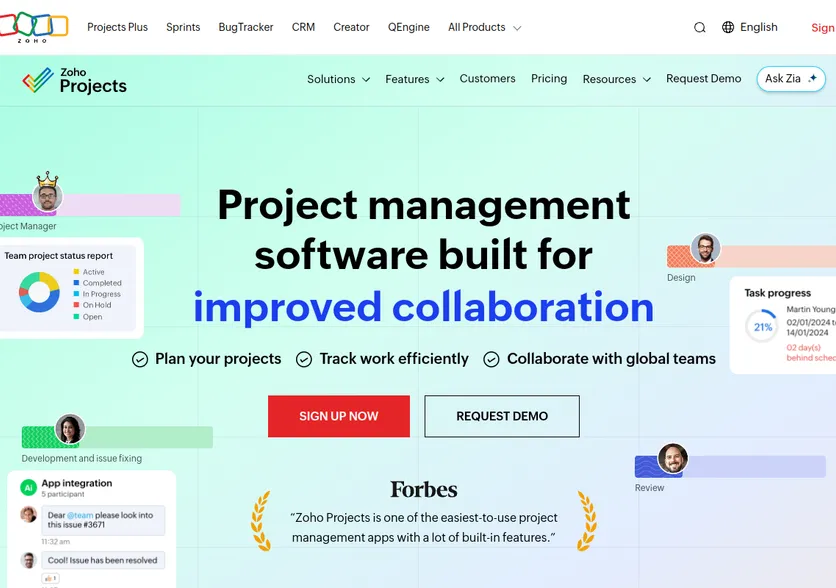
For a small engineering team counting every dollar, Zoho Projects Premium costs four dollars a month per user billed annually and still includes Gantt charts. Tasks, milestones, timesheets and issue tracking live in one place, which suits a team that needs the basics without a big subscription. The free plan covers up to five users and three projects, so a tiny team may never pay at all.
What we like
- Four dollars a user is the cheapest here
- Gantt plus timesheets and issues
- Free plan for up to five users
Watch out for
- Fewer advanced Gantt features than rivals
- Best inside the Zoho ecosystem
How to try it
- Create the project and add milestones
- Switch to the Gantt view and set dependencies
- Track time and issues against the plan
7. Airtable
Best for: Teams that plan engineering work in a flexible database
Paid tool Starting price: $20/user/mo · Twenty dollars a month per user billed annually on the Team plan, or twenty-four dollars a month billed monthly; Business is forty-five dollars a month per user, with a free plan covering five editors and one thousand records per base and a fourteen-day Team trial
Free plan: Free plan with 5 editors
For an engineering team that plans in a database rather than a task list, Airtable Team costs twenty dollars a month per user billed annually and turns records into a Gantt view. Parts, specs and tasks link together, which suits a team whose project data is relational rather than linear. The free plan covers five editors, so a small team can build the base before paying.

What we like
- Database flexibility with a Gantt view
- Links parts, specs and tasks together
- Free plan with five editors
Watch out for
- Twenty dollars a user is pricey for Gantt alone
- Gantt is a view, not the core product
How to try it
- Build the base with tasks and linked records
- Switch to the Gantt view for the timeline
- Share the view with the team and client
8. ProjectManager
Best for: Engineering teams that want the schedule plus live reporting
Paid tool Starting price: $15/user/mo · Fifteen dollars a month per user billed annually on the Team plan for up to ten users and twenty projects; Business is twenty-eight dollars a month per user, with a thirty-day free trial and no free plan
Free plan: Thirty-day free trial, no free plan
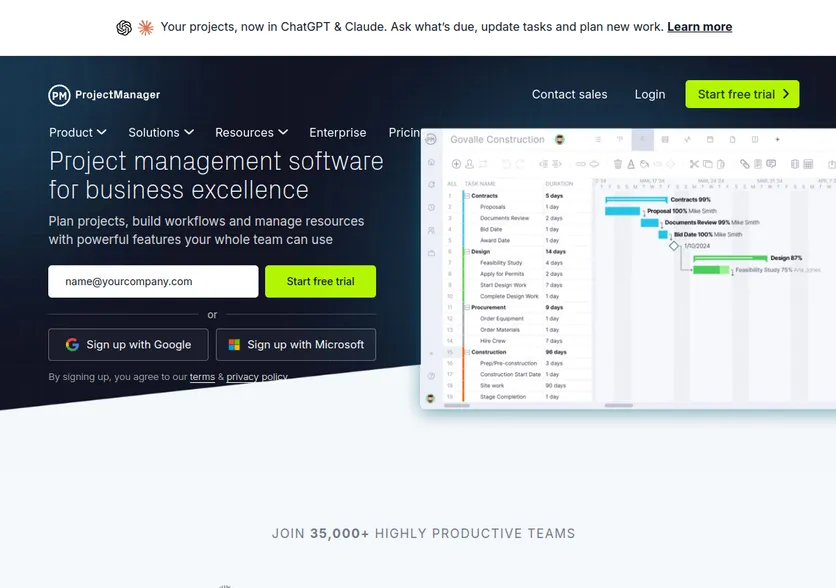
For an engineering team that wants the schedule plus live reporting, ProjectManager Team costs fifteen dollars a month per user billed annually and pairs Gantt charts with dashboards and workload views. The lead builds the timeline while managers watch progress and capacity, which suits a team running several projects at once. The Team plan caps at ten users and twenty projects, so a larger team needs the Business tier.
What we like
- Gantt plus dashboards and workload
- Fifteen dollars a user is affordable
- Thirty-day free trial
Watch out for
- Team plan caps at ten users
- No free plan, only a trial
How to try it
- Build the Gantt chart with dependencies
- Watch progress on the live dashboard
- Balance workload across engineers
Prices above were checked on each vendor’s own website on Nov 27, 2026 and can change — the vendor’s page is the final word. Vendor links are editorial: nobody paid to be listed or ranked here. Vendors who want a featured listing can see how it works on our Get listed page.
How an engineering team should pick a gantt chart tool
Start with how the team actually works. A sprint team needs a timeline on top of its backlog, while a waterfall team needs baselines and a critical path. Count the real monthly cost per user, not the headline, because a four dollar plan for five engineers becomes a real bill when the team grows to twenty. Check whether the Gantt view is included on the plan you would buy, since some tools charge extra for timelines. Test the dependencies with a real project, not a demo, because a chain of twenty linked tasks exposes a weak Gantt fast. Finally, confirm the free plan limits, since a ten-user cap sounds fine until the eleventh engineer joins.
Before you buy
- Confirm the Gantt view is included on the plan you would actually buy
- Count the monthly cost per user for the whole engineering team, not five seats
- Test dependencies with a real project, since long chains expose weak Gantt tools
- Check whether baselines and critical path are included or cost extra
- Trial with the engineers who will update it, not just the project manager
Official websites
Official websites of the products reviewed above. Features and prices were checked against these sites when this guide was written, and they can change, so confirm on the vendor site before you buy.
Frequently asked questions
What is the cheapest gantt chart software for engineering projects?
Zoho Projects Premium is the cheapest at four dollars a month per user billed annually, with a free plan for up to five users. Jira Standard is seven dollars and seventy-five cents a month per user billed annually, while GanttPRO Basic is seven dollars and ninety-nine cents a month per user. Smartsheet Pro is nine dollars a month per member billed annually, though it is capped at ten members for new customers.
Jira or Microsoft Project: which is better for engineering Gantt charts?
Jira is better when the team works in sprints, since its timeline sits on top of the backlog and costs seven dollars and seventy-five cents a month per user billed annually. Microsoft Project is better for classic waterfall planning, with baselines, critical paths and resource levelling at ten dollars a month per user billed annually on Plan 1. Pick Jira for agile teams and Project for teams that plan the whole job upfront.
Do engineering teams need baselines and critical path?
A team that reports progress against a fixed plan needs baselines, since they show how far the schedule has slipped from the original. A team that only tracks this week can live without them. Microsoft Project and GanttPRO include baselines and critical path, while Jira timeline and monday.com boards are lighter. The honest test is whether the client asks why the date moved.
Is there a free gantt chart tool for engineering projects?
Jira is free for up to ten users, Zoho Projects is free for up to five users and three projects, and Wrike is free with up to two hundred active tasks. Airtable is free for five editors, though its Gantt is a view on a database. The free plans fit a small team, while a team past ten people will need a paid tier within a few months.
How much should an engineering team budget for gantt chart software?
Budget four to ten dollars a month per user for Zoho Projects, Jira, GanttPRO, Smartsheet or Microsoft Project at starter tiers. A team that wants dashboards and workload views should budget fifteen dollars a month per user for ProjectManager, while Airtable Team is twenty dollars a month per user. The honest budget is the per-user price times the engineers who actually update the plan.
Compare the eight tools above, then trial the one that fits your team with a real project before the next sprint starts.
Browse Business Tools tools