On this page
Picking an image editor in 2026 comes down to money. Subscriptions do more, one-time purchases cost less over time, and free tools cover the basics. What matters is matching the tool to the work: raw processing for photographers, AI cleanup for everyone else, and a browser editor when you install nothing. Below are the nine paid image editors people buy, compared on price, raw editing, AI tools and trials, with every price checked on the vendor site on November 25, 2026. Adobe Photoshop is our first pick, the most complete editor and the standard the others are measured against.
How we researched this
We started from the image editors people actually pay for, then checked each price on the vendor's own pricing page on November 25, 2026, and noted the free trial or money-back guarantee each one offers. We judged them for a normal buyer, someone who edits photos every week but earns a living doing something else.
Compare the tools
| Name | Best for | Starting price | Free plan | |
|---|---|---|---|---|
 Adobe Photoshop | Professionals who need the deepest editor and the widest plugin ecosystem | $22.99/month | Free trial | Visit |
 Capture One Pro | Studio and tethered photographers who want the best raw color | $18/month | Free trial | Visit |
 DxO PhotoLab 10 | Photographers who want the cleanest high-ISO files from a one-time purchase | $199.99 one-time | Free trial | Visit |
 Luminar | Editors who want AI tools and a lifetime license in one purchase | $99 one-time | No free trial | Visit |
 ON1 Photo RAW 2027 | Photographers who want a Lightroom alternative they own outright | $59.99 one-time | Free trial | Visit |
 Topaz Photo | Photographers rescuing noisy, soft or low-resolution shots | $169/year | No free trial | Visit |
 Pixelmator Pro | Mac and iPad owners who want a one-time purchase, not a subscription | $49.99 one-time | No free trial | Visit |
 Pixlr Premium | Quick browser-based edits and AI tools without installing anything | $7.99/month | Free plan | Visit |
 Fotor Pro | Budget buyers who want AI image tools and credits in one cheap plan | $3.33/month | Free plan | Visit |
The image editors, compared
1. Adobe Photoshop
Best for: Professionals who need the deepest editor and the widest plugin ecosystem
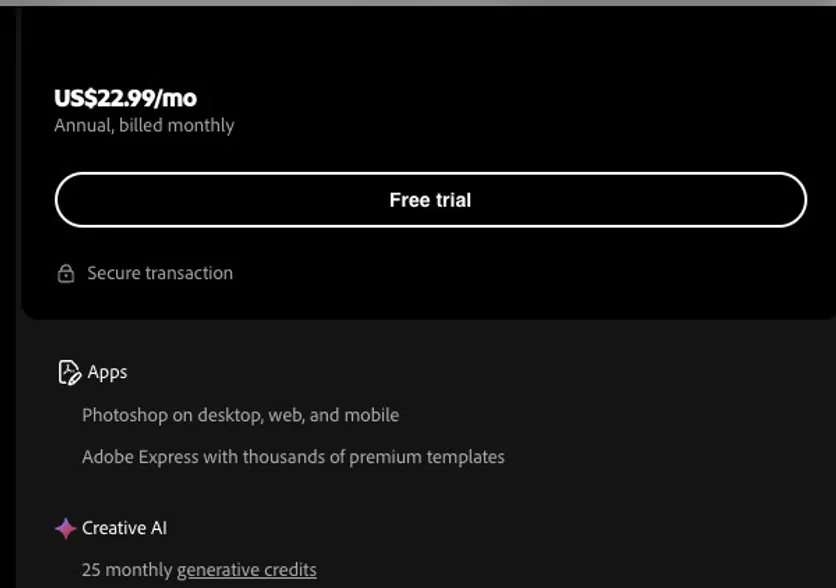
Paid tool Starting price: $22.99/month · annual plan, billed monthly; free trial; Creative Cloud Pro is a different plan at $69.99/month
Free plan: Free trial
Photoshop is the editor every other tool on this list is measured against, and it still does the most. This Adobe Photoshop subscription covers layers, masking, retouching, compositing and generative fill, with Firefly AI built into the same workspace. It is the only choice here that also runs on the web and on mobile, and it is the one clients expect when they ask for a layered file.
What we like
- The deepest editor with the widest plugin ecosystem
- Generative fill and Firefly AI built in
- Runs on desktop, web and mobile
Watch out for
- Subscription only, no way to buy it outright
- Overkill if you only crop and resize photos
How to try it
- Open adobe.com/products/photoshop and start the free trial
- Install Photoshop on your desktop and sign in
- Try a retouch, a mask and a generative fill before the trial ends
2. Capture One Pro
Best for: Studio and tethered photographers who want the best raw color
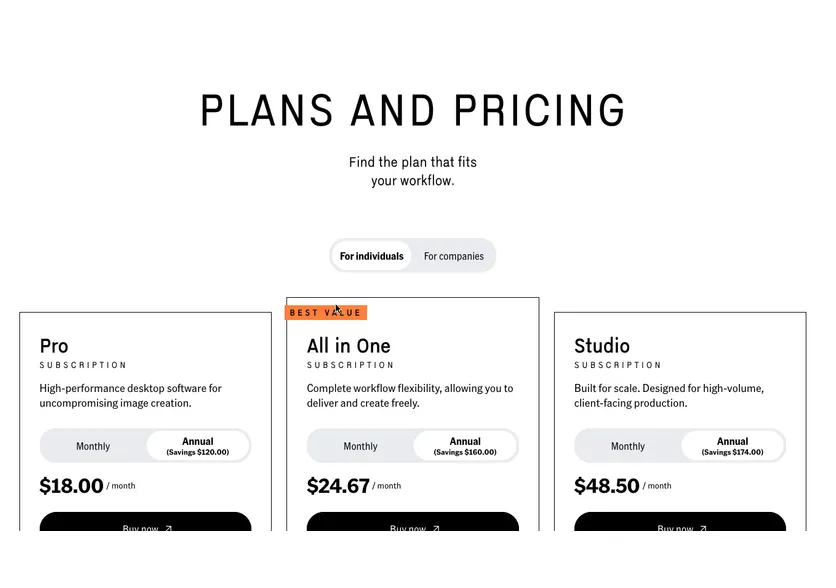
Paid tool Starting price: $18/month · Pro plan, $18 a month billed annually ($216 a year); $28 a month billed monthly; All in One $24.67 a month; Studio $48.50 a month; Pro perpetual $349 one-time; free trial
Free plan: Free trial
Capture One is the raw processor many professionals choose when color accuracy matters more than anything else. This Capture One Pro subscription is a high-performance desktop editor built for uncompromising image creation, with monthly and annual billing and a perpetual license if you would rather pay once. It is the pick for photographers who shoot raw every day and want the color tools to stay out of the way.
What we like
- Best-in-class color tools for raw files
- Tethered shooting support for studio work
- Perpetual license available
Watch out for
- Priced for professionals, not casual editors
- Smaller plugin ecosystem than Photoshop's
How to try it
- Open captureone.com and start the free trial
- Install Capture One Pro and open a folder of raw files
- Grade one shoot end to end before the trial ends
3. DxO PhotoLab 10
Best for: Photographers who want the cleanest high-ISO files from a one-time purchase
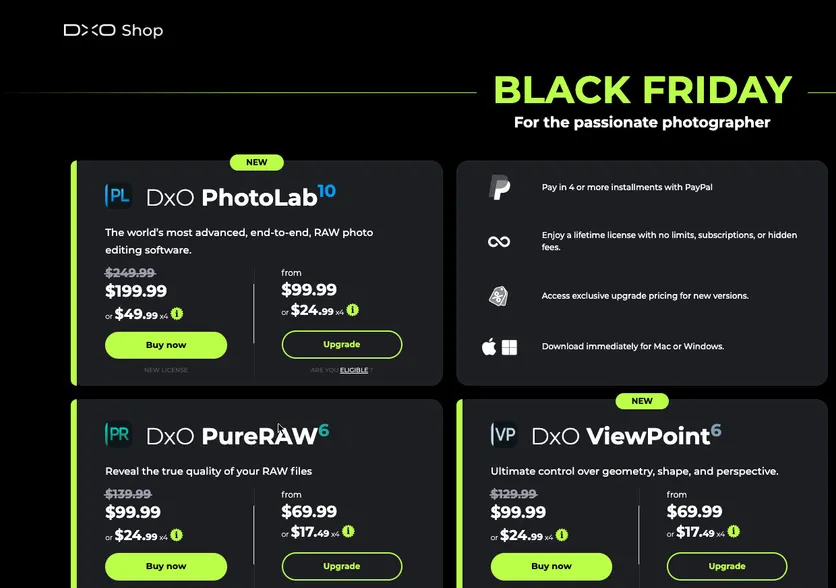
Paid tool Starting price: $199.99 one-time · Elite edition, new license, special price $199.99 (regular $249.99); or $49.99 in 4 installments; upgrade from $99.99; perpetual license; free trial
Free plan: Free trial
PhotoLab is the raw editor for photographers who judge a file by its noise, and its noise reduction is the reason most people buy it. This DxO PhotoLab 10 release pairs end-to-end raw editing with a perpetual license, so you pay once and keep the version you bought. It is the strongest choice here for rescuing high-ISO shots without renting your editor by the month.
What we like
- Outstanding noise reduction for high-ISO files
- One-time license, no subscription
- Full raw workflow in a single app
Watch out for
- No layers or compositing like Photoshop
- New versions cost extra after the first
How to try it
- Open dxo.com and start the free trial
- Open a noisy raw file and try the denoise tools
- Export a finished file and compare it with your current editor
4. Luminar
Best for: Editors who want AI tools and a lifetime license in one purchase
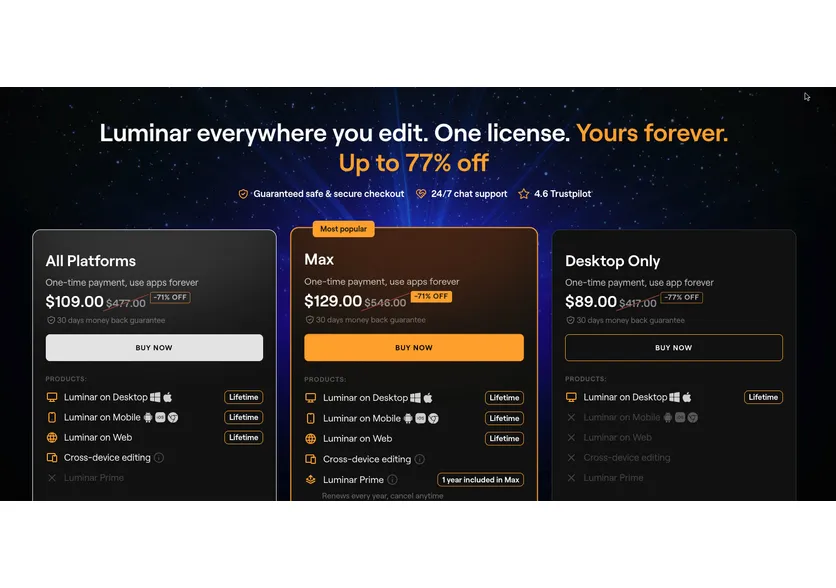
Paid tool Starting price: $99 one-time · Desktop Only, $99 one-time (list $417); All Platforms $139; Max $159; 30-day money-back guarantee
Free plan: No free trial
Luminar is the AI-first editor for people who would rather move sliders than build masks by hand. This Luminar license is a one-time payment you keep forever, covering desktop, mobile and web depending on the plan you pick. It is the simplest route here to AI sky replacement, relighting and enhancement without a monthly bill.
What we like
- AI sky replacement and relighting in one click
- One-time license you keep forever
- Works on desktop, mobile and web
Watch out for
- No free trial, only a 30-day money-back guarantee
- Fewer manual controls than a traditional raw editor
How to try it
- Open skylum.com/luminar and pick a plan
- Install Luminar on your desktop and open a photo
- Try the AI enhance and sky tools on a flat-looking shot
5. ON1 Photo RAW 2027
Best for: Photographers who want a Lightroom alternative they own outright
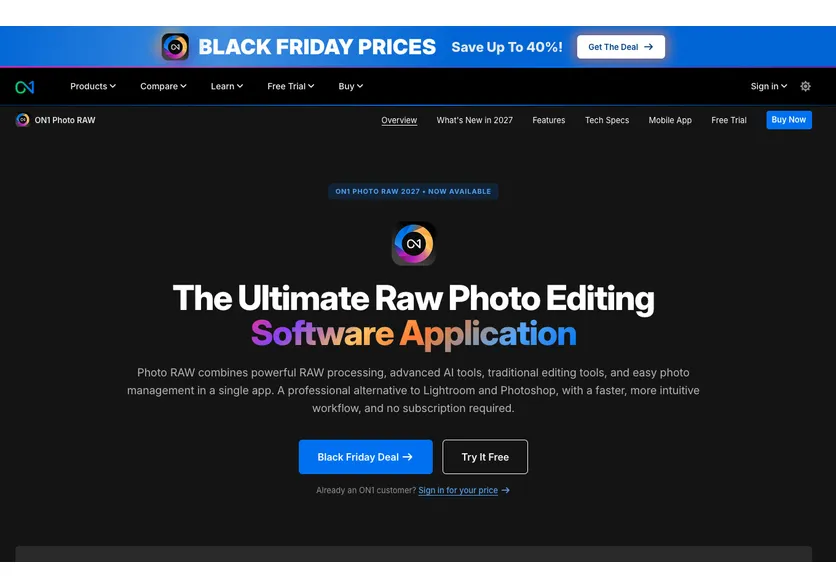
Paid tool Starting price: $59.99 one-time · Black Friday price (regular $99.99); one-time purchase, own version 2027 outright; 30-day money-back guarantee
Free plan: Free trial
ON1 Photo RAW is the all-in-one raw editor for photographers who refuse subscriptions, combining browsing, raw processing, layers and effects in a single app. This ON1 Photo RAW 2027 release adds AI masking, generative erase, sky swap and Resize AI, and it never asks you to import a catalog before you can edit. It is the closest thing to Lightroom and Photoshop in one purchase, and the files stay yours.
What we like
- Browsing, raw editing, layers and effects in one app
- No catalog import needed before you edit
- One-time license with AI masking and sky swap
Watch out for
- Smaller community and fewer tutorials than Lightroom
- Performance can lag on very large catalogs
How to try it
- Buy Photo RAW 2027 once on the ON1 site
- Browse to a folder of raw files and open one
- Apply AI edits and export without importing a catalog
6. Topaz Photo
Best for: Photographers rescuing noisy, soft or low-resolution shots
Paid tool Starting price: $169/year · annual plan, first year only (renews at $199/year); $21/month on annual commitment, first year; $39/month month-to-month
Free plan: No free trial
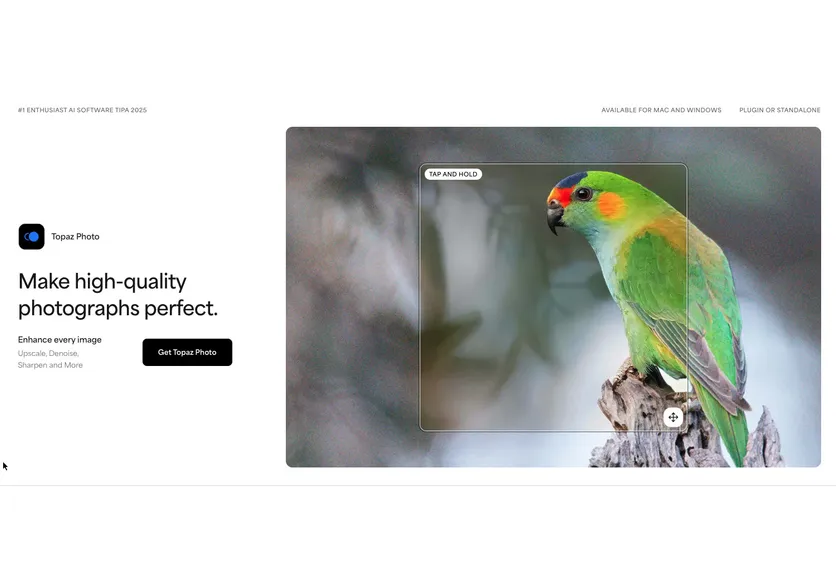
Topaz Photo is not a general editor but a specialist that fixes the shots other editors cannot save. This Topaz Photo subscription sharpens missed focus, removes high-ISO noise, upscales small files and recovers faces, using AI models trained on millions of images. It works as a standalone app or as a plugin inside Photoshop and Lightroom, and it is the tool to reach for when a photo is almost great.
What we like
- Rescues noisy, soft and low-resolution shots
- Works standalone or inside Photoshop and Lightroom
- AI models trained for faces, sharpening and upscale
Watch out for
- Not a general editor, only a fixer
- First year price renews higher at $199 a year
How to try it
- Start a Topaz Photo subscription on the Topaz site
- Open a photo and let the AI suggest enhancements
- Apply sharpening, denoise or upscale, then export the result
7. Pixelmator Pro
Best for: Mac and iPad owners who want a one-time purchase, not a subscription
Paid tool Starting price: $49.99 one-time · one-time purchase for Mac on the App Store; also in Apple Creator Studio at $12.99/month or $129/year; 30-day Creator Studio trial
Free plan: No free trial
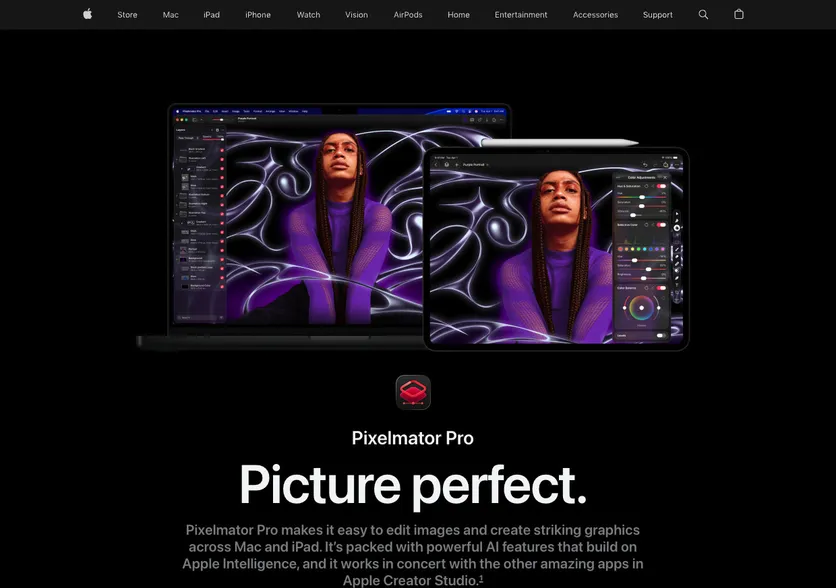
Pixelmator Pro is the rare professional editor you buy once and keep, built for Mac and iPad with Apple Intelligence features throughout. This Pixelmator Pro release pairs a full layer-based editor with AI tools for removing backgrounds, upscaling images and matching colors, all in a clean native interface. It is the best fit for Apple users who want desktop-grade editing without a monthly bill.
What we like
- Full layer-based editor for one payment
- Native Mac and iPad app with Apple Intelligence
- AI background removal and color matching built in
Watch out for
- Mac and iPad only, no Windows version
- No free trial, only the Creator Studio trial path
How to try it
- Buy Pixelmator Pro once on the Mac App Store
- Open a photo and try the AI background remover
- Export for print or the web in your chosen format
8. Pixlr Premium
Best for: Quick browser-based edits and AI tools without installing anything
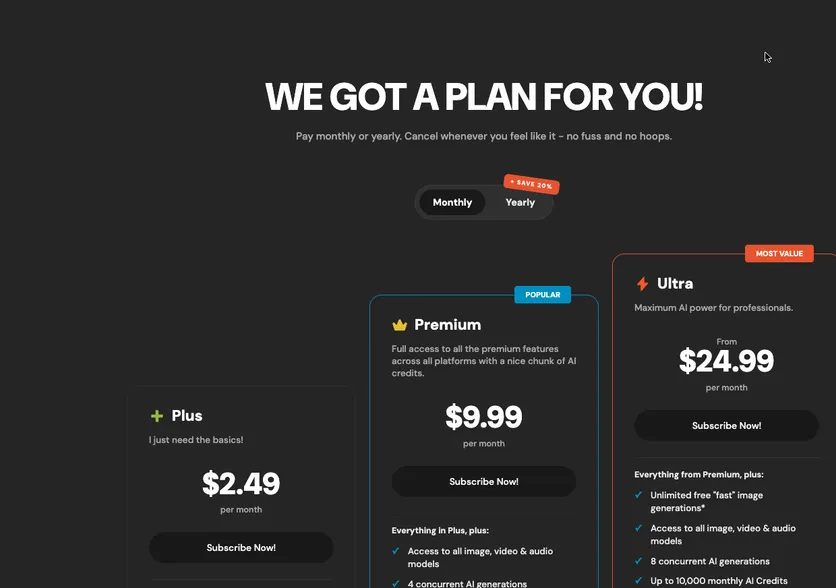
Paid tool Starting price: $7.99/month · yearly plan ($95.88/year); $9.99/month month-to-month; Plus from $1.99/month yearly, Ultra from $19.99/month yearly
Free plan: Free plan
Pixlr runs entirely in the browser, so there is nothing to install and your edits work on any computer. This Pixlr Premium subscription unlocks the full editor with AI background removal, generative fill, batch editing and the full template library for social posts and marketing graphics. It is the fastest way to go from a raw photo to a finished post when you do not want a desktop app in the way.
What we like
- Runs entirely in the browser, nothing to install
- AI background removal and generative fill included
- Full template library for social posts
Watch out for
- Your files upload to Pixlr's servers
- Ads and limits on the free plan push you to pay
How to try it
- Open pixlr.com and sign in to a Premium account
- Upload a photo or start from a template
- Edit with AI tools, then export in your chosen format
9. Fotor Pro
Best for: Budget buyers who want AI image tools and credits in one cheap plan
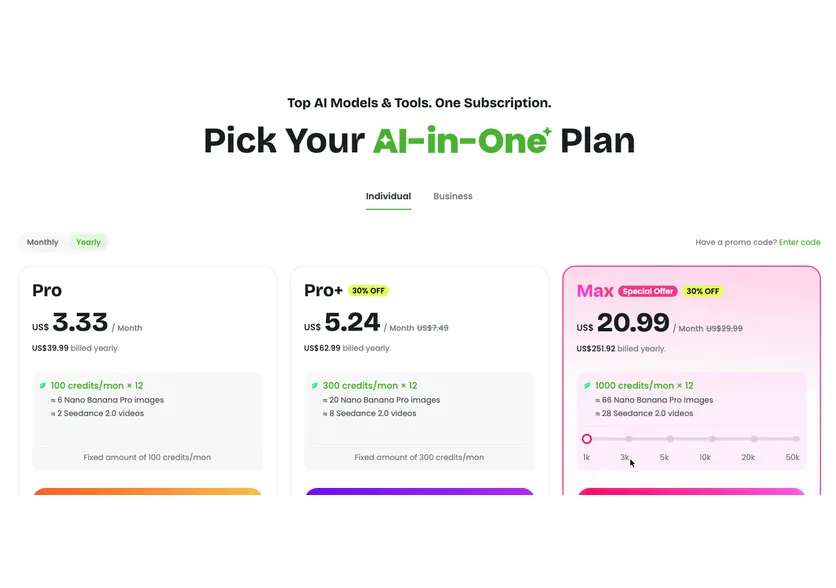
Paid tool Starting price: $3.33/month · billed yearly ($39.99/year); Pro+ $7.49/month ($89.99/year); Max $11.19/month ($134.32/year); free Basic plan
Free plan: Free plan
Fotor is the cheapest subscription on this list, and it bundles AI image generation with its editor instead of selling them separately. This Fotor Pro plan unlocks the AI tools with a monthly credit allowance for image and video generation. It is the pick for social posts and quick marketing graphics where speed matters more than raw processing.
What we like
- Cheapest subscription on this list
- AI image generation bundled with the editor
- Fast for social posts and marketing graphics
Watch out for
- AI tools run on a monthly credit allowance
- No serious raw processing tools
How to try it
- Open fotor.com/pricing and pick the yearly plan
- Open a photo in the editor and try the AI tools
- Use your monthly credits on an image or video before renewing
Prices above were checked on each vendor’s own website on Nov 17, 2026 and can change — the vendor’s page is the final word. Vendor links are editorial: nobody paid to be listed or ranked here. Vendors who want a featured listing can see how it works on our Get listed page.
What the paid editors cost in 2026
Price is the first filter, and the range is wide. The cheapest subscription here costs about the price of a coffee each month, the most expensive one-time purchase costs about two hundred dollars, and four of the nine tools can be bought once and owned outright. The table below uses the headline price each vendor shows on its own pricing page, checked on November 25, 2026. One-time prices are a single payment, not a subscription.
Two things to watch before you pay. First, the Black Friday prices on this list are sale prices, and the crossed-out prices are what you pay when the sale ends, so buy for the tool rather than the discount. Second, four of the nine offer a free trial, and that is the honest way to compare them: run the same three jobs — denoise a high-ISO shot, mask a subject, and export a finished file — through each trial and keep the one that feels fastest.
Before you buy
- Run the same three jobs through each trial: denoise a high-ISO shot, mask a subject, and export a finished file.
- Buy for the tool, not the discount, because the Black Friday prices here are sale prices that rise when the sale ends.
- Weigh one-time licences against subscriptions, because Pixelmator Pro costs $49.99 once while Photoshop bills monthly.
- Check the platform, because Pixelmator Pro is Mac and iPad only while Photoshop runs on desktop, web and mobile.
- Match the tool to the work, because Topaz Photo only fixes images while Fotor Pro has no serious raw processing tools.
Official websites
Official websites of the products reviewed above. Features and prices were checked against these sites when this guide was written, and they can change, so confirm on the vendor site before you buy.
Frequently asked questions
Which image editor is the best overall in 2026?
For most buyers, Adobe Photoshop, because it does everything on this list — layers, masking, retouching, compositing and generative fill — and it is the editor other tools are measured against. The catch is the subscription, which is why Capture One is the better pick for raw photographers, and Pixelmator Pro is the better pick if you want a one-time purchase for your Mac.
Is there an image editor I can buy once instead of subscribing?
Yes, four of the nine. DxO PhotoLab, Luminar, ON1 Photo RAW and Pixelmator Pro all sell a one-time license you keep forever, and Luminar and ON1 are on sale for Black Friday right now. Note the trade-off: a one-time license buys one version, so future major versions cost extra, while subscriptions always include the latest version.
Do I need a paid image editor at all?
Often not. Compressing a photo, resizing it for a form, and cropping out the clutter are jobs a free browser tool handles fine. You need a paid editor when you process raw files regularly, remove noise from high-ISO shots, use AI masking and generative fill, or need the color tools a professional workflow demands.
Which paid image editor is cheapest?
Fotor Pro, at about three dollars a month billed yearly, is the cheapest subscription here, and Pixlr Premium is close behind. For a one-time payment, Pixelmator Pro is the cheapest outright purchase, with Luminar and ON1 close behind on Black Friday pricing. But the cheapest price is not the cheapest deal: check what each plan leaves out, because a tool without raw processing may force you to buy a second one.
Can I try these image editors before paying?
Four of the nine offer a free trial: Photoshop, Capture One, DxO PhotoLab and ON1 Photo RAW all let you test the full editor before you pay. Luminar lists no trial but offers a 30-day money-back guarantee, Pixelmator Pro is covered by the 30-day Creator Studio trial if you subscribe there, and Fotor has a free Basic plan you can use first. Check the checkout page for the exact trial terms before you start one.
Only need the everyday image jobs? Compress, resize and crop photos free on Toolsvine — no uploads, no sign-up.
Browse Image Tools tools