On this page
A good photo editor should make a dull photo look great in minutes, not hours. The best editors pair one-click fixes with deeper tools for full control, at a price you can defend. The seven tools below run from the industry standard to the cheapest browser editor. Every price was checked on the vendor site on November 25, 2026, and every tool offers a free trial or a free plan to test before you pay. Adobe Photoshop is our first pick — the deepest editor, and the right pick when photo work is your job.
How we researched this
We started with the photo editors people actually pay for, then read each price on the vendor pricing page on November 25, 2026 and noted the free trial or free plan each one carries. We judged them for someone who edits photos every week and needs results that look good on a screen and in print. We kept the list to tools with a published price, and we dropped any tool whose price we could not verify.
Compare the tools
| Name | Best for | Starting price | Free plan | |
|---|---|---|---|---|
 Adobe Photoshop | Professionals who need the deepest editing tools and PSD compatibility | $22.99/month | 7-day free trial | Visit |
 Pixlr Premium | Anyone who wants a full editor in the browser with nothing to install | $7.99/month | Free plan; 7-day free trial | Visit |
 Fotor Pro | Budget editors who want AI image generation bundled with the editor | $3.99/month | Free plan | Visit |
 Canva Pro | Social media and marketing teams that need finished designs fast | $12/month | 30-day free trial | Visit |
 Adobe Express Premium | Quick social graphics with Adobe-quality templates | $9.99/month | Free plan; 30-day free trial | Visit |
 PicMonkey Pro | Small businesses that need polished graphics without a designer | $12.99/month | 7-day free trial | Visit |
 BeFunky Plus | Casual editors who want photos, collages and cards in one place | $6.99/month | Free plan | Visit |
The photo editors, compared
1. Adobe Photoshop
Best for: Professionals who need the deepest editing tools and PSD compatibility
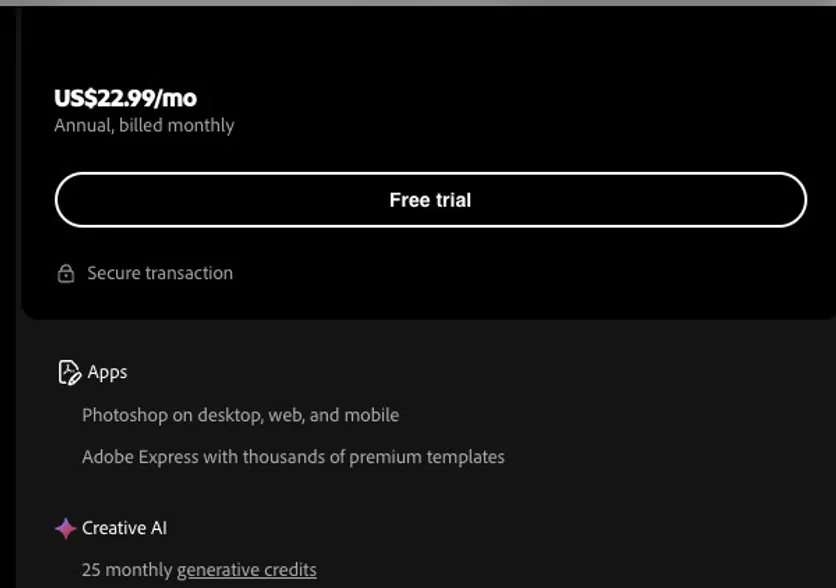
Paid tool Starting price: $22.99/month · Single-app plan, annual billed monthly ($275.88 a year); $34.49 a month month-to-month; Photography plan with Lightroom is $19.99 a month; 7-day free trial
Free plan: 7-day free trial
Photoshop is the editor every other editor is measured against, and it still sets the pace for serious retouching. This Adobe Photoshop plan covers layers, masks, Generative Fill, background removal and full PSD compatibility on desktop, web and mobile. It is the right pick when your work has to open correctly in any studio or print shop.
What we like
- The deepest toolset on this list
- PSD files open everywhere
- Generative Fill saves hours on retouching
Watch out for
- Steep learning curve for beginners
- Priciest monthly plan here
How to try it
- Open the Adobe Photoshop page and start the 7-day trial
- Open a photo and remove the background in one click
- Save the result as a PSD and as a JPG for sharing
2. Pixlr Premium
Best for: Anyone who wants a full editor in the browser with nothing to install
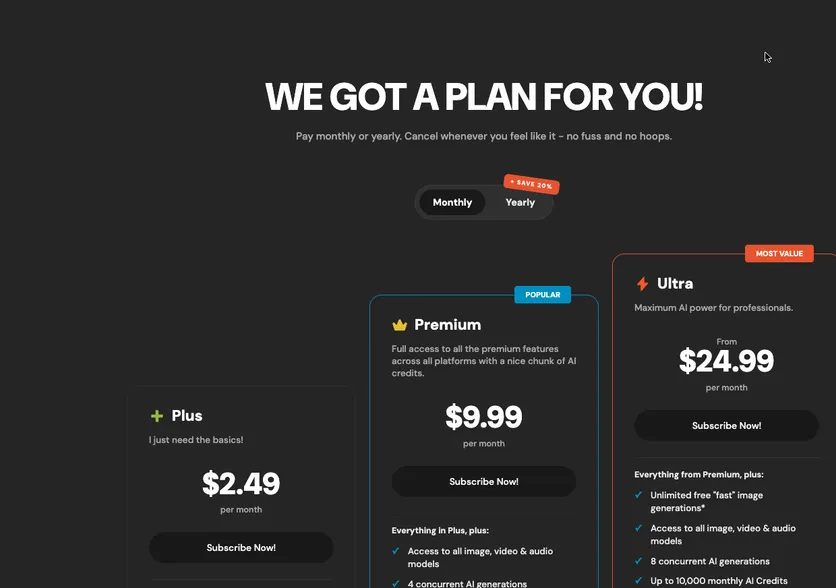
Paid tool Starting price: $7.99/month · Premium plan, billed yearly ($95.88 a year); $9.99 a month on monthly billing; Plus from $1.99 a month yearly; 7-day free trial
Free plan: Free plan; 7-day free trial
Pixlr Premium runs entirely in the browser, so there is nothing to install and your edits work on any computer. This Pixlr Premium plan unlocks the full editor with AI background removal, generative fill, batch editing and the full template library. It is the best pick for quick edits on a shared or borrowed machine.
What we like
- Nothing to install, works anywhere
- Strong AI tools for the price
- Batch editing on Premium
Watch out for
- AI features run on monthly credits
- Free plan caps file size at 10 MB
How to try it
- Open the Pixlr pricing page and start the Premium trial
- Upload a photo and remove the background with AI
- Export it as a PNG with a transparent background
3. Fotor Pro
Best for: Budget editors who want AI image generation bundled with the editor
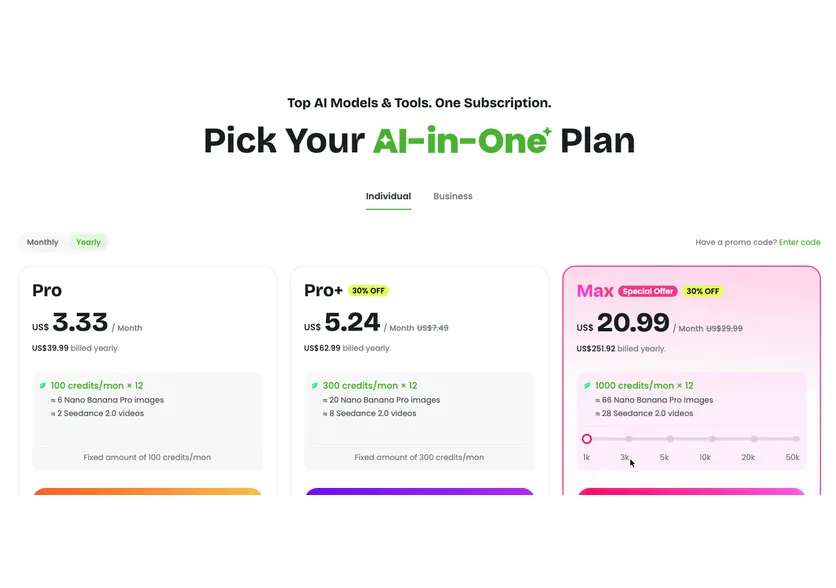
Paid tool Starting price: $3.99/month · Pro plan, billed yearly ($47.99 a year); $10.99 a month on monthly billing; price rose from $3.33 a month ($39.99 a year) in November 2026
Free plan: Free plan
Fotor Pro is the cheapest subscription on this list, and it bundles AI image generation with its editor instead of selling them separately. This Fotor Pro plan unlocks the AI tools with a monthly credit allowance for image and video generation, plus HD exports and transparent PNGs. It is the best value for a small seller or blogger who edits photos every day.
What we like
- Cheapest subscription on this list
- AI generation bundled in, not extra
- Credits roll over for up to five months
Watch out for
- Only 100 AI credits a month on Pro
- Trial converts automatically if you forget to cancel
How to try it
- Open the Fotor pricing page and pick the Pro yearly plan
- Upload a product photo and remove the background
- Export it in HD and post it to your store
4. Canva Pro
Best for: Social media and marketing teams that need finished designs fast
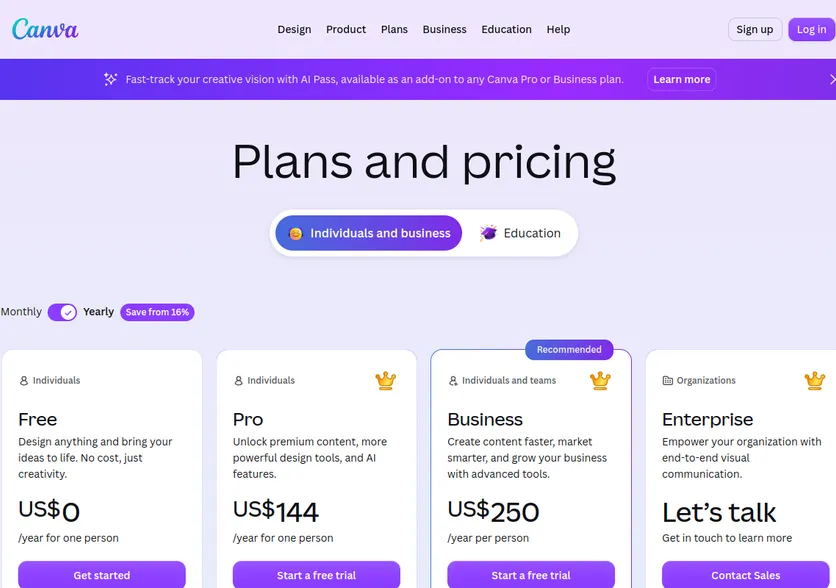
Paid tool Starting price: $12/month · Pro plan, billed annually ($144 a year); $18 a month on monthly billing; 30-day free trial; one person only
Free plan: 30-day free trial
Canva Pro is the editor for people who need a finished design, not a blank canvas. This Canva Pro plan unlocks the full template library, Brand Kit, background removal and Magic Resize for every social size. It is the best pick when a small team has to publish polished posts every day.
What we like
- Huge template library for every format
- Magic Resize saves hours on social posts
- Easy for a whole team to learn
Watch out for
- One person only on the Pro plan
- Templates can make designs look alike
How to try it
- Open the Canva pricing page and start the 30-day Pro trial
- Pick a template and drop in your photo
- Resize it for every social platform in one click
5. Adobe Express Premium
Best for: Quick social graphics with Adobe-quality templates
Paid tool Starting price: $9.99/month · Premium plan, billed monthly with no annual commitment; 30-day free trial
Free plan: Free plan; 30-day free trial
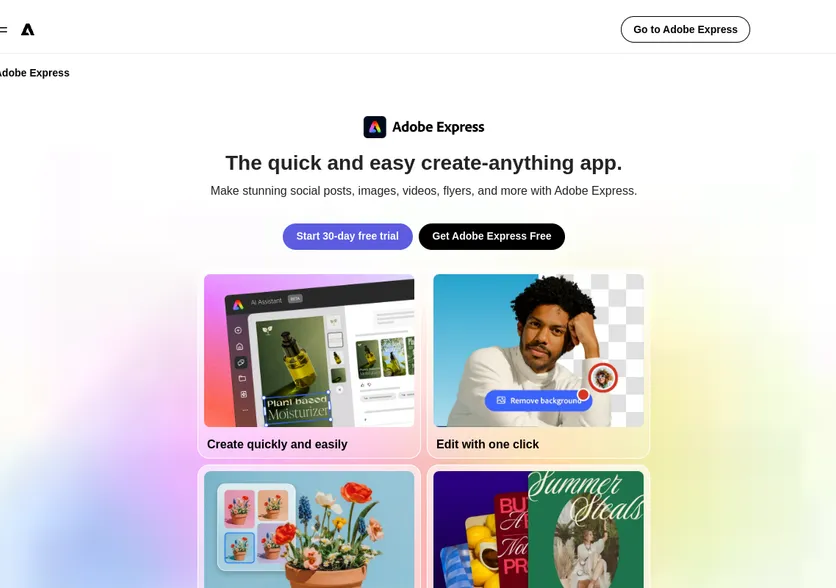
Adobe Express Premium is Adobe's answer to quick social graphics, with templates and AI tools that stay out of your way. This Adobe Express Premium plan adds premium templates, fonts, background removal and one-click resize across social sizes. It is the best pick for a solo creator who wants Adobe quality without the Photoshop learning curve.
What we like
- Adobe-quality templates and fonts
- Very fast for social graphics
- No annual commitment needed
Watch out for
- Less deep editing than Photoshop
- Monthly billing costs more over a year
How to try it
- Open the Adobe Express pricing page and start the Premium trial
- Choose a social template and add your photo
- Resize it for Instagram, Facebook and Pinterest
6. PicMonkey Pro
Best for: Small businesses that need polished graphics without a designer
Paid tool Starting price: $12.99/month · Pro plan, $120 a year on annual billing; Basic is $7.99 a month ($72 a year); 7-day free trial
Free plan: 7-day free trial
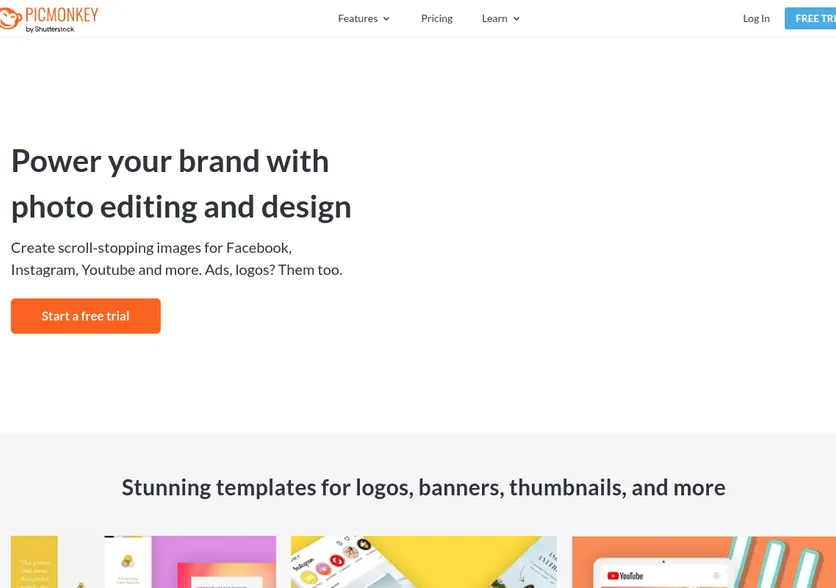
PicMonkey Pro is the friendly middle ground between a template app and a full editor. This PicMonkey Pro plan covers photo editing, collage, touch-up tools and thousands of templates for social posts, ads and invitations. It is the best pick for a small business owner who designs their own marketing.
What we like
- Easy to learn in an afternoon
- Good touch-up and collage tools
- Thousands of ready templates
Watch out for
- No free plan, trial only
- Fewer AI tools than the newer rivals
How to try it
- Open the PicMonkey pricing page and start the 7-day trial
- Upload a photo and fix the lighting in one click
- Add text and export it for social media
7. BeFunky Plus
Best for: Casual editors who want photos, collages and cards in one place
Paid tool Starting price: $6.99/month · Plus plan, billed annually ($83.88 a year); $14.99 a month on monthly billing; Pro is $12.49 a month annual
Free plan: Free plan
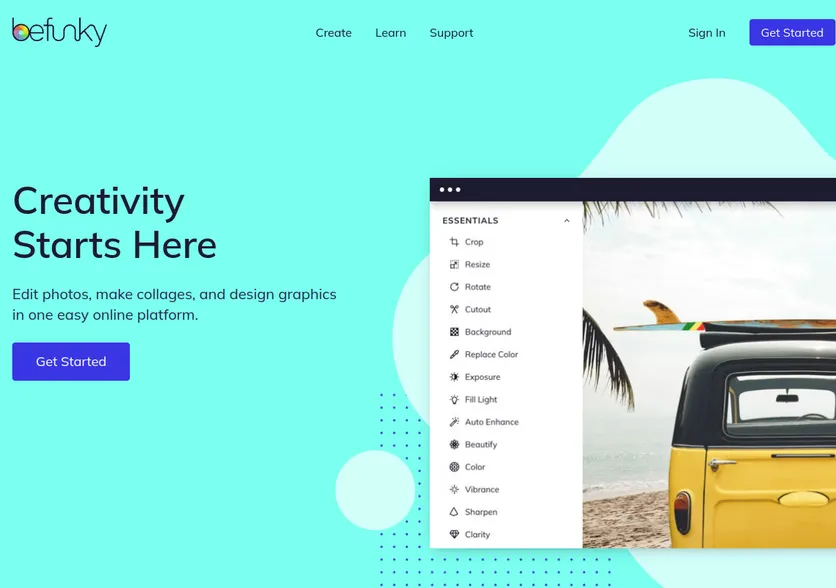
BeFunky Plus keeps things simple: a photo editor, a collage maker and a designer in one tab. This BeFunky Plus plan removes ads, unlocks premium effects and templates, and adds batch editing for whole folders. It is the best pick for family photos, invitations and quick social posts.
What we like
- Three tools in one tab
- Very gentle learning curve
- Good collage and card templates
Watch out for
- Shallower editing than Photoshop or Pixlr
- Batch tools need the paid plan
How to try it
- Open the BeFunky pricing page and pick the Plus yearly plan
- Upload a photo and apply a one-click effect
- Make a collage and share it straight to social media
Prices above were checked on each vendor’s own website on Nov 14, 2026 and can change — the vendor’s page is the final word. Vendor links are editorial: nobody paid to be listed or ranked here. Vendors who want a featured listing can see how it works on our Get listed page.
What photo editing software costs in 2026
Photo editing prices run from about $4 a month to about $23 a month, and the cheapest plan is not always the cheapest deal. Yearly billing cuts the monthly price by a third or more on most tools, while AI credits, export limits and seat counts change what you really pay. The table below uses the headline plan each vendor shows on its own pricing page, checked on November 25, 2026.
Before you buy
- Match the editor to your skill: Photoshop suits professional retouching, while Canva Pro is the easiest starting point.
- Compare annual prices: Fotor Pro is cheapest at about $4 a month yearly, while Photoshop is priciest at about $23 a month.
- Check AI credit allowances: Fotor Pro includes only 100 AI credits a month, and Pixlr runs AI features on monthly credits.
- Test free first: Pixlr, Fotor, Canva, Adobe Express and BeFunky have free plans, though they cap exports or limit AI credits.
- Decide browser or desktop: Pixlr, Fotor, Canva and BeFunky run in the browser, while Photoshop is desktop-first with a web version.
Official websites
Official websites of the products reviewed above. Features and prices were checked against these sites when this guide was written, and they can change, so confirm on the vendor site before you buy.
Frequently asked questions
Which photo editing software is best for beginners?
Canva Pro is the easiest starting point, because templates do most of the work and the interface needs no training. Fotor Pro is the cheapest way to learn, at about $4 a month, and Pixlr Premium adds real layers and masks when you are ready for more. Start with a free trial on one of the three, and move to Photoshop only when you need its depth.
What is the cheapest photo editing software?
Fotor Pro, at about $4 a month on yearly billing, is the cheapest subscription here. BeFunky Plus costs about $7 a month yearly, and Pixlr Premium about $8 a month yearly. Photoshop is the priciest at about $23 a month, but it is also the deepest tool. For most casual editors, Fotor or BeFunky covers the job for a third of the price.
Can I edit photos for free?
Yes. Pixlr, Fotor, Canva, Adobe Express and BeFunky all have free plans, and Photoshop, PicMonkey and Canva Pro offer free trials from 7 to 30 days. Free plans usually cap exports, add watermarks or limit AI credits, so a paid plan pays for itself once you edit photos every week.
Is Photoshop worth it in 2026?
It depends on the work. Photoshop is worth it if you retouch professionally, need PSD compatibility or use Generative Fill daily. For social posts, product photos and quick edits, Canva Pro or Fotor Pro do the job for half the price or less. Try the 7-day Photoshop trial on a real project before you commit to the monthly bill.
Do I need to install photo editing software?
Not always. Pixlr, Fotor, Canva, Adobe Express and BeFunky all run in the browser, so your edits work on any computer with nothing to install. Photoshop and PicMonkey are desktop-first, though Photoshop also has a web version. Browser editors suit quick edits and shared machines; desktop editors suit heavy files and offline work.
Browse all image tools
Browse Image Tools tools