On this page
A remote team has no hallway, no lunch room and no tap on the shoulder, so the chat tool becomes the office itself. The eight tools below were judged on how they carry that load: clear channels, reliable video, searchable history and a price that scales with headcount. Slack leads the list because it does all four well for seven dollars and twenty-five cents a user a month, and the other seven tools are ranked on the same practical test: does a distributed team stay in sync without living in meetings?
How we researched this
We checked every price on the vendor pricing page on November 27, 2026, and only included tools with a published US dollar list price and a free plan or free trial, so confirm the current figure on the vendor site before you buy. Rocket.Chat is not in this list because it publishes no paid price in 2026: its Starter plan is free and self-managed, and everything above it is quote-only.
Compare the tools
| Name | Best for | Starting price | Free plan | |
|---|---|---|---|---|
 Slack | Remote teams that live in channels and need every conversation searchable | $7.25/user/month | Free plan for small teams | Visit |
 Microsoft Teams | Remote teams already running Microsoft 365 | $4/user/month | Free plan with unlimited chat and meetings up to 60 minutes | Visit |
| Zoom Workplace | Remote teams that meet on video all day | $13.33/user/month | Free plan with 40-minute group meetings | Visit |
 Google Workspace | Remote teams that write and meet in Google Docs and Meet | $7/user/month | No free plan; 14-day free trial | Visit |
 Connecteam | Remote teams with deskless workers who need updates on their phones | $29/month | Free Small Business plan for up to 10 users | Visit |
| Mattermost | Remote teams that need to host their own chat for security or compliance | $10/user/month | Free self-hosted plan with unlimited users | Visit |
 Chanty | Small remote teams that want chat, calls and tasks in one cheap plan | $3/user/month | Free plan for teams of up to 5 users | Visit |
 Pumble | Remote teams on a tight budget that want unlimited history | $2.49/user/month | Free plan with unlimited users and message history | Visit |
The internal communications software for remote teams, compared
1. Slack
Best for: Remote teams that live in channels and need every conversation searchable
Paid tool Starting price: $7.25/user/month · Seven dollars and twenty-five cents per user per month billed annually on the Pro plan (eight dollars and seventy-five cents on monthly billing); Business Plus is twelve dollars and fifty cents per user per month billed annually. A fifty percent discount for the first three months is a promotion, not the list price
Free plan: Free plan for small teams
This Slack plan costs seven dollars and twenty-five cents per user per month billed annually, and it turns team chat into the remote office itself. Channels replace hallway conversations, huddles replace tap-on-the-shoulder questions, and every decision stays searchable instead of buried in email threads. Workflow Builder automates the repetitive asks, like standup updates and time-off requests, without a developer.

What we like
- Channels keep every conversation searchable by topic
- Huddles give remote teams instant voice without a meeting link
- Workflow Builder automates standups and routine requests
Watch out for
- Message history on the free plan is limited to 90 days
- Costs climb quickly as headcount grows on per-user pricing
How to try it
- Create a channel for each team and project, with a clear naming pattern
- Set up huddles for quick voice check-ins instead of booking meetings
- Add Workflow Builder automations for standups and time-off requests
2. Microsoft Teams
Best for: Remote teams already running Microsoft 365
Paid tool Starting price: $4/user/month · Four dollars per user per month billed annually on the Teams Essentials plan; the full Microsoft 365 Business plans cost more and add the Office apps. Monthly billing costs more per user, and Microsoft does not publish a single monthly Essentials figure
Free plan: Free plan with unlimited chat and meetings up to 60 minutes
This Microsoft Teams plan costs four dollars per user per month billed annually, and it is the cheapest way into a full remote-work hub for a Microsoft shop. Chat, video meetings, file sharing and collaborative documents sit in one window, so a remote worker rarely leaves the app during the day. Teams channels can host the apps a team already uses, from Planner boards to Power BI reports, without a separate login.

What we like
- Chat, meetings and files live in one app
- Deep integration with Word, Excel and SharePoint
- Free plan covers unlimited chat and hour-long meetings
Watch out for
- The interface feels heavy on smaller screens and older machines
- Guests and external users hit more friction than in Slack
How to try it
- Create a team for each department and a channel for each workstream
- Schedule recurring meetings from the shared calendar
- Pin the apps your team uses daily to the left rail
3. Zoom Workplace
Best for: Remote teams that meet on video all day
Paid tool Starting price: $13.33/user/month · Thirteen dollars and thirty-three cents per user per month billed annually on the Pro plan (sixteen dollars and ninety-nine cents on monthly billing); Business is eighteen dollars and thirty-three cents per user per month billed annually
Free plan: Free plan with 40-minute group meetings
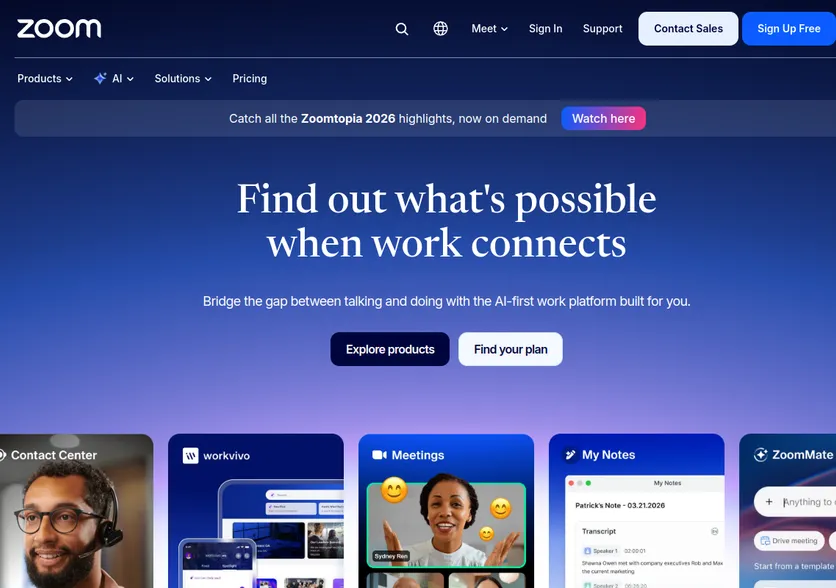
This Zoom Workplace plan costs thirteen dollars and thirty-three cents per user per month billed annually, and it builds internal communication around the video meeting rather than the chat thread. Team Chat keeps the conversation going between calls, whiteboards and docs carry the working notes, and the AI Companion writes meeting summaries so nobody has to take minutes. For a distributed team that decides things face to face on screen, the meeting-first design fits how the day actually runs.
What we like
- Video quality holds up on large all-hands calls
- AI Companion summaries save note-taking time
- Team Chat keeps decisions attached to the meeting that made them
Watch out for
- Chat and docs feel secondary to video, not equal partners
- The Pro plan caps meetings at 30 hours and 100 participants
How to try it
- Move recurring team meetings to standing Zoom links
- Keep follow-up discussion in Team Chat channels
- Turn on AI Companion summaries for meetings you cannot attend
4. Google Workspace
Best for: Remote teams that write and meet in Google Docs and Meet
Paid tool Starting price: $7/user/month · Seven dollars per user per month billed annually on the Business Starter plan (eight dollars and forty cents on flexible monthly billing); Standard is fourteen dollars and Plus is twenty-two dollars per user per month. A fifty percent discount for the first three months is a promotion, not the list price
Free plan: No free plan; 14-day free trial
This Google Workspace plan costs seven dollars per user per month billed annually, and it makes internal communication a side effect of the documents themselves. Comments in Docs, Sheets and Slides carry the discussion, Chat spaces keep the project threads, and Meet joins straight from the calendar invite. A remote team that already lives in Gmail will find the learning curve close to zero, because the chat and video tools are the ones they already open every morning.

What we like
- Docs comments keep discussion attached to the work
- Chat spaces link straight to shared Drive folders
- Meet needs no install for guests
Watch out for
- No free plan, only a 14-day trial
- Chat is weaker than Slack for large, fast-moving channels
How to try it
- Create a Chat space for each project and link its Docs folder
- Use comments in shared documents for decisions that need a paper trail
- Start Meet calls directly from calendar invites
5. Connecteam
Best for: Remote teams with deskless workers who need updates on their phones
Paid tool Starting price: $29/month · Twenty-nine dollars per month for the first thirty users on the Basic plan for one hub, billed annually (thirty-five dollars on monthly billing); Advanced is forty-nine dollars and Expert is ninety-nine dollars, and extra users cost fifty to eighty cents each after the first thirty
Free plan: Free Small Business plan for up to 10 users
This Connecteam plan costs twenty-nine dollars a month for the first thirty users billed annually, and it is built for the remote workers other chat tools forget: the ones without a desk. Updates, forms, schedules and training reach the whole team through a mobile app, so a field technician sees the same announcement as the office. Managers can target messages by team, location or role instead of blasting the entire company.

What we like
- Mobile-first design reaches deskless workers
- Messages target teams, locations or roles
- Forms, schedules and training share the same app
Watch out for
- Pricing is per hub, so the full toolkit costs more than the headline
- Desktop experience is thinner than the mobile app
How to try it
- Set up your company structure with teams, locations and roles
- Post updates to the feed and target them at the right teams
- Add forms and checklists for the tasks that follow the announcement
6. Mattermost
Best for: Remote teams that need to host their own chat for security or compliance
Paid tool Starting price: $10/user/month · Ten dollars per user per month on the Professional plan, prepaid annually with an eleven-user minimum; Mattermost does not publish prices on its public pricing page, so confirm the figure with the vendor before you buy. Enterprise is twenty dollars per user per month according to third-party listings
Free plan: Free self-hosted plan with unlimited users
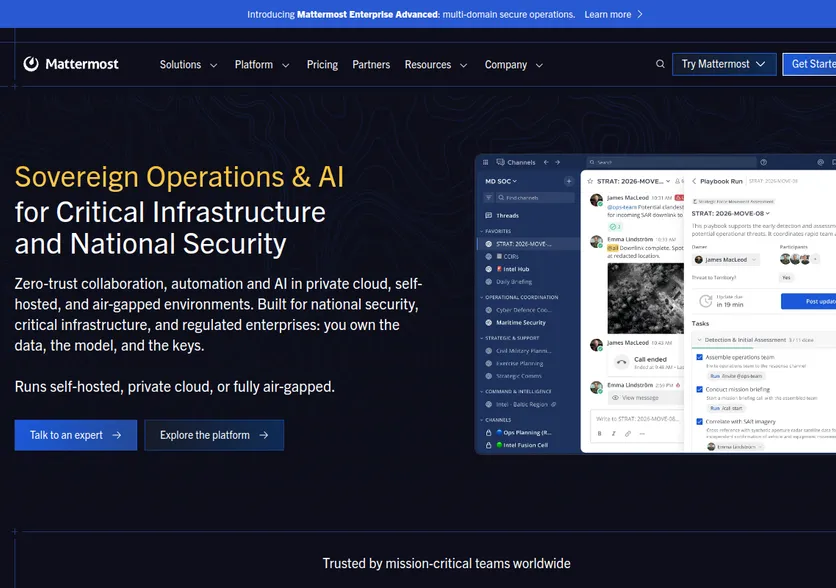
This Mattermost plan costs ten dollars per user per month prepaid annually, and it gives a remote team a Slack-style workspace it can run on its own servers. Channels, threads, calls and file sharing work the way chat users expect, while the data stays inside the company's own infrastructure. That matters for teams under strict compliance rules, and the open-source core means the self-hosted version costs nothing to try.
What we like
- Self-hosting keeps data inside your own infrastructure
- Open-source core with a free self-hosted plan
- Familiar channel and thread layout
Watch out for
- The vendor does not publish prices on its public pricing page
- Running the server yourself adds maintenance work
How to try it
- Deploy the self-hosted server or start the cloud trial
- Import channels from your current chat tool
- Set retention and compliance rules before inviting the team
7. Chanty
Best for: Small remote teams that want chat, calls and tasks in one cheap plan
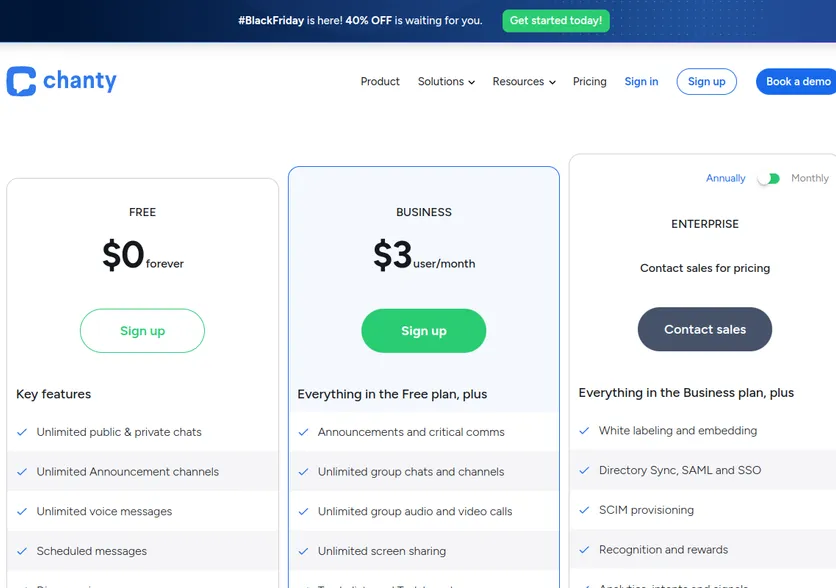
Paid tool Starting price: $3/user/month · Three dollars per user per month billed annually on the Business plan (four dollars on monthly billing); the free plan covers teams of up to five users
Free plan: Free plan for teams of up to 5 users
This Chanty plan costs three dollars per user per month billed annually, and it packs chat, audio and video calls, task management and file sharing into one small subscription. A remote team can discuss a task, assign it and track it without opening a second app, and the built-in Teambook keeps the company knowledge base next to the conversation. At this price it is one of the cheapest ways to give a distributed team a single home.
What we like
- Chat, calls, tasks and files in one subscription
- Messages turn into tracked tasks without another app
- One of the lowest paid prices in this list
Watch out for
- Fewer third-party integrations than Slack or Teams
- Video calls are basic compared with Zoom
How to try it
- Create a space for each project and invite the team
- Turn chat messages into tasks with an owner and a due date
- Store team guides in Teambook so answers are easy to find
8. Pumble
Best for: Remote teams on a tight budget that want unlimited history
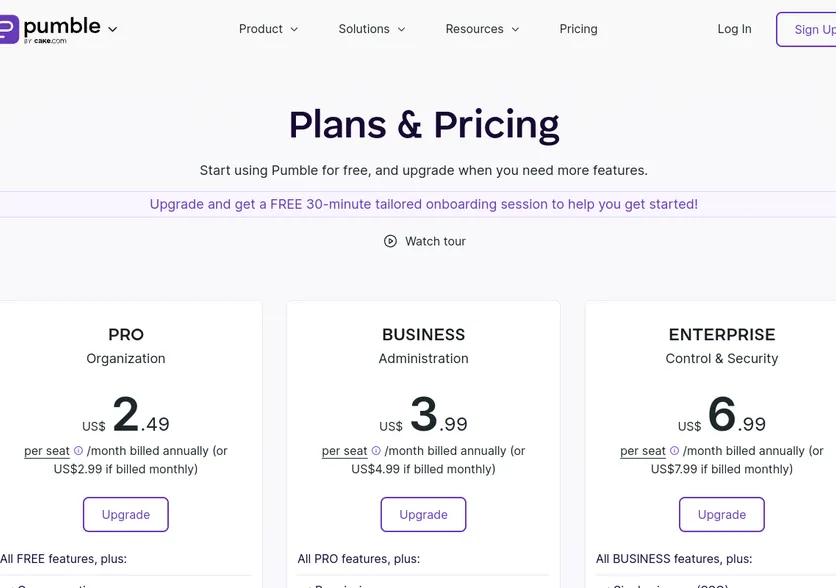
Paid tool Starting price: $2.49/user/month · Two dollars and forty-nine cents per user per month billed annually on the Pro plan (two dollars and ninety-nine cents on monthly billing); Business is three dollars and ninety-nine cents and Enterprise is six dollars and ninety-nine cents
Free plan: Free plan with unlimited users and message history
This Pumble plan costs two dollars and forty-nine cents per user per month billed annually, and it undercuts every other chat tool in this list while keeping the essentials. Channels, threads, direct messages, voice and video calls all work, and the free plan already gives unlimited users and unlimited message history. A remote team that only needs solid chat and calls, without a huge app marketplace, can run on Pumble for less than the price of a coffee per person each month.
What we like
- Cheapest paid plan in this list
- Free plan includes unlimited users and history
- Voice and video calls are built in
Watch out for
- Small app marketplace compared with Slack
- Fewer admin controls on the entry plan
How to try it
- Set up channels for teams and projects
- Use threads to keep side discussions out of the main channel
- Start a voice or video call straight from any channel
Prices above were checked on each vendor’s own website on Nov 28, 2026 and can change — the vendor’s page is the final word. Vendor links are editorial: nobody paid to be listed or ranked here. Vendors who want a featured listing can see how it works on our Get listed page.
How remote teams should run internal communications
Start with one home for team talk, not five. A remote team that splits discussion across chat, email, docs and text messages loses decisions in the gaps, so pick one channel system and make it the default for everything that is not a meeting. Write first, meet second: a short written update with a clear decision beats a thirty-minute call, and the record stays searchable for the teammate in another time zone. Keep the meeting count low by giving every recurring call a written agenda and a written outcome, and let the chat tool carry the rest. Finally, agree on response times by channel, because a remote team without that rule either answers everything instantly or nothing at all.
Before you buy
- Check that message history is searchable for at least a year on the plan you buy
- Confirm whether video meetings are included or sold as a separate product
- Ask how guest access works for contractors and clients outside the company
- Count the real monthly cost at your headcount, not the per-user headline alone
- Run a two-week trial with one real team before moving the whole company
Official websites
Official websites of the products reviewed above. Features and prices were checked against these sites when this guide was written, and they can change, so confirm on the vendor site before you buy.
Frequently asked questions
What is the best internal communications software for remote teams?
Slack is the best overall pick for most remote teams: channels, huddles, searchable history and a huge app marketplace for seven dollars and twenty-five cents a user a month. Microsoft Teams is the best value for a team already on Microsoft 365 at four dollars a user a month, and Pumble is the cheapest paid option at two dollars and forty-nine cents. The right choice depends on where your team already works and how much video you need.
How much does Slack cost for a remote team?
Slack costs seven dollars and twenty-five cents per user per month billed annually on the Pro plan, or eight dollars and seventy-five cents on monthly billing. Business Plus is twelve dollars and fifty cents per user per month billed annually. The free plan covers small teams with a ninety-day message history limit. A fifty percent discount for the first three months is a promotion, so budget for the full list price after it ends.
Do remote teams need video meetings in their chat tool?
Most remote teams need both chat and video, but they do not have to come from the same vendor. Chat carries the daily work and the searchable record, while video handles decisions and relationships. Zoom Workplace leads on video quality, while Slack and Teams bundle both well enough for most teams. A team that meets on video all day should weight the video experience more heavily than the chat features.
What is the cheapest internal communications tool for remote teams?
Pumble is the cheapest paid tool in this list at two dollars and forty-nine cents per user per month billed annually, and its free plan already gives unlimited users and unlimited message history. Chanty follows at three dollars a user a month, and Microsoft Teams Essentials is four dollars. Compare the total at your headcount, because a cheap per-user price still grows with every hire.
Can a remote team use a free plan for internal communications?
Yes, for a while. Slack, Teams, Pumble, Chanty, Connecteam and Mattermost all offer a free plan or a free self-hosted option. The limits to watch are message history, meeting length, storage and admin controls. A growing team usually hits the history or storage cap first, so check those numbers before you build your whole workflow on a free tier.
Compare the eight tools above, then start with a free plan or trial on the tool that matches where your remote team already works before you pay for a full year.
Browse Business Tools tools