On this page
An engineering department runs on what it wrote down: runbooks, architecture decisions, onboarding guides and post-mortems. The nine tools below were judged on how well they keep that knowledge findable, current and trusted. Confluence leads because it links docs straight into the Jira tickets that implement them, and the other eight tools are ranked on the same practical test: can a new engineer find the right answer in under a minute, and can the team trust it is still true?
How we researched this
We checked every price on the vendor pricing page on November 27, 2026, and only included tools with a published US dollar list price, so confirm the current figure on the vendor site before you buy. Guru is not in this list because the vendor no longer publishes a price and third-party figures conflict, and Document360 is also out because it has been quote-only since late 2024 and the one hundred and ninety-nine dollar figure circulating online is an estimate, not a vendor price.
Compare the tools
| Name | Best for | Starting price | Free plan | |
|---|---|---|---|---|
 Confluence | Engineering departments already running Jira | $7.15/user/month | Free plan for up to 10 users | Visit |
 Notion | Engineering teams that want docs, tasks and databases in one tool | $10/user/month | Free plan for individuals and small teams | Visit |
 Slab | Engineering teams that want a wiki people actually read | $6.67/user/month | Free plan for up to 10 users | Visit |
 Nuclino | Small engineering teams that want a light, fast wiki | $6/user/month | Free plan for up to 50 items | Visit |
 GitBook | Engineering teams that publish developer docs from Git | $65/site/month + $12/user/month | Free plan for 1 user | Visit |
 Slite | Engineering teams that want structured docs with verification | $10/user/month | No free plan; 14-day free trial | Visit |
 Helpjuice | Engineering teams that need a wiki with serious search and analytics | $120/month | No free plan; 14-day free trial | Visit |
 KnowledgeOwl | Engineering teams that want a wiki with strong version control | $100/month | No free plan; free trial available | Visit |
 HelpDocs | Engineering teams that want an AI-assisted wiki | $99/month | No free plan; free trial available | Visit |
The internal wiki software for engineering departments, compared
1. Confluence
Best for: Engineering departments already running Jira
Paid tool Starting price: $7.15/user/month · Seven dollars and fifteen cents per user per month on the Standard plan for one to one hundred users on monthly billing, after Atlassian's October 13, 2026 price rise; Premium is fourteen dollars and ten cents, and the per-user rate falls as seats rise
Free plan: Free plan for up to 10 users
This Confluence plan costs seven dollars and fifteen cents per user per month on monthly billing, and it is the wiki most engineering teams already know. Pages link straight into Jira tickets, so a design doc, its decisions and the work that follows all live in one chain. Templates for runbooks, post-mortems and architecture decisions give new engineers a place to start instead of a blank page, and the sliding per-user price falls as the team grows.

What we like
- Docs link directly into Jira tickets
- Templates for runbooks, post-mortems and decisions
- Per-user price falls as seats rise
Watch out for
- Search is weaker than in dedicated wiki tools
- The editor feels heavy for quick notes
How to try it
- Create a space per team and a template for runbooks and post-mortems
- Link design docs to the Jira epics that implement them
- Review stale pages quarterly and archive what no longer applies
2. Notion
Best for: Engineering teams that want docs, tasks and databases in one tool
Paid tool Starting price: $10/user/month · Ten dollars per user per month billed annually on the Plus plan (twelve dollars on monthly billing); Business is twenty dollars per user per month billed annually
Free plan: Free plan for individuals and small teams
This Notion plan costs ten dollars per user per month billed annually, and it lets an engineering team keep its wiki, its sprint board and its database of services in the same workspace. A runbook can hold a live table of owners and on-call rotations, and a spec can link to the tasks that implement it. The flexibility is the selling point and the risk: a team needs agreed templates, or the wiki drifts into a maze.

What we like
- Wiki, tasks and databases share one workspace
- Live tables track owners and rotations inside docs
- Huge template library to start from
Watch out for
- Flexibility drifts into chaos without agreed templates
- Performance slows on very large workspaces
How to try it
- Build a template for specs, runbooks and incident reviews
- Link tasks to the docs that describe them
- Keep a database of services with owners and on-call rotations
3. Slab
Best for: Engineering teams that want a wiki people actually read
Paid tool Starting price: $6.67/user/month · Six dollars and sixty-seven cents per user per month billed annually on the Startup plan; Business is twelve dollars and fifty cents per user per month billed annually
Free plan: Free plan for up to 10 users
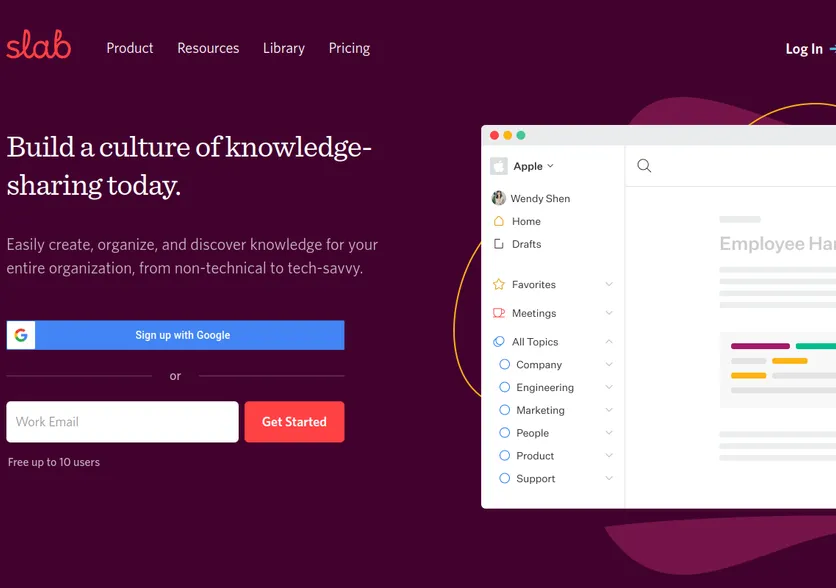
This Slab plan costs six dollars and sixty-seven cents per user per month billed annually, and it is built around one idea: docs should be easy to find and pleasant to read. Topics group related pages, search understands what engineers are looking for, and integrations pull in the context from GitHub, Slack and the tools the team already uses. A new hire can answer their own first-week questions instead of pinging a senior engineer.
What we like
- Search finds answers fast
- Topics keep related pages together
- Clean reading experience engineers actually use
Watch out for
- Fewer power features than Confluence or Notion
- No self-hosted option
How to try it
- Organize pages into topics by team and system
- Connect GitHub and Slack so context follows the doc
- Write an onboarding guide that answers the first-week questions
4. Nuclino
Best for: Small engineering teams that want a light, fast wiki
Paid tool Starting price: $6/user/month · Six dollars per user per month billed annually on the Starter plan (eight dollars on monthly billing); the Business plan costs more but the published figure varies between trackers, so confirm it on the vendor site before you buy
Free plan: Free plan for up to 50 items
This Nuclino plan costs six dollars per user per month billed annually, and it is the lightest wiki in this list. Pages load instantly, the editor stays out of the way, and the graph view shows how topics connect without any setup. It suits a small engineering team that wants a shared brain, not a documentation platform, and it stays out of the way of the actual work.

What we like
- Fastest, lightest editor in this list
- Graph view shows how topics connect
- Almost no setup or admin work
Watch out for
- Thin feature set for large departments
- Free plan caps at fifty items
How to try it
- Create a workspace per team and a graph of key topics
- Write short pages and link them instead of writing long ones
- Use the graph view to spot missing docs
5. GitBook
Best for: Engineering teams that publish developer docs from Git
Paid tool Starting price: $65/site/month + $12/user/month · Sixty-five dollars per site per month billed annually on the Essential plan, plus twelve dollars per user per month; Ultimate is two hundred and forty-nine dollars per site per month plus twelve dollars per user per month
Free plan: Free plan for 1 user
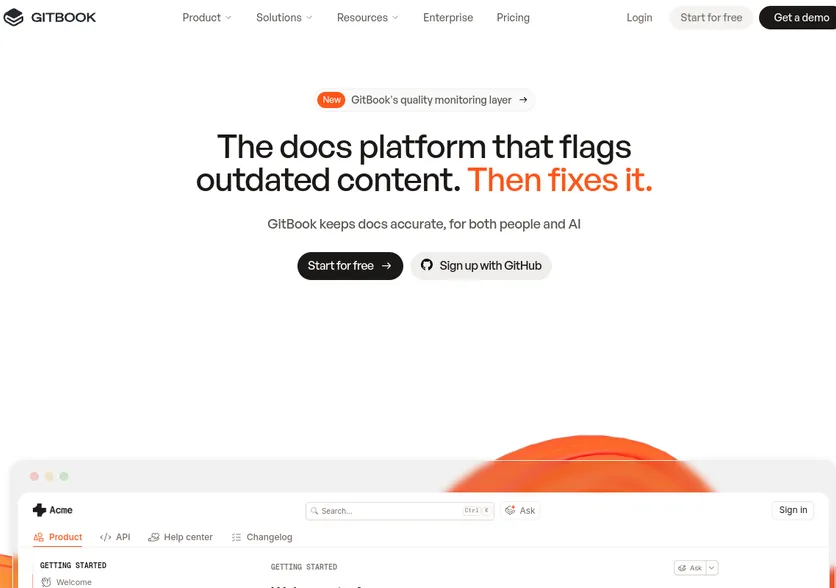
This GitBook plan costs sixty-five dollars per site per month billed annually plus twelve dollars per user per month, and it treats documentation like code. Docs live in Git, changes go through review, and the published site looks like the developer documentation engineers already trust. It is the strongest pick when the wiki is also the public or internal API reference, though the site-plus-user pricing needs a calculator before the budget is set.
What we like
- Docs live in Git with real review workflows
- Published sites look like professional developer docs
- Strong search and versioning
Watch out for
- Site-plus-user pricing is hard to forecast
- Free plan covers only one user
How to try it
- Connect the Git repository that holds your docs
- Set up review on doc changes like code review
- Publish the internal site and the API reference from one source
6. Slite
Best for: Engineering teams that want structured docs with verification
Paid tool Starting price: $10/user/month · Ten dollars per user per month on the Basic plan, billed yearly only; Pro is twenty dollars per user per month. Older listings that show a Standard plan at eight dollars are out of date
Free plan: No free plan; 14-day free trial
This Slite plan costs ten dollars per user per month billed yearly only, and it adds one feature other wikis skip: docs that verify themselves. Owners confirm a page is still accurate, and stale pages get flagged instead of quietly misleading the next reader. For an engineering department where an out-of-date runbook can cause an outage, that verification loop is worth more than a prettier editor.

What we like
- Verification flags stale docs before they mislead
- Clean, structured editor
- Good for runbooks that must stay accurate
Watch out for
- No free plan, only a 14-day trial
- Basic plan is billed yearly only
How to try it
- Assign an owner and a verification date to each runbook
- Review flagged pages in the weekly team meeting
- Archive docs that no longer describe the system
7. Helpjuice
Best for: Engineering teams that need a wiki with serious search and analytics
Paid tool Starting price: $120/month · One hundred and twenty dollars per month for the Starter plan, covering up to four users; higher plans are two hundred dollars for sixteen users, two hundred and eighty-nine dollars and six hundred and fifty-nine dollars for unlimited users
Free plan: No free plan; 14-day free trial
This Helpjuice plan costs one hundred and twenty dollars a month for up to four users, and it is priced by the team rather than per seat at the entry level. Its search is the standout: analytics show what engineers search for and fail to find, so the team knows which docs to write next. Versioning, approvals and granular permissions cover the governance a larger engineering department needs.

What we like
- Search analytics reveal the docs you still need to write
- Team pricing, not per-seat, at the entry level
- Versioning and approvals built in
Watch out for
- Entry plan covers only four users
- Heavier setup than lighter wikis
How to try it
- Import existing docs and set up the search analytics
- Check the failed-search report weekly for missing docs
- Set approval workflows for runbooks that affect production
8. KnowledgeOwl
Best for: Engineering teams that want a wiki with strong version control
Paid tool Starting price: $100/month · One hundred dollars per month on the Basic plan for one author and one knowledge base; Pro is two hundred and fifty dollars, Business is five hundred dollars and Enterprise is one thousand two hundred and fifty dollars, with extra authors at twenty-five dollars a month each
Free plan: No free plan; free trial available
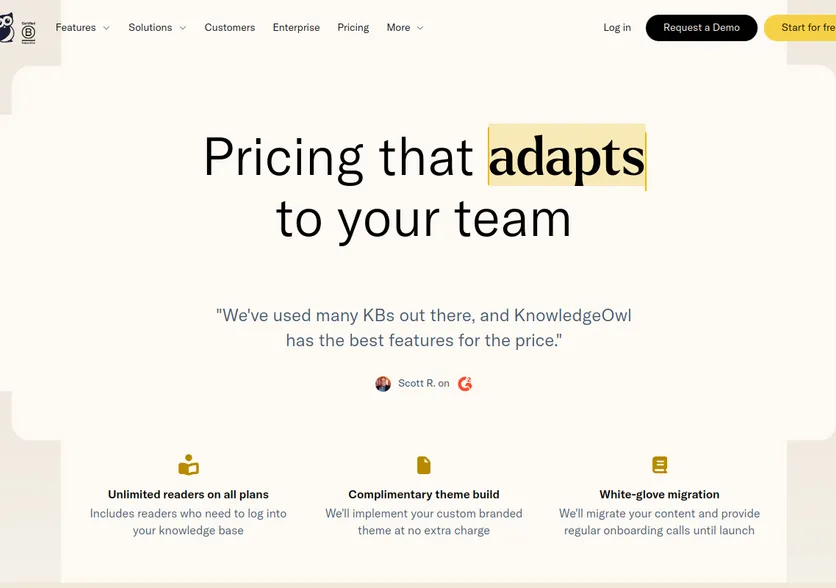
This KnowledgeOwl plan costs one hundred dollars a month for one author and one knowledge base, and it suits a team where a few technical writers own the docs. Version history, review workflows and reader feedback keep the content trustworthy, and the per-author pricing means the whole engineering department can read without adding to the bill. It is a writer-first wiki rather than a free-for-all.
What we like
- Readers are free; only authors cost money
- Version history and review workflows
- Reader feedback flags confusing pages
Watch out for
- One author on the entry plan is tight for big teams
- Less flexible than Notion for non-doc work
How to try it
- Set up one knowledge base per product or system
- Assign authors and a review workflow for production docs
- Use reader feedback to find pages that confuse engineers
9. HelpDocs
Best for: Engineering teams that want an AI-assisted wiki
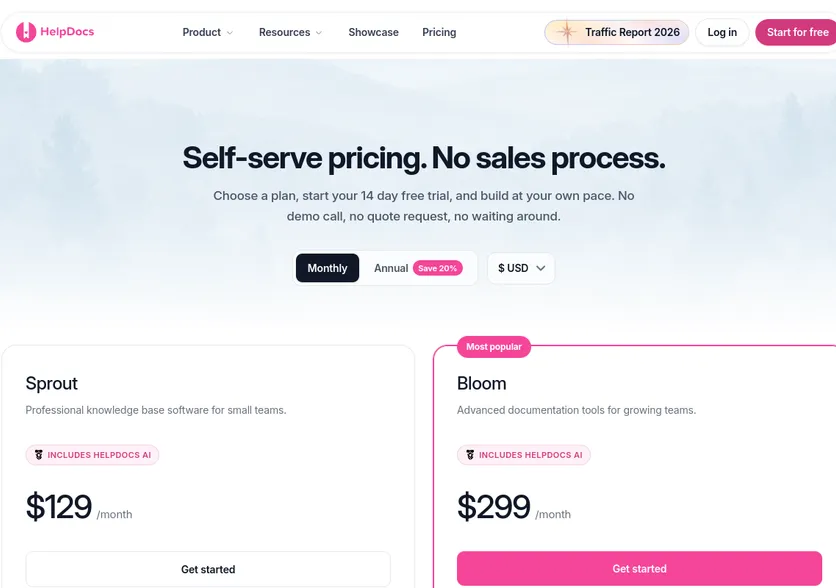
Paid tool Starting price: $99/month · Ninety-nine dollars per month billed annually on the Sprout plan (one hundred and twenty-nine dollars on monthly billing), with five editors and one thousand AI credits; Bloom is two hundred and thirty-nine dollars and Harvest is three hundred and ninety-nine dollars per month billed annually
Free plan: No free plan; free trial available
This HelpDocs plan costs ninety-nine dollars a month billed annually, and it bakes AI into the writing workflow. The assistant drafts, polishes and translates articles, and the analytics show which pages engineers actually open when something breaks. With five editors included on the entry plan, a small documentation team can run the whole engineering wiki without a per-seat bill that grows with every reader.
What we like
- AI drafting speeds up new articles
- Analytics show which pages matter in incidents
- Five editors included on the entry plan
Watch out for
- No free plan, only a trial
- AI credits cap at one thousand a month on Sprout
How to try it
- Let the AI assistant draft the first version of each article
- Check the analytics for the pages opened during incidents
- Translate the onboarding docs for distributed teams
Prices above were checked on each vendor’s own website on Nov 28, 2026 and can change — the vendor’s page is the final word. Vendor links are editorial: nobody paid to be listed or ranked here. Vendors who want a featured listing can see how it works on our Get listed page.
How engineering teams should run an internal wiki
Start with the docs a new engineer needs in week one: how to set up, how to deploy, who owns what and where the runbooks live. Give every page an owner and a review date, because a wiki without owners rots in months and the rot shows up during an incident. Write short pages that link to each other instead of one long page nobody scrolls through, and keep the architecture decisions beside the code they describe. Finally, measure what gets read: the search log tells you which docs are missing, and the pages nobody opens are the ones to delete.
Before you buy
- Check that search works across code, tickets and docs, not just page titles
- Confirm who can edit production runbooks and who only reads them
- Ask how version history and approvals work before you publish
- Count authors, not readers, when you compare per-seat prices
- Test the wiki with a new hire's first-week questions before you roll it out
Official websites
Official websites of the products reviewed above. Features and prices were checked against these sites when this guide was written, and they can change, so confirm on the vendor site before you buy.
Frequently asked questions
What is the best internal wiki software for engineering departments?
Confluence is the best overall pick for most engineering departments, especially those already running Jira, at seven dollars and fifteen cents a user a month. Notion is the best all-rounder when the team also wants tasks and databases in the same workspace. GitBook is the best choice when the wiki doubles as developer documentation published from Git. The right pick depends on whether the team needs Jira links, flexibility or a public-facing docs site.
How much does Confluence cost for an engineering team?
Confluence costs seven dollars and fifteen cents per user per month on the Standard plan for one to one hundred users on monthly billing, with the per-user rate falling as seats rise. Premium is eleven dollars and fifty-five cents per user per month billed annually. The free plan covers up to ten users. A team of fifty engineers on Standard pays roughly three hundred dollars a month before the volume discount applies.
Is Notion good as an engineering wiki?
Yes, with discipline. Notion costs ten dollars per user per month billed annually on the Plus plan and combines the wiki with tasks and databases, so a spec can link straight to the work that implements it. The risk is drift: without agreed templates, the workspace turns into a maze. Teams that set templates for specs, runbooks and incident reviews get the most out of it.
What is the cheapest internal wiki for engineers?
Nuclino Starter is the cheapest at six dollars a user a month, Slab follows at six dollars and sixty-seven cents, and Confluence Standard is seven dollars and fifteen cents. HelpDocs, KnowledgeOwl and Helpjuice charge flat monthly rates instead of per seat, which can be cheaper for large teams where only a few people write and everyone else reads.
How do you keep an engineering wiki from going stale?
Give every page an owner and a review date, and treat stale pages as a defect. Slite flags pages for verification, which automates part of the job. Review the search log monthly: the questions engineers ask and fail to answer are the docs to write next. Delete pages nobody opens, because a wiki full of dead docs teaches engineers not to trust it.
Compare the nine tools above, then start with a free plan or trial on the tool that matches how your engineers already write docs.
Browse Developer Tools tools