On this page
A remote JavaScript team ships code across time zones, so the stack has to carry the conversation, the review and the deploy without a meeting. The tools below do that job, from code hosting to chat. GitHub leads the list because it is where most JavaScript code already lives, with pull requests and Actions for four dollars a user a month, and the other seven tools are judged on the same test: how little friction stands between a commit and a merge.
How we researched this
We checked every price on the vendor pricing page on November 28, 2026, and only included tools with a published US dollar list price. Visual Studio Code is free, so it is not a paid comparison entry, and Figma, Sentry, Vercel and Bitbucket were not needed to complete the list. Prices change, so confirm the current figure on the vendor site before you buy.
Compare the tools
| Name | Best for | Starting price | Free plan | |
|---|---|---|---|---|
 GitHub | Remote JavaScript teams that want the biggest code community | $4/user/month | Free plan with unlimited public and private repositories | Visit |
 GitLab | Remote teams that want code, CI and security in one platform | $29/user/month | Free plan for up to 5 users | Visit |
| WebStorm | JavaScript developers who want a dedicated IDE | $19.90/user/month | Free non-commercial plan for 1 user | Visit |
 Slack | Remote teams that need chat, huddles and app alerts in one place | $7.25/user/month | Free plan with 90 days of message history | Visit |
 Jira | Remote teams that need structured sprints and backlogs | $9.70/user/month | Free plan for up to 10 users | Visit |
 Postman | Remote teams that build, test and document APIs together | $19/user/month | Free plan for 1 user | Visit |
 Linear | Remote teams that want the fastest issue tracker | $10/user/month | Free plan with unlimited members, 2 teams and 250 issues | Visit |
 Notion | Remote teams that want docs, specs and tasks in one workspace | $10/user/month | Free plan for individuals and small teams | Visit |
The JavaScript developers software for remote teams, compared
1. GitHub
Best for: Remote JavaScript teams that want the biggest code community
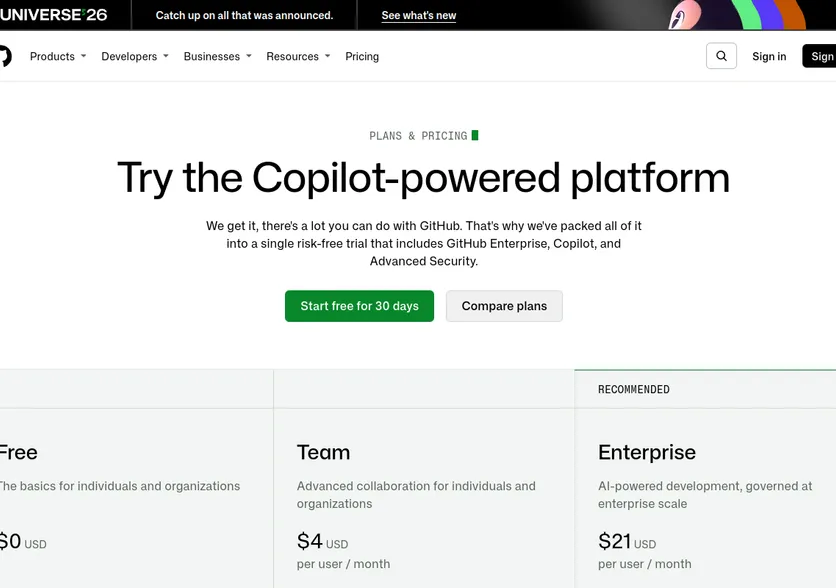
Paid tool Starting price: $4/user/month · Four dollars per user per month for the Team plan for the first twelve months; GitHub does not state what Team costs after the first twelve months, and Enterprise is twenty-one dollars per user per month
Free plan: Free plan with unlimited public and private repositories
This GitHub Team plan costs four dollars per user a month, and it is where most JavaScript code already lives. Pull requests turn review into a conversation, Actions run tests on every push, and the marketplace adds tools without leaving the platform. The four-dollar figure is the price for the first twelve months, and GitHub does not state what Team costs after that, so confirm it before you renew.
What we like
- The largest code community and marketplace anywhere
- Pull requests make review a conversation, not a chore
- Actions CI runs on every push without extra setup
Watch out for
- The listed price covers the first twelve months only
- Advanced security needs the Enterprise tier
How to try it
- Create the repository and protect the main branch with required reviews
- Open a pull request for every change and review it in the browser
- Let Actions run tests and checks on every push
2. GitLab
Best for: Remote teams that want code, CI and security in one platform
Paid tool Starting price: $29/user/month · Twenty-nine dollars per user per month billed annually on the Premium plan, including twelve AI credits per user per month; Ultimate is quote-only and the free tier caps at five users
Free plan: Free plan for up to 5 users
This GitLab Premium plan costs twenty-nine dollars per user a month billed annually, and it is the all-in-one alternative to stitching GitHub, a CI server and a security scanner together. Repositories, merge requests, pipelines and security scanning live in one application, and Premium includes twelve AI credits per user a month. The free tier caps at five users, so a growing team moves to Premium quickly.

What we like
- Repositories, CI and security scanning in one app
- Merge requests test themselves on every push
- Self-hosting available for teams that need it
Watch out for
- The most expensive code host on this list
- The free tier caps at five users
How to try it
- Create the project and let the pipeline test every merge request
- Review code with merge requests and built-in security scanning
- Track the work on issue boards beside the code
3. WebStorm
Best for: JavaScript developers who want a dedicated IDE
Paid tool Starting price: $19.90/user/month · Nineteen dollars and ninety cents per user per month on the Organizations plan, or a hundred and ninety-nine dollars per user a year (about sixteen dollars fifty-eight a month); the individual plan is seven dollars ninety a month and the non-commercial plan is free for one user
Free plan: Free non-commercial plan for 1 user
This WebStorm Organizations plan costs nineteen dollars and ninety cents per user a month, or a hundred and ninety-nine dollars a year, and it is the only dedicated JavaScript IDE on this list. Smart completion, refactoring, debugging and testing are built for JavaScript and TypeScript rather than added by plugins. Individuals paying personally get a cheaper plan at seven dollars and ninety cents a month, and the non-commercial plan is free for one person.
What we like
- Built for JavaScript and TypeScript, not adapted to it
- Refactoring and debugging work out of the box
- Reassignable organization licenses suit teams
Watch out for
- Organization pricing is far above the individual plan
- No free plan for commercial team use
How to try it
- Open the JavaScript project and let WebStorm index it
- Use smart completion and refactoring instead of manual edits
- Run and debug tests from inside the editor
4. Slack
Best for: Remote teams that need chat, huddles and app alerts in one place
Paid tool Starting price: $7.25/user/month · Seven dollars and twenty-five cents per user per month billed annually on the Pro plan (eight dollars seventy-five monthly); Business Plus is fifteen dollars a month billed annually, and the four dollar thirty-eight figure is a three-month promotional rate on monthly billing
Free plan: Free plan with 90 days of message history
This Slack Pro plan costs seven dollars and twenty-five cents per user a month billed annually, and it is the chat room where most remote JavaScript teams spend the day. Channels keep project talk searchable, huddles replace quick calls, and pipeline alerts land where the team already looks. The four dollar thirty-eight figure you may see elsewhere is a three-month promotional rate on monthly billing, not the list price.

What we like
- Channels keep every conversation searchable
- Huddles and clips replace unnecessary meetings
- The biggest integration library of any chat tool
Watch out for
- Slack bills every active member, so the invoice grows fast
- The free plan keeps only ninety days of history
How to try it
- Create a channel per project and one for deploys and alerts
- Connect GitHub and your CI so build results land in chat
- Use huddles for quick calls instead of scheduling meetings
5. Jira
Best for: Remote teams that need structured sprints and backlogs
Paid tool Starting price: $9.70/user/month · Nine dollars and seventy cents per user per month on monthly billing for the first hundred users, after Atlassian raised cloud list prices on 13 October 2026; annual billing is sold in user tiers, nine hundred and fifty dollars a year for up to ten users and nine thousand seven hundred dollars for up to a hundred
Free plan: Free plan for up to 10 users
Jira is the tracker most JavaScript teams already know, and its Standard plan costs nine dollars and seventy cents per user a month for the first hundred users on monthly billing. Boards, backlogs and sprint reports scale from one team to a whole company, and automation rules move issues without manual work. Annual billing is sold in user tiers: nine hundred and fifty dollars a year for up to ten users, and nine thousand seven hundred dollars for up to a hundred.

What we like
- The standard tracker most developers already know
- Boards, backlogs and sprint reports in one place
- Automation rules cut manual issue handling
Watch out for
- Per-user pricing is banded, so the bill depends on team size
- The interface can feel heavy for a small team
How to try it
- Build the backlog and plan the sprint on the board
- Automate issue routing and status changes with rules
- Review velocity and burndown at the end of each sprint
6. Postman
Best for: Remote teams that build, test and document APIs together
Paid tool Starting price: $19/user/month · Team plan, $19 a user a month billed annually ($23 billed monthly); Solo $9 a month for one user; Enterprise by quote; Basic $14 and Professional $29 were retired March 1, 2026; free plan is now single-user only
Free plan: Free plan for 1 user
This Postman Team plan costs nineteen dollars per user a month billed annually, and it is the API workspace most JavaScript developers already know. Requests live in shared collections, tests run on every change, and the same collection publishes the documentation. The older fourteen-dollar Basic figure is stale: Basic and Professional were retired March 1, 2026; the current Team plan is nineteen dollars a user a month billed annually, and Enterprise is by quote.
What we like
- The API workspace most developers already know
- Collections turn requests into shared, testable docs
- Mock servers let front end work start before the API exists
Watch out for
- The free plan is now single-user only
- Collection run limits apply below Enterprise
How to try it
- Save API requests in a shared collection for the team
- Write tests that run on every collection change
- Publish the collection as living API documentation
7. Linear
Best for: Remote teams that want the fastest issue tracker
Paid tool Starting price: $10/user/month · Ten dollars per user per month billed annually on the Basic plan (twelve dollars monthly); Business is sixteen dollars per user per month billed annually and Enterprise is custom
Free plan: Free plan with unlimited members, 2 teams and 250 issues
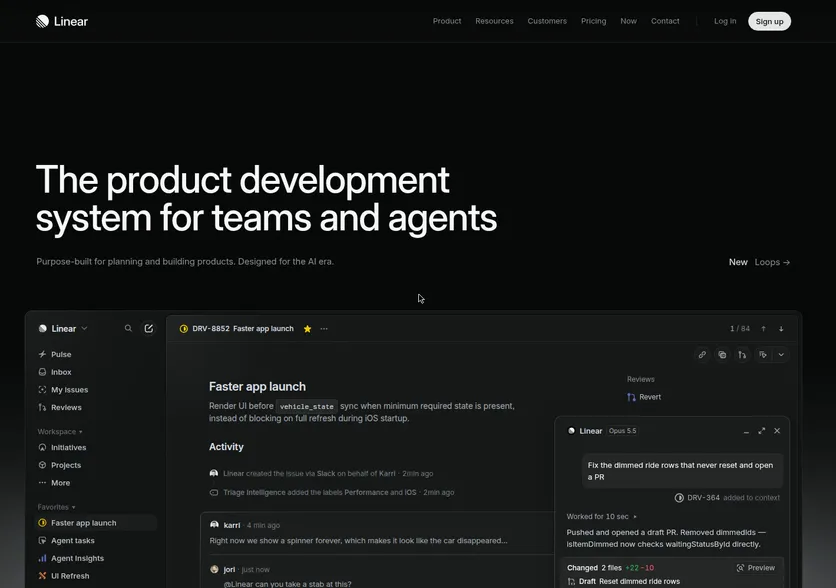
Linear is the issue tracker developers actually like using, and its Basic plan costs ten dollars per user a month billed annually. It is keyboard-first and fast, with cycles, projects and roadmaps that stay out of the way of the work itself. The free plan covers unlimited members with two teams and two hundred and fifty issues, so a small remote team can start without paying at all.
What we like
- The fastest issue tracker on this list by a clear margin
- Keyboard-first workflow developers actually enjoy
- Free plan covers unlimited members
Watch out for
- Basic caps at five teams
- Guests need the Business tier
How to try it
- Import the backlog and plan the first cycle
- Work issues with keyboard shortcuts instead of the mouse
- Review the cycle and roadmap at the end of each week
8. Notion
Best for: Remote teams that want docs, specs and tasks in one workspace
Paid tool Starting price: $10/user/month · Ten dollars per user per month billed annually on the Plus plan (twelve dollars monthly); Business is twenty dollars per user per month billed annually
Free plan: Free plan for individuals and small teams
Notion Plus gives a remote JavaScript team one workspace for docs, specs and a kanban board, so the code, the plan and the notes stop living in three apps. Pages become wikis, databases and trackers, and the AI can draft, summarize and answer questions from the workspace. Plus costs ten dollars per user a month billed annually, and Business at twenty dollars adds admin controls and deeper permissions.

What we like
- Docs, wikis and task boards in one workspace
- Databases turn pages into real trackers
- AI drafting and summaries built in
Watch out for
- It is a workspace, not a dedicated issue tracker
- Large databases can get slow
How to try it
- Write the spec as a Notion page with tasks attached
- Track the sprint on a board view of the same database
- Let Notion AI summarize the spec for new joiners
Prices above were checked on each vendor’s own website on Nov 28, 2026 and can change — the vendor’s page is the final word. Vendor links are editorial: nobody paid to be listed or ranked here. Vendors who want a featured listing can see how it works on our Get listed page.
How a remote JavaScript team should pick its stack
Start with the pull request, not the feature list. A remote team lives or dies by how fast a change moves from branch to review to merge, so test that flow on every tool before you pay. Keep chat and code alerts in the same place, because a build failure nobody sees is a deploy that never happens. And agree on one tracker for the work: a team that splits issues between two systems will lose track of both, no matter how good either one is.
Before you buy
- Check whether the price is per user, per seat or per device, because a remote team pays for all three
- Confirm the free tier limits before you pay, since some free plans cover a whole small team
- Ask how the tool handles time zones, async work and code review across continents
- Test the daily workflow with one real pull request, from branch to merge, before you commit
- Count the cost of AI add-ons separately, because they are rarely in the headline price
Official websites
Official websites of the products reviewed above. Features and prices were checked against these sites when this guide was written, and they can change, so confirm on the vendor site before you buy.
Frequently asked questions
What software do remote JavaScript developers need?
The best JavaScript developer software for a remote team covers five jobs: code hosting, the IDE, chat, issue tracking and API testing. The tools in this list cover each one, and most teams end up with GitHub or GitLab for code, Slack for chat, Jira or Linear for tracking, Postman for APIs and Notion for docs. The deciding factor is not features but adoption: the tool the whole team actually opens every day wins.
How much do GitHub and GitLab cost?
GitHub Team costs four dollars per user per month for the first twelve months, and GitLab Premium costs twenty-nine dollars per user per month billed annually. GitHub is cheaper because it is mainly a code host, while GitLab bundles CI, security scanning and issue tracking into the same seat. A team that already pays for CI and scanning separately may find GitLab cheaper overall.
Which is better for a remote team, Jira or Linear?
Linear Basic costs ten dollars per user per month billed annually and is the fastest tracker on this list, with a keyboard-first interface developers actually enjoy. Jira Standard costs nine dollars and seventy cents per user per month for the first hundred users, and it is the standard most teams already know. Pick Linear for speed and Jira for scale and structure.
What does Postman cost in 2026?
Postman Team costs nineteen dollars per user per month billed annually, and it is the API workspace most JavaScript developers already know. Requests live in shared collections, tests run on every change, and the same collection publishes the documentation. The free plan is now single-user only, so a team of two or more needs a paid seat for each member.
How should a remote team choose its JavaScript tool stack?
Start with the free tiers: GitHub, GitLab, Linear, Notion and Slack all have free plans that cover a small remote team. Run one real pull request through the stack, from branch to merge to deploy, and watch where the team gets stuck. The tool that removes a step from that flow is the one worth paying for; the one that adds a step is not.
Compare the eight tools above, then start with a free trial on the tool that matches how your remote team already ships code before you pay for a full year.
Browse Developer Tools tools