On this page
A photographer's knowledge lives in shot lists, lighting diagrams, editing presets and client briefs — and it is usually scattered across a phone, a laptop and a drawer of notebooks. We compared eight paid tools that fit a solo photographer or small studio, checking every price on the vendor's own site on November 28, 2026, and weighing visual planning, mobile access and price. Milanote leads because it plans shoots on visual boards, with mood boards, shot lists and client briefs in one place.
How we researched this
We ranked each tool on five photographer-specific checks: visual boards for planning shoots, mobile access on location, search across notes, images and documents, a price a solo photographer or small studio can justify, and easy sharing with clients and assistants. We checked every price on the vendor's own site on November 28, 2026, and we dropped any vendor that had gone quote-only or stopped publishing prices.
Compare the tools
| Name | Best for | Starting price | Free plan | |
|---|---|---|---|---|
 Milanote | Photographers who plan shoots on visual boards with photos, notes and mood boards. | $9.99/person/month | Free plan for 100 notes and 10 uploads | Visit |
 Notion | Photographers who need one cheap wiki for SOPs, pricing and client records. | $10/user/month | Free plan for individuals | Visit |
 Evernote | Photographers who capture notes, contracts and documents on the go. | $8.25/month | Free plan for 50 notes on 1 device | Visit |
 Nuclino | Photographers who want a fast, lightweight wiki for studio knowledge. | $5/user/month | Free plan for up to 50 items | Visit |
 ClickUp | Photographers who want docs, tasks and a wiki in a single workspace. | $9/user/month | Free Forever plan | Visit |
 Scribe | Photographers who need to turn editing know-how into step-by-step guides. | $13/seat/month | Free Basic plan | Visit |
 Google Workspace | Photographers who need Gmail, Drive and Docs in one bundle for the studio. | $9/user/month | Free trial (14 days) | Visit |
 Tettra | Photo studios that answer the same questions in Slack every day. | $8/user/month | Free trial (30 days) | Visit |
The 8 best knowledge management tools for photographers
1. Milanote
Best for: Photographers who plan shoots on visual boards with photos, notes and mood boards.
Paid tool Starting price: $9.99/person/month · Nine dollars and ninety-nine cents per person per month billed annually; monthly billing is $12.50. Team plans are annual only: $49 a month for up to 10 people and $99 for up to 50.
Free plan: Free plan for 100 notes and 10 uploads
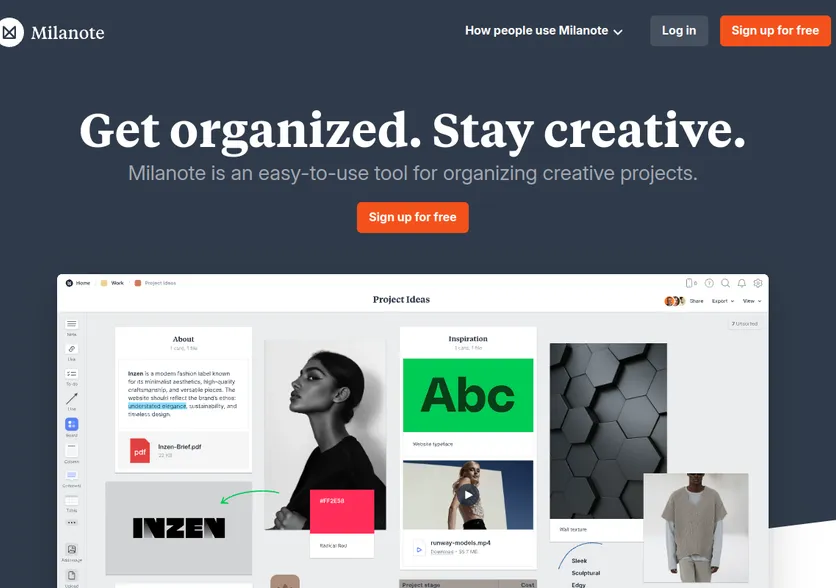
This Milanote plan costs $9.99 per person a month on the pay-per-person plan, and it is the best fit for photographers who think in images, not folders. Mood boards, shot lists, client briefs and reference photos live on one flexible board, so a wedding or product shoot can be planned visually from the first call to the final edit. The free plan covers 100 notes and 10 uploads, which is enough to test it on a real shoot, and team plans start at $49 a month for up to 10 people.
What we like
- Visual boards fit how photographers plan.
- Mood boards, shot lists and briefs in one place.
- Free plan is enough to test on a real shoot.
Watch out for
- No task management or CRM built in.
- Team plans are annual billing only.
How to try it
- Create a board for each shoot or client.
- Pin reference photos, shot lists and client notes to it.
- Share the board with the client for feedback before the shoot.
2. Notion
Best for: Photographers who need one cheap wiki for SOPs, pricing and client records.
Paid tool Starting price: $10/user/month · Ten dollars per user per month on the Plus plan billed annually; monthly billing is twelve dollars. Business is twenty dollars per user per month billed annually.
Free plan: Free plan for individuals
This Notion plan costs $10 per user a month on Plus, and it is the cheapest way for a photographer to keep every part of the business in one searchable place. Shoot checklists, pricing rules, client briefs and editing workflows can all live in linked pages with databases that track bookings, invoices and gear. It is not a visual board tool by design, so use it for the studio wiki and pair it with Milanote if you plan shoots visually.

What we like
- Cheapest full wiki in this roundup.
- Databases track bookings and gear.
- Templates cover SOPs and client records.
Watch out for
- No visual boards for mood boards.
- Search is weaker than dedicated KB tools.
How to try it
- Create a wiki page for each type of shoot.
- Add a database to track bookings, invoices and gear.
- Share the wiki with assistants and set guest access for clients.
3. Evernote
Best for: Photographers who capture notes, contracts and documents on the go.
Paid tool Starting price: $8.25/month · Eight dollars and twenty-five cents a month on the Starter plan billed annually, paying $99 a year; monthly billing is $14.99. Advanced is $20.83 a month billed annually, and the Flexible team plan starts at $10 per seat per month.
Free plan: Free plan for 50 notes on 1 device
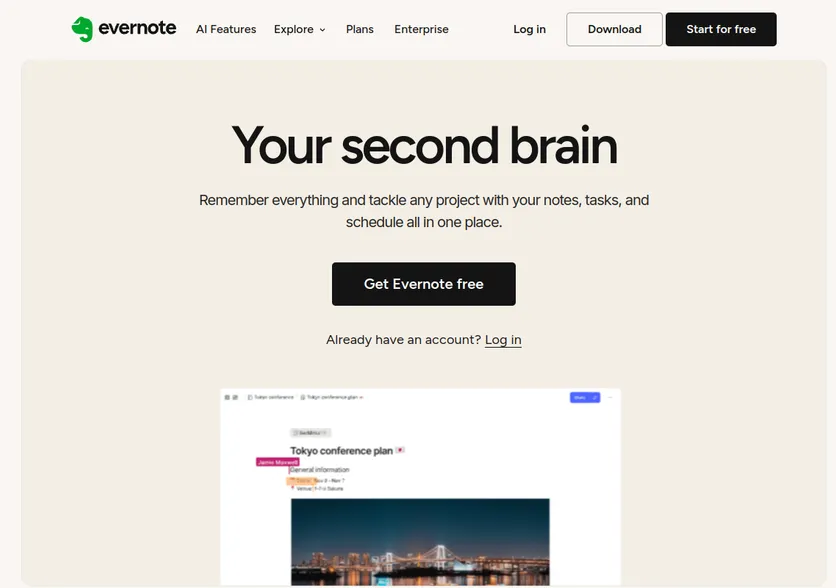
This Evernote plan costs $8.25 a month on Starter, and it is the best fit for photographers who collect ideas, contracts and references everywhere. Web clipping, document search and notebooks make it easy to save a location scout photo, a client email or a lighting diagram and find it again months later. Evernote renamed its plans in 2026 — Personal and Professional are gone, replaced by Starter and Advanced — so older guides still use the old names.
What we like
- Web clipping and document search are excellent.
- Captures ideas anywhere, on any device.
- Search finds text inside images and PDFs.
Watch out for
- Free plan is limited to 50 notes on 1 device.
- No visual boards for mood boards.
How to try it
- Create a notebook for each client or shoot.
- Clip web references and scan paper contracts.
- Search by text inside images and documents.
4. Nuclino
Best for: Photographers who want a fast, lightweight wiki for studio knowledge.
Paid tool Starting price: $5/user/month · Five dollars per user per month on the Standard plan billed annually; monthly billing is six dollars. Premium, with SSO and audit logs, is $10 per user per month billed annually.
Free plan: Free plan for up to 50 items
For a photographer who wants a fast, lightweight wiki for studio knowledge, Nuclino costs $5 per user a month on Standard. Shoot guides, editing workflows and client notes live in a visual board layout that an assistant can navigate without training, and real-time editing means the team can update a guide while on a shoot. The free plan covers up to 50 items, which is enough to test it with a real studio handbook before paying.

What we like
- Lightest and fastest wiki in this list.
- Very easy for non-technical staff.
- Real-time editing for guide updates.
Watch out for
- No visual boards for mood boards.
- Free plan is limited to 50 items.
How to try it
- Create a board for shoots and one for editing workflows.
- Write each guide in short, searchable pages.
- Share the wiki with assistants and second shooters.
5. ClickUp
Best for: Photographers who want docs, tasks and a wiki in a single workspace.
Paid tool Starting price: $9/user/month · Nine dollars per user per month on the Core plan billed annually; monthly billing is twelve dollars. Business is $17 per user per month billed annually. ClickUp Brain AI is a separate $9 per user per month add-on.
Free plan: Free Forever plan
This ClickUp plan costs $9 per user a month on Core, and it is the most flexible option when a photographer wants docs, tasks and a wiki in one workspace. Shoot plans live next to the tasks they describe, checklists turn a wedding day into trackable work, and the free plan is generous enough for a solo photographer to run the whole setup before paying. The flexibility is also the risk: without a clear structure, a ClickUp workspace can become a mess faster than a dedicated wiki.

What we like
- Docs, tasks and wikis in one workspace.
- Generous free plan for solo photographers.
- Checklists turn shoots into trackable work.
Watch out for
- Needs discipline — workspaces get messy fast.
- AI features cost extra.
How to try it
- Create a docs folder for shoot guides and one for pricing.
- Link each guide to the tasks it describes.
- Set a monthly reminder to review and update procedures.
6. Scribe
Best for: Photographers who need to turn editing know-how into step-by-step guides.
Paid tool Starting price: $13/seat/month · Thirteen dollars per seat per month on Pro Team billed annually, with a five-seat minimum, so the smallest team bill is sixty-five dollars a month; monthly billing is seventeen dollars per seat. Pro Personal for a single seat is $25 per seat per month billed annually.
Free plan: Free Basic plan
This Scribe plan costs $13 per seat a month on Pro Team, and it is the fastest way to capture how you edit and share it with an assistant or second shooter. Record the screen once while editing a wedding or product shoot, and Scribe turns it into a written guide with screenshots, so your assistant can follow the exact workflow instead of guessing. The five-seat minimum means the smallest team bill is $65 a month, which suits studios of five or more better than a solo photographer.

What we like
- Turns a screen recording into a written guide.
- Assistants follow the exact editing workflow.
- Guides stay current when workflows change.
Watch out for
- Five-seat minimum on Pro Team.
- Not a full knowledge base — guides only.
How to try it
- Record your screen while editing a standard shoot once.
- Let Scribe generate the guide, then edit the steps.
- Share the guide with assistants and second shooters.
7. Google Workspace
Best for: Photographers who need Gmail, Drive and Docs in one bundle for the studio.
Paid tool Starting price: $9/user/month · Seven dollars per user per month on the Business Starter plan with a one-year commitment; the flexible monthly plan is $8.40. Starter includes Gmail on a custom domain, shared Drive, Docs and Meet.
Free plan: Free trial (14 days)
This Google Workspace plan costs $7 per user a month on Business Starter, and it is the cheapest way for a photographer to get the whole Google stack: Gmail on a custom domain, shared Drive, Docs and Meet. Client briefs live in Docs, proofs and contracts in Drive, and calls in Meet, which covers most studio knowledge needs without a separate wiki. The flexible monthly plan is $8.40, and the 50%-off first-three-months promo is not the list price.

What we like
- Whole Google stack for $7 per user.
- Drive and Docs cover most studio needs.
- Easy to share with clients.
Watch out for
- No visual boards for mood boards.
- Drive needs structure to work as a wiki.
How to try it
- Create a Drive folder for each client or shoot.
- Write briefs and price lists in Docs.
- Share folders with clients using view-only links.
8. Tettra
Best for: Photo studios that answer the same questions in Slack every day.
Paid tool Starting price: $8/user/month · Eight dollars per user per month on the Scaling plan billed annually, with a 10-user minimum, so the smallest bill is eighty dollars a month; monthly billing is ten dollars per user. Enterprise is custom priced.
Free plan: Free trial (30 days)
This Tettra plan costs $8 per user a month on Scaling, and it is the best fit when a studio team lives in Slack and keeps asking the same questions about shoots, pricing and delivery. Questions asked in Slack get answered once, saved to the wiki, and served by the AI the next time anyone asks, so the studio guide grows from real questions instead of sitting unread. The ten-user minimum means the smallest bill is $80 a month, which suits studios of ten or more.

What we like
- Answers surface inside Slack automatically.
- AI answers repeat questions from the wiki.
- Studio guide grows from real questions.
Watch out for
- Ten-user minimum on the Scaling plan.
- No free plan — only a 30-day trial.
How to try it
- Connect Tettra to your Slack workspace.
- Answer the questions staff ask most, and save them to the wiki.
- Let the AI answer repeat questions automatically.
Prices above were checked on each vendor’s own website on Nov 28, 2026 and can change — the vendor’s page is the final word. Vendor links are editorial: nobody paid to be listed or ranked here. Vendors who want a featured listing can see how it works on our Get listed page.
How to run a photography knowledge base day to day
Start with the shoots you do most often: weddings, portraits, products or events. Build a board for each type with the shot list, lighting setup, gear list and editing workflow, then reuse it for every booking. Record your editing process once and turn it into a written guide, so an assistant can follow it without asking. Assign one person to own the library and update it whenever your workflow or gear changes — a stale guide is worse than no guide. Keep the boards where the work happens: pin the shot list and lighting diagram for the next shoot to your phone, so the plan is in your pocket on location.
Before you buy
- Can you organize photos, notes and client briefs on visual boards?
- Does it work offline on a shoot, then sync when you are back?
- Can clients view proofs and briefs without paying for a seat?
- Does the price stay fair for a solo photographer or a small studio?
- Can you search across notes, images and documents in one place?
Official websites
Official websites of the products reviewed above. Features and prices were checked against these sites when this guide was written, and they can change, so confirm on the vendor site before you buy.
Frequently asked questions
What is the best knowledge management software for photographers?
Milanote is the best overall pick for most photographers: it organizes shoots on visual boards with photos, notes and mood boards, and the pay-per-person plan costs $9.99 a month. Notion is the cheapest all-round studio wiki at $10 per user a month, and Evernote is the best for capturing notes and documents on the go. Most photographers end up with Milanote for planning plus one wiki for the business side.
How much does knowledge management software cost for photographers?
Expect $5 to $13 per user a month for a small studio, depending on the tool. Nuclino starts at $5, ClickUp at $9 and Google Workspace at $7, while Milanote costs $9.99 per person and Notion $10. Evernote Starter is $8.25 a month flat. Scribe costs $13 per seat with a five-seat minimum, so the smallest bill is $65 a month.
Can a knowledge base help a photographer work faster?
Yes, if it is built around the shoots you actually do. Document the 10 things that cause the most rework — lighting setups, editing workflows, delivery checklists and pricing rules — and make them readable on a phone on location. Photographers who do this onboard assistants faster and deliver more consistent work, because every shoot follows the same steps.
Which tool is best for mood boards and shot lists?
Milanote is the strongest option for visual planning: mood boards, shot lists, client briefs and reference photos live on one board. Nuclino also uses a visual board layout, but it is a text wiki, not a photo-planning tool. Notion and ClickUp store shoot plans well but organize them as pages and lists, not as visual boards.
What should a photographer put in a knowledge base first?
Start with the documents that cost the most time to recreate: shot lists, lighting diagrams, editing presets and delivery checklists. Add pricing rules, contract templates and client communication scripts next. Keep every guide short, photo-heavy and readable on a phone, and review them whenever your workflow or gear changes.
Pick the tool that matches your biggest pain: Milanote for visual boards and mood boards, Notion for a cheap all-round studio wiki, or Evernote for capturing notes and documents on the go. Then compare the rest of the tools above before you buy.
Browse Image Tools tools