
On this page
Freelancers live in their notes, so a knowledge base has to catch client details, repeatable processes and half-finished ideas without becoming another chore. The eight tools below run from about four dollars a user a month to two hundred and forty-nine dollars a month, and every price was checked on the vendor site on November 26, 2026. Most offer a free plan or trial, so you can build your first help pages before paying. Confluence is our first pick — a proven wiki at about seven dollars a user a month.
How we researched this
We started with the knowledge base tools freelancers actually buy, then read each price on the vendor pricing page on November 26, 2026 and noted the free plan or trial each one carries. We judged them for a solo operator who writes, organises and shares docs alone and needs search that works the first time. We kept only tools with a published price, and we dropped Document360 because it no longer publishes prices and sells by quote only.
Compare the tools
| Name | Best for | Starting price | Free plan | |
|---|---|---|---|---|
 Confluence | Freelancers who want a proven team wiki with strong search and templates | $7.15/user/month | Free plan for up to 10 users | Visit |
 Notion | Freelancers who want notes, tasks and client wikis in one flexible workspace | $10/user/month | Free plan for individuals | Visit |
 Slab | Freelancers who want a clean wiki that stays organised with almost no effort | $6.67/user/month | Free plan for up to 10 users | Visit |
 Tettra | Freelancers who answer the same client questions again and again | $8/user/month | No free tier published on the pricing page | Visit |
 ProProfs Knowledge Base | Freelancers who publish a public help centre for their clients | $49/author/month | Free plan for 1 author and 25 pages | Visit |
 KnowledgeOwl | Freelancers who need a serious help centre with version control | $100/month | No free tier published on the pricing page | Visit |
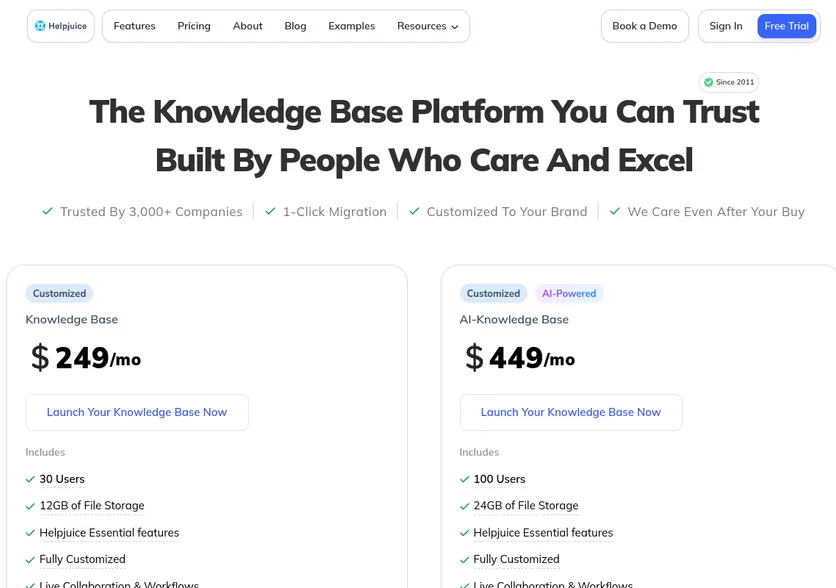
 Helpjuice | Freelancers who want analytics on what clients search for and read | $249/month | No free tier published on the pricing page | Visit |
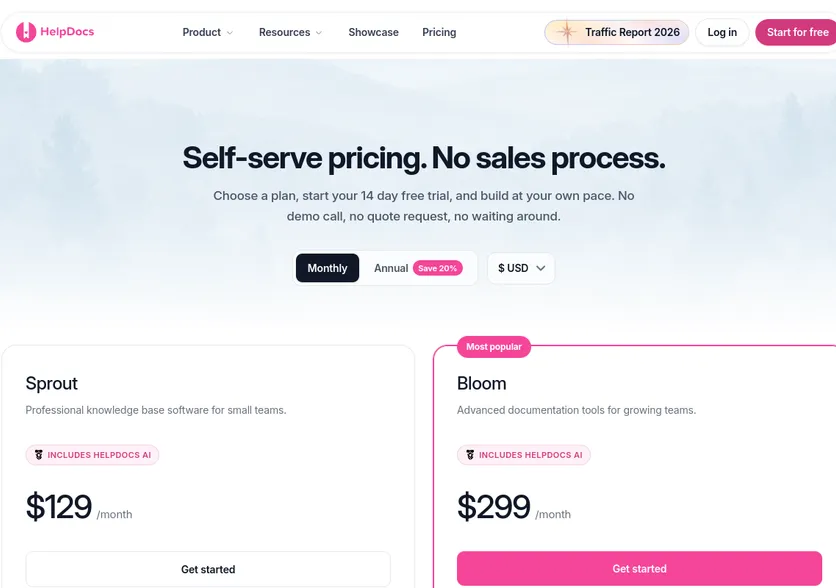
 HelpDocs | Freelancers who want a fast, simple help centre with instant search | $129/month | No free tier published on the pricing page | Visit |
The knowledge base software for freelancers, compared
1. Confluence
Best for: Freelancers who want a proven team wiki with strong search and templates
Paid tool Starting price: $7.15/user/month · Standard plan, $7.15 a user a month for 1 to 100 users on monthly billing; Atlassian raised prices on October 13, 2026
Free plan: Free plan for up to 10 users
Confluence is the safe default for a freelancer who wants docs that stay findable months later, because its search and page tree handle hundreds of pages without falling apart. This Confluence Standard plan gives one person unlimited pages, templates for meeting notes and project plans, and permission controls for sharing with clients. A solo consultant can run a whole client knowledge base from one workspace and still find a note from last spring in seconds.

What we like
- Search that stays fast across hundreds of pages
- Templates for meeting notes and project plans
- Free plan for up to ten users
Watch out for
- Standard costs about seven dollars a user a month
- Can feel heavy for a freelancer who only needs simple notes
How to try it
- Open the Confluence pricing page and start the free plan
- Create a space for one client and add your first pages from a template
- Share a page link with the client and set who can view or edit
2. Notion
Best for: Freelancers who want notes, tasks and client wikis in one flexible workspace
Paid tool Starting price: $10/user/month · Plus plan, $10 a user a month billed annually or $12 billed monthly; Business is $20 a user a month
Free plan: Free plan for individuals
Notion is the flexible all-rounder, a workspace where a freelancer can keep notes, tasks, client wikis and a content calendar without switching apps. This Notion Plus plan adds unlimited file uploads, longer version history and guest access for clients. A solo operator can run an entire business from one sidebar and still find a client brief in two clicks.

What we like
- One workspace for notes, tasks and wikis
- Huge template library for freelancers
- Free plan for individuals
Watch out for
- Plus costs ten dollars a user a month billed annually
- Flexible structure can turn messy without discipline
How to try it
- Open the Notion pricing page and start the free plan
- Build one workspace with a page for each client
- Invite a client as a guest to review a shared page
3. Slab
Best for: Freelancers who want a clean wiki that stays organised with almost no effort
Paid tool Starting price: $6.67/user/month · Startup plan, $6.67 a user a month billed annually or $8 billed monthly; Business is $12.50 a user a month
Free plan: Free plan for up to 10 users
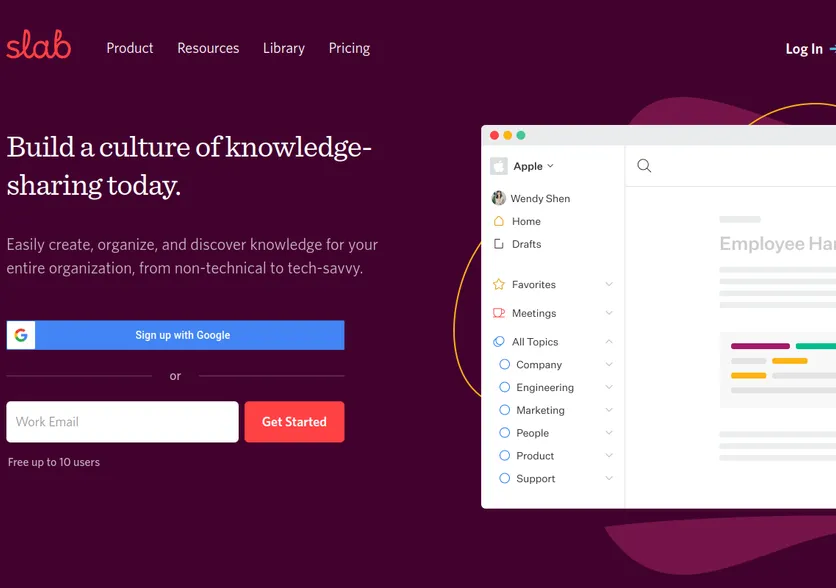
Slab keeps a knowledge base tidy almost by itself, because topics, collections and search work the way a freelancer already thinks. This Slab Startup plan adds unlimited docs, integrations with the tools a solo operator already uses, and analytics that show which pages get read. A freelancer who hates admin will spend minutes a week keeping docs current instead of hours.
What we like
- Clean structure that needs almost no upkeep
- Fast search across every doc
- Free plan for up to ten users
Watch out for
- Startup costs about six dollars and sixty-seven cents a user a month
- Fewer templates than the bigger all-rounders
How to try it
- Open the Slab pricing page and start the free plan
- Create a topic for each service you sell
- Write your first how-to doc and link it from your client onboarding page
4. Tettra
Best for: Freelancers who answer the same client questions again and again
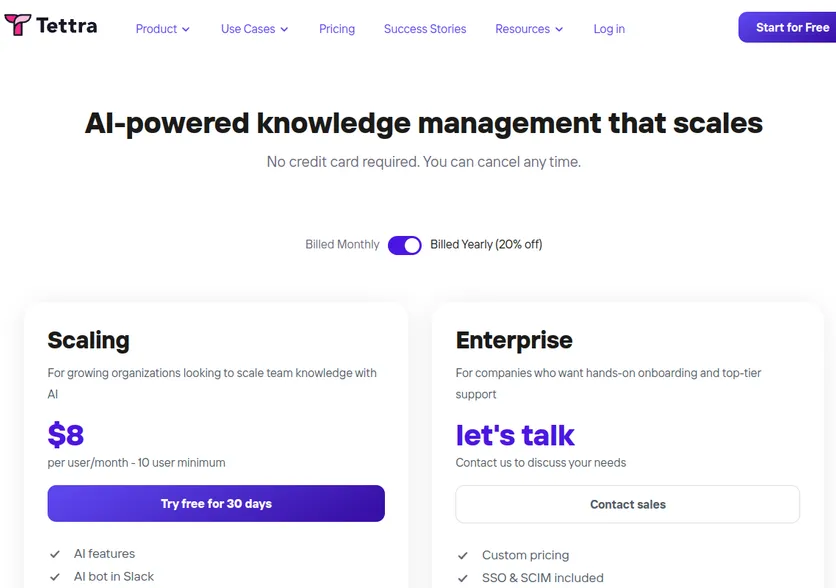
Paid tool Starting price: $8/user/month · Scaling plan, $8 a user a month billed annually or $10 billed monthly, with a 10-user minimum
Free plan: No free tier published on the pricing page
Tettra turns the questions clients keep asking into a searchable library, so a freelancer stops retyping the same answers every week. This Tettra Scaling plan adds Slack integration, verification reminders that flag stale pages, and suggestions that surface the right answer inside a chat. A solo operator can answer a repeat question in seconds by pointing to one verified page.
What we like
- Built for repeat questions and answers
- Verification reminders flag stale pages
- Slack integration answers clients in place
Watch out for
- Scaling costs eight dollars a user a month with a ten-user minimum
- Aimed at teams, so solo freelancers pay for seats they do not use
How to try it
- Open the Tettra pricing page and start a trial
- Write down the five questions clients ask most
- Connect Slack so answers surface where clients already chat
5. ProProfs Knowledge Base
Best for: Freelancers who publish a public help centre for their clients
Paid tool Starting price: $49/author/month · Essentials plan, $49 an author a month billed annually or $79 billed monthly; free plan covers 1 author and 25 pages
Free plan: Free plan for 1 author and 25 pages
ProProfs Knowledge Base is built for publishing, so a freelancer can turn internal notes into a polished public help centre without touching code. This ProProfs Knowledge Base Essentials plan adds branded help sites, article feedback and reports that show which pages clients actually read. A solo consultant can give every client a self-serve help site and cut support emails in half.

What we like
- Polished public help sites with no code
- Reports show which articles clients read
- Free plan for one author and twenty-five pages
Watch out for
- Essentials costs forty-nine dollars an author a month billed annually
- Priced per author, so a team seat costs the same as a solo seat
How to try it
- Open the ProProfs pricing page and start the free plan
- Create a help site and import your existing notes
- Publish the site and link it from your client emails
6. KnowledgeOwl
Best for: Freelancers who need a serious help centre with version control
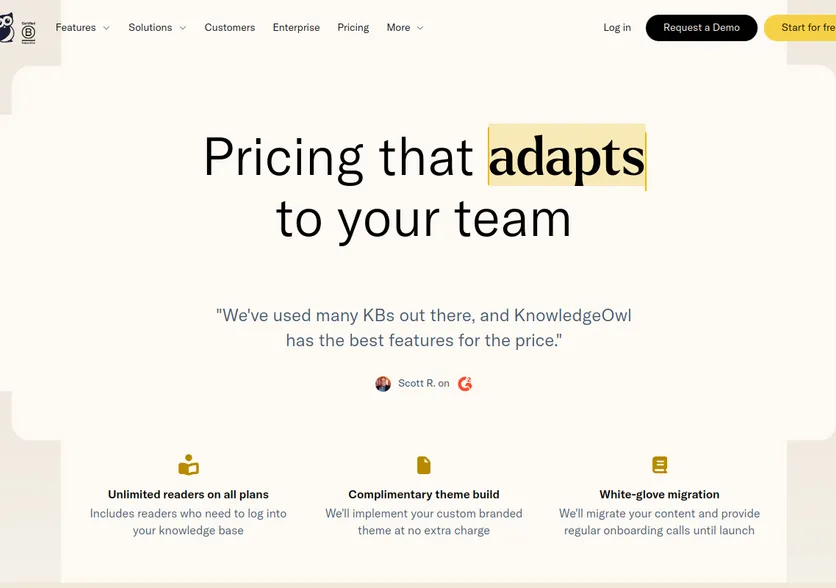
Paid tool Starting price: $100/month · Basic plan, $100 a month for 1 author, 1 knowledge base and unlimited readers; extra authors are $25 a month
Free plan: No free tier published on the pricing page
KnowledgeOwl is the sturdy choice for a freelancer whose docs must stay accurate, because versioning and review workflows catch mistakes before clients see them. This KnowledgeOwl Basic plan gives one author a full knowledge base with unlimited readers, custom branding and article history. A solo operator can publish client-facing docs with confidence and roll back any edit in seconds.
What we like
- Version history on every article
- Unlimited readers on every plan
- Custom branding on the help site
Watch out for
- Basic costs a hundred dollars a month
- One author only on the entry plan
How to try it
- Open the KnowledgeOwl pricing page and start a trial
- Build one knowledge base for your main service
- Publish your first articles and invite clients to read them
7. Helpjuice
Best for: Freelancers who want analytics on what clients search for and read
Paid tool Starting price: $249/month · Knowledge Base plan, $249 a month for 30 users and 12 GB of storage; AI-Knowledge Base is $449 a month
Free plan: No free tier published on the pricing page
Helpjuice treats a help centre as a product, with analytics that show exactly what clients search for and where they give up. This Helpjuice Knowledge Base plan adds unlimited articles, search analytics and customisation for up to thirty users. A freelancer can spot the missing article behind ten support emails and write it once instead of answering ten times.
What we like
- Search analytics show what clients cannot find
- Unlimited articles on every plan
- Deep customisation for a branded help centre
Watch out for
- Knowledge Base costs two hundred and forty-nine dollars a month
- Priced for teams, so solo freelancers pay for capacity they do not need
How to try it
- Open the Helpjuice pricing page and start a trial
- Import your existing docs into one knowledge base
- Check search analytics after a week to find the gaps
8. HelpDocs
Best for: Freelancers who want a fast, simple help centre with instant search
Paid tool Starting price: $129/month · Sprout plan, $129 a month or $99 a month billed annually, for 5 editors; Bloom is $299 a month
Free plan: No free tier published on the pricing page
HelpDocs is the quick setup of this list, a clean help centre a freelancer can launch in an afternoon with instant search included. This HelpDocs Sprout plan adds five editors, custom domains and analytics that show which articles help clients most. A solo operator can move support docs out of email threads and into one searchable site clients actually use.
What we like
- Live in an afternoon with instant search
- Custom domain included on the entry plan
- Article analytics show what clients read
Watch out for
- Sprout costs a hundred and twenty-nine dollars a month
- Five editors included, so solo users pay for spare seats
How to try it
- Open the HelpDocs pricing page and start a trial
- Create your help centre and add your first articles
- Connect your domain and share the link with clients
Prices above were checked on each vendor’s own website on Nov 26, 2026 and can change — the vendor’s page is the final word. Vendor links are editorial: nobody paid to be listed or ranked here. Vendors who want a featured listing can see how it works on our Get listed page.
The knowledge base software for freelancers, compared
Most freelancers pay for one seat, so the per-user price is the whole budget and the cheapest plan is not always the cheapest deal. This list runs from about four dollars a user a month for a simple wiki to two hundred and forty-nine dollars a month for a team-sized help centre, and a freelancer who picks a team plan pays for seats that sit empty. The headline plan each vendor shows on its own pricing page is the number in the table above, checked on November 26, 2026.
Start with the free plan on two tools and move ten real client notes into each. Compare how fast you find a note a month later, then pick the tool you will actually open every day. A cheap wiki you never update costs more than a pricier one your clients can search.
Before you buy
- Count the seats first, because most plans here charge per user and a freelancer feels every extra seat.
- Check the free plan limits before you commit, because a free tier with a page cap forces an upgrade sooner than you expect.
- Test search on your own notes first, because a demo workspace never shows how the tool handles your messy real docs.
- Ask whether clients can read your docs without a login, because a help centre behind a paywall never answers a question at midnight.
- Add up the hours saved, because a wiki that answers repeat questions buys a freelancer a day back every month.
Official websites
Official websites of the products reviewed above. Features and prices were checked against these sites when this guide was written, and they can change, so confirm on the vendor site before you buy.
Frequently asked questions
Which knowledge base software is best for freelancers in 2026?
Confluence, at about seven dollars a user a month, is the safest default because its search and templates handle hundreds of pages without falling apart. Notion is better when you want notes, tasks and client wikis in one flexible workspace with a free plan. Slab wins when you want the tidiest wiki with the least upkeep, from about six dollars and sixty-seven cents a user a month.
What is the cheapest knowledge base software for freelancers?
Slab Startup, at about six dollars and sixty-seven cents a user a month billed annually, is the cheapest paid plan here with a free tier for up to ten users. Confluence Standard follows at about seven dollars a user a month, and Tettra Scaling is eight dollars a user a month with a ten-user minimum. Notion and Slab both offer free plans, so a freelancer can start without paying anything.
Can I use knowledge base software for free as a freelancer?
Yes, several tools on this list offer free plans. Notion is free for individuals, Confluence is free for up to ten users, and Slab is free for up to ten users. ProProfs Knowledge Base has a free plan for one author and twenty-five pages. Start on a free plan, move your real client notes in, and upgrade only when you hit a limit that matters.
Do I need a public help centre or a private wiki as a freelancer?
Most freelancers need both, but for different jobs. A private wiki holds your processes, templates and client notes that only you should see. A public help centre answers client questions before they email you, which is where ProProfs Knowledge Base, KnowledgeOwl and HelpDocs earn their keep. Start private, then publish the pages clients ask about most.
Which knowledge base tool has the best search for freelancers?
Confluence has the strongest search here, staying fast across hundreds of pages with filters for spaces, labels and dates. Slab is close behind, with a clean search that finds docs from a few keywords. HelpDocs adds instant search that shows results as you type, which clients love on a public help site. Test search with your own notes, not a demo workspace, before you commit.
Need more everyday help? Try Toolsvine's free productivity tools for freelancers right in your browser.
Browse Productivity Tools tools


