On this page
An in-house legal team spends too much time chasing approvals, signatures and handoffs that software can move on its own. The eight tools below automate those steps, from general automation to contract storage and legal intake, and every price was checked on the vendor site. Make leads at nine dollars a month with ten thousand operations, the cheapest automation price in the list. The rest are ranked on connectors, price at real volume and how well they fit legal work.
How we researched this
We checked every price on the vendor pricing page on November 28, 2026, and only included tools with a published US dollar list price. Checkbox, Josef, LawVu, SimpleLegal, Onit and Workato sell by quote, so they are not in this list. Prices change, so confirm the current figure on the vendor site before you buy.
Compare the tools
| Name | Best for | Starting price | Free plan | |
|---|---|---|---|---|
 Make | In-house teams that want the most automation for the least money | $9/month | Free plan | Visit |
 Power Automate | In-house teams already running Microsoft 365 and Windows | $15/user/month | Free tier with Microsoft 365 | Visit |
 PandaDoc | Firms that draft, send and store agreements in one tool | $19/user/month | Free plan | Visit |
 Zapier | In-house teams that want the widest app catalogue | $19.99/month | Free plan | Visit |
 n8n | Technical legal teams that want control and AI agents | €20/month | Free plan | Visit |
 Clio | Firms that want trust accounting built into every plan | $49/user/month | 7-day free trial | Visit |
| Lawmatics | Firms that want automated intake and client relationship management | $199/user/month | Free demo | Visit |
 ContractWorks | Teams that want a flat-priced contract library with alerts | $425/month | 14-day free trial | Visit |
The legal workflow automation software for in-house legal teams, compared
1. Make
Best for: In-house teams that want the most automation for the least money
Paid tool Starting price: $9/month · Nine dollars a month on Core billed annually, or ten dollars and fifty-nine cents billed monthly, for ten thousand operations; Pro is sixteen dollars billed annually and Teams is twenty-nine dollars, and the free plan includes one thousand operations a month
Free plan: Free plan
This Make plan costs nine dollars a month, and it gives an in-house team ten thousand operations for less than any other automation tool here. A legal department can move intake data, contracts and approvals between tools with a visual builder that shows the whole flow. It is the cheapest way to automate the handoffs between legal and the business.

What we like
- Ten thousand operations a month for nine dollars
- A visual builder that shows the whole scenario
- A free plan with one thousand operations a month
Watch out for
- Every step in a scenario costs an operation
- Advanced features need the Pro plan
How to try it
- Pick a trigger app and the event that starts the flow
- Add the steps that move data between tools
- Test the scenario and turn it on
2. Power Automate
Best for: In-house teams already running Microsoft 365 and Windows
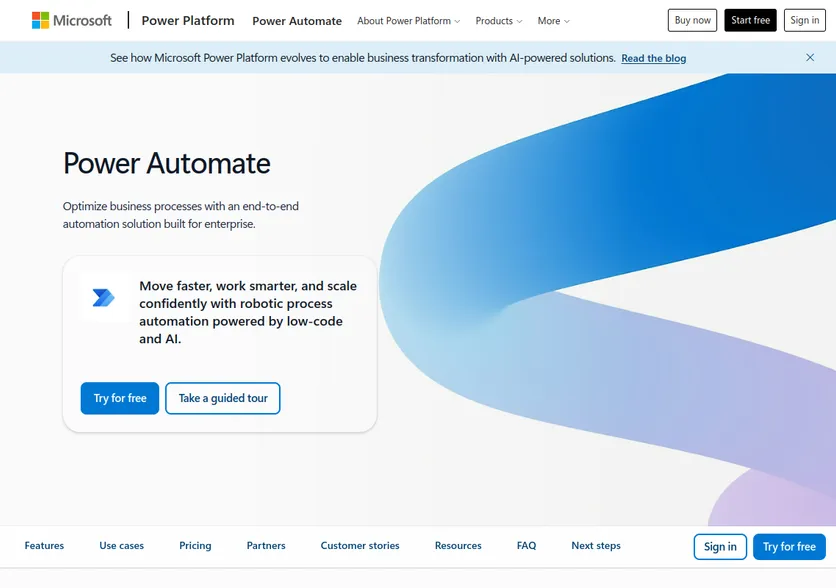
Paid tool Starting price: $15/user/month · Fifteen dollars per user a month billed annually on Premium; Process is one hundred and fifty dollars per bot a month for unattended automation and Hosted Process is two hundred and fifteen dollars
Free plan: Free tier with Microsoft 365
This Power Automate plan costs fifteen dollars a user a month, and it brings unlimited cloud flows and premium connectors to a Microsoft shop. An in-house team can automate approvals, document routing and reminders across Microsoft 365 and hundreds of other apps. It is the pick for a legal department that already lives in Microsoft.
What we like
- Unlimited cloud flows for fifteen dollars a user a month
- Premium connectors for Salesforce, SAP and SQL
- Attended desktop automation included
Watch out for
- Seeded AI Builder credits were removed in November 2026
- Unattended bots cost one hundred and fifty dollars a month each
How to try it
- Pick a template or build a flow from a trigger
- Add the connectors and the steps the flow needs
- Test the flow and share it with the team
3. PandaDoc
Best for: Firms that draft, send and store agreements in one tool
Paid tool Starting price: $19/user/month · Nineteen dollars per user a month billed annually on Starter, or thirty-five dollars billed monthly; Business is forty-nine dollars billed annually, and the free plan allows five documents a month
Free plan: Free plan
At nineteen dollars a user a month, PandaDoc gives an in-house team agreement drafting, e-signature and a contract repository in one tool. Intake approvals and expiry alerts run from the same system, so contracts stop living in email threads. It suits a legal department that wants its agreements created, signed and stored in one place.

What we like
- Unlimited uploads and e-signatures from the Starter plan
- A contract repository with expiry alerts
- Approval workflows and deal rooms on Business
Watch out for
- The free plan allows only five documents a month
- CRM integrations sit on the Business plan
How to try it
- Create the agreement from a template
- Send it for signature with an expiry alert
- Store the signed copy in the repository
4. Zapier
Best for: In-house teams that want the widest app catalogue
Paid tool Starting price: $19.99/month · Nineteen dollars and ninety-nine cents a month billed annually on Starter, or twenty-nine dollars and ninety-nine cents billed monthly, for seven hundred and fifty tasks; Professional is seventy-three dollars and fifty cents billed annually
Free plan: Free plan
This Zapier plan costs nineteen dollars and ninety-nine cents a month, and it connects more apps than any other automation tool in this list. An in-house team can trigger flows from intake forms, CRMs and document tools, with multi-step Zaps from the Starter plan. It is the pick when the tools to connect are many and the team wants the widest catalogue.

What we like
- The largest app catalogue in automation, with thousands of apps
- Multi-step Zaps from the Starter plan
- A free plan for the first hundred tasks a month
Watch out for
- Each action in a Zap costs a task, so long Zaps burn the allowance
- The price climbs fast once volume grows
How to try it
- Choose a trigger app and the event to watch
- Add the action steps that follow the trigger
- Turn the Zap on and check the task history
5. n8n
Best for: Technical legal teams that want control and AI agents
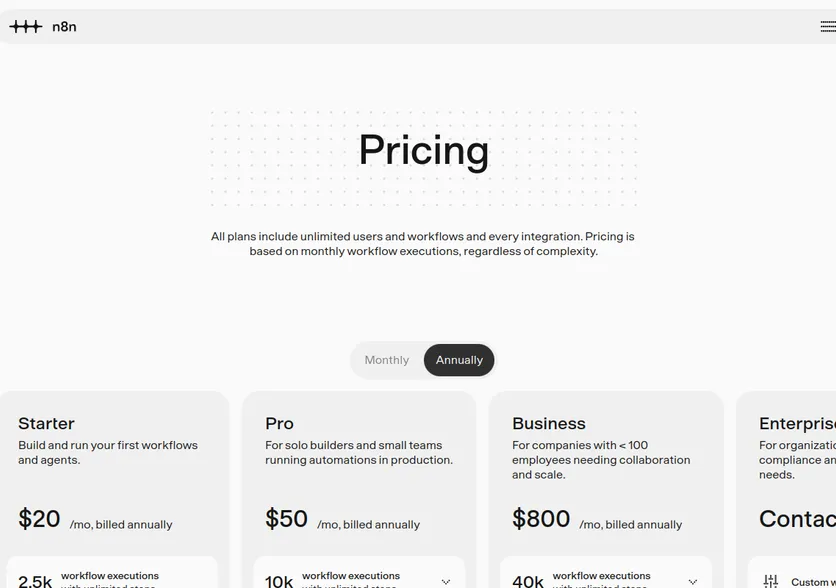
Paid tool Starting price: €20/month · Twenty euros a month billed annually on Cloud Starter, or twenty-four euros billed monthly, for two thousand five hundred executions; Cloud Pro is fifty euros a month and self-hosting is free apart from the server
Free plan: Free plan
This n8n plan costs twenty euros a month, and it gives a technical team cloud hosting with two thousand five hundred executions. One execution covers a whole workflow however many steps it has, and self-hosting is free for teams that run their own server. It is the pick for a legal team that wants AI agents and full control over its automations.
What we like
- Self-hosted for free with unlimited executions
- One execution covers a whole workflow, however many steps
- Strong AI agent support and a big community
Watch out for
- The cloud Starter plan costs twenty euros a month
- Self-hosting needs someone to run the server
How to try it
- Pick the cloud plan or self-host the community edition
- Build the workflow with nodes for each app
- Activate the workflow and watch the executions
6. Clio
Best for: Firms that want trust accounting built into every plan
Paid tool Starting price: $49/user/month · Forty-nine dollars per user a month is the published starting price for the Starter plan; higher tiers are quoted by sales rather than published, and the older EasyStart, Essentials, Advanced and Expand ladder no longer appears on the vendor pricing page
Free plan: 7-day free trial
The Clio plan starts at forty-nine dollars a user a month, with matter management, automated workflows and document templates included. An in-house team can route intake, approvals and billing through one system instead of stitching together three tools. It fits a legal department that wants practice management discipline without buying a separate automation platform.

What we like
- Trust accounting built into every plan, including the entry tier
- One-click timers that log time straight to the right matter
- More than two hundred and fifty integrations with tools firms already use
Watch out for
- Higher tiers are quoted, so the full cost is not public
- The per-seat price adds up quickly as the firm grows
How to try it
- Create a matter and set the client, rates and deadlines
- Start the timer from any matter and log time as you work
- Generate the invoice and send it through the client portal
7. Lawmatics
Best for: Firms that want automated intake and client relationship management
Paid tool Starting price: $199/user/month · One hundred and ninety-nine dollars per user a month on Lite and two hundred and ninety-nine dollars on Pro are the last-published figures; the vendor pricing page no longer shows dollar figures, so confirm the current price with the vendor before buying
Free plan: Free demo
At one hundred and ninety-nine dollars a user a month, Lawmatics gives an in-house team automated intake, CRM and pipeline reporting built for legal work. New matters open from signed clients without retyping, and the pipeline shows where every lead stands. It suits a legal department that wants intake handled before a matter ever exists.

What we like
- Automated intake and CRM built for law firms
- Custom intake forms that feed straight into matters
- Pipeline reporting on where every lead stands
Watch out for
- The vendor page no longer shows dollar figures
- The last-published prices come from third-party reads
How to try it
- Build the intake form for the practice area
- Route new leads through the pipeline stages
- Convert the signed client into a matter
8. ContractWorks
Best for: Teams that want a flat-priced contract library with alerts
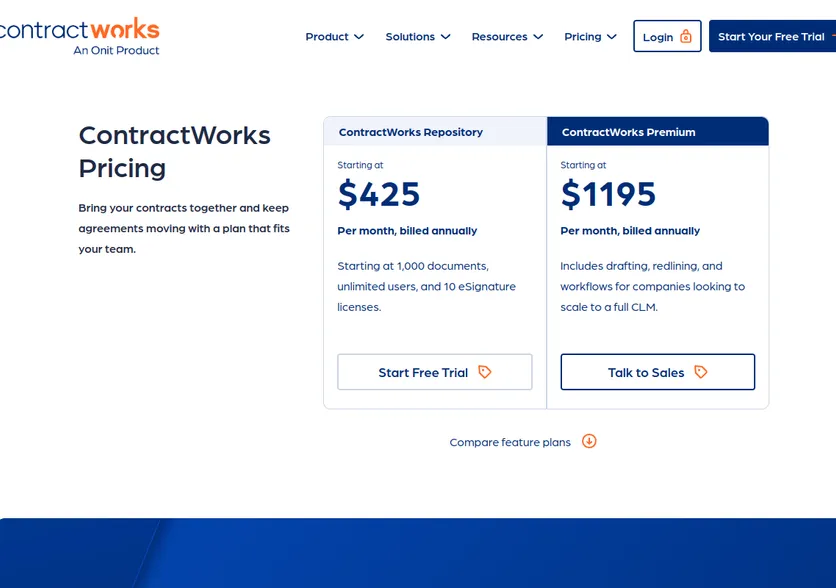
Paid tool Starting price: $425/month · Four hundred and twenty-five dollars a month billed annually on Repository, for up to one thousand documents and unlimited users; Premium starts at one thousand one hundred and ninety-five dollars a month billed annually
Free plan: 14-day free trial
Four hundred and twenty-five dollars a month buys the ContractWorks Repository plan, with unlimited users and AI tagging on every signed agreement. An in-house team can find any contract, see its dates and get alerts before renewals slip past. It is the pick for a legal department whose signed agreements are scattered across drives and inboxes.
What we like
- Unlimited users for a flat monthly price
- AI tagging that pulls dates and parties from each contract
- Milestone alerts before renewals and deadlines
Watch out for
- Drafting and redlining need the Premium plan
- The starting price covers one thousand documents
How to try it
- Upload signed agreements into the repository
- Let AI tag the dates, parties and renewal terms
- Set alerts for every deadline that matters
Prices above were checked on each vendor’s own website on Nov 28, 2026 and can change — the vendor’s page is the final word. Vendor links are editorial: nobody paid to be listed or ranked here. Vendors who want a featured listing can see how it works on our Get listed page.
How to automate legal work without breaking it
Map the workflow on paper before building it in software. An in-house team that automates a messy process just makes the mess faster, so agree the steps, the owners and the exceptions first. Automate one workflow end to end and measure the time it saves, then move to the next. Keep a human approval step wherever the decision carries risk, because automation should move paper, not make legal judgements. Document every workflow in plain language, because the next person to run it needs to know what it does, why it exists and who to ask when it breaks unexpectedly.
Before you buy
- Check what counts as one operation, task or execution
- Ask which apps and connectors are included on the entry plan
- Confirm the price at your real monthly volume, not the headline
- Test one workflow end to end before you automate the rest
- Make sure a human approval step stays where the risk sits
Official websites
Official websites of the products reviewed above. Features and prices were checked against these sites when this guide was written, and they can change, so confirm on the vendor site before you buy.
Frequently asked questions
What is legal workflow automation software for in-house legal teams?
It is software that moves legal work through approvals, signatures and handoffs without manual chasing. The tools in this list cover general automation, contract storage and legal intake, so a team can automate the steps between systems. A good workflow starts with a trigger, follows clear rules and leaves a record.
How much does Make cost?
Make costs nine dollars a month on Core billed annually, or ten dollars and fifty-nine cents billed monthly, for ten thousand operations. Pro is sixteen dollars billed annually and Teams is twenty-nine dollars, while the free plan includes one thousand operations a month. It is the cheapest automation tool in this list by a wide margin.
Can an in-house team start for free?
Make, Zapier, n8n and Power Automate all offer free plans or free tiers, so a legal team can automate its first workflows without paying. The free tiers cap operations or executions, so a busy team will outgrow them. ContractWorks, Lawmatics and PandaDoc offer free trials or a free plan with document limits.
Which tool is best for an in-house legal team?
Make is the strongest value pick for an in-house team because it gives ten thousand operations a month for nine dollars. Power Automate is the better pick for a team already running Microsoft 365, with unlimited flows from fifteen dollars a user a month. ContractWorks is the pick when the workflow is really about signed agreements.
Do these tools replace legal staff?
No, they replace the chasing, not the judgement: approvals, reminders and document routing move on their own, while lawyers still decide the substance. A workflow that is badly designed will automate a bad process, so map the steps before building. Start with one workflow, measure the time saved and then automate the next one.
Compare the eight tools above, then start with a free plan or trial on the tool that matches how your legal team already works before you pay for a full year.
Browse Business Tools tools