On this page
A law firm cannot afford to lose email, because a missing message can lose a case. Microsoft 365 keeps the service running, but it does not keep a long backup of your data, so a third-party backup is the only way to recover a mailbox from months ago. Veeam Data Cloud for Microsoft 365 leads the list because it is the most widely used backup at two dollars sixty-three cents a user a month, and the other seven tools are ranked on the same practical test: how much of the Microsoft 365 suite they protect for the price.
How we researched this
We checked every price on the vendor pricing page or in vendor directories on November 28, 2026, and only included tools with a published US dollar list price. Druva, Rubrik, Commvault, Backupify and SkyKick publish no prices for their Microsoft 365 backup, AvePoint lists prices in euros with no US dollar list, and Barracuda publishes no price, so all of them are excluded, while the self-managed Veeam Backup for Microsoft 365 lists conflicting prices on different vendor pages, so we used the Data Cloud product instead. Prices change, so confirm the current figure on the vendor site before you buy.
Compare the tools
| Name | Best for | Starting price | Free plan | |
|---|---|---|---|---|
 Veeam Data Cloud for Microsoft 365 | Law firms that want the most trusted name in Microsoft 365 backup | $2.63/user/month | 30-day free trial | Visit |
| Afi.ai | Firms that want a simple flat rate with unlimited storage | $3/user/month | 14-day free trial | Visit |
| Spanning Backup | Firms that want the cheapest annual backup with a long track record | $4/user/month | 14-day free trial | Visit |
| CloudAlly | Firms that want a clear per-user price with no hidden extras | $3/user/month | 14-day free trial | Visit |
 MSP360 Backup for Microsoft 365 | Firms that want a managed service provider backup with strong support | $3/user/month | 15-day free trial | Visit |
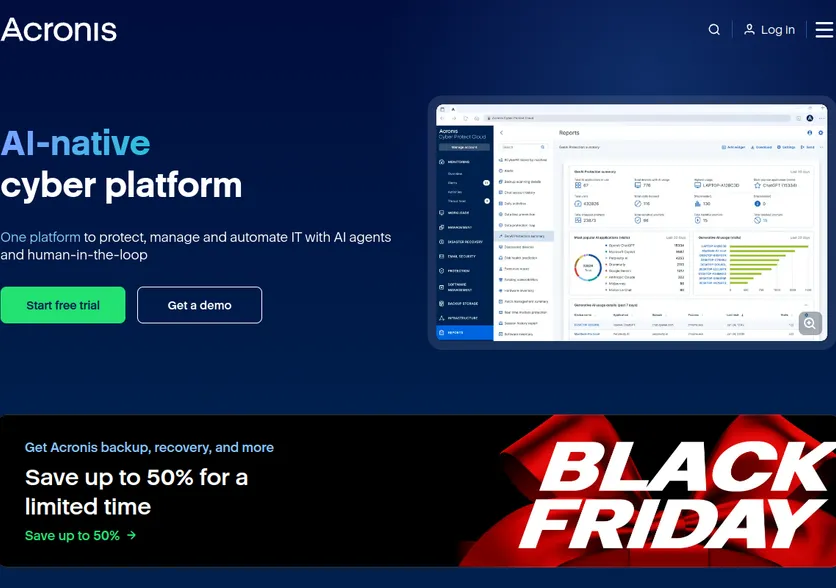
| Acronis Backup Advanced for Microsoft 365 | Firms that want unlimited cloud storage with their backup | $3.48/seat/month | 30-day free trial | Visit |
| Keepit | Firms that want the lowest per-seat price with a simple plan | $2.95/seat/month | 14-day free trial | Visit |
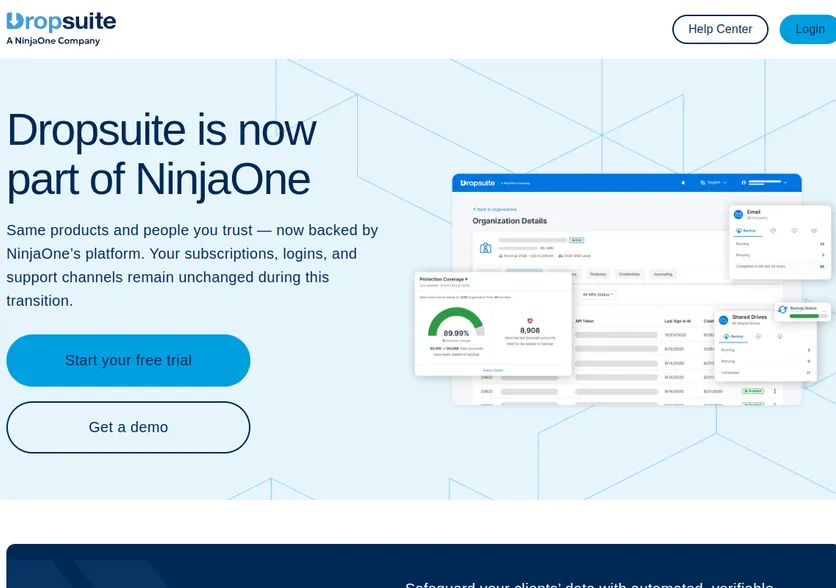
| DropSuite | Firms that want a backup tool from a provider now backed by NinjaOne | $3/user/month | 14-day free trial | Visit |
The Microsoft 365 backup software for law firms, compared
1. Veeam Data Cloud for Microsoft 365
Best for: Law firms that want the most trusted name in Microsoft 365 backup
Paid tool Starting price: $2.63/user/month · Two dollars sixty-three cents per user per month on the Foundation plan billed annually for 251 or more users; $3.50 per user per month for 10 to 50 users and $3.15 for 51 to 250, with Advanced at $3.33 and Premium at $7.00 per user per month and a 30-day free trial
Free plan: 30-day free trial
For a firm that wants the best-known backup for Microsoft 365, this Veeam plan costs two dollars sixty-three cents a user a month. It protects Exchange, SharePoint, OneDrive and Teams with unlimited retention, and it backs up every ten minutes. The price is the annual rate for a firm with more than two hundred fifty users, with higher per-user rates for smaller firms.

What we like
- The most widely used Microsoft 365 backup platform
- Backups every ten minutes with unlimited retention
- Restore for Exchange, SharePoint, OneDrive and Teams
Watch out for
- The lowest rate needs more than two hundred fifty users
- The self-managed product lists conflicting prices on different vendor pages
How to try it
- Connect your Microsoft 365 tenant and select the data to protect
- Set the backup schedule and retention policy
- Test a mailbox restore to confirm recovery works
2. Afi.ai
Best for: Firms that want a simple flat rate with unlimited storage
Paid tool Starting price: $3/user/month · Three dollars per user per month, or $36 per user per year, with a 5-user minimum and a 14-day free trial; unlimited storage included
Free plan: 14-day free trial
For a firm that wants one simple price, this Afi.ai plan costs three dollars a user a month. It backs up Exchange, SharePoint, OneDrive and Teams with unlimited storage, and it restores individual emails or whole mailboxes in minutes. The flat rate makes budgeting easy, since the bill is the user count times three dollars with no extras.
What we like
- One flat rate of three dollars a user a month
- Unlimited storage included in the price
- Fast restores for single emails or whole mailboxes
Watch out for
- A five-user minimum applies even for the smallest firms
- Reporting is simpler than on the enterprise backup platforms
How to try it
- Connect the Microsoft 365 tenant in a few clicks
- Choose which mailboxes and sites to back up
- Set retention and test a restore before going live
3. Spanning Backup
Best for: Firms that want the cheapest annual backup with a long track record
Paid tool Starting price: $4/user/month · Four dollars per user per month, or $48 per user per year, billed annually, with a 14-day free trial
Free plan: 14-day free trial
For a firm that wants the lowest annual bill, this Spanning Backup plan costs four dollars a user a month. It protects Exchange, SharePoint, OneDrive and Teams, and it has backed up Microsoft 365 data since the early days of the platform. The price is billed annually at forty-eight dollars a user a year, which makes it the cheapest annual option here for a firm of any size.
What we like
- A long track record protecting Microsoft 365 data
- Simple pricing with no per-feature add-ons
- Protects Exchange, SharePoint, OneDrive and Teams
Watch out for
- The annual bill is the only payment option
- Newer tools offer faster restore times for large mailboxes
How to try it
- Connect the Microsoft 365 tenant and pick the data to protect
- Set the backup frequency and retention rules
- Verify a restore with a test mailbox recovery
4. CloudAlly
Best for: Firms that want a clear per-user price with no hidden extras
Paid tool Starting price: $3/user/month · Three dollars per user per month, or $30 per user per year billed annually; SharePoint and OneDrive are charged per 5 GB or 10 GB block on top, and the Complete plan has a 50-user minimum, with a 14-day free trial
Free plan: 14-day free trial
For a firm that wants a straightforward per-user price, this CloudAlly plan costs three dollars a user a month. It backs up Exchange, SharePoint, OneDrive and Teams with unlimited retention, and it restores individual items or whole mailboxes. The price is the same whether the firm has ten users or five hundred, which makes it easy to budget as the firm grows.
What we like
- A flat three-dollar rate at any firm size
- Unlimited retention included in the price
- Restores for single items or whole mailboxes
Watch out for
- SharePoint and OneDrive storage is charged on top of the user price
- The Complete plan needs at least fifty users
How to try it
- Connect the Microsoft 365 tenant and select mailboxes
- Set the backup schedule and retention policy
- Test a restore for a single email and a full mailbox
5. MSP360 Backup for Microsoft 365
Best for: Firms that want a managed service provider backup with strong support
Paid tool Starting price: $3/user/month · Three dollars per user per month for Backup for Microsoft 365, with a 15-day free trial; the vendor site also lists other MSP360 products at different prices, so confirm the Microsoft 365 backup price before buying
Free plan: 15-day free trial
For a firm that buys backup through its IT provider, this MSP360 plan costs three dollars a user a month. It backs up Exchange, SharePoint, OneDrive and Teams with granular restore, and it is designed for managed service providers who look after many small firms. The price makes it one of the cheapest options here for a firm that already works with an MSP.
What we like
- A low flat rate of three dollars a user a month
- Built for managed service providers and their clients
- Granular restore down to a single email or file
Watch out for
- The vendor site lists several products, so the pricing page is easy to confuse
- Support runs through the MSP rather than direct to the firm
How to try it
- Connect the Microsoft 365 tenant through the MSP portal
- Choose mailboxes, sites and Teams data to protect
- Set the backup schedule and test a restore
6. Acronis Backup Advanced for Microsoft 365
Best for: Firms that want unlimited cloud storage with their backup
Paid tool Starting price: $3.48/seat/month · Three dollars forty-eight cents per seat per month, or $209 per five seats per year on a one-year term; three-year is $609 and five-year is $989 per five seats, with unlimited Acronis-hosted storage and a 30-day free trial; some partner sites list lower figures that do not match the vendor list price
Free plan: 30-day free trial
For a firm with large mailboxes and file libraries, this Acronis plan costs three dollars forty-eight cents a seat a month on a one-year term. It backs up Microsoft 365 with unlimited Acronis-hosted storage, so a firm never pays extra for how much data it keeps. The price works out to two hundred nine dollars per five seats per year, which is the vendor list price for the Advanced plan.
What we like
- Unlimited Acronis-hosted storage in the price
- One console for Microsoft 365 and endpoint backup
- A long track record in business backup software
Watch out for
- The price is per seat, not per user, so count seats carefully
- Partner sites list lower prices that do not match the vendor list
How to try it
- Connect the Microsoft 365 tenant and select the workloads
- Choose Acronis-hosted storage for unlimited capacity
- Set retention and verify a restore for a large mailbox
7. Keepit
Best for: Firms that want the lowest per-seat price with a simple plan
Paid tool Starting price: $2.95/seat/month · Two dollars ninety-five cents per seat per month on the Business Essentials plan with one-year retention; Enterprise Unlimited is $4.95 and Governance Plus is $7.95 per seat per month, with a 14-day free trial; the price is listed in vendor directories rather than on a public vendor pricing page
Free plan: 14-day free trial
For a firm that wants the lowest per-seat price in this list, this Keepit plan costs two dollars ninety-five cents a seat a month. It backs up Exchange, SharePoint, OneDrive and Teams with a one-year retention on the entry plan, and higher tiers extend retention and add governance features. The price is listed in vendor directories rather than on a public pricing page, so confirm it with the vendor before buying.
What we like
- The lowest per-seat price in this list
- Covers Exchange, SharePoint, OneDrive and Teams
- Higher tiers add governance and longer retention
Watch out for
- No public pricing page, so the price comes from directory listings
- The entry tier keeps data for only one year
How to try it
- Request a quote and confirm the entry-tier price
- Connect the Microsoft 365 tenant and select the data
- Set the retention policy and test a mailbox restore
8. DropSuite
Best for: Firms that want a backup tool from a provider now backed by NinjaOne
Paid tool Starting price: $3/user/month · Three dollars per user per month for Backup, with Backup plus Archiving at about four dollars per user per month; DropSuite publishes no pricing page, so the price is corroborated from vendor directories, with a 14-day free trial; DropSuite joined NinjaOne in June 2025
Free plan: 14-day free trial
For a firm that wants a simple backup with archiving built in, this DropSuite plan costs three dollars a user a month. It backs up Exchange, SharePoint, OneDrive and Teams, and it adds archiving for firms that need to keep email for compliance. The price is listed in vendor directories rather than on a public pricing page, and the company joined NinjaOne in June 2025.
What we like
- Backup plus archiving in one plan
- Covers the full Microsoft 365 suite
- Now backed by NinjaOne after the June 2025 acquisition
Watch out for
- No public pricing page, so the price comes from directory listings
- The acquisition may change the product roadmap over time
How to try it
- Contact the vendor to confirm the current price and plan
- Connect the Microsoft 365 tenant and select the data
- Turn on archiving for email retention and compliance
Prices above were checked on each vendor’s own website on Nov 28, 2026 and can change — the vendor’s page is the final word. Vendor links are editorial: nobody paid to be listed or ranked here. Vendors who want a featured listing can see how it works on our Get listed page.
How to set up Microsoft 365 backup for a law firm
Start with the retention policy, not the price. Decide how long the firm must keep email and files, because that sets which tier you need on every tool here. Connect the whole tenant, including shared mailboxes and Teams, since a backup that misses a mailbox is a gap in the record. Turn on legal hold for active matters before you need it, because a hold only works if it was set in advance. Finally, test a restore every quarter, because a backup you have never restored is a promise you have never kept.
Before you buy
- Confirm the price covers every mailbox, because some tools charge extra for shared mailboxes
- Check how long backups are retained, since law firms need years of email history
- Ask if legal hold and point-in-time restore are included or cost extra
- Make sure backup data is stored in the region your clients require
- Test a full mailbox restore, since a backup you cannot restore is worthless
Official websites
Official websites of the products reviewed above. Features and prices were checked against these sites when this guide was written, and they can change, so confirm on the vendor site before you buy.
Frequently asked questions
What is Microsoft 365 backup software for law firms?
Microsoft 365 backup software copies your Exchange email, SharePoint files, OneDrive documents and Teams chats to a separate cloud, so you can restore them if they are deleted or hit by ransomware. Microsoft keeps the service running but keeps no long backup of your data, so a third-party backup is the only way to recover a mailbox from months ago. The tools in this list differ in price, in how long they keep data, and in whether storage is unlimited.
How much does Veeam Data Cloud cost for a law firm?
Veeam Data Cloud for Microsoft 365 costs two dollars sixty-three cents a user a month on the Foundation plan billed annually for firms with more than two hundred fifty users. Smaller firms pay three dollars fifty cents a user a month for ten to fifty users, or three dollars fifteen cents for fifty-one to two hundred fifty. Advanced is three dollars thirty-three cents and Premium is seven dollars a user a month, with a thirty-day free trial.
What is the cheapest Microsoft 365 backup for a law firm?
Yes, with Keepit, which starts at two dollars ninety-five cents a seat a month on the Business Essentials plan. Afi.ai, CloudAlly, MSP360 and DropSuite all cost three dollars a user a month, so the difference between the cheapest options is small. For a firm of any size, compare the retention period and the storage limits alongside the price, because the cheapest plan may keep data for only one year.
Does a law firm still need backup if it uses Microsoft 365?
Microsoft runs the service and keeps it available, but it does not keep a separate long-term backup of your mailboxes and files. Deleted items leave the recycle bin after a short window, and ransomware can corrupt data in place. A third-party backup stores a separate copy with its own retention, so a firm can restore a mailbox from months or years ago.
How do I choose between these backup tools?
Pick the tool that matches how the firm works and how long it must keep records. If the firm has more than two hundred fifty users, Veeam has the lowest rate here. If the firm wants one flat price at any size, Afi.ai and CloudAlly both cost three dollars a user a month. If storage costs matter, Acronis includes unlimited hosted storage, and if retention beyond one year is required, avoid the entry Keepit tier.
Compare the eight tools above, then start with a free trial on the tool that fits how your firm already works before you pay for a full year.
Browse Security & Privacy tools