On this page
A telecom network is only as safe as its last good configuration, and one bad change can take down more customers than any hardware failure. The seven tools below back up device configurations, flag every change, and roll a device back when an edit goes wrong. Unimus leads the list because it backs up more than four hundred device types for six dollars and ninety cents per device a year, and the other six are judged on the same practical test: how reliably each one restores a network after a bad day.
How we researched this
We checked every price on vendor pricing pages and November 2026 reads of vendor pages, and only included tools with a published US dollar list price. The enterprise platforms that sell by quote, including BackBox, NetBrain and Auvik, publish no prices, so they are not in this list. Prices change, so confirm the current figure on the vendor site before you buy.
Compare the tools
| Name | Best for | Starting price | Free plan | |
|---|---|---|---|---|
| SolarWinds NCM | Telecom teams that already run SolarWinds and need compliance reports | $2,895/year | 30-day free trial | Visit |
| ManageEngine NCM | Telecom teams that want published device-pack prices | $238/year | Free for 2 devices | Visit |
| Unimus | Telecom teams that want turnkey backup at a low per-device price | $6.90/device/year | Free for 10 devices | Visit |
| Kiwi CatTools | Small telecom teams that want affordable desktop config backup | $1,095 one-time | Free trial | Visit |
| rConfig | Telecom teams that want an open-source core with paid compliance | $2,999 | Free Core edition | Visit |
| RANCID | Telecom teams that already run it and like email diffs | $0 | Free and open source | Visit |
| Oxidized | Telecom teams that want Git-backed config history for free | $0 | Free and open source | Visit |
The network configuration backup software for telecoms, compared
1. SolarWinds NCM
Best for: Telecom teams that already run SolarWinds and need compliance reports
Paid tool Starting price: $2,895/year · Two thousand eight hundred and ninety-five dollars per year, from three agreeing November 2026 guides; older listings show a $2,995 one-time licence, and one November 2026 guide calls the product quote-only, so confirm the current price with the vendor
Free plan: 30-day free trial
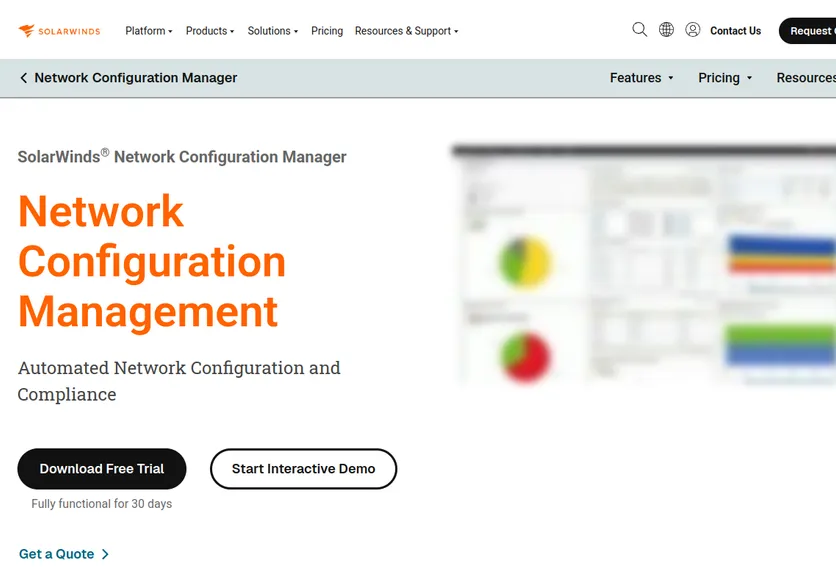
This SolarWinds NCM licence costs two thousand eight hundred and ninety-five dollars a year, and it is the multi-vendor workhorse in this list. It backs up configurations, flags every change in real time, and rolls a device back to a known-good config after a bad edit, with compliance reports a telecom auditor can actually read. The price carries a warning: it comes from three agreeing guides rather than a public vendor page, and one November 2026 guide calls the product quote-only, so get the figure in writing.
What we like
- Config backup and change detection across many vendors
- Side-by-side diffs with one-click rollback after a bad change
- Compliance reports that map configs against policy
Watch out for
- The price is guide-sourced, not confirmed on a public vendor page
- No free tier, only a thirty-day trial
How to try it
- Discover routers, switches and firewalls into the inventory
- Schedule nightly config backups across the estate
- Review change alerts each morning and roll back bad edits
2. ManageEngine NCM
Best for: Telecom teams that want published device-pack prices
Paid tool Starting price: $238/year · Two hundred and thirty-eight dollars per year for the Professional edition covering ten devices, from the vendor store checked in November 2026; older guides list $595 a year, and the Enterprise edition starts at $3,358 a year for 250 devices; free for two devices
Free plan: Free for 2 devices
This ManageEngine NCM plan costs two hundred and thirty-eight dollars a year for ten devices, and it is the budget pick with a price you can actually read on the vendor store. Configlets push scripted changes to dozens of devices at once, and every backup is versioned with a rollback button for the morning after a bad change. The one wrinkle is the price history: older guides still quote five hundred and ninety-five dollars a year, so confirm the two hundred and thirty-eight dollar figure in the store before you buy.
What we like
- Published prices by device pack, with a free two-device edition
- Configlets that push scripted changes to many devices at once
- Versioned history with rollback and change notifications
Watch out for
- Older guides still list five hundred and ninety-five dollars a year
- Best suited to smaller networks, not carrier-scale estates
How to try it
- Add your first two devices free and test a backup
- Buy the ten-device Professional pack for the live estate
- Schedule nightly backups and turn on change alerts
3. Unimus
Best for: Telecom teams that want turnkey backup at a low per-device price
Paid tool Starting price: $6.90/device/year · Six dollars and ninety cents per device per year on Standard, or nine dollars and seventy cents on Advanced; the unlimited Standard licence is $9,900 a year, and the first ten devices are free forever
Free plan: Free for 10 devices
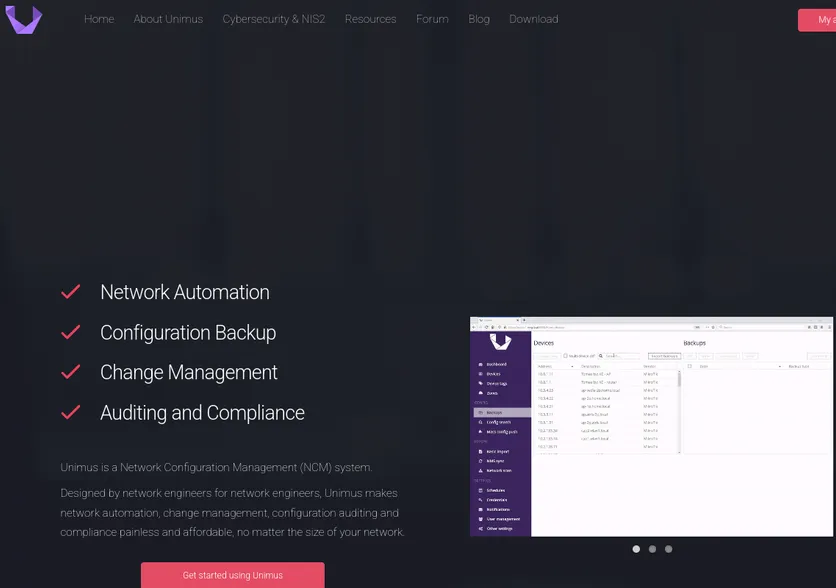
This Unimus plan costs six dollars and ninety cents per device per year, and it is the cheapest commercial backup in this list by a wide margin. Ten devices are free forever, and the paid tiers stay under a dollar a device a month while covering more than four hundred device types. It is the turnkey pick for a lean telecom team: a web UI, versioned history, graphical diffs and a REST API, with no templating language to learn before the first backup runs.
What we like
- Per-device pricing under one dollar a month on Standard
- A web UI with versioned history, diffs and a REST API
- Support for more than four hundred device types from over one hundred and fifty vendors
Watch out for
- Advanced features like mass config push need the higher tier
- A self-hosted tool, so you still run the server yourself
How to try it
- Install Unimus on Windows, Linux or Unix hardware
- Discover devices and let the first backups run overnight
- Turn on change notifications by email, Pushover or Slack
4. Kiwi CatTools
Best for: Small telecom teams that want affordable desktop config backup
Paid tool Starting price: $1,095 one-time · One thousand and ninety-five dollars for a perpetual licence, with maintenance extra from the second year; 14-day free trial.
Free plan: Free trial
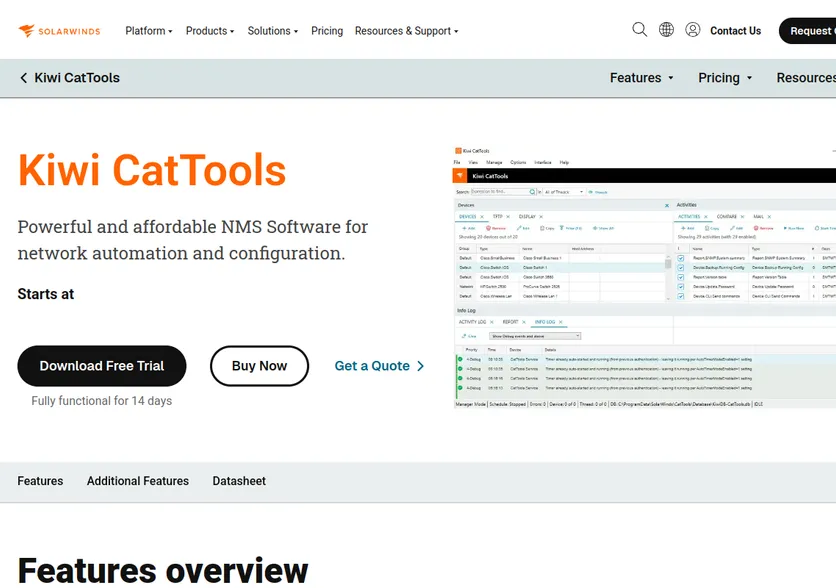
This Kiwi CatTools licence costs one thousand and ninety-five dollars for a perpetual licence, and it is the desktop pick for a small telecom team that does not want a server. It schedules automatic backups and pushes bulk config changes to many devices at once, all from a Windows machine that is already on the desk. The price is the vendor-published starting price for a perpetual licence, with maintenance extra from the second year.
What we like
- Scheduled automatic backups from routers, switches and firewalls
- Bulk config changes pushed to many devices at once
- A desktop tool with no server to install or maintain
Watch out for
- Maintenance is extra from the second year
- Windows only, with no cloud or multi-user console
How to try it
- Install CatTools on a Windows workstation or server
- Add devices and schedule automatic nightly backups
- Set up bulk activities to push changes to many devices
5. rConfig
Best for: Telecom teams that want an open-source core with paid compliance
Paid tool Starting price: $2,999 · Two thousand nine hundred and ninety-nine dollars for Starter covering 300 devices, usable in perpetuity with an annual subscription for updates; Standard is $4,499 for 1,000 devices, and the Core edition is free and open source
Free plan: Free Core edition
This rConfig Starter licence costs two thousand nine hundred and ninety-nine dollars for three hundred devices, and it is the open-core pick in this list. The Core edition is free and open source, so a telecom team can run real config backups before spending anything, and the paid tiers stay usable in perpetuity with an annual subscription only for updates. It costs more than Unimus at the same device count, but the open-source core means the backup engine itself can never be taken away by a price rise.
What we like
- An open-source Core edition with no licence cost
- Paid tiers usable in perpetuity, with updates on subscription
- Compliance and automation features on the paid tiers
Watch out for
- Enterprise and MSP tiers are quote-only
- The paid tiers cost more than Unimus at the same device count
How to try it
- Install the free Core edition and back up your first devices
- Test the compliance reports on the Starter tier
- Upgrade to Standard when the estate passes three hundred devices
6. RANCID
Best for: Telecom teams that already run it and like email diffs
Paid tool Starting price: $0 · Free and open source, with no paid tier; you run it on your own Unix or Linux host and it emails configuration diffs
Free plan: Free and open source
This RANCID tool costs nothing, and it is the old hand in this list: carrier networks have run it for decades to back up device configurations. It stores every version in CVS, Subversion or Git and emails a diff whenever a config changes, so an unauthorised edit lands in the inbox before it becomes an outage. There is no web interface and no vendor to call, which is fine for a team that already runs it and a real cost for a team that does not.
What we like
- Free forever, with decades of use in carrier networks
- Stores configs in CVS, Subversion or Git for full history
- Emails a diff every time a device configuration changes
Watch out for
- No built-in web interface, only the command line and config files
- Setup and maintenance fall entirely on your team
How to try it
- Install RANCID on a Unix or Linux host
- Add devices to the router database file
- Read the emailed diffs each morning to catch unauthorised changes
7. Oxidized
Best for: Telecom teams that want Git-backed config history for free
Paid tool Starting price: $0 · Free and open source, with no paid tier; you run it on your own host and it stores versioned configurations in Git
Free plan: Free and open source
This Oxidized tool costs nothing, and it is the modern open-source pick for Git-backed config history. It pulls device configurations on a schedule and commits each version to Git, so the whole change history is a git log that any engineer can read. The trade-off is the same as RANCID: no vendor, no graphical console, and a setup job for a team that is comfortable with Ruby and its own infrastructure.
What we like
- Free and open source, with Git as the version store
- A modern Ruby codebase that many teams already know how to run
- Hooks for notifications when a configuration changes
Watch out for
- No vendor support and no graphical console out of the box
- Setup is a DIY job for a team comfortable with Ruby
How to try it
- Install Oxidized on your own host with Git configured
- Add devices and let it pull configs on a schedule
- Review the Git history whenever a device misbehaves
Prices above were checked on each vendor’s own website on Nov 28, 2026 and can change — the vendor’s page is the final word. Vendor links are editorial: nobody paid to be listed or ranked here. Vendors who want a featured listing can see how it works on our Get listed page.
How to keep telecom configs safe without a dedicated team
Back up everything before you change anything, because a configuration you never saved is a configuration you cannot restore. Schedule nightly backups on every device, not just the important ones, since the unimportant switch is the one that fails on a Friday night. Read the change alerts every morning and question any edit nobody owns, because an unauthorised change is usually the first sign of a bigger problem. Keep a known-good config for every device type in a place the team can reach without the network, since a backup stored on the device it backs up is no backup at all. Finally, test a restore on a spare device once a quarter, because a backup that has never been restored is only a hope.
Before you buy
- Confirm how many device types the tool supports, since telecom estates are rarely single-vendor
- Check whether the price is per device, per interface or per pack before you compare tools
- Ask how far back the version history goes, because a week of history is not enough
- Make sure change alerts reach the team by email or chat, not just inside the console
- Test a restore on a spare device before you trust the backup with the live network
Official websites
Official websites of the products reviewed above. Features and prices were checked against these sites when this guide was written, and they can change, so confirm on the vendor site before you buy.
Frequently asked questions
What is network configuration backup software?
Network configuration backup software saves the running configuration of routers, switches and firewalls on a schedule, then alerts the team when a config changes. The saved versions let an engineer compare two configs side by side and roll a device back to a known-good version after a bad edit. For a telecom team it is the safety net under every change window.
How much does Unimus cost?
Unimus costs six dollars and ninety cents per device per year on Standard, or nine dollars and seventy cents on Advanced. The unlimited Standard licence is nine thousand nine hundred dollars a year, and the first ten devices are free forever. It is the cheapest commercial backup in this list by a wide margin, with support for more than four hundred device types.
Is there free configuration backup software?
Yes, RANCID and Oxidized are both free and open source, with no paid tier at all. RANCID stores configs in version control and emails a diff on every change, while Oxidized commits each version to Git. Both need a team that can install and maintain them, since there is no vendor support or graphical console included.
Which tool is best for a small telecom team?
Unimus is the best pick for a small team, with ten devices free forever and paid tiers under a dollar a device a month. ManageEngine NCM is the best budget commercial alternative, with a free two-device edition and a two hundred and thirty-eight dollar annual plan for ten devices. Kiwi CatTools suits a team that wants a simple Windows desktop tool with no server to run.
Do I need compliance reports, or is backup enough?
Backup alone is enough for a small team that only needs to recover from bad changes. Compliance reports matter once auditors ask for proof that configs match policy, which is where SolarWinds NCM and rConfig earn their higher prices. If nobody audits your configs today, start with backup and add compliance when the requirement arrives.
Compare the seven tools above, then start with a free edition or trial on a spare device before you trust it with the live network.
Browse Network & IP Tools tools