On this page
An MSP that patches late pays for it in ransomware calls and angry clients, so patching has to run on a schedule across every client fleet without a technician babysitting each machine. The eight tools below cover that job, from a free tier for the first 200 endpoints to full RMM platforms that patch inside a wider service desk. Action1 leads because it patches every client free up to 200 endpoints, and the rest are ranked on what a published price actually buys.
How we researched this
We checked every price on vendor pricing pages or multiple agreeing November 2026 reads of vendor pages, and only included tools with a published US dollar list price. The big enterprise platforms that sell patching by quote, including Tanium, Ivanti Neurons, Kaseya VSA, Datto RMM, ConnectWise Automate and N-able, publish no prices, so they are not in this list. Prices change, so confirm the current figure on the vendor site before you buy.
Compare the tools
| Name | Best for | Starting price | Free plan | |
|---|---|---|---|---|
 Action1 | MSPs that want patching free up to 200 endpoints | $4/endpoint/month | Free plan (first 200 endpoints free forever, no feature limits) | Visit |
 Automox | Cloud-first MSPs patching mixed operating systems | $1/endpoint/month | No free plan; 15-day free trial | Visit |
 ManageEngine Patch Manager Plus | Windows-heavy MSPs that want published prices and an on-premises option | $245/year | Free edition (up to 20 workstations and 5 servers) | Visit |
 PDQ Deploy | Windows-first MSPs that patch on the local network | $1,950/admin/year | No free plan; 14-day free trial | Visit |
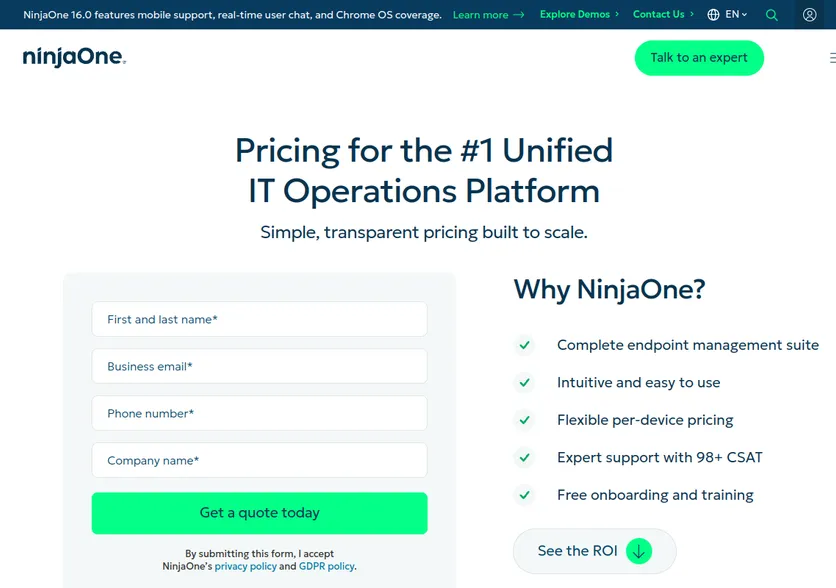
 NinjaOne | MSPs that want patching inside a full RMM platform | $3.75/device/month | No free plan; 14-day free trial | Visit |
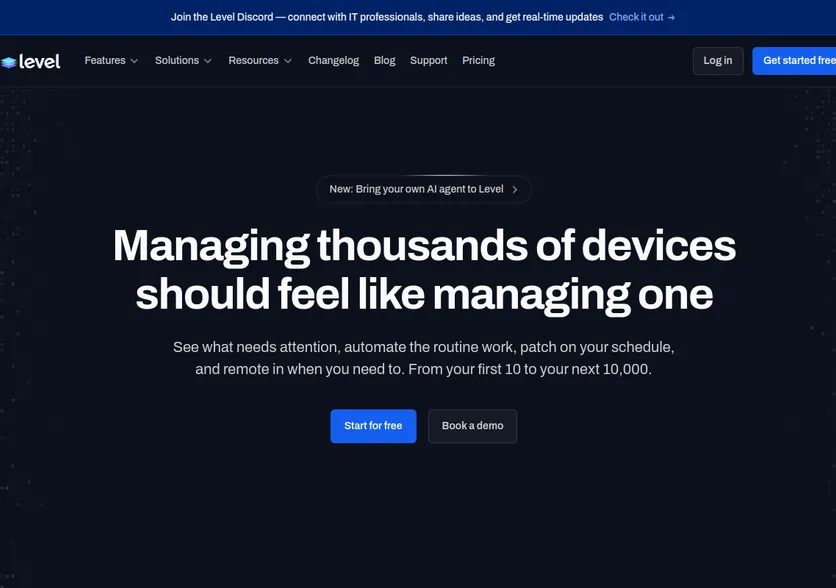
| Level | Small MSPs that want one flat per-device rate | $2/device/month | Free plan (first 10 devices free) | Visit |
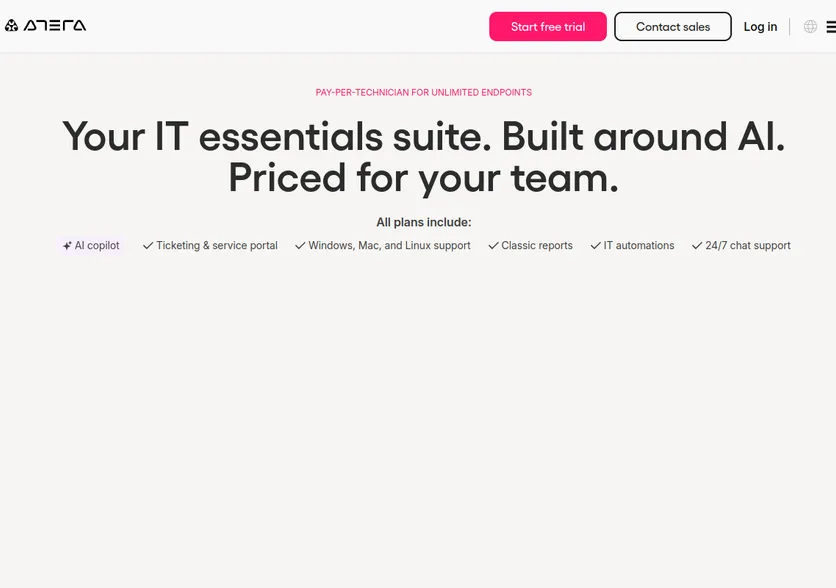
 Atera | MSPs that want RMM and PSA on one per-technician licence | $129/technician/month | No free plan; 30-day free trial | Visit |
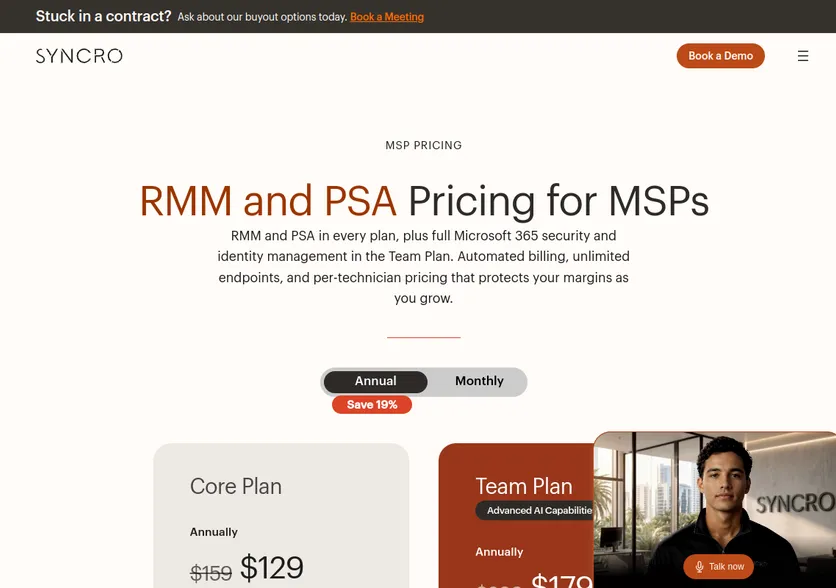
 Syncro | MSPs that want patching, ticketing and billing in one licence | $129/technician/month | No free plan; 14-day free trial | Visit |
The patch management software for MSPs, compared
1. Action1
Best for: MSPs that want patching free up to 200 endpoints
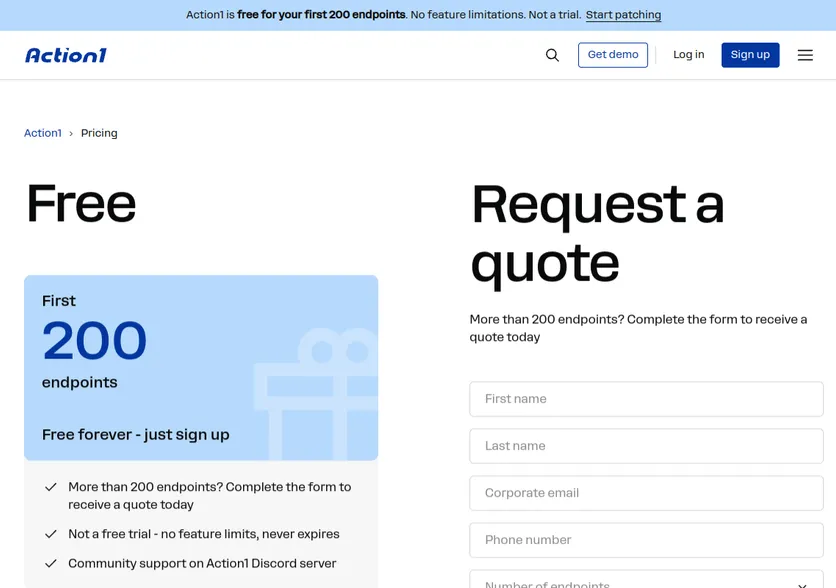
Paid tool Starting price: $4/endpoint/month · Four dollars per endpoint a month on Growth billed annually, charged only above the free first 200 endpoints; Enterprise above 1,000 endpoints is quoted, and Growth carries a support fee the pricing page does not list
Free plan: Free plan (first 200 endpoints free forever, no feature limits)
For an MSP patching hundreds of client machines from one console, this Action1 plan costs four dollars per endpoint a month. It patches Windows, macOS and Linux plus hundreds of third-party apps from a cloud console, with no server to install or maintain. Peer-to-peer delivery keeps patch traffic off the wide-area link, and the same agent covers every client organisation in one account.
What we like
- Free for the first 200 endpoints with no feature limits
- Cloud console with no patch server to maintain
- Patches Windows, macOS, Linux and third-party apps
Watch out for
- The free 200-endpoint allowance counts across all client organisations, not per client
- Growth adds a support fee that the pricing page does not publish
How to try it
- Create the account and install the agent on a pilot group of endpoints
- Set patch policies and maintenance windows per client organisation
- Approve the patch run and check the compliance report before rolling out further
2. Automox
Best for: Cloud-first MSPs patching mixed operating systems
Paid tool Starting price: $1/endpoint/month · One dollar per endpoint a month on Patch OS with an annual commitment; Automate Essentials and Automate Enterprise are quote-based, with vendor calculator estimates near two dollars and fifty-seven cents and two dollars and ninety-three cents that are not list prices
Free plan: No free plan; 15-day free trial
For a cloud-first MSP that patches Windows, macOS and Linux without a server, this Automox plan costs one dollar per endpoint a month. It is a cloud-native agent that patches Windows, macOS and Linux from one console, with a public catalogue of more than six hundred third-party titles. Policies and scripted fixes, called Worklets, automate the routine remediation that eats technician time.

What we like
- Lowest published per-endpoint patching price in this list
- Public catalogue of more than 600 third-party titles
- Worklets automate scripted fixes across the fleet
Watch out for
- Patch OS covers operating-system patching only, not third-party apps
- The broader Automate tiers are quote-based with no published list price
How to try it
- Enrol endpoints with the Automox agent and group them by client
- Build a patch policy for each operating system and set the reboot window
- Review the patch status report and chase the endpoints that missed the window
3. ManageEngine Patch Manager Plus
Best for: Windows-heavy MSPs that want published prices and an on-premises option
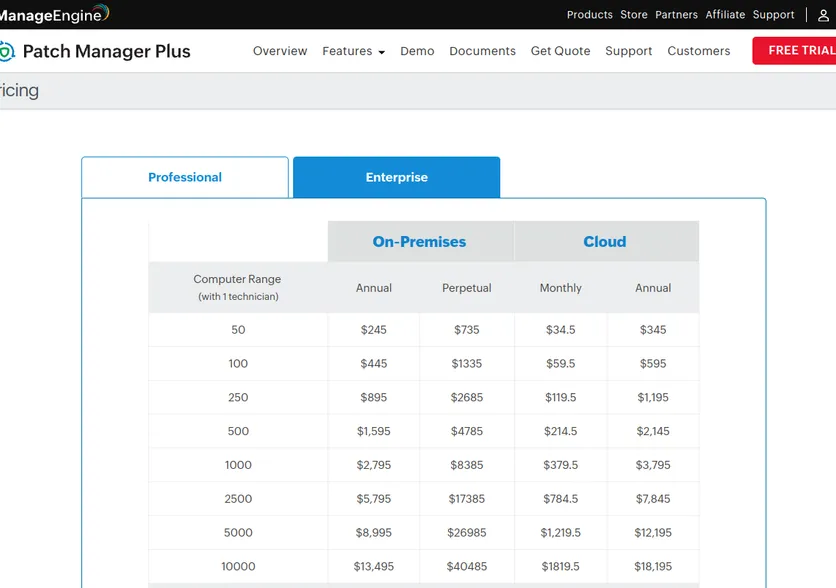
Paid tool Starting price: $245/year · Two hundred and forty-five dollars a year for Professional on-premises annual for 50 computers with one technician; Professional cloud annual is three hundred and forty-five dollars a year for the same band, and Enterprise is three hundred and forty-five dollars on-premises or four hundred and forty-five dollars cloud
Free plan: Free edition (up to 20 workstations and 5 servers)
For a Windows-heavy MSP that wants a published price for every fleet size, this ManageEngine Patch Manager Plus plan costs two hundred and forty-five dollars a year. It publishes a full price grid by computer band, which is rare in this category, and it runs on-premises or in the cloud with test-and-approve patching. More than one thousand one hundred third-party apps are covered, and servers are licensed on a separate scale.
What we like
- Full published price grid with on-premises and cloud options
- Test-and-approve patching with one-click rollback
- Free edition covers 20 workstations and 5 servers
Watch out for
- True multi-tenancy for MSPs lives in a different ManageEngine product
- Servers and extra technicians are licensed separately from computers
How to try it
- Pick the on-premises or cloud edition and add the first client computers
- Create a test group and approve patches there before wider deployment
- Schedule the approved patches and review the compliance reports per client
4. PDQ Deploy
Best for: Windows-first MSPs that patch on the local network
Paid tool Starting price: $1,950/admin/year · One thousand nine hundred and fifty dollars per admin a year for Deploy and Inventory together, with unlimited endpoints; PDQ Connect is a separate cloud product at twelve, eighteen or twenty-eight dollars per device a year, and small businesses under 50 employees get a 15 percent discount
Free plan: No free plan; 14-day free trial
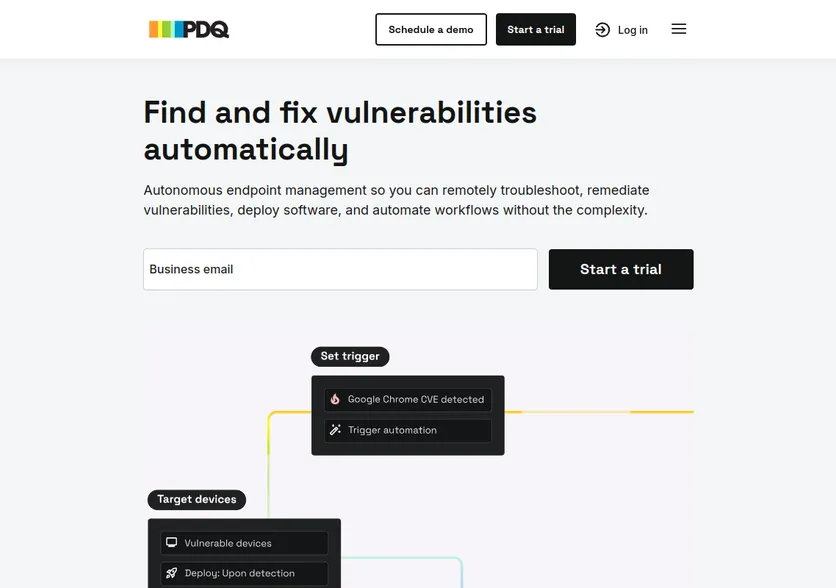
For a Windows-first MSP whose machines sit on the local network, this PDQ Deploy plan costs one thousand nine hundred and fifty dollars per admin a year. It deploys software, Windows updates and scripts from an on-premises console to computers on the same network, with a library of more than seven hundred prebuilt packages. Licensing is per admin rather than per device, so one licence covers an unlimited number of endpoints.
What we like
- Per-admin licensing covers unlimited endpoints
- Prebuilt package library of more than 700 Windows apps
- Deploy and Inventory come together in one licence
Watch out for
- Windows only and on-premises, so roaming laptops need the separate Connect product
- No Linux or macOS patching in Deploy and Inventory
How to try it
- Install Deploy and Inventory on the management server and scan the network
- Build a deployment package from the library or your own installer
- Schedule the deployment and check the Inventory report for failures
5. NinjaOne
Best for: MSPs that want patching inside a full RMM platform
Paid tool Starting price: $3.75/device/month · Three dollars and seventy-five cents per device a month at 50 or fewer endpoints, falling to one dollar and fifty cents at 10,000 endpoints; the vendor publishes only the two ends of the range, so the rate between 51 and 9,999 endpoints comes by quote and varies by region and products
Free plan: No free plan; 14-day free trial
For an MSP that wants patching inside a full remote monitoring platform, this NinjaOne plan costs three dollars and seventy-five cents per device a month. It is a cloud remote monitoring and management platform that patches Windows, macOS and Linux, with monitoring, automation, remote access and mobile device management in the same console. Backup and other modules are priced separately from the core per-device rate.
What we like
- Patches Windows, macOS and Linux from one cloud console
- Strong automation engine with a large integration catalogue
- No per-technician seat fee, so the bill follows device count
Watch out for
- Only the ends of the price range are published, so mid-size fleets need a quote
- Backup, mobile device management and other modules cost extra
How to try it
- Start the trial and install the agent on a pilot set of client devices
- Turn on patch policies for each operating system and set approval rules
- Check the patch compliance dashboard and automate the follow-up tickets
6. Level
Best for: Small MSPs that want one flat per-device rate
Paid tool Starting price: $2/device/month · Two dollars per device a month month to month, with the first 10 devices free; the rate applies to every device once the account passes 10, and fleets above 2,000 devices are priced by contact
Free plan: Free plan (first 10 devices free)
For a small MSP that wants one flat rate and no pricing tiers, this Level plan costs two dollars per device a month. It is a focused cloud remote monitoring and management tool with monitoring, automation, patching and remote access, and every feature is included at the one flat rate. There is no per-technician charge, so any number of technicians can work in the same account.
What we like
- One flat rate with every feature included and no tiers
- First 10 devices free with no time limit
- Month-to-month billing with no annual commitment or setup fee
Watch out for
- No built-in PSA or ticketing, so tickets need a separate tool
- Above 2,000 devices the published rate stops and pricing is by contact
How to try it
- Create the account and enrol the first 10 devices free
- Set patch policies and automation scripts per client group
- Use remote access to fix the endpoints that fail a patch run
7. Atera
Best for: MSPs that want RMM and PSA on one per-technician licence
Paid tool Starting price: $129/technician/month · One hundred and twenty-nine dollars per technician a month on the MSP Pro plan billed annually, or one hundred and thirty-nine dollars billed monthly; Growth is one hundred and fifty-nine dollars and Power is two hundred and nine dollars billed annually, and IT department plans start at one hundred and forty-nine dollars
Free plan: No free plan; 30-day free trial
For an MSP that wants patching, ticketing and billing on one licence, this Atera plan costs one hundred and twenty-nine dollars per technician a month. It is an all-in-one remote monitoring and management and professional services automation platform that bills per technician, so each licensed technician manages unlimited devices and clients. Patching, remote access, scripting and the helpdesk sit in the same system as contracts and invoicing.
What we like
- Per-technician pricing covers unlimited endpoints and clients
- RMM, helpdesk, contracts and invoicing in one platform
- Thirty-day free trial with no card required
Watch out for
- Per-technician pricing is dear for MSPs with few endpoints per technician
- Backup and recovery sit only on the two highest tiers
How to try it
- Start the trial and connect the first client endpoints
- Set patch policies and link them to helpdesk automation rules
- Review the patch dashboard and bill the work through the built-in PSA
8. Syncro
Best for: MSPs that want patching, ticketing and billing in one licence
Paid tool Starting price: $129/technician/month · One hundred and twenty-nine dollars per technician a month on Core billed annually, or one hundred and fifty-nine dollars billed monthly; Team is one hundred and seventy-nine dollars billed annually or two hundred and nine dollars billed monthly, and both include unlimited endpoints
Free plan: No free plan; 14-day free trial
For an MSP that wants patching and invoicing sharing one data model, this Syncro plan costs one hundred and twenty-nine dollars per technician a month. It bundles remote monitoring and management with professional services automation on one per-technician licence, so patching, scripting, ticketing and invoicing share one data model. Every plan covers unlimited endpoints, and the Team tier adds Microsoft 365 security and identity management.
What we like
- RMM and PSA together on one per-technician licence
- Unlimited endpoints on every plan
- Team tier adds Microsoft 365 security and identity management
Watch out for
- Per-technician pricing is dear for MSPs with few endpoints per technician
- AI capabilities are free only through January 2027, with pricing after that unpublished
How to try it
- Start the trial and enrol endpoints under client policies
- Turn on automated patching and link failures to tickets
- Invoice the patching work from the same platform each month
Prices above were checked on each vendor’s own website on Nov 28, 2026 and can change — the vendor’s page is the final word. Vendor links are editorial: nobody paid to be listed or ranked here. Vendors who want a featured listing can see how it works on our Get listed page.
How to roll out patching across client fleets without breaking anyone
Start with one friendly client and a small pilot group, because a patch that breaks a line-of-business app at one site will break it at every site. Approve patches in a test group first, then roll them out in rings, and keep a maintenance window each client has agreed to in writing. Watch the compliance report every morning, and chase the machines that missed the window before the next one opens, since a machine that never patches is the one that gets hit, and a client that sees a clean compliance report every month is a client that renews without a second thought.
Before you buy
- Confirm the tool patches the operating systems and third-party apps the clients actually run
- Check whether the price is per endpoint, per technician or per admin, and model it on the real fleet
- Ask if patching works across client organisations with separate policies and reports
- Make sure failed patches open a ticket or an alert instead of failing silently
- Test the tool on a pilot client before moving every fleet onto it
Official websites
Official websites of the products reviewed above. Features and prices were checked against these sites when this guide was written, and they can change, so confirm on the vendor site before you buy.
Frequently asked questions
What is patch management software for MSPs?
It is software that finds, tests, approves and installs operating-system and third-party updates across every client computer an MSP manages, from one console. Good tools schedule patches in maintenance windows, roll back a bad patch, and report compliance per client, so the MSP can prove every machine is patched without visiting each one.
How much does Action1 cost for an MSP?
Action1 is free for the first 200 endpoints forever, with no feature limits and no trial expiry, which is why it leads this list. Above 200 endpoints, Growth starts at four dollars per endpoint a month billed annually, plus a support fee the pricing page does not list, and fleets above 1,000 endpoints are quoted.
Is per-endpoint or per-technician pricing better for an MSP?
Per-endpoint pricing suits MSPs with few technicians and many devices, because the bill follows the fleet. Per-technician pricing from Atera and Syncro suits MSPs with many endpoints per technician, because one licence covers unlimited devices. Model both on the real ratio of endpoints to technicians before choosing.
Can patch management software patch Mac and Linux machines?
Yes, with Action1, Automox, NinjaOne and Level, which all patch Windows, macOS and Linux from the same console. PDQ Deploy is Windows only, and ManageEngine Patch Manager Plus is strongest on Windows fleets. Check the third-party app catalogue too, since operating-system patching alone leaves common apps unpatched.
Which tool is best for a small MSP starting out?
Action1 is the best start for a small MSP, because the first 200 endpoints are free with no feature limits. Level is the simplest paid step at two dollars per device a month with the first 10 devices free. Atera or Syncro suit an MSP that also wants ticketing and billing in the same licence.
Compare the eight tools above, then start with the free Action1 tier or a trial on the tool that matches how the MSP already bills clients before paying for a full year.
Browse Business Tools tools