On this page
Remote PHP teams ship code they cannot see each other write, so the toolchain has to carry the collaboration. The seven tools below cover the editor, the repository, the environment, the API and the chat that holds it together. PhpStorm leads because its PHP understanding, debugger and refactoring save hours every week for two hundred and eighty-nine dollars per user a year, and the rest are ranked on how well they keep a distributed team in sync.
How we researched this
We checked every price against the vendor pricing page or a current November 2026 read on November 28, 2026, and only included tools with a published US dollar list price. Tools with no published price or no buyable plan are not in this list. Prices change, so confirm the current figure on the vendor site before you buy.
Compare the tools
| Name | Best for | Starting price | Free plan | |
|---|---|---|---|---|
| PhpStorm | PHP teams that want the deepest IDE support | $289/year | 30-day free trial | Visit |
 GitHub | Remote PHP teams that need code hosting and review | $4/user/month | Free plan | Visit |
 GitLab | PHP teams that want code, CI and security in one tool | $29/user/month | Free plan (5 users) | Visit |
 Docker | PHP teams that need identical dev environments everywhere | $9/user/month | Free plan (Personal) | Visit |
 Postman | PHP teams that test and document APIs | $9/month | Free plan | Visit |
 Slack | Remote PHP teams that live in chat | $7.25/user/month | Free plan | Visit |
 Jira | PHP teams that track work in sprints | $9.70/month | Free plan (10 users) | Visit |
The PHP developer software for remote teams, compared
1. PhpStorm
Best for: PHP teams that want the deepest IDE support
Paid tool Starting price: $289/year · Two hundred and eighty-nine dollars per user a year for organisations; individuals pay one hundred and nine dollars the first year, eighty-seven dollars the second and sixty-five dollars the third year onward; some directories still list two hundred and forty-nine dollars, which is stale against the vendor store page
Free plan: 30-day free trial
A remote PHP team needs an IDE that understands the code as well as the developer does, and this PhpStorm plan costs two hundred and eighty-nine dollars per user a year for organisations with the deepest PHP support in this list. Refactoring, debugging and profiling sit inside the editor, so the team wastes no time switching tools. The price is per user, so budget it against the headcount.
What we like
- Best-in-class PHP code understanding and refactoring
- Built-in debugger, profiler and test runner
- Database tools and framework support included
Watch out for
- Heaviest of the PHP editors, needs a strong machine
- Per-user pricing adds up on big teams
How to try it
- Open the project and let PhpStorm index the code
- Configure the interpreter and debugger for the project
- Use inspections and refactoring to clean up the code before committing
2. GitHub
Best for: Remote PHP teams that need code hosting and review
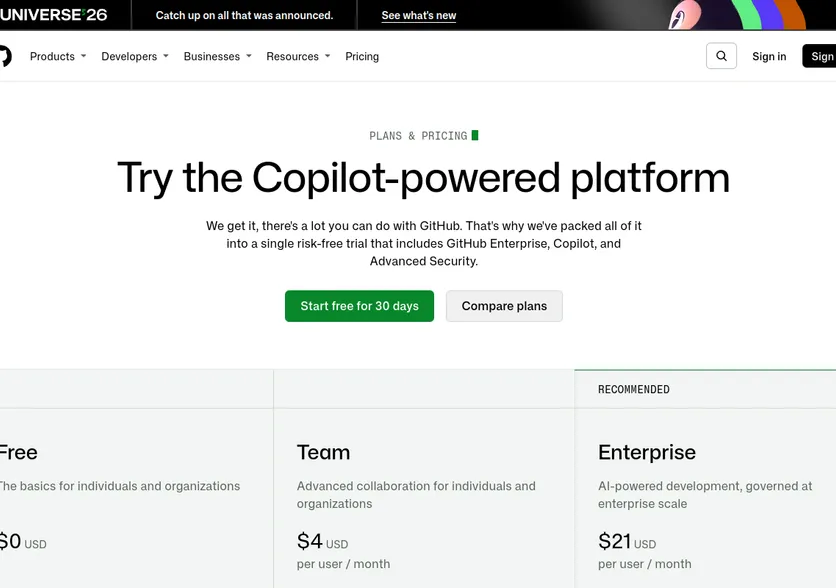
Paid tool Starting price: $4/user/month · Four dollars per user a month for Team; Enterprise is twenty-one dollars per user a month; the free plan covers unlimited private repositories for individuals and small teams
Free plan: Free plan
Code review is how a remote team stays in sync, and this GitHub plan costs four dollars per user a month for Team with protected branches, required reviewers and code owners. Pull requests keep every change visible before it reaches the main branch. Actions automation runs the tests on every push without a separate CI server.
What we like
- Code hosting, pull requests and reviews in one place
- Actions automation with three thousand free minutes on Team
- Huge ecosystem of integrations and apps
Watch out for
- Per-seat billing counts every outside collaborator
- Advanced security needs the dearer Enterprise tier
How to try it
- Create the organisation and invite the team
- Push the project and protect the main branch with required reviews
- Open pull requests for every change and review them in the browser
3. GitLab
Best for: PHP teams that want code, CI and security in one tool
Paid tool Starting price: $29/user/month · Twenty-nine dollars per user a month billed annually for Premium (three hundred and forty-eight dollars a year); Ultimate is custom priced; the free tier is limited to five users per top-level group
Free plan: Free plan (5 users)
A team that wants code, CI and security in one place will find it here, because this GitLab plan costs twenty-nine dollars per user a month billed annually for Premium with ten thousand CI minutes a month. Merge requests, planning and scanning share one interface. Self-hosting is available for teams that need to keep code on their own servers.

What we like
- Repo, CI, security scanning and planning in one platform
- Self-hosting option for teams that need control
- Ten thousand CI minutes a month on Premium
Watch out for
- Seven times the seat price of GitHub Team
- Free tier caps at five users per group
How to try it
- Create the group and import the PHP project
- Set up the CI pipeline with the template for PHP
- Use merge requests and code review to keep the main branch clean
4. Docker
Best for: PHP teams that need identical dev environments everywhere
Paid tool Starting price: $9/user/month · Nine dollars per user a month billed annually for Pro (eleven dollars billed monthly); Team is fifteen dollars and Business is twenty-four dollars per user a month; Personal is free for individuals
Free plan: Free plan (Personal)
Identical environments end the works-on-my-machine argument, and this Docker plan costs nine dollars per user a month billed annually for Pro with the full Docker Desktop toolkit. Compose files describe the PHP app and its services in one file. Every developer runs the same stack, whether they are in the office or at home.
What we like
- Same container runs on every developer machine
- Huge library of ready-made images
- Compose files describe the whole stack in one file
Watch out for
- Learning curve for teams new to containers
- Desktop needs a paid seat for commercial use
How to try it
- Write a Dockerfile for the PHP app and its services
- Build the image and run it with Docker Compose
- Share the image so every developer runs the same stack
5. Postman
Best for: PHP teams that test and document APIs
Paid tool Starting price: $9/month · Nine dollars a month for Solo; Team is nineteen dollars a month billed annually (twenty-three dollars billed monthly); Enterprise is by quote; the old Basic fourteen dollars and Professional twenty-nine dollars plans were retired on March 1, 2026
Free plan: Free plan
APIs are the contract between remote teams, and this Postman plan costs nine dollars a month for Solo with collections, testing and documentation in one workspace. Mock servers let the front end work before the back end is finished. Team workspaces keep everyone testing against the same API definition.
What we like
- API testing, collections and docs in one workspace
- Mock servers and monitors for reliable testing
- Team workspaces keep everyone on the same API
Watch out for
- Per-user pricing on Team adds up fast
- Heavyweight for teams with one simple API
How to try it
- Create a workspace and import the API definition
- Build a collection of requests and save test scripts
- Run the collection and publish the documentation for the team
6. Slack
Best for: Remote PHP teams that live in chat
Paid tool Starting price: $7.25/user/month · Seven dollars and twenty-five cents per user a month billed annually for Pro (eight dollars and seventy-five cents billed monthly); Business Plus is fifteen dollars per user a month billed annually; a fifty percent off three months promotion is not the list price
Free plan: Free plan
A remote team lives in its chat, and this Slack plan costs seven dollars and twenty-five cents per user a month billed annually for Pro with unlimited history and integrations. Channels keep each project separate and searchable. Huddles and clips replace many of the meetings a distributed team would otherwise need.

What we like
- Channels keep project talk organised and searchable
- Huddles and clips replace many meetings
- Thousands of integrations including GitHub and Jira
Watch out for
- Message history needs a paid plan for full search
- Notification noise without good channel discipline
How to try it
- Create channels for each project and the team
- Connect GitHub and Jira so updates land in the right channel
- Pin the key decisions and set quiet hours for focus time
7. Jira
Best for: PHP teams that track work in sprints
Paid tool Starting price: $9.70/month · Nine dollars and seventy cents a month list price for Standard; Premium is nineteen dollars and sixty cents a month; annual tiers are nine hundred and fifty dollars a year for up to ten users and nine thousand seven hundred dollars a year for up to one hundred users on Standard; the eight dollars and forty-eight cents figure in some listings is a derived number, not a list price
Free plan: Free plan (10 users)
Sprints keep a remote PHP team honest, and this Jira plan costs nine dollars and seventy cents a month list price for Standard with boards, backlogs and roadmaps. Automation rules move tickets without manual triage. Links to GitHub, GitLab and Slack keep the board updated from the tools the team already uses.

What we like
- Boards, backlogs and roadmaps for agile teams
- Automation rules cut repetitive ticket work
- Deep integration with GitHub, GitLab and Slack
Watch out for
- Configuration can swallow admin time
- Overkill for a two-person team
How to try it
- Create the project and pick a Scrum or Kanban board
- Add the backlog, estimate the stories and start the sprint
- Link commits and pull requests so the board updates itself
Prices above were checked on each vendor’s own website on Nov 28, 2026 and can change — the vendor’s page is the final word. Vendor links are editorial: nobody paid to be listed or ranked here. Vendors who want a featured listing can see how it works on our Get listed page.
How to tool up a remote PHP team
Start with the repository and the code review rules, because a remote team that cannot see each other work will drift apart in a week. Agree on the branch strategy and the review checklist before the first sprint. Use containers so every developer runs the same PHP version and the same services, and write the setup down so a new hire is running in a day. Keep the API contract in Postman or a shared document, since the front end and the back end are often in different time zones. Review the toolchain every quarter and drop the tools nobody opens.
Before you buy
- Confirm the tools share logins and permissions, so a new hire gets access in one place
- Check whether the CI minutes and storage allowances cover the team's real usage
- Ask if the code review workflow enforces the checks your team actually needs
- Make sure the container setup runs on every developer machine, not just the lead's
- Test the full flow from commit to deployment before the first sprint starts
Official websites
Official websites of the products reviewed above. Features and prices were checked against these sites when this guide was written, and they can change, so confirm on the vendor site before you buy.
Frequently asked questions
What is the best software for remote PHP developers?
PhpStorm is the best overall pick for remote PHP teams, because its PHP understanding, debugger and refactoring save hours every week for two hundred and eighty-nine dollars per user a year. GitHub Team is the best code hosting pick at four dollars per user a month, and Postman is the best API tool at nine dollars a month. The rest of the list covers the environment, the chat and the task tracking a distributed team needs.
How much does tooling cost for a remote PHP team?
For a team of five, the core stack costs about one thousand six hundred dollars a year: PhpStorm at two hundred and eighty-nine dollars per user a year, GitHub Team at four dollars per user a month, and Postman Solo at nine dollars a month. Docker Pro, Slack Pro and Jira Standard add roughly thirty dollars per user a month combined. GitLab Premium at twenty-nine dollars per user a month replaces GitHub and adds CI and security.
Can remote PHP teams work for free?
Yes, for a small team. GitHub, GitLab, Docker Personal, Postman and Slack all have free tiers that cover a small team, and Jira is free for up to ten users. The free tiers cap seats, minutes or history, so a growing team will hit the limits within months. PhpStorm has no free tier, only a thirty-day free trial, so budget for the IDE from the start.
GitHub or GitLab for a remote PHP team?
GitHub Team is the cheaper and simpler pick at four dollars per user a month, with the best review workflow and the biggest integration ecosystem. GitLab Premium costs twenty-nine dollars per user a month billed annually but adds CI, security scanning and planning in the same seat. Choose GitHub if the team already lives there, and GitLab if the team wants one platform for code, CI and security instead of three tools.
Do remote PHP teams need Docker?
Most do, because containers end the works-on-my-machine argument that wastes a remote team's time. Docker lets every developer run the same PHP version, database and services with one Compose file. Docker Personal is free for individuals and Pro costs nine dollars per user a month billed annually. Teams that deploy to a container platform already will get the most value, since the dev environment then matches production.
Compare the seven tools above, then start with a free trial on the tool that matches how the team already writes and ships PHP before paying for a full year.
Browse Developer Tools tools