On this page
How we researched this
We compared invoicing and field service tools with a published dollar price in November 2026 and a real fit for small plumbing shops. FieldEdge, FieldPulse and ServiceTitan publish no list price and were left out, and Invoice2go was dropped because its web and app store prices conflict. The eight tools below cover the full range from pure invoicing to complete field service platforms.
Compare the tools
| Name | Best for | Starting price | Free plan | |
|---|---|---|---|---|
 Jobber | Small plumbing shops that want quoting, scheduling and invoicing in one tool. | $29/month | No free plan (14-day trial) | Visit |
 Housecall Pro | Plumbing shops that want dispatch, online booking and invoicing together. | $59/month | No free plan (14-day trial) | Visit |
 Service Fusion | Plumbing shops running several crews that need depth in dispatch and invoicing. | $192/month | No free plan (14-day trial) | Visit |
 Kickserv | Small plumbing teams of up to five users that want a clean job board. | $60/month | No free plan (30-day trial) | Visit |
 Workiz | Established plumbing businesses that want one system for office and field. | From $225/month | No free plan (14-day trial) | Visit |
 ServiceM8 | Solo plumbers and small shops that want a free tier and unlimited users. | $29/month | $0 (free plan, 1 user, 30 jobs/month) | Visit |
| mHelpDesk | Small service businesses with a three-person office team that want one system. | $169/month | No free plan (no free trial) | Visit |
 FreshBooks | Plumbing shops that handle scheduling elsewhere and want clean invoicing and accounting. | $19/month | No free plan (30-day trial) | Visit |
The 8 plumbing invoicing tools, compared
1. Jobber
Best for: Small plumbing shops that want quoting, scheduling and invoicing in one tool.
Paid tool Starting price: $29/month · Core is $29 per month billed annually; the month-to-month rate is $49 and a one-year term is $39.
Free plan: No free plan (14-day trial)
Jobber costs twenty nine dollars a month on the Core plan when billed annually, which makes it the cheapest full featured option in this comparison. It covers quoting, scheduling, invoicing and payments in one flow, so a small plumbing shop can run the whole job from first call to final payment. The Core plan caps some features that larger crews need, so check the next tier before you grow past a handful of technicians.

What we like
- Covers the full job flow from quote to payment
- Cheapest full featured option at $29 a month annually
- Easy to learn for a small office team
Watch out for
- Core plan caps features larger crews need
- Month-to-month rate jumps to $49
How to try it
- Start the 14-day trial with your real job list
- Send a quote and an invoice through the app
- Check the next tier before you add technicians
2. Housecall Pro
Best for: Plumbing shops that want dispatch, online booking and invoicing together.
Paid tool Starting price: $59/month · Basic is $59 per month billed annually; a trade-view read lists $79.
Free plan: No free plan (14-day trial)
Housecall Pro starts at fifty nine dollars a month on the Basic plan when billed annually. It pairs invoicing with dispatch, online booking and customer messaging, which suits shops that want the phone answered and the job booked without extra tools. Add ons and higher tiers push the bill up, so price the plan against the features your crew actually uses every day.

What we like
- Online booking and dispatch built in
- Customer messaging keeps clients in the loop
- Strong mobile app for technicians in the field
Watch out for
- Add ons push the bill well above the headline price
- One trade-view read lists $79 rather than $59
How to try it
- Start the 14-day trial and set up your services
- Test online booking from a customer point of view
- Add up the add ons before you commit
3. Service Fusion
Best for: Plumbing shops running several crews that need depth in dispatch and invoicing.
Paid tool Starting price: $192/month · Starter is $192 per month billed annually; month-to-month is $225.
Free plan: No free plan (14-day trial)
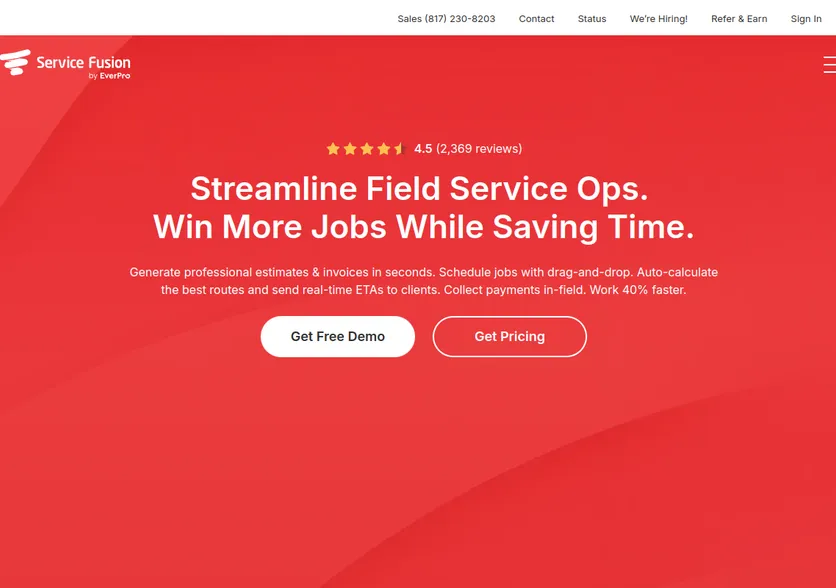
Service Fusion starts at one hundred and ninety two dollars a month on the Starter plan when billed annually. It is a field service platform with estimating, invoicing, dispatch and a customer portal, built for shops that run several crews at once. The higher entry price buys depth rather than breadth, so smaller shops should trial it before committing to the annual rate.
What we like
- Deep dispatch and estimating for multi-crew shops
- Customer portal lets clients track their jobs
- Solid invoicing and payment handling
Watch out for
- Highest entry price in this comparison for small shops
- More depth than a one or two truck shop needs
How to try it
- Start the 14-day trial with a real crew schedule
- Test the customer portal with a regular client
- Compare the annual rate against the monthly rate
4. Kickserv
Best for: Small plumbing teams of up to five users that want a clean job board.
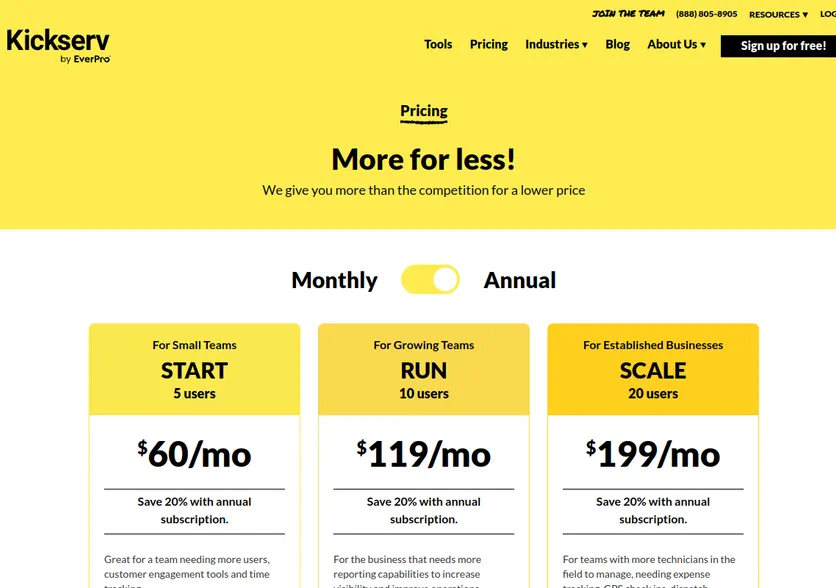
Paid tool Starting price: $60/month · Start is $60 per month billed annually for up to five users, with Run at $119 and Scale at $199; month-to-month is $75.
Free plan: No free plan (30-day trial)
Kickserv costs sixty dollars a month on the Start plan when billed annually, covering up to five users. It handles scheduling, dispatch, invoicing and payments, with a clean job board that small teams pick up quickly. The Run and Scale tiers add capacity rather than new concepts, so the upgrade path is easy to predict as the business grows.
What we like
- Clean job board that small teams learn fast
- Predictable upgrade path from Start to Scale
- 30-day trial, longer than most rivals
Watch out for
- Start plan caps at five users
- Fewer advanced features than the bigger platforms
How to try it
- Start the 30-day trial and load your jobs
- Run a week of dispatch from the job board
- Check when you would need the Run tier
5. Workiz
Best for: Established plumbing businesses that want one system for office and field.
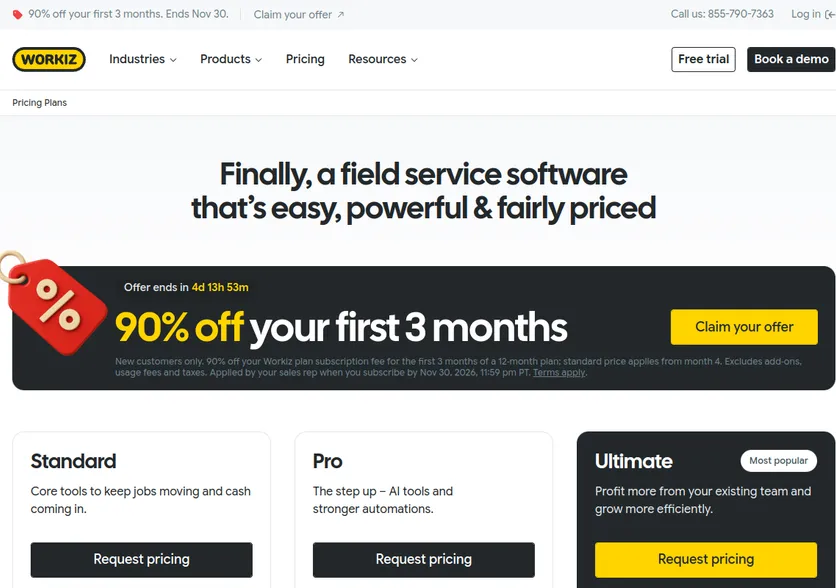
Paid tool Starting price: From $225/month · Plans start at $225 per month, with Standard at $225 to $275, Pro at $270 to $325 and Ultimate quoted; one directory lists Standard at $275.
Free plan: No free plan (14-day trial)
Workiz starts at two hundred and twenty five dollars a month, with plans that include three to five users. It is a field service platform with scheduling, dispatch, invoicing and a phone system built in, aimed at shops that want one system for the office and the field. The entry price is the highest on this list, so it fits established businesses better than a one truck operation.
What we like
- Phone system built in alongside dispatch and invoicing
- Strong fit for multi-crew operations
- Covers scheduling, dispatch and payments in one place
Watch out for
- Highest entry price on this list
- Overkill for a solo plumber or one truck shop
How to try it
- Book a demo and bring your real call volume
- Test the built-in phone system with your team
- Confirm the Standard price, since directories disagree
6. ServiceM8
Best for: Solo plumbers and small shops that want a free tier and unlimited users.
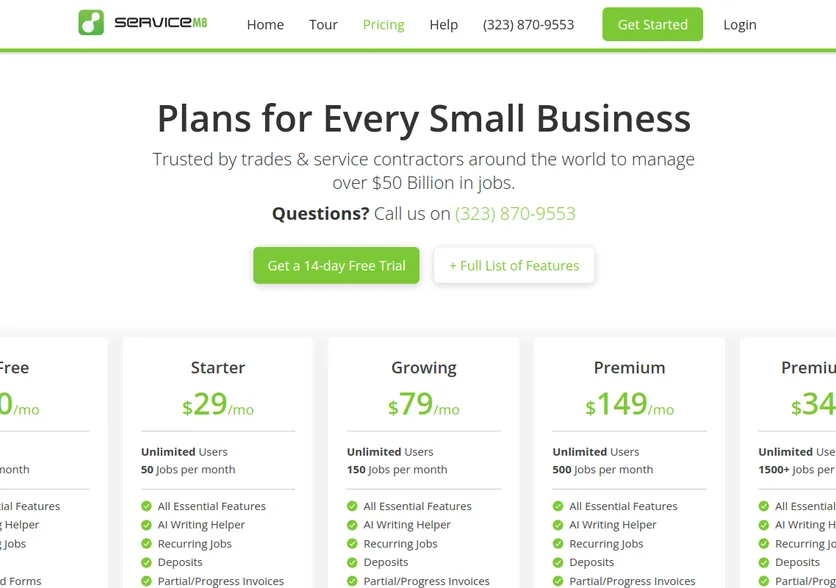
Paid tool Starting price: $29/month · Starter is $29 per month with unlimited users and 50 jobs a month; Growing is $79, Premium $149 and Premium Plus $349.
Free plan: $0 (free plan, 1 user, 30 jobs/month)
ServiceM8 costs twenty nine dollars a month on the Starter plan, with unlimited users and fifty jobs a month included. It covers quoting, scheduling, invoicing and payments, and its free tier lets a solo plumber run thirty jobs a month without paying anything. The job based pricing means a busy month costs the same as a quiet one until you cross the job limit.
What we like
- Free tier covers 30 jobs a month for a solo plumber
- Unlimited users on the paid Starter plan
- Same price as Jobber with a free tier included
Watch out for
- Job limit of 50 a month on Starter can bite in busy seasons
- Fewer advanced dispatch features than the bigger platforms
How to try it
- Start on the free tier with your real jobs
- Send an invoice and take a payment in the app
- Upgrade to Starter when you pass 30 jobs a month
7. mHelpDesk
Best for: Small service businesses with a three-person office team that want one system.
Paid tool Starting price: $169/month · Pro is $169 per month for three users, with Growth at $249 for eight users and Success at $374 for ten; no annual rate is published and there is no free trial.
Free plan: No free plan (no free trial)
mHelpDesk costs one hundred and sixty nine dollars a month on the Pro plan for three users. It combines scheduling, dispatch, invoicing and customer management in a single system aimed at service businesses with a small office team. There is no free trial and no published annual rate, so the monthly bill is the price you should budget for.
What we like
- Combines scheduling, dispatch and invoicing in one place
- Per-user pricing is clear and predictable
- Built for small office teams, not enterprises
Watch out for
- No free trial, so you buy before you can test it
- Marketing pricing page returns a 404, so the rate card is the source
How to try it
- Request a demo and bring your job volume
- Ask the sales team to confirm the Pro rate in writing
- Check the Growth tier before you hire a fourth user
8. FreshBooks
Best for: Plumbing shops that handle scheduling elsewhere and want clean invoicing and accounting.
Paid tool Starting price: $19/month · Lite is $19 per month for five billable clients, with Plus at $33 and Premium at $60; extra users are $11 a month. One price tracker lists $17 a month on annual billing.
Free plan: No free plan (30-day trial)
FreshBooks starts at nineteen dollars a month on the Lite plan for five billable clients. It is an invoicing and accounting tool rather than a field service platform, so it fits shops that already handle scheduling elsewhere and want clean invoices and expense tracking. Extra users cost eleven dollars a month each, which adds up once the whole crew needs access.
What we like
- Cheapest paid plan on this list at $19 a month
- Strong invoicing and expense tracking
- Simple to use with no field service complexity
Watch out for
- No scheduling or dispatch, so it is invoicing only
- Extra users at $11 each add up for a full crew
How to try it
- Start the 30-day trial and import your clients
- Send an invoice to a real customer
- Count how many users would need access before you pay
Prices above were checked on each vendor’s own website on Nov 28, 2026 and can change — the vendor’s page is the final word. Vendor links are editorial: nobody paid to be listed or ranked here. Vendors who want a featured listing can see how it works on our Get listed page.
How to choose plumbing invoicing software for your shop
Before you buy
- Count your monthly jobs first, because ServiceM8 caps jobs per month while other tools cap users or features.
- Check whether you need dispatch and online booking, or whether invoicing alone covers your workflow.
- Trial the top two tools on real jobs for a week before you pay for an annual plan.
- Look at the invoice your customer receives, since a clean invoice gets paid faster than a confusing one.
- Add up the extra users and add ons, because the headline price rarely matches the final monthly bill.
Official websites
Official websites of the products reviewed above. Features and prices were checked against these sites when this guide was written, and they can change, so confirm on the vendor site before you buy.
Frequently asked questions
What is the cheapest plumbing invoicing software for a small shop?
FreshBooks Lite is the cheapest paid plan here at $19 a month for five billable clients, though it covers invoicing only and has no scheduling or dispatch. ServiceM8 has a free tier for one user and 30 jobs a month, and its Starter plan is $29 a month. Jobber Core is also $29 a month billed annually and covers the full job flow.
Do I need field service software or just invoicing software?
Invoicing software is enough if you already schedule jobs elsewhere and only need clean invoices and expense tracking. Field service software earns its price when you dispatch technicians, take online bookings or manage several crews at once. Most small shops start with invoicing and move to field service once phone bookings and scheduling take up too much office time.
Is there a free plumbing invoicing tool for a solo plumber?
ServiceM8 has a free tier for one user covering 30 jobs a month, which suits a solo plumber starting out. It includes quoting, scheduling, invoicing and payments, so you can run the whole job without paying anything. Once you pass 30 jobs a month, the Starter plan at $29 a month takes over with 50 jobs and unlimited users.
Why do some plumbing tools have no published price?
FieldEdge, FieldPulse and ServiceTitan sell by quote, usually priced per user or per technician after a sales call. Vendors do this when the price depends on team size, features and contract length, which makes a single list price misleading. Expect a demo and a quote for these tools, and budget time for the sales process as well as the software.
What should a plumbing invoice include to get paid faster?
A good plumbing invoice shows the job description, parts and labour as separate lines, the total with tax, and a payment link or card option. Online payment matters most, since customers pay faster when they can tap to pay rather than post a cheque. Tools like Jobber, Housecall Pro and ServiceM8 all include payment links, so check that the invoice your customer receives looks clean and professional.
Pick the tool that fits your truck count and job volume, then trial it on real jobs before you pay.
Browse Business Tools tools