On this page
A law firm runs on matters: intake, documents, deadlines, time and billing, and every one of them has to be exact. The eight tools below automate that work for firms, from a practice platform that keeps every matter in one record to an intake specialist that never sleeps. Clio leads because it keeps matters, billing and trust accounting together for forty-nine dollars per user a month, and the rest are ranked on how much of the admin they take off a fee earner's day.
How we researched this
We checked every price on the vendor pricing page on November 28, 2026, and only included tools with a published US dollar list price. The big legal platforms that sell by quote, including Filevine, Brightflag, SimpleLegal, Mitratech and Onit, publish no flat starting price, so they are not in this list. Prices change, so confirm the current figure on the vendor site before you buy.
Compare the tools
| Name | Best for | Starting price | Free plan | |
|---|---|---|---|---|
 Clio | Firms that want the best-known practice platform | $49/user/month | No free plan; 7-day free trial | Visit |
 MyCase | Firms that want appointments, intake and billing in one login | $50/user/month | No free plan; 10-day free trial | Visit |
 PracticePanther | Small firms that want light, fast matter management | $49/user/month | No free plan; 7-day free trial | Visit |
 CosmoLex | Firms that want accounting built into the practice system | $49/user/month | No free plan; free trial | Visit |
 Rocket Matter | Billing-first firms that live on the clock | $59/user/month | No free plan; free trial | Visit |
 TimeSolv | Firms that bill by the hour and want cheap, exact time tracking | $43/user/month | No free plan; 30-day free trial | Visit |
| Lawmatics | Firms that want intake and CRM that never sleeps | $199/month | Free demo | Visit |
 Smokeball | Firms that want time captured automatically | $49/user/month | Free demo | Visit |
The process automation software for law firms, compared
1. Clio
Best for: Firms that want the best-known practice platform
Paid tool Starting price: $49/user/month · Forty-nine dollars per user a month billed annually on EasyStart (fifty-nine dollars billed monthly); Essentials is eighty-nine dollars a month billed annually; Clio Grow is a fifty-nine dollar per user a month add-on to Manage, with a three hundred and ninety-nine dollar setup fee, never a standalone product
Free plan: No free plan; 7-day free trial
A law firm that keeps matters, documents, time and billing in separate systems will find this Clio plan costs forty-nine dollars per user a month billed annually, and it keeps every matter in one searchable record with documents, permissions and an audit trail. Intake, calendaring, billing and trust accounting share the same matter file, so nothing is retyped between systems. It is the best-known practice platform in this list, with the largest integration library of any tool here.

What we like
- Every matter in one searchable record with an audit trail
- The largest integration library of any practice tool here
- Intake, billing and trust accounting beside the matter file
Watch out for
- The entry plan is lighter than the dearer Essentials tier
- Grow is a paid add-on, not a standalone product
How to try it
- Create the matter types and the intake form for the firm
- Import the client list and set the billing and trust rules
- Connect the calendar and switch on the automated reminders
2. MyCase
Best for: Firms that want appointments, intake and billing in one login
Paid tool Starting price: $50/user/month · Fifty dollars per user a month billed annually on Basic (sixty dollars billed monthly); Pro is one hundred dollars; Advanced is one hundred and thirty dollars; now part of 8am, with the MyCase name kept on the product
Free plan: No free plan; 10-day free trial
A firm that wants one login for appointments, intake and billing will find it here, since this MyCase plan costs fifty dollars per user a month billed annually on Basic. Clients send documents and pay online without tying up a paralegal, and messages, documents, e-signatures and billing live beside the matter file. It is the simplest full practice platform in this list for a firm that wants one system that scales without a rebuild.

What we like
- Clients send documents and pay online without a paralegal
- Messages, documents, e-signatures and billing beside the matter
- A simple interface that a small firm learns in a day
Watch out for
- Advanced reporting and automation need the dearer plans
- The integration list is smaller than Clio's
How to try it
- Create the matter types and the intake form for the firm
- Invite clients to the portal and switch on online payments
- Set the billing rules and the automated invoice reminders
3. PracticePanther
Best for: Small firms that want light, fast matter management
Paid tool Starting price: $49/user/month · Forty-nine dollars per user a month billed annually on Solo (fifty-nine dollars billed monthly); Essential is sixty-nine dollars; Business is eighty-nine dollars; Business Pro is one hundred and fourteen dollars
Free plan: No free plan; 7-day free trial
A small firm that needs matter management that feels light will find this PracticePanther plan costs forty-nine dollars per user a month billed annually on Solo, and it keeps intake, tasks, time and billing in one flow. A lead that waits a day is often a lead lost, and PracticePanther makes sure none waits, with intake forms and reminders that run on their own. It is the lightest practice platform in this list for a firm that wants to move fast.

What we like
- Intake, tasks, time and billing in one light flow
- Lead intake that never lets a prospect wait a day
- A clean interface that needs almost no training
Watch out for
- Deeper accounting needs an integration or a dearer plan
- Automation depth is lighter than Clio or CosmoLex
How to try it
- Create the intake form and the matter templates for the firm
- Set the task and reminder rules for new matters
- Switch on online payments and the client portal
4. CosmoLex
Best for: Firms that want accounting built into the practice system
Paid tool Starting price: $49/user/month · Forty-nine dollars per user a month billed annually on Launch (fifty-nine dollars billed monthly); Core is ninety-nine dollars; Pro is one hundred and twenty-nine dollars; accounting and trust accounting are built in on every plan
Free plan: No free plan; free trial
A firm that does its own billing needs accounting inside the practice system, and this CosmoLex plan costs forty-nine dollars per user a month billed annually on Launch, with matters, time, billing and trust accounting built in. There is no second subscription for the books, and no reconciliation between the practice software and the accounting app. It is the accounting-first pick in this list for a firm that handles its own finances.

What we like
- Matters, time, billing and trust accounting in one system
- No second subscription for the books
- Built-in compliance checks for trust accounts
Watch out for
- The interface is denser than the lighter rivals
- Some integrations are thinner than Clio's library
How to try it
- Set up the chart of accounts and the trust account rules
- Create the matter types and the billing templates
- Import the client list and switch on the automated invoicing
5. Rocket Matter
Best for: Billing-first firms that live on the clock
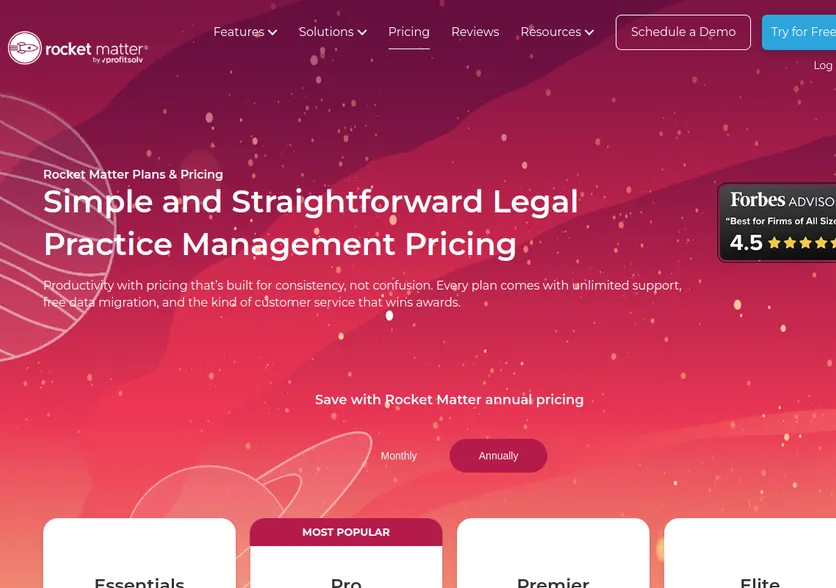
Paid tool Starting price: $59/user/month · Fifty-nine dollars per user a month billed annually on Essentials (the older forty-nine dollar FAQ figure is stale); Pro is ninety-five dollars; Premier is one hundred and fifteen dollars; Elite is one hundred and forty-five dollars; the thirty-nine dollar Core CRM is a separate intake add-on
Free plan: No free plan; free trial
A firm that wants intake tied to billing from day one can start with this Rocket Matter plan, which costs fifty-nine dollars per user a month billed annually on Essentials, and every new enquiry opens a matter with time tracking already running. Matter dashboards, task lists and billing sit beside e-signature, so a case moves from first call to paid invoice without leaving the system. It is the billing-first pick in this list for a firm that lives on the clock.
What we like
- Every new enquiry opens a matter with time tracking running
- Matter dashboards, tasks and billing with e-signature built in
- A proven tool with a long track record in small firms
Watch out for
- The entry price is ten dollars above the cheapest rivals
- Some newer features arrive on the dearer tiers first
How to try it
- Create the intake form and the matter templates for the firm
- Set the billing rates and the invoice schedule
- Switch on the e-signature and the client portal
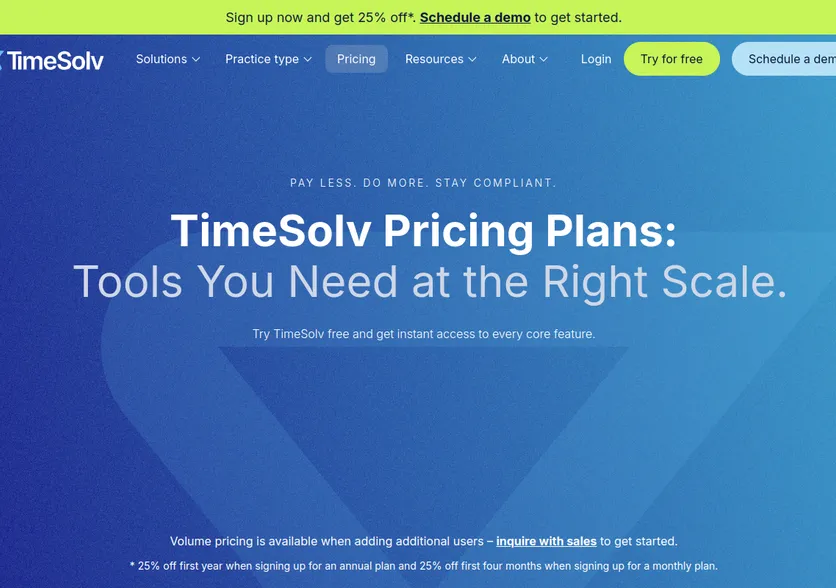
6. TimeSolv
Best for: Firms that bill by the hour and want cheap, exact time tracking
Paid tool Starting price: $43/user/month · Forty-three dollars per user a month billed annually on Pro; Legal is fifty-eight dollars; the twenty-five percent first-year promo is not the list price; Legal at small seat counts is also listed at forty-nine dollars and ninety-nine cents monthly and forty-seven dollars and fifty cents annually per user
Free plan: No free plan; 30-day free trial
A firm that bills by the hour can take this TimeSolv plan for forty-three dollars per user a month billed annually on Pro, with timers, rates and invoice rules built for legal billing. Time entries, expenses and batch billing sit beside LEDES export, so the invoice that leaves the firm matches what the client expects. It is the cheapest time and billing tool in this list for a firm that lives on hourly work.
What we like
- Timers, rates and invoice rules built for legal billing
- Batch billing and LEDES export included
- The lowest price in this list for time and billing
Watch out for
- No matter management, so it pairs with a practice platform
- The interface is plain next to the all-in-one rivals
How to try it
- Set the billing rates and the matter list for the firm
- Start the timer on the first task and log the expense
- Run the batch billing and export the LEDES file
7. Lawmatics
Best for: Firms that want intake and CRM that never sleeps
Paid tool Starting price: $199/month · One hundred and ninety-nine dollars a month flat for Lite; Pro is two hundred and ninety-nine dollars; last-published figures with disclosure, since the vendor page no longer shows dollar figures; priced per firm rather than per user
Free plan: Free demo
A firm that loses leads after hours needs intake that never sleeps, and this Lawmatics plan costs one hundred and ninety-nine dollars a month flat for Lite, with automated intake, CRM and pipeline reporting built for legal work. A call that arrives at midnight is qualified, contacted and booked before the office opens. It is the intake specialist in this list, priced per firm rather than per user, so a growing team pays no more.

What we like
- Automated intake, CRM and pipeline reporting built for legal work
- Priced per firm, so a growing team pays no more
- After-hours leads qualified and booked before the office opens
Watch out for
- The price is last-published, since the vendor page shows no figures
- No billing or matter management, so it pairs with a practice platform
How to try it
- Build the intake form and the qualification rules for each practice area
- Connect the phone and email so after-hours leads are captured
- Set the follow-up sequence for leads that go quiet
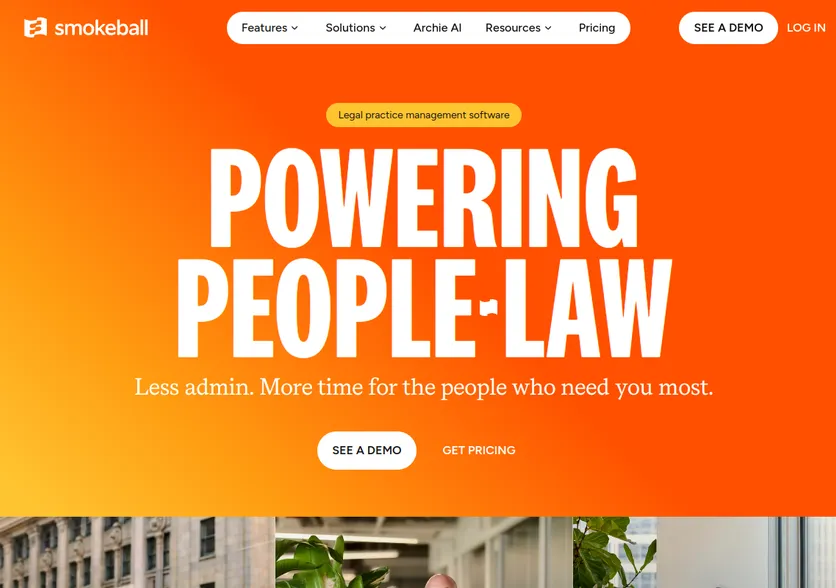
8. Smokeball
Best for: Firms that want time captured automatically
Paid tool Starting price: $49/user/month · Forty-nine dollars per user a month on Bill; Boost is eighty-nine dollars; vendor-supplied G2 figures with disclosure, since the US vendor page publishes no dollar figures; Grow and Prosper+ are by quote; automatic time tracking is the signature feature
Free plan: Free demo
A firm whose billable hours slip away between calls and court will find this Smokeball plan costs forty-nine dollars per user a month on Bill, and it captures the time automatically without a running timer. Small billable tasks that other tools miss are logged as they happen, and the client portal and calendaring sit beside the matter file. It is the automatic time tracking pick in this list, though the price is vendor-supplied rather than published on the vendor site.
What we like
- Automatic time tracking that captures work without a timer
- Client portal alongside calendaring and matter management
- Built for firms that live inside Microsoft Outlook
Watch out for
- The price is vendor-supplied, since the vendor page shows no figures
- The strongest features need the Boost tier
How to try it
- Install the Outlook integration and connect the matter list
- Switch on automatic time tracking for the whole firm
- Review the captured time each week and raise the invoices
Prices above were checked on each vendor’s own website on Nov 28, 2026 and can change — the vendor’s page is the final word. Vendor links are editorial: nobody paid to be listed or ranked here. Vendors who want a featured listing can see how it works on our Get listed page.
How to automate a law firm without risking a deadline
Start with the intake, because that is where a firm wins or loses a client: a form that qualifies the lead, opens the matter and books the first appointment before a competitor calls back. Then automate the billing, such as the timer that runs itself and the invoice that raises itself when the matter closes, since unbilled time is the quietest leak in a firm. Keep deadlines on a human calendar as well as the machine, because a missed filing date is the one automation failure a firm cannot afford. Finally, check the trust account every week, since no automation replaces a partner's eyes on client money.
Before you buy
- Confirm the tool covers intake, matters, time and billing in one flow
- Check whether automation and reporting are on the plan you would buy
- Make sure trust accounting and compliance are built in, not bolted on
- Ask if the price is per user or per firm, and what the next tier adds
- Test the intake and billing flow on a real matter before paying
Official websites
Official websites of the products reviewed above. Features and prices were checked against these sites when this guide was written, and they can change, so confirm on the vendor site before you buy.
Frequently asked questions
What is the best process automation software for law firms?
Clio is the best overall pick, at forty-nine dollars per user a month billed annually, because it keeps matters, documents, billing and trust accounting in one searchable record. MyCase is the best value at fifty dollars a month, with appointments, intake and billing in one login. TimeSolv is the best pick for hourly billing at forty-three dollars a month.
How much does Clio cost per user?
Clio EasyStart costs forty-nine dollars per user a month billed annually, or fifty-nine dollars billed monthly. Essentials costs eighty-nine dollars a month billed annually. Clio Grow is a fifty-nine dollar per user a month add-on to Manage, with a three hundred and ninety-nine dollar setup fee, and it is never sold as a standalone product.
Can I automate a law firm for free?
No full practice platform in this list has a free plan, though Clio, MyCase and PracticePanther all offer free trials. TimeSolv offers a thirty-day free trial. A firm can test the whole intake and billing flow before paying, but a working practice platform needs a paid plan, with TimeSolv the cheapest at forty-three dollars per user a month.
Is MyCase or Clio better for a small firm?
MyCase is better for a small firm that wants simplicity, at fifty dollars a month billed annually, with appointments, intake and billing in one login and a client portal that needs no training. Clio is better for a firm that wants the largest integration library and the best-known platform, at forty-nine dollars a month. Both cost about the same, so the choice is simplicity versus integrations.
Which tool captures billable time automatically?
Smokeball is the best pick for automatic time capture, at forty-nine dollars per user a month on Bill, because it logs small billable tasks as they happen without a running timer. TimeSolv is the cheaper alternative at forty-three dollars a month, with timers and batch billing built for legal work. Both need a practice platform beside them for full matter management.
Compare the eight tools above, then start with a free trial of the platform that matches how the firm already works before paying for a full year.
Browse Business Tools tools