On this page
Real estate developers need software that handles construction, design and stakeholder coordination together, not just task lists. The seven tools below cover that range, from flexible work platforms to governed execution hubs for complex projects. monday.com leads because its boards and automations adapt to development workflows from planning to execution for nine dollars per seat a month, and the rest are ranked on how they fit a developer's work.
How we researched this
We checked every price on the vendor pricing page on November 28, 2026, and only included tools with a published US dollar list price. Procore, Autodesk Construction Cloud and Buildertrend publish no prices in 2026, so they are not in this list. Prices change, so confirm the current figure on the vendor site before you buy.
Compare the tools
| Name | Best for | Starting price | Free plan | |
|---|---|---|---|---|
| monday.com | Developers adapting one workspace to planning and execution | $9/seat/month | Free plan (up to 2 seats) | Visit |
 Asana | Developers coordinating acquisitions, design and construction | $10.99/user/month | Free plan (Personal, up to 2 users) | Visit |
 Smartsheet | Developers needing governed tracking and reporting | $9/member/month | No free plan; 30-day free trial | Visit |
 Wrike | Development firms needing enterprise delivery and control | $9.80/user/month | Free plan (up to 5 users) | Visit |
 ClickUp | Developers consolidating planning, docs and goals | $9/user/month | Free plan | Visit |
 Trello | Small developers wanting a quick visual board | $5/user/month | Free plan (up to 10 collaborators) | Visit |
 Airtable | Developers tracking parcels, permits and budgets as data | $20/user/month | Free plan | Visit |
The project management software for real estate developers, compared
1. monday.com
Best for: Developers adapting one workspace to planning and execution
Paid tool Starting price: $9/seat/month · Nine dollars per seat a month billed annually on Basic ($12 billed monthly); Standard is $12 a seat a month billed annually ($14 monthly); Pro is $19 ($24 monthly); paid plans start at 3 seats and seats are sold in blocks
Free plan: Free plan (up to 2 seats)
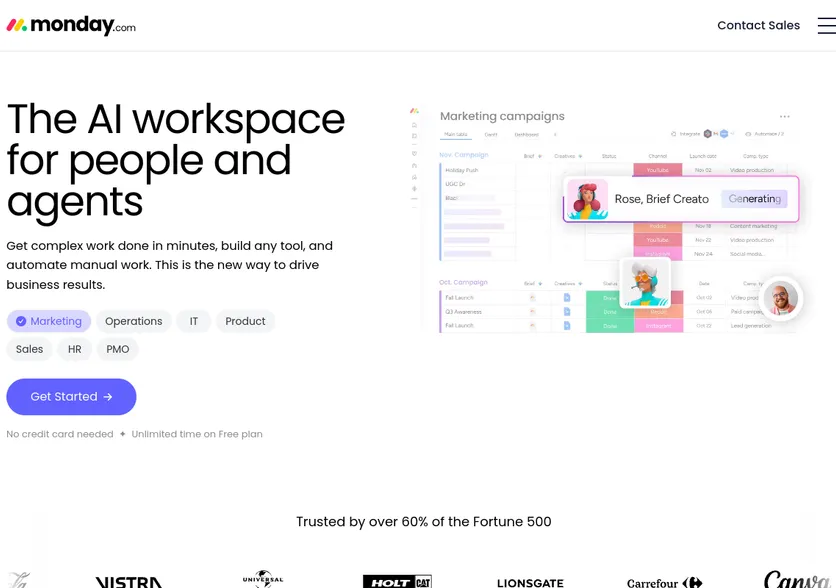
A developer coordinating acquisitions, design and construction across several projects needs one workspace that bends to each phase, and this Monday plan costs nine dollars per seat a month billed annually on Basic. Customizable boards and automations track planning, approvals and delivery, and the visual layout keeps status clear across workstreams. Guest access brings outside partners into the right boards without giving them the whole workspace. It fits developers who prioritize flexibility and want a single platform for various project types.
What we like
- Boards turn any workflow into a visual plan in minutes
- Hundreds of templates shorten setup for common processes
- Automations and integrations cut repetitive admin work
Watch out for
- The 3-seat minimum means a solo user still pays for three seats
- Basic has no timeline view and almost no automations
How to try it
- Pick a template that matches the process to track
- Add status, owner and date columns to the board
- Set one automation that updates status when work moves
2. Asana
Best for: Developers coordinating acquisitions, design and construction
Paid tool Starting price: $10.99/user/month · Ten dollars and ninety-nine cents per user a month billed annually ($13.49 billed monthly); Advanced is $24.99 a user a month billed annually ($30.49 monthly); Enterprise is quoted
Free plan: Free plan (Personal, up to 2 users)
A development firm that needs to coordinate tasks across departments such as acquisitions, design and construction will find the clearest shared layer here, since this Asana plan costs ten dollars and ninety-nine cents per user a month billed annually on Starter. Timelines, dashboards and automation give clarity on project timelines and responsibilities, and unlimited free guests bring outside partners in. Reporting dashboards show which projects are on track and which need attention before a deadline slips. It fits developers who need a general project tool to oversee multiple workstreams.

What we like
- Timeline and Gantt views keep deadlines visible
- Automation rules move routine work without manual chasing
- Unlimited free guests on paid plans for outside collaborators
Watch out for
- Portfolios and workload views need the Advanced tier
- Per-user pricing climbs quickly as the team grows
How to try it
- Create a project from a template that matches the work
- Assign every task an owner and a due date
- Turn on a rule that moves completed work automatically
3. Smartsheet
Best for: Developers needing governed tracking and reporting
Paid tool Starting price: $9/member/month · Nine dollars per member a month billed annually on Pro ($12 billed monthly) for 1 to 10 members; Business is $19 a member a month billed annually ($24 monthly) for 3 or more members; Enterprise and Advanced Work Management are quoted
Free plan: No free plan; 30-day free trial
A developer managing complex projects that require detailed tracking and reporting will find the governed option here, because this Smartsheet plan costs nine dollars per member a month billed annually on Pro. The familiar spreadsheet layout makes it accessible to teams used to Excel, while reports and dashboards give the visibility enterprises need. Forms collect updates from people who never open the sheet itself, which keeps field input flowing without extra logins. It fits developers who need a robust, scalable work management tool with strong reporting capabilities.

What we like
- Grid sheets feel familiar to anyone who plans in spreadsheets
- Gantt, card and calendar views show the same plan differently
- Forms, reports and dashboards turn sheets into a working system
Watch out for
- There is no permanent free plan, only a 30-day trial
- Pro stops at 10 members, so growing teams must move to Business
How to try it
- Build a sheet with one row per job and columns for owner and date
- Switch the sheet to Gantt view to check dependencies
- Add a report that rolls up status across sheets
4. Wrike
Best for: Development firms needing enterprise delivery and control
Paid tool Starting price: $9.80/user/month · Nine dollars and eighty cents per user a month billed annually on Team, shown as ten dollars on the vendor page, for two to twenty-five users; Business is twenty-four dollars and eighty cents a user a month billed annually (shown as twenty-five dollars), for five to two hundred users; Enterprise and Pinnacle are quoted
Free plan: Free plan (up to 5 users)
A development firm that must manage multiple projects and stakeholders with a high degree of customization will find the enterprise option here, since this Wrike plan costs nine dollars and eighty cents per user a month billed annually on Team. Custom workflows, dashboards and automation coordinate campaigns, listings and shared projects with clear ownership. Proofing and review tools help design teams approve drawings and marketing material without email chains. It fits firms that prioritize enterprise-level work management and need to integrate with other business systems.

What we like
- Folders, projects and custom workflows give clear delivery chains
- Request forms turn incoming work into tracked tasks
- Dashboards and approvals suit teams with sign-off steps
Watch out for
- The most useful reporting and automation sit on Business, not Team
- Setup takes deliberate planning before the platform pays off
How to try it
- Create a folder for the department and a project inside it
- Build a custom workflow that matches the approval steps
- Add a request form so new work arrives as tracked tasks
5. ClickUp
Best for: Developers consolidating planning, docs and goals
Paid tool Starting price: $9/user/month · Nine dollars per user a month billed annually on Core ($12 billed monthly); Business is $17 a user a month billed annually; Enterprise is quoted; the old $7 Unlimited tier is gone
Free plan: Free plan
A developer who wants planning, documentation and objectives in one platform instead of scattered tools will find the consolidator here, because this ClickUp plan costs nine dollars per user a month billed annually on Core. Tasks, docs, goals and chat share one workspace with list, board, calendar and Gantt views, and the free plan covers unlimited members. It suits firms willing to configure a broad platform around their development process.

What we like
- Tasks, docs, goals and chat live in one workspace
- List, board, calendar and Gantt views share the same data
- The free plan covers unlimited members with core task features
Watch out for
- Feature breadth can overwhelm a team that wants a simple tracker
- Workspaces drift without regular housekeeping and conventions
How to try it
- Create a Space for the team and add one List per workstream
- Switch the List to the view each role prefers
- Set a goal and link the tasks that feed into it
6. Trello
Best for: Small developers wanting a quick visual board
Paid tool Starting price: $5/user/month · Five dollars per user a month billed annually on Standard ($6 billed monthly); Premium is $10 a user a month billed annually ($12.50 monthly); Enterprise is $17.50 a user a month billed annually
Free plan: Free plan (up to 10 collaborators)
A developer who wants a quick visual board for a single project or a small residential build will find the lightest start here, since this Trello plan costs five dollars per user a month billed annually on Standard. Boards, lists and cards track stages without a long setup, and Butler automation handles routine moves. It fits small developers and early-stage planning where speed matters more than deep reporting.

What we like
- Boards, lists and cards take minutes to learn
- Butler automation handles routine card moves without code
- Mobile apps keep the board in hand away from the desk
Watch out for
- Reporting stays light next to full project platforms
- Heavy dependencies and layered planning outgrow boards fast
How to try it
- Make a board with one list per stage of the work
- Add a card for each job with an owner and due date
- Drag cards across lists as the work moves forward
7. Airtable
Best for: Developers tracking parcels, permits and budgets as data
Paid tool Starting price: $20/user/month · Twenty dollars per user a month billed annually on Team ($24 billed monthly); Business is $45 a user a month billed annually; Enterprise Scale is quoted
Free plan: Free plan
A developer who tracks parcels, permits, budgets and stakeholders as connected records will find the database option here, because this Airtable plan costs twenty dollars per user a month billed annually on Team. Relational tables link records across projects, and automations move data between tables without manual copying. It suits firms whose work is data-shaped and who want a flexible base rather than a fixed task list.

What we like
- Relational tables link records across projects and clients
- Automations move data between tables without manual copying
- Interfaces turn a base into a lightweight app for the team
Watch out for
- You build the structure yourself, so setup takes real thought
- It is less of a ready-made task tracker than a board tool
How to try it
- Create a base with one table per record type
- Link the tables so records connect across the workflow
- Add an automation that updates records when status changes
Prices above were checked on each vendor’s own website on Nov 28, 2026 and can change — the vendor’s page is the final word. Vendor links are editorial: nobody paid to be listed or ranked here. Vendors who want a featured listing can see how it works on our Get listed page.
How to manage a development project from acquisition to handover
Start by separating pre-construction planning from active construction, because the two phases stress different features. General work platforms handle planning, coordination and stakeholder communication well, while construction-specific work such as RFIs, submittals and site diaries needs a dedicated platform that publishes no prices here. Check integration with design and accounting software first, and confirm mobile access for on-site team members, since a tool the field team will not open cannot keep a project on track. Test the shortlist on one live project for a month, and compare the real monthly bill against the headline rate before signing a yearly contract.
Before you buy
- Check if the tool supports construction-specific workflows like RFIs, submittals and site diaries
- Verify integration capabilities with existing design and accounting software
- Assess scalability to accommodate future projects and team growth
- Review mobile accessibility for on-site team members in the field
- Confirm data security and compliance features meet the organization requirements for every project
Official websites
Official websites of the products reviewed above. Features and prices were checked against these sites when this guide was written, and they can change, so confirm on the vendor site before you buy.
Frequently asked questions
What is the best project management software for real estate developers?
monday.com is the best overall pick for most developers, at nine dollars per seat a month on Basic, because its boards and automations adapt to development workflows from planning to execution. Asana suits cross-team coordination at ten dollars and ninety-nine cents per user a month. For heavy construction phases, a dedicated platform like Procore is the usual choice, though it publishes no prices.
Can general project management tools work for real estate development?
Yes, tools like monday.com and Asana can be adapted for real estate development workflows, especially for task tracking and team collaboration. However, they may lack specialized construction features such as site diaries or RFI tracking, so you might need to integrate them with a dedicated construction platform for active builds.
Why are Procore and Buildertrend not in this list?
Procore, Autodesk Construction Cloud and Buildertrend publish no prices in 2026. Buildertrend moved to custom quotes based on builder type, annual revenue and business needs, and its old tier prices of around four hundred and ninety-nine to one thousand and ninety-nine dollars a month are leftovers from a retired model. Only tools with a published list price are included here.
How important is construction-specific functionality?
Construction-specific functionality is crucial for managing on-site activities, document control and compliance. If projects involve significant construction phases, a dedicated platform is strongly recommended. For pre-construction planning or general management, the broader tools in this list cover the work well.
What should I consider when choosing for a development firm?
Consider the project types, team size and the need for construction-specific features. Also evaluate integration with existing design and accounting software, scalability and ease of use for both office and field teams. Confirm details on vendor sites before deciding, since capabilities change over time.
Compare the seven tools above, then start with a free plan on the tool that matches how the firm already runs development projects before paying for a full year.
Browse Business Tools tools