On this page
A mobile prototype has to feel like the real app in the hand, with the right gestures, motion and screen flow, or the test tells the developer nothing. The eight tools below cover that job for app developers, from the design tool the whole team already uses to the specialist that tests sensors and motion on a real phone. Figma leads because it keeps design and prototyping in one shared file for sixteen dollars per full seat a month, and the rest are ranked on how real their prototypes feel.
How we researched this
We checked every price on the vendor pricing page on November 28, 2026, and only included tools with a published US dollar list price. Adobe XD is not in this list because it is no longer sold, and InVision Cloud is not included because it was discontinued. Prices change, so confirm the current figure on the vendor site before you buy.
Compare the tools
| Name | Best for | Starting price | Free plan | |
|---|---|---|---|---|
 Figma | Product teams that design and prototype together | $16/full seat/month | Free plan (Starter) | Visit |
 Sketch | Mac-only teams that want a fast native app | $12/editor/month | 30-day free trial | Visit |
 Axure RP | Teams that need prototypes with real logic | $29/user/month | 30-day free trial | Visit |
 ProtoPie | Designers testing realistic device interactions | $25/month | Free plan (2 prototypes) | Visit |
 Balsamiq | Early wireframes that keep reviews on structure | $16/editor/month | 14-day free trial | Visit |
| UXPin | Design system teams using real code components | $29/seat/month | 14-day free trial | Visit |
 Justinmind | Enterprise teams that need high-fidelity simulation | $19/editor/month | Free plan (limited) | Visit |
| Marvel | Small teams that want fast clickable prototypes | $12/month | Free plan (1 user, 2 projects) | Visit |
The prototyping software for mobile app developers, compared
1. Figma
Best for: Product teams that design and prototype together
Paid tool Starting price: $16/full seat/month · Sixteen dollars per full seat a month billed annually on Professional (twenty billed monthly); Dev seats are twelve; Collab seats are three; Starter is free
Free plan: Free plan (Starter)
For a mobile team that prototypes app flows before a line of code is written, this Figma plan costs sixteen dollars per full seat a month billed annually, and it keeps design and prototyping in one shared file. It is the default design tool for most product teams, with screens, components and prototypes in one file that the whole team edits live. The free Starter plan covers unlimited drafts, so a small team can start without paying.

What we like
- Real-time collaboration in the browser
- Largest plugin and component library
- Dev Mode gives developers inspectable specs
Watch out for
- Seat pricing adds up fast on a big team
- Offline work is limited
How to try it
- Open a file and design the app screens
- Link frames into a clickable prototype
- Share the link for comments and developer handoff
2. Sketch
Best for: Mac-only teams that want a fast native app
Paid tool Starting price: $12/editor/month · Twelve dollars per editor a month billed annually on Standard (fourteen billed monthly); Professional is twenty-four; viewers are free; a Mac-only licence is one hundred and twenty dollars one time
Free plan: 30-day free trial
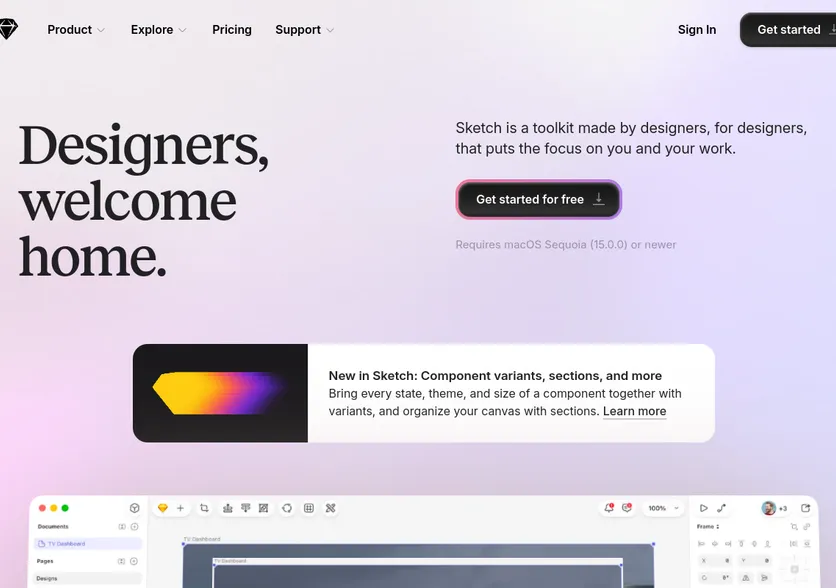
For a mobile team that prototypes app flows before a line of code is written, this Sketch plan costs twelve dollars per editor a month billed annually, and it stays the fastest native app for a Mac shop. It is still the fastest native experience for a Mac shop, with a plugin ecosystem built over a decade. A Mac-only licence costs one hundred and twenty dollars once, which suits a solo designer who dislikes subscriptions.
What we like
- Fast native Mac app with deep plugin support
- Symbols and shared libraries keep designs consistent
- Unlimited free viewers on every plan
Watch out for
- Mac only, so Windows teammates need another tool
- Real-time collaboration is weaker than Figma
How to try it
- Design the screens with symbols and shared styles
- Link artboards into a prototype flow
- Share the link for review and handoff
3. Axure RP
Best for: Teams that need prototypes with real logic
Paid tool Starting price: $29/user/month · Twenty-nine dollars per user a month billed annually on Pro (thirty-four billed monthly); Team plans add shared projects and are quoted per team
Free plan: 30-day free trial
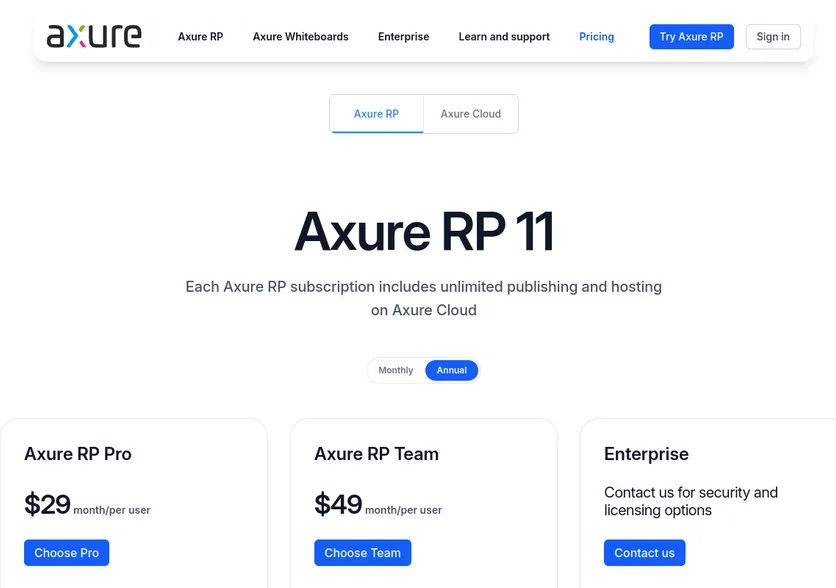
For a mobile team that prototypes app flows before a line of code is written, this Axure RP plan costs twenty-nine dollars per user a month billed annually, and it adds real logic and data to the prototype. It is the specialist pick when a prototype must behave like the real product, with logic, data and state that click-through tools cannot fake. Enterprise teams use it to test complex flows before a line of code is written.
What we like
- Variables, conditions and dynamic data in prototypes
- Prototypes behave like real software
- Strong documentation and handoff tools
Watch out for
- Not a visual design tool, so screens come from elsewhere
- Steep learning curve for new designers
How to try it
- Build the screens and add dynamic panels
- Add conditions and variables for real behaviour
- Publish the prototype and share the link
4. ProtoPie
Best for: Designers testing realistic device interactions
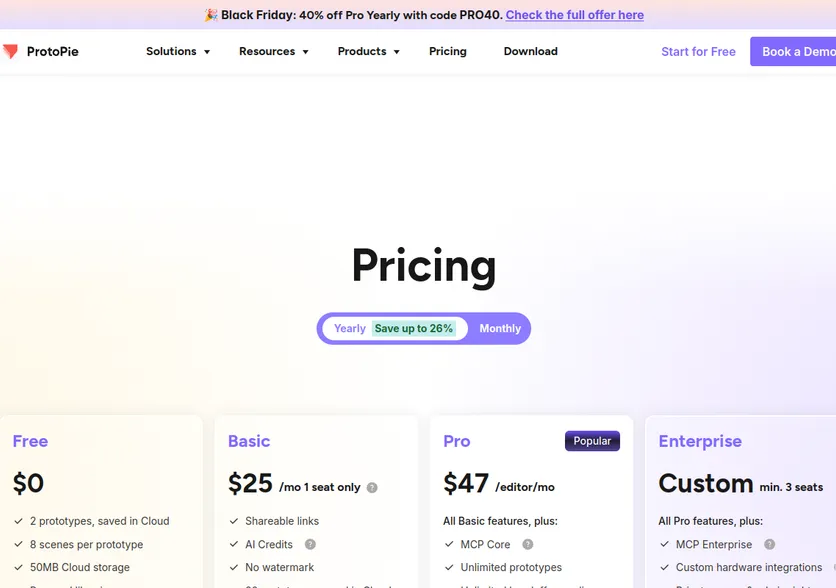
Paid tool Starting price: $25/month · Twenty-five dollars a month on Basic for a single seat; Pro is forty-seven per editor a month; the free plan covers two prototypes; Enterprise is by quote
Free plan: Free plan (2 prototypes)
For a mobile team that prototypes app flows before a line of code is written, this ProtoPie plan costs twenty-five dollars a month, and it tests sensors, motion and voice like a real app. It makes prototypes that feel like real apps, with device sensors, voice input and realistic motion that flat click-throughs cannot match. Product teams use it to test interactions before committing to development.
What we like
- Sensors, voice and motion in prototypes
- No code needed for complex interactions
- Free plan covers two prototypes
Watch out for
- Basic covers one seat only, so teams pay Pro
- Desktop app required for the full feature set
How to try it
- Import the screens from Figma or Sketch
- Add triggers, sensors and motion
- Preview on a real device and share the link
5. Balsamiq
Best for: Early wireframes that keep reviews on structure
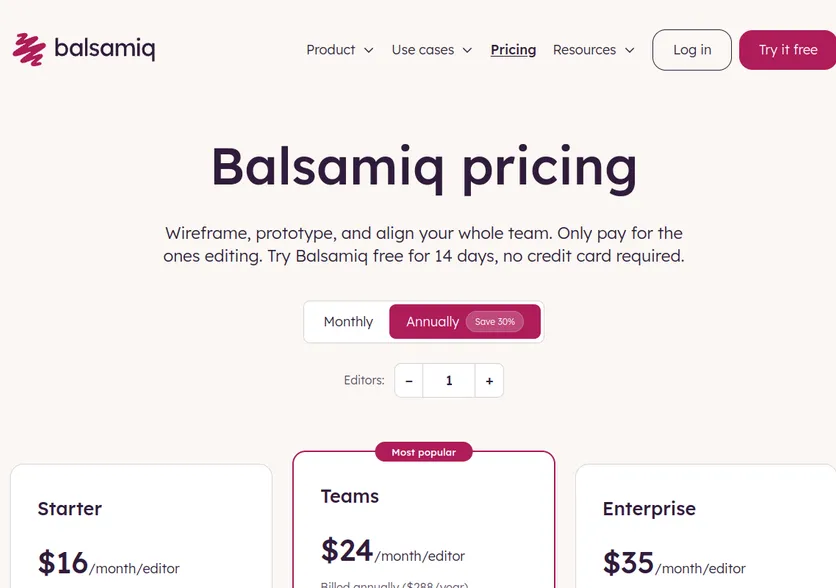
Paid tool Starting price: $16/editor/month · Sixteen dollars per editor a month billed annually on Starter (twenty-three billed monthly); Teams is twenty-four; Enterprise is thirty-five; older listings show a nine-dollar Cloud plan for two projects, so confirm at checkout
Free plan: 14-day free trial
For a mobile team that prototypes app flows before a line of code is written, this Balsamiq plan costs sixteen dollars per editor a month billed annually, and it keeps early reviews focused on structure. Its sketch style is a feature, keeping stakeholders focused on structure instead of button colours in the first review. A team can wireframe a whole app in an afternoon and test the flow before any visual design starts.
What we like
- Hand-drawn style keeps feedback on layout, not colours
- Fast to sketch a whole flow in an hour
- Reviewers are free on every plan
Watch out for
- No high-fidelity design or polished prototypes
- Per-editor pricing adds up on a big team
How to try it
- Sketch the screens with the drag-and-drop library
- Link the wireframes into a clickable flow
- Share the link and collect comments
6. UXPin
Best for: Design system teams using real code components
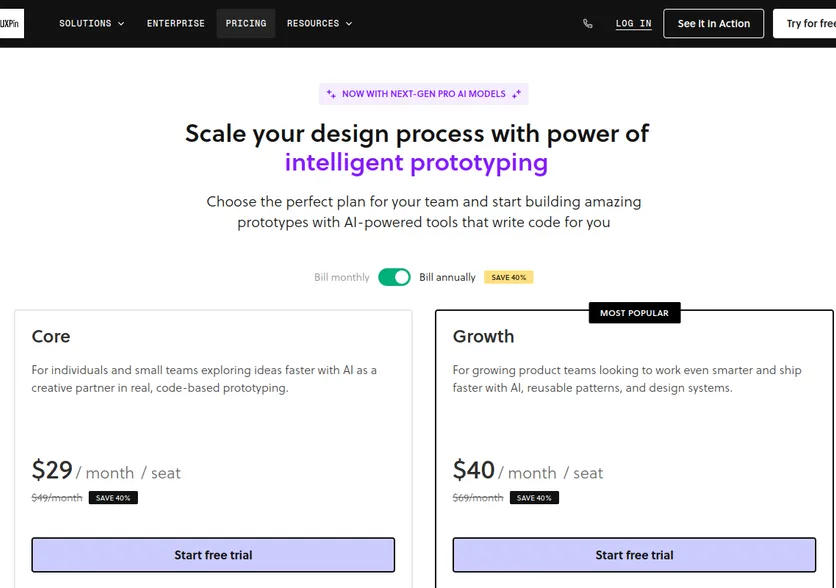
Paid tool Starting price: $29/seat/month · Twenty-nine dollars per seat a month billed annually on Core (forty-nine billed monthly); higher plans add Merge AI and company controls; older listings show six and eight dollar entry figures that no longer match the vendor page
Free plan: 14-day free trial
For a mobile team that prototypes app flows before a line of code is written, this UXPin plan costs twenty-nine dollars per seat a month billed annually, and it builds with the same components developers ship. Its Merge technology lets designers build with the same components developers ship, so prototypes match production exactly. Design system teams get the most value, since the canvas stays in sync with the codebase.
What we like
- Merge pulls live React and Vue components into designs
- Conditional navigation and real data in prototypes
- Design tokens keep systems consistent
Watch out for
- Merge AI plan is far dearer than Core
- Steep learning curve for small teams
How to try it
- Import the design system or connect live components
- Build the prototype with real data and logic
- Share it for testing and developer handoff
7. Justinmind
Best for: Enterprise teams that need high-fidelity simulation
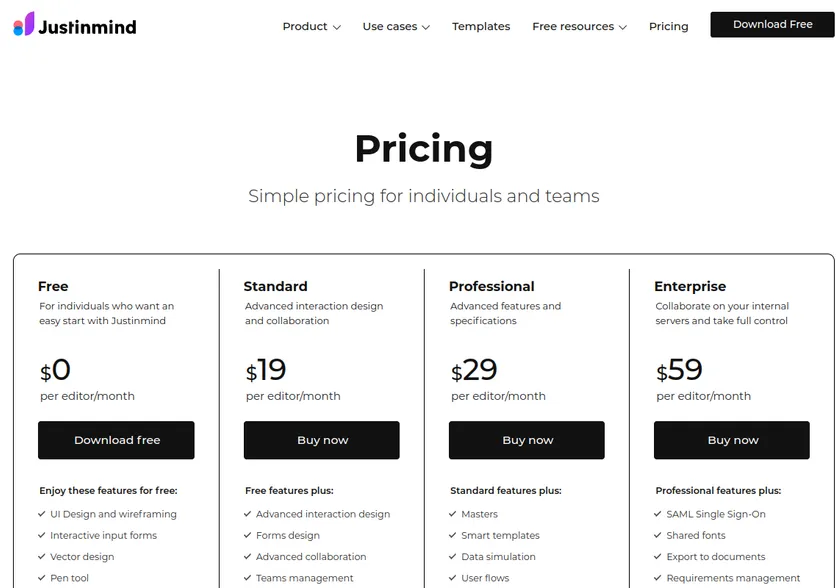
Paid tool Starting price: $19/editor/month · Nineteen dollars per editor a month on Standard; Professional is twenty-nine; Enterprise is fifty-nine
Free plan: Free plan (limited)
For a mobile team that prototypes app flows before a line of code is written, this Justinmind plan costs nineteen dollars per editor a month, and it simulates complex flows with data and variables. It simulates web and mobile interfaces with a fidelity that suits enterprise UX teams testing complex flows. The offline desktop app works without a connection, which matters for teams with strict security rules.
What we like
- High-fidelity simulation with data and variables
- User testing and multi-version comparison
- Works offline on Windows and Mac
Watch out for
- Interface feels dated next to Figma
- Heavier than most teams need for simple flows
How to try it
- Design the screens or import them
- Add events, variables and data lists
- Simulate the prototype and share it for testing
8. Marvel
Best for: Small teams that want fast clickable prototypes
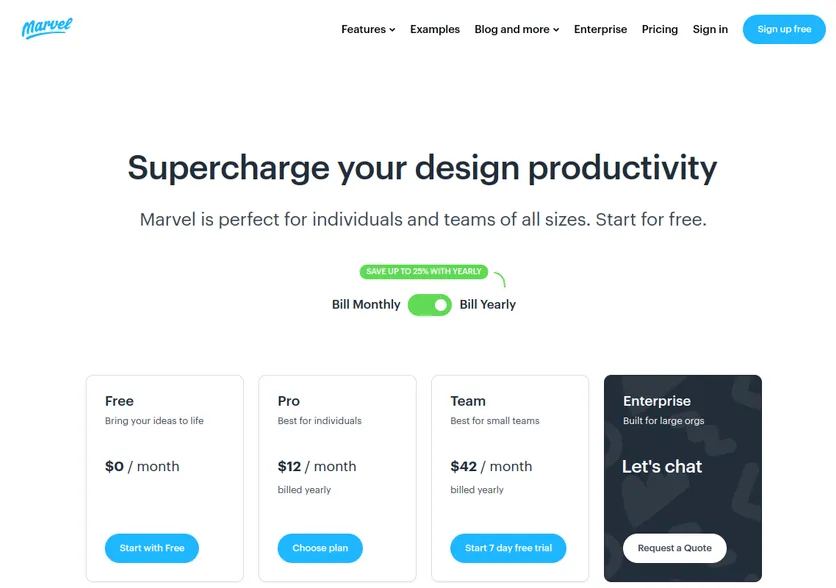
Paid tool Starting price: $12/month · Twelve dollars a month on Pro for one user; Team is forty-two for three users; Company is eighty-four for six users; the free plan covers one user and two projects
Free plan: Free plan (1 user, 2 projects)
For a mobile team that prototypes app flows before a line of code is written, this Marvel plan costs twelve dollars a month, and it turns screenshots into a clickable prototype in minutes. It is the fastest route from screenshots to a clickable prototype, with no setup and no learning curve. Small teams use it to validate a flow with real users before investing in high-fidelity design.
What we like
- Turns screenshots into a prototype in minutes
- Simple sharing with user testing built in
- Free plan for one user and two projects
Watch out for
- Limited interaction logic for complex flows
- Smaller ecosystem than Figma or Sketch
How to try it
- Upload screenshots or design files
- Link the hotspots into a flow
- Share the link and collect video feedback
Prices above were checked on each vendor’s own website on Nov 28, 2026 and can change — the vendor’s page is the final word. Vendor links are editorial: nobody paid to be listed or ranked here. Vendors who want a featured listing can see how it works on our Get listed page.
How to test a mobile app flow before writing code
Start with the screens the user sees first, because a prototype that covers the happy path and skips the error states teaches nothing. Link the frames into a flow a tester can tap through on a real phone, and watch where they hesitate instead of asking them afterwards. Add the motion and gestures that matter, such as swipes and transitions, and leave the rest as static screens. Share the link with five testers, fix the biggest confusion, and repeat before the developers build anything.
Before you buy
- Confirm the prototype previews on a real phone, not just in the desktop app
- Check whether gestures, motion and sensors can be tested, not just taps
- Ask if the tool imports screens from the design tool the team already uses
- Make sure testers can comment on the prototype without a paid seat
- Test the tool on one real app flow before paying, including the error screens
Official websites
Official websites of the products reviewed above. Features and prices were checked against these sites when this guide was written, and they can change, so confirm on the vendor site before you buy.
Frequently asked questions
What is prototyping software for mobile app developers?
It is software that turns app screens into a clickable prototype a tester can tap through on a real phone before any code is written. Good tools add gestures, motion, device sensors and user testing, so the team finds confusing flows early, when fixing them costs hours instead of weeks of development.
How much does Figma cost for mobile app developers?
Figma Professional costs sixteen dollars per full seat a month billed annually, or twenty dollars billed monthly. That plan includes unlimited files, shared libraries and Dev Mode for handoff, while Dev seats cost twelve dollars and Collab seats cost three. The free Starter plan covers unlimited drafts.
Can I prototype a mobile app for free?
Yes, with Figma, which offers a free Starter plan with unlimited drafts, ProtoPie, which offers a free plan covering two prototypes, and Marvel, which offers a free plan for one user and two projects. All three are genuine free tiers, so a solo developer can test a real app flow without paying.
Which tool is best for realistic device interactions?
ProtoPie is the best pick for realistic device interactions, at twenty-five dollars a month on Basic for one seat, because it tests sensors, voice input and motion like a real app. Axure RP is the better choice when the prototype needs logic and data, at twenty-nine dollars a user a month billed annually.
Do I still need a design tool if I use Axure RP?
Yes, usually. Axure RP is a prototyping specialist, not a visual design tool, so most teams design screens in Figma or Sketch and import them. Figma covers both jobs in one file, which is why it leads this list, while Axure RP wins when the prototype must behave like real software with logic and data.
Compare the eight tools above, then start with a free plan or trial on the tool that matches how the team already designs app screens before paying for a full year.
Browse Developer Tools tools