On this page
Contractors sell on the job, not at a desk, so sales software has to work from a truck, a ladder and a kitchen table. The seven tools below cover that job for crews of every size, from a one-person outfit that needs quotes and invoices to a multi-team firm that tracks every lead from first call to final payment. Jobber leads because it pairs quoting, scheduling and invoicing in one app built for field work at twenty-nine dollars per user a month, and the rest are ranked on how well they fit a contractor's day.
How we researched this
We checked every price on the vendor pricing page on November 28, 2026, and only included tools with a published US dollar list price. The big field-service platforms that sell by quote, including ServiceTitan and FieldEdge, publish no prices, so they are not in this list. Prices change, so confirm the current figure on the vendor site before you buy.
Compare the tools
| Name | Best for | Starting price | Free plan | |
|---|---|---|---|---|
 Jobber | Contractors who quote, schedule and invoice in one app | $29/user/month | No free plan; 14-day free trial | Visit |
 Housecall Pro | Field-service teams that dispatch, invoice and market in one app | $59/user/month | No free plan; 14-day free trial | Visit |
 Salesforce Sales Cloud | Contractors planning to grow past a small crew | $25/user/month | No free plan; 30-day free trial | Visit |
 HubSpot Sales Hub | Contractors already using HubSpot for marketing | $20/seat/month | Free plan | Visit |
 Pipedrive | Small crews that want a simple visual pipeline | $14/user/month | No free plan; 14-day free trial | Visit |
 monday sales CRM | Teams that already run work on monday boards | $12/seat/month | Free plan (up to 2 seats) | Visit |
 Zoho CRM | Budget-conscious crews that want a full CRM cheap | $14/user/month | Free plan (up to 3 users) | Visit |
The sales software for contractors, compared
1. Jobber
Best for: Contractors who quote, schedule and invoice in one app
Paid tool Starting price: $29/user/month · Twenty-nine dollars per user a month billed annually on Core; monthly billing costs more, and higher tiers add quoting templates, automation and reporting
Free plan: No free plan; 14-day free trial
A contractor who quotes, schedules and invoices from the same app saves a trip back to the office, and this Jobber plan costs twenty-nine dollars per user a month billed annually. It turns a site visit into a quote, the quote into a job, and the job into an invoice with card payment attached, so the crew gets paid faster. Clients can book online and approve quotes from their phones, which keeps small jobs moving without a round of phone tag.

What we like
- Quotes, scheduling and invoicing in one app
- Clients approve quotes and pay online from their phones
- Built for field crews, not office desks
Watch out for
- No free plan, only a fourteen-day trial
- The entry tier caps some automation and reporting features
How to try it
- Create a quote from the job details and send it to the client
- Turn the approved quote into a scheduled job for the crew
- Invoice on completion and collect card payment online
2. Housecall Pro
Best for: Field-service teams that dispatch, invoice and market in one app
Paid tool Starting price: $59/user/month · Fifty-nine dollars per user a month billed annually on Basic; a seventy-nine-dollar figure appears on some trade listings, so confirm the billing basis before you buy
Free plan: No free plan; 14-day free trial
A field-service team that dispatches techs, takes card payments on site and follows up with marketing needs one home for all of it, and this Housecall Pro plan costs fifty-nine dollars per user a month billed annually. It schedules jobs, routes the crew, sends invoices and takes payment before the tech leaves the driveway. Built-in review requests and marketing campaigns keep the pipeline full between jobs.

What we like
- Dispatch, scheduling and on-site payments in one app
- Review requests and marketing campaigns built in
- Mobile app keeps the whole crew in sync
Watch out for
- The entry tier limits some automation and reporting
- Add-ons for advanced marketing raise the monthly bill
How to try it
- Add the job, assign a tech and set the arrival window
- Complete the work and take card payment on site
- Send the invoice and a review request before leaving
3. Salesforce Sales Cloud
Best for: Contractors planning to grow past a small crew
Paid tool Starting price: $25/user/month · Twenty-five dollars per user a month on Starter Suite; Pro Suite is $100, Core is $195, Advanced is $395 and Max is $550 a user a month, with annual billing available
Free plan: No free plan; 30-day free trial
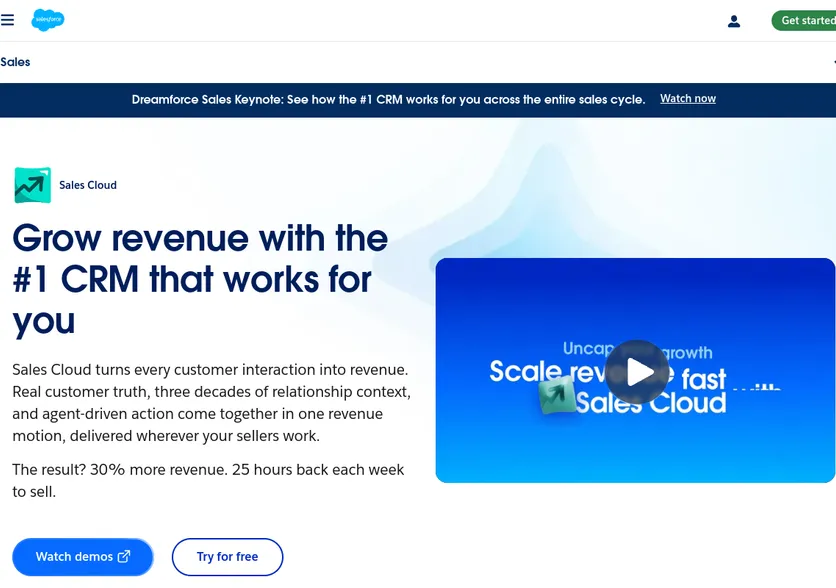
A growing contractor that outgrows spreadsheets needs a CRM that scales with the crew, and this Salesforce Sales Cloud plan costs twenty-five dollars per user a month on Starter Suite. It tracks every lead, quote and follow-up in one pipeline, with email and calendar built in so nothing slips between site visits. The same platform grows into the dearer suites when the firm hires more reps.
What we like
- The most widely used sales CRM, with endless integrations
- Starter Suite covers leads, pipeline and email in one place
- Grows into Pro, Core and Advanced suites as the firm scales
Watch out for
- Setup takes longer than the simpler CRMs here
- The entry tier caps automation and reporting
How to try it
- Import the lead list and set up the sales pipeline stages
- Log calls and emails against each opportunity
- Review the pipeline each week and follow up on stalled deals
4. HubSpot Sales Hub
Best for: Contractors already using HubSpot for marketing
Paid tool Starting price: $20/seat/month · Twenty dollars per seat a month on Starter, billed annually ($24 billed monthly); a new-customer promotion has shown Starter from seven dollars a seat a month on annual billing and ten dollars billed monthly, which is a first-customer discount, not the list price
Free plan: Free plan
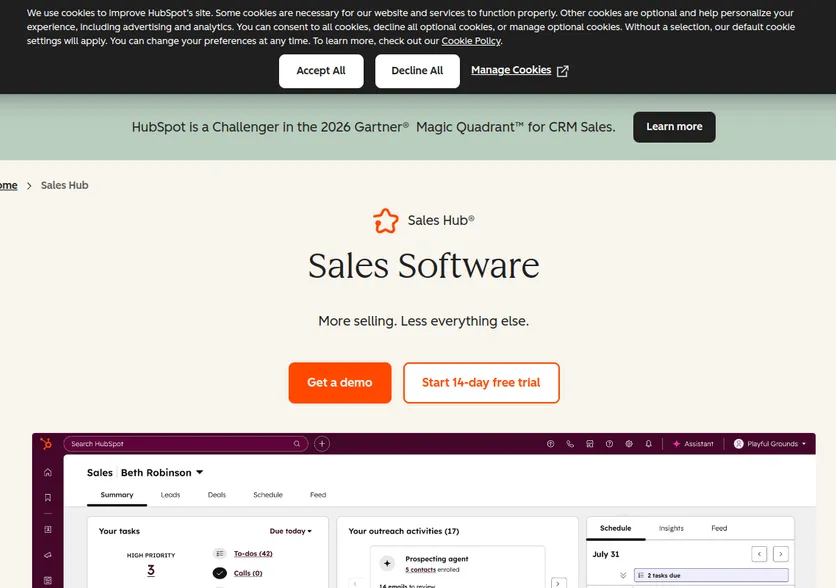
A contractor who already markets with HubSpot gets a CRM that shares the same contacts, and this HubSpot Sales Hub plan costs twenty dollars per seat a month billed annually. It tracks deals, sends sequences and books meetings from the same record the marketing team already uses. The free tier covers the basics, so a small crew can start without paying and upgrade when the pipeline grows.
What we like
- Free tier covers contacts, deals and pipelines
- Email sequences and meeting booking built in
- Shares contacts with HubSpot Marketing Hub
Watch out for
- The new-customer promo price is not the list price
- Advanced automation needs the dearer Professional tier
How to try it
- Connect the inbox and import the contact list
- Build the deal pipeline with the stages the crew actually uses
- Set up sequences to follow up on quotes automatically
5. Pipedrive
Best for: Small crews that want a simple visual pipeline
Paid tool Starting price: $14/user/month · Fourteen dollars per user a month billed annually on the entry plan ($24 billed monthly); Growth is $24, Premium is $49 and Ultimate is $69 a user a month billed annually; older listings may show the previous tier names
Free plan: No free plan; 14-day free trial
A small crew that wants a pipeline it can read at a glance will like the visual board here, since this Pipedrive plan costs fourteen dollars per user a month billed annually. Deals move across the board as quotes go out and jobs get booked, and the activity reminders keep follow-ups from slipping. It stays out of the way, which is exactly what a busy contractor needs from a CRM.

What we like
- Visual pipeline that the whole crew reads in seconds
- Activity reminders keep follow-ups from slipping
- Fast setup with no admin training needed
Watch out for
- The entry tier has no workflow automation
- Reporting is basic until the higher tiers
How to try it
- Set up the pipeline stages to match the quoting process
- Add each lead as a deal and drag it forward as it progresses
- Check the activities list daily and follow up on every open deal
6. monday sales CRM
Best for: Teams that already run work on monday boards
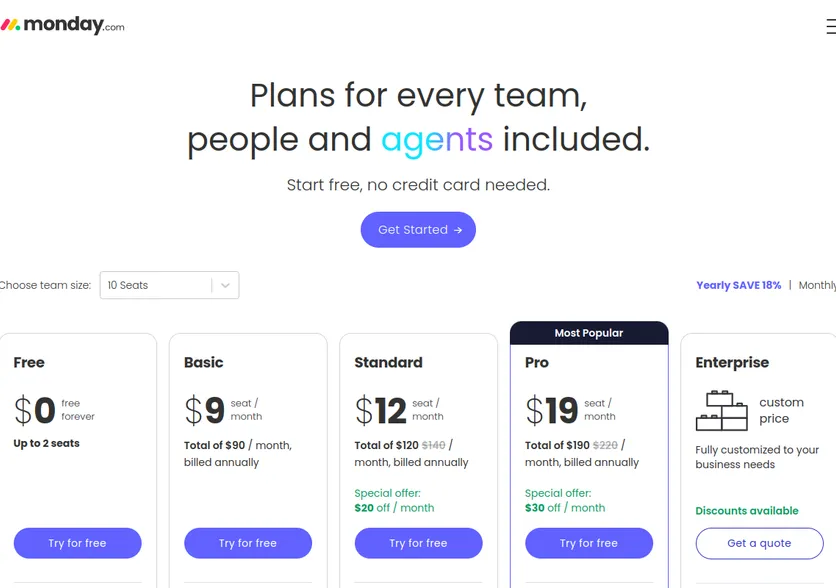
Paid tool Starting price: $12/seat/month · Twelve dollars per seat a month billed annually on Basic ($18 billed monthly); Standard is $17, Pro is $28 and Enterprise is quoted; Basic requires a three-seat minimum and has no automations
Free plan: Free plan (up to 2 seats)
A contractor who runs the whole business on boards will find the CRM fits the same habit, because this monday sales CRM plan costs twelve dollars per seat a month billed annually. Leads, quotes and jobs sit on visual boards the crew can update from the field, and the same workspace tracks projects once a deal closes. It is the most visual option in this list, which suits teams that think in boards rather than lists.
What we like
- Visual boards the crew updates from the field
- One workspace covers sales, projects and operations
- Templates for quotes, pipelines and onboarding
Watch out for
- Basic needs a three-seat minimum and has no automations
- Costs climb fast once the team adds seats and tiers
How to try it
- Pick the sales CRM template and add the lead list
- Customise the board columns to match the quoting stages
- Move deals across the board as quotes turn into jobs
7. Zoho CRM
Best for: Budget-conscious crews that want a full CRM cheap
Paid tool Starting price: $14/user/month · Fourteen dollars per user a month billed annually on Standard ($20 billed monthly); Professional is $23, Enterprise is $40 and Ultimate is $52 a user a month billed annually
Free plan: Free plan (up to 3 users)
A contractor watching every dollar gets a full CRM for less than a lunch per user here, since this Zoho CRM plan costs fourteen dollars per user a month billed annually. It covers leads, deals, quotes and email in one place, and the free tier supports three users, so a tiny crew can start for nothing. The higher tiers add workflow automation and analytics when the firm is ready for them.

What we like
- Full CRM features at a low entry price
- Free tier supports up to three users
- Quotes, email and automation in the higher tiers
Watch out for
- The interface feels busier than the simpler CRMs
- Some integrations need the dearer tiers
How to try it
- Import contacts and set up the deal pipeline
- Create quotes from the deal record and email them to clients
- Use the reports to see which lead sources close best
Prices above were checked on each vendor’s own website on Nov 28, 2026 and can change — the vendor’s page is the final word. Vendor links are editorial: nobody paid to be listed or ranked here. Vendors who want a featured listing can see how it works on our Get listed page.
How to pick sales software that survives a day on site
Start with the phone in your pocket, because a contractor's CRM lives or dies on mobile. If quoting, scheduling and invoicing sit in separate apps, the crew wastes time retyping the same job three times, so favour tools that cover the whole loop. Check the per-user price against the real headcount, including office staff who only log in to check a quote, since seat minimums and per-user billing add up fast. Try the trial on a real job, not a demo account: send a quote, book the crew and take a payment, then see whether the client found it easy. Finally, confirm the tool exports the client list and job history, because switching CRM later is painful if the data is locked inside.
Before you buy
- Check the mobile app first, since the crew will use it from the job site more than the desktop
- Count every seat the firm will actually pay for, including office staff who only check quotes
- Confirm quoting, scheduling and invoicing live in one app before paying for three separate tools
- Test the free trial on a real job, from quote to payment, before committing to a year
- Make sure the client list and job history export cleanly, so switching tools later stays possible
Official websites
Official websites of the products reviewed above. Features and prices were checked against these sites when this guide was written, and they can change, so confirm on the vendor site before you buy.
Frequently asked questions
What is the best sales software for contractors?
Jobber is the best overall pick for contractors, at twenty-nine dollars per user a month billed annually, because quoting, scheduling and invoicing live in one app built for field work. Housecall Pro suits larger field-service teams that also want marketing and dispatch. Small crews that only need a pipeline should look at Pipedrive or Zoho CRM, which cost less per user.
How much does sales software for contractors cost?
Entry prices in this list run from twelve dollars per seat a month for monday sales CRM to fifty-nine dollars per user a month for Housecall Pro, all billed annually. Salesforce starts at twenty-five dollars per user a month, and most tools offer a free plan or a two-week trial. Expect the bill to rise with seats, add-ons and higher tiers, so price the real headcount first.
Do contractors need a CRM or just quoting software?
Quoting software is enough for a one-person outfit that wins work by word of mouth and invoices from a phone. A CRM earns its keep once leads, follow-ups and repeat clients pile up, because it tracks every conversation and reminds the crew to chase quotes. Jobber and Housecall Pro cover both jobs, which is why they lead this list for most contractors.
Can I try sales software for contractors for free?
Yes, with HubSpot Sales Hub, monday sales CRM and Zoho CRM, which all offer genuine free plans for small teams. Jobber, Housecall Pro, Salesforce and Pipedrive offer free trials of fourteen to thirty days instead. Use the trial on a real job, from quote to payment, so the crew learns whether the app fits before the first invoice arrives.
What should a contractor check before paying for sales software?
Check the mobile app on a real job site, count every seat the firm will pay for, and confirm quoting, scheduling and invoicing live in one place. Watch for seat minimums, per-user billing and add-ons that raise the monthly total. Confirm the client list and job history export cleanly, and run the free trial on a live quote before committing to a yearly plan.
Compare the seven tools above, then start with a free plan or trial on the tool that matches how the crew already works before paying for a full year.
Browse Business Tools tools