On this page
Design critiques live or die on how easily reviewers can point at the work and say what they see. The eight tools below cover every style of critique, from a live Zoom Meetings call with annotation to a Miro board where feedback sticks to the frames, and an async Loom walkthrough for teams that never share an hour. Prices run from three dollars an editor a month to fifteen dollars a user, so a small studio can run honest reviews without a big budget. Pick the tool that matches how your team already talks about design.
How we researched this
We checked every price on the vendor pricing page on November 28, 2026, and only included tools with a published US dollar list price. Screen sharing tools that sell by quote only, including enterprise video suites with no public pricing, are not in this list. Prices change, so confirm the current figure on the vendor site before you buy.
Compare the tools
| Name | Best for | Starting price | Free plan | |
|---|---|---|---|---|
 Zoom Meetings | Design teams that already meet on Zoom | $14.16/user/month | Free plan (40-minute group meetings) | Visit |
 Webex | Studios that want secure, polished critiques | $12/user/month | Free plan (40-minute meetings) | Visit |
 GoTo Meeting | Small teams that want simple screen sharing | $12/organizer/month | No free plan; 14-day free trial | Visit |
 Microsoft Teams | Teams already on Microsoft 365 | $4/user/month | Free plan (60-minute group meetings) | Visit |
 Google Workspace | Teams that store design files in Google Drive | $7/user/month | No free plan; 14-day free trial | Visit |
 Miro | Teams that critique on a shared canvas | $8/user/month | Free plan (3 editable boards) | Visit |
 FigJam | Figma teams that want a light critique board | $3/editor/month | Free plan (3 FigJam boards) | Visit |
 Loom | Distributed teams that review async | $15/user/month | Free plan (25 videos per person) | Visit |
The screen sharing software for design critiques, compared
1. Zoom Meetings
Best for: Design teams that already meet on Zoom
Paid tool Starting price: $14.16/user/month · Fourteen dollars and sixteen cents per user a month billed annually (one hundred and sixty-nine dollars and ninety-two cents a year); fifteen dollars and ninety-nine cents a month month to month; Business is eighteen dollars and thirty-three cents a user a month billed annually; older listings show thirteen dollars and thirty-three cents, which no longer matches the vendor page
Free plan: Free plan (40-minute group meetings)
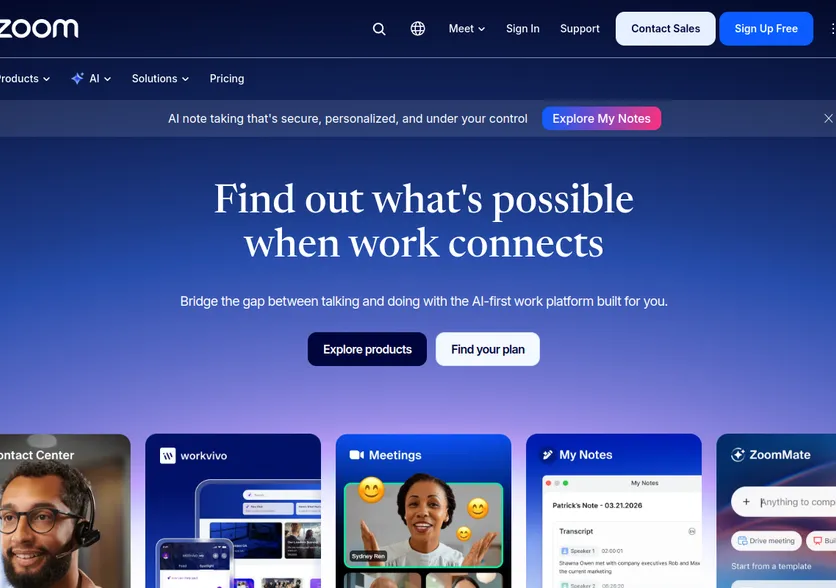
For a design team that critiques work live, this Zoom Meetings plan costs fourteen dollars and sixteen cents per user a month billed annually, and it pairs screen sharing with annotation tools everyone in the room can use at once. Presenters can hand remote control to a reviewer, mark up the shared screen with a pen or stamp, and record the session so nobody has to take notes during a critique. It is the safest default for a team that already meets on Zoom and wants critiques inside the same app.
What we like
- Annotation, remote control and recording in one meeting room
- Breakout rooms split a big critique into small groups
- Works in the browser and on every major device
Watch out for
- The free plan caps group meetings at forty minutes
- Annotation tools are basic beside a dedicated whiteboard
How to try it
- Start a meeting and share the design file or the whole screen
- Turn on annotation and invite reviewers to mark up the work
- Record the session and share the recording with the team
2. Webex
Best for: Studios that want secure, polished critiques
Paid tool Starting price: $12/user/month · Twelve dollars per user a month billed annually (one hundred and forty-four dollars a year); fourteen dollars and fifty cents a month month to month; the full Suite is twenty-two dollars and fifty cents a user a month billed annually; the vendor page shows monthly figures, so the annual figure is corroborated from secondary reads
Free plan: Free plan (40-minute meetings)
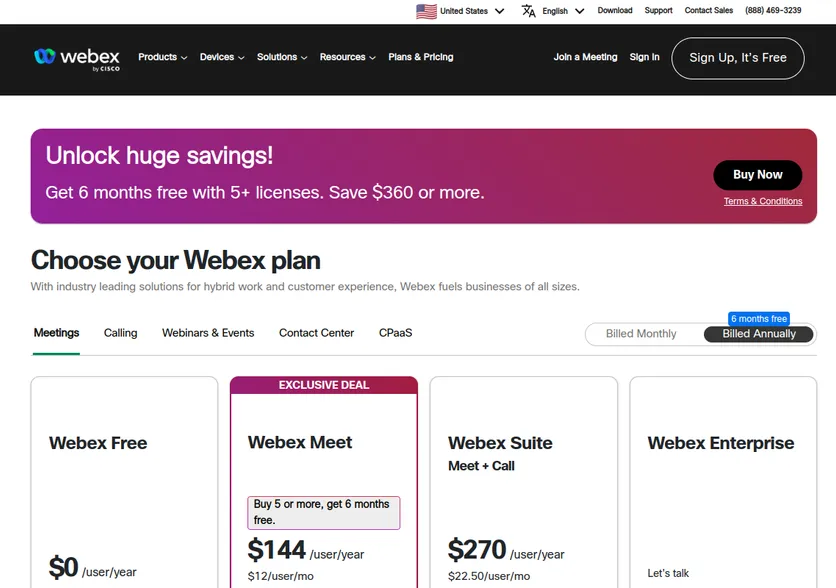
A critique that needs a polished meeting room and strong security gets it here, since this Webex plan costs twelve dollars per user a month billed annually and adds whiteboarding and polling to screen sharing. Hosts can lock a meeting, assign a cohost, and use breakout sessions to split a large design review into focused groups. It suits a studio that wants enterprise-grade controls without paying enterprise prices.
What we like
- Whiteboard and polling built into every meeting
- Strong meeting locks and host controls
- Breakout sessions for focused small-group reviews
Watch out for
- The interface feels heavier than simpler rivals
- Some advanced features need the dearer Suite plan
How to try it
- Schedule the critique and send the meeting link to reviewers
- Share the design file and open the whiteboard for notes
- Split reviewers into breakout sessions for detailed feedback
3. GoTo Meeting
Best for: Small teams that want simple screen sharing
Paid tool Starting price: $12/organizer/month · Twelve dollars per organizer a month billed annually (one hundred and forty-four dollars a year); Business is sixteen dollars per organizer a month billed annually; no month-to-month price is published
Free plan: No free plan; 14-day free trial
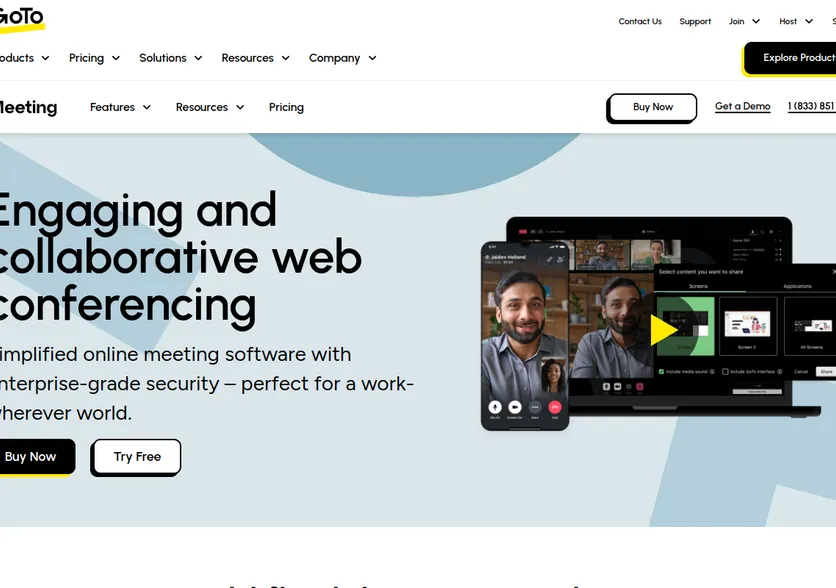
Small design teams that want a no-fuss meeting room find it here, as this GoTo Meeting plan costs twelve dollars per organizer a month billed annually and keeps screen sharing one click away. Attendees join from a browser link with no download, and the host can pass the presenter role to anyone mid-critique. It is a good fit for a studio that runs short reviews and values simplicity over extras.
What we like
- One-click screen sharing with no downloads for guests
- Presenter role passes to any attendee mid-meeting
- Meeting drawing tools for quick mark-ups
Watch out for
- No free plan, only a fourteen-day trial
- Fewer whiteboard features than Miro or Mural
How to try it
- Create the meeting and share the join link with reviewers
- Share your screen and hand the presenter role to the designer
- Use drawing tools to mark up the work as you talk
4. Microsoft Teams
Best for: Teams already on Microsoft 365
Paid tool Starting price: $4/user/month · Four dollars per user a month billed annually on Essentials; four dollars and eighty cents a month month to month; one read lists four dollars and fifty cents month to month, so confirm at checkout
Free plan: Free plan (60-minute group meetings)
A design team already on Microsoft 365 gets its critique room included here, because this Microsoft Teams plan costs four dollars per user a month billed annually and shares files straight from OneDrive. Whiteboard, together mode and live reactions keep a review lively, and the chat keeps the conversation going after the call ends. It is the cheapest way onto a full meeting suite for a team that already pays for Microsoft tools.

What we like
- File sharing straight from OneDrive and SharePoint
- Whiteboard and together mode for lively reviews
- Chat keeps the critique conversation going afterwards
Watch out for
- The interface can feel busy for a simple critique
- Some features need a fuller Microsoft 365 plan
How to try it
- Open the Teams channel for the project and start a meeting
- Share the design file from OneDrive and open Whiteboard
- Save the chat notes and assign follow-up tasks after the call
5. Google Workspace
Best for: Teams that store design files in Google Drive
Paid tool Starting price: $7/user/month · Seven dollars per user a month billed annually on Business Starter; eight dollars and forty cents a month on the flexible plan; Standard is fourteen dollars and Business Plus is twenty-two dollars; fifty percent off the first three months is a promotion, not the list price
Free plan: No free plan; 14-day free trial
Designers who live in Google Docs and Drive will like this option, since this Google Workspace plan costs seven dollars per user a month billed annually and puts Meet screen sharing beside the files. Presenters can share a single Chrome tab, a window or the whole screen, and captions keep the discussion accessible. It works best for a team that already stores its design files in Drive.

What we like
- Share a single Chrome tab without showing the whole desktop
- Live captions keep the critique accessible
- Meet links work straight from Calendar invites
Watch out for
- No standalone meeting app beyond the Workspace bundle
- Breakout rooms need a higher Workspace tier
How to try it
- Create a Calendar invite with a Meet link for the critique
- Share the design tab and present the work to reviewers
- Drop feedback links in the meeting chat for follow-up
6. Miro
Best for: Teams that critique on a shared canvas
Paid tool Starting price: $8/user/month · Eight dollars per user a month billed annually on Starter; ten dollars a month month to month; Business is sixteen dollars a user a month billed annually
Free plan: Free plan (3 editable boards)
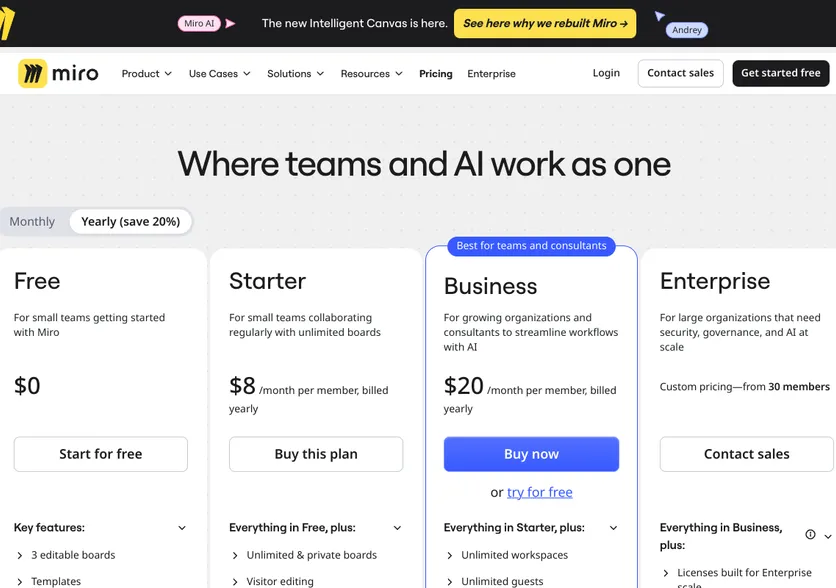
Critiques that happen on a canvas rather than in a call belong here, because this Miro plan costs eight dollars per user a month billed annually and turns the review into a shared board. Reviewers drop sticky notes, vote on options and draw over the work, all while talking in the built-in video call. It is the best pick for a design team that wants feedback pinned to the work itself.
What we like
- Sticky notes, voting and drawing pinned to the design
- Hundreds of templates for design reviews and retros
- Built-in video calls keep the discussion on the board
Watch out for
- Boards get messy on very large critiques without a facilitator
- The free plan allows only three editable boards
How to try it
- Create a board and drop the design frames onto it
- Invite reviewers to add sticky notes and vote on options
- Run the video call from the board and capture decisions in place
7. FigJam
Best for: Figma teams that want a light critique board
Paid tool Starting price: $3/editor/month · Three dollars per editor a month billed annually on Professional; five dollars a month month to month; Organization is five dollars per editor a month billed annually; FigJam is sold through Figma seats
Free plan: Free plan (3 FigJam boards)
Figma users get the lightest critique board here, as this FigJam plan costs three dollars per editor a month billed annually and opens beside the design file. Teammates add stamps, emotes and sticky notes in real time, and the facilitator can guide everyone to the same frame. It is the cheapest board in this list and the natural pick for a Figma shop.
What we like
- Opens beside the Figma file with no extra setup
- Stamps, emotes and sticky notes keep reviews playful
- The facilitator can guide everyone to one frame
Watch out for
- Too light for formal reviews with strict sign-off
- Viewers are free but editors pay, so costs grow with the team
How to try it
- Open a FigJam board from the Figma file under review
- Invite the team and let reviewers add notes and stamps
- Use the facilitator spotlight to walk through each frame
8. Loom
Best for: Distributed teams that review async
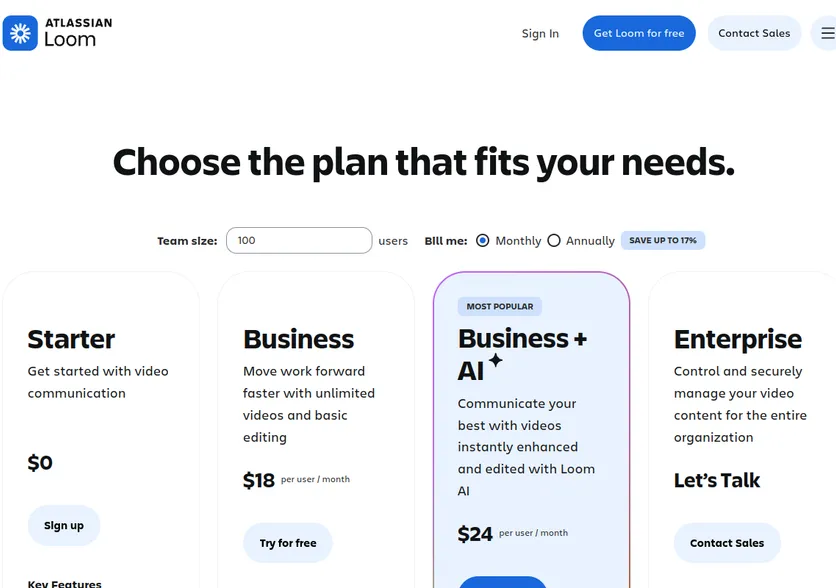
Paid tool Starting price: $15/user/month · Fifteen dollars per user a month billed annually on Business; eighteen dollars a month month to month; Business plus AI is twenty dollars a user a month billed annually
Free plan: Free plan (25 videos per person)
Async critiques across time zones work well here, since this Loom plan costs fifteen dollars per user a month billed annually and records the screen, the face and the voice together. A designer narrates a walkthrough, reviewers reply with their own video or time-stamped comments, and nobody has to find a shared hour. It is the best pick for a distributed team that reviews more than it meets.
What we like
- Records screen, face and voice in one take
- Time-stamped comments pin feedback to the exact frame
- AI summaries and chapters speed up long walkthroughs
Watch out for
- No live meeting room, so urgent debates still need a call
- The free plan caps videos at twenty-five per person
How to try it
- Record a walkthrough of the design with voiceover
- Share the link and ask reviewers for time-stamped comments
- Reply to comments with a short follow-up video
Prices above were checked on each vendor’s own website on Nov 28, 2026 and can change — the vendor’s page is the final word. Vendor links are editorial: nobody paid to be listed or ranked here. Vendors who want a featured listing can see how it works on our Get listed page.
How to run a design critique that actually changes the work
Send the work a day early so reviewers arrive with opinions instead of first impressions. Cap the critique at forty-five minutes and review no more than three pieces, because attention fades fast once the fourth file opens. Give every reviewer a job before the call starts: one person checks hierarchy, one checks the copy, one checks the details. During the session, the designer presents without defending the work, then stays quiet while reviewers speak in turn. Capture every decision in writing before the call ends, with an owner and a date beside each change. If the team is spread across time zones, record an async walkthrough instead of forcing a midnight call, and let reviewers answer with time-stamped comments. Keep the feedback specific and tied to the brief, and park taste debates for a separate conversation.
Before you buy
- Check that reviewers can annotate the shared screen without installing extra software first
- Make sure the free plan or trial covers the whole critique, not just the first meeting
- Confirm recordings and chat notes stay available after the call ends for follow-up work
- Ask whether guests can join from a browser link with no account and no download
- Test the tool with the actual design files the team reviews, including large Figma frames
Official websites
Official websites of the products reviewed above. Features and prices were checked against these sites when this guide was written, and they can change, so confirm on the vendor site before you buy.
Frequently asked questions
What is the best screen sharing software for design critiques?
Zoom Meetings leads this list because it pairs reliable screen sharing with annotation, remote control and recording for fourteen dollars and sixteen cents per user a month billed annually. Miro is the better pick when the critique happens on a canvas, since reviewers pin notes and votes straight onto the design. Loom suits distributed teams that review async, because a recorded walkthrough with time-stamped comments replaces a live call.
How much does screen sharing software for design critiques cost?
Prices in this list run from three dollars per editor a month for FigJam to fifteen dollars per user a month for Loom Business, all billed annually. Most tools also offer a free plan or a free trial, so a small studio can test the critique flow before paying. The dearest option here is still far cheaper than an enterprise video suite sold by quote.
Can I run a design critique for free?
Yes, with Zoom, Miro, FigJam and Loom, which all offer free plans that cover small critiques. Zoom and Miro cap group meetings and boards on their free tiers, so a busy team will outgrow them, but a small studio can run real reviews without paying. Microsoft Teams also has a free plan with sixty-minute group meetings for up to one hundred people.
Is async video better than a live critique call?
Async video wins when the team spans time zones, because reviewers watch a Loom walkthrough when it suits them and leave time-stamped comments on the exact frame. A live call wins when the design needs debate, since annotation and instant back-and-forth settle disagreements faster. Many teams use both: async for first reactions, live for the hard decisions.
What should I look for in screen sharing software for critiques?
Look for annotation tools that let reviewers mark the work directly, a recording option so nobody takes notes mid-call, and guest access that needs no download. Check the free plan limits before you commit, since meeting length and board caps decide whether a small team can use it daily. Finally, pick the tool that fits where the design files already live.
Compare the eight tools above, then start with a free plan or trial on the tool that matches how your team already reviews design work before paying for a full year.
Browse Productivity Tools tools