On this page
Procedures turn tribal knowledge into steps anyone can follow, so the tool you pick decides whether the guide gets written or stays in someone's head. The eight tools below capture processes as text, screenshots or video, from a simple step recorder to a full operations library. Scribe leads because it turns a screen recording into a written guide at twenty-three dollars a user a month, and the rest are ranked on how fast a team can document real work.
How we researched this
We checked every price on the vendor pricing page on November 29, 2026, and only included tools with a published US dollar list price. Trainual and Document360 publish no prices and sell by quote, so they are not in this list. Prices change, so confirm the current figure on the vendor site before you buy.
Compare the tools
| Name | Best for | Starting price | Free plan | |
|---|---|---|---|---|
 Scribe | Teams documenting steps inside software | $23/user/month | Free plan (Basic) | Visit |
 SweetProcess | Small businesses writing an operations manual | $99/month | No free plan; 14-day free trial | Visit |
 Process Street | Teams running the same checklist every week | $100/month | No free plan; 14-day free trial | Visit |
 Whale | Growing companies training new hires | $299/month | Free plan (1 creator, 10 members) | Visit |
 Tango | Teams documenting web tools and systems | $22/user/month | No free plan; 14-day free trial | Visit |
 Guidde | Teams that explain procedures on video | $19/creator/month | Free plan (25 videos) | Visit |
 Confluence | Software teams that want docs beside Jira | $7.15/month | Free plan (up to 10 users) | Visit |
 Helpjuice | Companies building a searchable internal knowledge base | $249/month | No free plan; 14-day free trial | Visit |
The procedure writing software, compared
1. Scribe
Best for: Teams documenting steps inside software
Paid tool Starting price: $23/user/month · Twenty-three dollars per user a month on Pro Personal; Pro Team is twelve dollars per seat a month with a five-seat minimum, about sixty dollars a month at the base; annual billing drops Personal to about eighteen dollars a month; the free Basic plan covers limited guides
Free plan: Free plan (Basic)
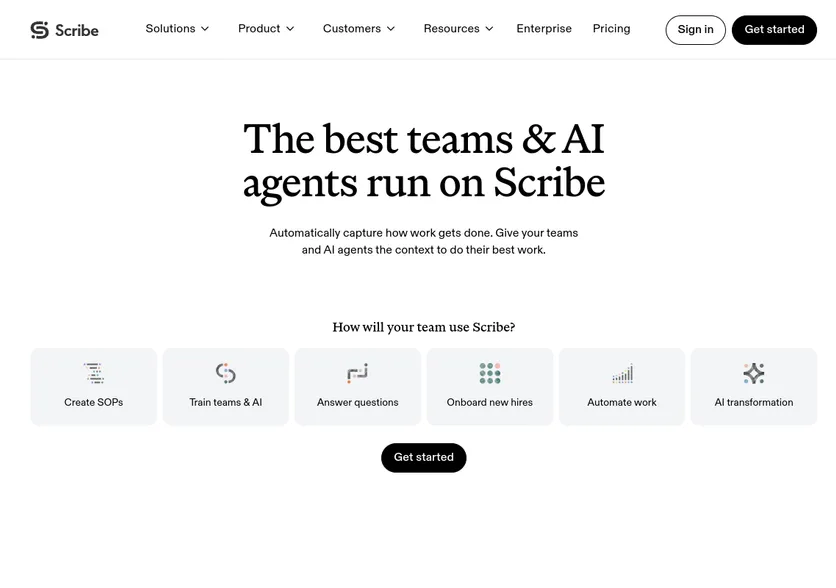
A team that documents software steps will save hours here, because this Scribe plan costs twenty-three dollars per user a month on Pro Personal. It records the clicks as you work and turns them into a written guide with screenshots, so a procedure that took an afternoon now takes minutes. It is the fastest pick in this list for capturing how-to steps inside apps.
What we like
- Records clicks and turns them into a written guide
- Screenshots and steps are captured automatically
- Guides embed in wikis, tickets and training pages
Watch out for
- Built for software steps, not for hands-on physical work
- Team pricing needs five seats at the minimum
How to try it
- Install the recorder and open the process to document
- Work through the steps once while Scribe records
- Edit the guide text and share the link with the team
2. SweetProcess
Best for: Small businesses writing an operations manual
Paid tool Starting price: $99/month · Ninety-nine dollars a month for up to ten users, or nine hundred and ninety dollars a year; extra users are five dollars a month each; Small Team is four hundred and ninety-five dollars a year for five users
Free plan: No free plan; 14-day free trial
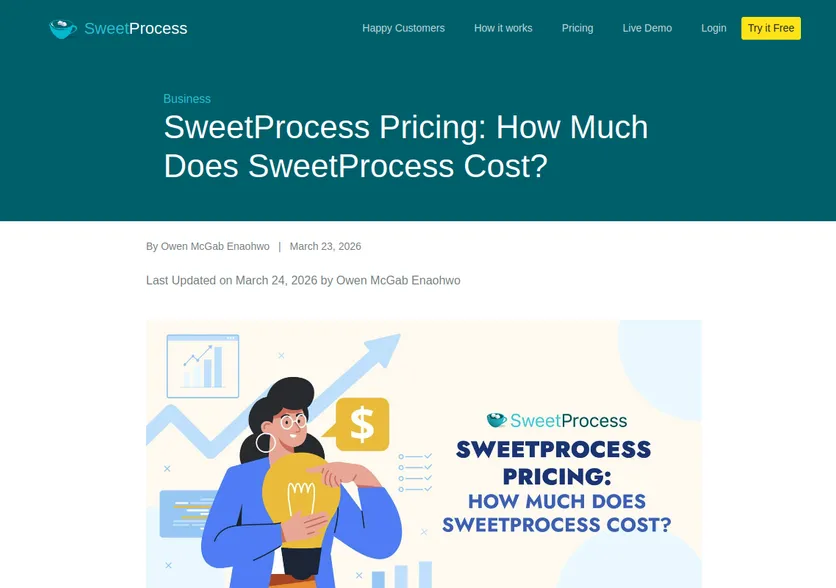
A small business that wants its whole operations manual in one place will find it here, since this SweetProcess plan costs ninety-nine dollars a month for up to ten users. Procedures, policies and flowcharts live together, and version history shows who changed what and when. It is the best pick for a business writing its first complete operations manual.
What we like
- Procedures, policies and flowcharts in one library
- Version history tracks every change to a procedure
- Flat pricing covers the whole team up to ten users
Watch out for
- No free plan, so every trial is time-boxed
- The interface is plain next to newer rivals
How to try it
- List the processes the business runs every week
- Write each one as steps with screenshots or video
- Assign owners and review the library every quarter
3. Process Street
Best for: Teams running the same checklist every week
Paid tool Starting price: $100/month · One hundred dollars a month on Startup billed annually, or one thousand dollars a year; Pro pricing is conflicted, with reads of one thousand five hundred dollars a month and from four hundred and fifteen dollars a month, so confirm the Pro figure with the vendor
Free plan: No free plan; 14-day free trial
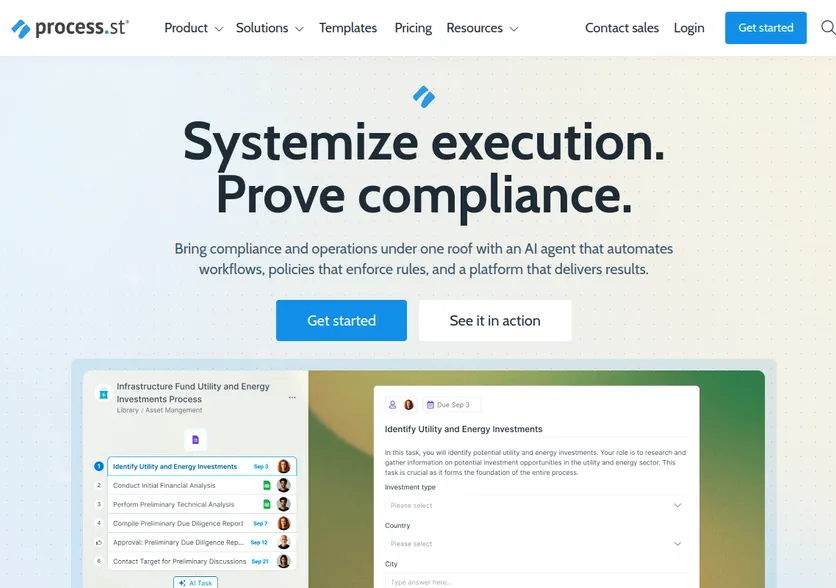
A team that runs the same checklist every week will stay consistent here, because this Process Street plan costs one hundred dollars a month billed annually on Startup. Workflows run as checklists with approvals, due dates and conditional steps, and every run is logged for audit. It is the best pick for recurring work that must be done the same way every time.
What we like
- Checklists with approvals, due dates and conditional steps
- Every run is logged for audit and review
- Templates cover onboarding, finance and operations
Watch out for
- Pro pricing is unclear on the vendor site
- Heavy workflows need the dearer tiers
How to try it
- Turn a repeated task into a workflow template
- Add approvals and due dates to each step
- Run the checklist and review the completed log
4. Whale
Best for: Growing companies training new hires
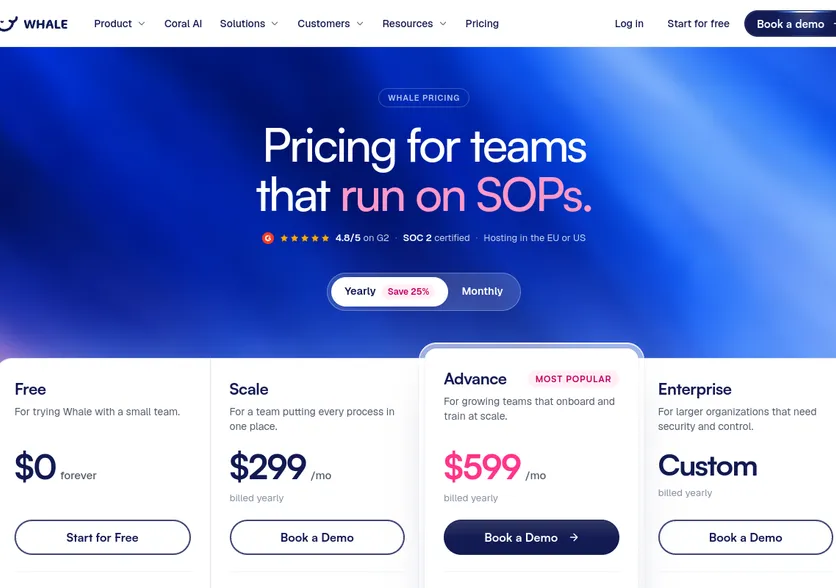
Paid tool Starting price: $299/month · Two hundred and ninety-nine dollars a month on Scale billed yearly, or three hundred and ninety-nine dollars billed monthly; Advance is five hundred and ninety-nine dollars billed yearly or seven hundred and ninety-nine dollars monthly; Enterprise is quoted; older two hundred and forty-nine dollar figures appear stale
Free plan: Free plan (1 creator, 10 members)
A growing company that trains staff with video and text guides will like this library, as this Whale plan costs two hundred and ninety-nine dollars a month billed yearly on Scale. It mixes written procedures, videos and quizzes, and AI turns a screen recording into a guide in minutes. It is the best pick for onboarding new hires with a real training library.
What we like
- Written procedures, videos and quizzes in one library
- AI turns screen recordings into guides
- Free plan covers one creator and ten members
Watch out for
- The paid entry price is high for a small team
- Older price listings do not match the current tiers
How to try it
- Record a process once with the AI capture tool
- Add quiz questions to check the reader understood
- Assign the guide to new hires and track completion
5. Tango
Best for: Teams documenting web tools and systems
Paid tool Starting price: $22/user/month · Twenty-two dollars per user a month on Pro billed annually for one to two users, or fifteen dollars for three or more; monthly billing is thirty dollars or twenty dollars; an older read lists a flat twenty-four dollars a month, which appears stale
Free plan: No free plan; 14-day free trial
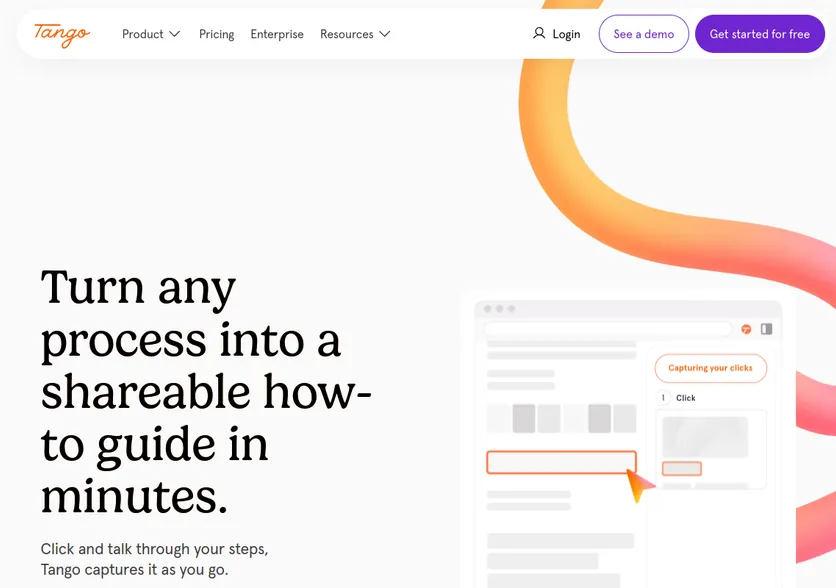
A team that wants guides written while it works will move fast here, since this Tango plan costs twenty-two dollars per user a month billed annually on Pro. A browser extension captures each step with screenshots and notes as you click through a process, then the guide is ready to share. It is the best pick for teams that document web tools and internal systems.
What we like
- Browser extension captures steps with screenshots
- Guides are ready to share minutes after recording
- Per-user price drops as the team grows
Watch out for
- Focused on browser-based processes only
- No free plan for trying it long-term
How to try it
- Install the extension and open the tool to document
- Click through the process while Tango captures steps
- Edit the guide and share it with the team
6. Guidde
Best for: Teams that explain procedures on video
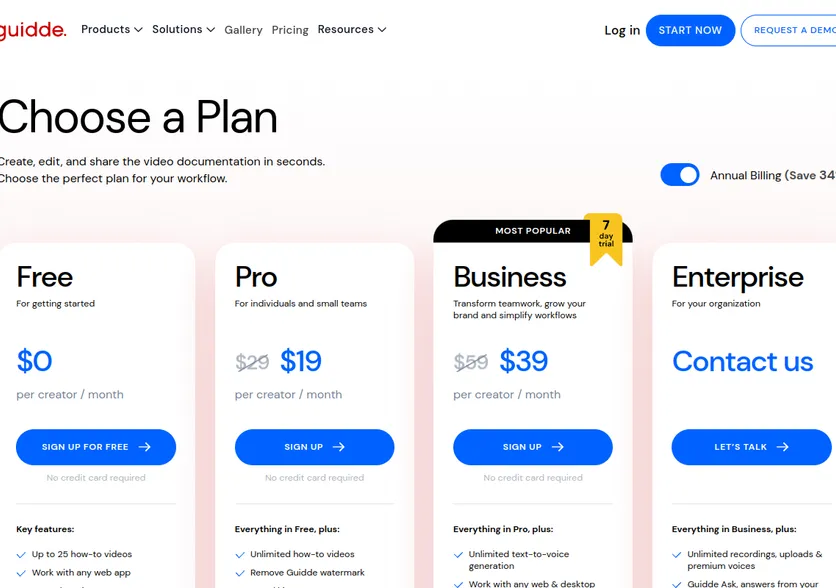
Paid tool Starting price: $19/creator/month · Nineteen dollars per creator a month on Pro billed yearly, or twenty-nine dollars billed monthly; Business is thirty-nine dollars billed yearly or fifty-nine dollars monthly for up to five creators; the free plan covers twenty-five videos
Free plan: Free plan (25 videos)
A team that explains procedures on video will find the cheapest route here, because this Guidde plan costs nineteen dollars per creator a month billed yearly on Pro. It records the screen, adds an AI voiceover and captions, and turns the result into a branded how-to video. It is the best value pick for video guides that new staff actually watch.
What we like
- AI voiceover and captions on every guide video
- Free plan covers twenty-five videos
- Videos embed anywhere with a branded player
Watch out for
- Only creators pay, but viewers still need accounts to manage
- Editing options are lighter than a full video editor
How to try it
- Record the screen while doing the process once
- Let the AI add a voiceover and captions
- Publish the video and share the link with the team
7. Confluence
Best for: Software teams that want docs beside Jira
Paid tool Starting price: $7.15/month · Seven dollars and fifteen cents a month on Standard for one to one hundred users; annual tiers run seven hundred and twenty dollars a year for up to ten users; Premium and Enterprise add analytics and admin controls
Free plan: Free plan (up to 10 users)
A team that already uses Jira will keep its procedures beside its work here, since this Confluence plan costs seven dollars and fifteen cents a month on Standard. Pages, templates and spaces organise procedures into a searchable wiki, and Jira links tie guides to live tickets. It is the best pick for software teams that want docs and delivery in one place.

What we like
- Templates and spaces organise a searchable wiki
- Deep links into Jira tickets and projects
- Low entry price with a free plan for ten users
Watch out for
- Procedure-specific features need add-ons
- The wiki can grow messy without an owner
How to try it
- Create a space for the team's procedures
- Write the guide from a procedure template
- Link the page to the Jira project it supports
8. Helpjuice
Best for: Companies building a searchable internal knowledge base
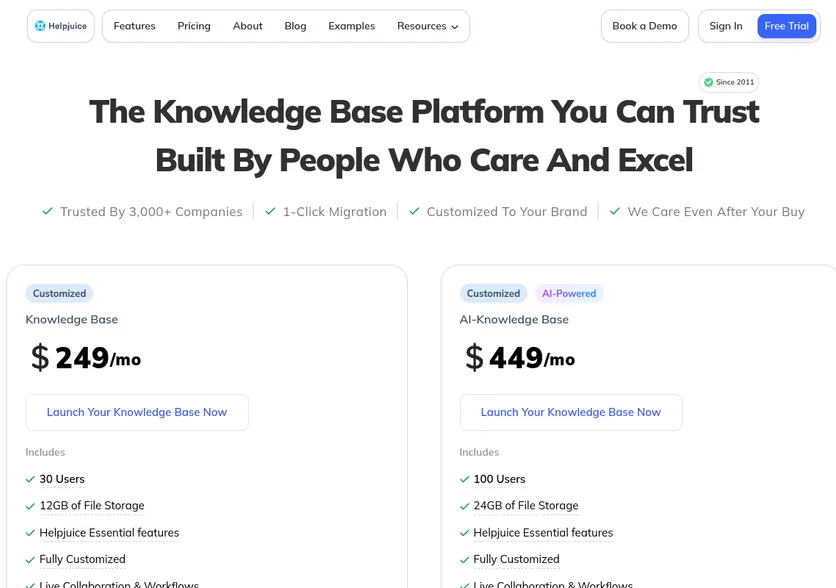
Paid tool Starting price: $249/month · Two hundred and forty-nine dollars a month flat on Knowledge Base for thirty users and twelve gigabytes; AI-Knowledge Base is four hundred and forty-nine dollars a month for one hundred users; Unlimited AI-Knowledge Base is seven hundred and ninety-nine dollars a month; an older one hundred and twenty dollar starting figure is stale
Free plan: No free plan; 14-day free trial
A company that turns its procedures into a searchable help centre will do it well here, because this Helpjuice plan costs two hundred and forty-nine dollars a month flat on Knowledge Base. AI search answers questions from the guides, analytics show which pages staff actually read, and the flat price covers thirty users. It is the best pick for internal knowledge bases that staff must search daily.
What we like
- AI search answers questions straight from the guides
- Flat monthly price covers thirty users
- Analytics show which procedures staff actually read
Watch out for
- The entry price is high for a small team
- No free plan, only a fourteen-day trial
How to try it
- Import the existing procedures into the knowledge base
- Organise them into categories staff can browse
- Check the analytics and rewrite the pages nobody finds
Prices above were checked on each vendor’s own website on Nov 29, 2026 and can change — the vendor’s page is the final word. Vendor links are editorial: nobody paid to be listed or ranked here. Vendors who want a featured listing can see how it works on our Get listed page.
How to write procedures people will actually follow
Start with the process that causes the most mistakes, because a guide that fixes a real pain gets read while a complete manual gathers dust. Write steps as short commands in the order they happen, and put a screenshot beside any step where the screen is not obvious. Keep each guide to one job, since a ten-page procedure gets skimmed and a one-page checklist gets followed. Assign an owner and a review date to every guide, because procedures rot fast when the software changes and nobody updates the steps. Keep the library searchable with clear titles, because a guide nobody can find is the same as no guide at all.
Before you buy
- Start with the process that causes the most mistakes, not the easiest one
- Write steps as short commands in the order they actually happen
- Put a screenshot beside any step where the screen is not obvious
- Assign an owner and a review date to every single guide
- Test the guide on someone who has never done the job before
Official websites
Official websites of the products reviewed above. Features and prices were checked against these sites when this guide was written, and they can change, so confirm on the vendor site before you buy.
Frequently asked questions
What is procedure writing software?
Procedure writing software helps a team capture a process as clear steps, screenshots or video, so anyone can repeat the job the same way. It replaces scattered notes and memory with a shared library of guides, and the best tools record the steps as you work instead of asking someone to type them from scratch.
How much does Scribe cost?
Scribe costs twenty-three dollars per user a month on Pro Personal, while Pro Team is twelve dollars per seat a month with a five-seat minimum, about sixty dollars a month at the base. Annual billing drops Personal to about eighteen dollars a month, and the free Basic plan covers limited guides. A team of five pays around sixty dollars a month on the team plan.
Can I write procedures for free?
Yes, with Scribe, which offers a free Basic plan, Whale, which offers a free plan for one creator and ten members, Guidde, which offers a free plan covering twenty-five videos, and Confluence, which offers a free plan for up to ten users. A free plan is enough to document the most painful processes before paying for a team library.
Which tool is best for video procedures?
Guidde is the best pick for video procedures, at nineteen dollars per creator a month billed yearly, because it records the screen and adds an AI voiceover and captions automatically. Whale suits a team that mixes video with quizzes and text guides, at two hundred and ninety-nine dollars a month. Choose Guidde for pure video and Whale for training.
Why are Trainual and Document360 not in this list?
Trainual stopped publishing prices in early 2026 and now sells by quote, while Document360 has been quote-only since late 2024, so neither has a verifiable list price to compare. Both are real tools for procedures, but a buyer cannot check the cost without a sales call. Every tool in this list publishes its price on its own site.
Compare the eight tools above, then start with a free plan or trial on the tool that matches how your team learns best, text or video.
Browse Business Tools tools