On this page
College runs on flashcards at midnight, notes in lectures and focus when the phone keeps buzzing, so the right study app is worth more than another textbook. The eight tools below all let a student start free and only pay when the free tier runs out. Quizlet Plus leads because it is the flashcard standard with millions of ready-made study sets for two dollars and ninety-nine cents a month billed annually, and the rest are ranked on how well they turn study time into exam results.
How we researched this
We checked every price on the vendor pricing page on November 29, 2026, and only included tools with a published US dollar list price and a real free plan or trial. Anki is free on desktop, so it has no paid price to compare, and Course Hero does not list prices on its plans page, so it is not in this list. Prices change, so confirm the current figure on the vendor site before you buy.
Compare the tools
| Name | Best for | Starting price | Free plan | |
|---|---|---|---|---|
 Quizlet Plus | Students who memorize with flashcards before exams | $2.99/month | Free plan; 7-day free trial | Visit |
 Chegg Study | Students stuck on homework with no one to ask | $15.95/month | No free plan | Visit |
 Notion | Students who want notes, tasks and deadlines in one place | $10/user/month | Free plan; free for students | Visit |
 Evernote | Students who clip and search everything from the web | $99/year | Free plan (50 notes, 1 device) | Visit |
 Goodnotes | Students who handwrite notes on a tablet | $11.99/year | Free plan (3 files) | Visit |
 Notability | Students who learn by listening back to lectures | $14.99/year | Free plan (Starter, 5 notes) | Visit |
 Forest | Students who cannot stop checking their phone | $3.99 one-time | Free plan (Android basic) | Visit |
 Memrise | Students learning a language with real native speakers | $61.99/year | Free plan | Visit |
The study apps for college students, compared
1. Quizlet Plus
Best for: Students who memorize with flashcards before exams
Paid tool Starting price: $2.99/month · Two dollars and ninety-nine cents a month billed annually ($35.99 a year) for Plus; $7.99 billed monthly; Plus Unlimited $44.99 a year
Free plan: Free plan; 7-day free trial
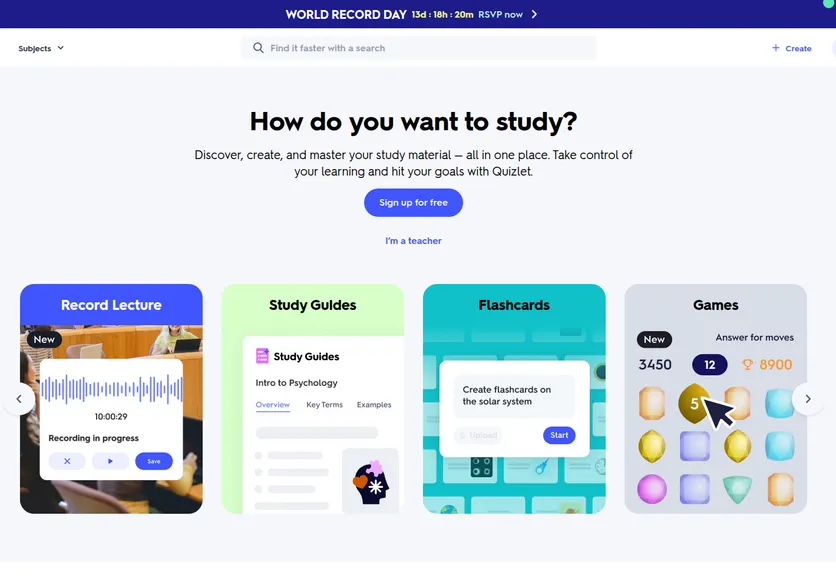
For a student who memorizes with flashcards before exams, this Quizlet Plus plan costs two dollars and ninety-nine cents a month billed annually and adds ad-free study, offline access, more Learn rounds and practice tests to the largest library of ready-made sets anywhere. Magic Notes turns uploaded notes into cards and outlines, so revision starts from the lecture itself. It is the flashcard standard in this list, and the cheapest way to drill before an exam.
What we like
- Largest library of ready-made study sets anywhere
- Learn mode schedules review and adapts to progress
- Magic Notes turns lecture notes into cards
Watch out for
- Plus still caps Learn rounds and practice tests each month
- Practice tests are limited to three a month without Unlimited
How to try it
- Search for a study set for the course
- Run Learn mode to drill the cards
- Take a practice test before the exam
2. Chegg Study
Best for: Students stuck on homework with no one to ask
Paid tool Starting price: $15.95/month · Fifteen dollars and ninety-five cents a month billed monthly; Study Pack $19.95 a month; older listings show $14.95, but the $15.95 figure is the one November 2026 reads agree on; Chegg ended its managed expert question service in March 2026
Free plan: No free plan
For a student stuck on a problem with nobody to ask, this Chegg Study plan costs fifteen dollars and ninety-five cents a month and gives step-by-step solutions for thousands of textbooks with practice problems for the toughest courses. The Study Pack adds quiz and exam help, proofreading, plagiarism checks and a math solver for four dollars more. It is the homework help service in this list, and the dearest per month.
What we like
- Step-by-step solutions for thousands of textbooks
- Practice problems for the toughest courses
- Study Pack adds writing and math help
Watch out for
- No free plan at all, so every month costs money
- New answers now come from a smaller AI-supported operation
How to try it
- Search for the textbook and the problem
- Follow the worked solution step by step
- Try the practice problems for the same topic
3. Notion
Best for: Students who want notes, tasks and deadlines in one place
Paid tool Starting price: $10/user/month · Ten dollars per member a month billed annually for Plus; $12 billed monthly; Business $20 billed annually
Free plan: Free plan; free for students
For a student who wants notes, tasks and deadlines in one workspace, this Notion plan costs ten dollars per member a month billed annually and turns a messy semester into pages, databases and calendars that link together. Lecture notes, assignment trackers and revision schedules live in the same place, and students and educators get Plus free as a single member. It is the organiser in this list.

What we like
- Notes, tasks and deadlines in one linked workspace
- Free for students and educators as a single member
- Templates for every kind of study plan
Watch out for
- Ten dollars a member is dear for a student budget
- The flexibility takes a weekend to set up well
How to try it
- Create a page for each course
- Add a database to track assignments and deadlines
- Build a revision calendar for exam week
4. Evernote
Best for: Students who clip and search everything from the web
Paid tool Starting price: $99/year · Ninety-nine dollars a year for Starter; $14.99 a month billed monthly; Advanced $249.99 a year
Free plan: Free plan (50 notes, 1 device)
For a student who clips everything from the web into one searchable inbox, this Evernote plan costs ninety-nine dollars a year for Starter and still has the strongest web clipper and search inside documents in this list. Lecture slides, PDFs and web pages land in notebooks that can be searched by text, and the free plan covers fifty notes on one device. It suits a student who researches more than they write.
What we like
- Best web clipper and search inside documents here
- Scans and PDFs become searchable text
- Tasks and flags keep study work on track
Watch out for
- Free plan is tight at fifty notes and one device
- Starter caps at one thousand notes and three devices
How to try it
- Clip lecture slides and web pages into a notebook
- Search inside the documents for a key term
- Flag the notes that need revision before exams
5. Goodnotes
Best for: Students who handwrite notes on a tablet
Paid tool Starting price: $11.99/year · Eleven dollars and ninety-nine cents a year for Essential; Pro $35.99 a year; 7-day free trial on both plans
Free plan: Free plan (3 files)
For a student who handwrites notes on a tablet, this Goodnotes plan costs eleven dollars and ninety-nine cents a year for Essential and gives unlimited files with searchable handwriting and PDF markup. Lecture slides can be annotated by hand, audio can be recorded beside the notes, and the app runs on Apple, Android, Windows and the web. It is the cheapest paid plan in this list.
What we like
- Searchable handwriting with PDF markup built in
- Cheapest paid plan in this list at twelve dollars a year
- Runs on Apple, Android, Windows and the web
Watch out for
- Free plan stops at three files
- AI features need the Pro plan or a paid add-on
How to try it
- Import the lecture slides as a PDF
- Annotate them by hand during the lecture
- Search the handwriting when revising
6. Notability
Best for: Students who learn by listening back to lectures
Paid tool Starting price: $14.99/year · Fourteen dollars and ninety-nine cents a year for Lite; Plus $19.99 a year; Pro $99.99 a year; a 20% off promotion showed Lite at $11.99, but the $14.99 list price is the headline
Free plan: Free plan (Starter, 5 notes)
For a student who learns by listening back to the lecture, this Notability plan costs fourteen dollars and ninety-nine cents a year for Lite and pairs handwritten notes with audio recording, so the exact words are there when the handwriting is not enough. Unlimited notes, handwriting search and third-party backup come with Lite, and Plus adds AI quizzes and flashcards. It is the lecture-audio pick in this list.
What we like
- Audio recording paired with handwritten notes
- Handwriting search finds a note fast
- Plus adds AI quizzes and flashcards from notes
Watch out for
- Free Starter plan stops at five notes
- Best features sit in Plus and Pro, not Lite
How to try it
- Record audio while writing notes in the lecture
- Play back the audio beside the matching note
- Turn the notes into flashcards for revision
7. Forest
Best for: Students who cannot stop checking their phone
Paid tool Starting price: $3.99 one-time · Three dollars and ninety-nine cents once on iOS; $1.99 on Android; an optional Plus subscription is $5.99 a month
Free plan: Free plan (Android basic)
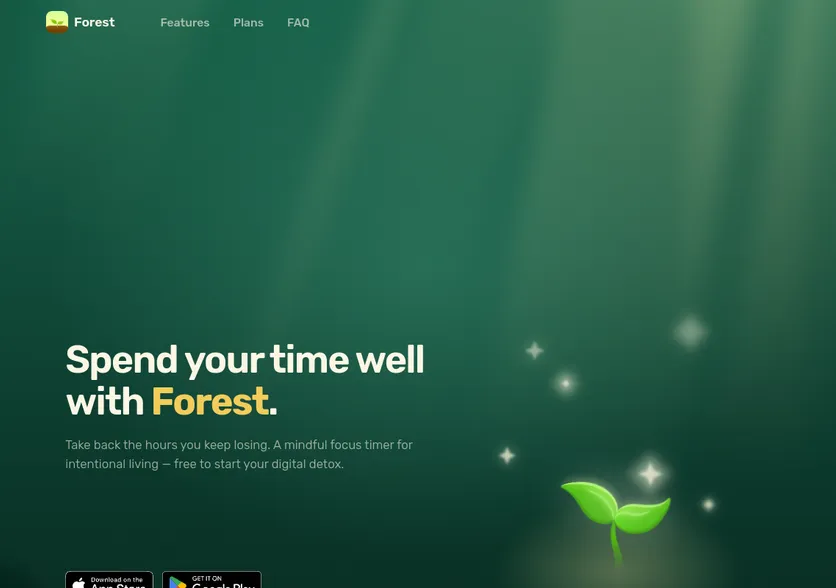
For a student who cannot stop checking the phone during study blocks, this Forest plan costs three dollars and ninety-nine cents once on iOS and turns focus into a game: plant a virtual tree, study without touching the phone, and watch it grow. Touch the phone and the tree dies, which is a small cost that somehow works, and the timer uses the Pomodoro method. It is the only focus tool in this list, and the cheapest one-time purchase.
What we like
- Focus timer that makes distraction visible
- Pomodoro method built into every session
- One-time purchase with no subscription needed
Watch out for
- Only a timer, so notes and flashcards live elsewhere
- Free on Android only with limited features
How to try it
- Set a focus timer for the study block
- Leave the phone alone while the tree grows
- Review the forest at the end of the week
8. Memrise
Best for: Students learning a language with real native speakers
Paid tool Starting price: $61.99/year · Sixty-one dollars and ninety-nine cents a year for Pro; $24.99 billed monthly; lifetime $329.99
Free plan: Free plan
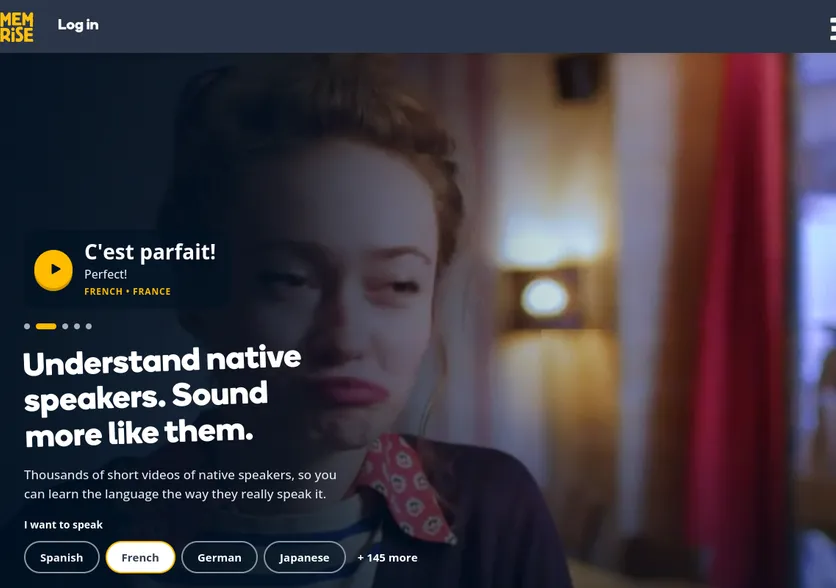
For a student learning a language alongside a degree, this Memrise plan costs sixty-one dollars and ninety-nine cents a year for Pro and teaches vocabulary with short videos of native speakers instead of synthetic voices. Real accents and speed train the ear for real conversations, and AI conversation practice sits on top of the word lessons. It is the language-learning pick in this list for a student who wants to hear the language as it is spoken.
What we like
- Vocabulary taught with real native-speaker video
- Offline mode and grammar help on Pro
- AI conversation practice for real speaking
Watch out for
- Monthly billing is dear at twenty-four dollars and ninety-nine cents
- AI conversation practice is shallow for advanced learners
How to try it
- Pick a course for the language and level
- Drill vocabulary with the native-speaker videos
- Practise a conversation with the AI buddy
Prices above were checked on each vendor’s own website on Nov 29, 2026 and can change — the vendor’s page is the final word. Vendor links are editorial: nobody paid to be listed or ranked here. Vendors who want a featured listing can see how it works on our Get listed page.
How to build a study system that survives exam week
Start with one app for each job, because a single app that does everything badly is worse than three apps that each do one job well. Flashcards carry the facts, a notes app holds the lectures, and a focus timer protects the study blocks, and each one should be used every day for a week before exam season starts. Test the free plan first, since every tool here lets a student study for real without paying, and only pay when a limit actually blocks revision. End each day by writing the three things to revise tomorrow, because a plan written down is a plan that gets done.
Before you buy
- Confirm the free plan covers real study, not just a demo, before relying on it for a whole semester
- Check whether the paid plan is billed yearly or monthly, since the same plan can cost triple month to month
- Ask if the app works offline, because lecture halls and libraries do not always have signal
- Make sure notes, flashcards and deadlines can move between devices, since study happens everywhere
- Test the app on a real week of lectures before paying, including a revision session the night before a test
Official websites
Official websites of the products reviewed above. Features and prices were checked against these sites when this guide was written, and they can change, so confirm on the vendor site before you buy.
Frequently asked questions
What are the best free study apps for college students?
The best free study apps are Quizlet, Notion, Goodnotes, Notability, Forest and Memrise, which all let a student study for real without paying. Quizlet gives free flashcards, Notion is free for students, Goodnotes gives three free files, Notability gives five free notes, Forest is free on Android and Memrise has a free core course, so a student can build a full study system for nothing.
How much does Quizlet Plus cost for a college student?
Quizlet Plus costs two dollars and ninety-nine cents a month billed annually, or thirty-five dollars and ninety-nine cents a year, with a seven-day free trial on annual plans. Billed monthly it is seven dollars and ninety-nine cents a month, and Plus Unlimited is forty-four dollars and ninety-nine cents a year and removes the caps on Learn rounds and practice tests.
Is Chegg Study worth fifteen dollars and ninety-five cents a month?
It is worth it for a student who is stuck on textbook problems every week, because step-by-step solutions for thousands of textbooks are hard to find elsewhere. It is poor value for a student who only needs flashcards or notes, where Quizlet, Notion and Goodnotes cost far less, and it has no free plan at all, so every month costs money.
Which study app is best for handwritten lecture notes?
Goodnotes is the best pick for handwritten notes, at eleven dollars and ninety-nine cents a year for unlimited files with searchable handwriting and PDF markup. Notability is the closest rival, and it wins when the student wants audio recording beside the notes, though its free plan stops at five notes and its best features sit in the dearer tiers.
Can a student stay focused without paying for an app?
Yes, Forest is free on Android with basic focus timers, and the full version costs three dollars and ninety-nine cents once on iOS with no subscription. The tree-planting timer makes distraction visible, and pairing it with a free flashcard app and a free notes app gives a student a complete study system for almost nothing.
Compare the eight tools above, then start with the free plan on the tool that matches the hardest part of the semester before paying for anything.
Browse Education & Learning tools