

On this page
Suno made AI music mainstream, but it is not the only tool that turns a prompt into a song, and for some jobs it is not the best one. Some creators need stems they can edit, some need royalty-free tracks for video, and some need full songs with vocals. Below are the seven Suno alternatives creators actually use, compared on price, vocals, stems and the license each one carries, with every price checked on the vendor site on November 26, 2026. Udio is our first pick, the closest Suno-style experience at ten dollars a month.
How we researched this
We started with the AI music generators people actually use as Suno replacements, then read each price on the vendor site on November 26, 2026 and noted the free plan or trial each one carries. We kept only tools with a published price, dropped two names that have shut down or hide pricing, and judged each one for a creator who needs usable music for videos, streams or songs without a licensing headache.
Compare the tools
| Name | Best for | Starting price | Free plan | |
|---|---|---|---|---|
 Udio | Songwriters who want full songs with vocals from a prompt | $10/month | Free plan | Visit |
 Soundraw | Video creators who need royalty-free tracks they can edit | $16.99/month | Free trial | Visit |
 Mubert | Creators who want endless background music without licensing hassle | $14/month | Free plan | Visit |
 Beatoven.ai | Video makers who need music matched to the length of a clip | $10/month | Free trial | Visit |
 Boomy | Beginners who want to make and release songs fast | $14.99/month | Free plan | Visit |
 Ecrett Music | Budget creators who need cheap royalty-free tracks | $4.99/month | Free plan | Visit |
 Stable Audio | Producers who want studio-grade AI music with stems | $12/month | Free plan | Visit |
The Suno alternatives, compared
1. Udio
Best for: Songwriters who want full songs with vocals from a prompt
Paid tool Starting price: $10/month · Standard plan; $8 per month billed annually
Free plan: Free plan
Udio turns a text prompt into a full song with vocals, melody and arrangement, which makes it the closest Suno-style experience on this list. The interface is simple enough for a first song in minutes, and the community feed is a good place to learn what prompts actually work. The Udio Standard plan bills monthly, with a lower rate on annual billing, and the free plan is generous enough to test the sound before paying.
What we like
- Full songs with vocals from a single prompt
- Simple interface — first song in minutes
- Strong community feed for prompt ideas
Watch out for
- Vocal quality varies a lot by genre
- Credits run out fast on heavy sessions
How to try it
- Open udio.com/pricing and start the free plan
- Type a prompt with a genre, mood and a lyric idea
- Generate a few versions and keep the best take
2. Soundraw
Best for: Video creators who need royalty-free tracks they can edit
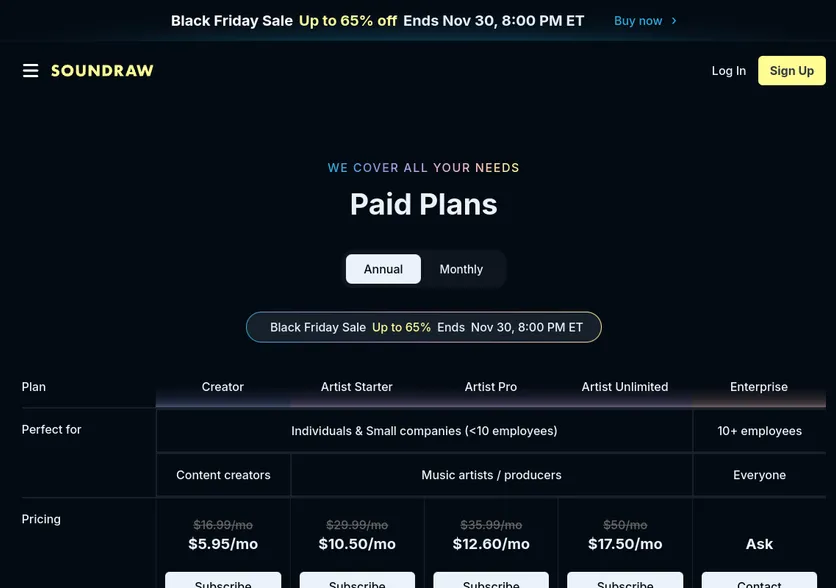
Paid tool Starting price: $16.99/month · Creator plan list price; seasonal discounts run on the same page
Free plan: Free trial
Soundraw generates royalty-free music you can shape by mood, genre, tempo and length, so it fits video creators who need a track that fits a cut rather than a finished song. The stems download separately, which makes it easy to drop the drums or lift the melody in an edit. The Soundraw Creator plan bills monthly at its list price, and the subscription covers commercial use on the tracks you generate.
What we like
- Stems download separately for real editing
- Royalty-free tracks with commercial use
- Mood, genre and length controls are precise
Watch out for
- List price is the one to budget for, not the promo
- No vocals — this is instrumental music only
How to try it
- Open soundraw.io/pricing and start the free trial
- Pick a mood, genre and length for your video
- Download the stems and mix them in your editor
3. Mubert
Best for: Creators who want endless background music without licensing hassle
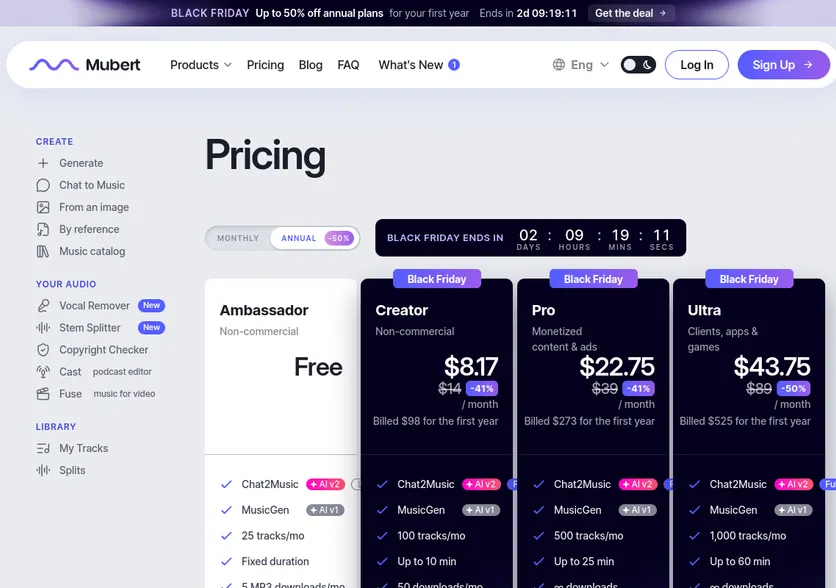
Paid tool Starting price: $14/month · Creator plan list price; seasonal discounts run on the same page
Free plan: Free plan
Mubert generates endless royalty-free music from a prompt, so it fits creators who need background tracks for streams, videos and podcasts without hunting for a license. The music adapts to the length you need, and the library covers most moods a creator will ask for. The Mubert Creator plan bills monthly at its list price, and the subscription includes commercial use for the tracks you make.
What we like
- Endless generation — never the same track twice
- Commercial use included on the Creator plan
- Good for streams, podcasts and background music
Watch out for
- Tracks are background music, not finished songs
- List price is higher than the promo shown on the page
How to try it
- Open mubert.com/pricing and pick the Creator plan
- Describe the mood and length you need
- Generate the track and download it for your project
4. Beatoven.ai
Best for: Video makers who need music matched to the length of a clip
Paid tool Starting price: $10/month · Creator plan; $100 per year billed annually
Free plan: Free trial
Beatoven generates royalty-free music matched to the exact length of a video, so it fits editors who are tired of trimming a track to fit a cut. Pick a genre and a mood, set the duration, and the track lands on the right length with a natural ending. The Beatoven Creator plan bills monthly, or yearly for a lower monthly rate, and the subscription covers commercial use.
What we like
- Tracks match the exact length of your video
- Natural endings — no awkward fade-outs
- Commercial use included for creators
Watch out for
- Instrumental only — no vocals or lyrics
- Smaller genre library than the big names
How to try it
- Open beatoven.ai/pricing and start the free trial
- Pick a genre, mood and the exact video length
- Generate the track and drop it on the timeline
5. Boomy
Best for: Beginners who want to make and release songs fast
Paid tool Starting price: $14.99/month · Creator plan list price; the page shows a promotional first rate
Free plan: Free plan
Boomy turns a few taps into a releasable song, with simple controls for style and arrangement and a path to streaming platforms built in. It suits beginners who want to hear a finished track today rather than learn a digital audio workstation. The Boomy Creator plan bills monthly at its list price, and the subscription unlocks faster creation and more downloads.

What we like
- A finished song in minutes with no music theory
- Built-in path to streaming platforms
- Very easy first step into music creation
Watch out for
- Songs can sound samey across styles
- List price is higher than the promo shown on the page
How to try it
- Open boomy.com/pricing and create a free account
- Pick a style and let Boomy draft the song
- Edit the arrangement and release it to streaming
6. Ecrett Music
Best for: Budget creators who need cheap royalty-free tracks
Paid tool Starting price: $4.99/month · Individual plan, billed annually; Business plan $14.99
Free plan: Free plan
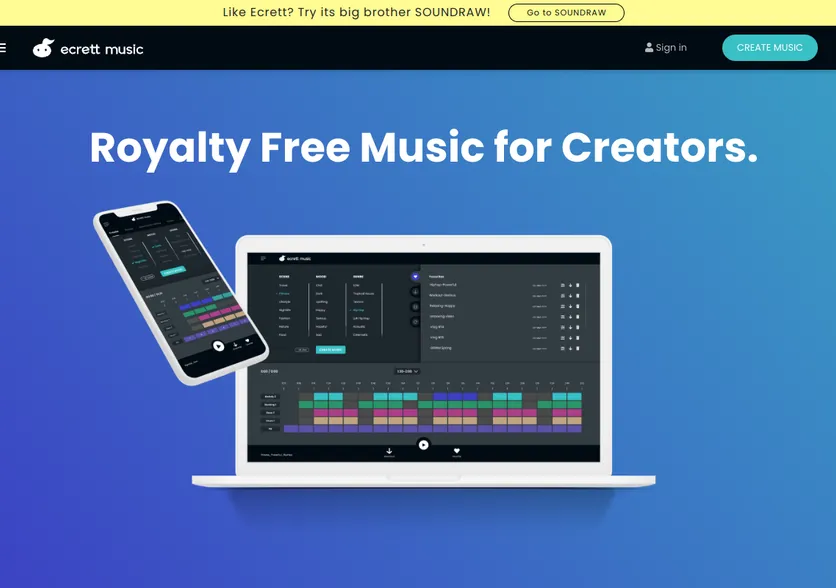
Ecrett Music generates royalty-free tracks by mood, scene and genre, and it does so at the lowest price on this list. The interface is plain, the tracks are clean, and the license covers commercial use without a separate negotiation. The Ecrett Music Individual plan bills monthly on annual billing, with a Business plan above it for teams that need more seats and downloads.
What we like
- The cheapest paid plan on this list
- Clean, usable tracks with a commercial license
- Simple picker by mood, scene and genre
Watch out for
- Smaller catalog than the bigger generators
- No vocals or lyric tools
How to try it
- Open ecrettmusic.com and start the free plan
- Pick a mood, scene and genre for your project
- Generate the track and download it with its license
7. Stable Audio
Best for: Producers who want studio-grade AI music with stems
Paid tool Starting price: $12/month · Solo plan; free plan available for testing
Free plan: Free plan
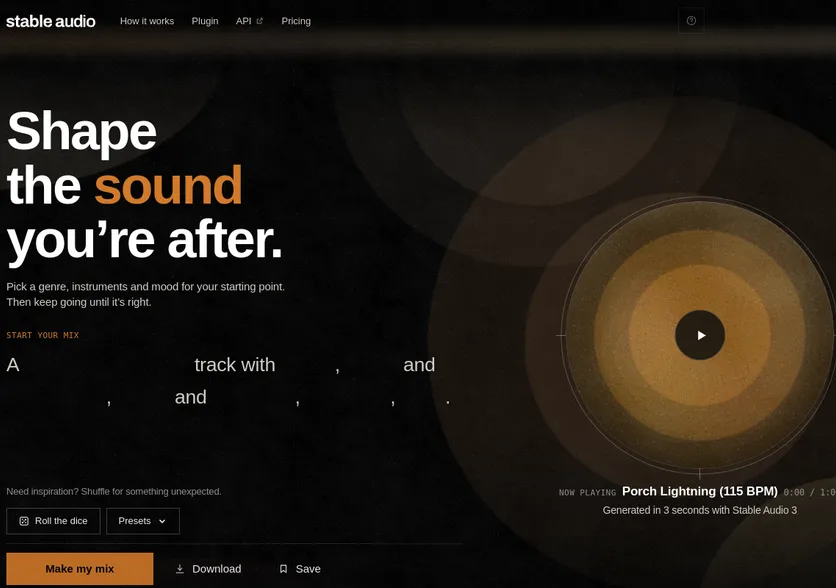
Stable Audio is the AI music tool from Stability AI, built for producers who want high-quality generations with real control over structure and stems. It handles longer generations than most rivals, and the output is clean enough to drop into a mix. The Stable Audio Solo plan bills monthly, and the subscription includes commercial use for the tracks you generate.
What we like
- Studio-grade sound with real structural control
- Longer generations than most rivals
- Stems available for mixing and editing
Watch out for
- Prompting takes practice to get great results
- No built-in path to streaming platforms
How to try it
- Open stableaudio.com/pricing and start the free plan
- Write a detailed prompt with instruments and structure
- Generate, pick the best take and download the stems
Prices above were checked on each vendor’s own website on Nov 26, 2026 and can change — the vendor’s page is the final word. Vendor links are editorial: nobody paid to be listed or ranked here. Vendors who want a featured listing can see how it works on our Get listed page.
What the AI music tools cost in 2026
Price is the first filter, and the range is wide. The cheapest plan here costs about five dollars a month, the most expensive costs about seventeen, and the gap between them is mostly stems, generation limits and the license. Every price on this page was read on the vendor site on November 26, 2026, and the list prices are the ones to budget for, not the seasonal discounts some pages show.
Two things to check before you pay. First, a generation limit decides the real cost: a cheap plan that caps you at a handful of songs a month is a false economy for a creator who publishes weekly. Second, read the license, because a track you cannot use commercially is a demo, and the free plans on this list are usually personal use only.
Before you buy
- Check the license, because a song you cannot use commercially is a demo, not a product.
- Count your monthly generations, because credit limits decide the real cost more than the headline price.
- Test the same prompt in two tools, because music quality varies more than the price tags suggest.
- Check the stems and downloads, because separate tracks matter when you mix or edit.
- Read the ownership terms, because some tools keep rights over what you generate.
Official websites
Official websites of the products reviewed above. Features and prices were checked against these sites when this guide was written, and they can change, so confirm on the vendor site before you buy.
Frequently asked questions
Which Suno AI alternative is best overall?
Udio is the best pick for most people, because it makes full songs with vocals from a single prompt and the Standard plan costs ten dollars a month. Soundraw is the better pick for video creators, because it exports stems you can edit. Stable Audio is the better pick for producers, because its sound quality and structural control are a step above the rest.
Can I use AI-generated music commercially?
It depends on the plan. Soundraw, Mubert, Beatoven and Stable Audio all include commercial use on their paid plans, and Ecrett Music licenses its tracks for commercial projects too. The free plans are usually for personal use only, so read the license on the plan you actually buy before you publish a track in a paid project.
Do these music generators have free plans?
Yes for most of them, with limits. Udio, Boomy and Ecrett Music all have free plans that let you generate tracks and hear the quality, but downloads, commercial use and higher limits sit behind the paid plans. The honest test is to generate the same prompt on the free plan of two tools and compare the results before spending anything.
How do these tools differ from Suno?
The main difference is the output. Suno and Udio make full songs with vocals and lyrics, while Soundraw, Mubert and Beatoven make instrumental tracks for video and background use. If the goal is a song with a singer, pick Udio; if the goal is a track under a video, pick Soundraw or Beatoven and use the stems to fit the edit.
What should I check before buying a music generator?
Check the monthly generation limit before you pay. Most plans cap the number of songs or the minutes of music you can generate, and a cheap plan that runs out mid-project costs more than a dearer plan with headroom. Also check whether the plan includes stems, because separate tracks are what make an AI track usable in a real edit.
Need free audio work too? Try Toolsvine's free audio tools — convert and trim clips on your device, no uploads, no sign-up.
Browse Audio Tools tools


