On this page
A remote engineering team has no corridor to catch up in, so the tracker has to carry the whole conversation about what ships next. The eight tools below were picked for teams that plan in sprints across time zones, from a dedicated issue tracker to a workspace that holds docs and tasks together. Jira leads because it is built for sprints at nine dollars and seventy cents per user a month, and the rest are ranked on how well they keep a distributed team moving without extra meetings.
How we researched this
We checked every price on the vendor pricing page on November 29, 2026, and only included tools with a published US dollar list price. Tools that sell only by quote were left out, as were general lists that cannot run a sprint backlog. Prices change, so confirm the current figure on the vendor site before you buy.
Compare the tools
| Name | Best for | Starting price | Free plan | |
|---|---|---|---|---|
 Jira | Remote teams that plan in sprints | $9.70/user/month | Free plan (up to 10 users) | Visit |
 ClickUp | Remote teams that want docs, bugs and releases in one place | $9/user/month | Free plan | Visit |
 Asana | Engineering teams whose roadmap must make sense company-wide | $10.99/user/month | Free plan (Personal) | Visit |
 Linear | Remote teams that want a fast tracker that stays out of the way | $8/user/month | Free plan (250 issues) | Visit |
 monday.com | Engineering teams that report to non-technical stakeholders | $9/seat/month | Free plan (up to 2 seats) | Visit |
 Notion | Remote teams that keep specs, notes and roadmap together | $10/member/month | Free plan | Visit |
 Shortcut | Small remote teams that want tracker structure without enterprise weight | $8.50/user/month | Free plan (up to 10 users) | Visit |
 Todoist | Engineers tracking personal work beside the team sprint | $4/user/month | Free plan (5 projects) | Visit |
The task management software for remote engineering teams, compared
1. Jira
Best for: Remote teams that plan in sprints
Paid tool Starting price: $9.70/user/month · Nine dollars and seventy cents per user a month on Standard; Premium is nineteen dollars and sixty cents; one November 2026 read lists Standard at seven dollars and seventy-five cents and Premium at fifteen dollars and twenty-five cents, so confirm the current figure on the vendor page
Free plan: Free plan (up to 10 users)
An engineering team that ships in sprints needs a tracker built for sprints, and this Jira plan costs nine dollars and seventy cents per user a month on Standard for exactly that workflow. Scrum and Kanban boards, backlogs and story points map directly onto how developers plan, and the roadmap view shows what the next three sprints hold.

What we like
- Scrum and Kanban boards, backlogs and story points built in
- Roadmap view shows what the next three sprints hold
- Free plan covers up to ten users
Watch out for
- A small team can spend a week configuring it before shipping
- One November 2026 read lists a lower Standard price, so confirm at checkout
How to try it
- Create a project with a backlog, a sprint board and a roadmap
- Add story points and owners to every ticket before the sprint
- Review the board together each morning for fifteen minutes
2. ClickUp
Best for: Remote teams that want docs, bugs and releases in one place
Paid tool Starting price: $9/user/month · Nine dollars per user a month on Core billed annually; Business is seventeen dollars per user a month billed annually; Enterprise is quoted
Free plan: Free plan
A remote engineering team that also handles docs, bugs and releases in separate tools loses time to context switching, and this ClickUp plan costs nine dollars per user a month billed annually to pull them into one workspace. Custom statuses can follow a ticket from triage to release, docs hold the spec beside the work, and time tracking shows where the sprint actually went. The flexibility needs discipline, since a team that over-customises ends up maintaining the tool instead of shipping.

What we like
- Custom statuses follow a ticket from triage to release
- Docs hold the spec beside the work
- Time tracking shows where the sprint actually went
Watch out for
- Over-customising means maintaining the tool instead of shipping
- The free plan limits storage for teams with many files
How to try it
- Build one space for the team with lists for backlog, sprint and release
- Add custom statuses that match the team's real workflow
- Link the spec doc to each feature ticket
3. Asana
Best for: Engineering teams whose roadmap must make sense company-wide
Paid tool Starting price: $10.99/user/month · Ten dollars and ninety-nine cents per user a month on Starter billed annually (thirteen dollars and forty-nine cents billed monthly); Advanced is twenty-four dollars and ninety-nine cents billed annually (thirty dollars and forty-nine cents monthly)
Free plan: Free plan (Personal)
When the engineering roadmap has to make sense to product and support as well as developers, this Asana plan costs ten dollars and ninety-nine cents per user a month billed annually for a tracker the whole company can read. Timelines show dependencies between teams, goals link the sprint to the quarter's target, and the workload view shows who is overloaded before the sprint starts. Developers who live in their code editor may find it lighter than a dedicated issue tracker.

What we like
- Timelines show dependencies between teams
- Goals link the sprint to the quarter's target
- Workload view shows who is overloaded before the sprint starts
Watch out for
- Lighter on issue tracking than a dedicated tracker
- Starter is the dearest entry plan in this list
How to try it
- Create a project per quarter with sections for each sprint
- Add dependencies between tasks that cross teams
- Check the workload view before committing to a sprint
4. Linear
Best for: Remote teams that want a fast tracker that stays out of the way
Paid tool Starting price: $8/user/month · Eight dollars per user a month on Standard billed annually (ten dollars billed monthly); Plus is fourteen dollars per user a month billed annually (sixteen dollars monthly); Enterprise is quoted
Free plan: Free plan (250 issues)
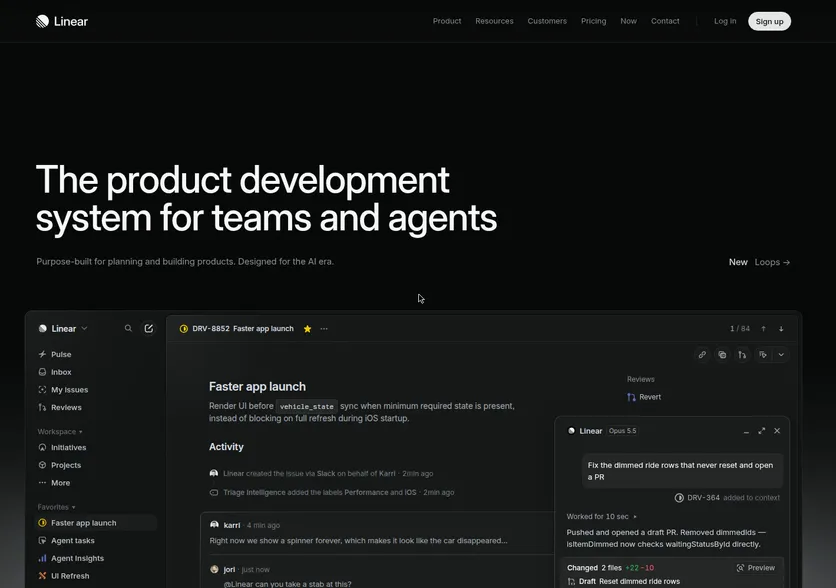
A remote team that wants the tracker to stay out of the way while they build will like the speed here, and this Linear plan costs eight dollars per user a month billed annually for an issue tracker that feels instant. Keyboard shortcuts, cycles and triage keep the backlog tidy without meetings, and the GitHub integration links a pull request to the issue it closes. The free plan covers two hundred and fifty issues, so a growing team moves to paid once the backlog grows.
What we like
- Keyboard shortcuts and triage keep the backlog tidy without meetings
- GitHub integration links a pull request to the issue it closes
- Cycles plan the sprint without extra process
Watch out for
- The free plan covers only two hundred and fifty issues
- Fewer native integrations than the bigger trackers
How to try it
- Create a team with cycles for each sprint
- Triage new issues daily and assign them at once
- Link pull requests to issues so they close automatically
5. monday.com
Best for: Engineering teams that report to non-technical stakeholders
Paid tool Starting price: $9/seat/month · Nine dollars per seat a month on Basic billed annually (twelve dollars billed monthly); Standard is twelve dollars a seat a month billed annually and Pro is nineteen dollars; a three-seat minimum applies to paid plans
Free plan: Free plan (up to 2 seats)
At nine dollars per seat a month billed annually, this monday.com plan gives an engineering team a board that non-technical stakeholders can read at a glance. Status columns show which features are in review and which are blocked, automations can move a ticket when its status changes, and dashboards roll several sprints into one status report. The three-seat minimum is minor for a team, though the tool is less deep on issue tracking than Jira or Linear.

What we like
- Status columns show which features are blocked at a glance
- Dashboards roll several sprints into one status report
- Automations move tickets when their status changes
Watch out for
- Less deep on issue tracking than Jira or Linear
- The three-seat minimum applies to paid plans
How to try it
- Create a board per sprint with status columns for each stage
- Add a dashboard that rolls sprints into one report
- Set automations to move tickets when they are approved
6. Notion
Best for: Remote teams that keep specs, notes and roadmap together
Paid tool Starting price: $10/member/month · Ten dollars per member a month on Plus billed annually (twelve dollars billed monthly); Business is twenty dollars per member a month billed annually (twenty-four dollars monthly)
Free plan: Free plan
A remote engineering team that keeps its specs, meeting notes and roadmap in one place saves the daily search across tools, and this Notion plan costs ten dollars per member a month billed annually for that combined workspace. A roadmap database can link to the spec for each feature, and the sprint board shows what the team committed to this cycle. It is a docs tool with tasks attached, so teams that need real issue tracking will pair it with a dedicated tracker.

What we like
- A roadmap database links to the spec for each feature
- Sprint board shows what the team committed to this cycle
- Templates turn a new feature into a repeatable page
Watch out for
- A docs tool with tasks attached, not a dedicated tracker
- Offline access is weaker than the dedicated task apps
How to try it
- Create a roadmap database with linked specs for each feature
- Build a sprint board from the roadmap each cycle
- Write meeting notes in the same workspace as the tasks
7. Shortcut
Best for: Small remote teams that want tracker structure without enterprise weight
Paid tool Starting price: $8.50/user/month · Eight dollars and fifty cents per user a month on Team billed annually; Business is twelve dollars per user a month billed annually; the vendor does not publish this price on its own page, so the figure rests on multiple agreeing November 2026 reads
Free plan: Free plan (up to 10 users)
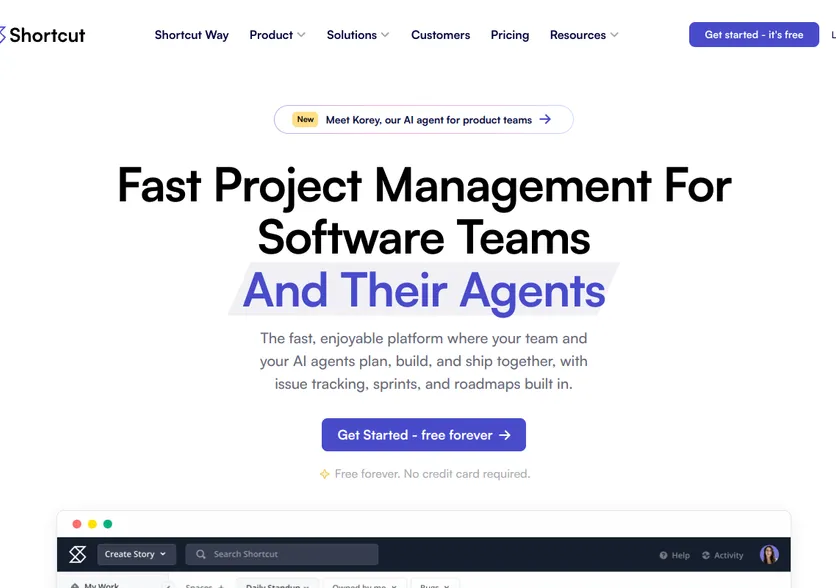
A small remote engineering team that wants the structure of an issue tracker without the enterprise weight will find it here, and this Shortcut plan costs eight dollars and fifty cents per user a month billed annually for stories, epics and iterations. The workflow states follow a ticket from backlog to done, milestones show what ships this quarter, and the GitHub integration keeps code and tickets in step. The free plan covers up to ten users, so a small team can run on it for a long time.
What we like
- Workflow states follow a ticket from backlog to done
- Milestones show what ships this quarter
- GitHub integration keeps code and tickets in step
Watch out for
- The vendor does not publish this price on its own page
- Fewer integrations than the bigger trackers
How to try it
- Create a team with stories, epics and iterations
- Set milestones for what ships this quarter
- Connect GitHub so branches link to stories
8. Todoist
Best for: Engineers tracking personal work beside the team sprint
Paid tool Starting price: $4/user/month · Four dollars per user a month on Pro billed annually (five dollars billed monthly); Business is six dollars per user a month billed annually, while monthly Business billing is listed at eight dollars in one November 2026 read and six dollars in another, so confirm at checkout
Free plan: Free plan (5 projects)
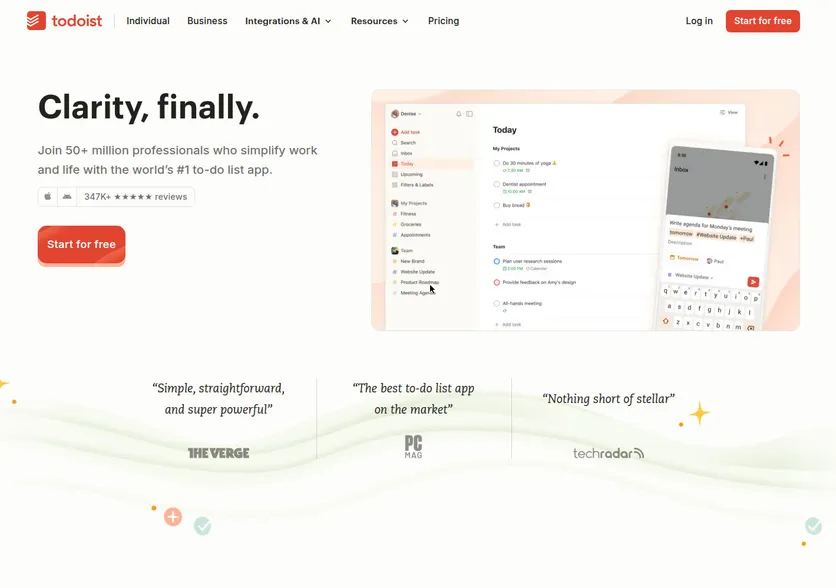
Not every engineering task needs a sprint board, and this Todoist plan costs four dollars per user a month billed annually for the personal and small-team work around the edges. An engineer can track their own tasks, code reviews and follow-ups in one list while the team tracker holds the sprint, and shared projects let a lead see what their reports are doing. It is the lightest tool in this list, so it complements an issue tracker rather than replacing one.
What we like
- One list holds personal tasks, code reviews and follow-ups
- Shared projects let a lead see what their reports are doing
- Natural-language entry adds a task in seconds
Watch out for
- Too light to replace a real issue tracker
- The free plan caps at five projects
How to try it
- Create a personal project for code reviews and follow-ups
- Share a project with the team lead for visibility
- Add recurring tasks for weekly reviews and releases
Prices above were checked on each vendor’s own website on Nov 29, 2026 and can change — the vendor’s page is the final word. Vendor links are editorial: nobody paid to be listed or ranked here. Vendors who want a featured listing can see how it works on our Get listed page.
How a remote engineering team runs a sprint without extra meetings
Keep the backlog in one place and groom it once a week, because a remote team that cannot see the next sprint cannot plan for it. Give every ticket an owner, a size and a clear definition of done before the sprint starts, and never start a ticket that has none of the three. Review the board together for fifteen minutes each morning, move blocked work to the top, and close finished tickets the same day so the board always shows live work. When a sprint ends, copy what worked into the next one and drop what did not.
Before you buy
- Check that the tool runs sprints, backlogs and story points, not just simple to-do lists
- Make sure the GitHub or GitLab integration links pull requests to the tickets they close
- Ask whether the roadmap view shows the next three sprints to product and support teams
- Confirm the tool stays fast with hundreds of issues, because a slow tracker kills a remote team
- Test the free plan with a real sprint before paying, including a ticket that gets blocked
Official websites
Official websites of the products reviewed above. Features and prices were checked against these sites when this guide was written, and they can change, so confirm on the vendor site before you buy.
Frequently asked questions
What is the best task management software for remote engineering teams?
Jira is the best overall pick for most remote engineering teams, at nine dollars and seventy cents per user a month on Standard, because it is built for sprints, backlogs and story points. Linear is the better choice for a team that wants speed and a clean issue tracker, and Shortcut is the best value for a small team. The right pick depends on whether the team needs depth, speed or a low price.
How much does task management software cost a remote engineering team?
Prices in this list run from four dollars per user a month for Todoist Pro to ten dollars and ninety-nine cents for Asana Starter, with most dedicated trackers between eight and ten dollars a month. Jira Standard costs nine dollars and seventy cents, Linear Standard costs eight dollars and Shortcut Team costs eight dollars and fifty cents. A team of ten on a paid tracker should expect roughly eighty to one hundred dollars a month.
Is Jira or Linear better for a remote team?
Jira is better when the team needs deep configuration, custom workflows and reporting across many projects, and when non-technical teams also need to read the roadmap. Linear is better when the team values speed, keyboard shortcuts and a clean backlog over configuration. Small teams often start with Linear and move to Jira only when their process outgrows it.
Can a remote engineering team use free task management software?
Yes. Jira is free for up to ten users, Linear is free for up to two hundred and fifty issues, and Shortcut is free for up to ten users. Todoist, ClickUp, Trello and Notion also have free plans that cover small teams. The free plans usually limit seats, issues or storage, so a growing team should expect to pay once it passes those limits.
Do remote engineering teams need a separate docs tool as well?
Not always. ClickUp and Notion hold docs beside tasks, so a team can keep specs and meeting notes in the same workspace as the sprint board. Jira, Linear and Shortcut are stronger trackers but expect the team to keep docs elsewhere, often in a wiki or a docs app. Pick the tracker first, then add a docs tool only if the team keeps losing specs.
Compare the eight tools above, then start with the free Jira plan on the tracker that matches how the team already ships before paying for a full year.
Browse Productivity Tools tools