On this page
A financial advisor's chat is not casual talk, since every message about a client can become a record the firm must keep. The eight tools below were picked for advisory firms that need chat with history, archiving and data control, from a plain channel app to a self-hosted system. Slack leads because its paid plans keep a full searchable history for seven dollars and twenty-five cents per user a month, and the rest are ranked on how well they keep client conversations safe and findable.
How we researched this
We checked every price on the vendor pricing page on November 29, 2026, and only included tools with a published US dollar list price. Tools that sell only by quote were left out, including the archiving vendors that charge by the mailbox, and so were tools with no paid plan at all. Prices change, so confirm the current figure on the vendor site before you buy.
Compare the tools
| Name | Best for | Starting price | Free plan | |
|---|---|---|---|---|
 Slack | Advisory firms that need every conversation searchable | $7.25/user/month (Pro) | Free plan (90-day message history) | Visit |
 Microsoft Teams | Advisory firms that already run on Microsoft 365 | $4/user/month (Essentials) | Free plan | Visit |
 Google Chat | Advisory firms that live in Gmail and Drive | $7/user/month (Workspace Starter) | Free plan (personal Google account) | Visit |
 Rocket.Chat | Advisory firms that must keep data on their own servers | $8/user/month (Pro) | Free plan (Community, self-hosted) | Visit |
 Mattermost | Advisory firms with strict data rules | $10/user/month (Professional) | Free plan (Starter, self-hosted) | Visit |
 Chanty | Small advisory firms that want the cheapest paid chat | $3/user/month (Business) | Free plan (up to 5 users) | Visit |
 Zoho Cliq | Advisory firms that already run on Zoho | $3/user/month (Unlimited) | Free plan (unlimited users) | Visit |
 Flock | Small advisory firms that want a familiar chat at a lower price | $4.50/user/month (Pro) | Free plan (up to 20 users) | Visit |
The team chat software for financial advisors, compared
1. Slack
Best for: Advisory firms that need every conversation searchable
Paid tool Starting price: $7.25/user/month (Pro) · Seven dollars and twenty-five cents per user a month on Pro billed annually (eight dollars and seventy-five cents billed monthly); Business+ is fifteen dollars per user a month billed annually (eighteen dollars monthly), after a June 2025 rise from twelve dollars and fifty cents, though older listings still show the old figure
Free plan: Free plan (90-day message history)
An advisory firm that needs every client conversation searchable and compliant will start with the biggest chat tool, and this Slack plan costs seven dollars and twenty-five cents per user a month on Pro billed annually. Channels separate each client team and each workstream, threads keep advice and its context together, and the paid plans keep a full searchable history that the free plan drops after ninety days. Compliance exports need the Business+ tier, so a firm that must archive everything should budget above Pro.

What we like
- Paid plans keep a full searchable history
- Channels separate each client team and workstream
- Threads keep advice and its context together
Watch out for
- Compliance exports need the Business+ tier
- Free plan drops history after ninety days
How to try it
- Create a channel for each client team
- Keep advice in threads so the context stays together
- Move to a paid plan so history is kept in full
2. Microsoft Teams
Best for: Advisory firms that already run on Microsoft 365
Paid tool Starting price: $4/user/month (Essentials) · Four dollars per user a month on Essentials billed annually; the free plan covers chat and meetings for small teams, and fuller Microsoft 365 plans that include Teams start higher
Free plan: Free plan
An advisory firm that already runs on Microsoft 365 gets chat for the lowest price here, and this Microsoft Teams plan costs four dollars per user a month on Essentials billed annually. Chat and meetings sit beside Outlook and OneDrive, so client files and conversations stay in one place, and the free plan covers a small firm that only needs the basics. Retention and compliance controls sit on the fuller Microsoft 365 plans, so a firm with strict archiving rules should check the tier before choosing.

What we like
- Chat and meetings sit beside Outlook and OneDrive
- Cheapest paid chat in this list
- Free plan covers a small firm that only needs the basics
Watch out for
- Retention and compliance controls sit on fuller Microsoft 365 plans
- Guest access is clunkier than the dedicated chat tools
How to try it
- Create a team per client with channels for each matter
- Store client files in OneDrive beside the chat
- Check the retention settings before the team grows
3. Google Chat
Best for: Advisory firms that live in Gmail and Drive
Paid tool Starting price: $7/user/month (Workspace Starter) · Seven dollars per user a month for Google Workspace Business Starter on a one-year commitment, which includes Chat alongside Gmail, Drive and Meet; Standard is fourteen dollars and Plus is twenty-two dollars; Chat is not sold separately
Free plan: Free plan (personal Google account)
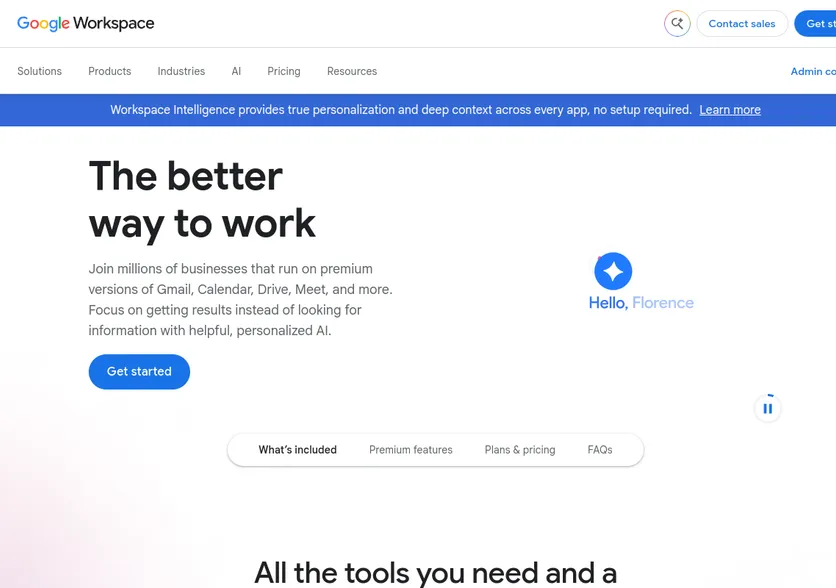
An advisory firm that lives in Gmail and Drive will find chat already built into the suite, and this Google Chat plan costs seven dollars per user a month for Workspace Business Starter on a one-year commitment. Spaces hold each client team beside the inbox, threads keep advice readable, and Vault archiving sits on the higher Workspace tiers for firms that must keep records. Chat is not sold separately, so the price is really the price of a Workspace seat.
What we like
- Chat sits inside Gmail and Drive
- Spaces hold each client team beside the inbox
- Vault archiving sits on the higher Workspace tiers
Watch out for
- Chat is not sold separately, so the price is a Workspace seat
- Vault archiving needs a higher tier than Starter
How to try it
- Create a space for each client team
- Keep advice in threads so it stays readable
- Check the Vault settings on the firm's Workspace tier
4. Rocket.Chat
Best for: Advisory firms that must keep data on their own servers
Paid tool Starting price: $8/user/month (Pro) · Eight dollars per user a month on Pro billed annually; the Community edition is free for self-hosting and Enterprise is quoted; one November 2026 guide treats Pro as quote-only because the vendor page shows no dollar figure without a quote flow, but multiple vendor-page reads agree on eight dollars
Free plan: Free plan (Community, self-hosted)
At eight dollars per user a month on Pro billed annually, this Rocket.Chat plan gives an advisory firm that must keep client data on its own servers the managed version of an open-source chat. The Community edition is free for self-hosting, so the firm controls where every message lives, and the Pro plan adds standard support for up to five hundred users. One guide treats Pro as quote-only, though multiple vendor-page reads agree on the price.

What we like
- Open-source chat the firm can host itself
- Community edition is free for self-hosting
- Pro adds standard support for up to five hundred users
Watch out for
- One guide treats Pro as quote-only, though vendor reads agree on the price
- Self-hosting needs someone to run the server
How to try it
- Start on the free Community edition to test the fit
- Host it on the firm's own servers
- Move to Pro when the firm needs standard support
5. Mattermost
Best for: Advisory firms with strict data rules
Paid tool Starting price: $10/user/month (Professional) · Ten dollars per user a month on Professional, sold as a prepaid annual licence; Enterprise and Enterprise Advanced are quoted; Professional is capped at two hundred and fifty licensed users
Free plan: Free plan (Starter, self-hosted)
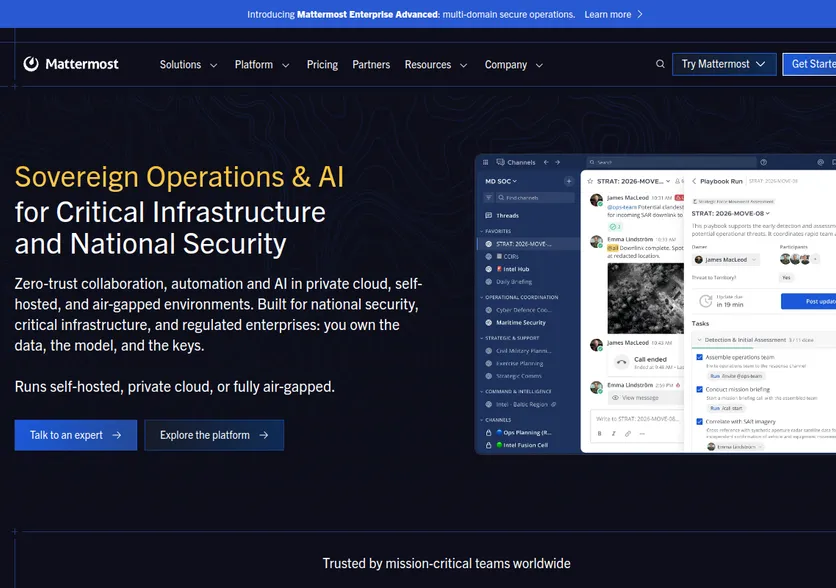
An advisory firm with strict data rules will like the control here, and this Mattermost plan costs ten dollars per user a month on Professional, sold as a prepaid annual licence. The firm can run the chat on its own servers, in the cloud or in an air-gapped environment, and Professional adds single sign-on, advanced permissions and guest accounts. The plan is capped at two hundred and fifty users, so a large firm needs the Enterprise tier.
What we like
- Runs on the firm's own servers or in the cloud
- Professional adds single sign-on and guest accounts
- Air-gapped deployment for the strictest data rules
Watch out for
- Professional is capped at two hundred and fifty users
- Licences are prepaid annually with no monthly option
How to try it
- Choose self-hosted or cloud deployment
- Set up single sign-on and guest accounts
- Review permissions once a quarter
6. Chanty
Best for: Small advisory firms that want the cheapest paid chat
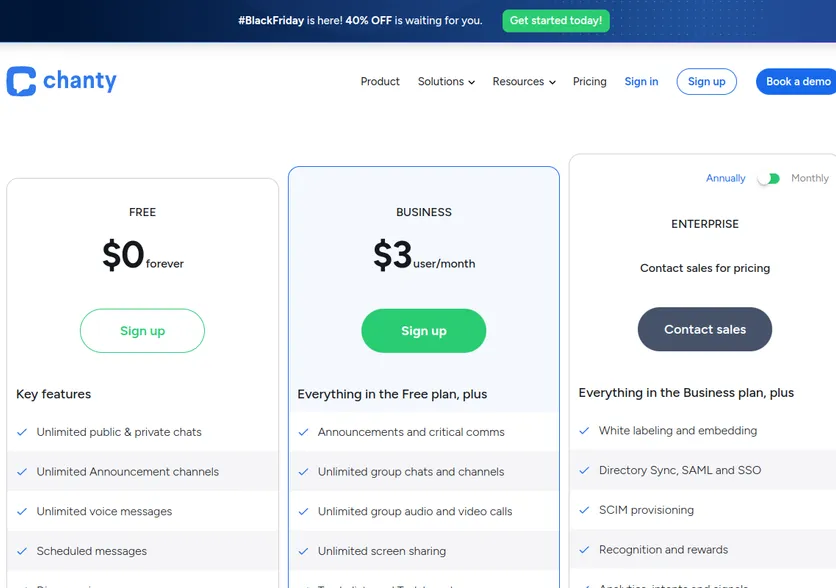
Paid tool Starting price: $3/user/month (Business) · Three dollars per user a month on Business billed annually (four dollars billed monthly); the free plan covers up to five members with unlimited message history; Enterprise is quoted and nonprofits and schools get fifty percent off
Free plan: Free plan (up to 5 users)
A small advisory firm that wants the cheapest paid chat with tasks built in will find it here, and this Chanty plan costs three dollars per user a month on Business billed annually. Channels and direct messages cover the daily work, any message can turn into a task on a Kanban board, and the free plan covers up to five members with unlimited history. The tool is simpler than the big chat apps, so a firm that needs deep compliance controls should look at the dearer tools here.
What we like
- Cheapest paid chat in this list
- Any message can turn into a task on a Kanban board
- Free plan covers five members with unlimited history
Watch out for
- Simpler than the big chat apps for compliance controls
- Free plan stops at five members
How to try it
- Create channels for each client team
- Turn messages into tasks on the Kanban board
- Move to Business when the team passes five members
7. Zoho Cliq
Best for: Advisory firms that already run on Zoho
Paid tool Starting price: $3/user/month (Unlimited) · Three dollars per user a month on Unlimited for teams of up to ten users, dropping to two dollars and fifty cents for eleven to fifty users, two dollars for fifty-one to one hundred, one dollar and fifty cents for one hundred to five hundred, and one dollar above five hundred; the free plan covers unlimited users with ten thousand searchable messages
Free plan: Free plan (unlimited users)
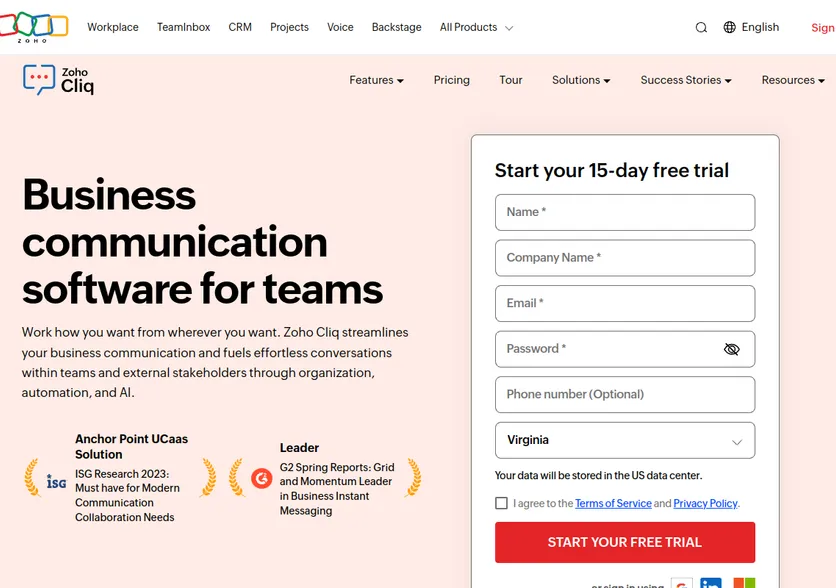
An advisory firm that already runs on Zoho will find chat for almost nothing, and this Zoho Cliq plan costs three dollars per user a month on Unlimited for teams of up to ten users. The price drops as the team grows, reaching one dollar a user above five hundred, and the chat plugs straight into Zoho CRM so client records surface inside conversations. The free plan covers unlimited users with ten thousand searchable messages, which suits a small firm starting out.
What we like
- Price drops as the team grows, reaching one dollar above five hundred
- Plugs straight into Zoho CRM
- Free plan covers unlimited users
Watch out for
- Interface feels utilitarian next to the polished chat tools
- External integrations are restricted
How to try it
- Connect Cliq to the firm's Zoho CRM
- Create channels for each client team
- Use the flexible subscription to mix plans by role
8. Flock
Best for: Small advisory firms that want a familiar chat at a lower price
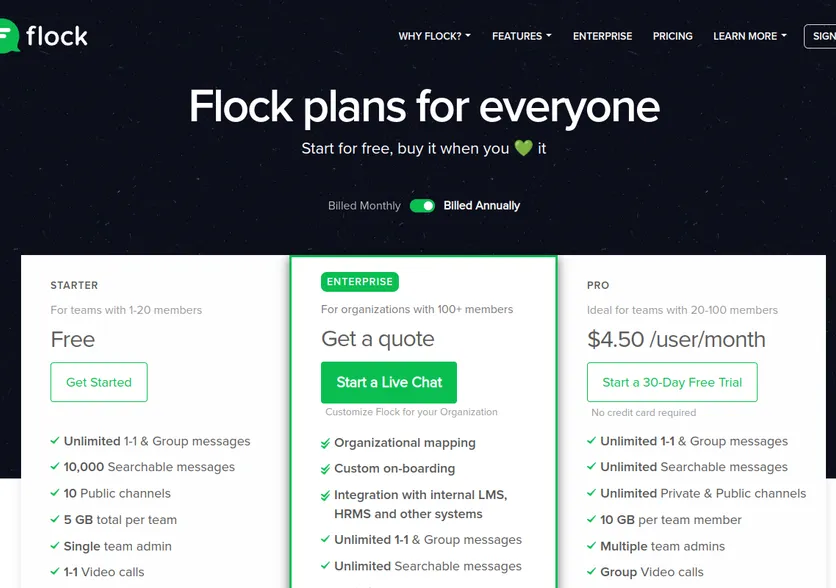
Paid tool Starting price: $4.50/user/month (Pro) · Four dollars and fifty cents per user a month on Pro billed annually, for teams of twenty to one hundred members; the free Starter plan covers up to twenty members with ten thousand searchable messages; Enterprise is quoted
Free plan: Free plan (up to 20 users)
A small advisory firm that wants a familiar chat at a lower price will find it here, and this Flock plan costs four dollars and fifty cents per user a month on Pro billed annually. Channels, direct messages and video calls cover the daily work, and the free Starter plan covers up to twenty members. The Pro plan caps at one hundred members, so a growing firm will outgrow it, and the compliance controls are lighter than the tools built for regulated firms.
What we like
- Familiar Slack-style chat at a lower price
- Shared to-dos and polls built in
- Free Starter plan covers up to twenty members
Watch out for
- Pro plan caps at one hundred members
- Compliance controls are lighter than the regulated tools
How to try it
- Create channels for each client team
- Add shared to-dos for follow-up work
- Use group calls for the cases a chat cannot solve
Prices above were checked on each vendor’s own website on Nov 29, 2026 and can change — the vendor’s page is the final word. Vendor links are editorial: nobody paid to be listed or ranked here. Vendors who want a featured listing can see how it works on our Get listed page.
How an advisory firm keeps client chat safe and findable
Keep every client conversation in its own channel, and never discuss a client in a general chat where the record cannot be found later. Turn on the paid plan's full history from day one, because the free plan's ninety-day limit can delete the very record a regulator asks for. Decide who can see each channel before the team grows, and review the permissions once a quarter. When a client leaves, archive the channel instead of deleting it, and keep the archive with the client file.
Before you buy
- Check that message history is unlimited on the paid plan, because a firm must keep client records
- Make sure the tool offers archiving or export, since regulators may ask for a conversation years later
- Ask whether the chat can run on the firm's own servers, because some firms cannot use shared cloud storage
- Confirm guest access is controlled, since clients and outside advisers should only see their own channel
- Test the tool with a real client team before paying, including a conversation that needs archiving
Official websites
Official websites of the products reviewed above. Features and prices were checked against these sites when this guide was written, and they can change, so confirm on the vendor site before you buy.
Frequently asked questions
What is the best team chat software for financial advisors?
Slack is the best overall pick for most advisory firms, at seven dollars and twenty-five cents per user a month on Pro, because it keeps a full searchable history. Mattermost is the best pick for a firm that must control its data, since it can run on the firm's own servers, and Google Chat suits a firm that already lives in Gmail and Drive. The right pick depends on whether the firm needs history, control or a familiar suite.
How much does team chat software cost a financial advisory firm?
Prices in this list run from three dollars per user a month for Chanty Business and Zoho Cliq to ten dollars for Mattermost Professional, with most tools between four and eight dollars a month. A firm of ten on Slack Pro should expect roughly seventy-two dollars and fifty cents a month. Compliance exports and archiving sit on higher tiers, so a firm with strict rules should budget above the entry price.
Can a financial advisor use free team chat software?
Yes, for day-to-day chat, though the limits matter more for an advisory firm than for most teams. Slack, Teams, Google Chat, Chanty, Flock, Rocket.Chat and Mattermost all have free plans, but the free plans limit history, guests or archiving. A firm that must keep client records should pay for a plan with full history from the start, since a deleted message cannot be recovered later.
Is self-hosted chat better for a financial advisory firm?
It can be, when the firm must control where client data lives. Mattermost and Rocket.Chat both offer free self-hosted editions, so the firm keeps every message on its own servers. The trade-off is that someone must run and update the server, which costs time or a hosting bill. A firm without IT staff is usually better off on a managed plan with strong archiving.
What archiving do financial advisors need from team chat?
Advisors need a full, searchable history that the firm can export and keep, because a regulator may ask for a conversation years after it happened. Slack keeps that history on paid plans, with compliance exports on Business+, while Google Chat offers Vault archiving on higher Workspace tiers. Mattermost and Rocket.Chat let the firm keep the data on its own servers, which suits firms with the strictest rules.
Compare the eight tools above, then start with the free Slack plan on the chat tool that matches how the firm already keeps client records before paying for a full year.
Browse Productivity Tools tools