
On this page
A freelance collective lives in its chat app, swapping briefs, sharing files and keeping clients straight across time zones. The seven tools below cover channels, threads, voice rooms and file sharing, with entry prices from free to seven dollars twenty-five cents a user a month. Every price was checked on the vendor site on November 26, 2026, and most tools offer a free plan so you can test with your real group. Slack is our first pick — the standard team chat everyone knows, from seven dollars twenty-five cents a user a month.
How we researched this
We started with the team chat tools freelance collectives actually use, then read each price on the vendor pricing page on November 26, 2026 and noted the free plan or trial each one carries. We judged them for a loose group of freelancers who share clients and need channels, history and calls without an IT department. We kept only tools with a published price, and we dropped Rocket Chat, Mattermost and Element because their paid plans are quote-only.
Compare the tools
| Name | Best for | Starting price | Free plan | |
|---|---|---|---|---|
 Slack | Freelance collectives that need the standard team chat everyone knows | $7.25/user/month | Free plan with 90 days of message history | Visit |
 Microsoft Teams | Collectives already on Microsoft 365 that want chat included | $4/user/month | Free plan with group meetings up to 60 minutes | Visit |
 Discord | Collectives that want a free community hub with voice channels | $2.99/month | Free tier for unlimited members and channels | Visit |
 Flock | Small collectives that want chat, video and tasks in one app | $4.50/user/month | Free plan for up to 10 users | Visit |
 Chanty | Tiny collectives that want team chat for a few dollars a month | $3/user/month | Free plan for up to 5 members | Visit |
 Pumble | Collectives that want unlimited chat history for the lowest price | $2.49/user/month | Free plan with unlimited users and history | Visit |
 Zulip | Collectives that want open-source chat they can host themselves | $6.67/user/month | Free plan on Zulip Cloud; self-hosting free | Visit |
The team chat software tools, compared
1. Slack
Best for: Freelance collectives that need the standard team chat everyone knows
Paid tool Starting price: $7.25/user/month · Pro plan, $7.25 a user a month billed annually or $8.75 month to month; Business Plus $15
Free plan: Free plan with 90 days of message history
Slack is the default team chat for a reason, with channels, threads, huddles and more integrations than any rival. This Slack Pro plan adds unlimited message history, unlimited integrations and group huddles for a freelance collective. A group of freelancers can run client work, internal chat and file sharing from one workspace.

What we like
- The most integrations of any team chat
- Channels and threads keep client work separate
- Huddles for quick voice calls without a meeting
Watch out for
- Pro costs $7.25 a user a month billed annually
- The free plan keeps only ninety days of history
How to try it
- Open the Slack pricing page and create a workspace
- Set up channels for each client and project
- Invite your collective and connect your favorite apps
2. Microsoft Teams
Best for: Collectives already on Microsoft 365 that want chat included
Paid tool Starting price: $4/user/month · Teams Essentials, $4 a user a month billed annually; Microsoft 365 Business Basic $7, Standard $14
Free plan: Free plan with group meetings up to 60 minutes
Microsoft Teams is the chat and meeting tool inside Microsoft 365, so a collective already paying for Office apps gets it as part of the deal. This Microsoft Teams Essentials plan covers chat, meetings and file sharing for a small team without a full Microsoft 365 subscription. A group that lives in Word and Excel can keep its chat in the same place.

What we like
- Included with Microsoft 365 plans
- Meetings, chat and files in one app
- Free plan for small groups
Watch out for
- Essentials costs $4 a user a month billed annually
- Full features need a Microsoft 365 plan
How to try it
- Open the Microsoft Teams pricing page and create a team
- Set up channels for each client and project
- Invite your collective and share files in chat
3. Discord
Best for: Collectives that want a free community hub with voice channels
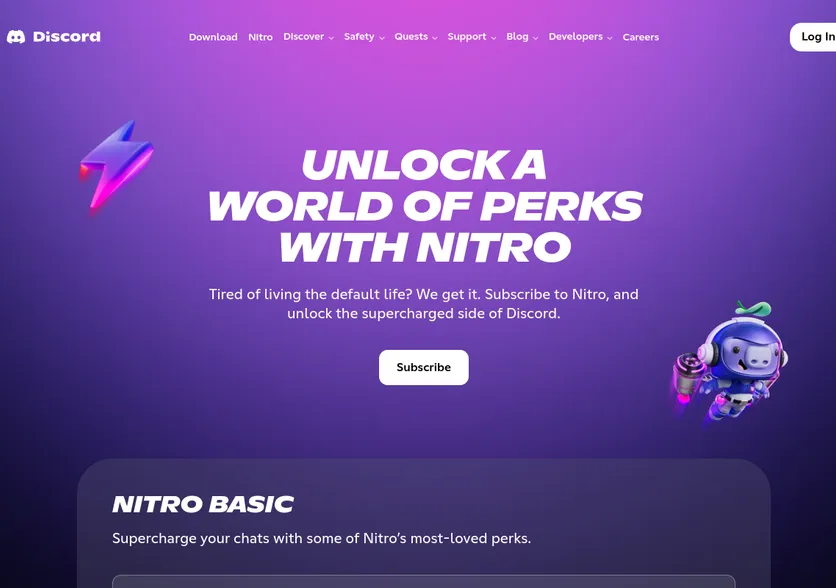
Paid tool Starting price: $2.99/month · Nitro Basic, $2.99 a month; full Nitro $9.99 a month; both are personal subscriptions and the free tier is the team product
Free plan: Free tier for unlimited members and channels
Discord started as a gaming chat app and grew into a free community hub with text channels, voice rooms and screen sharing. This Discord Nitro Basic plan adds custom emoji, bigger uploads and a profile badge, while the free tier already covers unlimited members and channels. A freelance collective can run its whole community for free and pay only for personal perks.
What we like
- Free for unlimited members and channels
- Voice channels feel like an open office
- Screen sharing built into every call
Watch out for
- Nitro is a personal subscription, not a team plan
- No threaded conversations like Slack
How to try it
- Open Discord and create a server for your collective
- Set up text channels for each client and project
- Add voice channels for casual hangouts and calls
4. Flock
Best for: Small collectives that want chat, video and tasks in one app
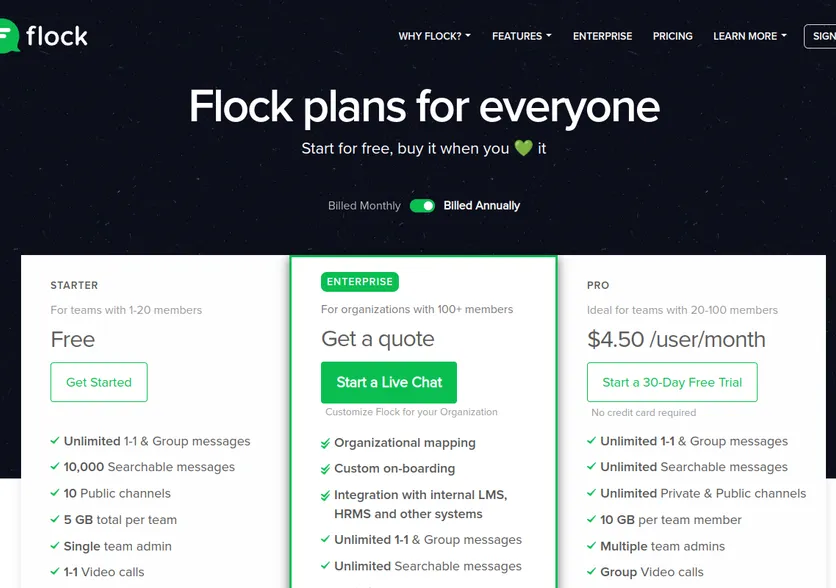
Paid tool Starting price: $4.50/user/month · Pro plan, $4.50 a user a month billed annually or $6 month to month
Free plan: Free plan for up to 10 users
Flock is a team chat app that bundles messaging, video calls and task management, so a small collective can skip a second tool. This Flock Pro plan covers unlimited messages, video conferencing and shared to-dos for a freelance group. A collective of five or six can run its whole week from one app.
What we like
- Chat, video and tasks in one app
- Free plan for up to ten users
- Simple enough for non-technical freelancers
Watch out for
- Pro costs $4.50 a user a month billed annually
- Fewer integrations than Slack or Teams
How to try it
- Open the Flock pricing page and create a team
- Set up channels for each client and project
- Add tasks and video calls inside the chat
5. Chanty
Best for: Tiny collectives that want team chat for a few dollars a month
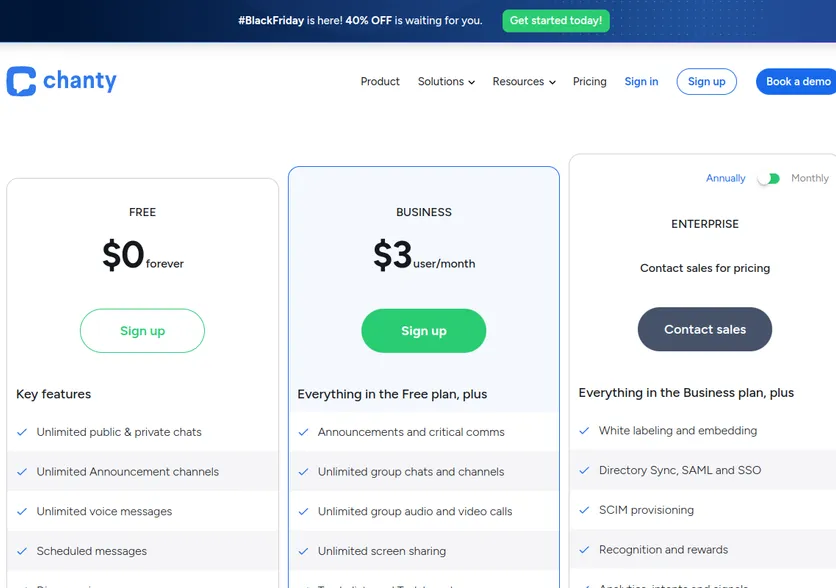
Paid tool Starting price: $3/user/month · Business plan, $3 a user a month billed annually or $4 month to month; free plan for up to 5 members
Free plan: Free plan for up to 5 members
Chanty is a simple team chat tool aimed at small teams, with messaging, audio calls and task management at a low price. This Chanty Business plan covers unlimited messages, audio calls and team tasks for a freelance collective. A group of three or four can get organised for less than the cost of a coffee each month.
What we like
- One of the lowest prices on this list
- Free plan for up to five members
- Tasks and calls built into the chat
Watch out for
- Business costs $3 a user a month billed annually
- Smaller feature set than the big names
How to try it
- Open the Chanty pricing page and create a team
- Set up spaces for each client and project
- Invite your collective and assign tasks in chat
6. Pumble
Best for: Collectives that want unlimited chat history for the lowest price
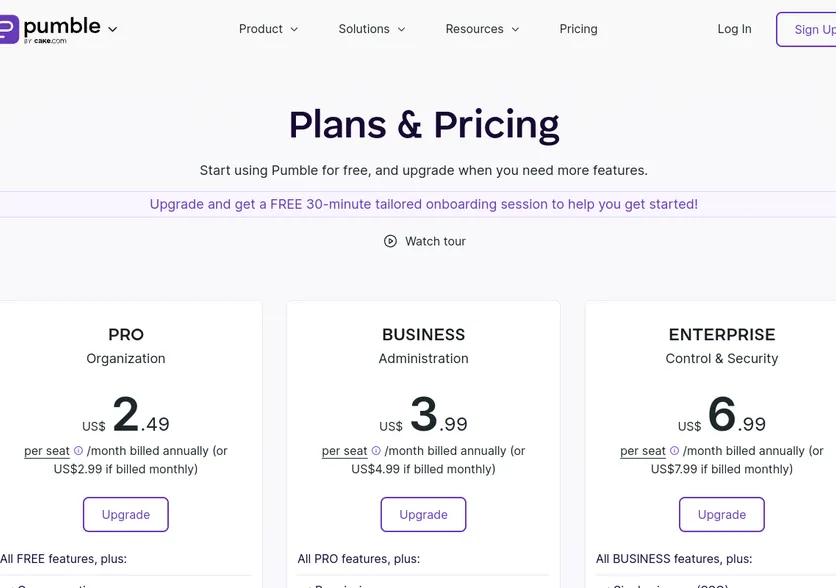
Paid tool Starting price: $2.49/user/month · Pro plan, $2.49 a user a month billed annually or $2.99 month to month; free plan with unlimited history and users
Free plan: Free plan with unlimited users and history
Pumble is a free-first team chat app with unlimited users and unlimited message history, even on the free plan. This Pumble Pro plan adds guest access, longer file storage and more admin controls for a growing collective. A freelance group can keep every decision searchable forever without paying per message.
What we like
- Free plan with unlimited users and history
- The lowest paid price on this list
- Guest access on the Pro plan
Watch out for
- Pro costs $2.49 a user a month billed annually
- Fewer integrations than Slack
How to try it
- Open the Pumble pricing page and create a workspace
- Set up channels for each client and project
- Invite your collective and guests for free
7. Zulip
Best for: Collectives that want open-source chat they can host themselves
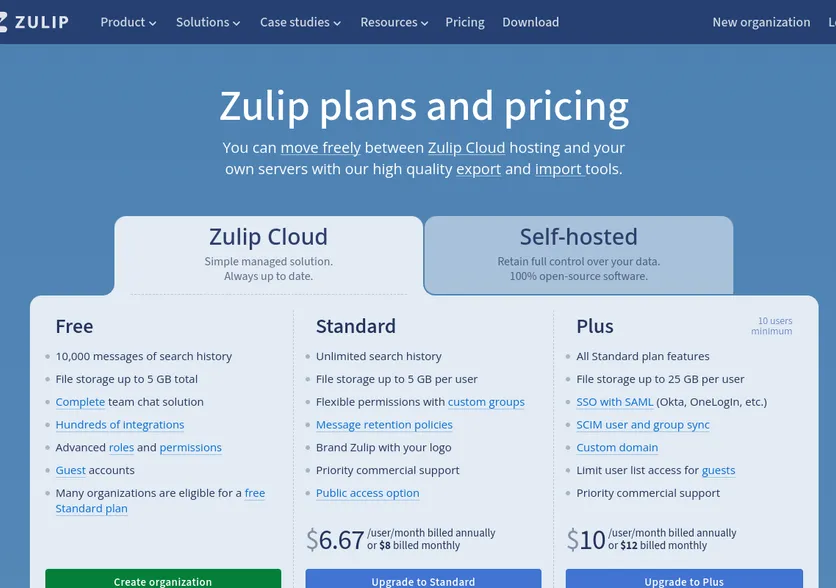
Paid tool Starting price: $6.67/user/month · Cloud Standard, $6.67 a user a month billed annually or $8 month to month; self-hosting is free
Free plan: Free plan on Zulip Cloud; self-hosting free
Zulip is an open-source team chat app built around topics inside channels, so long discussions stay organised instead of scrolling away. This Zulip Cloud Standard plan covers hosted chat with unlimited history, while self-hosting the open-source version costs nothing. A technical collective can run its own server and keep its data under its own control.
What we like
- Topics inside channels keep long talks organised
- Self-hosting is free and open source
- Unlimited history on the paid cloud plan
Watch out for
- Cloud Standard costs $6.67 a user a month billed annually
- Self-hosting needs someone to run the server
How to try it
- Open the Zulip pricing page and create an organization
- Set up streams for each client and project
- Invite your collective and start topic-based chats
Prices above were checked on each vendor’s own website on Nov 26, 2026 and can change — the vendor’s page is the final word. Vendor links are editorial: nobody paid to be listed or ranked here. Vendors who want a featured listing can see how it works on our Get listed page.
What team chat software costs in 2026
Team chat is priced per user, so the bill is the price times the people who post, and guests are often free on paid plans. This list runs from free for a whole community on Discord to seven dollars twenty-five cents a user a month for Slack Pro, with most tools landing between two and seven dollars. The headline plan each vendor shows on its own pricing page is the number in the table above, checked on November 26, 2026.
Count the posters, not the readers, and check whether clients can join as free guests. A collective of eight that pays for eight seats spends very differently from one that pays for three core members and invites the rest as guests. Trial two tools with your real group for a week, and pick the app people open without being reminded.
Before you buy
- Count the people who need to post, because most tools charge per user and guests are often free.
- Check the message history limit, because a free plan that deletes old messages costs you your own decisions.
- Ask whether threads and channels are included, because a flat chat room gets noisy fast with more than five people.
- Test the mobile app with your team, because freelancers answer from their phones more than their desks.
- Add up the cost at twice your current collective size, because per-user pricing adds up as the group grows.
Official websites
Official websites of the products reviewed above. Features and prices were checked against these sites when this guide was written, and they can change, so confirm on the vendor site before you buy.
Frequently asked questions
Which team chat software is best for a freelance collective in 2026?
Slack, at seven dollars twenty-five cents a user a month, is the safest default because everyone knows it and it connects to almost every app. Pumble is better for a collective on a budget, at two dollars forty-nine cents a user a month with a generous free plan. Discord wins when the group wants a free community hub with voice channels and no per-user bill at all.
What is the cheapest team chat software for freelancers?
Discord is free for unlimited members and channels, so a collective can run its whole community without paying. Pumble is the cheapest paid plan, at two dollars forty-nine cents a user a month, with a free plan that keeps unlimited history. Chanty, at three dollars a user a month, is the cheapest simple chat with tasks built in.
Can a freelance collective use team chat for free?
Yes, and several tools on this list are free to start. Discord, Pumble, Chanty and Flock all have free plans, and Slack and Microsoft Teams offer free tiers too. Start free, set up channels for your real clients and see which app your collective actually opens every day before paying.
How do I keep team chat organised across clients?
Use channels for long-running topics like each client and each project, and use threads inside them for single discussions. Zulip is built for this, with topics and threads as the main way to talk. Slack channels with threads work the same way, and they keep decisions findable weeks later.
What should I look for in team chat software?
Count the people who need to post first, since most tools charge per user while guests are often free. Check the message history limit, because a free plan that deletes old messages costs you your own decisions. Test the mobile app, since freelancers answer from their phones, and trial two tools with your real collective before paying.
Need everyday productivity help too? Try Toolsvine's free productivity tools for small teams right in your browser.
Browse Productivity Tools tools


