On this page
A remote design studio lives or dies on billable hours, yet those hours scatter across briefs, revisions and client calls that never reach a timesheet. The eight tools below were picked for studios that bill by the hour and work across time zones, from a free timer that covers five people to a full invoicing workspace. Toggl Track leads because it costs nine dollars a user a month billed annually and turns a one-click timer into client-ready reports, while the rest compete on price, billing and how little admin they add to a creative day.
How we researched this
We checked every price on the vendor pricing page on November 29, 2026, and only included tools with a published US dollar list price. Quote-only platforms and tools with no verifiable price were left out, and the free plans below are the real free tiers, not trials. Prices change, so confirm the current figure on the vendor site before you buy.
Compare the tools
| Name | Best for | Starting price | Free plan | |
|---|---|---|---|---|
 Toggl Track | Design studios and small teams that bill by the hour | $9/user/month | Free plan (up to 5 users) | Visit |
 Clockify | Teams that want the cheapest paid plan that still bills clients | $3.99/user/month | Free plan (up to 5 users) | Visit |
 Harvest | Studios and consultants who invoice from tracked time | $11/user/month | Free plan (1 seat, 2 projects) | Visit |
 Everhour | Teams that track time inside Asana, Jira or Trello | $8.50/user/month | Free plan (up to 5 seats) | Visit |
 Timely | Teams that hate timesheets and want hours captured automatically | $9/user/month | No free plan; 14-day free trial | Visit |
 Paymo | Small businesses that want projects, time and invoicing in one place | $5.90/user/month | Free plan (1 user) | Visit |
 TrackingTime | Small teams that want approvals without a big bill | $3.75/user/month | Free plan (limited) | Visit |
 TimeCamp | Small teams that want automatic tracking for free | $3.99/user/month | Free plan (unlimited users) | Visit |
The time tracking software for remote design studios, compared
1. Toggl Track
Best for: Design studios and small teams that bill by the hour
Paid tool Starting price: $9/user/month · Nine dollars per user a month billed annually on Starter ($10 billed monthly); Premium is $18 a user a month billed annually ($20 monthly, with a first-year promo of $14 that renews at $18); Enterprise is quoted
Free plan: Free plan (up to 5 users)
For a remote design studio that bills clients by the hour, Toggl Track costs nine dollars a user a month billed annually and keeps every project timer one click away from the canvas. Its reports show exactly how many billable hours each client used, and the project estimates warn the studio before a fixed-fee job runs over. The free plan covers five users, so a small studio can run real client work on it before paying.

What we like
- One-click timer with no learning curve
- Billable rates and project estimates on Starter
- Strong reports that turn hours into invoices
Watch out for
- No screenshots or activity monitoring at any tier
- Timesheet approvals need the Premium plan
How to try it
- Start the timer from the browser extension or desktop app when work begins
- Tag the entry with the client and project so billing stays accurate
- Review the weekly report and send the billable hours to the client
2. Clockify
Best for: Teams that want the cheapest paid plan that still bills clients
Paid tool Starting price: $3.99/user/month · Three dollars and ninety-nine cents per user a month billed annually on Basic ($4.99 billed monthly); Standard is $5.49 billed annually and Pro is $7.99; Enterprise is $11.99; the free plan covers up to five users
Free plan: Free plan (up to 5 users)
A design studio juggling several client briefs at once gets a tidy timer here, since Clockify costs three dollars and ninety-nine cents a user a month billed annually and tracks each brief separately. It covers timers, timesheets, a calendar view and reports on the free plan, which is more than most rivals give away. Paid tiers add the pieces a growing team actually needs, like approvals, invoicing and activity tracking, without a jump in price.

What we like
- Free plan covers unlimited projects and time tracking
- Kiosk mode turns any tablet into a clock-in station
- Timesheet approvals and invoicing from Standard
Watch out for
- Screenshots and GPS tracking need the Pro plan
- The free plan lost billable rates and exports in April 2026
How to try it
- Create a workspace and invite the team with their hourly rates
- Start the timer or fill the timesheet at the end of each day
- Approve the weekly timesheet and export it for payroll or invoicing
3. Harvest
Best for: Studios and consultants who invoice from tracked time
Paid tool Starting price: $11/user/month · Eleven dollars per user a month billed annually on Pro ($13.75 billed monthly); Premium is $14 billed annually and adds approvals and profitability reporting; some November 2026 reads of the vendor pricing page show a Teams tier at nine dollars billed annually, so confirm the tier name at checkout
Free plan: Free plan (1 seat, 2 projects)
Studios that want billable hours without admin overhead will like this one, because Harvest costs eleven dollars a user a month billed annually and turns tracked time into invoices. Harvest was built to end in an invoice, so the timer, the expense log and the billing all live in one place. A studio can see the cost of a project while it is still running instead of discovering it after the month ends.

What we like
- Tracked hours flow straight into client invoices
- Expense tracking and online payments in the same app
- Clean reports show which projects make money
Watch out for
- The free plan stops at two projects, so most teams pay quickly
- Some November 2026 reads show a different tier name and price, so confirm at checkout
How to try it
- Set up clients and projects with their hourly rates
- Track time against tasks and log expenses as they happen
- Turn the approved hours into an invoice and send it from Harvest
4. Everhour
Best for: Teams that track time inside Asana, Jira or Trello
Paid tool Starting price: $8.50/user/month · Eight dollars and fifty cents per user a month billed annually on Team ($10 billed monthly); the Team plan bills a minimum of five seats, so the smallest paid account is $42.50 a month; Custom is quoted from fifty seats
Free plan: Free plan (up to 5 seats)
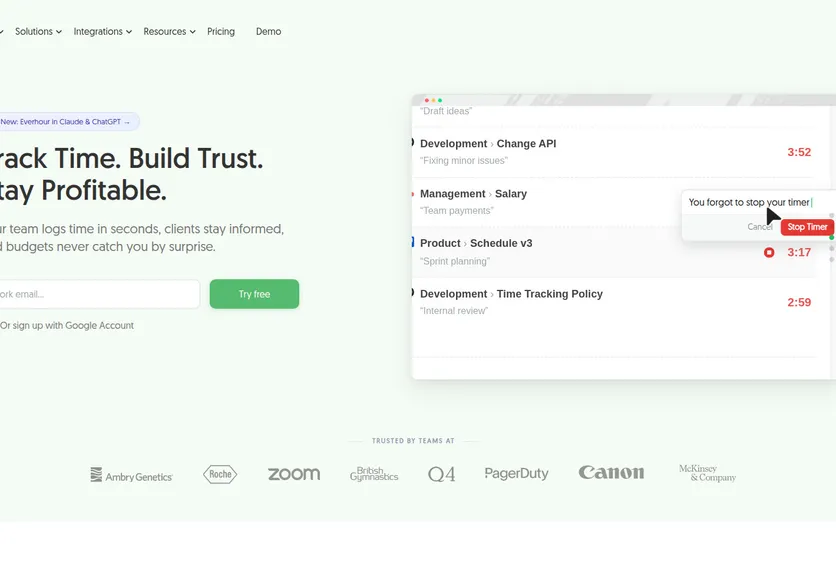
For a remote design studio that bills clients by the hour, Everhour costs eight dollars and fifty cents a user a month billed annually and keeps every project timer one click away from the canvas. Instead of asking the team to open another app, it puts the timer inside the tasks they already work on. Budgets, billable rates and invoices sit on top of those timers, so tracked time becomes a bill without extra admin.
What we like
- Timers live inside Asana, Trello, Jira and ClickUp tasks
- Budgets and estimates warn before a project runs over
- Invoicing and expenses in the same subscription
Watch out for
- The Team plan bills at least five seats even for smaller teams
- No screenshots or activity monitoring
How to try it
- Connect Everhour to the project tool the team already uses
- Add timers to tasks and set a budget for each project
- Review the time and cost reports before sending the invoice
5. Timely
Best for: Teams that hate timesheets and want hours captured automatically
Paid tool Starting price: $9/user/month · Nine dollars per user a month billed annually on Starter ($11 billed monthly); Premium is $16 billed annually and Unlimited is $22; Starter is limited to five users and twenty projects
Free plan: No free plan; 14-day free trial
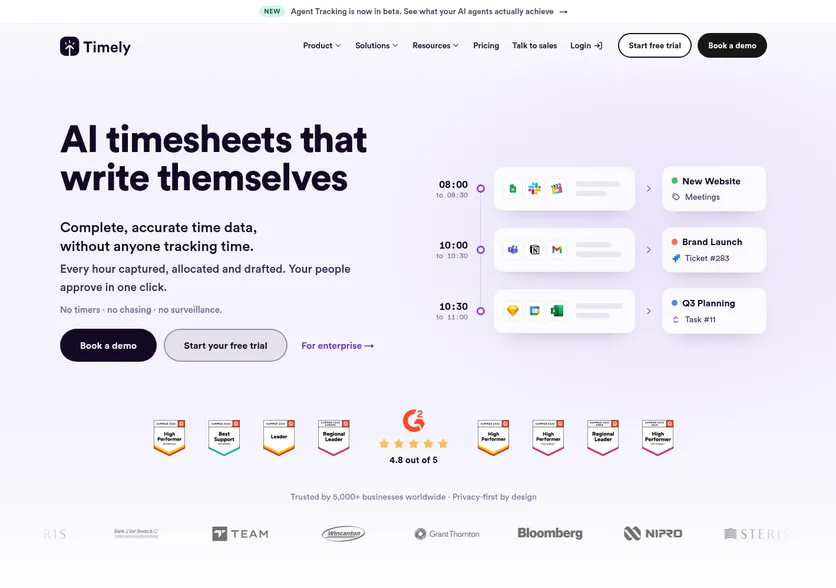
A design studio juggling several client briefs at once gets a tidy timer here, since Timely costs nine dollars a user a month billed annually and tracks each brief separately. It watches which apps and documents the team uses and drafts the timesheet from that record, so nobody reconstructs Friday from memory. The result is more billable hours captured and far less time spent filling in forms.
What we like
- Automatic tracking fills timesheets without manual entry
- AI categorises captured time into projects
- Capacity planning shows who is overloaded
Watch out for
- Starter caps at five users and twenty projects
- No free plan, only a fourteen-day trial
How to try it
- Install the desktop app and let it record the apps and sites used
- Review the AI-drafted timesheet at the end of the day
- Approve the entries and export them for billing
6. Paymo
Best for: Small businesses that want projects, time and invoicing in one place
Paid tool Starting price: $5.90/user/month · Five dollars and ninety cents per user a month billed annually on Starter ($9.90 billed monthly); Small Office is $10.90 billed annually and Business is $16.90; older listings showing three dollars and ninety cents or eleven dollars and ninety-five cents are stale
Free plan: Free plan (1 user)
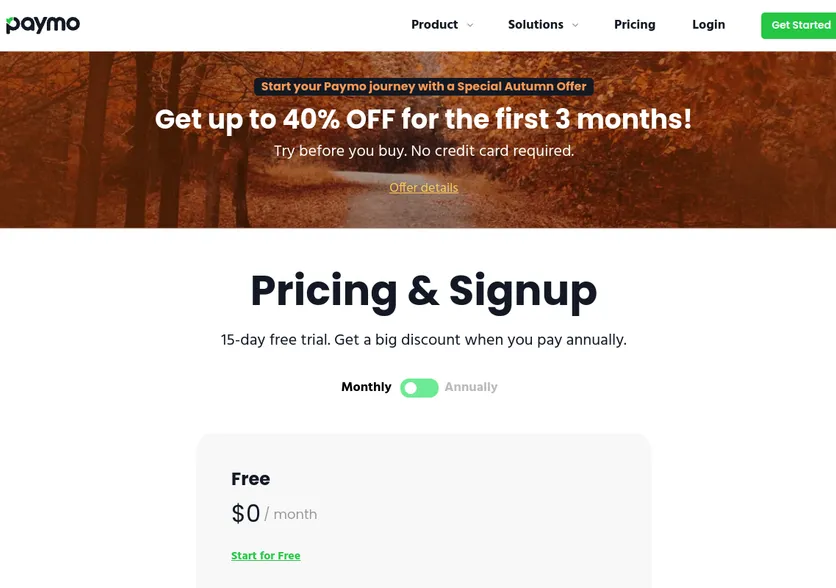
Studios that want billable hours without admin overhead will like this one, because Paymo costs five dollars and ninety cents a user a month billed annually and turns tracked time into invoices. It folds project management, time tracking and billing into a single app, so a small team plans the work, logs the hours and invoices the client without switching tools. The free plan suits a solo freelancer, while Small Office opens the same workflow to a whole team.
What we like
- Projects, time tracking and invoicing in one workspace
- Gantt charts and profitability reports on Small Office
- Resource scheduling and leave management on Business
Watch out for
- Starter covers a single user, so teams need Small Office
- Scheduling and workload views wait for the Business plan
How to try it
- Create a project and add its tasks with estimates
- Track time against tasks and log expenses as they arise
- Turn approved hours into an invoice and send it from Paymo
7. TrackingTime
Best for: Small teams that want approvals without a big bill
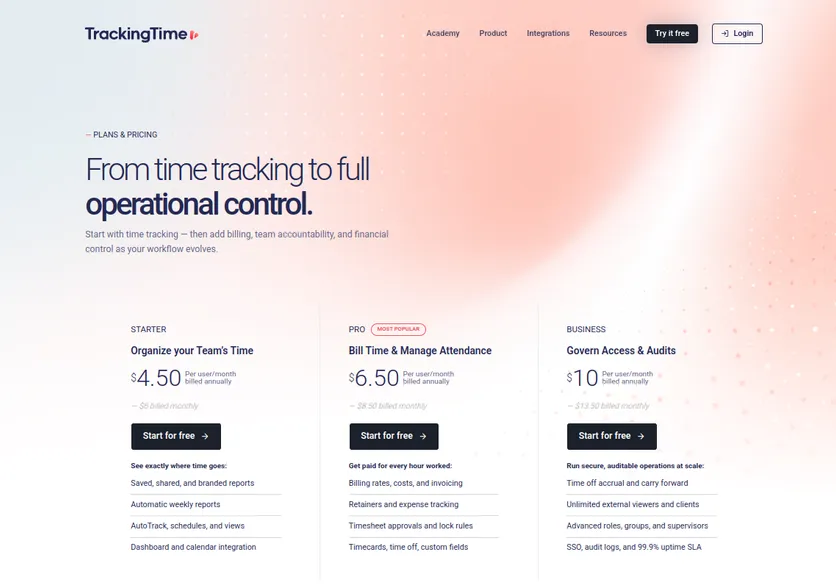
Paid tool Starting price: $3.75/user/month · Three dollars and seventy-five cents per user a month billed annually on Starter ($5 billed monthly); Pro is $5.75 billed annually and Business is $10; a single-user Freelancer plan is $8 billed annually
Free plan: Free plan (limited)
For a remote design studio that bills clients by the hour, TrackingTime costs three dollars and seventy-five cents a user a month billed annually and keeps every project timer one click away from the canvas. It keeps timers, tasks and timesheets in one tidy workspace, and its browser extensions put the timer inside the tools the team already opens. Approvals and invoicing arrive on Pro for less than most rivals charge for a basic plan.
What we like
- Free plan covers tracking and task management
- Timesheet approvals and locking on Pro
- Works inside more than fifty apps with extensions
Watch out for
- Starter and Pro bill for at least two users
- The free plan has no billable rates or CSV exports
How to try it
- Create the workspace and add projects with their tasks
- Start timers from the browser extension inside the apps the team uses
- Submit the timesheet for approval at the end of the week
8. TimeCamp
Best for: Small teams that want automatic tracking for free
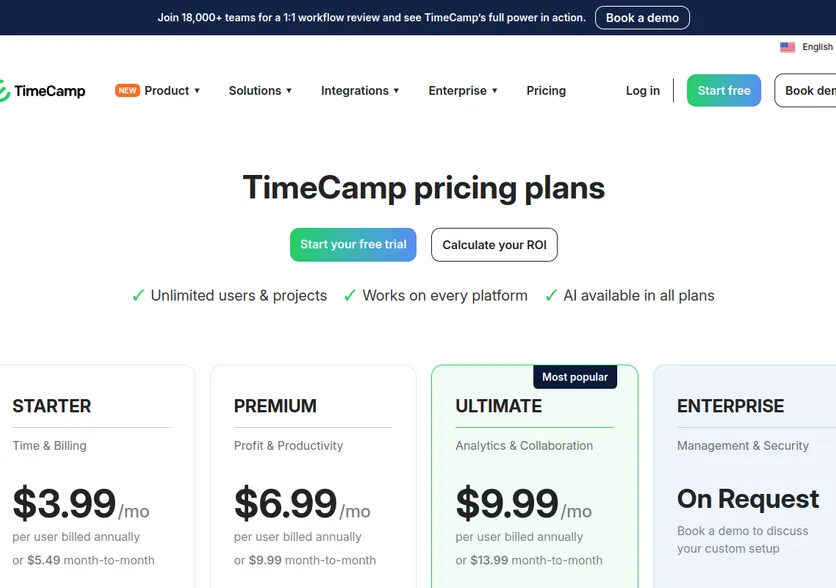
Paid tool Starting price: $3.99/user/month · Three dollars and ninety-nine cents per user a month billed annually on Starter ($5.49 billed monthly); Premium is $6.99 billed annually and Ultimate is $9.99; one November 2026 read lists lower Starter, Premium and Ultimate figures, which conflict with the vendor page reads, so confirm at checkout
Free plan: Free plan (unlimited users)
A design studio juggling several client briefs at once gets a tidy timer here, since TimeCamp costs three dollars and ninety-nine cents a user a month billed annually and tracks each brief separately. Its free plan has no user cap, which is rare, and its automatic tracker fills in the day from the apps and sites the team actually used. Invoicing arrives on the cheapest paid plan, so a small team can bill clients without a big subscription.
What we like
- Free plan covers unlimited users and projects
- Automatic tracking captures apps and sites with no timer
- Invoicing starts on the cheapest paid plan
Watch out for
- Timesheet approvals wait for the Ultimate plan
- Premium allows only one synchronised tool integration
How to try it
- Create the workspace and invite the team
- Let the automatic tracker record apps and websites
- Turn the captured time into invoices from the Starter plan
Prices above were checked on each vendor’s own website on Nov 29, 2026 and can change — the vendor’s page is the final word. Vendor links are editorial: nobody paid to be listed or ranked here. Vendors who want a featured listing can see how it works on our Get listed page.
How a remote design studio turns tracked hours into invoices
Start by giving every client and project its own code before anyone starts a timer, because hours logged against the wrong brief are lost money. Ask designers to track in real time rather than reconstructing Friday from memory, and review the week together so estimates improve with every project. Set a budget on each fixed-fee job and check it midweek, not after delivery, since a studio that spots an overrun early can still renegotiate. Finally, approve the hours before they reach the invoice, because a client who trusts the timesheet pays faster and argues less.
Before you buy
- Confirm the tool tracks time by client and project, not just by day, so every hour lands on the right invoice
- Check whether billable rates and invoicing are included or locked behind a higher tier
- Make sure the free plan covers the whole studio, not just one or two seats
- Ask if the timer works inside the design tools the team already opens every day
- Test the weekly report on a real project before paying, including a fixed-fee job with an estimate
Official websites
Official websites of the products reviewed above. Features and prices were checked against these sites when this guide was written, and they can change, so confirm on the vendor site before you buy.
Frequently asked questions
What is the best time tracking software for a remote design studio?
Toggl Track is the best overall pick for a remote design studio, at nine dollars a user a month billed annually on Starter, with billable rates, project estimates and reports that turn hours into client invoices. Clockify is the best free start, free for up to five users with unlimited projects. Harvest suits studios that want invoicing built in, at eleven dollars a user a month billed annually.
How much does Toggl Track cost for a design studio?
Toggl Track costs nine dollars per user a month billed annually on Starter, or ten dollars billed monthly. The Premium plan is eighteen dollars a user a month billed annually and adds profitability tracking, fixed-fee projects and timesheet approvals. The free plan covers up to five users, so a small studio can run real client work before paying anything.
Can a remote design studio track time for free?
Yes. Clockify is free for up to five users with unlimited projects, TimeCamp is free for unlimited users and projects, and Everhour is free for up to five seats. Toggl Track is also free for up to five users. The free tiers cover timers and basic reports, but billable rates, invoicing and approvals usually need a paid plan, so check the tier before choosing.
Which tool turns tracked hours into invoices fastest?
Harvest turns tracked hours into invoices fastest, because invoicing is the core of the product and the timer, expenses and billing live in one place. Paymo does the same for small businesses, with projects, time tracking and invoicing in one workspace from five dollars and ninety cents a user a month billed annually. Toggl Track needs its Premium plan for the full billing workflow.
Do these time trackers work across time zones?
Yes, all eight tools are cloud based, so a designer in one time zone and a client in another see the same hours and reports. Timers record real elapsed time rather than local clock time, and reports can be grouped by project or client instead of by day. The practical issue is approvals: pick one person to approve the weekly timesheet so nothing waits on a teammate who is asleep.
Compare the eight tools above, then start with a free plan or trial on the one that matches how the studio already bills clients before paying for a full year.
Browse Productivity Tools tools