On this page
Managing remote employees means trusting people you cannot see, and the right tracker replaces guesswork with a record both sides can check. The eight tools below cover that job, from a free timer with no monitoring at all to full screenshot and activity tracking for teams that need proof of work. Hubstaff leads because it costs four dollars and ninety-nine cents a user a month billed annually and pairs screenshots with payroll, while the rest range from gentle focus tools to strict oversight.
How we researched this
We checked every price on the vendor pricing page on November 29, 2026, and only included tools with a published US dollar list price. Monitoring platforms that sell by quote were left out, as were tools with no verifiable price. Prices change, so confirm the current figure on the vendor site before you buy.
Compare the tools
| Name | Best for | Starting price | Free plan | |
|---|---|---|---|---|
 Hubstaff | Remote teams that need screenshots and activity levels | $4.99/user/month | No free plan; 14-day free trial | Visit |
 Time Doctor | Remote teams that want proof of work with screenshots | $6.67/user/month | No free plan; 14-day free trial | Visit |
 Insightful | Mid-size teams that want monitoring plus time tracking | $8/user/month | No free plan; 7-day free trial | Visit |
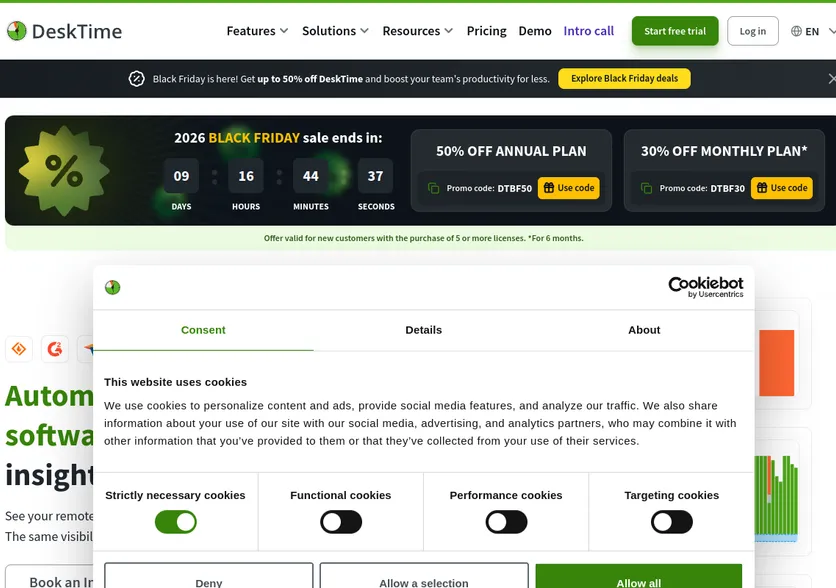
 DeskTime | Hybrid teams that want automatic tracking and productivity scores | $6.42/user/month | Free plan (Lite, 1 user) | Visit |
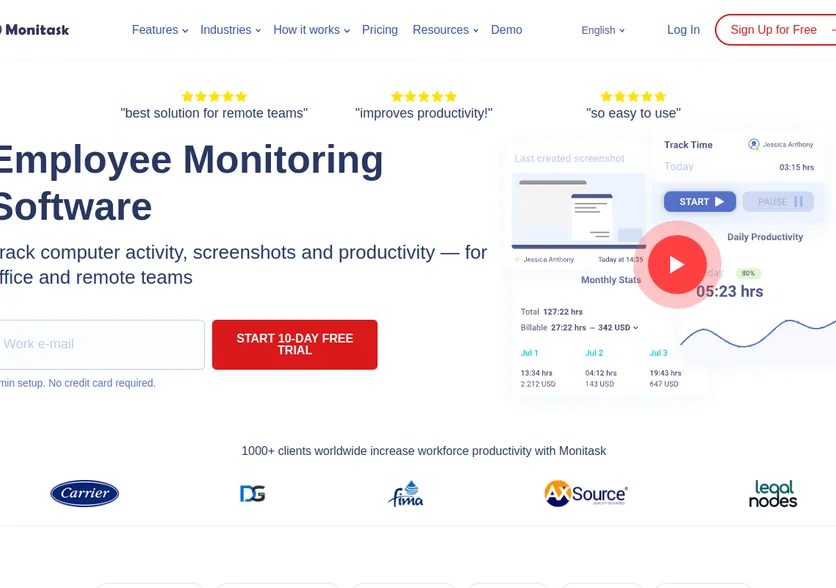
 Monitask | Small teams that want budget monitoring with screenshots | $4.99/user/month | Free plan (limited) | Visit |
 Clockify | Teams that want the cheapest paid plan that still bills clients | $3.99/user/month | Free plan (up to 5 users) | Visit |
 Toggl Track | Design studios and small teams that bill by the hour | $9/user/month | Free plan (up to 5 users) | Visit |
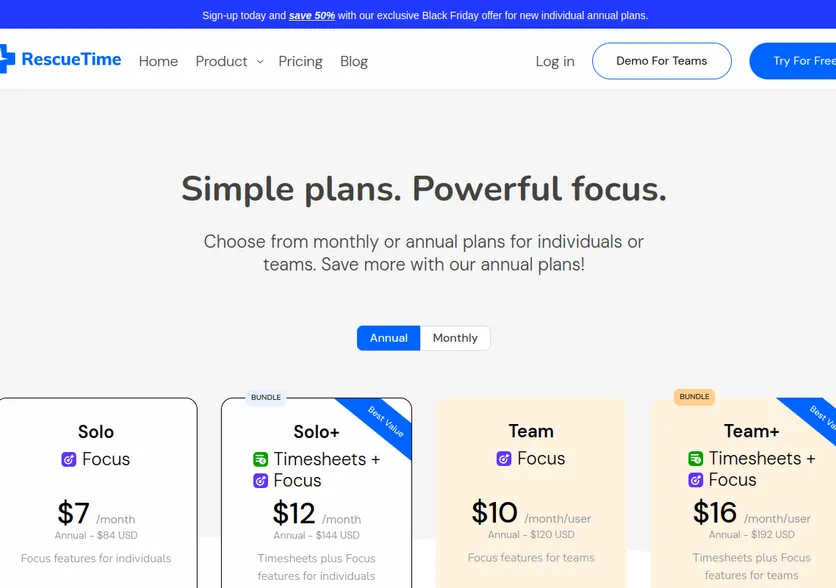
 RescueTime | Individuals and small teams fixing focus and distraction | $7/month | Free plan (Lite) | Visit |
The time tracking software for remote employees, compared
1. Hubstaff
Best for: Remote teams that need screenshots and activity levels
Paid tool Starting price: $4.99/user/month · Four dollars and ninety-nine cents per user a month billed annually on Starter ($7 billed monthly); Grow is $7.50 billed annually, Team is $10 and Enterprise is $25; Starter, Grow and Team carry a two-seat minimum
Free plan: No free plan; 14-day free trial
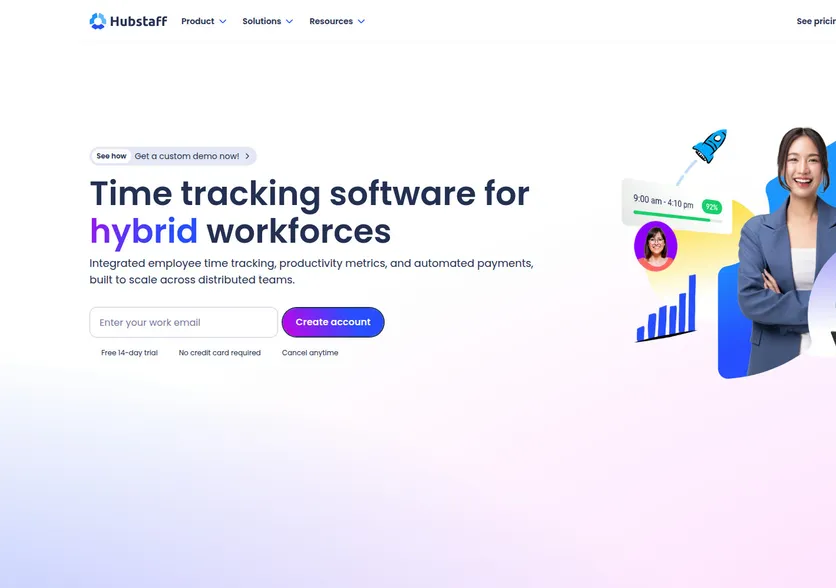
For a manager keeping a remote team honest without hovering, Hubstaff costs four dollars and ninety-nine cents a user a month billed annually and shows what the working day actually contained. It pairs a simple timer with screenshots, app tracking and activity levels, so a manager can see what the hours actually contained. The same data feeds payroll and client invoices, which is why distributed teams keep it after the trial ends.
What we like
- Screenshots and activity levels show real work, not just hours
- Automated payroll turns approved time into payments
- GPS tracking and geofencing for field and hybrid crews
Watch out for
- Every person counts as a paid seat, including managers who never track time
- Add-ons for insights and locations cost extra per seat
How to try it
- Install the desktop app on each team member's computer
- Set screenshot frequency and activity tracking in the organization settings
- Review timesheets weekly and approve them for payroll
2. Time Doctor
Best for: Remote teams that want proof of work with screenshots
Paid tool Starting price: $6.67/user/month · Six dollars and sixty-seven cents per user a month billed annually on Basic ($8 billed monthly); Standard is $11.67 billed annually and Premium is $16.70; older listings showing five dollars and ninety cents for Basic are stale
Free plan: No free plan; 14-day free trial
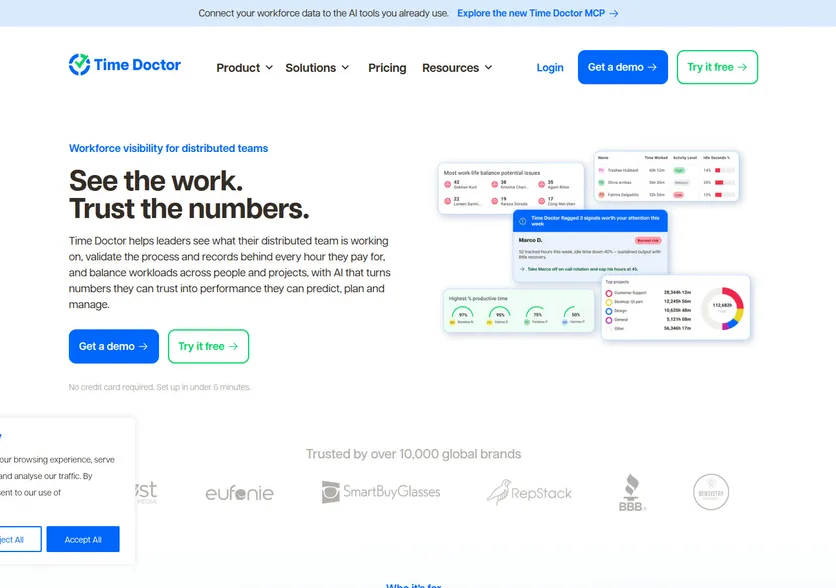
A distributed team that needs proof of work as well as hours gets it here, since Time Doctor costs six dollars and sixty-seven cents a user a month billed annually and records the day in detail. It records screenshots, app use and a minute-by-minute timeline, then turns that record into payroll-ready timesheets. The Basic plan already includes the monitoring most managers ask for, while payroll and integrations wait for Standard.
What we like
- Screenshots and app tracking from the cheapest plan
- Payroll and timesheet approvals on Standard
- Distraction alerts nudge staff back to work
Watch out for
- No free plan, only a fourteen-day trial
- Video screen recording and single sign-on need Premium
How to try it
- Create the team and install the desktop tracker on each computer
- Turn on screenshots and set the privacy rules for the team
- Check the daily timeline and approve timesheets for payroll
3. Insightful
Best for: Mid-size teams that want monitoring plus time tracking
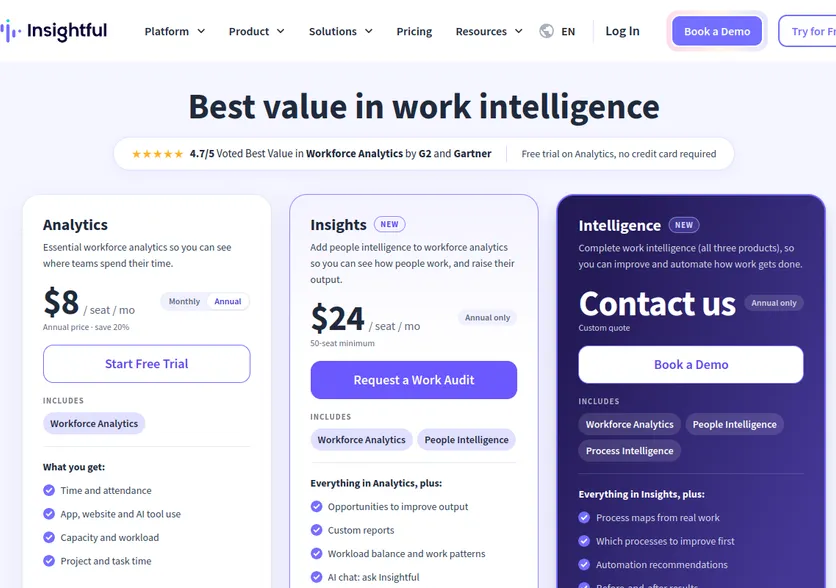
Paid tool Starting price: $8/user/month · Eight dollars per user a month billed annually on Workforce Analytics; Workflow Optimization is $12 billed annually and the Combo plan is $16; some older listings show an Employee Monitoring tier at six dollars and forty cents billed annually, which no longer appears on the vendor pricing page
Free plan: No free plan; 7-day free trial
Remote managers who want visibility without daily check-ins will like this one, because Insightful costs eight dollars a user a month billed annually and reports on real activity. Formerly Workpuls, it combines employee monitoring with project time tracking, so the same install covers both oversight and billing. Its analytics turn raw activity into trends a manager can act on, rather than a feed of individual actions.
What we like
- Screenshots up to thirty times an hour with no keystroke logging
- Project time tracking with budgets and invoicing
- Fifty-plus integrations plus a REST API
Watch out for
- No free plan, and the trial lasts only seven days
- Workflow Optimization is a separate tier, not included
How to try it
- Install the Insightful agent on team computers
- Set productivity rules for apps and websites
- Review workforce analytics and export the time reports
4. DeskTime
Best for: Hybrid teams that want automatic tracking and productivity scores
Paid tool Starting price: $6.42/user/month · Six dollars and forty-two cents per user a month billed annually on Pro ($7 billed monthly); Premium is $9.17 billed annually and adds screenshots and scheduling; prices exclude VAT
Free plan: Free plan (Lite, 1 user)
For a manager keeping a remote team honest without hovering, DeskTime costs six dollars and forty-two cents a user a month billed annually and shows what the working day actually contained. It starts recording the moment a computer turns on, then scores every app as productive or not and turns the day into a simple report. Managers get an honest picture of the working day without asking anyone to start a timer.
What we like
- Automatic tracking starts when the computer turns on
- Productivity scores rank apps without manual input
- Shift scheduling and absence calendar on Premium
Watch out for
- Screenshots need the Premium plan, not Pro
- Prices exclude VAT, so the real bill is higher in Europe
How to try it
- Install DeskTime on each computer and set productive and unproductive apps
- Let it record work automatically through the day
- Check the productivity report and adjust schedules on Premium
5. Monitask
Best for: Small teams that want budget monitoring with screenshots
Paid tool Starting price: $4.99/user/month · Four dollars and ninety-nine cents per user a month billed annually on Pro ($5.99 billed monthly); Business is $6.99 billed annually and Enterprise is listed at $19.99 a user a month in some directories, with other listings showing it as custom-priced
Free plan: Free plan (limited)
A distributed team that needs proof of work as well as hours gets it here, since Monitask costs four dollars and ninety-nine cents a user a month billed annually and records the day in detail. It covers the monitoring basics, screenshots, app tracking and timesheets, for less than most rivals charge for a timer alone. Small teams get real visibility into the working day without paying enterprise prices.
What we like
- Screenshots and activity tracking at a budget price
- Internet monitoring shows where work time goes
- Simple reports that managers read in minutes
Watch out for
- Screenshot storage is short on the Pro plan
- Advanced reporting and scheduling need Business
How to try it
- Install Monitask on team computers and set the screenshot interval
- Create projects and assign the team to them
- Review the daily activity report and approve the timesheets
6. Clockify
Best for: Teams that want the cheapest paid plan that still bills clients
Paid tool Starting price: $3.99/user/month · Three dollars and ninety-nine cents per user a month billed annually on Basic ($4.99 billed monthly); Standard is $5.49 billed annually and Pro is $7.99; Enterprise is $11.99; the free plan covers up to five users
Free plan: Free plan (up to 5 users)
Remote managers who want visibility without daily check-ins will like this one, because Clockify costs three dollars and ninety-nine cents a user a month billed annually and reports on real activity. It covers timers, timesheets, a calendar view and reports on the free plan, which is more than most rivals give away. Paid tiers add the pieces a growing team actually needs, like approvals, invoicing and activity tracking, without a jump in price.

What we like
- Free plan covers unlimited projects and time tracking
- Kiosk mode turns any tablet into a clock-in station
- Timesheet approvals and invoicing from Standard
Watch out for
- Screenshots and GPS tracking need the Pro plan
- The free plan lost billable rates and exports in April 2026
How to try it
- Create a workspace and invite the team with their hourly rates
- Start the timer or fill the timesheet at the end of each day
- Approve the weekly timesheet and export it for payroll or invoicing
7. Toggl Track
Best for: Design studios and small teams that bill by the hour
Paid tool Starting price: $9/user/month · Nine dollars per user a month billed annually on Starter ($10 billed monthly); Premium is $18 a user a month billed annually ($20 monthly, with a first-year promo of $14 that renews at $18); Enterprise is quoted
Free plan: Free plan (up to 5 users)
For a manager keeping a remote team honest without hovering, Toggl Track costs nine dollars a user a month billed annually and shows what the working day actually contained. Its reports show exactly how many billable hours each client used, and the project estimates warn the studio before a fixed-fee job runs over. The free plan covers five users, so a small studio can run real client work on it before paying.

What we like
- One-click timer with no learning curve
- Billable rates and project estimates on Starter
- Strong reports that turn hours into invoices
Watch out for
- No screenshots or activity monitoring at any tier
- Timesheet approvals need the Premium plan
How to try it
- Start the timer from the browser extension or desktop app when work begins
- Tag the entry with the client and project so billing stays accurate
- Review the weekly report and send the billable hours to the client
8. RescueTime
Best for: Individuals and small teams fixing focus and distraction
Paid tool Starting price: $7/month · Seven dollars a month billed annually on Solo ($9 billed monthly); Solo+ is $12 billed annually and adds timesheets; Team is $10 per user a month billed annually and Team+ is $16
Free plan: Free plan (Lite)
A distributed team that needs proof of work as well as hours gets it here, since RescueTime costs seven dollars a month billed annually and records the day in detail. It runs quietly in the background and sorts every app and website into productive, neutral or distracting, which makes the cost of context switching impossible to ignore. Focus Sessions then block the worst distractions while the team does deep work.
What we like
- Automatic tracking sorts apps into productive and distracting
- Focus Sessions block distracting sites on demand
- Weekly reports show exactly where the hours went
Watch out for
- Team reporting and billing features need Solo+ or Team+
- Categorisation needs regular review to stay accurate
How to try it
- Install RescueTime and let it record app and website use for a week
- Set productivity goals and turn on Focus Sessions for deep work
- Review the weekly report and adjust the distracting-site list
Prices above were checked on each vendor’s own website on Nov 29, 2026 and can change — the vendor’s page is the final word. Vendor links are editorial: nobody paid to be listed or ranked here. Vendors who want a featured listing can see how it works on our Get listed page.
How to track remote employees without breaking trust
Tell the team exactly what is tracked before you switch anything on, because monitoring discovered by accident destroys trust faster than any timesheet saves it. Agree the rules together: which apps count as productive, how often screenshots are taken, and who can see the reports. Use the data to fix workloads, not to punish slow days, and review it weekly with the team so the numbers stay a management tool rather than a surveillance feed. If a tool feels invasive to the people it tracks, pick a lighter one, since a tracker the team resents produces worse data than no tracker at all.
Before you buy
- Confirm exactly what the tool records, including screenshots, app use and keystrokes, before rolling it out
- Check whether the team can see their own data, since transparency keeps monitoring honest
- Make sure payroll and timesheet approvals are included or priced clearly before you commit
- Ask if screenshot frequency and privacy blur can be adjusted to fit company policy
- Run a two-week trial with a small group and ask them what felt fair before buying for everyone
Official websites
Official websites of the products reviewed above. Features and prices were checked against these sites when this guide was written, and they can change, so confirm on the vendor site before you buy.
Frequently asked questions
What is the best time tracking software for remote employees?
Hubstaff is the best overall pick for remote employees, at four dollars and ninety-nine cents a user a month billed annually on Starter, with screenshots, activity levels and automated payroll. Time Doctor is the best choice when screenshots matter most, from six dollars and sixty-seven cents a user a month. Clockify suits teams that want tracking without monitoring, free for up to five users.
Is it legal to monitor remote employees with screenshots?
In most US states it is legal to monitor work on company devices, but rules vary by state and some require employee notice or consent. Always tell the team what is tracked, get written acknowledgement, and check state law before switching on screenshots or keystroke logging. The tools in this list let you set screenshot frequency and privacy rules, which helps, but they do not replace legal advice.
Which tool is cheapest for tracking remote employees?
Clockify is the cheapest, free for up to five users and three dollars and ninety-nine cents a user a month billed annually on Basic. TimeCamp is free for unlimited users and three dollars and ninety-nine cents on Starter. Hubstaff starts at four dollars and ninety-nine cents a user a month billed annually, and Monitask starts at the same figure, so the cheapest monitored option costs about five dollars a seat.
Do these tools work for employees in different time zones?
Yes, all eight tools are cloud based and record time by user rather than by office clock, so a team spread across time zones sees one shared record. Hubstaff, Time Doctor and DeskTime all show a daily timeline per person, which helps a manager check coverage without asking everyone to work the same hours. Approvals should sit with one person per region so timesheets do not wait on a manager who is asleep.
Can remote employees see their own tracked data?
Most of these tools let employees see their own timelines, screenshots and productivity scores, and that transparency is worth insisting on. Hubstaff, Time Doctor and DeskTime all show workers their own activity, while Toggl Track and Clockify show the full record to everyone by design. If a vendor hides the data from the person it describes, treat that as a warning sign and pick a more open tool.
Compare the eight tools above, then trial the one that matches how much oversight the team actually needs before paying for a full year.
Browse Productivity Tools tools