On this page
Effects are where a startup video stops looking like a screen recording and starts looking like a brand, but the wrong tool can eat a whole week on one title card. The eight tools below range from a one-time Mac app to a full effects suite that costs more than a laptop. Adobe After Effects leads because it is the motion graphics standard every freelancer already knows, at twenty-two dollars and ninety-nine cents a month, and the rest are ranked on how fast a small team can add polish.
How we researched this
We checked every price on the vendor pricing page on November 29, 2026, and only included effects tools with a published US dollar list price. Blender was left out because it is free with no paid plan to compare, and Foundry Nuke was left out because its current list price could not be verified cleanly. Prices change, so confirm the current figure on the vendor site before you buy.
Compare the tools
| Name | Best for | Starting price | Free plan | |
|---|---|---|---|---|
 Adobe After Effects | Startups that need pro motion graphics and freelancer support | $22.99/month | No free plan; 7-day free trial | Visit |
 Apple Motion | Mac teams that want titles and motion without a subscription | $49.99 one-time | No free plan; one-time purchase | Visit |
 DaVinci Resolve Studio | Startups that want effects inside the editor for one price | $295 one-time | Free plan | Visit |
 Runway | Startups that want AI-generated clips and quick clean-up | $12/month | Free plan | Visit |
 Boris FX Sapphire | Startups that need broadcast-grade glows, flares and film looks | $545/year | No free plan; free trial | Visit |
 Mocha Pro | Startups that need titles and blurs to track moving footage | $295/year | No free plan; 14-day free trial | Visit |
 Maxon One | Startups building 3D product shots and animated brand worlds | $1,265/year | No free plan; 14-day free trial | Visit |
 Lumen5 | Marketing teams turning text into social video at volume | $19/month | Free plan with 5 videos a month | Visit |
The video effects software for startups, compared
1. Adobe After Effects
Best for: Startups that need pro motion graphics and freelancer support
Paid tool Starting price: $22.99/month · Twenty-two dollars and ninety-nine cents a month on the annual plan billed monthly; month-to-month billing costs more; the listed annual rate is a first-year price for new subscribers
Free plan: No free plan; 7-day free trial
When a startup needs motion graphics that a freelancer can pick up and finish, this Adobe After Effects plan costs twenty-two dollars and ninety-nine cents a month on the annual plan billed monthly. Its keyframes, expressions and huge template market cover everything from animated logos to product explainer scenes, and it hands projects to Premiere Pro without rendering in between. It is the default for any team that outsources motion work.
What we like
- The motion graphics standard freelancers already know
- Huge template and plugin market for almost any look
- Hands projects to Premiere Pro without an intermediate render
Watch out for
- Steep learning curve for a founder doing it alone
- The annual rate is a first-year price that rises on renewal
How to try it
- Sketch the animation as a storyboard before opening the app
- Build the composition with keyframes and pre-compose the layers
- Render a draft, review it with the team, then render the final
2. Apple Motion
Best for: Mac teams that want titles and motion without a subscription
Paid tool Starting price: $49.99 one-time · Forty-nine dollars and ninety-nine cents once on the Mac App Store; also included in Apple Creator Studio at twelve dollars and ninety-nine cents a month with Final Cut Pro, Logic Pro and other apps
Free plan: No free plan; one-time purchase
A Mac startup that mainly needs titles, transitions and logo animation can skip the subscription entirely with this Apple Motion app, which costs forty-nine dollars and ninety-nine cents once on the Mac App Store. Its behaviours animate text and objects without manual keyframes, and anything built here publishes into Final Cut Pro as an adjustable template. It is the cheapest serious effects option on a Mac.
What we like
- One-time price with no subscription to track
- Behaviours animate without manual keyframing
- Builds templates that drop straight into Final Cut Pro
Watch out for
- Mac only, so Windows teammates cannot use it
- Smaller template and plugin market than After Effects
How to try it
- Open a title template and change the text to the brand wording
- Adjust the behaviour speed until the movement feels right
- Publish the title to Final Cut Pro and reuse it across videos
3. DaVinci Resolve Studio
Best for: Startups that want effects inside the editor for one price
Paid tool Starting price: $295 one-time · Two hundred and ninety-five dollars once for the Studio edition; the free edition of DaVinci Resolve includes the Fusion effects page, while Studio adds noise reduction, stereoscopic tools and higher resolutions
Free plan: Free plan
For effects work that lives inside the edit rather than in a separate app, this DaVinci Resolve Studio licence costs two hundred and ninety-five dollars once and covers the whole pipeline. Its Fusion page builds node-based composites, titles and particle effects beside the timeline, and the colour page finishes the look in the same session. It suits a startup that wants effects and editing in one purchase.
What we like
- Fusion effects page built into the editor
- Node-based compositing for complex shots
- Free edition lets the team learn the effects workflow first
Watch out for
- Node compositing takes longer to learn than layer effects
- Studio extras matter mostly to high-end footage
How to try it
- Cut the scene on the edit page first
- Switch to the Fusion page and build the effect with nodes
- Return to the timeline, grade the shot and export
4. Runway
Best for: Startups that want AI-generated clips and quick clean-up
Paid tool Starting price: $12/month · Twelve dollars a month on the Standard plan billed annually; monthly billing is fifteen dollars a month; the free plan includes one hundred and twenty-five credits
Free plan: Free plan
A startup that wants effects without learning a compositor will move fastest here, because this Runway plan costs twelve dollars a month on the Standard plan billed annually. It generates clips from text, removes backgrounds, cleans up audio and extends shots with AI, all in the browser. It is the best pick for a small team that needs a striking clip today rather than a polished composite next week.
What we like
- Generates clips from text without a camera or a set
- Background removal and clean-up run in the browser
- Free plan includes credits to test the tools properly
Watch out for
- AI clips can look inconsistent across a series
- Credit limits cap how much a busy team can generate
How to try it
- Write a short prompt describing the clip you need
- Generate the clip and pick the best take
- Clean up the background and export the finished shot
5. Boris FX Sapphire
Best for: Startups that need broadcast-grade glows, flares and film looks
Paid tool Starting price: $545/year · Five hundred and forty-five dollars a year for the Adobe or OFX licence; monthly billing is eighty dollars a month; a perpetual licence is one thousand eight hundred and sixty-five dollars
Free plan: No free plan; free trial
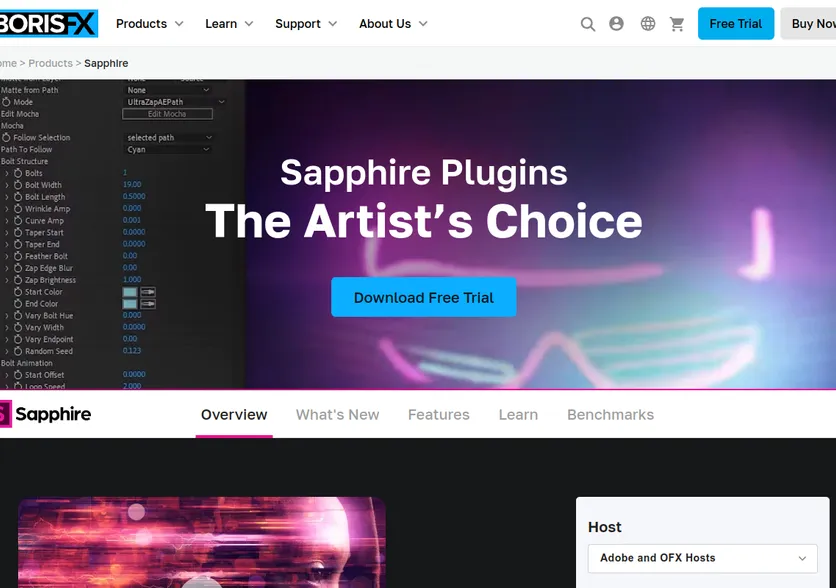
When a startup video has to look broadcast-grade, this Boris FX Sapphire licence costs five hundred and forty-five dollars a year and brings the industry-standard effects library into the editor the team already uses. Its glows, lens flares and film looks carry hundreds of presets, and the included Mocha tracking keeps effects glued to moving footage. It is the most expensive tool here and the most capable for pure looks.
What we like
- Industry-standard effects library with thousands of presets
- Includes Mocha tracking for moving footage
- Runs inside Premiere, After Effects, Resolve and other hosts
Watch out for
- Costs more than some editors in this list
- Far more effects than a casual team will ever use
How to try it
- Install the plugin into the host editor you already use
- Pick a preset glow or flare and drop it on the clip
- Track the effect to the movement, then render a test frame
6. Mocha Pro
Best for: Startups that need titles and blurs to track moving footage
Paid tool Starting price: $295/year · Two hundred and ninety-five dollars a year for a single-host plugin subscription, or thirty-seven dollars a month; a multi-host licence is five hundred and ninety-five dollars a year and a perpetual licence is six hundred and ninety-five dollars
Free plan: No free plan; 14-day free trial
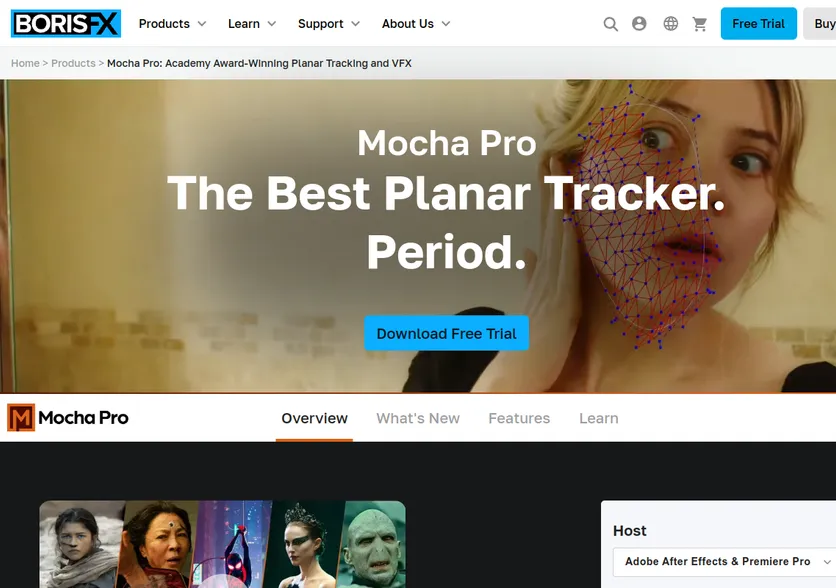
For a startup that needs text and graphics to follow a moving camera, this Mocha Pro licence costs two hundred and ninety-five dollars a year for a single host. Its planar tracking locks titles, blur and replacements onto footage that a point tracker would lose, and it handles screen inserts and object removal cleanly. It is a specialist tool, and the right one when tracking is the whole job.
What we like
- Planar tracking holds effects on difficult moving shots
- Screen inserts and object removal built in
- Works as a plugin inside the editors teams already use
Watch out for
- A specialist tool, not a general effects suite
- Single-host licence covers only one editing app family
How to try it
- Select the surface in the footage you want to track
- Let Mocha Pro follow the plane through the shot
- Attach the title or blur to the track and check the result
7. Maxon One
Best for: Startups building 3D product shots and animated brand worlds
Paid tool Starting price: $1,265/year · One thousand two hundred and sixty-five dollars a year billed annually, or one hundred and sixty-nine dollars a month billed monthly; Cinema 4D alone is eight hundred and thirty-nine dollars a year; student pricing is sixty dollars a year
Free plan: No free plan; 14-day free trial
A startup building three-dimensional product shots and animated brand worlds needs the full bundle, and this Maxon One plan costs one thousand two hundred and sixty-five dollars a year billed annually. It packs the Cinema modelling app, Redshift, ZBrush and the Red Giant effects suites into one subscription, with a large asset library and training included. It is the dearest option here and the only one that covers modelling, rendering and effects together.
What we like
- Cinema 4D, Redshift, ZBrush and Red Giant in one bundle
- Large asset library and training included
- GPU rendering built in for faster turnarounds
Watch out for
- The highest price in this list by a wide margin
- Overkill for a team that only needs titles and transitions
How to try it
- Model the product or scene in Cinema 4D
- Light it and render with Redshift
- Add Red Giant effects and export the finished sequence
8. Lumen5
Best for: Marketing teams turning text into social video at volume
Paid tool Starting price: $19/month · Nineteen dollars a month on the Starter plan billed annually; the free plan includes five videos a month; higher plans add brand kits and more video minutes
Free plan: Free plan with 5 videos a month
A startup that turns blog posts and scripts into social video will save the most time here, because this Lumen5 plan costs nineteen dollars a month on the Starter plan billed annually. It converts text into a storyboarded video with stock footage, music and captions, and the brand kit keeps colours and fonts consistent. It is the best pick for a marketing team that needs volume more than hand-crafted motion.
What we like
- Turns a script or article into a storyboarded video fast
- Stock footage, music and captions built in
- Brand kit keeps every video on-brand
Watch out for
- Template-driven output can feel generic
- Less control than a timeline editor for custom animation
How to try it
- Paste the script or article link into Lumen5
- Pick the stock scenes that match each section
- Apply the brand kit, add captions and export
Prices above were checked on each vendor’s own website on Nov 29, 2026 and can change — the vendor’s page is the final word. Vendor links are editorial: nobody paid to be listed or ranked here. Vendors who want a featured listing can see how it works on our Get listed page.
How to add effects without slowing the launch
Pick the effect the audience will actually notice, because a subtle colour grade and one clean title card do more for a launch video than a dozen flashy transitions. Test the tool on the hardest shot first, not the easiest, since tracking and rendering problems only show up on real footage. Keep the effects library small: one template set the whole team reuses beats five half-learned plugins. Check render time on the machines the team owns, because an effect that takes an hour to preview will never ship on a startup schedule.
Before you buy
- Confirm the effects run inside the editor the team already uses, not a separate app
- Test the tool on the hardest real shot before paying, including tracking and render time
- Check whether templates and presets can be shared across the whole team
- Make sure the licence covers every seat that will render effects
- Ask whether projects can be handed to a freelancer who uses the same tool
Official websites
Official websites of the products reviewed above. Features and prices were checked against these sites when this guide was written, and they can change, so confirm on the vendor site before you buy.
Frequently asked questions
What is the best video effects software for a startup?
Adobe After Effects is the best overall pick for a startup, at twenty-two dollars and ninety-nine cents a month, because it is the motion graphics standard freelancers already know. Apple Motion is the best value for Mac teams at forty-nine dollars and ninety-nine cents once, and Runway is the fastest AI option at twelve dollars a month for generated clips and clean-up.
How much does video effects software cost for a startup?
Effects tools in this list run from twelve dollars a month for Runway and nineteen dollars a month for Lumen5 to twenty-two dollars and ninety-nine cents a month for After Effects, with one-time options at forty-nine dollars and ninety-nine cents for Apple Motion and two hundred and ninety-five dollars for DaVinci Resolve Studio. The pro suites cost more: Mocha Pro at two hundred and ninety-five dollars a year and Sapphire at five hundred and forty-five dollars a year.
Can a startup add video effects for free?
Yes, within limits. DaVinci Resolve has a free edition with the Fusion effects page, Runway has a free plan with credits, and Lumen5 has a free plan with five videos a month. The free tiers cap resolution, credits or exports, so a startup shipping effects weekly will need a paid plan, but they are enough to learn the workflow and finish a first project.
Is After Effects or Apple Motion better for a startup?
After Effects is better for most startups because it runs on Mac and Windows, has the largest template market, and matches the skills of freelance motion designers. Apple Motion is better for a Mac-only team that mainly needs titles and transitions, since it costs forty-nine dollars and ninety-nine cents once and publishes templates straight into Final Cut Pro. Choose by the computers and the freelancers the team uses.
What is Boris FX Sapphire used for?
Boris FX Sapphire is a professional effects plugin suite with more than two hundred and seventy effects and three thousand presets, best known for glows, lens flares and film looks. At five hundred and forty-five dollars a year it is the most expensive tool here, and it suits a startup whose videos must look broadcast-grade. Smaller teams usually get further with After Effects or Apple Motion first.
Compare the eight effects tools above, then start with a free trial or the free plan on the tool that matches the hardest shot the startup needs to finish before paying for a full year.
Browse Video Tools tools