On this page
A whiteboard video turns a plain explanation into a drawing that builds itself on screen, and small teams use them for explainers, training and social posts. The seven tools below cover that job, from a twelve-dollar hand-drawn classic to a studio-quality animator with brand kits. VideoScribe leads because it delivers the classic whiteboard style for twelve dollars and fifty cents a month billed annually, and the rest are ranked on how much polish they give a small team for the money.
How we researched this
We checked every price on the vendor pricing page on November 29, 2026, and only included tools with a published US dollar list price. Biteable and Moovly are left out because their current prices could not be verified from the vendor site, and MySimpleShow and Explaindio are left out for the same reason. Prices change, so confirm the current figure on the vendor site before you buy.
Compare the tools
| Name | Best for | Starting price | Free plan | |
|---|---|---|---|---|
 VideoScribe | Small teams that want classic whiteboard videos | $12.50/month | 7-day free trial, no card | Visit |
 Doodly | Teams that want the simplest whiteboard maker | $49/month | 14-day free trial | Visit |
 Vyond | Teams that want professional animated videos | $58/user/month | Free trial (watermarked) | Visit |
 Animaker | Small teams that want a free start | $15/month | Free plan (watermarked) | Visit |
 Powtoon | Teams that want quick animated clips | $15/month | Free plan | Visit |
 Renderforest | Teams that want animation plus branding tools | $9/month | Free plan | Visit |
 Toonly | Teams that want cartoon-style explainers | $49/month | 14-day free trial | Visit |
The whiteboard animation software for small teams, compared
1. VideoScribe
Best for: Small teams that want classic whiteboard videos
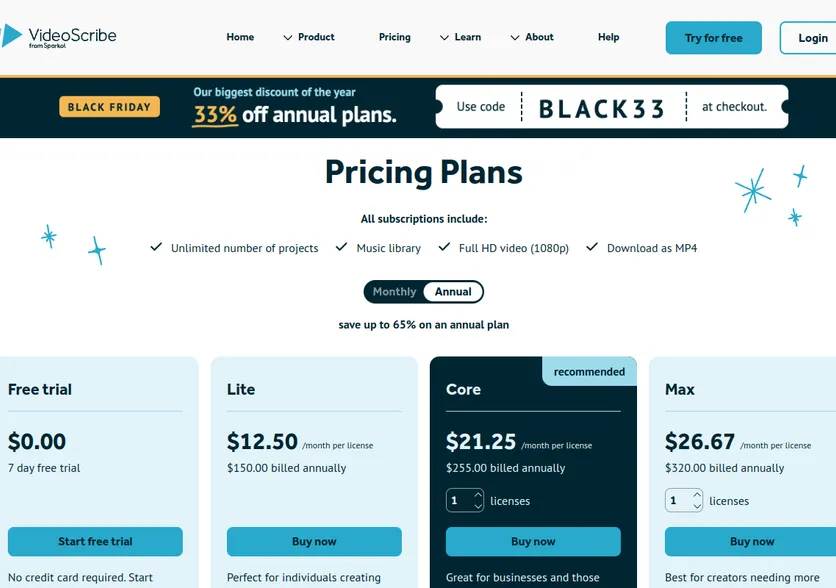
Paid tool Starting price: $12.50/month · $12.50 a month per licence billed annually on Lite ($150 a year); $35 a month month to month; Core is $21.25 a month billed annually ($255 a year) per a Nov 12, 2026 read; Max is $26.67 a month billed annually; older $18.75 Core figures appear stale
Free plan: 7-day free trial, no card
A small team that wants the classic hand-drawn whiteboard look starts here, because this VideoScribe plan costs twelve dollars and fifty cents a month per licence billed annually. Its library of images, music and voices covers most explainer scripts, and the draw-on effect turns a plain script into a video people actually watch. It is the cheapest entry here for the traditional whiteboard style.
What we like
- Hand-drawn animation style that audiences recognise
- Huge library of images, music and voices
- Seven-day free trial with no card required
Watch out for
- Monthly billing at $35 is far above the annual rate
- Older $18.75 Core figures appear stale
How to try it
- Pick a template and write the script
- Drag images onto the canvas and set the draw order
- Add a voiceover and export the finished video
2. Doodly
Best for: Teams that want the simplest whiteboard maker
Paid tool Starting price: $49/month · $49 a month on Standard or $490 a year; Enterprise is $79 a month or $790 a year; the $67 one-time offer page is a promotion, not the list price; the trial is billed through Voomly Cloud and the card is charged after the trial
Free plan: 14-day free trial
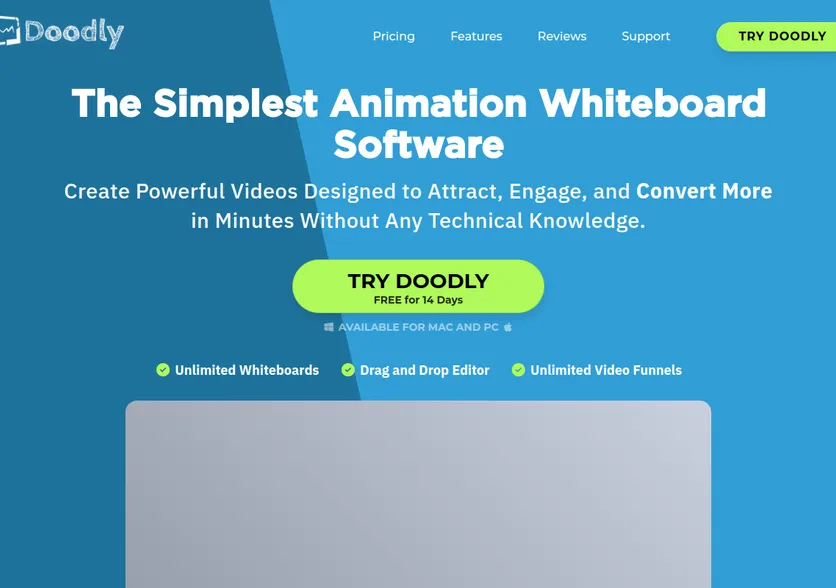
A team with no video experience needs an editor that stays out of the way, and this Doodly plan costs forty-nine dollars a month. Its drag-and-drop canvas, ready-made characters and scenes let anyone build a whiteboard video in an afternoon, and the fourteen-day trial covers a real project. It suits a small team that wants results, not a learning curve.
What we like
- Drag-and-drop canvas with no learning curve
- Thousands of props, characters and scenes
- Fourteen-day free trial through Voomly Cloud
Watch out for
- The $67 one-time offer is a promotion, not the list price
- Card details are taken when the trial starts
How to try it
- Choose a board style and add the first scene
- Drag characters and props onto the canvas
- Record the voiceover and export the video
3. Vyond
Best for: Teams that want professional animated videos
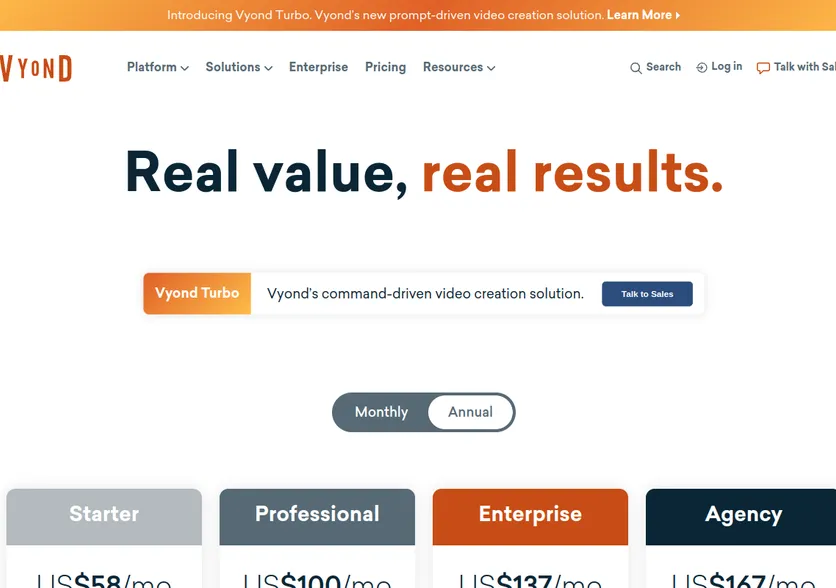
Paid tool Starting price: $58/user/month · $58 per user a month billed annually on Starter ($699 a year); $99 a month month to month; Professional is $100 a month billed annually ($1,199 a year); no free plan, watermarked trial only
Free plan: Free trial (watermarked)
A team that needs videos to look professional, not homemade, will pay more for it, and this Vyond plan costs fifty-eight dollars per user a month billed annually. Its studio-quality characters, brand kits and templates cover training, marketing and internal comms, and the motion controls beat every simpler tool here. It is the quality pick for a team that presents to clients.
What we like
- Studio-quality characters, scenes and motion
- Brand kits keep every video on style
- Templates cover training, marketing and HR
Watch out for
- No free plan, only a watermarked trial
- Monthly billing nearly doubles the annual rate
How to try it
- Pick a template that matches the message
- Customise the characters, scenes and brand colours
- Add voiceover and music, then export in HD
4. Animaker
Best for: Small teams that want a free start
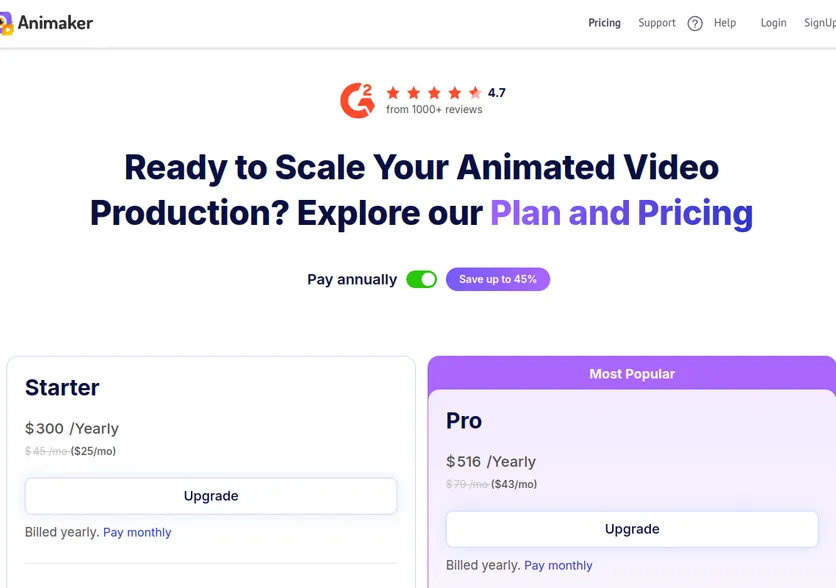
Paid tool Starting price: $15/month · $15 a month on Basic after the October 20, 2026 reprice; the $10 a month figure in older reads is pre-reprice; Starter is $25 a month billed annually; Pro is $43 a month billed annually; free plan exports carry a watermark
Free plan: Free plan (watermarked)
A small team that wants to try before it pays will start free here, because this Animaker plan costs fifteen dollars a month after the October 2026 reprice. Its character builder and template library cover explainers, ads and social clips, and the paid plans remove the watermark. It is the best free-to-paid path in this list.
What we like
- Free plan with watermarked exports
- Character builder with thousands of assets
- Templates for explainers, ads and social clips
Watch out for
- The $10 a month figure in older reads is pre-reprice
- Free exports carry a watermark
How to try it
- Start from a template or a blank canvas
- Build the characters and add the scenes
- Add music and voiceover, then export the video
5. Powtoon
Best for: Teams that want quick animated clips
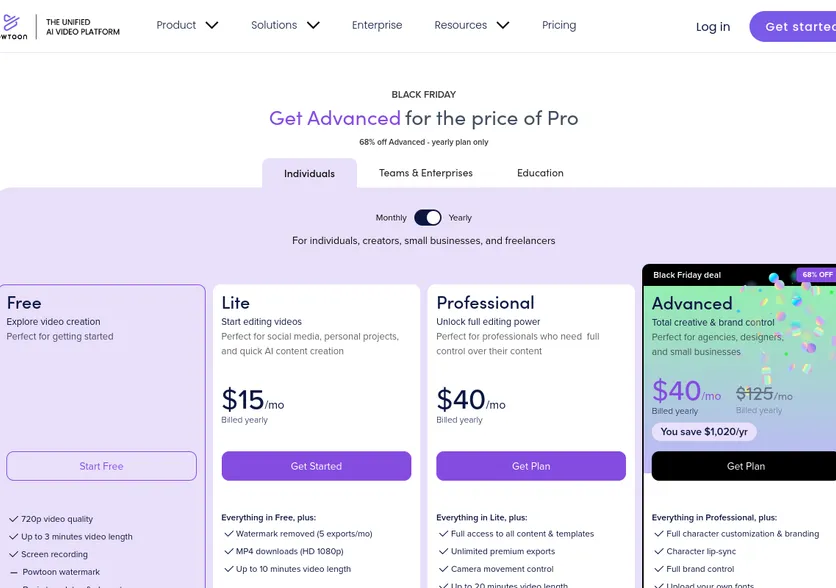
Paid tool Starting price: $15/month · $15 a month billed annually on Lite ($180 a year); $49 a month month to month; Professional is $40 a month billed annually and was $70 as a promotional rate; yearly billing gives far fewer AI credits than monthly billing (300 a year against 150 a month)
Free plan: Free plan
A team that needs a quick animated clip for a meeting or a post will like the speed here, because this Powtoon plan costs fifteen dollars a month billed annually. Its templates, characters and music get a video out in under an hour, and the free plan covers the first experiments. It suits a small team that makes videos often but briefly.
What we like
- Fast template-based video creation
- Free plan for trying the editor
- Characters, props and music included
Watch out for
- Yearly billing gives far fewer AI credits than monthly
- The $70 Professional figure is an old promotional rate
How to try it
- Choose a template for the message
- Swap in the team's text, images and logo
- Preview the animation and export the clip
6. Renderforest
Best for: Teams that want animation plus branding tools
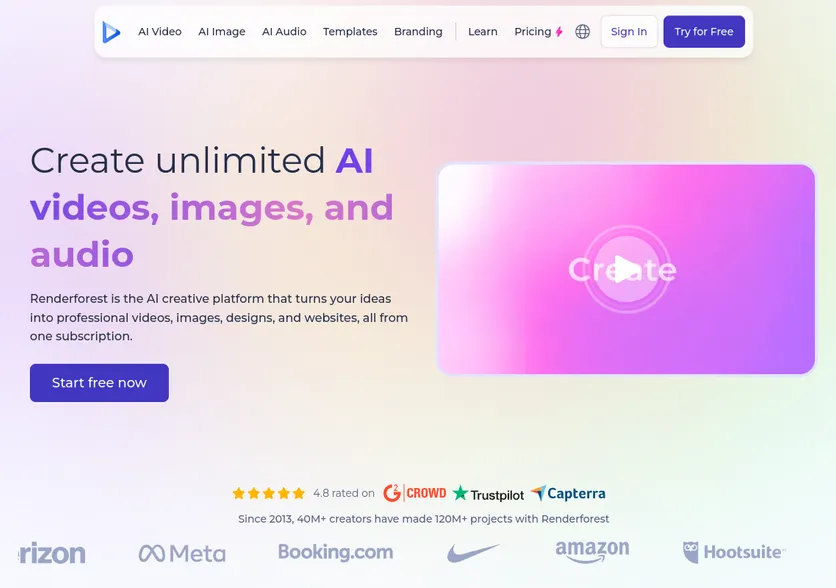
Paid tool Starting price: $9/month · $9 a month billed annually on Lite ($15 month to month) per the most recent Nov 23, 2026 read; other Nov 2026 reads vary from $8 annual to $12 to $14 monthly, so confirm the Lite price at checkout; Pro is $19 to $24 a month billed annually
Free plan: Free plan
A team that wants animation plus logos and mockups in one bill gets more here, because this Renderforest plan costs nine dollars a month billed annually. Its template library spans explainers, intros and social clips, and the same subscription covers branding assets too. It is the cheapest paid plan in this list, with the price to prove it.
What we like
- Animation, logos and mockups in one subscription
- Free plan for testing the editor
- Hundreds of templates across formats
Watch out for
- Nov 2026 reads disagree on the exact Lite price, so confirm at checkout
- Exports on the free plan carry a watermark
How to try it
- Pick an animation template
- Add the script, logo and brand colours
- Render a preview and download the video
7. Toonly
Best for: Teams that want cartoon-style explainers
Paid tool Starting price: $49/month · $49 a month on Standard or $490 a year; Enterprise is $79 a month or $790 a year; the $39 a month figure is stale; the $67 one-time offer is a promotion, not the list price; the trial runs through Voomly Cloud
Free plan: 14-day free trial
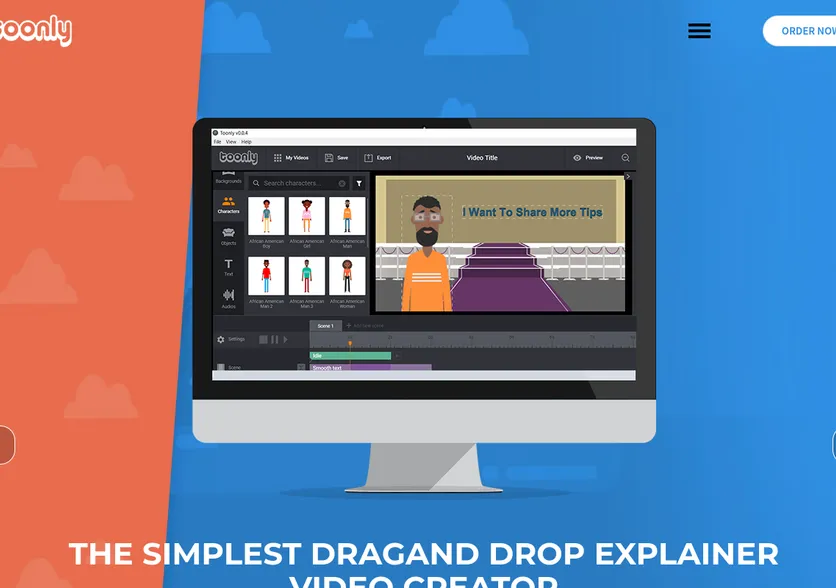
A team that wants cartoon explainers without hiring an animator will like this, because this Toonly plan costs forty-nine dollars a month. Its cartoon characters, scenes and simple timeline editor turn a script into a friendly video, and the fourteen-day trial covers a full project. It suits a small team with a playful brand.
What we like
- Cartoon characters and scenes ready to use
- Simple timeline editor with no learning curve
- Fourteen-day free trial through Voomly Cloud
Watch out for
- The $39 a month figure is stale
- The $67 one-time offer is a promotion, not list
How to try it
- Choose a scene and add the characters
- Set the animations and the voiceover
- Preview the video and export it
Prices above were checked on each vendor’s own website on Nov 29, 2026 and can change — the vendor’s page is the final word. Vendor links are editorial: nobody paid to be listed or ranked here. Vendors who want a featured listing can see how it works on our Get listed page.
How to make a whiteboard video that people finish watching
Write the script first and cut it in half, because a whiteboard video that runs long loses viewers before the drawing finishes. Draw one idea per scene and keep the hand moving, since a still frame with a voiceover is a slideshow, not an animation. Record the voiceover in one clean take and match the drawing speed to the words, so the picture and the sentence land together. Export a short test, watch it on a phone, and only then render the final version.
Before you buy
- Confirm the plan includes the characters, props and music the team will actually use
- Check whether exports carry a watermark on the free plan or the cheapest paid plan
- Ask if the price is per user or per team, since a second editor can double the bill
- Make sure the editor runs in the browser or on the computers the team already has
- Test the tool on a real script before paying, including a voiceover and an export
Official websites
Official websites of the products reviewed above. Features and prices were checked against these sites when this guide was written, and they can change, so confirm on the vendor site before you buy.
Frequently asked questions
What is whiteboard animation software?
It is software that turns a script into a video where a hand draws images, text and characters on a whiteboard-style canvas. Good tools add voiceovers, music, characters and scenes, so a small team can make an explainer without hiring an animator. The tools in this list all publish a flat monthly price, and two of them start free.
How much does VideoScribe cost?
VideoScribe costs twelve dollars and fifty cents a month per licence billed annually on Lite, or one hundred and fifty dollars a year. Monthly billing costs thirty-five dollars a month. The Core plan costs twenty-one dollars and twenty-five cents a month billed annually per a November 2026 read, and the seven-day free trial needs no card.
Can I make whiteboard videos for free?
Yes, with Animaker and Powtoon, which both offer free plans, and Renderforest, which offers a free plan too. The free exports carry watermarks, so they suit drafts and tests rather than client work. A team that publishes videos regularly should compare the paid plans above, since the cheapest paid plan here is nine dollars a month.
Which whiteboard animation tool is best for beginners?
Doodly is the best pick for a beginner, at forty-nine dollars a month with a drag-and-drop canvas and a fourteen-day trial. VideoScribe is the best value at twelve dollars and fifty cents a month billed annually for the classic style. Vyond is the best choice for a team that needs studio-quality results and can pay for them.
Do these tools include voiceovers?
Most of them do, either by recording inside the editor or by adding a text-to-speech voice. VideoScribe, Doodly, Vyond, Animaker and Toonly all support voiceovers, and several include stock voices. A team that wants a human voice should record it separately and import it, since built-in voices vary in quality.
Compare the seven tools above, then start with a free trial or the free Animaker plan on the tool that matches the videos the team actually makes before paying for a full year.
Browse Video Tools tools