
Need to turn binary into readable text? This free binary to text converter decodes the moment you type — no upload, no sign-up, and nothing leaves your browser. Paste or type a binary value, and the text appears instantly along with a count of how many characters went in.
The conversion runs entirely on your device, so even long values stay private. It uses exact grouping math for the decoding, so long inputs stay precise. To encode text back to binary, try the Octal to Text (ASCII) Converter, or read the same bytes as numbers with the Base64 Decoder.
How to use
- Type or paste your binary value into the input box above — only the digits 0 and 1 are allowed.
- The text decodes instantly — for an empty box, check the message under the tool.
- Use Copy result to copy the output, or Clear to start over with a new value.
Why use Toolsvine
Decoding binary by hand means looking up every byte in a table, and most online decoders choke on long input or silently drop characters. Toolsvine decodes any length instantly in your browser, shows a clear error when the bits do not line up, and never uploads your text. The grouping rule it uses is the ASCII standard itself, so the result is easy to check byte by byte.
How do 8 bits become a letter?
ASCII assigns each character a number from 0 to 127, and that number is written as exactly 8 bits. The letter A is 65, which is 01000001 in binary; a space is 32, or 00100000; a lowercase a is 97, or 01100001. Decoding means slicing the input into 8-bit groups and looking each one up — the same table computers have used since the 1960s, and the reason text can be stored as plain numbers at all.
Groups must be exactly 8 bits: a leftover group of 3 bits cannot be a character, so the tool asks you to fix it instead of guessing. Spaces between groups are ignored, so pasting a spaced value like 01001000 01101001 works exactly like the unspaced version.
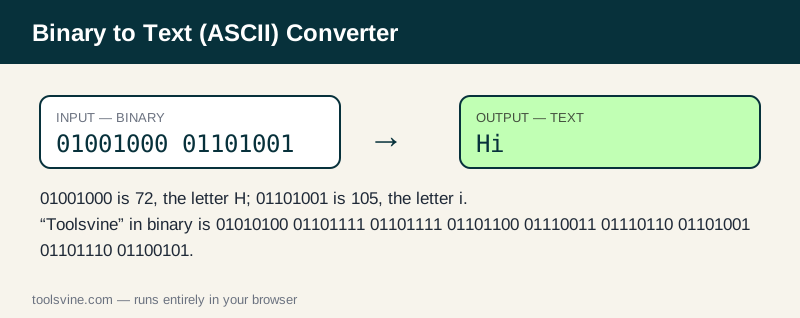
Worked example: 01001000 01101001 spells “Hi”
Take 01001000 01101001. The first group, 01001000, is 72 — the letter H. The second, 01101001, is 105 — the letter i. Together they spell “Hi”. The same rule decodes a whole word: “Toolsvine” in binary is 01010100 01101111 01101111 01101100 01110011 01110110 01101001 01101110 01100101, nine bytes for nine letters.
| Character | ASCII code | Binary |
|---|---|---|
| A | 65 | 01000001 |
| a | 97 | 01100001 |
| 0 | 48 | 00110000 |
| space | 32 | 00100000 |
| ! | 33 | 00100001 |
Values above 127 are not standard ASCII — they belong to extended encodings. This tool accepts bytes up to 255 and shows the matching Latin-1 character, but for real-world text with accents or emoji, UTF-8 is the encoding to use.
What about characters beyond ASCII?
ASCII stops at 127, which covers English letters, digits, and punctuation — nothing more. Bytes from 128 to 255 belong to extended sets like Latin-1, where 233 is é and 241 is ñ, and modern text uses UTF-8, where a character like é takes two bytes and an emoji takes four. If your decoded text shows odd symbols where you expected accents, the input was probably UTF-8 bytes, not plain ASCII; decode it as UTF-8 instead, or read the bytes as numbers with the Binary to Decimal Converter to see what each one holds.
Frequently asked questions
How do I decode binary to text by hand?
Split the bits into groups of eight, starting from the left. Convert each group to a decimal number, then look it up in the ASCII table: 72 is H, 105 is i, 32 is a space. For example, 01001000 01101001 is 72 and 105, which spells Hi.
Is my input uploaded anywhere?
No. The conversion runs entirely in your browser with JavaScript. Your value never leaves your device, and the tool keeps working if you go offline after the page loads, so private messages and test data stay private at any stage of the process.
What happens if I paste something invalid?
The tool shows a plain-language message under the input instead of crashing or guessing. Fix the highlighted problem — a stray character, or a length that is not a multiple of eight bits — and the result updates. Only the digits 0 and 1 are allowed.
Why does my binary need to be a multiple of 8 bits?
Because ASCII characters are exactly 8 bits each. A leftover group of 3 or 5 bits cannot be a character, so the tool asks you to fix it. Check for a missing leading zero — a byte like 1000001 is usually 01000001 with the zero dropped.
Can I decode emoji from binary?
Not with plain ASCII, because emoji live outside the 0–127 range and are stored as multi-byte UTF-8 sequences. This tool accepts bytes up to 255 as Latin-1, but for emoji and accented text you need a UTF-8 decoder rather than an ASCII one.