
Need to turn octal into binary? This free octal to binary converter converts the moment you type — no upload, no sign-up, and nothing leaves your browser. Paste or type a value, and the result appears instantly along with a count of how many digits went in.
The conversion runs entirely on your device, so even long values stay private. It uses exact BigInt math for numeric conversions, so big inputs stay precise. To go the other way, try the Binary to Octal Converter, or see the same value in decimal with the Octal to Decimal Converter.
How to use
- Type or paste your octal value into the input box above — only the digits 0 to 7 are allowed.
- The binary result converts instantly — for an empty box, check the message under the tool.
- Use Copy result to copy the output, or Clear to start over with a new value.
Why use Toolsvine
Octal still shows up in file permissions, embedded systems and legacy formats, and converting it by hand is slow and error-prone. Toolsvine expands each digit instantly with BigInt precision, so even a very long octal value converts exactly — no rounding, no upload, no account. The expansion it uses is the textbook method, so the answer is easy to verify digit by digit.
How does octal become binary?
Each octal digit is worth three binary digits, because 8 is 2 to the power of 3. Replace every digit with its three-bit group: 0 becomes 000, 5 becomes 101, 7 becomes 111. Leading zeroes in the first group can be dropped from the final answer, since they do not change the value. That is the whole conversion — no division, no multiplication, just a lookup per digit.
The classic everyday example is Unix permissions: 755 expands to 111 101 101, which is read-write-execute for the owner and read-execute for group and others. Each of the three digits is one permission triple, which is exactly why octal is the natural shorthand for chmod.
Worked example: 750 becomes 111101000
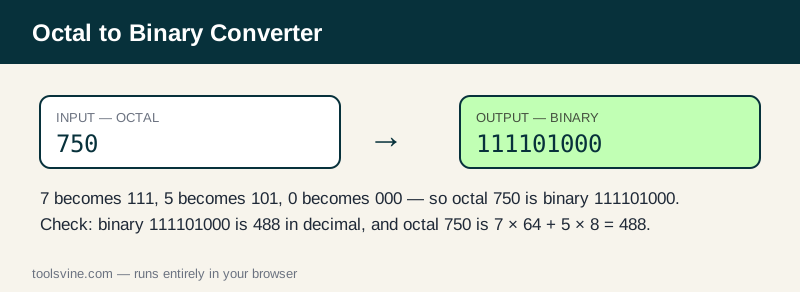
Take 750. The digits expand as 7 → 111, 5 → 101, 0 → 000, giving 111101000. Check it against decimal: octal 750 is 7 × 64 + 5 × 8 + 0 = 488, and binary 111101000 is 256 + 128 + 64 + 32 + 8 = 488. The numbers agree. A shorter one: 644 expands to 110 100 100, or 110100100, which is 420 in decimal.
| Octal digit | Binary group |
|---|---|
| 0 | 000 |
| 1 | 001 |
| 2 | 010 |
| 3 | 011 |
| 4 | 100 |
| 5 | 101 |
| 6 | 110 |
| 7 | 111 |
The reverse is just as mechanical: group the binary digits in threes from the right and read each group as an octal digit. Try the worked example in the tool: paste 750 and you should see 111101000 immediately, along with a digit count.
Where does octal still appear?
Beyond permissions, octal survives in embedded systems, in the instruction sets of old minicomputers, and in C-style escape sequences like \101 for the letter A. It also appears in file formats where three-bit fields are natural, such as some font and audio data. When the same value needs to be hex, the Octal to Hexadecimal Converter does the two-step trip in one pass.
Frequently asked questions
How do I convert octal to binary by hand?
Replace each octal digit with its three-bit group: 0 is 000, 5 is 101, 7 is 111. For example, 750 becomes 111 101 000, or 111101000. Drop any leading zeroes from the first group, since they do not change the value.
Is my input uploaded anywhere?
No. The conversion runs entirely in your browser with JavaScript. Your value never leaves your device, and the tool keeps working if you go offline after the page loads, so private keys and test data stay private at any stage of the process.
What happens if I paste something invalid?
The tool shows a plain-language message under the input instead of crashing or guessing. Fix the highlighted problem — a digit 8 or 9, a letter, or a decimal point — and the result updates. Only the digits 0 through 7 are allowed in octal.
Can I convert large octal numbers?
Yes — the converter uses BigInt, so it handles numbers far larger than JavaScript's normal safe-integer limit of about 9 quadrillion. Paste a long octal value and you still get an exact binary result, digit for digit, with no rounding.
Why does chmod use octal numbers?
Because Unix permissions are three bits per user class — read, write, execute — and each octal digit is exactly three bits. The permission 755 reads as 111 101 101, which is why octal fits permissions perfectly and no other base does.