
On this page
Remote teams lose hours to busywork that crosses time zones, and an AI agent can take most of it off the list. The eight tools below start at about six dollars a month and run to about thirty-seven dollars a month, with most charging per user or per action. Every price was checked on the vendor site on November 27, 2026, and every tool here publishes its own pricing. Make is our first pick — the cheapest automation with agents that run while the team sleeps.
How we researched this
We started with the AI agent tools remote teams actually buy, then read each price on the vendor pricing page on November 27, 2026 and noted the free plan each tool carries. We judged them for a remote team that needs agents to handle busywork, automate handoffs and keep work moving across time zones, and we kept only tools with a published price. We dropped Moveworks, Glean and Aisera because none of them publishes a list price, and we dropped OpenAI Operator because it has no standalone published plan.
Compare the tools
| Name | Best for | Starting price | Free plan | |
|---|---|---|---|---|
| Lindy | Remote workers who want a personal agent for email, scheduling and research | $29.99/user/month | Free plan with starter credits | Visit |
 n8n | Technical teams that want automation agents they can self-host for free | €20/month | Free self-hosted Community edition; Cloud trial available | Visit |
 Zapier | Remote teams that want the largest integration library with agents that watch apps and act | $19.99/month | Free plan with one hundred tasks a month | Visit |
 Make | Remote teams that want the cheapest automation with a visual workflow builder | $9/month | Free plan with one thousand credits a month | Visit |
| Relevance AI | Teams that want multi-agent teams to research, draft and update work overnight | $19/month | No free plan; free trial available | Visit |
| Gumloop | Teams that want to automate browser work, spreadsheets and research without code | $37/month | Free plan with five thousand credits a month; 14-day Pro trial | Visit |
 Bardeen | Remote workers who spend their day in the browser and want the clicks automated | $10/month | Free tier with one hundred credits | Visit |
| Taskade | Small remote teams that want tasks, docs and AI agents in one workspace | $6/month | Free plan for two members | Visit |
The AI agents software for remote teams, compared
1. Lindy
Best for: Remote workers who want a personal agent for email, scheduling and research
Paid tool Starting price: $29.99/user/month · Plus plan, twenty-nine dollars and ninety-nine cents a user a month for three thousand credits; monthly billing only
Free plan: Free plan with starter credits
Lindy gives every remote worker a personal agent that handles email, scheduling and research without a handoff. This Lindy Plus plan costs twenty-nine dollars and ninety-nine cents a user a month for three thousand credits, with Pro at ninety-nine dollars and ninety-nine cents for fifteen thousand. Monthly billing only applies, with no annual discount published.

What we like
- Personal agents for email and scheduling
- Flat monthly fee per user
- No annual discount to chase
Watch out for
- Credit limits cap heavy use
- Monthly billing only, with no annual option
How to try it
- Open the Lindy pricing page and claim the free plan
- Build one agent for email or scheduling
- Check credit use after a week of real work
2. n8n
Best for: Technical teams that want automation agents they can self-host for free
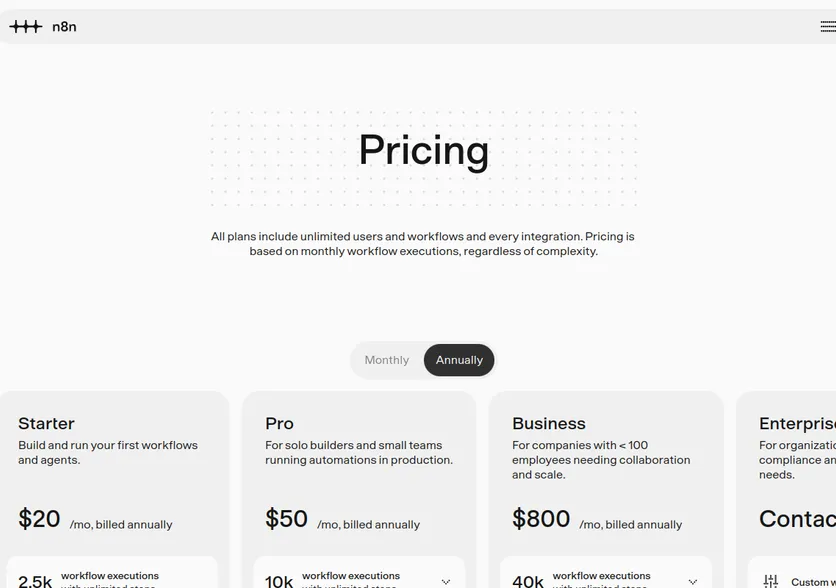
Paid tool Starting price: €20/month · Cloud Starter plan, twenty euros a month billed yearly for two thousand five hundred executions a month; monthly billing costs twenty-four euros a month
Free plan: Free self-hosted Community edition; Cloud trial available
n8n is the automation platform remote teams self-host for free or run in the cloud, with AI agents that chain tools together. This n8n Cloud Starter plan costs twenty euros a month billed yearly for two thousand five hundred executions a month, with monthly billing at twenty-four euros a month. The free self-hosted Community edition gives technical teams the same engine with no subscription at all.
What we like
- Free self-hosted Community edition
- AI agents that chain tools together
- Huge library of integrations
Watch out for
- Cloud Starter covers only two thousand five hundred executions
- Self-hosting needs someone to run the server
How to try it
- Open the n8n pricing page and compare Cloud with self-hosted
- Start the Cloud trial or install the free edition
- Build one agent that connects two of your apps
3. Zapier
Best for: Remote teams that want the largest integration library with agents that watch apps and act
Paid tool Starting price: $19.99/month · Professional plan, nineteen dollars and ninety-nine cents a month billed yearly for seven hundred fifty tasks a month; monthly billing costs twenty-nine dollars and ninety-nine cents a month
Free plan: Free plan with one hundred tasks a month
Zapier is the automation tool most remote teams already know, with agents that watch apps and act when something changes. This Zapier Professional plan costs nineteen dollars and ninety-nine cents a month billed yearly for seven hundred fifty tasks a month, with monthly billing at twenty-nine dollars and ninety-nine cents a month. A free plan with one hundred tasks a month covers the first automations.

What we like
- Largest integration library in this list
- Agents that watch apps and act
- Free plan with one hundred tasks a month
Watch out for
- Professional covers only seven hundred fifty tasks
- Task limits make heavy automation dear
How to try it
- Open the Zapier pricing page and claim the free plan
- Build one automation between two apps you use daily
- Watch the task count for a week before you upgrade
4. Make
Best for: Remote teams that want the cheapest automation with a visual workflow builder
Paid tool Starting price: $9/month · Core plan, nine dollars a month billed yearly for ten thousand credits a month; monthly billing costs ten dollars and fifty-nine cents a month
Free plan: Free plan with one thousand credits a month
Make is the visual automation builder where remote teams draw workflows that agents then run on their own. This Make Core plan costs nine dollars a month billed yearly for ten thousand credits a month, with monthly billing at ten dollars and fifty-nine cents a month. A free plan with one thousand credits a month lets a team automate its first handoffs without paying.

What we like
- Cheapest automation in this list
- Visual builder anyone can read
- Free plan with one thousand credits a month
Watch out for
- Credit model changed in August 2026, so old guides mislead
- Pro costs sixteen dollars a month for more credits
How to try it
- Open the Make pricing page and claim the free plan
- Draw one workflow for a real handoff
- Check the credit use after a week
5. Relevance AI
Best for: Teams that want multi-agent teams to research, draft and update work overnight
Paid tool Starting price: $19/month · Pro plan, nineteen dollars a month billed yearly for two thousand five hundred actions; monthly billing costs twenty-nine dollars a month
Free plan: No free plan; free trial available
Relevance AI builds multi-agent teams that research, draft and update work while the humans are offline. This Relevance AI Pro plan costs nineteen dollars a month billed yearly for two thousand five hundred actions, with monthly billing at twenty-nine dollars a month. The free plan was retired for new signups, so a trial is the way to test the agents.

What we like
- Multi-agent teams that work while humans sleep
- Research and drafting agents in one place
- Low entry price for agent teams
Watch out for
- Free plan retired for new signups
- Self-serve plans are hard to find on the pricing page
How to try it
- Open the Relevance AI pricing page and start a trial
- Build one agent team for research
- Review the output quality after a week
6. Gumloop
Best for: Teams that want to automate browser work, spreadsheets and research without code
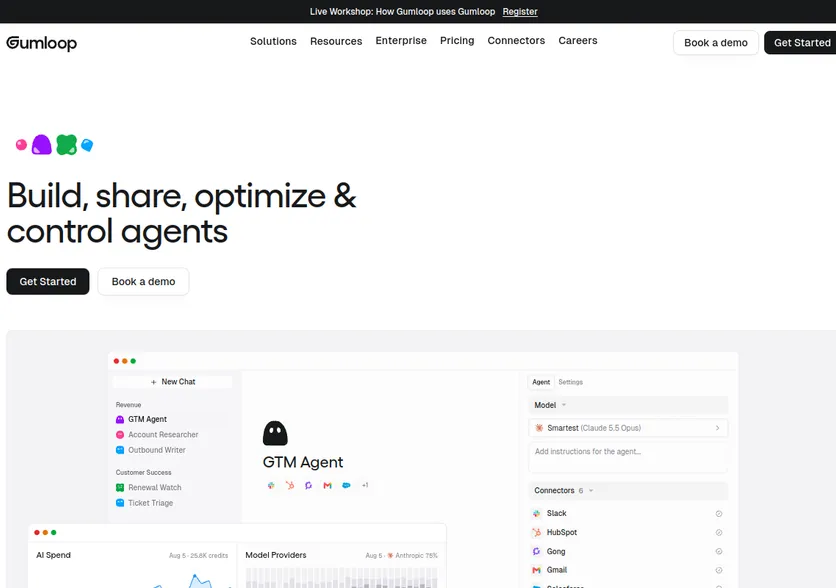
Paid tool Starting price: $37/month · Pro plan, thirty-seven dollars a month for twenty thousand credits plus an eight percent orchestration fee
Free plan: Free plan with five thousand credits a month; 14-day Pro trial
Gumloop is the agent builder for teams that want to automate browser work, spreadsheets and research without code. This Gumloop Pro plan costs thirty-seven dollars a month for twenty thousand credits, with an eight percent orchestration fee on top. A free plan with five thousand credits a month covers light automation, and a fourteen-day Pro trial tests the full platform.
What we like
- Automates browser work without code
- Free plan with five thousand credits a month
- Fourteen-day Pro trial
Watch out for
- Eight percent orchestration fee on top
- Pro costs thirty-seven dollars a month
How to try it
- Open the Gumloop pricing page and claim the free plan
- Automate one browser task you do daily
- Check the credit and fee cost after a week
7. Bardeen
Best for: Remote workers who spend their day in the browser and want the clicks automated
Paid tool Starting price: $10/month · Basic plan, ten dollars a month for one hundred credits with a free tier of one hundred credits
Free plan: Free tier with one hundred credits
Bardeen lives in the browser, where remote workers spend most of their day, and its agents automate the clicks between apps. This Bardeen plan costs ten dollars a month for one hundred credits, with a free tier that always includes one hundred credits. Premium tiers at fifty dollars a month add more credits for teams that automate heavily.
What we like
- Lives in the browser where work happens
- Free tier always includes one hundred credits
- Agents automate clicks between apps
Watch out for
- Paid plan costs ten dollars a month for one hundred credits
- Premium tiers at fifty dollars a month add more credits
How to try it
- Open the Bardeen pricing page and claim the free tier
- Automate one repetitive browser task
- Upgrade when you pass one hundred credits a month
8. Taskade
Best for: Small remote teams that want tasks, docs and AI agents in one workspace
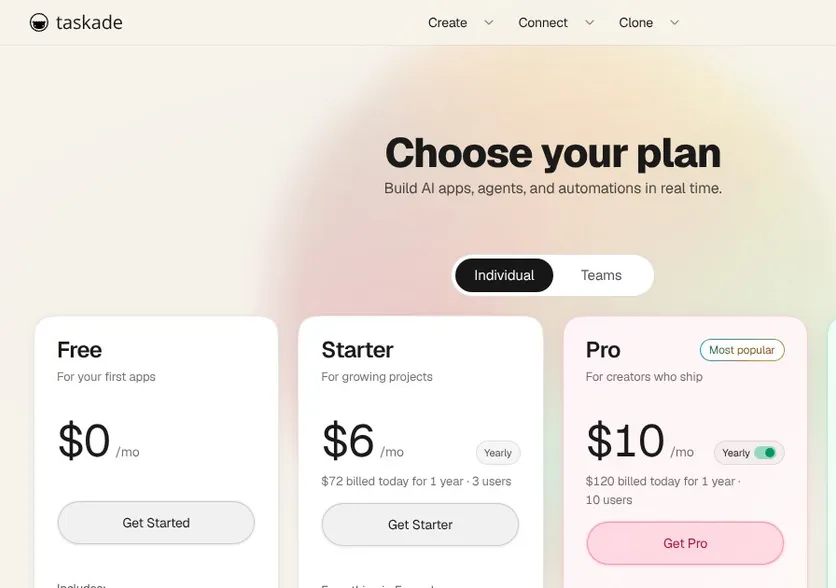
Paid tool Starting price: $6/month · Starter plan, six dollars a month billed yearly for three users; Pro costs ten dollars a month billed yearly for ten seats
Free plan: Free plan for two members
Taskade combines tasks, docs and AI agents in one workspace, so a remote team plans and executes in the same place. This Taskade Starter plan costs six dollars a month billed yearly for three users, with Pro at ten dollars a month billed yearly for ten seats. A free plan for two members covers a small team testing the agents.
What we like
- Tasks, docs and agents in one workspace
- Free plan for two members
- Low entry price for small teams
Watch out for
- Pro pricing varies across sources, so confirm at checkout
- Starter covers only three users
How to try it
- Open the Taskade pricing page and claim the free plan
- Set up one project with an AI agent
- Test the agent on a real team task
Prices above were checked on each vendor’s own website on Nov 27, 2026 and can change — the vendor’s page is the final word. Vendor links are editorial: nobody paid to be listed or ranked here. Vendors who want a featured listing can see how it works on our Get listed page.
What AI agents cost remote teams in 2026
AI agents for remote teams charge per user, per action, per credit or per task, so the cheapest headline is rarely the cheapest bill. A solo worker can start near six dollars a month, while a team automating hundreds of handoffs pays per action on every tool except the flat seat plans. The billing unit matters more than the price, because ten thousand credits and seven hundred fifty tasks are very different allowances.
Start with the free plan on two tools and automate one real handoff on each. Compare how often the agent completes it without help, how clear the run history is, and whether the next person on the team can follow what happened. Pick the tool whose agents your team trusts, because an agent that silently drops work costs more than the subscription.
Before you buy
- Count your actions first, because Make Core covers ten thousand credits a month while Zapier Professional covers seven hundred fifty tasks.
- Check the billing unit, because n8n meters executions, Make meters credits and Zapier meters tasks.
- Compare yearly and monthly billing, because Zapier drops from about thirty dollars to about twenty dollars a month on the yearly plan.
- Confirm the free plan is still offered, because Relevance AI retired its free plan for new signups.
- Test the free plan before paying, because Make, Zapier and Bardeen all let you automate real work without a card.
Official websites
Official websites of the products reviewed above. Features and prices were checked against these sites when this guide was written, and they can change, so confirm on the vendor site before you buy.
Frequently asked questions
Which AI agent software is best for remote teams in 2026?
Make is the best overall pick at nine dollars a month billed yearly, with the cheapest automation and agents that run while the team sleeps. n8n is the best self-hosted option at twenty euros a month in the cloud, while Lindy is the best personal agent at about thirty dollars a user a month. Test two tools by automating one real handoff on each before you pay.
How much do AI agents cost for remote teams?
Paid plans in this list run from six dollars a month to thirty-seven dollars a month, with most sitting between nine and twenty euros a month. The billing unit matters more than the price, because Make meters credits, n8n meters executions and Zapier meters tasks. A solo worker can start near six dollars a month, while a team automating hundreds of handoffs pays per action on every tool.
Do AI agents work across time zones?
Yes, that is their main advantage for remote teams. Agents on Make, n8n and Zapier run on schedules and triggers, so work moves while the humans are offline. A handoff started in one time zone can be finished by an agent before the next person wakes up. The run history shows exactly what the agent did, so the team can follow the work without a meeting.
Is there a free AI agent tool for remote teams?
Yes. Make offers a free plan with one thousand credits a month, Zapier has a free plan with one hundred tasks a month, and Bardeen keeps one hundred credits free forever. n8n is free to self-host with no limits, and Taskade has a free plan for two members. A free plan is enough to automate one real handoff before you pay.
What should a remote team look for in AI agent software?
Look for agents that complete real handoffs without help, a run history the next person can follow, and billing in a unit your team understands. Check the action, credit or task allowance on each plan, and whether the free plan is still offered. The best tool for a remote team is the one whose agents keep work moving across time zones, not the one with the longest feature list.
Need everyday productivity help too? Try Toolsvine's free productivity tools right in your browser.
Browse Productivity Tools tools


