

On this page
AI coding tools have moved from autocomplete to agents that plan, write and test whole features, and every software team now has to pick one. The choice is no longer about which tool writes code, but which one fits the team's stack, budget and workflow. The eight platforms below were checked on their own pricing pages on November 26, 2026, and each one covers completions, agents or autonomous coding in its own way. GitHub Copilot is our first pick — the safest default, with the deepest GitHub integration and a free tier to start.
How we researched this
We started with the AI coding platforms that software teams actually buy, then read each price on the vendor pricing page on November 26, 2026. We judged them on completions, agent features, model access and whether the price fits a solo developer or a whole team. We kept only tools with a published dollar price and dropped any tool whose price we could not verify on its own site.
Compare the tools
| Name | Best for | Starting price | Free plan | |
|---|---|---|---|---|
 GitHub Copilot | Software teams that live in GitHub and want the least setup | $10/user/month | Free plan; 2,000 completions a month | Visit |
 Amazon Q Developer | Teams that build on AWS and want cloud-aware help | $19/user/month | Free tier available | Visit |
 Replit | Teams that prototype fast in the browser | $18/month | No free plan listed on the pricing page | Visit |
 Augment Code | Teams with a big codebase that need real context | $20/month | No free plan listed on the pricing page | Visit |
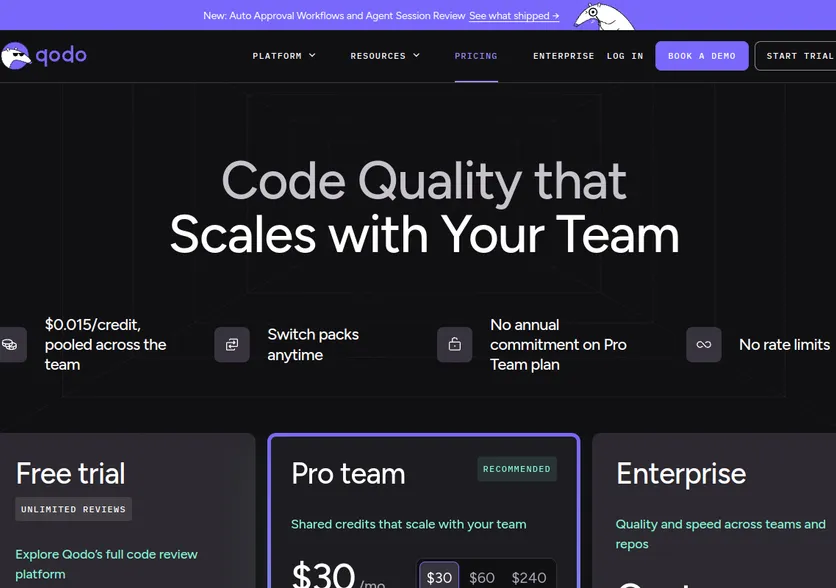
 Qodo | Teams that want AI help with testing and review | $30/month | 14-day free trial | Visit |
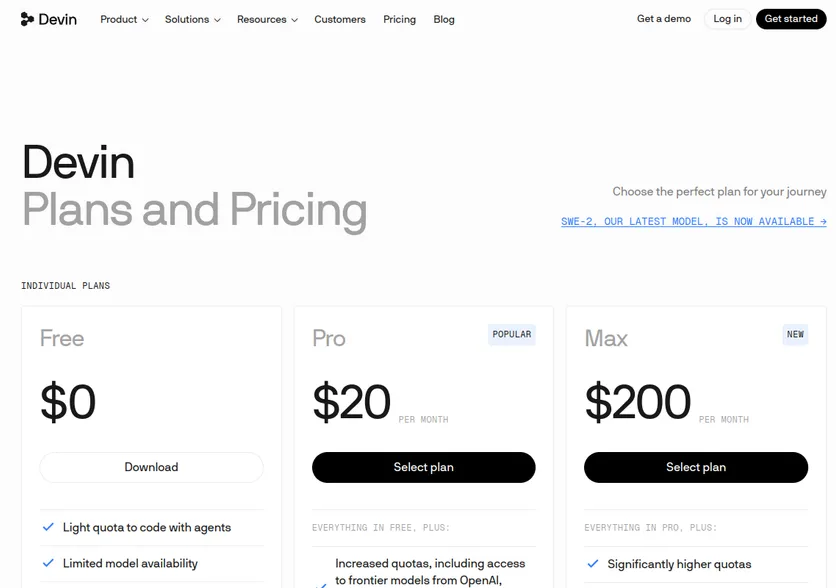
 Devin | Teams that want to hand whole tasks to an agent | $20/month | Free plan | Visit |
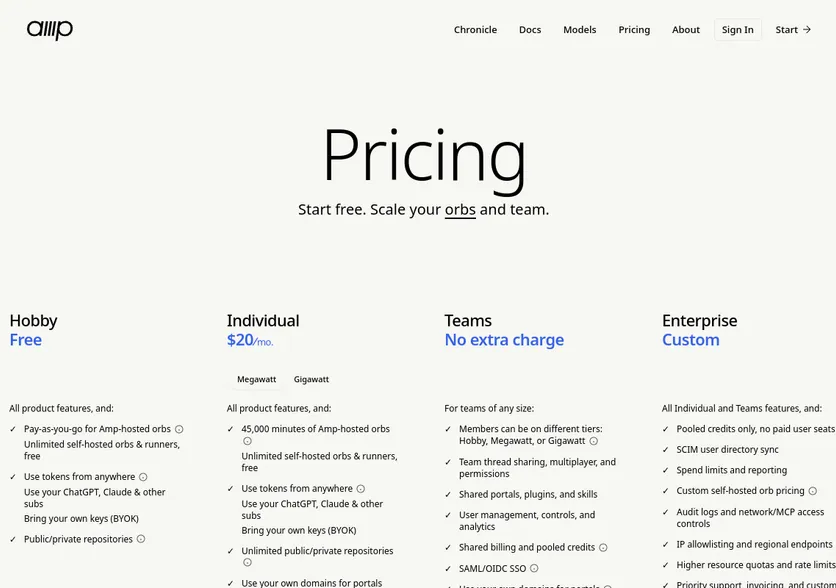
 Amp | Teams that use Sourcegraph and want the same context | $20/month | Free Hobby plan | Visit |
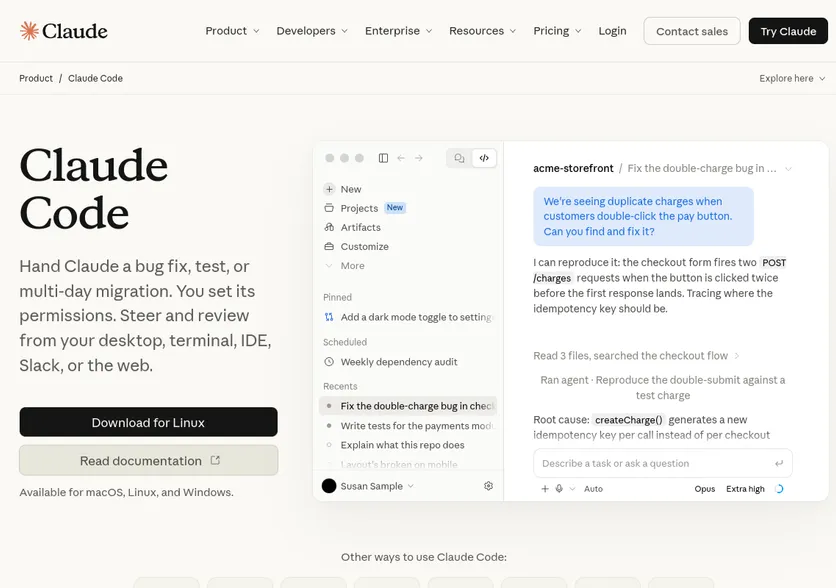
 Claude Code | Terminal-first teams that want an agent to do the loop | $17/month | No free plan listed on the pricing page | Visit |
The AI coding platforms, compared
1. GitHub Copilot
Best for: Software teams that live in GitHub and want the least setup
Paid tool Starting price: $10/user/month · Pro plan; Pro+ is $39 and Max is $100 a user a month; free plan includes 2,000 completions a month
Free plan: Free plan; 2,000 completions a month
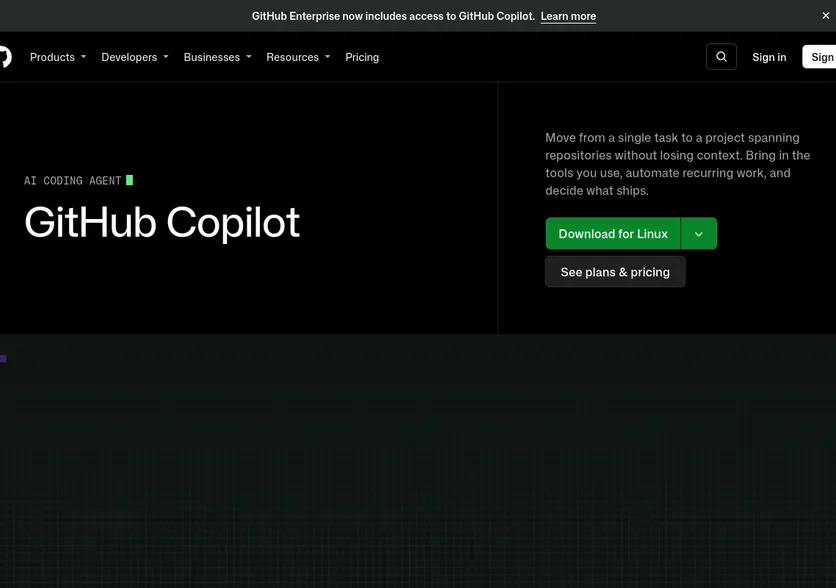
GitHub Copilot is the AI pair programmer most developers already use, with completions and chat built into the editor and GitHub itself. This GitHub Copilot plan costs $10 per user a month for Pro and adds a free tier with 2,000 completions a month. It suits a software team that lives in GitHub and wants AI help with the least setup.
What we like
- Deepest GitHub integration on this list
- Free tier with 2,000 completions a month
- Pro at $10 a user a month is the cheapest paid plan here
Watch out for
- Pro+ at $39 and Max at $100 cost far more
- Free tier caps at 2,000 completions a month
How to try it
- Open the GitHub Copilot page and start with the free tier
- Enable Copilot in your editor and connect your repos
- Upgrade to Pro when you need unlimited completions
2. Amazon Q Developer
Best for: Teams that build on AWS and want cloud-aware help
Paid tool Starting price: $19/user/month · Pro plan; free tier available; transformation overage is $0.003 per line of code
Free plan: Free tier available
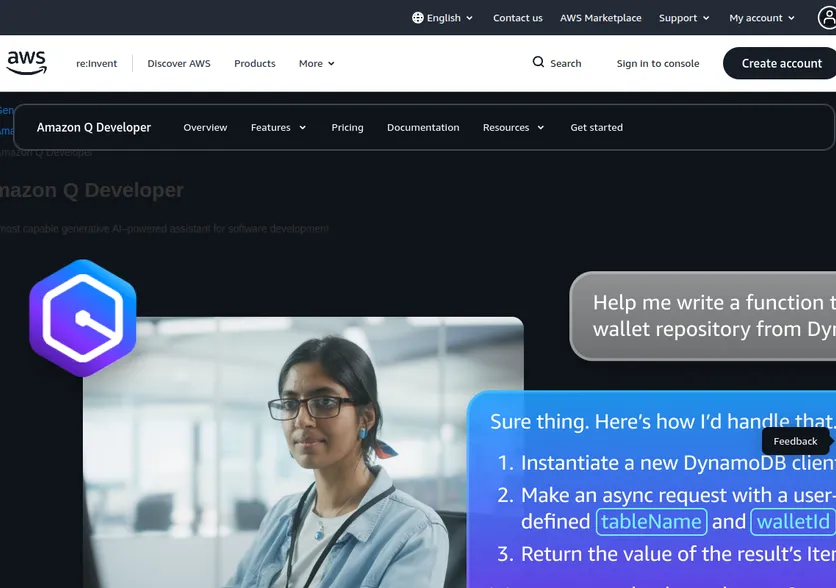
Amazon Q Developer is the AWS-native coding assistant, with agents that write, test and transform code inside the AWS console and IDE. This Amazon Q Developer plan costs $19 per user a month for Pro and adds a free tier for evaluation. It fits a team that builds on AWS and wants its assistant to know the cloud it deploys to.
What we like
- AWS-native with agents for code transformation
- Free tier available for evaluation
- Pro at $19 a user a month is a fair mid-range price
Watch out for
- Transformation overage costs $0.003 per line of code
- AWS-first, so other clouds get less value
How to try it
- Open the Amazon Q Developer pricing page and start the free tier
- Connect your AWS account and your IDE
- Upgrade to Pro when the team needs the full agent features
3. Replit
Best for: Teams that prototype fast in the browser
Paid tool Starting price: $18/month · Core plan, annual billing; $20 a month month-to-month; Pro is $90 a month; Enterprise is custom
Free plan: No free plan listed on the pricing page
Replit is the browser-based coding platform where a team can write, run and ship an app without a local setup. This Replit plan costs $18 a month for Core on annual billing and covers the agent, hosting and collaboration in one place. It suits a team that prototypes fast and wants the whole workflow in the browser.
What we like
- Whole workflow in the browser, no local setup
- Core at $18 a month on annual billing
- Agent, hosting and collaboration in one place
Watch out for
- Pro at $90 a month on annual billing is a big jump
- Browser-first, so heavy local workflows need another tool
How to try it
- Open the Replit pricing page and start the Core plan
- Create a repl and let the agent build a first version
- Deploy from the browser and share the link
4. Augment Code
Best for: Teams with a big codebase that need real context
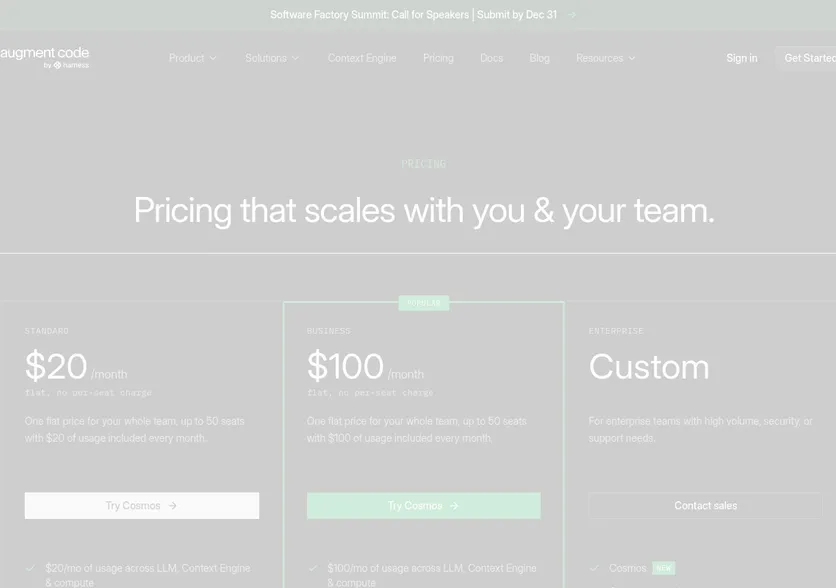
Paid tool Starting price: $20/month · Standard plan, flat rate up to 50 seats; Business is $100 a month flat; Enterprise is custom
Free plan: No free plan listed on the pricing page
Augment Code is the AI coding assistant built for large codebases, with deep context that helps it understand a whole repository. This Augment Code plan costs $20 a month flat for Standard, covering up to 50 seats, with Business at $100 a month flat. It fits a team with a big, old codebase that needs an assistant with real context.
What we like
- Flat $20 a month for up to 50 seats
- Built for large codebases with deep context
- Business at $100 a month flat is simple to price
Watch out for
- Standard is flat to 50 seats, then it changes
- Smaller brand than GitHub or Amazon
How to try it
- Open the Augment Code pricing page and start the Standard plan
- Connect your repository and let it build context
- Use the agent for a real task and review the result
5. Qodo
Best for: Teams that want AI help with testing and review
Paid tool Starting price: $30/month · Pro Team plan, 2,000 credits; $0.015 per credit; 14-day free trial; Enterprise is custom
Free plan: 14-day free trial
Qodo is the AI coding platform focused on code quality, with agents that write, review and test code before it ships. This Qodo plan costs $30 a month for Pro Team with 2,000 credits and adds a 14-day free trial. It suits a team that wants AI help with the testing and review work, not just the writing.
What we like
- Focus on testing and review, not just writing
- 14-day free trial to test before paying
- Pro Team at $30 a month with 2,000 credits
Watch out for
- Credits at $0.015 each add up on heavy use
- Enterprise is quoted, so large teams negotiate
How to try it
- Open the Qodo pricing page and start the 14-day trial
- Connect your repo and run the Pro Team plan
- Review the tests it writes before you ship
6. Devin
Best for: Teams that want to hand whole tasks to an agent
Paid tool Starting price: $20/month · Pro plan; Teams is $80 and Max is $200 a month; free plan available
Free plan: Free plan
Devin is the autonomous AI engineer, built to take a task and work through it with minimal supervision. This Devin plan costs $20 a month for Pro and adds Teams at $80 and Max at $200 a month, with a free plan to start. It fits a team that wants to hand whole tasks to an agent and review the result.
What we like
- Autonomous agent that works whole tasks
- Free plan to start
- Pro at $20 a month is affordable for an agent
Watch out for
- Teams at $80 and Max at $200 a month cost far more
- Autonomous work needs review, so budget the time
How to try it
- Open the Devin pricing page and start with the free plan
- Give Devin a small, well-defined task
- Review the pull request it opens and merge when ready
7. Amp
Best for: Teams that use Sourcegraph and want the same context
Paid tool Starting price: $20/month · Individual plan; Hobby plan is free; Teams pay no extra charge; Enterprise is custom
Free plan: Free Hobby plan
Amp is the agentic coding tool from Sourcegraph, built for teams that want an agent in the terminal and the editor. This Amp plan costs $20 a month for Individual, with a free Hobby plan and no extra charge for Teams. It suits a team that already uses Sourcegraph for code search and wants the same context in its agent.
What we like
- Free Hobby plan to start
- Teams pay no extra charge
- Built by Sourcegraph, so code context is deep
Watch out for
- Individual at $20 a month is per user
- Newer tool, so the ecosystem is still growing
How to try it
- Open the Amp pricing page and start the free Hobby plan
- Install Amp in the terminal and the editor
- Invite the team at no extra charge
8. Claude Code
Best for: Terminal-first teams that want an agent to do the loop
Paid tool Starting price: $17/month · Pro plan, annual billing; $20 a month month-to-month; Max is $100 a month; Enterprise is $20 a seat a month plus usage
Free plan: No free plan listed on the pricing page
Claude Code is the terminal-first agent from Anthropic, and it is the pick for teams that want an agent to plan, edit and test code directly. This Claude Code plan costs $17 a month for Pro on annual billing and is included in every paid Claude plan. It fits a team that lives in the terminal and wants the agent to do the whole loop.
What we like
- Terminal-first agent that plans, edits and tests
- Pro at $17 a month on annual billing
- Included in every paid Claude plan
Watch out for
- Max at $100 a month is a big jump from Pro
- Enterprise is $20 a seat a month plus usage
How to try it
- Open the Claude pricing page and start the Pro plan
- Install Claude Code in the terminal
- Give it a task and watch it plan, edit and test
Prices above were checked on each vendor’s own website on Nov 26, 2026 and can change — the vendor’s page is the final word. Vendor links are editorial: nobody paid to be listed or ranked here. Vendors who want a featured listing can see how it works on our Get listed page.
What AI coding platforms cost in 2026
AI coding platforms on this list run from $10 a user a month to $30 a month, and the price mostly reflects whether the tool completes code or runs whole tasks as an agent. The cheapest tools cover completions and chat, while the agents cost more and do more. Before you buy, count your developers, check whether the price is per seat or flat, and test the agent on your real codebase. A flat $20 plan for 50 seats beats a $10 per-seat plan once the team grows past two people.
Before you buy
- Count your developers first, because per-seat pricing scales fast and flat pricing does not.
- Check whether the price is per seat or flat, since a flat plan wins once the team grows.
- Test the agent on your real codebase, because context quality varies between tools.
- Ask about the free tier limits, because completion caps decide the real cost.
- Confirm the tool works with your stack, from GitHub to AWS to the terminal.
Official websites
Official websites of the products reviewed above. Features and prices were checked against these sites when this guide was written, and they can change, so confirm on the vendor site before you buy.
Frequently asked questions
What is the best AI coding platform for software teams in 2026?
GitHub Copilot is our first pick because it is the safest default, with the deepest GitHub integration and a free tier to start. Claude Code is the best choice for terminal-first teams that want an agent to plan, edit and test code. Replit wins when the team wants to build and ship from the browser.
How much do AI coding platforms cost?
Prices here run from $10 a user a month for GitHub Copilot Pro to $30 a month for Qodo Pro Team. Most tools sit between $17 and $20 a user a month at the entry tier, including Claude Code, Replit and Devin. Augment Code charges a flat $20 a month for up to 50 seats, which beats per-seat pricing for larger teams.
What is the difference between a copilot and an agent?
A copilot completes code and answers questions while you work, which is what GitHub Copilot and Amazon Q Developer do best. An agent plans, writes and tests a whole task on its own, which is what Devin, Claude Code and Amp are built for. Most teams use both: a copilot for daily work and an agent for larger tasks.
Can I try an AI coding platform before paying?
GitHub Copilot offers a free tier with 2,000 completions a month, and Amazon Q Developer offers a free tier. Devin and Amp both offer free plans, and Qodo offers a 14-day free trial. Start any trial on your real codebase, because an agent that works on a demo may struggle on a large, old repository.
Which AI coding tool is best for a large codebase?
Augment Code is built for large codebases, with deep context across the whole repository and a flat $20 a month price for up to 50 seats. Claude Code also handles large repos well from the terminal. Test any tool on your oldest, messiest code first, because that is where context quality shows.
Need the everyday developer jobs too? Format JSON, encode text and test regex free on Toolsvine right in your browser.
Browse Developer Tools tools


