
On this page
AI design generation turns a prompt into screens a developer can actually ship, either as real code or as an editable prototype. The eight tools below run from ten dollars a month for a hosted site to thirty dollars a user a month for prompt-to-React code, and every price was checked on the vendor site on November 26, 2026. Credit limits matter as much as the headline price, because every tool meters generations. v0 by Vercel is our first pick — prompt to React code from thirty dollars a user a month.
How we researched this
We started with the AI design tools developers actually ship from, then read each price on the vendor pricing page on November 26, 2026 and noted the free plan and credit limits each one carries. We judged them for a developer who needs editable output, not just pretty pictures. We kept only tools with a published price and dropped Galileo AI, which Google folded into Stitch with no paid plan, plus quote-only design platforms.
Compare the tools
| Name | Best for | Starting price | Free plan | |
|---|---|---|---|---|
 v0 by Vercel | Developers building React interfaces from prompts | $30/user/month | Free plan with 7 messages a day | Visit |
 Uizard | Non-designers making clickable prototypes fast | $12/month | Free plan with 3 AI generations a month | Visit |
 Framer | Designers shipping a live marketing site with AI help | $10/month | Free plan with 500 AI credits a month | Visit |
 Relume | Teams building marketing sites with AI structure | $12/month | Free plan available | Visit |
 Anima | Figma users turning designs into code | $20/month | Free plan available | Visit |
 TeleportHQ | Teams exporting code to several frameworks | $19.99/month | 7-day free trial | Visit |
 Lovable | Builders turning prompts into full web apps | $25/month | Free plan available | Visit |
 Figma | Teams already working in Figma that need AI generation and handoff | $16/user/month | Free Starter plan available | Visit |
The AI design generation tools for developers, compared
1. v0 by Vercel
Best for: Developers building React interfaces from prompts
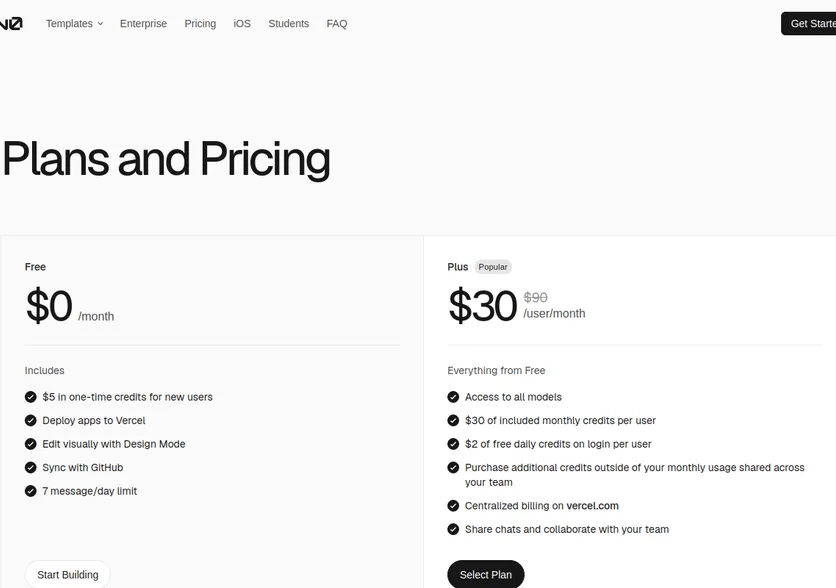
Paid tool Starting price: $30/user/month · Plus plan, $30 a user a month including $30 of monthly credits
Free plan: Free plan with 7 messages a day
v0 by Vercel turns a text prompt into React and Tailwind components that you can preview, edit and deploy. This v0 by Vercel Plus plan includes thirty dollars of monthly credits per user, GitHub sync and deploy to Vercel, so a prompt can become a merged pull request. A developer can prototype a dashboard in the morning and ship it by lunch.
What we like
- Prompt to real React and Tailwind code
- Preview, edit and deploy in one place
- GitHub sync included on paid plans
Watch out for
- Plus costs 30 dollars a user a month
- Credits cap at 30 dollars a month per user
How to try it
- Open the v0 pricing page and start the free plan
- Describe the interface you need and generate a first version
- Edit the code in place, then deploy it to Vercel
2. Uizard
Best for: Non-designers making clickable prototypes fast
Paid tool Starting price: $12/month · Pro plan, $12 a creator a month billed annually; free plan includes 3 AI generations a month
Free plan: Free plan with 3 AI generations a month
Uizard turns a text prompt, a screenshot or a photo of a hand-drawn wireframe into an editable multi-screen prototype. This Uizard Pro plan lifts the limit to five hundred generations a month, up to a hundred projects and unlimited screens, with React and CSS developer handoff. A product manager can validate a checkout flow with stakeholders before any designer opens a file.
What we like
- Fast multi-screen prototypes from a prompt
- 500 generations a month on Pro
- React and CSS handoff for developers
Watch out for
- Pro costs 12 dollars a creator a month
- Generated layouts need manual refinement
How to try it
- Open the Uizard pricing page and start the free plan
- Describe a flow or upload a sketch of a wireframe
- Share the clickable prototype and collect feedback on it
3. Framer
Best for: Designers shipping a live marketing site with AI help
Paid tool Starting price: $10/month · Basic plan, $10 a month; free plan includes 500 AI credits a month
Free plan: Free plan with 500 AI credits a month
Framer turns AI-generated designs into a real, responsive, publishable website with hosting, CMS and analytics included. This Framer Basic plan covers a live site with a thousand AI credits a month, so a landing page can go from prompt to production without a separate host. A designer can ship a campaign microsite in a day and keep editing it in the same tool.
What we like
- AI designs become a live hosted site
- Hosting, CMS and analytics included
- Free plan includes 500 AI credits a month
Watch out for
- Basic costs 10 dollars a month
- Page and CMS limits separate the tiers
How to try it
- Open the Framer pricing page and start the free plan
- Generate a site from a prompt and refine the layout
- Publish it on a custom domain from the Basic plan
4. Relume
Best for: Teams building marketing sites with AI structure
Paid tool Starting price: $12/month · Launch plan, $12 a site a month; hosting and AI usage billed on separate lists
Free plan: Free plan available
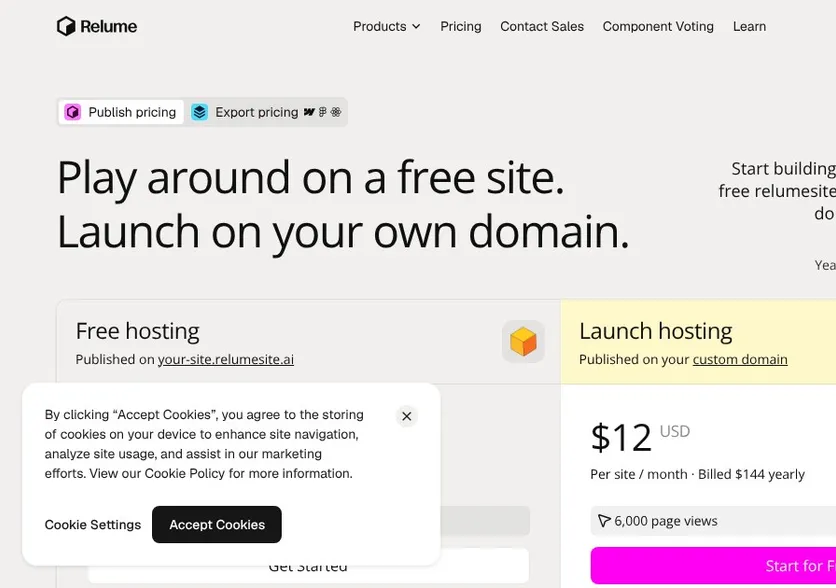
Relume builds marketing sites with an AI agent that handles structure, hosting, a custom domain and SSL in one place. This Relume Launch plan covers a site for twelve dollars a month, though hosting and AI usage appear on separate price lists, so check both numbers before comparing. A small business can get a professional site live without writing code or hiring a developer.
What we like
- AI agent builds the whole site structure
- Hosting, domain and SSL included
- No coding needed to launch
Watch out for
- Launch costs 12 dollars a site a month
- Hosting and AI usage are billed separately
How to try it
- Open the Relume pricing page and compare the site and AI lists
- Describe your business and let the agent draft the site
- Review the generated content before publishing it live
5. Anima
Best for: Figma users turning designs into code
Paid tool Starting price: $20/month · Starter plan, $20 a seat a month with 100 chat messages and 50 code generations
Free plan: Free plan available
Anima converts Figma designs into HTML, React and Vue code, closing the gap between design files and the codebase. This Anima Starter plan bundles a hundred chat messages and fifty code generations a month, with Figma-to-code running in both directions. A team that already designs in Figma can hand developers real components instead of screenshots.
What we like
- Figma to HTML, React and Vue code
- Works in both directions between design and code
- Chat messages refine the generated output
Watch out for
- Starter costs 20 dollars a seat a month
- Only 50 code generations a month on Starter
How to try it
- Open the Anima pricing page and connect your Figma account
- Pick a frame and generate React code from it
- Review the code, adjust the output and merge it in
6. TeleportHQ
Best for: Teams exporting code to several frameworks
Paid tool Starting price: $19.99/month · Pro plan, $19.99 a month billed monthly or $179.99 a year ($15 a month billed annually); 7-day free trial
Free plan: 7-day free trial
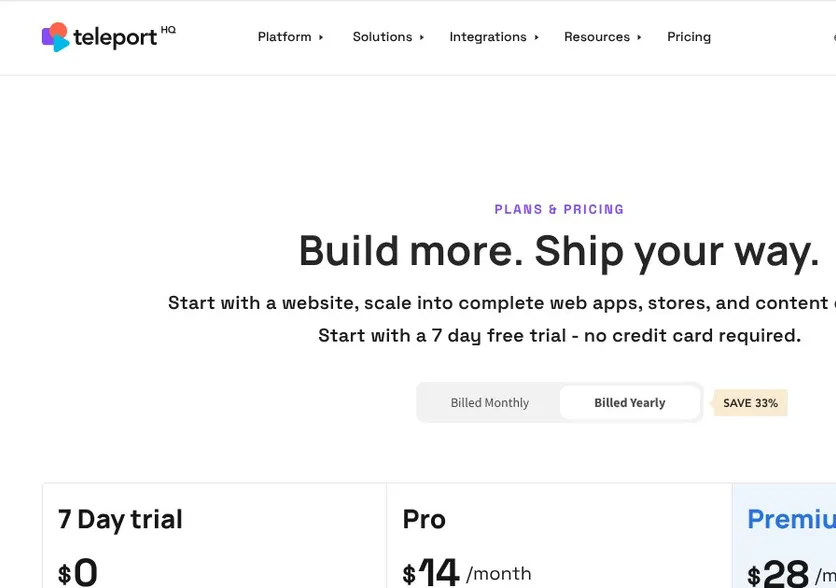
TeleportHQ generates interfaces with AI and exports the result as clean code for several frameworks, including React, Vue and Angular. This TeleportHQ Pro plan unlocks the full export options and collaboration features, so a team can design once and ship to more than one stack. A developer juggling two frameworks can keep one design source for both.
What we like
- Exports to React, Vue and Angular
- Visual editor plus AI generation
- Collaboration on paid plans
Watch out for
- Pro costs about twenty dollars a month
- Only a 7-day trial, no free plan
How to try it
- Open the TeleportHQ pricing page and start the 7-day trial
- Generate a screen from a prompt and refine it
- Export the code to your framework of choice
7. Lovable
Best for: Builders turning prompts into full web apps
Paid tool Starting price: $25/month · Pro plan, $25 a month; free plan available
Free plan: Free plan available
Lovable turns a plain-language prompt into a full web app, with a shared credit pool and no per-seat charge. This Lovable Pro plan gives a builder more monthly credits and room to iterate on a real product, from landing page to working app. A founder without a developer can test an idea with real users before hiring anyone.
What we like
- Prompt to a full working web app
- Shared credit pool, no per-seat charge
- Free plan to try a first idea
Watch out for
- Pro costs 25 dollars a month
- Credit limits decide the real cost
How to try it
- Open the Lovable pricing page and start the free plan
- Describe the app you want and generate a first version
- Test it with real users, then iterate with more prompts
8. Figma
Best for: Teams already working in Figma that need AI generation and handoff
Paid tool Starting price: $16/user/month · Professional plan, $16 a user a month billed annually; free Starter plan available
Free plan: Free Starter plan available
Figma is where most product teams already design, and its AI features now generate interfaces from prompts using your real component library. This Figma Professional plan adds unlimited files, shared libraries and three thousand AI credits a month, so generated screens stay on-brand. A developer gets editable layers and a prototype from the same file the designers already use.

What we like
- AI generation inside your real component library
- Design, prototype and handoff in one file
- Professional includes 3,000 AI credits a month
Watch out for
- Professional costs 16 dollars a user a month
- Extra credits are sold to the team
How to try it
- Open the Figma pricing page and compare Starter with Professional
- Generate a screen from a prompt inside your component library
- Hand the editable file to a developer for review
Prices above were checked on each vendor’s own website on Nov 26, 2026 and can change — the vendor’s page is the final word. Vendor links are editorial: nobody paid to be listed or ranked here. Vendors who want a featured listing can see how it works on our Get listed page.
What AI design generation costs in 2026
Every tool here meters something different, so the headline price hides the real cost. v0 includes thirty dollars of credits per user, Uizard counts generations, Framer counts pages and AI credits, and Relume splits hosting from AI usage on two price lists. A team that generates heavily should price a month of real work, not the entry plan, because a twelve dollar plan with a small credit cap can cost more than a thirty dollar plan with room to iterate.
Start with the free plan on two tools and build the same screen through both. Compare how much of the output you can ship unchanged, how clean the exported code is, and how many credits one screen actually burns. The tool that wastes the fewest generations on retries is the one that saves money.
Before you buy
- Count the credits first, because every tool meters generations and a cheap plan with a small cap costs more after top-ups.
- Check what the output really is, because a prototype, a hosted site and React code are three different deliverables.
- Test with your own component library first, because a demo prompt never shows how the tool handles your brand.
- Ask whether the tool fits your stack: v0 ships React, Anima exports Vue too, and Framer ships a live site.
- Add up the whole month, because hosting, seats and credit packs can double the headline price.
Official websites
Official websites of the products reviewed above. Features and prices were checked against these sites when this guide was written, and they can change, so confirm on the vendor site before you buy.
Frequently asked questions
Which AI design tool is best for developers in 2026?
v0 by Vercel, at thirty dollars a user a month, is the safest default for developers because it outputs real React and Tailwind code you can merge. Anima is better when your team already designs in Figma, since it turns frames into HTML, React and Vue code. Uizard wins for fast prototypes, at twelve dollars a creator a month for clickable mockups.
What is the cheapest AI design generation tool for developers?
Framer Basic, at ten dollars a month, is the cheapest entry here and ships a live hosted site with AI credits included. Uizard Pro and Relume Launch both cost twelve dollars a month, for prototypes and marketing sites respectively. v0 Plus, at thirty dollars a user a month, is the priciest entry but the only one that ships production React code.
Can AI design tools generate real code I can ship?
Yes, with review. v0 generates React and Tailwind components you can preview, edit and deploy, while Anima turns Figma frames into HTML, React and Vue code. TeleportHQ exports to several frameworks from one design. Always review the generated code before merging it, because AI output still needs a developer eye on accessibility and edge cases.
Can I try AI design generation tools for free?
Most of them, yes. v0 gives seven messages a day free, Uizard gives three AI generations a month, and Framer gives five hundred AI credits a month. Figma and Lovable both have free plans, and Anima offers a free plan too. TeleportHQ is the exception here, with only a seven-day trial and no free plan.
Which AI design tool is best for turning Figma designs into code?
Anima is the strongest pick, because it converts Figma frames into HTML, React and Vue code in both directions, from twenty dollars a seat a month. Figma itself is the runner-up, since its AI generation works inside your real component library and hands developers editable layers. Both keep design and code in sync instead of rebuilding screens from pictures.
Need everyday AI help too? Try Toolsvine's free AI tools for small teams right in your browser.
Browse AI Tools (In-Browser, No API) tools


