
On this page
Remote SRE teams have no shared war room, so the best AI SRE tools for remote teams put the incident, the dashboards and the timeline in one place everyone can reach. The eight tools below cover observability, incident response and synthetic monitoring, with AI that groups alerts and finds root causes across time zones. Prices were checked on each vendor's site on November 26, 2026. PagerDuty is our first pick — reliable on-call and incident response for a team in any time zone.
How we researched this
We started with the AI SRE tools remote teams actually run, then read each price on the vendor pricing page on November 26, 2026 and noted the free tier or trial each one carries. We judged them for distributed teams with no shared war room, async handoffs and on-call rotations across time zones. We kept only tools with a published price and dropped quote-only vendors whose costs we could not verify.
Compare the tools
| Name | Best for | Starting price | Free plan | |
|---|---|---|---|---|
 PagerDuty | Remote teams that need reliable on-call and incident response | $21/user/month | Free plan | Visit |
 Datadog | Remote teams that want one shared observability view | $15/host/month | Free tier (up to 5 Basic hosts) | Visit |
 incident.io | Remote teams that run incidents inside Slack | $15/user/month | Basic free forever plan | Visit |
 Rootly | Remote teams that want guided incident workflows | $20/user/month | 2-week free trial | Visit |
 Grafana Cloud | Remote teams that want managed open-source observability | $19/month | Free tier (10,000 series, 50 GB logs) | Visit |
 Honeycomb | Remote teams debugging complex distributed systems | $150/month | Free plan (up to 20M events/month) | Visit |
 New Relic | Remote teams that want usage-based observability pricing | $0.40/GB | Free tier (100 GB/month, 1 full platform user) | Visit |
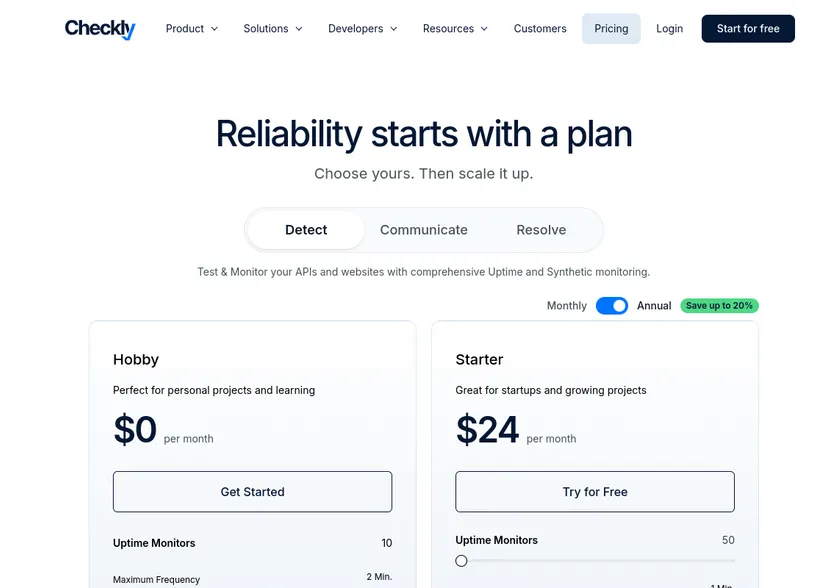
 Checkly | Remote teams that need synthetic monitoring and uptime checks | $24/month | Hobby free plan ($0) | Visit |
The AI SRE tools, compared
1. PagerDuty
Best for: Remote teams that need reliable on-call and incident response
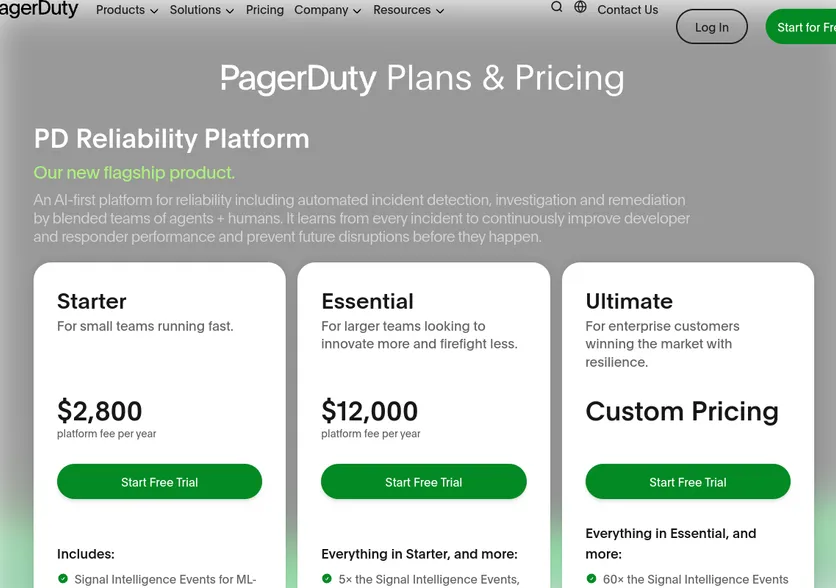
Paid tool Starting price: $21/user/month · Incident Management Professional $21 per user per month; PD Reliability Platform Starter $2,800 per year; free plan exists
Free plan: Free plan
PagerDuty is the incident response platform remote teams trust to wake the right person at three in the morning in any time zone and run the response. This PagerDuty plan costs twenty-one dollars per user each month for incident management. Its AI groups related alerts into one incident, so the on-call engineer sees one problem instead of fifty pages, wherever they are.
What we like
- Reliable alerting and escalation
- AI groups noisy alerts into one incident
- Works for on-call engineers in any time zone
Watch out for
- Per-user price grows with the on-call team
- Deepest automation needs higher tiers
How to try it
- Open the PagerDuty pricing page and start the free plan
- Connect monitoring tools and set up escalation policies across time zones
- Run a practice incident and review the timeline with the team
2. Datadog
Best for: Remote teams that want one shared observability view
Paid tool Starting price: $15/host/month · Infrastructure Pro $15 per host per month on annual billing ($18 on-demand; Enterprise $23); free tier up to 5 Basic hosts
Free plan: Free tier (up to 5 Basic hosts)
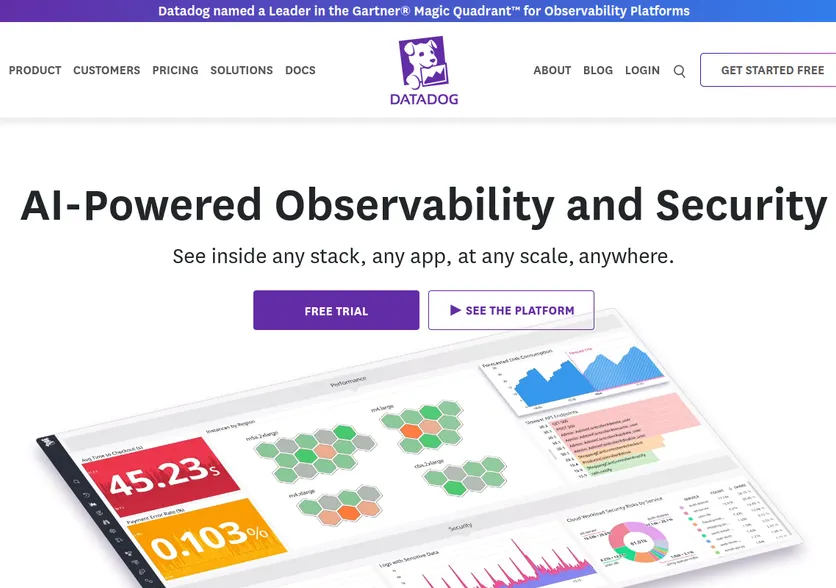
Datadog is the observability platform remote teams use when nobody is in the same room to watch the dashboards. This Datadog plan costs fifteen dollars per host each month on annual billing, which covers infrastructure monitoring. Every engineer opens the same live view from home, and AI anomaly detection pages the right team before customers notice.
What we like
- One platform for metrics, logs and traces
- Shared live dashboards for a distributed team
- AI anomaly detection across the stack
Watch out for
- Per-host price adds up across a large fleet
- Billing by host can surprise growing teams
How to try it
- Open the Datadog pricing page and start the free tier
- Install the agent on hosts and connect the cloud accounts
- Share dashboards and set up AI monitors for the on-call team
3. incident.io
Best for: Remote teams that run incidents inside Slack
Paid tool Starting price: $15/user/month · $15 per user per month for Team on annual billing ($19 monthly); Pro $25 per user per month; Basic free forever plan
Free plan: Basic free forever plan
incident.io is the incident platform remote teams use to run the whole response inside Slack, where the team already works. This Team plan costs fifteen dollars per user each month on annual billing. It opens a channel, assigns roles and writes the timeline automatically, so a distributed team responds as one.

What we like
- Runs the whole incident inside Slack
- Automatic timelines save hours of admin
- Free Basic plan for small teams
Watch out for
- Best value only for Slack-first teams
- Pro tier adds up across a large team
How to try it
- Open the incident.io pricing page and start the free Basic plan
- Connect Slack and set up the incident roles
- Run a practice incident and review the automatic timeline
4. Rootly
Best for: Remote teams that want guided incident workflows
Paid tool Starting price: $20/user/month · $20 per user per month for Incident Response and On-Call; 2-week trial; startup program up to 50% off
Free plan: 2-week free trial
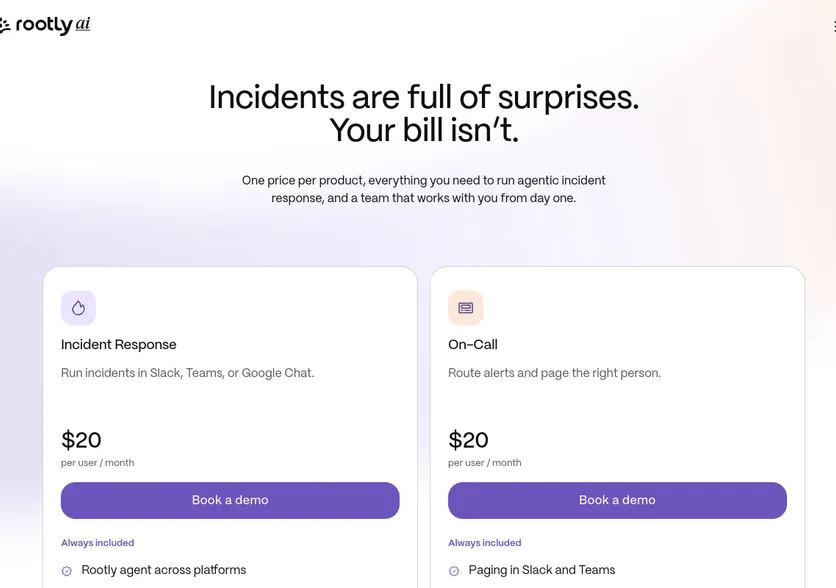
Rootly is the incident platform remote teams use when the response needs a clear workflow, not a group chat full of guesses. This Rootly plan costs twenty dollars per user each month for incident response and on-call. It guides the team through each step, from declaring the incident to writing the retrospective, all inside Slack.
What we like
- Guided workflows keep responses consistent
- Runs inside Slack where the team works
- Retrospectives write themselves from the timeline
Watch out for
- Per-user price grows with the team
- Slack-first design limits other chat tools
How to try it
- Open the Rootly pricing page and start the 2-week trial
- Connect Slack and set up the incident workflows
- Run a practice incident and review the guided retrospective
5. Grafana Cloud
Best for: Remote teams that want managed open-source observability
Paid tool Starting price: $19/month · $19 per month platform fee; metrics from $6.50 per 1,000 series; free tier with 10,000 series and 50 GB logs
Free plan: Free tier (10,000 series, 50 GB logs)
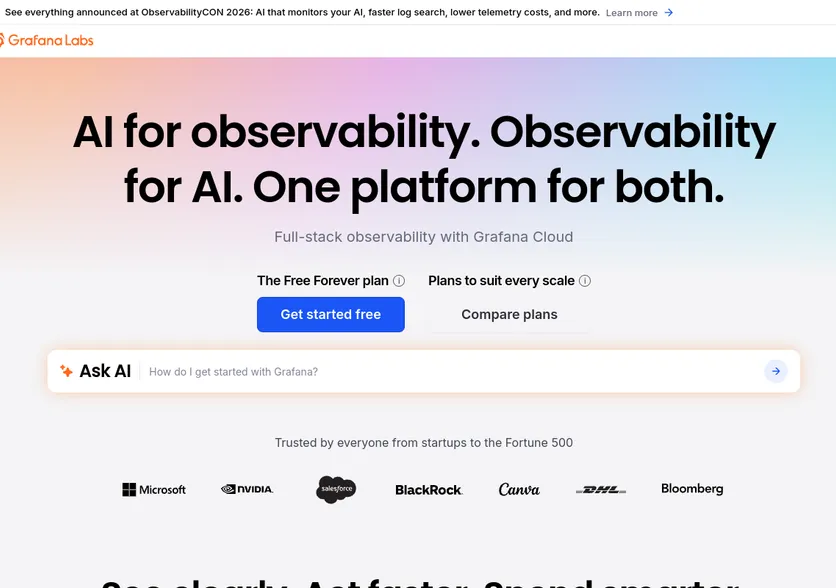
Grafana Cloud is the managed observability home remote teams use when every engineer needs the same dashboards from anywhere. This Grafana Cloud plan starts at nineteen dollars a month for the platform fee, with metrics billed by series. Teams keep their Grafana dashboards and Prometheus metrics, while Grafana Labs runs the infrastructure nobody on the team has to maintain.
What we like
- Open-source stack, managed hosting
- Free tier covers small deployments
- Shared dashboards for a distributed team
Watch out for
- Series-based billing needs watching at scale
- Incident features cost extra
How to try it
- Open the Grafana Cloud pricing page and start the free tier
- Connect Prometheus metrics and logs
- Share dashboards with the whole remote team
6. Honeycomb
Best for: Remote teams debugging complex distributed systems
Paid tool Starting price: $150/month · $150 per month for Pro with up to 750 million events per month; free plan up to 20 million events per month
Free plan: Free plan (up to 20M events/month)
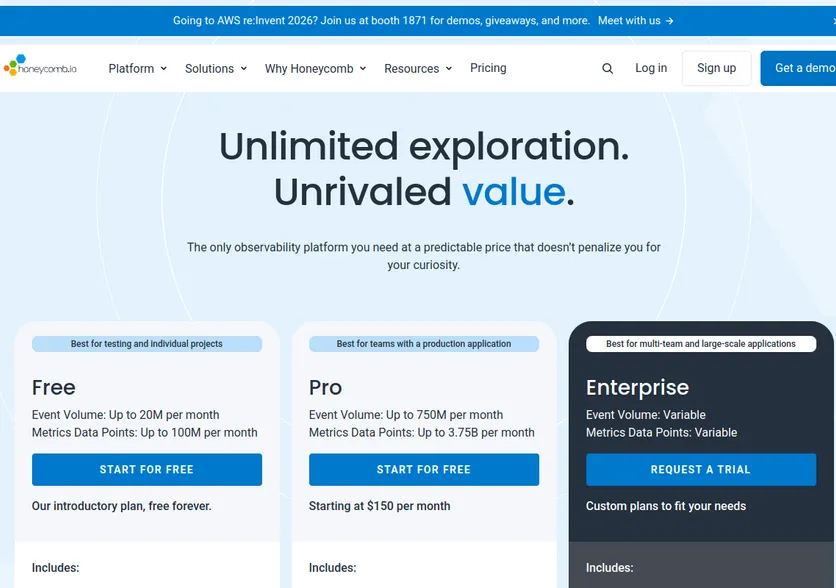
Honeycomb is the observability platform remote teams use when a bug hides in the interaction between ten services and nobody can gather around one screen. This Honeycomb plan costs one hundred fifty dollars a month for Pro, with hundreds of millions of events included. Its event-based model lets any engineer slice a trace by any field from home, which is how hard distributed bugs get found.
What we like
- Event-based model finds distributed bugs fast
- Generous free plan for evaluation
- Shareable trace links for async debugging
Watch out for
- Event volume pricing needs care at scale
- Smaller ecosystem than the big suites
How to try it
- Open the Honeycomb pricing page and start the free plan
- Send traces and events from the services
- Slice a slow trace by field and share the link with the team
7. New Relic
Best for: Remote teams that want usage-based observability pricing
Paid tool Starting price: $0.40/GB · $0.40 per GB beyond 100 GB free ingest per month; full platform user from $10 (Standard first user), Pro $349 per user annual; free tier with 100 GB per month and 1 full platform user
Free plan: Free tier (100 GB/month, 1 full platform user)
New Relic is the full-stack observability platform remote teams use when they want one bill and one shared view for metrics, logs, traces and errors. This New Relic plan charges forty cents per gigabyte beyond the free monthly ingest allowance, so small deployments cost very little. Its AI assistant answers plain-language questions about the system, which cuts the time from alert to answer for an engineer working alone.

What we like
- Usage-based pricing, free tier is generous
- One shared view for a distributed team
- AI assistant answers plain-language questions
Watch out for
- Ingest costs can spike with noisy logs
- Pro user pricing adds up across teams
How to try it
- Open the New Relic pricing page and start the free tier
- Install the agent and connect the cloud accounts
- Ask the AI assistant about the first alert that fires
8. Checkly
Best for: Remote teams that need synthetic monitoring and uptime checks
Paid tool Starting price: $24/month · $24 per month for Starter; Team $64 per month; Hobby free plan $0
Free plan: Hobby free plan ($0)
Checkly is the synthetic monitoring platform remote teams use to watch uptime and APIs from the outside, like a customer would. This Checkly plan costs twenty-four dollars a month for Starter, with the Hobby plan free. It runs checks from locations around the world and alerts the team in Slack when a service stops answering.
What we like
- Synthetic checks from global locations
- Free Hobby plan to start on
- Slack alerts reach the on-call engineer fast
Watch out for
- Starter tier limits check frequency
- No full observability, monitoring only
How to try it
- Open the Checkly pricing page and start the free Hobby plan
- Set up uptime checks and API monitors
- Connect Slack alerts so the on-call engineer is paged
Prices above were checked on each vendor’s own website on Nov 26, 2026 and can change — the vendor’s page is the final word. Vendor links are editorial: nobody paid to be listed or ranked here. Vendors who want a featured listing can see how it works on our Get listed page.
What AI SRE tools cost for a remote team
Remote SRE pricing follows how the team shares the work, not just the sticker price. Per-user plans like PagerDuty and incident.io charge for every responder, which adds up across time zones. Per-host plans like Datadog charge for the fleet, which stays flat as the team grows. Usage plans like New Relic bill by ingest, so the cost follows telemetry volume. Checkly starts cheapest here with a free Hobby plan, while Honeycomb starts higher but covers huge event volumes. Before buying, count responders, hosts and monthly event volume, then pick the meter that matches how the team actually works.
Before you buy
- Count responders, hosts and monthly event volume before comparing prices, because each tool bills on a different meter.
- Confirm the tool runs the incident where the team works, since a remote team cannot gather around one screen.
- Test the AI alert grouping on a real noisy incident, because a tool that only pages will not save on-call hours.
- Check the free tier and trial length, so the team can run a full incident cycle before the first invoice.
- Ask how handoffs work across time zones, because a shared timeline matters more than any discount on price.
Official websites
Official websites of the products reviewed above. Features and prices were checked against these sites when this guide was written, and they can change, so confirm on the vendor site before you buy.
Frequently asked questions
Which AI SRE tool is best for remote teams in 2026?
PagerDuty is the safest default, because reliable on-call and incident response work for a team in any time zone. incident.io is the best companion for Slack-first teams, running the whole incident in one channel. Datadog suits teams that want one shared observability view for metrics, logs and traces.
How much do AI SRE tools cost for remote teams?
Prices here run from a free Hobby plan at Checkly to one hundred fifty dollars a month for Honeycomb Pro. PagerDuty charges twenty-one dollars per user each month, while incident.io starts at fifteen dollars per user each month. Most tools offer a free tier or trial, which covers a real evaluation before the first invoice.
How do remote teams run an incident without a war room?
They run it in a shared channel with a tool that opens the room, assigns roles and writes the timeline automatically. incident.io and Rootly both do this inside Slack, while PagerDuty adds escalation and scheduling across time zones. The key is a tool that writes down what happened, so the next person online can pick up where the last one stopped.
What is synthetic monitoring, and does a remote team need it?
Synthetic monitoring means automated checks that probe the service from the outside, like a customer would, from locations around the world. Checkly does this from twenty-four dollars a month, with a free Hobby plan. A remote team needs it because nobody is in the office to notice the site is down, so the check must notice first.
Can AI really reduce on-call alert noise?
Yes, because AI grouping turns fifty related pages into one incident, which is what PagerDuty does for remote teams. Dynatrace and Datadog add anomaly detection, so the team only gets paged for real problems. The result is fewer middle-of-the-night wake-ups, which matters most when the on-call engineer is the only one awake.
Need free developer helpers too? Try Toolsvine's free developer tools right in your browser.
Browse Developer Tools tools


