
On this page
Global training means the same module in a dozen languages, and AI dubbing now does in minutes what once took weeks of studio time. The eight tools below run from five dollars a month to thirty-nine dollars a month, and every price was checked on the vendor site on November 27, 2026. Some clone the trainer voice, some add avatar presenters, and some are pure credit-based dubbing, so match the tool to how long your courses are and how many languages you need. ElevenLabs is our first pick — the most natural voices at the lowest entry price.
How we researched this
We started with the AI dubbing tools training teams actually use, then read each price on the vendor pricing page on November 27, 2026 and noted the free plan or trial each one carries. We kept only tools with a published list price and a dubbing plan a training team can buy. We dropped Deepdub and Papercup because neither publishes a list price, and we left out general video editors whose dubbing is a minor add-on rather than a core feature.
Compare the tools
| Name | Best for | Starting price | Free plan | |
|---|---|---|---|---|
 ElevenLabs | Training teams that need the most natural cloned voices in many languages | $5/month | Free plan with ten thousand credits a month | Visit |
 HeyGen | Global teams that want avatar presenters plus dubbing in one studio | $24/month | Free plan available | Visit |
 Rask AI | Teams that dub whole courses and need generous monthly minutes | $39/month | No free plan; free trial available | Visit |
 Murf | Training teams that want studio-quality narration plus dubbing in many languages | $19/month | Free plan available | Visit |
 Synthesia | Compliance teams that want avatar-led training videos dubbed into many languages | $18/month | Free plan available | Visit |
| Lovo | Teams that want a simple voice generator with cloning for training narration | $24/month | Free plan available | Visit |
 Dubverse | Small teams that dub short training videos on a tight budget | $9/month | No free plan; two-day free trial | Visit |
 Camb AI | Teams that dub short clips and translate audio across many languages | $5/month | Free plan with five thousand credits, granted once | Visit |
The AI video dubbing software for global training, compared
1. ElevenLabs
Best for: Training teams that need the most natural cloned voices in many languages
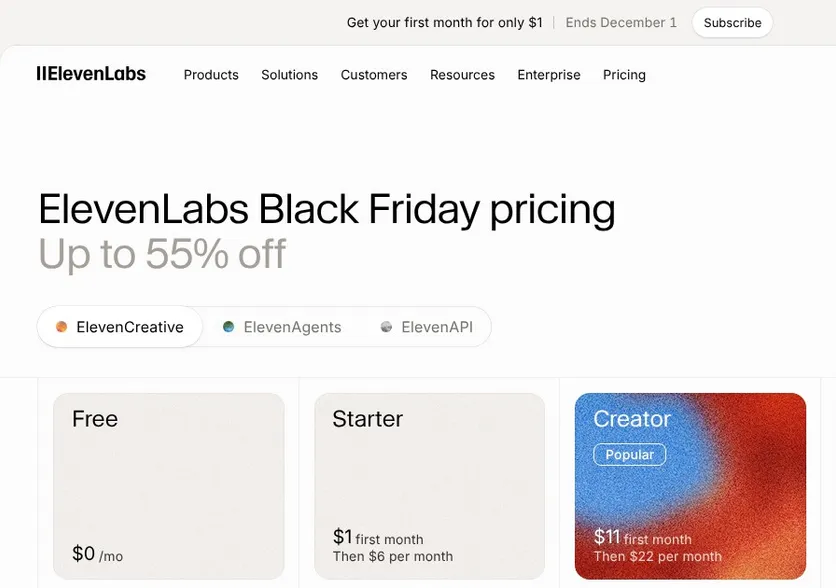
Paid tool Starting price: $5/month · Starter plan, five dollars a month billed yearly at sixty dollars a year; monthly billing costs six dollars a month; includes thirty thousand credits a month
Free plan: Free plan with ten thousand credits a month
ElevenLabs dubs training videos with voices so natural that learners rarely notice they are synthetic, and its instant voice cloning copies a trainer voice from a short sample. This ElevenLabs Starter plan costs five dollars a month billed yearly, with monthly billing at six dollars a month. A training team gets thirty thousand credits a month and commercial use at the lowest entry price here, though the first-month one dollar promo is not the list price and should be ignored.
What we like
- Most natural synthetic voices in this comparison
- Instant voice cloning from a short sample
- Lowest entry price at five dollars a month
Watch out for
- Credits burn fast on long training videos, so watch the allowance
- Dubbing quality varies by language, so test your training languages first
How to try it
- Open the ElevenLabs pricing page and claim the free plan
- Clone one trainer voice from a short sample recording
- Dub one training module into a second language and check the result
2. HeyGen
Best for: Global teams that want avatar presenters plus dubbing in one studio
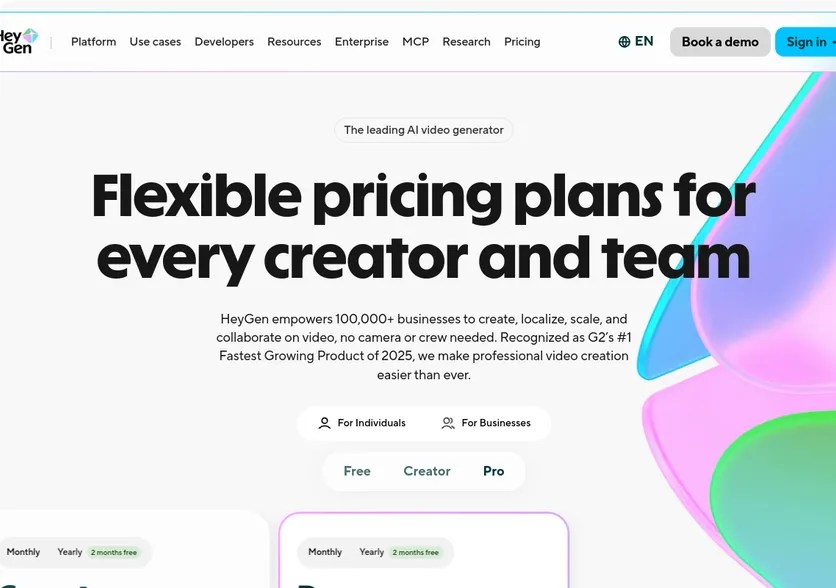
Paid tool Starting price: $24/month · Creator plan, twenty-four dollars a month billed yearly at two hundred eighty-eight dollars a year; monthly billing costs twenty-nine dollars a month; includes six hundred credits a month
Free plan: Free plan available
HeyGen dubs training videos into many languages and can also present them with a realistic avatar, so one tool covers both the voice and the face. This HeyGen Creator plan costs twenty-four dollars a month billed yearly, with monthly billing at twenty-nine dollars a month. A global training team gets six hundred credits a month plus voice cloning and translation, though heavy dubbing months will use the credits fast.
What we like
- Dubbing plus realistic avatar presenters in one studio
- Voice cloning and translation included on Creator
- Six hundred credits a month for regular training output
Watch out for
- Credit allowance caps monthly dubbing, so long courses need a higher tier
- Avatar quality varies by language, so test your training languages first
How to try it
- Open the HeyGen pricing page and claim the free plan
- Upload one training video and dub it into a second language
- Review the avatar presentation and export the dubbed module
3. Rask AI
Best for: Teams that dub whole courses and need generous monthly minutes
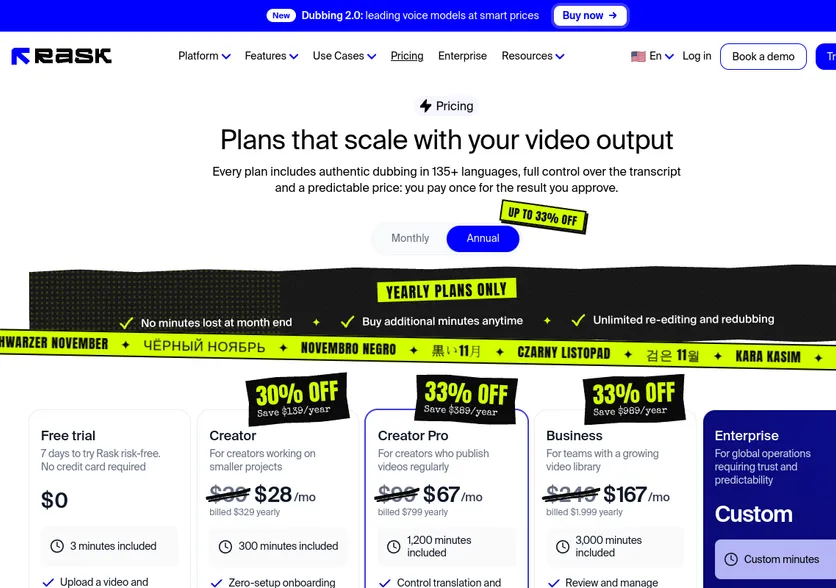
Paid tool Starting price: $39/month · Creator plan, thirty-nine dollars a month billed monthly; annual billing is listed at three hundred twenty-nine dollars a year, about twenty-eight dollars a month, but that rate has been flagged as a seasonal offer
Free plan: No free plan; free trial available
Rask AI translates and dubs training videos into many languages with voice cloning, and its plans are built around minutes rather than credits. This Rask AI Creator plan costs thirty-nine dollars a month billed monthly, with annual billing listed at twenty-eight dollars a month. A team dubbing whole courses gets twenty-five minutes a month on Creator, though the annual rate has been flagged as a seasonal offer, so budget on the monthly rate.
What we like
- Minute-based plans that suit whole-course dubbing
- Voice cloning plus translation in one workflow
- Twenty-five minutes a month on the Creator plan
Watch out for
- The annual rate may be seasonal, so budget on the monthly rate
- Lip sync and multi-speaker support sit on higher tiers
How to try it
- Open the Rask AI pricing page and start the free trial
- Upload one training module and dub it into two languages
- Check the cloned voice against the original trainer voice
4. Murf
Best for: Training teams that want studio-quality narration plus dubbing in many languages
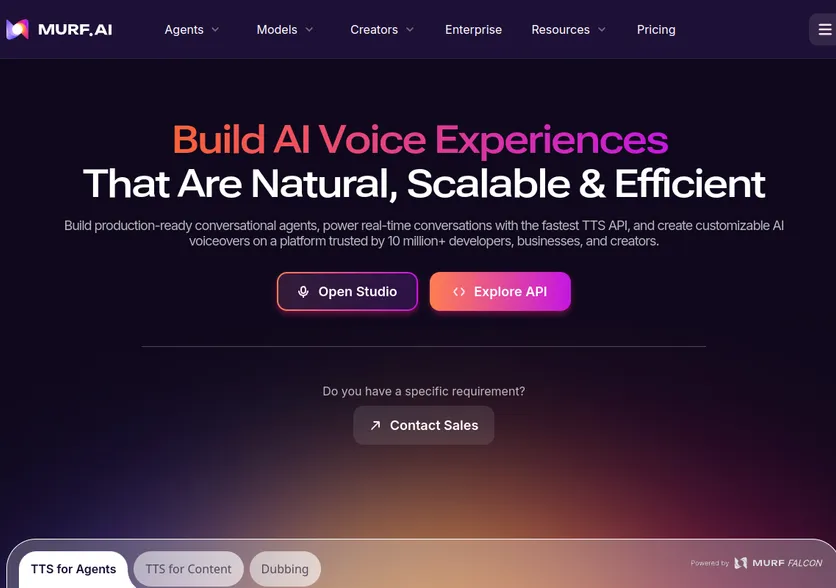
Paid tool Starting price: $19/month · Creator plan, nineteen dollars a month billed yearly at two hundred twenty-eight dollars a year; monthly billing costs twenty-nine dollars a month; includes twenty-four hours of voice generation a year
Free plan: Free plan available
Murf turns training scripts into natural narration in many languages and dubs existing videos with the same voices, so one subscription covers both new and translated content. This Murf Creator plan costs nineteen dollars a month billed yearly, with monthly billing at twenty-nine dollars a month. A training team gets twenty-four hours of voice generation a year at a mid-range price, though video dubbing itself is one feature among many in the studio.
What we like
- Studio-quality narration plus dubbing in one tool
- Twenty-four hours of voice generation a year on Creator
- Large voice library across many languages
Watch out for
- Dubbing is one feature in a narration studio, not the main product
- The yearly voice allowance is shared across narration and dubbing
How to try it
- Open the Murf pricing page and claim the free plan
- Generate narration for one training script in two languages
- Dub one existing training video and compare the voices
5. Synthesia
Best for: Compliance teams that want avatar-led training videos dubbed into many languages
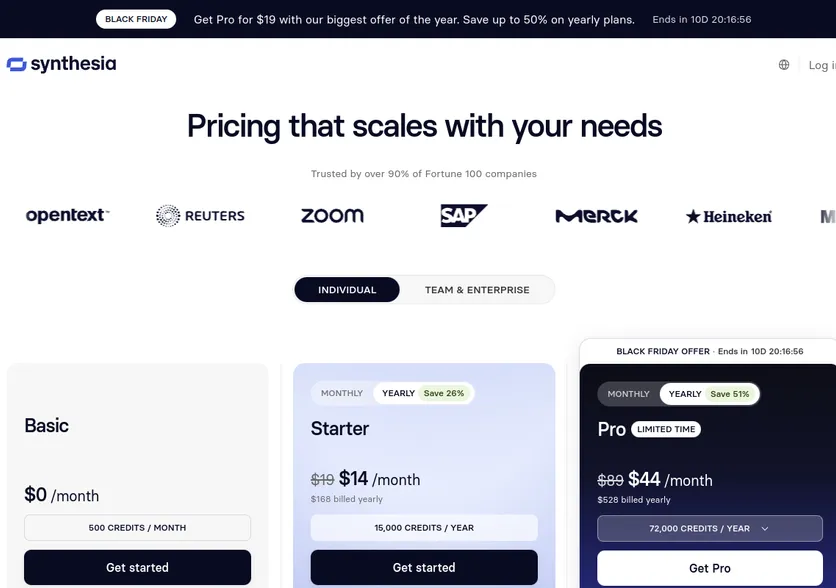
Paid tool Starting price: $18/month · Starter plan, eighteen dollars a month billed yearly at two hundred sixteen dollars a year; monthly billing costs twenty-nine dollars a month
Free plan: Free plan available
Synthesia turns training scripts into avatar-led videos and dubs them into many languages with matching voices, so a course can reach every office without reshooting. This Synthesia Starter plan costs eighteen dollars a month billed yearly, with monthly billing at twenty-nine dollars a month. A compliance team gets avatar presenters plus dubbing at a low entry price, though published prices differ across recent checks and should be confirmed at checkout.
What we like
- Avatar-led videos plus dubbing in one workflow
- Many languages with matching voices per language
- Low entry price for avatar training video
Watch out for
- Published prices differ across recent checks, so confirm at checkout
- Starter limits downloads and editors, so teams need a higher tier
How to try it
- Open the Synthesia pricing page and start the free plan
- Turn one training script into an avatar video
- Dub the video into a second language and check the voice match
6. Lovo
Best for: Teams that want a simple voice generator with cloning for training narration
Paid tool Starting price: $24/month · Basic plan, twenty-four dollars a user a month billed yearly at two hundred eighty-eight dollars a year; monthly billing costs twenty-nine dollars a user a month
Free plan: Free plan available
Lovo, sold as Genny, generates training narration with realistic voices and clones a trainer voice for consistent dubbing across every module. This Lovo Basic plan costs twenty-four dollars a user a month billed yearly, with monthly billing at twenty-nine dollars a user a month. A training team gets a straightforward voice tool without a complex studio, though the higher tiers use first-year promo prices that are not the list price.
What we like
- Simple voice generation with cloning built in
- Consistent trainer voice across every module
- Basic plan has no first-year promo games
Watch out for
- Higher tiers show first-year promo prices, so read the renewal rate
- Smaller voice library than the bigger studios here
How to try it
- Open the Lovo pricing page and claim the free plan
- Generate narration for one training script
- Clone one trainer voice and dub a short module with it
7. Dubverse
Best for: Small teams that dub short training videos on a tight budget
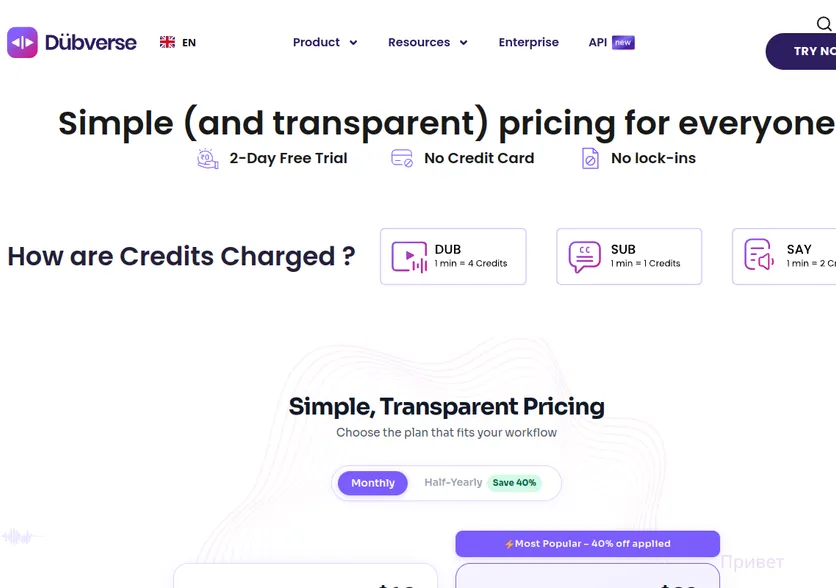
Paid tool Starting price: $9/month · Pro plan, nine dollars a month billed yearly at one hundred eight dollars a year; monthly billing costs eighteen dollars a month; includes fifty credits a month
Free plan: No free plan; two-day free trial
Dubverse dubs training videos into many languages with subtitles and text to speech in one credit-based plan, and its annual rate is the cheapest entry point in this list. This Dubverse Pro plan costs nine dollars a month billed yearly, with monthly billing at eighteen dollars a month. A small team dubbing short modules gets fifty credits a month at a very low price, though fifty credits cover only about twelve minutes of dubbing.
What we like
- Cheapest entry price in this comparison at nine dollars a month
- Dubbing plus subtitles and text to speech in one plan
- Two-day free trial with no card required
Watch out for
- Fifty credits cover only about twelve minutes of dubbing a month
- Voice cloning needs the Supreme plan, and lip sync is enterprise only
How to try it
- Open the Dubverse pricing page and start the two-day trial
- Upload one short training video and dub it into a second language
- Check the subtitles and download the dubbed video
8. Camb AI
Best for: Teams that dub short clips and translate audio across many languages
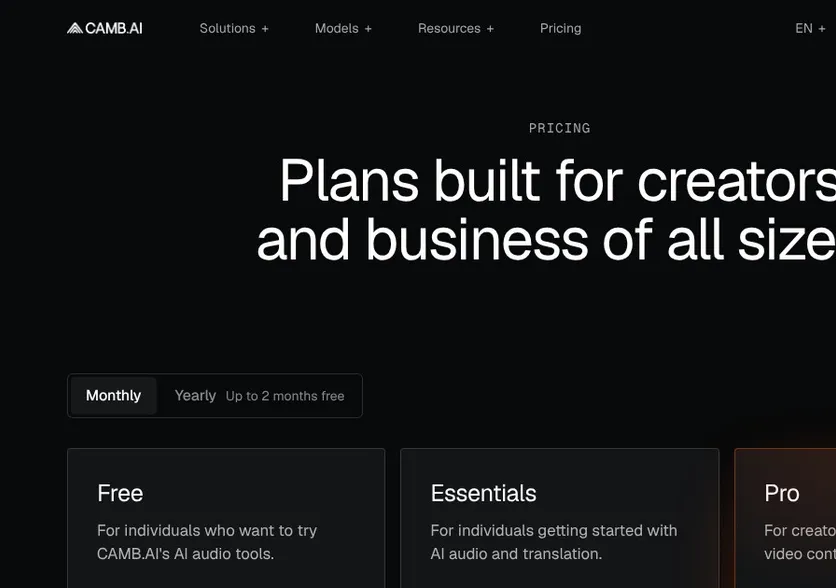
Paid tool Starting price: $5/month · Essentials plan, five dollars a month billed monthly with ten thousand credits a month; Pro costs twenty dollars a month with forty-two thousand credits
Free plan: Free plan with five thousand credits, granted once
Camb AI dubs video, translates audio and generates speech from one pool of monthly credits, with an entry plan that costs less than a lunch. This Camb AI Essentials plan costs five dollars a month and includes ten thousand credits a month. A team dubbing short clips gets the cheapest paid plan in this list, though the credit math means only about a minute of dubbing on the entry tier.
What we like
- Cheapest paid plan in this comparison at five dollars a month
- Dubbing, translation and speech from one credit pool
- Free credits to test with before paying
Watch out for
- Entry credits cover only about a minute of dubbing, so Pro is the real tier
- Credit use varies by model, so the same clip can cost different amounts
How to try it
- Open the Camb AI pricing page and claim the free credits
- Dub one short training clip into a second language
- Check the credit use and upgrade to Pro if the clip needs more
Prices above were checked on each vendor’s own website on Nov 27, 2026 and can change — the vendor’s page is the final word. Vendor links are editorial: nobody paid to be listed or ranked here. Vendors who want a featured listing can see how it works on our Get listed page.
What AI video dubbing costs in 2026
Most tools here charge by credits or by minutes, so the cheapest headline is rarely the cheapest bill. A plan like nine dollars a month looks tiny until fifty credits turn out to cover only about twelve minutes of dubbing, while a plan like thirty-nine dollars a month with twenty-five minutes included can be cheaper per finished module. Convert every allowance into dubbed minutes before you compare totals, and watch for lip sync and multi-speaker support sitting on enterprise tiers.
Start with the free plan or trial on two tools and dub one real training module on each. Compare voice naturalness, check whether the timing matches the visuals, and count the credits or minutes one module actually uses. Pick the tool whose dubbed voice your learners accept, because a voice they distrust kills the training.
Before you buy
- Count your monthly dubbing minutes first, because credit allowances differ wildly and overage charges add up fast.
- Check whether lip sync is included, because it sits on enterprise tiers at several tools here.
- Confirm the languages you actually train in, because voice quality varies by language on every tool.
- Test one module end to end during the trial, because a dubbed voice that sounds wrong will fail the training.
- Compare annual and monthly billing, because yearly billing cuts the monthly rate by a quarter or more on most tools here.
Official websites
Official websites of the products reviewed above. Features and prices were checked against these sites when this guide was written, and they can change, so confirm on the vendor site before you buy.
Frequently asked questions
Which AI video dubbing software is best for global training in 2026?
ElevenLabs is the best overall pick because its voices sound the most natural and its Starter plan costs only five dollars a month. HeyGen is the best all-rounder for avatar-led training, and Dubverse is the cheapest entry point at nine dollars a month. For whole courses, Rask AI is the best minute-based option at thirty-nine dollars a month.
How much does AI video dubbing software cost?
Entry prices in this list run from five dollars a month for Camb AI to thirty-nine dollars a month for Rask AI, with most tools between nine and twenty-four dollars a month. Credit and minute allowances differ wildly, so a cheap headline can still mean a big bill on long courses. Always convert the allowance into dubbed minutes before comparing prices.
Is AI dubbing good enough for employee training?
Yes, for short training modules with clear speech and one speaker at a time. AI dubbing handles narration-style training well, including technical terms once the glossary is set. Long courses with many speakers, crosstalk or heavy jargon still need a human review pass, so budget time for checking the dubbed audio before it ships.
How many languages can these tools dub into?
Most tools here dub into dozens of languages, including ElevenLabs, HeyGen, Rask AI and Synthesia. Voice quality varies by language, so test the exact languages your offices use rather than trusting the headline count. Less common languages often sound more robotic than English, Spanish or French.
How should a training team choose between these tools?
Start with the free plan or trial on two tools and dub one real training module on each. Compare voice naturalness, check whether the timing matches the visuals, and count the credits or minutes one module actually uses. Pick the tool whose dubbed voice your learners accept, because a voice they distrust kills the training.
Need everyday video help too? Try Toolsvine's free video tools right in your browser.
Browse Video Tools tools


