On this page
Compliance training only works if learners finish it, remember it and leave a record, so the training tool matters as much as the policy it teaches. The eight tools below run from eighteen dollars a month to one thousand four hundred forty-nine dollars a seat a year, and every price was checked on the vendor site on November 27, 2026. Some generate avatar videos from scripts, some build interactive courses, and some record screen demos, so match the tool to how your courses are made. Synthesia is our first pick — avatar-led courses with quizzes at a low entry price.
How we researched this
We started with the video training tools compliance teams actually buy, then read each price on the vendor pricing page on November 27, 2026 and noted the free plan or trial each one carries. We kept only tools with a published list price and a plan that fits compliance training. We dropped TalentLMS because it is a learning management system rather than a video training tool, and we dropped Loom because it records screen videos but does not build compliance courses with quizzes and tracking.
Compare the tools
| Name | Best for | Starting price | Free plan | |
|---|---|---|---|---|
 Synthesia | Compliance teams that want avatar-led courses with quizzes and tracking | $18/month | Free plan available | Visit |
 Vyond | Teams that want animated scenario training with characters and branching | $58/month | No free plan; fourteen-day free trial | Visit |
 Colossyan | Learning teams that need branching courses with quizzes and SCORM delivery | $59/month | Free Starter plan with about twenty minutes a month | Visit |
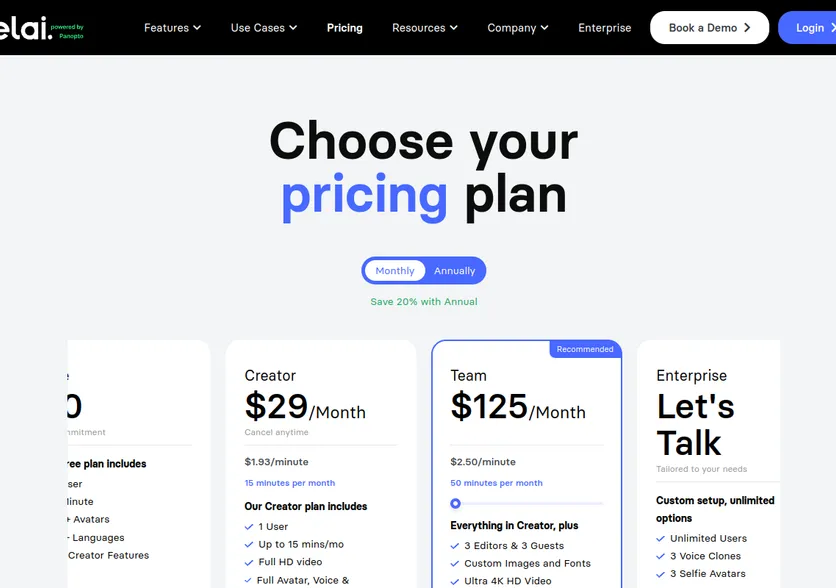
 Elai | Small teams that turn written policies into presenter videos fast | $23/month | Free plan with one rendered minute | Visit |
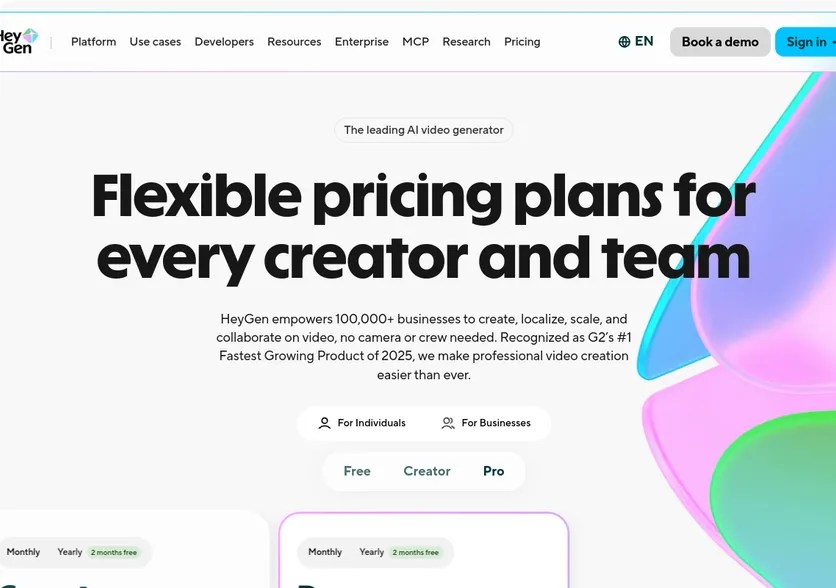
 HeyGen | Compliance teams that want avatar presenters plus dubbing in one studio | $24/month | Free plan available | Visit |
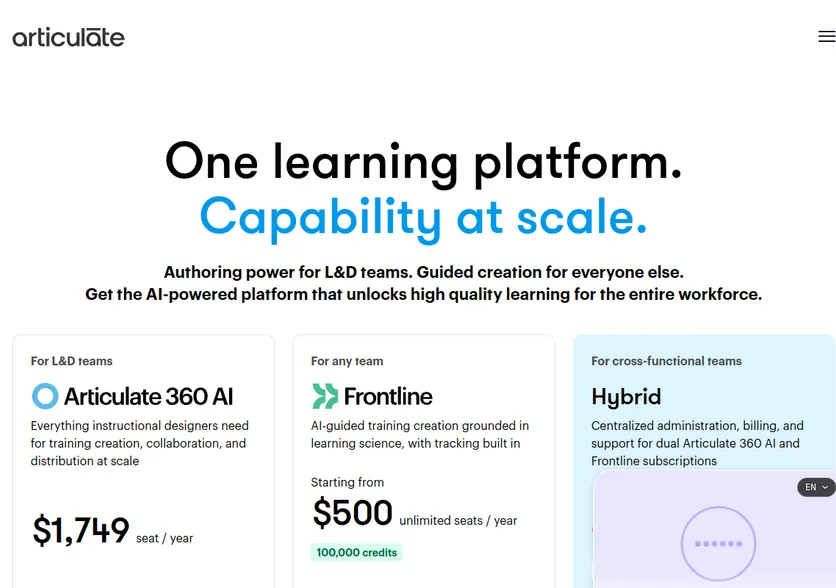
 Articulate 360 | Instructional designers who build interactive compliance courses from scratch | $1,449/year | No free plan; free trial available | Visit |
 iSpring Suite | PowerPoint-based teams that turn decks into SCORM compliance courses | $970/year | No free plan; fourteen-day free trial | Visit |
 Camtasia | Teams that record screen demos and edit them into compliance training videos | $179.88/year | No free plan; free trial available | Visit |
The AI video training software for compliance teams, compared
1. Synthesia
Best for: Compliance teams that want avatar-led courses with quizzes and tracking
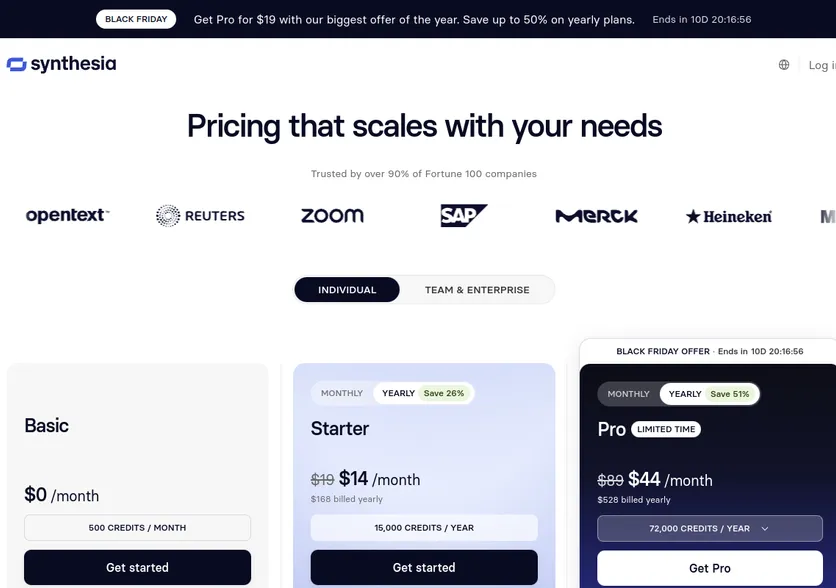
Paid tool Starting price: $18/month · Starter plan, eighteen dollars a month billed yearly at two hundred sixteen dollars a year; monthly billing costs twenty-nine dollars a month
Free plan: Free plan available
Synthesia turns compliance scripts into avatar-led videos with quizzes, branching and tracking, so a course can reach every office without reshooting or hiring presenters. This Synthesia Starter plan costs eighteen dollars a month billed yearly, with monthly billing at twenty-nine dollars a month. A compliance team gets avatar presenters plus many languages at a low entry price, though published prices differ across recent checks and should be confirmed at checkout.
What we like
- Avatar-led videos plus quizzes in one workflow
- Many languages with matching voices per language
- Low entry price for avatar training video
Watch out for
- Published prices differ across recent checks, so confirm at checkout
- Starter limits downloads and editors, so teams need a higher tier
How to try it
- Open the Synthesia pricing page and start the free plan
- Turn one compliance script into an avatar video with a quiz
- Export the course and check the completion tracking
2. Vyond
Best for: Teams that want animated scenario training with characters and branching
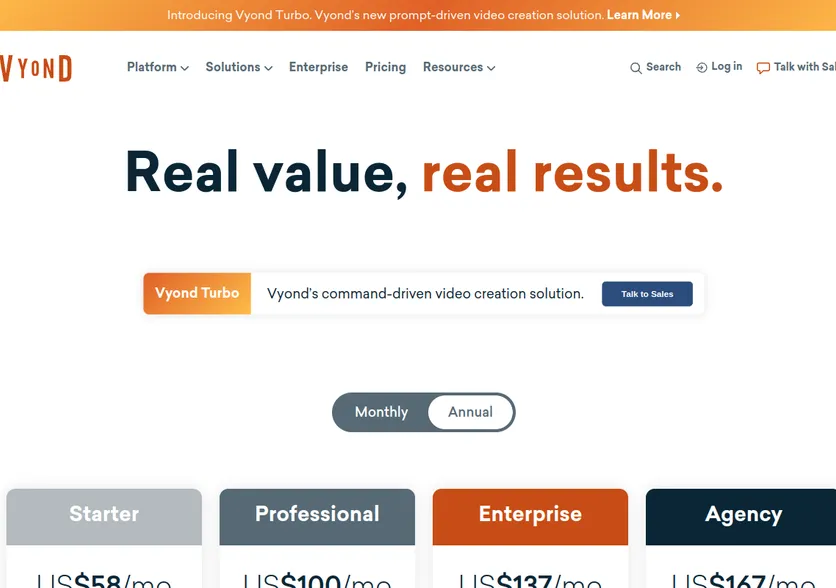
Paid tool Starting price: $58/month · Starter plan, fifty-eight dollars a month billed yearly at six hundred ninety-nine dollars a year; monthly billing costs ninety-nine dollars a month; Professional costs one hundred dollars a month billed yearly
Free plan: No free plan; fourteen-day free trial
Vyond builds animated compliance training with characters, scenes and branching choices, so learners practice decisions instead of just watching a video. This Vyond Starter plan costs fifty-eight dollars a month billed yearly, with monthly billing at ninety-nine dollars a month. A team that teaches through scenarios gets a full animation studio for one user, though SCORM export and translation sit on the Professional plan at one hundred dollars a month billed yearly.
What we like
- Animated characters and branching scenarios for decision training
- Translation into many languages on Professional
- Ten thousand AI credits a month on Starter
Watch out for
- SCORM export sits on Professional, not Starter
- Starter is a single-user plan, so teams need more seats
How to try it
- Open the Vyond plans page and start the fourteen-day trial
- Build one animated scenario with a branching choice
- Export the video and check the SCORM option on your plan
3. Colossyan
Best for: Learning teams that need branching courses with quizzes and SCORM delivery
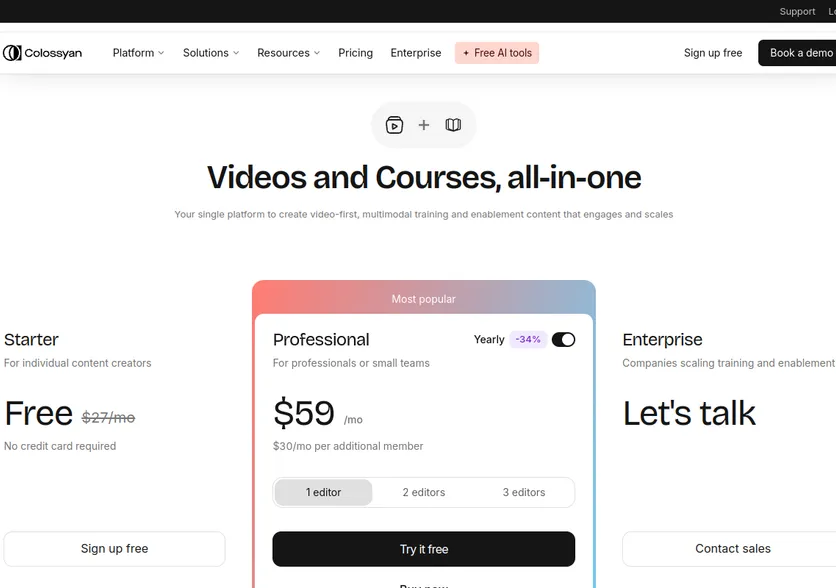
Paid tool Starting price: $59/month · Professional plan, fifty-nine dollars a month billed yearly; monthly billing costs eighty-nine dollars a month; Starter is now free with about twenty minutes a month
Free plan: Free Starter plan with about twenty minutes a month
Colossyan turns documents and slides into avatar videos with quizzes, branching paths and SCORM export, so a compliance course can test learners and report scores to the LMS. This Colossyan Professional plan costs fifty-nine dollars a month billed yearly, with monthly billing at eighty-nine dollars a month. A learning team gets interactive courses plus SCORM at a mid-range price, though the Starter plan is now free and the paid tier is the only way to get SCORM.
What we like
- Branching courses with quizzes and SCORM export
- Turns documents and slides into avatar videos
- One hundred twenty languages with translation built in
Watch out for
- SCORM needs Professional, so the free Starter cannot deliver courses
- Premium avatar minutes are capped at ten a month on Professional
How to try it
- Open the Colossyan pricing page and claim the free Starter plan
- Turn one policy document into an avatar video with a quiz
- Export the SCORM package and upload it to the LMS
4. Elai
Best for: Small teams that turn written policies into presenter videos fast
Paid tool Starting price: $23/month · Creator plan, twenty-three dollars a month billed yearly at two hundred seventy-six dollars a year; monthly billing costs twenty-nine dollars a month; includes fifteen minutes a month
Free plan: Free plan with one rendered minute
Elai turns a policy document, slide deck or web page into an avatar-presented training video, with interactive features and SCORM export on higher tiers. This Elai Creator plan costs twenty-three dollars a month billed yearly, with monthly billing at twenty-nine dollars a month. A small team gets fifteen minutes of video a month at a low price, though Elai is now part of Panopto and SCORM sits on the Team plan.
What we like
- Turns documents and slides into presenter videos fast
- Low entry price at twenty-three dollars a month
- Eighty-plus avatars and seventy-five-plus languages
Watch out for
- Now part of Panopto, so the roadmap may change
- SCORM export sits on the Team plan, not Creator
How to try it
- Open the Elai pricing page and claim the free plan
- Turn one policy document into an avatar video
- Review the video and check the SCORM option on your plan
5. HeyGen
Best for: Compliance teams that want avatar presenters plus dubbing in one studio
Paid tool Starting price: $24/month · Creator plan, twenty-four dollars a month billed yearly at two hundred eighty-eight dollars a year; monthly billing costs twenty-nine dollars a month; includes six hundred credits a month
Free plan: Free plan available
HeyGen creates avatar-led training videos and dubs them into many languages, so one tool covers both the presenter and the translation for global compliance courses. This HeyGen Creator plan costs twenty-four dollars a month billed yearly, with monthly billing at twenty-nine dollars a month. A global team gets six hundred credits a month plus voice cloning and translation, though heavy course output will use the credits fast.
What we like
- Avatar presenters plus dubbing in one studio
- Voice cloning and translation included on Creator
- Six hundred credits a month for regular course output
Watch out for
- Credit allowance caps monthly course output
- No built-in LMS, so courses need a separate delivery platform
How to try it
- Open the HeyGen pricing page and claim the free plan
- Turn one compliance script into an avatar video
- Dub the video into a second language and export it
6. Articulate 360
Best for: Instructional designers who build interactive compliance courses from scratch
Paid tool Starting price: $1,449/year · Personal plan, one thousand four hundred forty-nine dollars a seat a year; Teams costs one thousand seven hundred forty-nine dollars a seat a year; annual billing only, no monthly option
Free plan: No free plan; free trial available
Articulate 360 pairs Rise for fast responsive courses with Storyline for custom interactive training, plus AI drafting and LMS export for SCORM and xAPI. This Articulate 360 Personal plan costs one thousand four hundred forty-nine dollars a seat a year. A compliance team that builds serious courses gets the industry-standard authoring suite, though the annual-only price is the highest in this list by far.
What we like
- Industry-standard authoring with Rise and Storyline
- AI drafting plus SCORM, xAPI and cmi5 export
- Huge template and asset library for fast course building
Watch out for
- Annual-only pricing with no monthly option
- Highest price in this comparison by a wide margin
How to try it
- Open the Articulate 360 pricing page and start the free trial
- Build one compliance module in Rise from a template
- Export the module as SCORM and upload it to the LMS
7. iSpring Suite
Best for: PowerPoint-based teams that turn decks into SCORM compliance courses
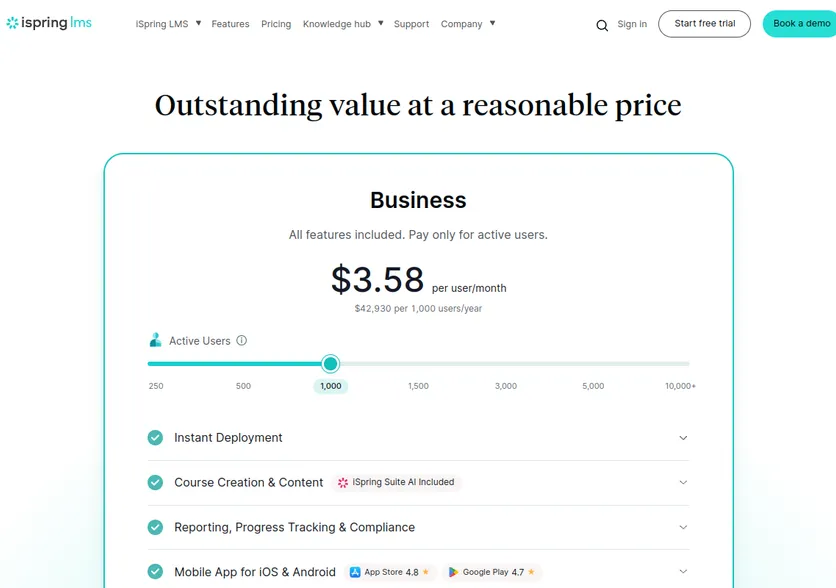
Paid tool Starting price: $970/year · iSpring Suite, nine hundred seventy dollars an author a year; Suite AI costs one thousand two hundred ninety dollars a year and Cloud AI costs seven hundred twenty dollars a year
Free plan: No free plan; fourteen-day free trial
iSpring Suite works inside PowerPoint, so a team that already lives in slides can turn decks into quizzes, simulations and SCORM courses without learning a new tool. This iSpring Suite plan costs nine hundred seventy dollars an author a year. A compliance team with slide-based training gets authoring plus LMS export at a lower price than Articulate, though the LMS itself is a separate product.
What we like
- Works inside PowerPoint, so no new tool to learn
- Quizzes, simulations and SCORM export included
- Lower authoring price than Articulate 360
Watch out for
- The LMS is a separate product with its own per-user price
- Annual billing only, with no monthly option
How to try it
- Open the iSpring Suite page and start the fourteen-day trial
- Turn one policy deck into a quiz-based course
- Publish the course as SCORM and upload it to the LMS
8. Camtasia
Best for: Teams that record screen demos and edit them into compliance training videos
Paid tool Starting price: $179.88/year · Essentials plan, one hundred seventy-nine dollars and eighty-eight cents a year; Starter costs thirty-nine dollars a year with a watermark; Create costs two hundred forty-nine dollars a year
Free plan: No free plan; free trial available
Camtasia records screens, edits the footage and exports quizzes plus SCORM packages, so a team can turn a software walkthrough into a trackable compliance course. This Camtasia Essentials plan costs one hundred seventy-nine dollars and eighty-eight cents a year. A team that trains on software gets recording, editing and SCORM in one desktop tool, though the AI avatars and dubbing sit on the Pro plan at five hundred ninety-nine dollars a year.
What we like
- Screen recording plus editing plus SCORM in one tool
- Quizzes and text-based editing with Audiate included
- One-time yearly price with no monthly billing games
Watch out for
- AI avatars and dubbing sit on the Pro plan, not Essentials
- Desktop only, so teams need a Windows or Mac install
How to try it
- Open the Camtasia page and start the free trial
- Record one software walkthrough with narration
- Add a quiz, export the SCORM package and upload it to the LMS
Prices above were checked on each vendor’s own website on Nov 27, 2026 and can change — the vendor’s page is the final word. Vendor links are editorial: nobody paid to be listed or ranked here. Vendors who want a featured listing can see how it works on our Get listed page.
What AI video training costs in 2026
Most tools here charge one of two ways: a monthly subscription with a video minute allowance, or a yearly per-author license for course authoring. A monthly price like eighteen dollars looks small until the minute allowance caps output, while a yearly license like one thousand four hundred forty-nine dollars looks steep until it covers unlimited courses. SCORM export is often a second decision, because several tools gate it behind higher tiers.
Start with the free plan or trial on two tools and build one real compliance module on each. Check the quiz and tracking features, export the SCORM package and upload it to the LMS, and time how long an update takes. Pick the tool whose update cycle is fastest, because compliance content changes constantly.
Before you buy
- Check whether SCORM export is included, because several tools here gate it behind higher tiers.
- Confirm the plan covers your learner count, because per-seat and per-learner pricing multiplies fast.
- Test the quiz and tracking features during the trial, because a video without completion tracking fails compliance.
- Compare annual and monthly billing, because yearly billing cuts the monthly rate by a third or more on most tools here.
- Count the video minutes your courses need, because minute allowances cap monthly output on avatar tools.
Official websites
Official websites of the products reviewed above. Features and prices were checked against these sites when this guide was written, and they can change, so confirm on the vendor site before you buy.
Frequently asked questions
Which AI video training software is best for compliance teams in 2026?
Synthesia is the best overall pick for avatar-led compliance courses at eighteen dollars a month, with quizzes and many languages built in. Colossyan is the best for branching courses with SCORM export, and Articulate 360 is the best full authoring suite for teams that build serious interactive training. For screen-based training, Camtasia is the best value at about one hundred eighty dollars a year.
How much does AI video training software cost?
Entry prices in this list run from eighteen dollars a month for Synthesia to one thousand four hundred forty-nine dollars a seat a year for Articulate 360, with most avatar tools between twenty-three and fifty-nine dollars a month. Authoring suites charge per author per year, while avatar tools charge per month with minute allowances. Always check whether SCORM export is included, because it gates on higher tiers at several tools here.
Can these tools deliver courses to our LMS?
Yes, if the course exports SCORM or xAPI and the LMS records completion, which most tools here support on their paid plans. Vyond, Colossyan, Articulate 360, iSpring Suite and Camtasia all export SCORM on at least one paid tier. Check the exact tier before buying, because Starter plans often exclude SCORM entirely.
Should we choose an avatar tool or an authoring suite?
Avatar tools generate presenter videos from scripts, which suits policy and procedure training that changes often. Authoring suites such as Articulate 360 and iSpring Suite build interactive courses with quizzes, branching and simulations. Most compliance teams need both: avatars for fast updates and authoring for the courses that must test learners.
How should a compliance team choose between these tools?
Start with the free plan or trial on two tools and build one real compliance module on each. Check the quiz and tracking features, export the SCORM package and upload it to the LMS, and time how long an update takes. Pick the tool whose update cycle is fastest, because compliance content changes constantly.
Need everyday education help too? Try Toolsvine's free education tools right in your browser.
Browse Education & Learning tools