
On this page
Video production lives or dies on dialogue, and a production team needs cleanup that scales from one interview to a whole series. The seven tools below run from nine dollars a month to three hundred ninety-nine dollars once, and every price was checked on the vendor site on November 27, 2026. Batch processing, dialogue repair and the licence model matter more here than a single clever feature. Adobe Audition is our first pick — the multitrack editor that anchors a production audio workflow.
How we researched this
We started with the audio cleanup tools production teams actually buy, then read each price on the vendor pricing page on November 27, 2026 and noted the free plan or trial each one carries. We judged them for a production team that cleans dialogue across interviews, series and client work. We dropped Audacity because it is free, not paid, and Krisp because it is built for live calls rather than production audio.
Compare the tools
| Name | Best for | Starting price | Free plan | |
|---|---|---|---|---|
 Adobe Audition | Production teams already in Creative Cloud that need multitrack repair | $22.99/month | No free plan; 7-day free trial | Visit |
| iZotope RX | Production teams that need forensic-level dialogue repair | $399 one-time | No free plan; free trial available | Visit |
 Descript | Production teams that need fast turnaround on spoken audio | $24/person/month | Free plan available | Visit |
 DaVinci Resolve Studio | Production teams that want cleanup inside the edit, with no subscription | $295 one-time | Free version available; noise reduction is Studio-only | Visit |
| Hush Pro | Mac-based production teams that want Pro Tools dialogue cleanup | $249 one-time | No free plan; 21-day free trial | Visit |
 Auphonic | Production teams that batch-clean interviews and podcasts overnight | $13/month | Free tier with 2 hours a month | Visit |
| NoiseReducer Pro | Small production teams that want the cheapest web-based cleanup | $9/month | Free tier with 1 minute of processing | Visit |
The audio cleanup software for video production, compared
1. Adobe Audition
Best for: Production teams already in Creative Cloud that need multitrack repair
Paid tool Starting price: $22.99/month · Single-app plan lists at twenty-two dollars and ninety-nine cents a month on the annual plan billed monthly; month-to-month costs more
Free plan: No free plan; 7-day free trial
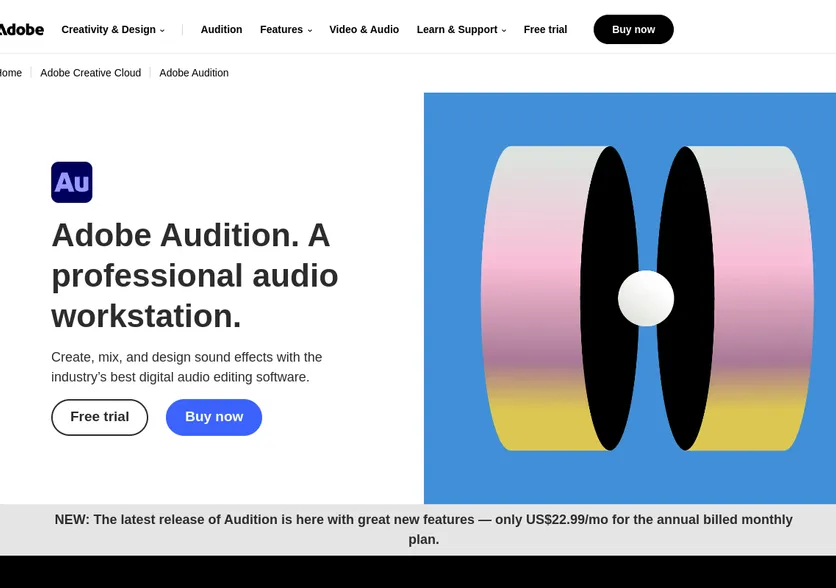
Adobe Audition anchors the audio side of a production workflow, with multitrack mixing, noise reduction and manual repair in one app. This Adobe Audition single-app plan lists at twenty-two dollars and ninety-nine cents a month on the annual plan billed monthly. A production team can send clips from Premiere, clean dialogue across a whole series and return finished audio to the timeline.
What we like
- Round-trip editing with Premiere Pro
- Multitrack sessions built for series work
- Part of Creative Cloud, so many teams already own it
Watch out for
- Subscription only, with no one-time purchase option
- Heavier learning curve than one-knob cleaners
How to try it
- Open the Adobe Audition page and start the 7-day trial
- Set up a multitrack session for the series
- Clean the first episode and check it against picture
2. iZotope RX
Best for: Production teams that need forensic-level dialogue repair
Paid tool Starting price: $399 one-time · Standard edition lists at three hundred ninety-nine dollars once; Elements lists at ninety-nine dollars and Advanced at one thousand three hundred ninety-nine dollars
Free plan: No free plan; free trial available
iZotope RX is the repair bench for damaged production audio, with spectral editing that lets an engineer paint out individual noises. This iZotope RX Standard edition lists at three hundred ninety-nine dollars once, with Elements at ninety-nine dollars. Dialogue Isolate separates speech from background, and the standalone editor handles the location recordings that other tools give up on.
What we like
- Deepest repair toolkit in this comparison
- Spectral editing that fixes individual noises
- Dialogue Isolate separates speech from background
Watch out for
- Steep learning curve for new engineers
- Advanced edition costs far more than Standard
How to try it
- Open the iZotope RX page and start a free trial
- Open the worst location recording in the editor
- Use Dialogue Isolate and compare before and after
3. Descript
Best for: Production teams that need fast turnaround on spoken audio
Paid tool Starting price: $24/person/month · Creator plan lists at twenty-four dollars per person a month on annual billing, or thirty-five dollars month to month; Hobbyist lists at sixteen dollars a month on annual billing
Free plan: Free plan available
Descript speeds up production audio by letting an editor cut filler words from the transcript and clean room noise in one click. This Descript Creator plan lists at twenty-four dollars per person a month on annual billing, with Hobbyist at sixteen dollars. A production team can transcribe interviews, clean the audio with Studio Sound and export finished files for the edit.

What we like
- Edit audio by editing the transcript text
- Studio Sound removes room noise in one click
- Free plan for trying the workflow
Watch out for
- Not a dedicated repair tool like RX
- Per-person pricing adds up for a team
How to try it
- Open the Descript pricing page and start on the free plan
- Transcribe the interviews for the episode
- Apply Studio Sound and export the cleaned audio
4. DaVinci Resolve Studio
Best for: Production teams that want cleanup inside the edit, with no subscription
Paid tool Starting price: $295 one-time · Studio lists at two hundred ninety-five dollars once; the free version of DaVinci Resolve does not include noise reduction
Free plan: Free version available; noise reduction is Studio-only
DaVinci Resolve Studio keeps audio cleanup inside the edit, so a production team never round-trips a clip to another app. This DaVinci Resolve Studio lists at two hundred ninety-five dollars once, with no subscription. The Fairlight page handles noise reduction and mixing, while the edit, color and effects pages stay in the same project.
What we like
- Noise reduction inside the edit, no round trip
- One-time price with no subscription
- Edit, color and audio in one project
Watch out for
- Free version has no noise reduction
- Fairlight takes time to learn
How to try it
- Open the Blackmagic Resolve page and compare Studio with the free version
- Open a noisy scene on the Fairlight page
- Apply noise reduction across the whole timeline
5. Hush Pro
Best for: Mac-based production teams that want Pro Tools dialogue cleanup
Paid tool Starting price: $249 one-time · Hush Pro lists at two hundred forty-nine dollars once for a single-user licence; the Hush app lists at eighty-nine dollars and ninety-nine cents once on the Mac App Store
Free plan: No free plan; 21-day free trial
Hush Pro is a focused dialogue cleaner for Mac production teams, built for Pro Tools AudioSuite workflows. This Hush Pro lists at two hundred forty-nine dollars once for a single-user licence, with a twenty-one day trial. A production team on Mac can strip noise and reverb from dialogue without leaving Pro Tools, and the smaller Hush app covers lighter jobs.
What we like
- Built for Pro Tools AudioSuite workflows
- One-time price with no subscription
- Twenty-one day trial to test on real scenes
Watch out for
- Mac only, so Windows teams cannot use it
- Single-user licence means each seat costs extra
How to try it
- Open the Hush site and start the 21-day trial
- Load Hush Pro in Pro Tools AudioSuite
- Clean the dialogue on the worst scene first
6. Auphonic
Best for: Production teams that batch-clean interviews and podcasts overnight
Paid tool Starting price: $13/month · S plan lists at thirteen dollars a month, or eleven dollars a month on annual billing, for nine hours of audio a month; larger plans run to two hundred ninety dollars a month
Free plan: Free tier with 2 hours a month
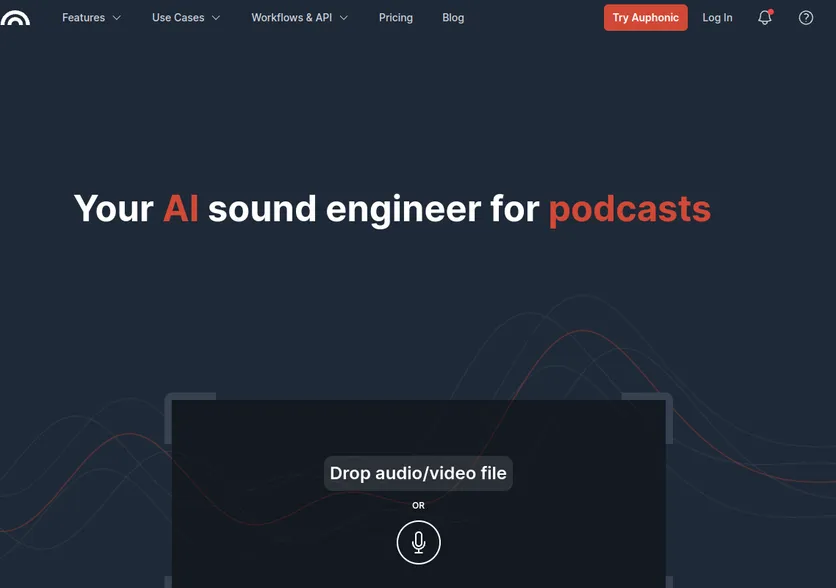
Auphonic is the batch cleaner for production teams: upload hours of audio and it returns cleaned files with loudness, noise and leveling applied. This Auphonic S plan lists at thirteen dollars a month for nine hours of audio, or eleven dollars a month on annual billing. A team can clean a whole series of interviews overnight and drop the finished files straight into the edit.
What we like
- Automatic cleanup with no manual editing
- Free tier with two hours a month
- One-time credits for occasional jobs
Watch out for
- Nine hours a month runs out fast on long series
- Less control than a manual repair tool
How to try it
- Open the Auphonic pricing page and start on the free tier
- Upload a batch of interviews with one preset
- Download the cleaned files into the edit
7. NoiseReducer Pro
Best for: Small production teams that want the cheapest web-based cleanup
Paid tool Starting price: $9/month · NoiseReducer Pro lists at nine dollars a month for five hours of processing a month
Free plan: Free tier with 1 minute of processing
NoiseReducer Pro is a small web-based cleaner, built for teams that want to drop in a file and get a cleaned one back. This NoiseReducer Pro lists at nine dollars a month for five hours of processing a month, with a free tier covering one minute. A small production team can clean short clips without installing anything, though the tool is far simpler than RX or Audition.
What we like
- Lowest monthly price in this comparison
- Web-based, so nothing to install
- Free tier for testing on real clips
Watch out for
- Five hours a month caps longer productions
- Small vendor with a thinner feature set
How to try it
- Open the NoiseReducer site and test the free tier
- Upload a short clip and check the cleaned result
- Upgrade to Pro when the team needs five hours a month
Prices above were checked on each vendor’s own website on Nov 27, 2026 and can change — the vendor’s page is the final word. Vendor links are editorial: nobody paid to be listed or ranked here. Vendors who want a featured listing can see how it works on our Get listed page.
What audio cleanup costs for video production in 2026
A production team pays for audio cleanup in two ways, and the cheapest headline is rarely the cheapest year. Subscriptions look small until the months add up across a series, while one-time licences look dear until the second year, when the subscription keeps billing and the licence stops. Credit-based plans add a third cost: the hours run out mid-series and the team buys more. Add twelve months of the subscription and the hours the team really cleans before you choose.
Start with the trial on two tools and clean the same three recordings in each: a noisy interview, a room with echo and a take with hum. Compare the voice quality on headphones, check how fast the batch runs and see which tool stays inside your edit. Pick the cleaner whose voice still sounds human, because a dull voice costs more than the noise it removed.
Before you buy
- Test each tool on your worst production audio, because a cleaner that works on light hiss may fail on traffic and room echo.
- Count the hours you clean each month, because credit-based plans run out fast on a series with long interviews.
- Check whether the tool runs inside your edit, because a round trip to another app slows every episode.
- Confirm the price is a subscription or a one-time license, because a yearly fee can pass a perpetual price within two years.
- Listen on headphones before you buy, because a cleaner that dulls the voice is worse than the noise.
Official websites
Official websites of the products reviewed above. Features and prices were checked against these sites when this guide was written, and they can change, so confirm on the vendor site before you buy.
Frequently asked questions
Which audio cleanup software is best for video production in 2026?
Adobe Audition is the best overall pick at twenty-two dollars and ninety-nine cents a month, with multitrack editing and repair that anchors a production workflow. Descript is the best pick for fast turnaround at twenty-four dollars per person a month, with transcript-based editing. DaVinci Resolve Studio is the best pick for in-timeline cleanup at two hundred ninety-five dollars once.
How much does audio cleanup software for video production cost?
Prices in this list run from nine dollars a month for NoiseReducer Pro to three hundred ninety-nine dollars once for iZotope RX Standard. Subscriptions run from nine to twenty-four dollars a month, while one-time licences run from two hundred forty-nine to three hundred ninety-nine dollars once. Auphonic offers a free tier with two hours a month, and Descript offers a free plan.
Do any of these tools offer a free plan?
Yes, three of them do. Auphonic offers a free tier with two hours a month, Descript offers a free plan, and NoiseReducer Pro offers a free tier with one minute of processing. DaVinci Resolve has a free version, though noise reduction is Studio-only. Adobe Audition, iZotope RX and Hush Pro offer free trials instead.
Can I batch-clean a whole series of interviews?
Yes, Auphonic is built for exactly that, with automatic loudness, noise reduction and leveling across a batch of files. Upload the interviews, pick one preset and download the cleaned files for the edit. Descript also handles series work through transcript editing, while RX and Audition suit teams that clean scene by scene with manual control.
What is the difference between RX Standard and RX Elements?
Elements costs ninety-nine dollars once and covers the essentials: voice de-noise, de-hum, de-click and de-clip as plugins. Standard costs three hundred ninety-nine dollars once and adds the standalone editor with spectral tools and Dialogue Isolate. Advanced costs one thousand three hundred ninety-nine dollars once and adds the full post-production toolkit. Most production teams land on Standard, because the standalone editor is where the deep repair happens.
Need everyday audio help too? Try Toolsvine's free audio tools right in your browser.
Browse Audio Tools tools


