

On this page
Architects track defects the way builders track snags, with screenshots, markups and clear ownership, so bug tracking software for architects has to make visual feedback easy. The eight tools below run from four dollars and fifty cents a user a month to forty-two dollars a month, and every price was checked on the vendor site on November 27, 2026. Jira is our first pick, because it pairs deep issue tracking with a free plan for up to ten users.
How we researched this
We started with the bug trackers architecture and design teams actually use, then read each price on the vendor pricing page on November 27, 2026 and noted the free plan each one carries. We judged them for an architecture practice that needs visual feedback on drawings and models, clear issue ownership and a board the whole team can read. We dropped Bugzilla and Mantis because both are free self-hosted tools with no paid plan to compare, and we kept only tools with a published price.
Compare the tools
| Name | Best for | Starting price | Free plan | |
|---|---|---|---|---|
 Jira | Architecture teams that need Scrum boards at any scale | $9.70/month | Free plan for up to 10 users | Visit |
 Linear | Fast-moving teams that want speed over configuration | $10/month | Free plan; 2 teams and 250 issues | Visit |
 ClickUp | Teams that want issues, docs and goals in one workspace | $9/month | Free Forever plan with unlimited members | Visit |
 YouTrack | Teams that want flexible tracking at a low price | $4.50/month | Free plan for up to 10 users | Visit |
 Backlog | Teams that prefer flat pricing over per-user billing | $35/month | Free plan for up to 10 users | Visit |
 BugHerd | Teams that need visual feedback on live sites and drawings | $42/month | No free plan; 14-day free trial | Visit |
 Marker | Teams that want website feedback sent to their tracker | $39/month | No free plan; free trial available | Visit |
 Monday | Teams that want visual boards for defects and projects | $9/month | Free plan for up to 2 seats | Visit |
The bug tracking software for architects, compared
1. Jira
Best for: Architecture teams that need Scrum boards at any scale
Paid tool Starting price: $9.70/month · Standard plan, $9.70 a user a month on monthly billing for 1 to 100 users (Atlassian list price after the October 13, 2026 rise); annual plans are sold in fixed user tiers ($950 a year for up to 10 users; $9,700 for up to 100); Premium $19.60 a user a month on monthly billing; free plan for up to 10 users
Free plan: Free plan for up to 10 users
Jira is the default issue tracker for software and design teams, with Scrum boards, backlogs, velocity reports and a marketplace of thousands of add-ons. This Jira Standard plan costs nine dollars and seventy cents per user a month on monthly billing for 1 to 100 users, with a free plan for up to ten users. An architecture practice can track defects on drawings and models, run sprints for design work, and give every issue a clear owner and status.

What we like
- Deepest Scrum reporting in this list
- Free plan covers up to ten users
- Marketplace of thousands of add-ons
Watch out for
- Admin overhead grows with the setup
- Premium features cost more per user
How to try it
- Open the Jira pricing page and start on the free plan
- Create a project with a board for design defects
- Add issue types for drawings, models and site work
2. Linear
Best for: Fast-moving teams that want speed over configuration
Paid tool Starting price: $10/month · Basic plan at ten dollars per user a month billed yearly, Business at sixteen dollars; free plan covers two teams and two hundred fifty issues
Free plan: Free plan; 2 teams and 250 issues
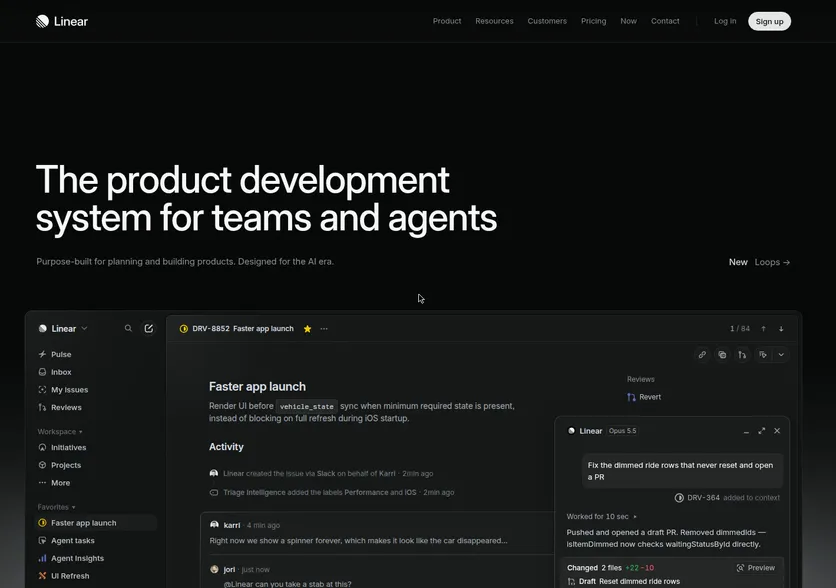
Linear is the fast, keyboard-driven issue tracker built for product teams that value speed over setup. This Linear Basic plan costs ten dollars per user a month on yearly billing, with cycles that roll unfinished work forward automatically. An architecture team can triage defects fast, keep the backlog honest, and move issues through a board that answers in milliseconds.
What we like
- Fastest triage in this list
- Cycles roll unfinished work forward automatically
- Keyboard-driven navigation for power users
Watch out for
- Free plan caps at two hundred fifty issues
- Thin outside engineering workflows
How to try it
- Open the Linear pricing page and start on the free plan
- Create a team and set up cycles for design work
- Import issues from Jira or a spreadsheet
3. ClickUp
Best for: Teams that want issues, docs and goals in one workspace
Paid tool Starting price: $9/month · Core plan, $9 a user a month billed annually ($12 billed monthly); Business $17 a user a month billed annually
Free plan: Free Forever plan with unlimited members
ClickUp is the all-in-one workspace that puts tasks, docs, whiteboards, goals and chat beside issue tracking, so design work and defect tracking share one home. This ClickUp Unlimited plan costs seven dollars per user a month on yearly billing, with a Free Forever plan for unlimited members. An architecture practice can track defects, hold drawings and specs in docs, and run the whole project without a second tool.

What we like
- Tasks, docs and goals in one workspace
- Free Forever plan with unlimited members
- Cheapest paid plan here per user
Watch out for
- Sprint reporting needs the Business plan
- Interface can feel slow on large boards
How to try it
- Open the ClickUp pricing page and start on the free plan
- Create a space for design defects with a board view
- Add docs for drawings and specs beside the issues
4. YouTrack
Best for: Teams that want flexible tracking at a low price
Paid tool Starting price: $4.50/month · Paid plans from four dollars and fifty cents per user a month billed yearly in third-party pricing surveys; free plan covers up to ten users
Free plan: Free plan for up to 10 users
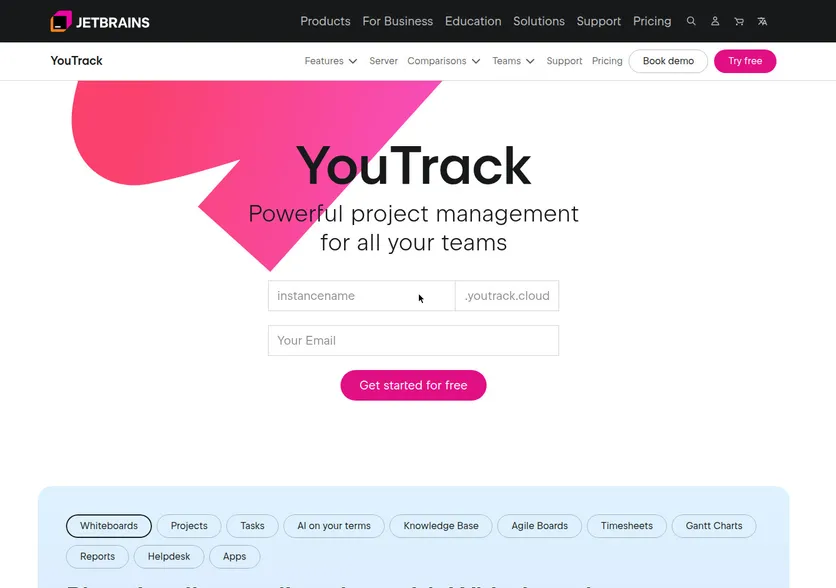
YouTrack is the JetBrains project and work management tool that adapts to any workflow, with agile boards, knowledge base, reports and dashboards in one place. This YouTrack paid plan starts at four dollars and fifty cents per user a month on yearly billing in third-party pricing surveys, with a free plan for up to ten users. An architecture team can shape issue fields to match drawings and models, automate routine triage, and keep a knowledge base beside the tracker.
What we like
- Lowest per-user price here at four dollars and fifty cents
- Flexible fields that fit any workflow
- Knowledge base built into the same tool
Watch out for
- Entry price comes from third-party surveys, so confirm it first
- Smaller community than Jira or ClickUp
How to try it
- Open the YouTrack pricing page and start on the free plan
- Create a project with custom fields for drawings
- Set up agile boards and automation rules
5. Backlog
Best for: Teams that prefer flat pricing over per-user billing
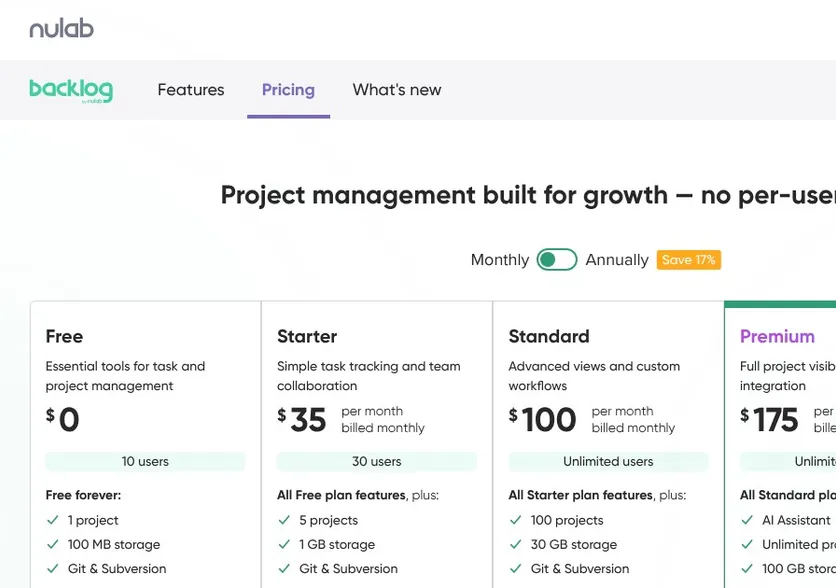
Paid tool Starting price: $35/month · Standard plan at thirty-five dollars a month for up to thirty users; free plan covers up to ten users
Free plan: Free plan for up to 10 users
Backlog is the project and issue tracker with flat pricing, so a team pays one monthly figure instead of counting seats. This Backlog Standard plan costs thirty-five dollars a month for up to thirty users, with a free plan for up to ten users. An architecture practice can track defects, manage projects with Gantt charts and burndown charts, and keep code and issues together without a per-user bill.
What we like
- Flat price for up to thirty users
- Gantt and burndown charts built in
- Git and Subversion integration included
Watch out for
- Fewer automation options than Jira
- Smaller marketplace than the big trackers
How to try it
- Open the Backlog pricing page and start on the free plan
- Create a project with issues for design defects
- Add Gantt charts and burndown charts for the schedule
6. BugHerd
Best for: Teams that need visual feedback on live sites and drawings
Paid tool Starting price: $42/month · Standard plan at forty-two dollars a month billed yearly in third-party pricing surveys; fourteen-day free trial with no card required
Free plan: No free plan; 14-day free trial
BugHerd is the visual feedback tool where clients and colleagues point, click and comment directly on a live website, PDF, image or Figma prototype. This BugHerd plan costs forty-two dollars a month on yearly billing in third-party pricing surveys, with a fourteen-day free trial. An architecture practice can collect markup on drawings and renders, capture a screenshot and technical details with every comment, and send each issue to a Kanban board.

What we like
- Point and click feedback directly on the work
- Every comment captures a screenshot and technical details
- Two-way sync with Jira, Asana and Linear on Premium
Watch out for
- Entry price comes from third-party surveys, so confirm it first
- No free plan, only a fourteen-day trial
How to try it
- Open the BugHerd pricing page and start the fourteen-day trial
- Add the browser extension and open a drawing
- Point, click and comment to create your first issue
7. Marker
Best for: Teams that want website feedback sent to their tracker
Paid tool Starting price: $39/month · Starter plan at thirty-nine dollars a month billed yearly in third-party pricing surveys; free trial available
Free plan: No free plan; free trial available
Marker is the visual feedback tool that sends website issues straight into the tracker a team already uses. This Marker plan costs thirty-nine dollars a month on yearly billing in third-party pricing surveys, with a free trial for evaluation. An architecture practice can collect screenshots, recordings and console errors from a live site, then push each issue into Jira, ClickUp or Trello without retyping anything.

What we like
- Feedback flows straight into Jira, ClickUp or Trello
- Screenshots and recordings with every report
- Browser extension for quick reporting
Watch out for
- Entry price comes from third-party surveys, so confirm it first
- No free plan, only a trial
How to try it
- Open the Marker pricing page and start a trial
- Install the widget on your staging site
- Report a visual issue and watch it land in your tracker
8. Monday
Best for: Teams that want visual boards for defects and projects
Paid tool Starting price: $9/month · Basic plan at nine dollars per user a month billed yearly, Standard at twelve dollars; free plan covers up to two seats
Free plan: Free plan for up to 2 seats
Monday is the visual work platform where defects, projects and workflows live on boards the whole team can read at a glance. This Monday Basic plan costs nine dollars per user a month on yearly billing, with a free plan for up to two seats. An architecture practice can track defects on a board, automate status changes, and run dashboards that show every open issue across projects.

What we like
- Visual boards the whole team can read
- Automations and dashboards built in
- Works for projects far beyond bug tracking
Watch out for
- Bug tracking is one use among many, not the core job
- Costs add up fast with many seats
How to try it
- Open the Monday pricing page and start on the free plan
- Create a board for design defects
- Add automations for status changes and assignments
Prices above were checked on each vendor’s own website on Nov 27, 2026 and can change — the vendor’s page is the final word. Vendor links are editorial: nobody paid to be listed or ranked here. Vendors who want a featured listing can see how it works on our Get listed page.
What bug tracking software costs in 2026
Bug tracking software for architects is priced per user, per month or per team, and the unit decides the real bill. Jira, Linear, ClickUp and YouTrack charge per user, Backlog charges a flat thirty-five dollars a month for up to thirty users, and BugHerd and Marker charge a flat monthly figure for the whole team. Work out the bill at your real team size, because a four dollar fifty cent per-user tool can cost more than a flat thirty-five dollar tool once the team passes eight people.
Start on the free plan or trial and track real defects from a live project before you pay, because a board that looks good empty can fall apart under real volume. Test visual feedback on a real drawing or render, check that screenshots and markups land in the tracker with the right details, and confirm that the workflow matches how your practice actually reviews work. Pick the tool whose board your team will update every day, because a tracker nobody opens is just a list that goes stale.
Before you buy
- Work out the bill at your real team size, because per-user pricing overtakes flat pricing once the team grows.
- Test visual feedback on a real drawing or render before paying, because screenshots and markups are the core job here.
- Check whether the free plan covers your team, because Linear caps at two hundred fifty issues and Jira at ten users.
- Confirm the tracker syncs with the tools you already use, because BugHerd and Marker feed Jira and ClickUp.
- Compare the pricing unit across tools, because per-user, per-month and flat prices are not directly comparable.
Official websites
Official websites of the products reviewed above. Features and prices were checked against these sites when this guide was written, and they can change, so confirm on the vendor site before you buy.
Frequently asked questions
Which bug tracking software is best for architects in 2026?
Jira is the best overall pick from nine dollars and seventy cents a user a month on monthly billing, with deep issue tracking and a free plan for up to ten users. BugHerd is the best pick for visual feedback at forty-two dollars a month, with point and click comments on drawings and renders. YouTrack is the best budget pick from four dollars and fifty cents a user a month, with flexible fields for any workflow.
How much does bug tracking software for architects cost?
The tools in this list run from four dollars and fifty cents a user a month for YouTrack to forty-two dollars a month for BugHerd. Jira Standard costs nine dollars and seventy cents a user a month on monthly billing, ClickUp Core costs nine dollars a user a month, and Backlog Standard costs thirty-five dollars a month for up to thirty users.
Is there free bug tracking software for architects?
Yes, Jira, Linear, ClickUp, YouTrack, Backlog and Monday all offer free plans, with Jira covering up to ten users and ClickUp covering unlimited members. BugHerd and Marker offer free trials rather than free plans, so expect to pay from the first month. Open-source tools like Bugzilla and Mantis are free to self-host, but they need maintenance.
Do architects need visual feedback tools or just a tracker?
A tracker is enough if defects are reported in text with clear steps, and Jira or Linear will do that job well. A visual tool like BugHerd or Marker is the right buy when reviewers need to point at a drawing or render and say what is wrong. Many practices run both, with visual feedback feeding issues into the tracker automatically.
What should an architecture practice check before buying bug tracking software?
Check whether visual feedback captures screenshots and technical details, because a comment without context is hard to fix. Test the board with real defects from a live project, confirm the free plan covers your team size, and check that the tracker syncs with your design tools. Compare the price at your real headcount, because per-user and flat prices cross over fast.
Need everyday developer help too? Try Toolsvine's free developer tools right in your browser.
Browse Developer Tools tools


