
On this page
Freelance bugs arrive as screenshots in chat, voice notes and vague emails, and the fix is late before the work even starts. Jira is the pick that turns that chaos into a list clients already understand: every bug has a status, an owner and a history. This guide compares eight bug tracking tools for freelancers, from $4 to $59 a month, with live 2026 prices, free plans and trials, so a solo worker can pick by client count and budget instead of by sales pitch.
How we researched this
We checked the pricing page of every vendor on this list on November 26, 2026, and kept only tools that publish a real dollar price. Each tool had to work for a solo freelancer with clients, not just for a product team. We compared entry prices, free plans, trial length and how the bill scales as clients and collaborators are added.
Compare the tools
| Name | Best for | Starting price | Free plan | |
|---|---|---|---|---|
 Jira | Freelancers who want the industry-standard tracker clients already know | $9.70/user/month | Free plan (up to 10 users) | Visit |
 Linear | Freelancers who want a fast, modern tracker without the clutter | $10/user/mo | Free plan | Visit |
 BugHerd | Freelancers who collect bug reports as comments on a live site | $50/mo | No free plan, 14-day trial | Visit |
 Backlog | Freelancers who want flat team pricing with no per-user fees | $35/mo | Free plan (up to 10 users) | Visit |
 YouTrack | Freelancers who want a powerful tracker at the lowest per-user price | $5.40/user/mo | Free plan (up to 10 users) | Visit |
 Sentry | Freelancers who need crash reports, not just a bug list | $29/mo | Free Developer plan | Visit |
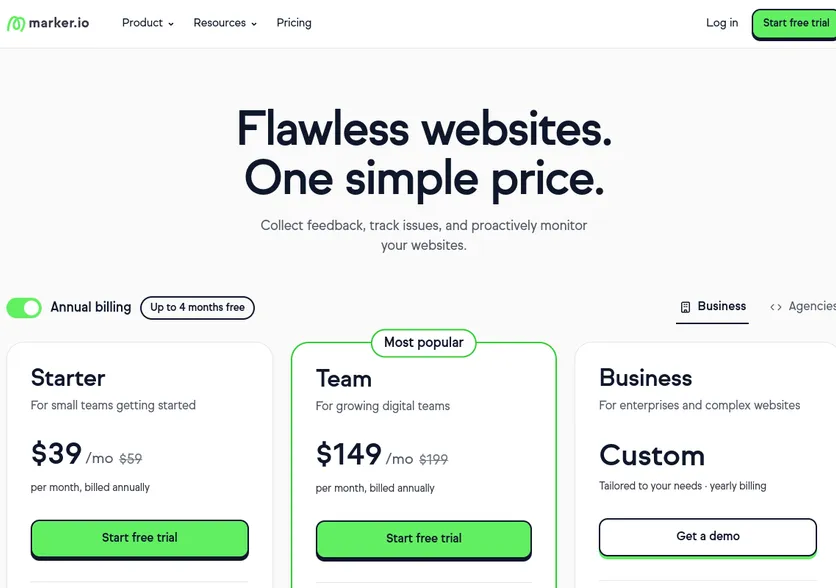
 Marker.io | Freelancers who turn client feedback into developer-ready bug reports | $59/mo | No free plan, 15-day trial | Visit |
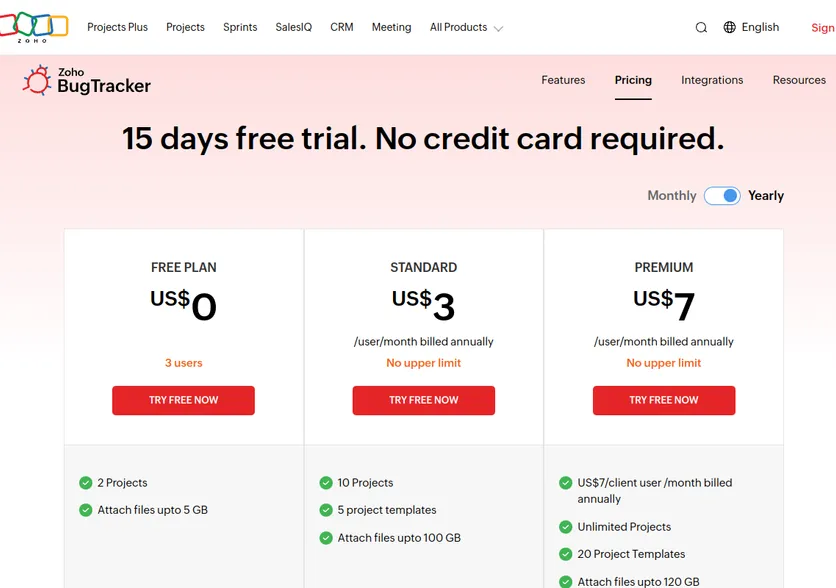
 Zoho BugTracker | Freelancers inside the Zoho suite who want the cheapest paid tracker | $4/user/mo | Free plan (up to 5 users) | Visit |
The bug tracking tools for freelancers, compared
1. Jira
Best for: Freelancers who want the industry-standard tracker clients already know
Paid tool Starting price: $9.70/user/month · Standard plan, $9.70 a user a month on monthly billing for 1 to 100 users (Atlassian list price after the October 13, 2026 rise); annual plans are sold in fixed user tiers ($950 a year for up to 10 users; $9,700 for up to 100); Premium $19.60 a user a month on monthly billing; free plan for up to 10 users
Free plan: Free plan (up to 10 users)
Jira is the tracker most clients already use, so a freelancer who adopts it skips the onboarding conversation entirely. This Jira Standard plan costs $9.70 a user a month on monthly billing and adds unlimited storage, audit logs and advanced permissions for client work. The free plan covers up to 10 users, which is enough for a solo freelancer with a few collaborators.

What we like
- Clients already know how to use it
- Free plan covers up to 10 users
- Huge marketplace of integrations
Watch out for
- Per-user pricing grows with every collaborator
- Setup takes longer than the simpler trackers
How to try it
- Open the Atlassian pricing page and start the free plan
- Create a project for your client and add a bug workflow
- Invite the client as a viewer to track fixes
2. Linear
Best for: Freelancers who want a fast, modern tracker without the clutter
Paid tool Starting price: $10/user/mo · Basic plan, $10 a user a month billed annually ($12 billed monthly); Business $16 a user a month billed annually
Free plan: Free plan
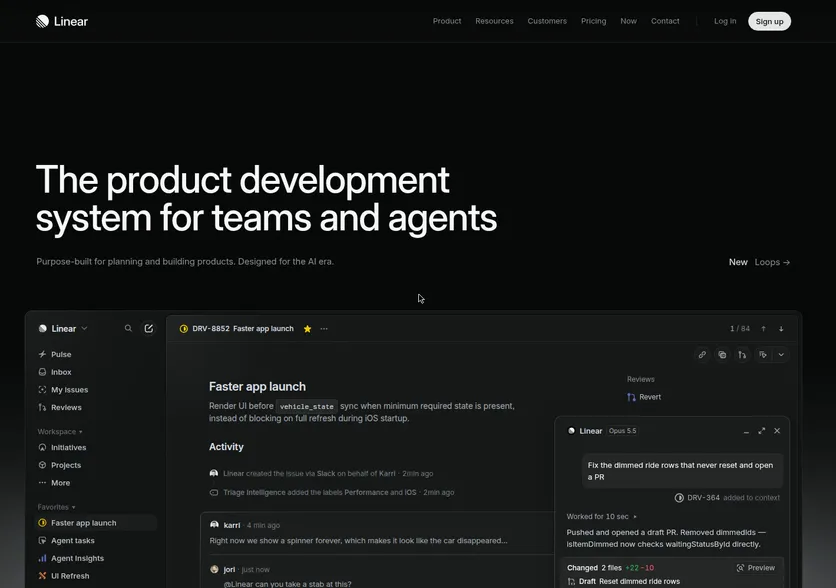
Linear is a fast issue tracker built for speed, with keyboard shortcuts, clean design and cycles that keep client work moving. This Linear Basic plan costs $10 a user a month and adds unlimited issues, guest access and priority support for client projects. A free plan covers a solo freelancer, while the Plus tier adds more automation and triage features for busier schedules.
What we like
- Extremely fast interface with keyboard shortcuts
- Guest access keeps clients in the loop
- Cycles make weekly planning simple
Watch out for
- Fewer built-in reports than Jira
- Guest access is limited on the free plan
How to try it
- Open the Linear pricing page and start the free plan
- Create a team for each client and add their bugs
- Use cycles to plan the week of fixes
3. BugHerd
Best for: Freelancers who collect bug reports as comments on a live site
Paid tool Starting price: $50/mo · Standard is $50 a month billed monthly, or $42 billed annually; Studio is $80 a month and Premium is $150 a month
Free plan: No free plan, 14-day trial
BugHerd pins bug reports directly onto a live website, so a client clicks the problem and the freelancer sees exactly where it is. This BugHerd Standard plan costs $50 a month and adds more projects, members and storage for freelancers with several clients. Annual billing drops the rate, and the Studio tier adds white labelling for agencies that present the tool as their own.
What we like
- Clients report bugs by pointing at them
- No tracker training needed for clients
- Feedback stays attached to the page
Watch out for
- No free plan beyond the trial
- Best for website bugs, not app crashes
How to try it
- Open the BugHerd pricing page and start the free trial
- Add the snippet to your client site
- Ask the client to pin a comment on the bug
4. Backlog
Best for: Freelancers who want flat team pricing with no per-user fees
Paid tool Starting price: $35/mo · Starter is $35 a month flat for up to 30 users; Standard is $100 a month and Premium is $175 a month; annual billing saves 17%
Free plan: Free plan (up to 10 users)
Backlog is a project and bug tracker from Nulab with boards, Gantt charts and Git built in, priced as a flat team rate. This Backlog Starter plan costs $35 a month and covers up to 30 users with five projects and subtasking for client work. Adding teammates costs nothing extra on Starter, which makes it the cheapest way for a freelancer to give every client a seat.
What we like
- Flat pricing means clients cost nothing extra
- Boards, Gantt and Git share one tool
- Free plan covers up to 10 users
Watch out for
- Storage is tight at 1 GB on Starter
- Gantt views are limited on lower tiers
How to try it
- Open the Backlog pricing page and start the free plan
- Create a project for your client and add a board
- Invite the client and assign the first bugs
5. YouTrack
Best for: Freelancers who want a powerful tracker at the lowest per-user price
Paid tool Starting price: $5.40/user/mo · YouTrack is $5.40 a user a month billed monthly, or $4.50 billed annually; free for up to 10 users
Free plan: Free plan (up to 10 users)
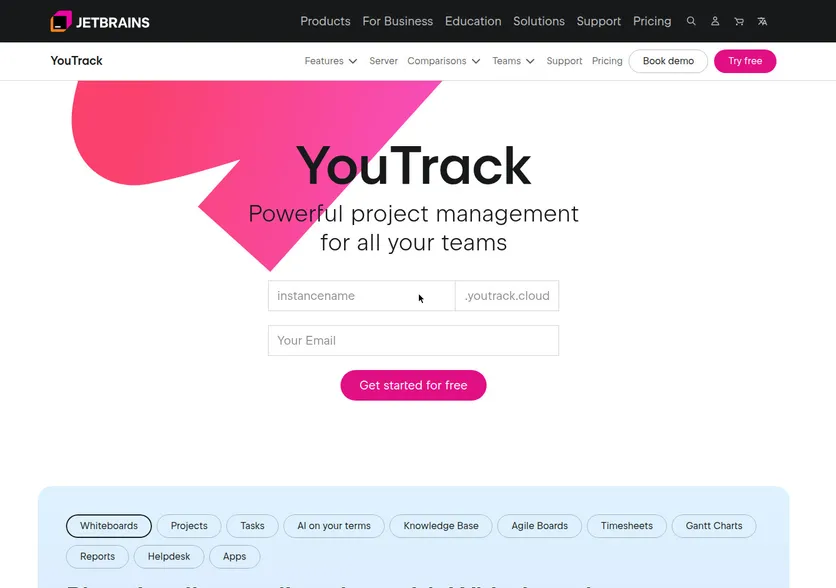
YouTrack is the JetBrains issue tracker, with agile boards, custom workflows and time tracking for client projects. This YouTrack plan costs just over $5 a user a month and covers the full feature set with no tier gates for small teams. The free plan covers up to 10 users, and annual billing drops the rate further for freelancers who commit for a year.
What we like
- Full features at a low per-user price
- Custom workflows fit any client process
- Free plan covers up to 10 users
Watch out for
- Interface takes a day to learn
- Fewer third-party integrations than Jira
How to try it
- Open the YouTrack pricing page and start the free plan
- Create a project with an agile board
- Set up a custom workflow for bug triage
6. Sentry
Best for: Freelancers who need crash reports, not just a bug list
Paid tool Starting price: $29/mo · Team is $29 a month billed monthly, or $26 billed annually; Business is $89 a month; 50,000 errors a month are included
Free plan: Free Developer plan
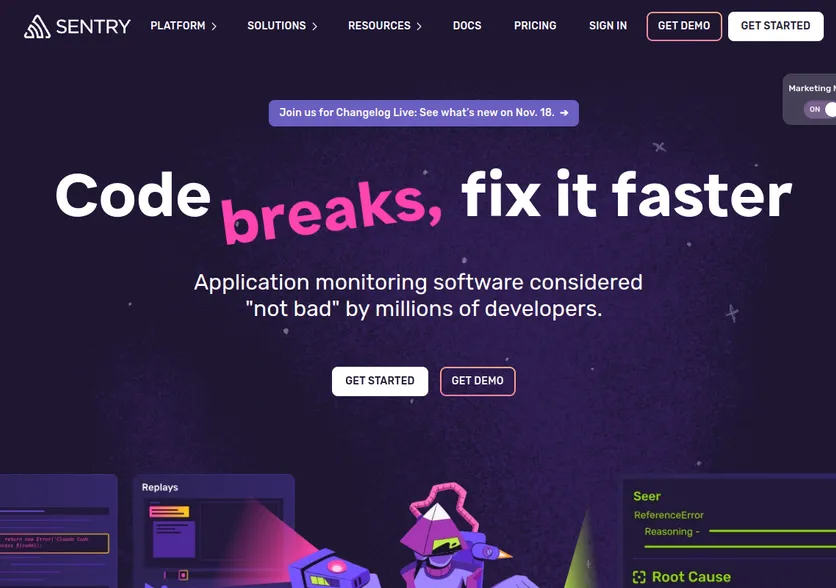
Sentry catches errors in live apps and turns them into actionable bug reports with stack traces and user context. This Sentry Team plan costs $29 a month and includes 50,000 errors a month with alerts and release tracking for client apps. A free Developer plan covers small projects, while the Business tier adds longer retention and priority support for busier workloads.
What we like
- Real crash data replaces vague client reports
- Stack traces point straight at the fault
- Free Developer plan covers small apps
Watch out for
- Error volume above the limit costs extra
- Not a general project tracker on its own
How to try it
- Open the Sentry pricing page and start the free Developer plan
- Add the Sentry SDK to your client app
- Fix the first error it reports with the stack trace
7. Marker.io
Best for: Freelancers who turn client feedback into developer-ready bug reports
Paid tool Starting price: $59/mo · Starter is $59 a month billed monthly, or $39 billed annually, for 3 users; Team is $199 a month; extra members are $6 a month each
Free plan: No free plan, 15-day trial
Marker lets clients report bugs by annotating a live site, capturing screenshots, console logs and browser details automatically. This Marker Starter plan costs $59 a month and covers three team members with 10 projects and integrations into the trackers developers use. Annual billing drops the rate, and the Team tier adds Jira sync, session replay and console logs for deeper debugging.
What we like
- Bug reports include browser and console data
- Clients report without learning a tracker
- Syncs into Jira, Trello and other tools
Watch out for
- Jira sync and session replay need the Team tier
- No free plan beyond the trial
How to try it
- Open the Marker.io pricing page and start the free trial
- Add the widget to your client staging site
- Ask the client to annotate the bug on the page
8. Zoho BugTracker
Best for: Freelancers inside the Zoho suite who want the cheapest paid tracker
Paid tool Starting price: $4/user/mo · Standard is $4 a user a month billed monthly, or $3 billed annually; Premium is $8 a month, or $7 billed annually
Free plan: Free plan (up to 5 users)
Zoho BugTracker is the bug tracking app inside the Zoho suite, with issue templates, workflows and reports for client projects. This Zoho BugTracker Standard plan costs $4 a user a month and covers the core tracking features for small teams. Annual billing drops the rate further, and the Premium tier adds more automation and custom fields for busier freelancers.
What we like
- Cheapest paid plan on this list
- Fits neatly into the Zoho suite
- Templates speed up repeatable bug reports
Watch out for
- Best value only if you already use Zoho
- Smaller integration list than the big trackers
How to try it
- Open the Zoho BugTracker pricing page and start the free plan
- Create a project and add an issue template
- Assign the first bug and set its severity
Prices above were checked on each vendor’s own website on Nov 26, 2026 and can change — the vendor’s page is the final word. Vendor links are editorial: nobody paid to be listed or ranked here. Vendors who want a featured listing can see how it works on our Get listed page.
How to read the price before you commit
Prices on this list run from $4 a user a month to $59 a month flat, and the billing unit is the whole story: per-user tools punish a freelancer who adds clients as seats, while flat-rate tools stay cheap no matter how many people look at the board. A $4 plan looks cheap until five clients each need a seat, and a $50 flat plan looks steep until it replaces three chat threads a day. Before paying, run the free plan on a real client project and count how many seats, projects and reports you actually use in a week. Check whether screenshots, console logs and exports are included or gated behind a higher tier.
Before you buy
- Count the seats you actually need, because per-user pricing punishes a freelancer who adds clients as guests.
- Check whether bug reports can be filed from a live site or only from inside the tracker.
- Run the trial on a real client project with real bugs, not on a demo board.
- Ask whether screenshots, console logs and session replays are included or cost extra.
- Confirm the plan exports your data, because a tracker full of client history is hard to leave.
Official websites
Official websites of the products reviewed above. Features and prices were checked against these sites when this guide was written, and they can change, so confirm on the vendor site before you buy.
Frequently asked questions
What is the cheapest bug tracking software for freelancers?
Zoho BugTracker is the cheapest paid plan here, at $4 a user a month, with a free plan for up to 5 users. YouTrack is next at just over $5 a user a month, also with a free plan. Backlog is the cheapest flat rate, at $35 a month for up to 30 users, which wins if you give every client a seat.
Should a freelancer use Jira or Linear?
Jira is the safest pick when clients already use it, because nobody needs training. Linear is faster and cleaner for a solo freelancer who values speed. BugHerd or Marker.io are better when clients report bugs by pointing at a live site instead of writing tickets.
Do I need a visual bug reporting tool?
Yes, if you want clients to report bugs by pointing at the page instead of describing it in words. BugHerd and Marker.io capture a screenshot, browser details and console logs with every report, which cuts the back-and-forth in half. For pure code bugs, Sentry is the better spend.
Do I need Sentry as well as a tracker?
A tracker alone is enough for most freelance work, since the bugs are already known and just need organizing. Sentry is different: it finds crashes in live apps before a client reports them, with stack traces that point at the fault. Add it when you ship apps, not when you ship websites.
How should I choose between these tools?
Start with the free plan on two tools and run one real client project through each. Compare how fast a bug goes from report to fix, and whether the client can file a report without your help. The right tool is the one that shortens that loop, not the one with the most features.
Shipping client work on your own? Try the free code and developer tools on Toolsvine right in your browser.
Browse Developer Tools tools


