
On this page
A healthcare practice cannot treat software bugs as a minor annoyance, because the portal, the booking system and the patient app all touch real care. The seven tools below run from three dollars per user a month to nearly ten dollars, and every price was checked on the vendor site on November 27, 2026. Trackers organise the fixes while error monitors catch the crashes patients hit, and most practices need one of each. Jira is our first pick — structured tracking with the audit controls a regulated practice needs.
How we researched this
We started with the bug trackers and error monitors healthcare teams actually use, then read each price on the vendor pricing page on November 27, 2026 and noted the free plan each one carries. We judged them for a practice that needs reliable tracking, clear records and a fast response when patient-facing software fails. We dropped quote-only tools and trackers with no published price, because a practice needs a number before the budget is approved.
Compare the tools
| Name | Best for | Starting price | Free plan | |
|---|---|---|---|---|
 Jira | Enterprises that need a tracker with roles, permissions and audit trails | $9.70/user/month | Free plan for up to 10 users | Visit |
 Linear | Product teams that want the fastest issue tracker | $10/user/month | Free plan for up to 250 issues | Visit |
 Asana | Teams where non-developers report and follow bugs | $10.99/user/month | Personal plan free for up to 10 users | Visit |
 Zoho BugTracker | Budget teams that need solid bug tracking for little money | $3/user/month | Free plan available | Visit |
 Sentry | Teams that need to catch production errors in real time | $26/month | Developer plan free for one user with 5,000 errors a month | Visit |
| BugSnag | Teams that need a stability score for every release | $20/month | Free plan for one user with 7,500 events a month | Visit |
 Wrike | Teams that plan bug fixes with Gantt charts and dashboards | $10/user/month | Free plan with 200 active tasks | Visit |
The bug tracking software for healthcare practices, compared
1. Jira
Best for: Enterprises that need a tracker with roles, permissions and audit trails
Paid tool Starting price: $9.70/user/month · Standard plan at nine dollars and seventy cents per user per month for the first one hundred users on monthly billing; an annual tier costs nine hundred fifty dollars a year for up to ten users
Free plan: Free plan for up to 10 users
For a healthcare practice, Jira brings the structure and audit controls a regulated team needs around its software bugs. This Jira Standard plan costs nine dollars and seventy cents per user per month for the first one hundred users on monthly billing, with an annual tier available. An enterprise team gets roles, permissions and audit controls that keep large bug backlogs orderly, and the automation rules clear routine triage without a developer writing code.

What we like
- Issue tracking built for software teams at any scale
- Roadmaps, boards and automation in one workspace
- Thousands of integrations in the Atlassian marketplace
Watch out for
- Per-user prices fall as headcount grows, so small teams pay the highest rate
- Enterprise controls and support need the higher tiers
How to try it
- Open the Jira pricing page and pick the Standard plan
- Create a project and set up the board for your team
- Import existing issues and turn on the automation rules
2. Linear
Best for: Product teams that want the fastest issue tracker
Paid tool Starting price: $10/user/month · Basic plan, $10 a user a month billed annually ($12 billed monthly); Business $16 a user a month billed annually
Free plan: Free plan for up to 250 issues
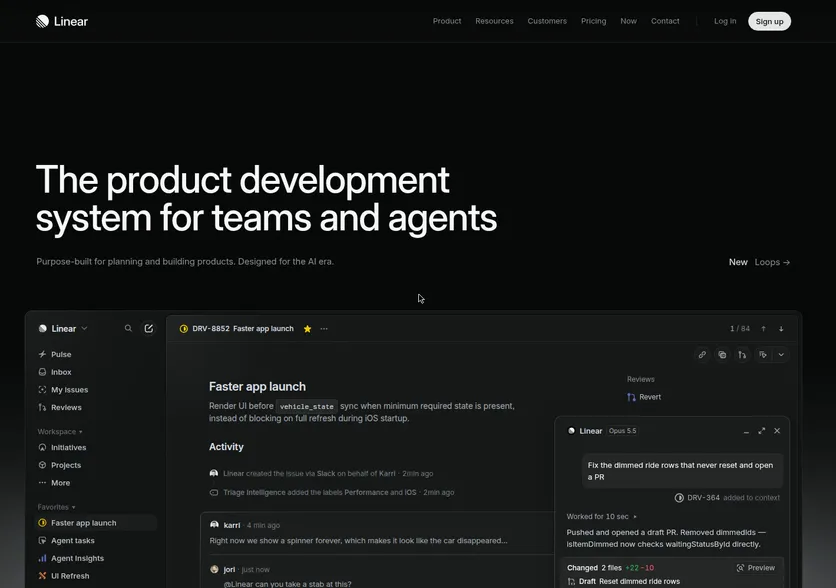
Linear gives a small healthcare software team a fast tracker that keeps the bug list current without admin overhead. This Linear plan costs ten dollars per user per month billed annually. The speed of the interface is the real draw for product teams, because triage stops being a chore and the backlog stays current without weekly clean-up sessions.
What we like
- Fast keyboard-first issue tracking that developers enjoy using
- GitHub and Slack integrations that keep work in sync
- Cycles and roadmaps built in without add-ons
Watch out for
- Guest access needs a paid seat, so outside collaborators add cost
- Fewer admin controls than Jira on the entry paid plan
How to try it
- Open the Linear pricing page and start the Standard trial
- Connect your GitHub repositories to the workspace
- Set up cycles and invite the team to the first project
3. Asana
Best for: Teams where non-developers report and follow bugs
Paid tool Starting price: $10.99/user/month · Starter plan at ten dollars and ninety-nine cents per user per month on annual billing, or thirteen dollars and forty-nine cents billed monthly
Free plan: Personal plan free for up to 10 users
Asana helps a practice coordinate bug fixes between clinical staff who report issues and developers who fix them. This Asana plan costs ten dollars and ninety-nine cents per user per month on annual billing. The timeline view turns a bug backlog into a plan anyone can read, which helps when the people reporting bugs are not developers.

What we like
- Clean timelines and boards that non-developers understand fast
- Dashboards and forms that keep status visible
- Strong mobile apps for checking work away from a desk
Watch out for
- Portfolios and workload views need the Advanced plan
- Automation rules are capped on Starter
How to try it
- Open the Asana pricing page and start the Starter trial
- Create a project from a template that matches the work
- Add due dates and assign the first tasks to the team
4. Zoho BugTracker
Best for: Budget teams that need solid bug tracking for little money
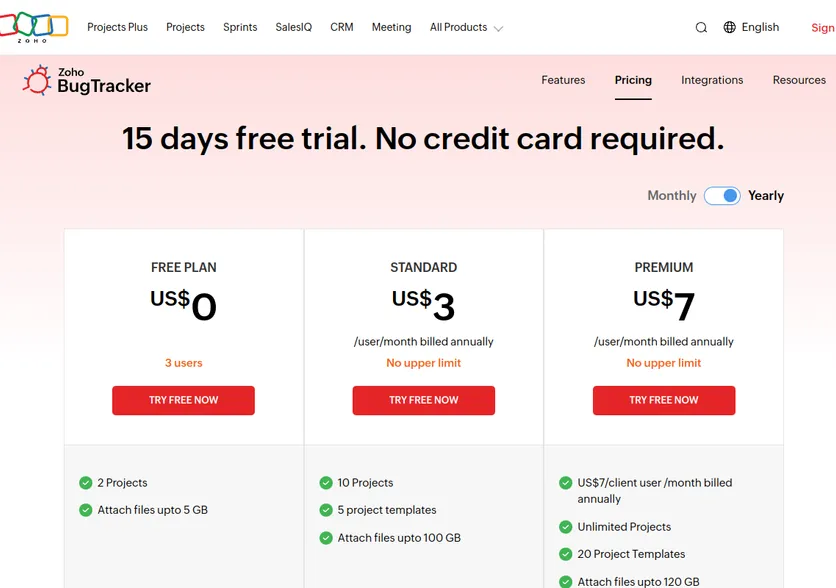
Paid tool Starting price: $3/user/month · Standard plan at three dollars per user per month on annual billing, or four dollars billed monthly; Premium costs seven dollars per user per month on annual billing
Free plan: Free plan available
Zoho BugTracker is the budget choice for a practice that needs dependable bug tracking at a low per-seat price. This Zoho BugTracker plan costs three dollars per user per month on annual billing. For a team already inside Zoho, the tracker slots into the suite without new logins, and the price stays low even as the team grows.
What we like
- Lowest entry price in this comparison
- Bug tracking that plugs into the wider Zoho suite
- Simple setup with no long onboarding project
Watch out for
- Reporting and client-user seats need the Premium plan
- Fewer third-party integrations than Jira or Linear
How to try it
- Open the Zoho BugTracker pricing page and start the trial
- Create a project and add the bug fields the team needs
- Invite testers and link the tracker to Zoho Projects if used
5. Sentry
Best for: Teams that need to catch production errors in real time
Paid tool Starting price: $26/month · Team plan at twenty-six dollars a month on annual billing with fifty thousand errors included, or twenty-nine dollars billed monthly; extra volume is pay as you go
Free plan: Developer plan free for one user with 5,000 errors a month
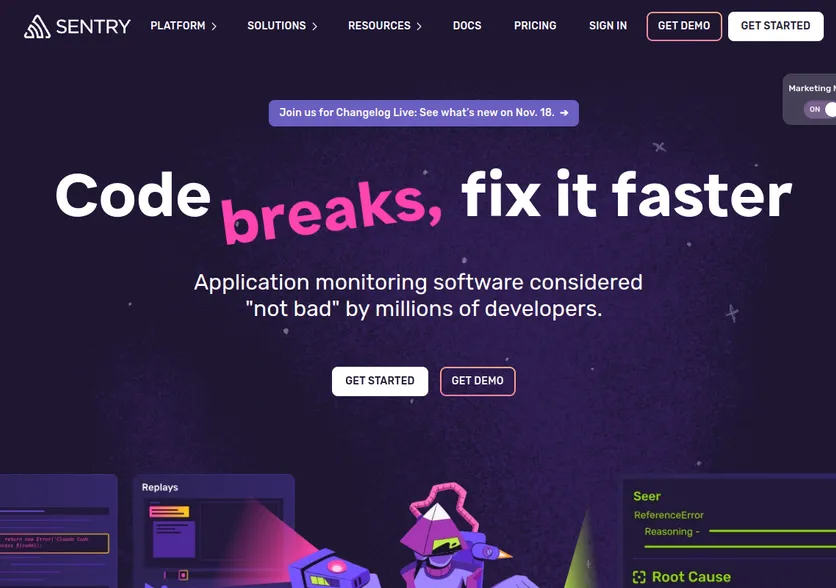
Sentry catches the errors patients hit in a portal or app, with the detail a developer needs to fix them fast. This Sentry plan costs twenty-six dollars a month on annual billing. The stack trace and the replay sit beside the alert, so the engineer sees what the user did before the crash happened.
What we like
- Real-time error alerts with full stack traces
- Unlimited users on the paid plans
- Replays and performance data beside the error itself
Watch out for
- The bill grows with error volume above the included quota
- AI debugging is a separate paid add-on
How to try it
- Open the Sentry pricing page and create a Team account
- Install the SDK in the app and trigger a test error
- Set up alerts so the right person hears about new issues
6. BugSnag
Best for: Teams that need a stability score for every release
Paid tool Starting price: $20/month · Select plan from twenty dollars a month on annual billing for fifty thousand events, or twenty-three dollars billed monthly; Preferred starts at thirty-three dollars a month on annual billing
Free plan: Free plan for one user with 7,500 events a month
BugSnag gives a practice a stability score for each release, so a bad update never reaches patients unnoticed. This BugSnag plan costs twenty dollars a month on annual billing. The stability score gives a release a clear pass mark, so a team knows when to stop shipping features and fix bugs.
What we like
- Stability scores show whether a release is safe to ship
- Unlimited users on the paid plans
- Release tracking ties errors to the exact deploy
Watch out for
- Event quotas refill daily, so bursts can pause capture
- On-premises deployment needs Enterprise
How to try it
- Open the BugSnag pricing page and start the trial
- Add the notifier to the app and release a test build
- Watch the stability score after the next deploy
7. Wrike
Best for: Teams that plan bug fixes with Gantt charts and dashboards
Paid tool Starting price: $10/user/month · Team plan at ten dollars per user per month on annual billing for two to fifteen users; Business costs twenty-five dollars per user per month
Free plan: Free plan with 200 active tasks
Wrike helps a practice plan bug fixes like any other project, with Gantt charts and dashboards for managers. This Wrike plan costs ten dollars per user per month on annual billing. Gantt charts and dashboards turn a bug list into a delivery plan that managers can present without extra reporting work.

What we like
- Gantt charts and dashboards for planned work
- Automation and request forms on the paid plans
- Scales from small teams to large portfolios
Watch out for
- Team stops at fifteen users, then the price jumps to Business
- Seats are sold in bundles, so odd team sizes pay extra
How to try it
- Open the Wrike pricing page and start the Team trial
- Build a project with a Gantt chart for the release
- Invite the team and set up the dashboard for managers
Prices above were checked on each vendor’s own website on Nov 27, 2026 and can change — the vendor’s page is the final word. Vendor links are editorial: nobody paid to be listed or ranked here. Vendors who want a featured listing can see how it works on our Get listed page.
What healthcare practices pay for bug tracking in 2026
Healthcare bug tracking is two purchases, and the bill is easy to misread if you price only the tracker. The issue tracker holds the backlog with its record of every fix, while the error monitor catches the crashes patients hit in the portal or app, so most practices need one of each. A flat-priced tracker can cost less than a per-user one once the whole practice needs a seat, while a per-user tracker stays cheap for a small team. Add both tools together before you compare totals.
Start with a trial on two trackers and run a real week of reports on each, with the same issues and the same staff. Compare how fast triage goes, how clear the record looks, and whether the error monitor finds crashes the staff missed. Pick the tracker whose record would satisfy an audit, because a cheap tool with no trail costs more than a dear one that passes the review.
Before you buy
- Confirm roles, permissions and an audit trail before you buy, because patient-facing software needs a clear record.
- Check where the data is hosted, because healthcare data rules may restrict the location.
- Count paid seats across clinical and admin staff, because per-user prices multiply fast.
- Test the error monitor beside the tracker, because patient-facing crashes need a different tool from logged bugs.
- Separate the trial from the rollout, because a tracker that works for one clinic may fail across several.
Official websites
Official websites of the products reviewed above. Features and prices were checked against these sites when this guide was written, and they can change, so confirm on the vendor site before you buy.
Frequently asked questions
Which bug tracking software is best for healthcare practices in 2026?
Jira is the best overall pick for healthcare practices, with structured tracking and the audit controls a regulated team needs. Sentry is the best addition beside any tracker, because it catches production errors with stack traces and replays. Wrike is the best choice for planning, with Gantt charts and dashboards managers can present.
How much does bug tracking software cost for a healthcare practice?
Trackers in this list run from three dollars to nine dollars and seventy cents per user a month, with flat options from thirty-five dollars a month. Error monitors add seven dollars and fifty cents to twenty-six dollars a month. Most practices pay for one tracker plus one error monitor, so budget for both before you compare totals.
What should a healthcare practice check before buying?
Check roles, permissions and an audit trail first, because patient-facing software needs a clear record of every fix. Confirm where the vendor hosts data and whether the plan meets the practice data rules. Test the tracker with a real week of reports and the error monitor with a real deploy before you sign.
Is there a free bug tracking tool for healthcare practices?
There is no free plan that covers a whole practice, but several tools have free tiers for small teams. Jira is free for up to ten users, Asana has a free personal plan, and Zoho BugTracker has a free plan. Use the free tier to test the workflow, then pay when the team grows past it.
Do practices need error monitoring as well as bug tracking?
Yes, because the two tools catch different problems. A bug tracker holds the issues staff and patients report, while an error monitor like Sentry or BugSnag catches the crashes patients hit in the portal or app. Without the monitor, the practice only learns about a crash when a patient complains, which is always too late.
Need everyday help too? Try Toolsvine's free developer tools right in your browser.
Browse Developer Tools tools


