
On this page
A remote team cannot walk over to a colleague to explain a bug, so the tracker has to carry the whole conversation. The seven tools below run from three dollars per user a month to thirty-nine dollars a month flat, and every price was checked on the vendor site on November 27, 2026. Trackers organise the fixes while error monitors watch the app around the clock, and most remote teams need one of each. Linear is our first pick — fast, clear tracking that works across every time zone.
How we researched this
We started with the bug trackers and error monitors remote teams actually use, then read each price on the vendor pricing page on November 27, 2026 and noted the free plan each one carries. We judged them for a distributed team that needs clear async handoffs, visible status and alerts that reach the right person. We dropped quote-only tools and trackers that need everyone in one office, because a remote team needs the tool to carry the conversation.
Compare the tools
| Name | Best for | Starting price | Free plan | |
|---|---|---|---|---|
 Linear | Product teams that want the fastest issue tracker | $10/user/month | Free plan for up to 250 issues | Visit |
 ClickUp | Teams that want bugs, docs and chat in one workspace | $9/user/month | Free Forever plan with unlimited tasks and members | Visit |
 Asana | Teams where non-developers report and follow bugs | $10.99/user/month | Personal plan free for up to 10 users | Visit |
 Monday Dev | Software teams that want visual sprint boards | $9/seat/month | No free plan; free trial available | Visit |
 Backlog | Teams that prefer a flat monthly price over per-user billing | $35/month | Free plan for one project and up to 10 users | Visit |
 BugHerd | Teams whose clients report bugs on a live website | $39/month | No free plan; 14-day free trial | Visit |
 Sentry | Teams that need to catch production errors in real time | $26/month | Developer plan free for one user with 5,000 errors a month | Visit |
The bug tracking software for remote teams, compared
1. Linear
Best for: Product teams that want the fastest issue tracker
Paid tool Starting price: $10/user/month · Basic plan, $10 a user a month billed annually ($12 billed monthly); Business $16 a user a month billed annually
Free plan: Free plan for up to 250 issues
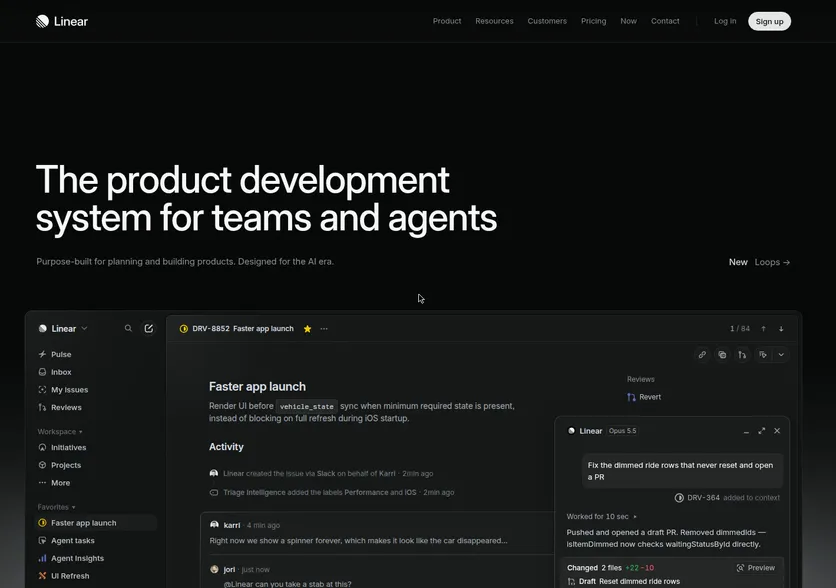
For a remote team spread across time zones, Linear is the tracker that stays fast and clear no matter where anyone works. This Linear plan costs ten dollars per user per month billed annually. The speed of the interface is the real draw for product teams, because triage stops being a chore and the backlog stays current without weekly clean-up sessions.
What we like
- Fast keyboard-first issue tracking that developers enjoy using
- GitHub and Slack integrations that keep work in sync
- Cycles and roadmaps built in without add-ons
Watch out for
- Guest access needs a paid seat, so outside collaborators add cost
- Fewer admin controls than Jira on the entry paid plan
How to try it
- Open the Linear pricing page and start the Standard trial
- Connect your GitHub repositories to the workspace
- Set up cycles and invite the team to the first project
2. ClickUp
Best for: Teams that want bugs, docs and chat in one workspace
Paid tool Starting price: $9/user/month · Core plan, $9 a user a month billed annually ($12 billed monthly); Business $17 a user a month billed annually
Free plan: Free Forever plan with unlimited tasks and members
ClickUp gives a remote team one workspace for bugs, docs and chat, so nobody hunts across tools. This ClickUp Core plan lists at twelve dollars per user per month on annual billing, and the lower figure on the page today is a promotion. One workspace can hold the bug list, the docs and the chat about each fix, which suits teams that would rather pay for one tool than juggle three.

What we like
- Tasks, docs, chat and goals in one workspace
- Unlimited storage and custom fields on the paid plan
- Generous free plan for trying the full workspace
Watch out for
- The feature list is deep, so new teams need time to set it up
- AI features cost extra on top of the plan price
How to try it
- Open the ClickUp pricing page and compare Core with Business
- Build a Space for the team and add the first lists
- Turn on time tracking and the integrations the team already uses
3. Asana
Best for: Teams where non-developers report and follow bugs
Paid tool Starting price: $10.99/user/month · Starter plan at ten dollars and ninety-nine cents per user per month on annual billing, or thirteen dollars and forty-nine cents billed monthly
Free plan: Personal plan free for up to 10 users
Asana helps a remote team keep bug fixes visible, with timelines that show who is doing what and when. This Asana plan costs ten dollars and ninety-nine cents per user per month on annual billing. The timeline view turns a bug backlog into a plan anyone can read, which helps when the people reporting bugs are not developers.

What we like
- Clean timelines and boards that non-developers understand fast
- Dashboards and forms that keep status visible
- Strong mobile apps for checking work away from a desk
Watch out for
- Portfolios and workload views need the Advanced plan
- Automation rules are capped on Starter
How to try it
- Open the Asana pricing page and start the Starter trial
- Create a project from a template that matches the work
- Add due dates and assign the first tasks to the team
4. Monday Dev
Best for: Software teams that want visual sprint boards
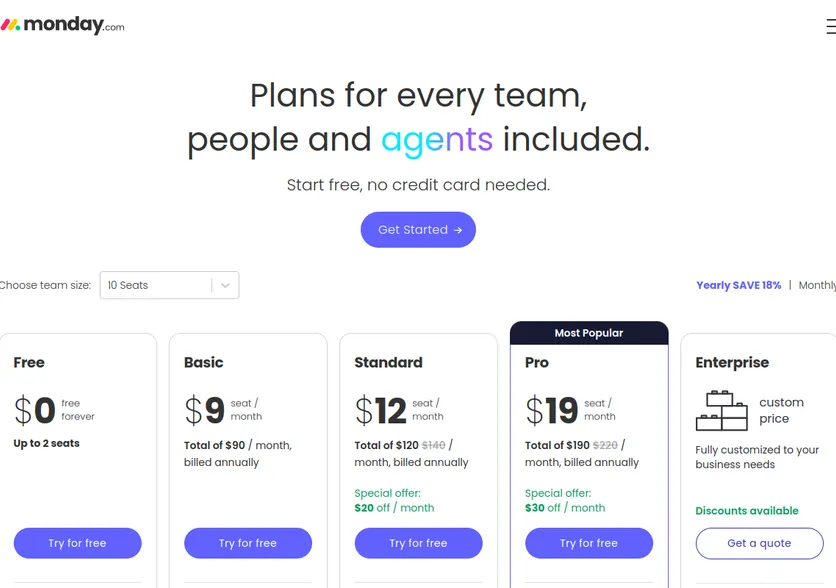
Paid tool Starting price: $9/seat/month · Basic plan at nine dollars per seat per month on annual billing, or twelve dollars billed monthly; paid plans start at three seats
Free plan: No free plan; free trial available
Monday Dev gives a remote team a board everyone can read at a glance, whatever their time zone. This Monday Dev plan costs nine dollars per seat per month on annual billing. The board view makes sprint status visible to the whole company, and free viewers mean managers can follow progress without buying a seat.
What we like
- Visual boards that make sprint status obvious at a glance
- Sprint planning and dashboards built for product teams
- Free viewers so stakeholders can follow progress without a seat
Watch out for
- Paid plans start at three seats, so a solo user still pays for three
- Automations and integrations start on the Standard plan
How to try it
- Open the Monday Dev pricing page and pick a plan
- Choose a sprint template and add the backlog items
- Invite the team and set up the dashboard for the sprint
5. Backlog
Best for: Teams that prefer a flat monthly price over per-user billing
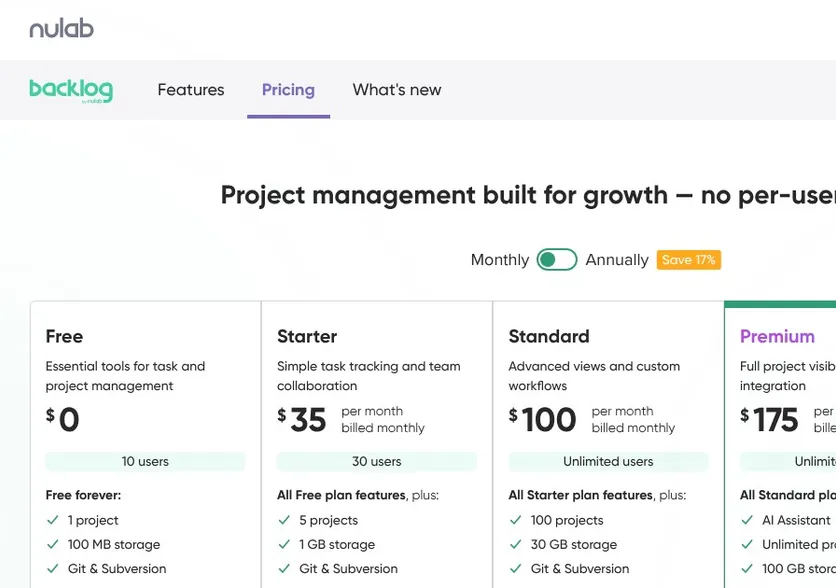
Paid tool Starting price: $35/month · Starter plan at thirty-five dollars a month flat, not per user; Standard costs one hundred dollars a month and Premium one hundred seventy-five dollars a month
Free plan: Free plan for one project and up to 10 users
Backlog suits a remote team because the flat price covers every hire, wherever they sit. This Backlog plan costs thirty-five dollars a month on annual billing. The flat monthly price is the selling point for a team of thirty, because the bill stays the same whether ten people or thirty log bugs.
What we like
- Flat monthly price, so adding people does not raise the bill
- Issue tracking plus Git hosting and wikis in one tool
- Gantt charts on the higher plans for release planning
Watch out for
- Plans are sold in fixed user bands, so odd team sizes waste seats
- No per-user price means a tiny team pays the same as a bigger one
How to try it
- Open the Backlog site and start the free trial
- Create a project and add the team as users
- Set up the issue types and the board for the first release
6. BugHerd
Best for: Teams whose clients report bugs on a live website
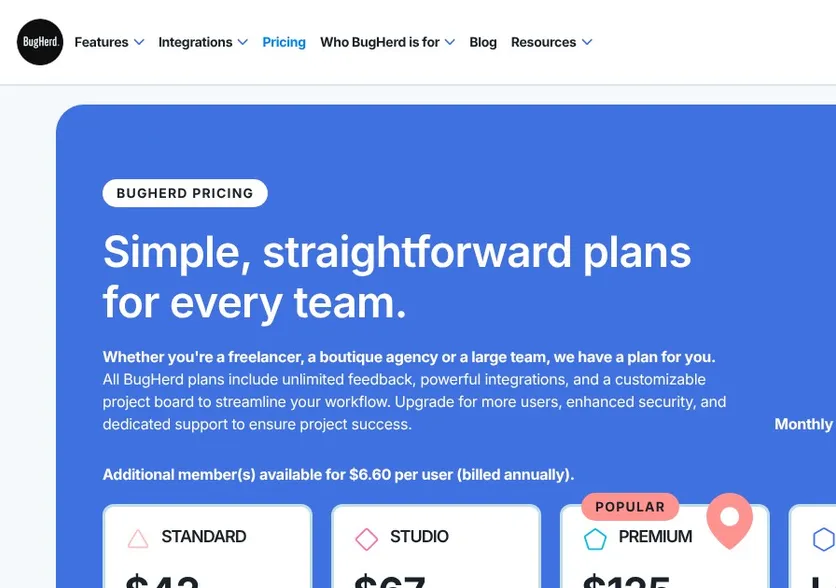
Paid tool Starting price: $39/month · Standard plan at thirty-nine dollars a month for five team members; some third-party listings show forty-two dollars a month on annual billing, so confirm the figure on the vendor page before buying
Free plan: No free plan; 14-day free trial
BugHerd lets remote clients pin feedback on the live site, so the team sees the problem in context. This BugHerd plan costs thirty-nine dollars a month on annual billing. Because clients pin notes on the live site, the feedback arrives with the exact spot attached, and the developer never has to ask which page it was.
What we like
- Clients pin feedback straight onto the live website
- Guests report bugs without an account or a seat
- Kanban board and tracker integrations keep feedback moving
Watch out for
- Team size caps push growing teams up the tiers
- No free plan, so every user of the tool is paid
How to try it
- Open the BugHerd pricing page and start the trial
- Add the feedback widget to the website or staging link
- Invite the team and connect the tracker the developers use
7. Sentry
Best for: Teams that need to catch production errors in real time
Paid tool Starting price: $26/month · Team plan at twenty-six dollars a month on annual billing with fifty thousand errors included, or twenty-nine dollars billed monthly; extra volume is pay as you go
Free plan: Developer plan free for one user with 5,000 errors a month
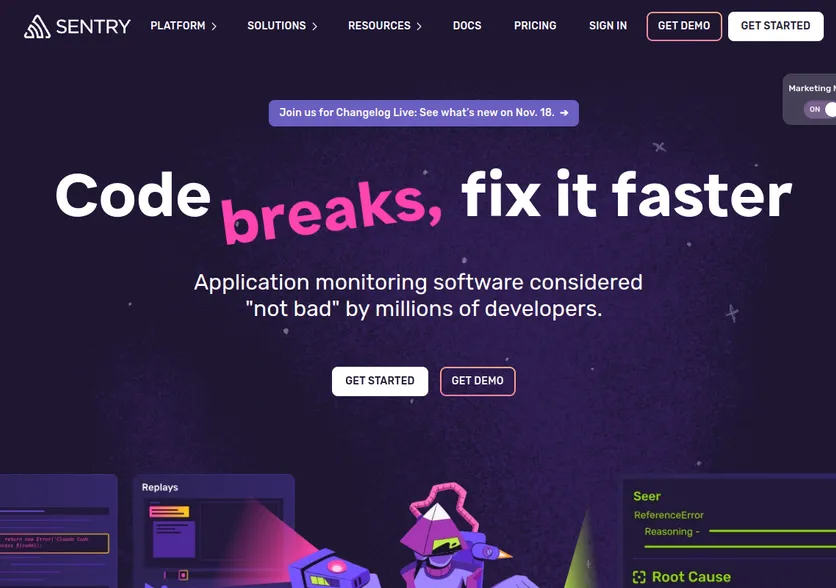
Sentry watches the app while the remote team sleeps, and the alerts land where the on-call engineer will see them. This Sentry plan costs twenty-six dollars a month on annual billing. The stack trace and the replay sit beside the alert, so the engineer sees what the user did before the crash happened.
What we like
- Real-time error alerts with full stack traces
- Unlimited users on the paid plans
- Replays and performance data beside the error itself
Watch out for
- The bill grows with error volume above the included quota
- AI debugging is a separate paid add-on
How to try it
- Open the Sentry pricing page and create a Team account
- Install the SDK in the app and trigger a test error
- Set up alerts so the right person hears about new issues
Prices above were checked on each vendor’s own website on Nov 27, 2026 and can change — the vendor’s page is the final word. Vendor links are editorial: nobody paid to be listed or ranked here. Vendors who want a featured listing can see how it works on our Get listed page.
What remote teams pay for bug tracking in 2026
Remote bug tracking is two purchases, and the bill is easy to misread if you price only the tracker. The issue tracker holds the backlog and the conversation about each fix, while the error monitor watches the app around the clock, so most remote teams need one of each. A flat-priced tracker can cost less than a per-user one once the team spans many countries, while a per-user tracker stays cheap for a small crew. Add both tools together before you compare totals.
Start with a trial on two trackers and run a real sprint on each, with the same bugs and the same distributed team. Compare how clear the handoff looks to a teammate eight hours away, how fast triage goes, and whether the error monitor finds crashes overnight. Pick the tracker whose backlog reads clearly to someone who was asleep when the bug arrived, because a cheap tool that confuses the handoff costs more than a dear one the team trusts.
Before you buy
- Check the async handoff, because a remote teammate reads the bug hours after it was filed.
- Count paid seats across every country, because per-user prices multiply fast.
- Confirm the error alerts reach the on-call engineer in their own time zone.
- Test the guest reporting, because clients should report without a seat.
- Separate the trial from the rollout, because a tracker that works for one team may fail across time zones.
Official websites
Official websites of the products reviewed above. Features and prices were checked against these sites when this guide was written, and they can change, so confirm on the vendor site before you buy.
Frequently asked questions
Which bug tracking software is best for remote teams in 2026?
Linear is the best overall pick for remote teams, with fast, clear tracking that works across every time zone. ClickUp is the best choice for one workspace, with bugs, docs and chat together for a distributed team. Sentry is the best addition beside any tracker, because it watches the app around the clock and alerts the on-call engineer.
How much does bug tracking software cost for a remote team?
Trackers in this list run from three dollars to nine dollars and seventy cents per user a month, with flat options from thirty-five dollars a month. Error monitors add seven dollars and fifty cents to twenty-six dollars a month. Most remote teams pay for one tracker plus one error monitor, so budget for both before you compare totals.
What matters most in a bug tracker for remote teams?
Clear async handoffs matter most, because a teammate reads the bug hours after it was filed. Look for detailed issue pages, threaded comments and a board that shows status at a glance. Check that alerts reach the right person in their own time zone, and that guests can report without a paid seat.
Is there a free bug tracking tool for remote teams?
Yes, for small teams. ClickUp has a free plan with unlimited members, Asana has a free personal plan, and Backlog has a free plan for one project. Linear has a free plan for up to two hundred fifty issues. Use the free tier to test the handoff, then pay when the team grows past it.
Do remote teams need error monitoring as well as bug tracking?
Yes, because the two tools catch different problems. A bug tracker holds the issues the team reports, while an error monitor like Sentry catches the crashes users hit while the team sleeps. Without the monitor, the team only learns about a crash when a customer complains in the morning, which is always too late.
Need everyday help too? Try Toolsvine's free developer tools right in your browser.
Browse Developer Tools tools


