
On this page
When a service goes down at two in the morning, the chat tool becomes the incident room. Alerts land, engineers gather, decisions get made and the fix ships from one thread. Slack leads this list because its channels, integrations and searchable history fit the way DevOps teams actually work. The seven tools below cover every team shape, from a startup on a free plan to an enterprise that needs threads, bots and self-hosting. Every price is a live list price checked in November 2026.
How we researched this
We checked the vendor pricing page for every tool and kept only those with a published list price in US dollars. We compared channels and threads, integrations with DevOps tools and how history and search hold up at scale. We dropped tools with no public pricing, retired products and tools sunsetting soon, and we noted every free plan so you can start without a budget.
Compare the tools
| Name | Best for | Starting price | Free plan | |
|---|---|---|---|---|
 Slack | DevOps teams that want channels, integrations and searchable history | $7.25/user/mo | Free plan available; paid plans start at seven dollars and twenty-five cents per user a month | Visit |
 Microsoft Teams | Teams already on Microsoft 365 that want chat with meetings built in | $4.00/user/mo | Free plan available; paid plans start at four dollars per user a month | Visit |
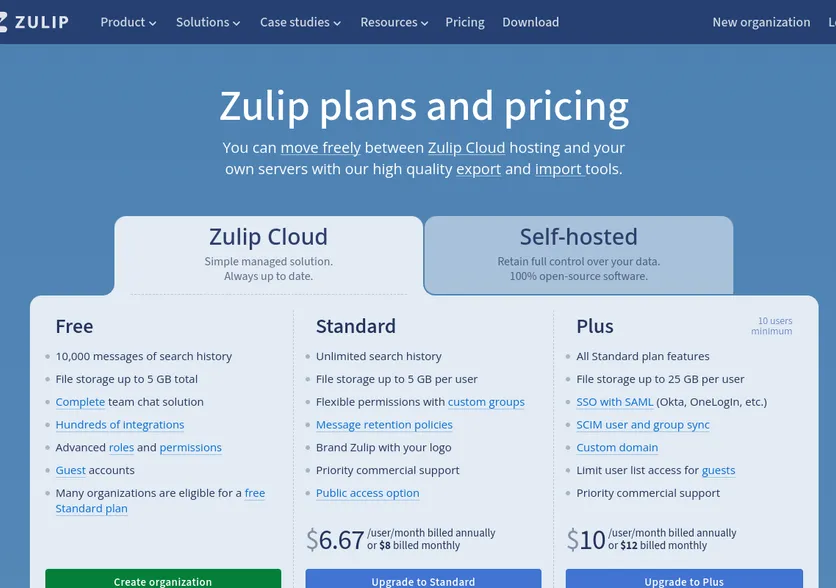
 Zulip | Engineering teams that want threaded chat that stays readable at scale | $6.67/user/mo | Free Cloud plan available; paid plans start at six dollars and sixty-seven cents per user a month | Visit |
 Discord | Community-driven teams that want free voice channels with screen sharing | $9.99/mo | Free servers with text and voice chat; Nitro adds uploads and streaming perks | Visit |
 Google Chat | Teams on Google Workspace that want chat inside Gmail and Docs | $7/user/mo | Free with a personal Google account; paid plans start at seven dollars per user a month | Visit |
| Zoho Cliq | Budget teams that want chat, calls and channels for under two dollars a user | $1.80/user/mo | Free plan available; paid plans start at one dollar and eighty cents per user a month | Visit |
 Chanty | Small DevOps teams that want chat with tasks in the same window | $3/user/mo | Free plan for up to five users; paid plans start at three dollars per user a month | Visit |
The 7 best chat tools for DevOps teams
1. Slack
Best for: DevOps teams that want channels, integrations and searchable history
Paid tool Starting price: $7.25/user/mo · Pro plan, seven dollars and twenty-five cents per user a month billed annually, eight dollars and seventy-five cents month to month
Free plan: Free plan available; paid plans start at seven dollars and twenty-five cents per user a month
Slack is the default chat tool for DevOps teams: channels for services, threads for incidents and integrations that pull alerts, deploys and pull requests into the conversation. Searchable history means the fix from last month is findable in seconds, and bots automate the routine work. The Pro plan starts at seven dollars and twenty-five cents per user a month billed annually.

What we like
- Huge integration library for DevOps
- Searchable history that scales
- Threads keep incidents readable
Watch out for
- Free plan limits history to ninety days
- Per-user price adds up for large teams
How to try it
- Create channels for each service and team
- Connect alerts, deploys and pull requests
- Use threads and saved messages during incidents
2. Microsoft Teams
Best for: Teams already on Microsoft 365 that want chat with meetings built in
Paid tool Starting price: $4.00/user/mo · Essentials plan, four dollars per user a month paid yearly, four dollars and eighty cents month to month
Free plan: Free plan available; paid plans start at four dollars per user a month
Microsoft Teams suits DevOps teams already on Microsoft 365, because chat, meetings, files and apps live in one window. Channels carry the daily conversation, and the Essentials plan starts at four dollars per user a month paid yearly. The trade-off is depth: it is a general collaboration tool first and a DevOps hub second.

What we like
- Included with Microsoft 365
- Chat, meetings and files together
- Lowest entry price in this list
Watch out for
- Fewer DevOps integrations than Slack
- Search feels weaker at scale
How to try it
- Create teams and channels for services
- Pin files and apps to each channel
- Run incident calls from the same window
3. Zulip
Best for: Engineering teams that want threaded chat that stays readable at scale
Paid tool Starting price: $6.67/user/mo · Cloud Standard plan, six dollars and sixty-seven cents per user a month billed annually, eight dollars month to month
Free plan: Free Cloud plan available; paid plans start at six dollars and sixty-seven cents per user a month
Zulip is the threaded pick: every message sits in a topic inside a channel, so a busy incident channel stays readable when five conversations run at once. It suits engineering teams that value written, searchable discussion over a fast-scrolling feed. The Cloud Standard plan starts at six dollars and sixty-seven cents per user a month billed annually.
What we like
- Topics keep busy channels readable
- Full history searchable on paid plans
- Open source with a hosted option
Watch out for
- Smaller integration library than Slack
- Topic model takes a week to learn
How to try it
- Create channels for services and topics for incidents
- Follow the topics that matter to your work
- Search the full history for past fixes
4. Discord
Best for: Community-driven teams that want free voice channels with screen sharing
Paid tool Starting price: $9.99/mo · Nitro plan, nine dollars and ninety-nine cents a month, ninety-nine dollars and ninety-nine cents a year; Basic two dollars and ninety-nine cents
Free plan: Free servers with text and voice chat; Nitro adds uploads and streaming perks
Discord started as a gaming tool, but its free voice channels, screen sharing and community servers fit DevOps teams that live on voice. Text channels carry the daily work, and voice rooms become the incident bridge without a separate call tool. Nitro adds upload and streaming perks, but the core chat and voice stay free.
What we like
- Free voice channels and screen sharing
- Servers scale from teams to communities
- Bots automate alerts and deploys
Watch out for
- Not built for enterprise compliance
- Message history is harder to manage at scale
How to try it
- Create a server with channels for services
- Open a voice channel for incidents and pairing
- Add bots for alerts and deploys
5. Google Chat
Best for: Teams on Google Workspace that want chat inside Gmail and Docs
Paid tool Starting price: $7/user/mo · Business Starter plan, seven dollars per user a month with a one-year commitment, eight dollars and forty cents month to month; via Google Workspace
Free plan: Free with a personal Google account; paid plans start at seven dollars per user a month
Google Chat is the chat layer of Google Workspace: spaces for teams, threads for topics and files that open straight in Docs and Sheets. It suits teams that already live in Gmail and Drive, since the chat sits beside the inbox. The Business Starter plan starts at seven dollars per user a month with a one-year commitment.
What we like
- Built into Google Workspace
- Files open straight in Docs and Sheets
- Simple spaces and threads model
Watch out for
- Fewer DevOps integrations than Slack
- Gemini features are not in Starter
How to try it
- Create spaces for services and teams
- Share Docs and Sheets inside the chat
- Use threads to keep discussions tidy
6. Zoho Cliq
Best for: Budget teams that want chat, calls and channels for under two dollars a user
Paid tool Starting price: $1.80/user/mo · Professional plan, one dollar and eighty cents per user a month billed annually, two dollars month to month; ten-user minimum; Enterprise three dollars and sixty cents billed annually
Free plan: Free plan available; paid plans start at one dollar and eighty cents per user a month
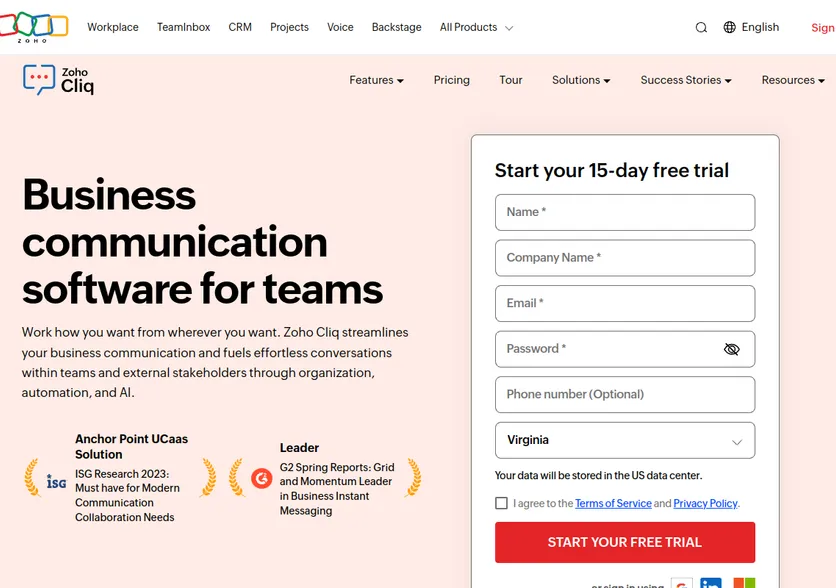
Zoho Cliq is the budget pick in this list: the Professional plan costs one dollar and eighty cents per user a month billed annually, with a ten-user minimum. Channels, calls and tasks live in one window, and it connects to the wider Zoho suite for teams already using it. The low price makes it easy to try, though the integration library is smaller than the leaders.
What we like
- Cheapest paid plan in this list
- Chat, calls and tasks together
- Connects to the Zoho suite
Watch out for
- Ten-user minimum on paid plans
- Smaller integration library
How to try it
- Create channels for services and teams
- Add tasks to messages that need follow-up
- Start voice and video calls from the chat
7. Chanty
Best for: Small DevOps teams that want chat with tasks in the same window
Paid tool Starting price: $3/user/mo · Business plan, three dollars per user a month billed annually, four dollars month to month
Free plan: Free plan for up to five users; paid plans start at three dollars per user a month
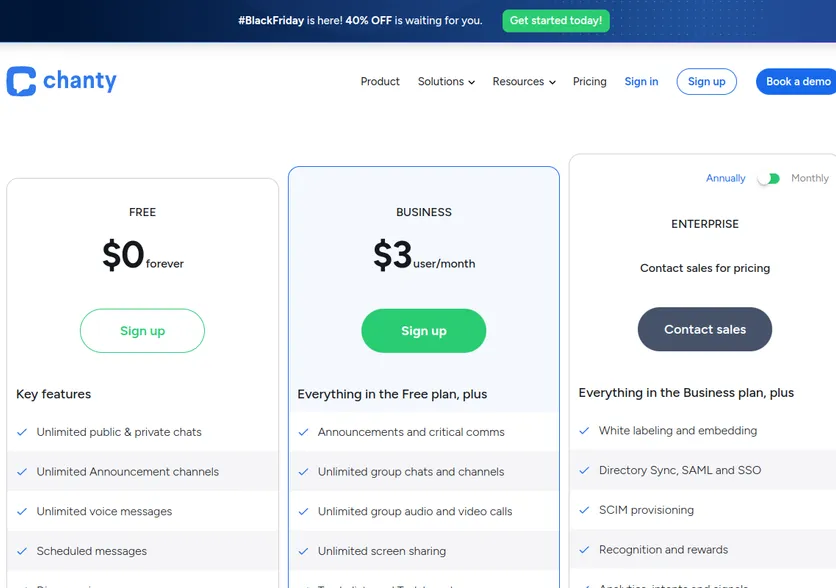
Chanty keeps chat simple for small DevOps teams: channels, direct messages and tasks in one clean window, without the clutter of a big platform. The free plan covers five users, and the Business plan starts at three dollars per user a month billed annually. It suits a small team that wants chat and tasks together and does not need a huge integration library.
What we like
- Simple and fast to learn
- Tasks built into the chat
- Free plan for up to five users
Watch out for
- Fewer integrations than Slack
- Search is basic beside the leaders
How to try it
- Create channels for services and incidents
- Turn messages into tasks with owners
- Share files and pin key messages
Prices above were checked on each vendor’s own website on Nov 27, 2026 and can change — the vendor’s page is the final word. Vendor links are editorial: nobody paid to be listed or ranked here. Vendors who want a featured listing can see how it works on our Get listed page.
How to pick chat software for a DevOps team
Start with the incident. The tool has to carry alerts, gather engineers and keep the fix visible in one thread, so test it with a real outage drill before you buy. Next, count the integrations. A chat tool that cannot hear from your monitoring, your deploys and your version control is just a messaging app. Then check the history. Free plans often cap how far back you can search, and the fix from three months ago is exactly the one you will need. Finally, price the whole team. Per-user billing is fair for a small team but punishes a large one, so get the total for every seat before you commit.
Before you buy
- Check whether the price is per user, since a team of fifty pays very differently from a team of five
- Confirm the tool integrates with your alerting, deploys and version control, not just email
- Test search with a real incident, because history you cannot find is history wasted
- Ask how threads work, since a flat feed becomes unreadable during a major outage
- Match the free plan limits to your team size, because history caps bite hardest at scale
Official websites
Official websites of the products reviewed above. Features and prices were checked against these sites when this guide was written, and they can change, so confirm on the vendor site before you buy.
Frequently asked questions
What is the best chat software for DevOps teams?
Slack is the strongest all-round pick, with the deepest integrations and the most searchable history. Zulip suits engineering teams that want threaded, readable discussion, and Microsoft Teams suits teams already on Microsoft 365. The right pick depends on team size, your existing tools and whether voice or threads matter more.
How much does chat software for DevOps teams cost?
Entry prices in this list run from one dollar and eighty cents per user a month for Zoho Cliq to seven dollars and twenty-five cents for Slack Pro. Most tools sit between three and seven dollars per user a month billed annually. Always multiply by the whole team, since per-user pricing is the real bill.
Is there free chat software for DevOps teams?
Yes. Slack, Microsoft Teams, Zulip, Discord, Google Chat, Zoho Cliq and Chanty all offer free plans, though history, integrations and admin controls vary. Discord and Google Chat are the most generous for free voice and chat. A free plan suits a small team, but a growing team will hit history or seat limits.
Do DevOps teams need threads in chat software?
Yes, once the team grows past a handful of people. A flat feed becomes unreadable during an incident, with five conversations mixed into one scroll. Threads or Zulip-style topics keep each discussion separate, so the fix stays findable after the incident ends. Small teams can manage without threads, but larger teams should treat them as essential.
Explore more developer tools to round out the DevOps stack.
Browse Developer Tools tools


