
On this page
A migration earns its keep when the data lands intact, the app keeps running, and nobody rewrites a query at midnight. The eight tools below range from five dollars a month per connection to four hundred dollars a month, and every price was checked on the vendor site on November 26, 2026. Seven of them offer a free tier, so you can test a move with a copy of your real data before you spend anything. Fivetran is our first pick — the most reliable way to move data between systems.
How we researched this
We started with the database tools teams actually use to move data, then read each price on the vendor pricing page on November 26, 2026 and noted the free plan or trial each one carries. We judged them for a team that needs to move a database with as little downtime and rewriting as possible, and we kept only tools with a published price. We added Fivetran and Airbyte, because heterogeneous moves need a pipeline, not just a new database.
Compare the tools
| Name | Best for | Starting price | Free plan | |
|---|---|---|---|---|
 Fivetran | Teams moving data between databases or into a warehouse without building the pipeline | $5/month per connection | Free up to 500,000 monthly active rows | Visit |
 PlanetScale | MySQL teams that want to move a database with branching and zero-downtime cutover | $29/month | Free Hobby plan, 1 database and 5 GB | Visit |
 Neon | Postgres teams that want to import a database and branch it in seconds | $15/month | Free tier included | Visit |
 Supabase | Teams that want Postgres plus auth and storage while they migrate an app | $25/month | Free tier, 500 MB and 2 projects | Visit |
 MongoDB Atlas | Teams migrating a document workload with a dedicated migration tool | $56.94/month | Free M0 cluster | Visit |
 CockroachDB | Teams migrating a Postgres workload to a distributed cluster | $0.092 per vCPU-hour | No free plan; 30-day trial with $400 credit | Visit |
 TiDB Cloud | MySQL teams migrating to a distributed database without rewriting queries | $400/month | Free Starter tier within limits | Visit |
 Airbyte | Teams moving data between many sources with an open source pipeline | $20/month | Free self-hosted Core edition; 14-day cloud trial | Visit |
The database software for easy migration, compared
1. Fivetran
Best for: Teams moving data between databases or into a warehouse without building the pipeline
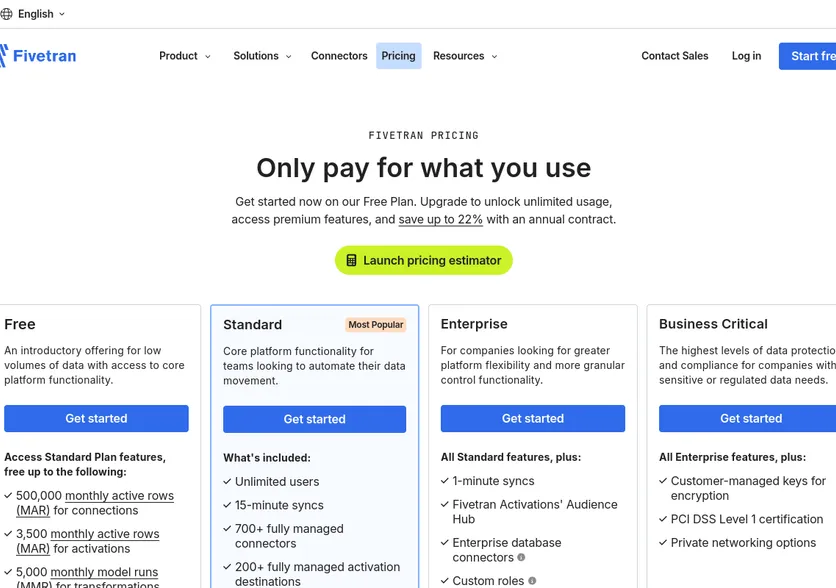
Paid tool Starting price: $5/month per connection · Standard plan, $5 base per connection plus $495 per million monthly active rows; free up to 500,000 rows; $12,000 annual contract minimum
Free plan: Free up to 500,000 monthly active rows
Moving data is where Fivetran earns its keep, because its managed pipelines carry rows from a source database into a warehouse with no code to write. This Fivetran Standard plan costs five dollars a month per connection on top of usage, and the free tier covers up to five hundred thousand monthly active rows. A team migrating off an old database will like the reliability, because connectors are maintained by Fivetran and a failed sync retries itself.
What we like
- Hundreds of maintained connectors
- Automatic retries on failed syncs
- Free tier covers small migrations well
Watch out for
- Usage charges grow fast with row volume
- Annual contract minimum is high for small teams
How to try it
- Open the Fivetran pricing page and claim the free tier
- Connect your source database and your destination
- Run the first sync and verify the row counts match
2. PlanetScale
Best for: MySQL teams that want to move a database with branching and zero-downtime cutover
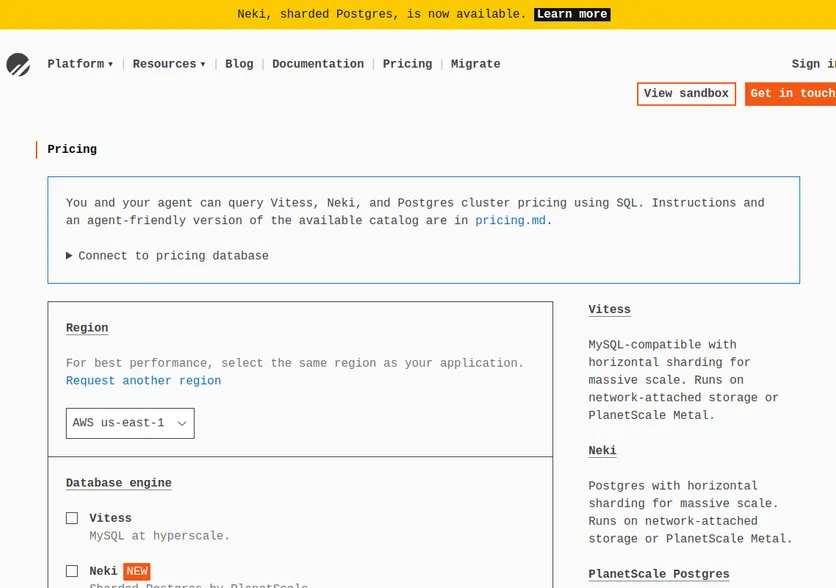
Paid tool Starting price: $29/month · MySQL Scaler plan, $29 a month for 1 production database; Team $39 a user a month; Hobby free
Free plan: Free Hobby plan, 1 database and 5 GB
A migration goes wrong when a schema change locks a table, and PlanetScale removes that risk with branching and deploy requests that apply changes without downtime. This PlanetScale Scaler plan costs twenty-nine dollars a month for one production database with branching and automated backups. A team moving a MySQL workload will like the import tooling, because data can be loaded and tested on a branch before the cutover.
What we like
- Branching lets you test a migration safely
- Zero-downtime schema changes
- Automated backups included
Watch out for
- One production database on the entry plan
- Postgres offering starts separately at five dollars a month
How to try it
- Open the PlanetScale pricing page and claim the free plan
- Import your MySQL data into a branch
- Test the app against the branch, then merge it
3. Neon
Best for: Postgres teams that want to import a database and branch it in seconds
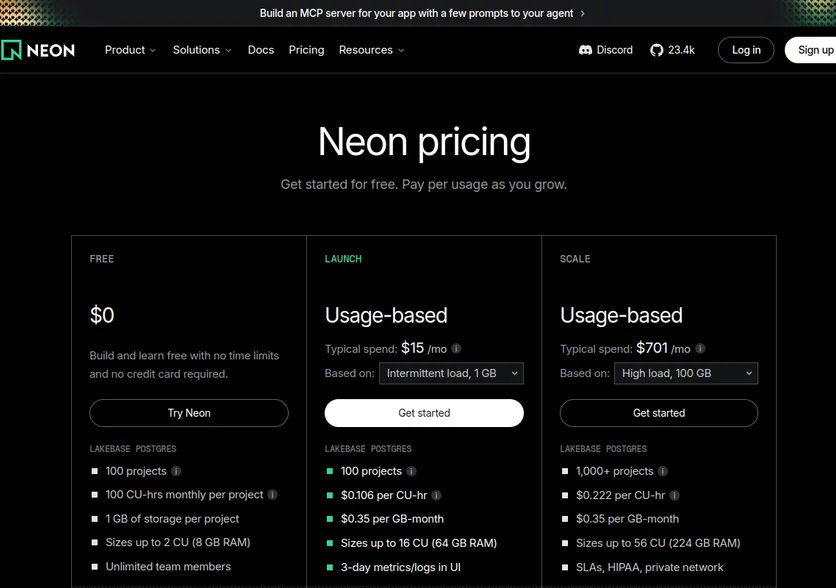
Paid tool Starting price: $15/month · Launch plan, usage-based with a typical spend of $15 a month ($0.106 per CU-hour, $0.35 per GB-month); Scale typical $701 a month; free tier included
Free plan: Free tier included
Neon makes a migration easy by letting a team import a Postgres database, branch it, and test the new copy before anything goes live. This Neon Launch plan is usage-based, with a typical spend of fifteen dollars a month. A team moving off a self-hosted Postgres server will like the restore points, because any mistake during the move can be undone in seconds.
What we like
- Import and branch in minutes
- Instant restore points undo mistakes
- Scales to zero when idle
Watch out for
- Launch is usage-based, so the bill varies with compute and storage
- A database that never idles costs more than the typical spend
How to try it
- Open the Neon pricing page and claim the free tier
- Import your Postgres data into a new project
- Branch the database and test your app against the copy
4. Supabase
Best for: Teams that want Postgres plus auth and storage while they migrate an app
Paid tool Starting price: $25/month · Pro plan, from $25 a month per organisation; Team from $599 a month; free tier included
Free plan: Free tier, 500 MB and 2 projects
A migration is easier when the new backend arrives with the extras already built, and Supabase pairs managed Postgres with auth, storage and realtime in one dashboard. This Supabase Pro plan starts at twenty-five dollars a month per organisation and includes eight gigabytes of disk, two hundred and fifty gigabytes of egress and one hundred thousand monthly active users. A team moving a Firebase or self-hosted app will like the tooling, because the database, auth and files all move together instead of one at a time.
What we like
- Database, auth and storage move together
- Open source, self-hosting stays an option
- Generous free tier for testing a migration
Watch out for
- Free projects pause after a week idle
- Egress overage is billed on top
How to try it
- Open the Supabase pricing page and claim the free plan
- Create a project and import your Postgres data
- Turn on auth and point your app at the new API
5. MongoDB Atlas
Best for: Teams migrating a document workload with a dedicated migration tool
Paid tool Starting price: $56.94/month · Dedicated M10 cluster, listed at just under $57 a month; storage, backups and transfer billed on top; Flex from $8 a month; M0 free
Free plan: Free M0 cluster
MongoDB Atlas ships a dedicated migration tool called Relational Migrator, so a team can move from a relational database into documents without hand-writing the conversion. This MongoDB Atlas Dedicated M10 cluster costs just under fifty-seven dollars a month for two gigabytes of RAM, two virtual CPUs and ten to one hundred and twenty-eight gigabytes of storage. A team moving off MySQL or Postgres will like the guided flow, because tables map to collections with a visual editor instead of a script.
What we like
- Relational Migrator guides the move
- Visual mapping from tables to collections
- Free cluster covers real testing
Watch out for
- Real monthly bills run higher with storage and backups
- Relational Migrator suits some schemas poorly
How to try it
- Open the MongoDB Atlas pricing page and claim the free cluster
- Run Relational Migrator against your old database
- Verify the documents, then cut your app over
6. CockroachDB
Best for: Teams migrating a Postgres workload to a distributed cluster
Paid tool Starting price: $0.092 per vCPU-hour · Standard plan, about $203 a month for a 2-vCPU cluster with 100 GB per the vendor example; Mission Critical $0.162 per vCPU-hour; storage billed on top
Free plan: No free plan; 30-day trial with $400 credit
CockroachDB keeps Postgres compatibility while adding distribution, so a team can move a Postgres app without rewriting its queries. This CockroachDB Standard plan costs about nine cents per virtual CPU-hour, which works out to about two hundred and three dollars a month for a two-CPU cluster with one hundred gigabytes, per the vendor example. A team outgrowing a single Postgres server will like the familiar SQL, because the app connects the same way it always did.
What we like
- Postgres-compatible SQL, no rewrites
- Distributed from day one
- Trial credit covers a real test
Watch out for
- No free plan for new organisations
- Costs climb fast with more CPUs
How to try it
- Open the CockroachDB pricing page and start the trial
- Create a cluster and import your Postgres data
- Point your app at the new cluster and test the queries
7. TiDB Cloud
Best for: MySQL teams migrating to a distributed database without rewriting queries
Paid tool Starting price: $400/month · Essential plan, from $400 a month; Premium from $1,800 and Dedicated from $1,376 a month; Starter free within limits
Free plan: Free Starter tier within limits
TiDB Cloud speaks MySQL, so a team can move an existing MySQL app to a distributed database without touching a single query. This TiDB Cloud Essential plan starts at four hundred dollars a month and covers the core serverless cluster with row and columnar storage. A team whose MySQL database has outgrown one server will like the data migration tooling, because the move is a guided import rather than a weekend of scripts.
What we like
- MySQL-compatible, no query rewrites
- Guided migration tooling included
- Transactions and analytics together
Watch out for
- Highest entry price in this comparison
- Essential plan is still in public preview
How to try it
- Open the TiDB Cloud pricing page and claim the free tier
- Run the migration tool against your MySQL database
- Test the app, then cut over to the new cluster
8. Airbyte
Best for: Teams moving data between many sources with an open source pipeline
Paid tool Starting price: $20/month · Cloud Standard plan, $20 a month with 5 credits included; Plus from $189 a month; Core self-hosted edition is free
Free plan: Free self-hosted Core edition; 14-day cloud trial
A heterogeneous migration needs a tool that talks to everything, and Airbyte connects hundreds of sources to hundreds of destinations with an open source core. This Airbyte Cloud Standard plan costs twenty dollars a month and includes five credits, with more credits available as usage grows. A team moving data out of a legacy system will like the connector library, because the odd source nobody else supports is usually already built.
What we like
- Hundreds of source and destination connectors
- Open source core, self-hosting stays an option
- Simple cloud price from twenty dollars a month
Watch out for
- Credit math takes time to learn
- Cloud pricing changed in September 2026
How to try it
- Open the Airbyte pricing page and start the cloud trial
- Connect your old source and your new destination
- Run the first sync and check the rows match
Prices above were checked on each vendor’s own website on Nov 26, 2026 and can change — the vendor’s page is the final word. Vendor links are editorial: nobody paid to be listed or ranked here. Vendors who want a featured listing can see how it works on our Get listed page.
What database migration costs in 2026
Migration pricing splits in two, because databases charge a flat monthly fee while pipelines charge per connection or by volume. PlanetScale costs twenty-nine dollars a month flat and Neon is usage-based with a typical spend of fifteen dollars a month, while Fivetran charges five dollars per connection plus usage and Airbyte twenty dollars a month with credits. The headline plan each vendor shows on its own pricing page is the number in the table above, checked on November 26, 2026.
Start with the free tier on two tools and import a copy of your real data into each one, including the messiest tables. Compare how long the import takes, whether the app works without changes, and how the rollback works if something goes wrong. Pick the tool that moves your data cleanly at a price you can budget for, because a cheap plan that corrupts a migration costs far more than the subscription.
Before you buy
- Check whether the migration tooling is included, because some vendors charge extra for it.
- Confirm the downtime window, because a live cutover and a weekend outage are very different costs.
- Test with a copy of your real data, because demo migrations hide the messy rows.
- Count the sources and destinations, because per-connection pricing multiplies with every pair.
- Compare annual and monthly billing, because some tools here cut the price by about a fifth on annual plans.
Official websites
Official websites of the products reviewed above. Features and prices were checked against these sites when this guide was written, and they can change, so confirm on the vendor site before you buy.
Frequently asked questions
Which database software is best for easy migration in 2026?
Fivetran is the best overall pick for easy migration, because it moves data from hundreds of sources into a warehouse with no code, starting at five dollars a month per connection with a free tier. PlanetScale is the best MySQL pick, with branching that lets a team test a migration before cutover from twenty-nine dollars a month. Neon is the best Postgres pick, with instant imports and branching with a typical spend of fifteen dollars a month.
How much does database migration cost?
Entry prices here run from five dollars a month per connection for Fivetran to four hundred dollars a month for TiDB Cloud, with most tools between nineteen and fifty-seven dollars a month. Migration-specific costs hide in usage charges and per-connection fees, so count your sources before you budget. A trial with a copy of your real data is the only honest way to price a migration.
Can I test a migration for free?
Fivetran, Airbyte, PlanetScale, Neon, Supabase, MongoDB Atlas and TiDB Cloud all offer a free tier, and CockroachDB offers a thirty-day trial with four hundred dollars of credit. A free tier is enough to import a copy of your data and test the app against it. Move to a paid plan when you cut over to production.
How do I choose a database for migration?
Start with compatibility, because a database that speaks your current SQL saves weeks of rewriting. Then check the migration tooling, since a guided import beats a hand-written script. Test with a copy of your real data, measure the downtime window, and pick the tool that lets you roll back if the cutover goes wrong.
Can I migrate without downtime?
Yes, most tools here support a live cutover: PlanetScale applies schema changes without downtime, Neon restores instantly from any point, and Fivetran syncs continuously so the destination stays current. The safe pattern is to sync first, test the new copy, then switch the app over in minutes rather than hours.
Need everyday developer help too? Try Toolsvine's free developer tools right in your browser.
Browse Developer Tools tools


