
On this page
A database earns its keep when it gets out of the way, and the tools below range from about five dollars a month to twenty-nine dollars a month. The eight options cover Postgres, MySQL, SQLite and reactive backends, and every price was checked on the vendor site on November 26, 2026. All eight offer a free tier, so you can build a real app before you spend anything. Supabase is our first pick — a full backend that feels like it builds itself.
How we researched this
We started with the database tools developers actually enjoy building with, then read each price on the vendor pricing page on November 26, 2026 and noted the free plan or trial each one carries. We judged them for a developer who needs to ship fast without fighting the database, and we kept only tools with a published price. We left out Fauna, because the hosted service wound down in 2025 and the vendor site no longer serves.
Compare the tools
| Name | Best for | Starting price | Free plan | |
|---|---|---|---|---|
 Supabase | Developers who want a full backend that feels like it builds itself | $25/month | Free tier, 500 MB and 2 projects | Visit |
 Neon | Developers who want Postgres with branching for every feature | $15/month | Free tier included | Visit |
 PlanetScale | Developers who want MySQL with safe, code-like schema changes | $29/month | Free Hobby plan, 1 database and 5 GB | Visit |
 Xata | Developers who want search and a modern API from their database | $9/month | Free self-hosted open source tier; 14-day cloud trial | Visit |
 Turso | Developers who want the simplest possible database for a global app | $4.99/month | Free tier, 100 databases and 5 GB | Visit |
 Appwrite | Developers who want a self-hosted backend with databases, auth and functions | $10/month | Free serverless tier to start | Visit |
 Convex | Developers who want a reactive database that updates the app live | $25/developer/month | Free and Starter pay-as-you-go tiers | Visit |
 Nhost | Developers who want a full Postgres backend with GraphQL included | $25/month | Free Starter tier, 1 project and 1 GB database | Visit |
The database software for intuitive development, compared
1. Supabase
Best for: Developers who want a full backend that feels like it builds itself
Paid tool Starting price: $25/month · Pro plan, from $25 a month per organisation; Team from $599 a month; free tier included
Free plan: Free tier, 500 MB and 2 projects
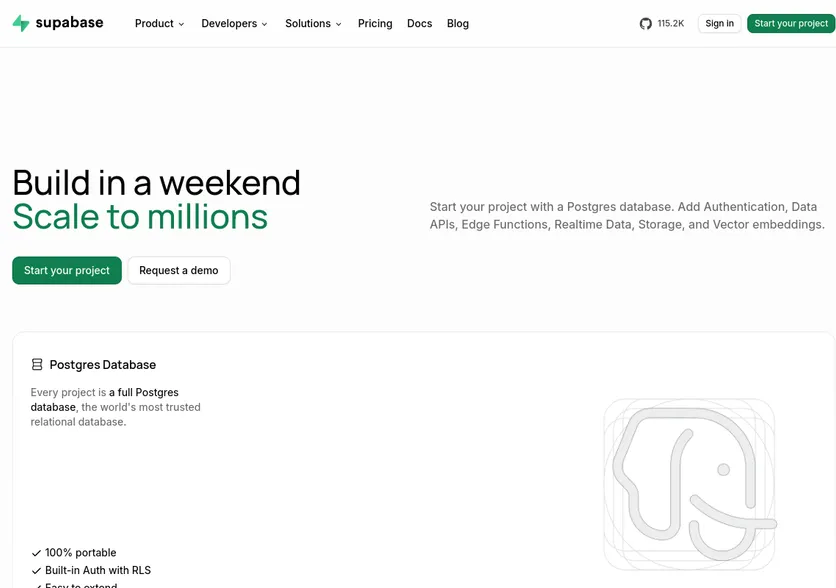
The fastest way to judge a backend is to build with it, and Supabase gives a developer a database, auth and storage from one dashboard in minutes. This Supabase Pro plan starts at twenty-five dollars a month per organisation and includes eight gigabytes of disk, two hundred and fifty gigabytes of egress and one hundred thousand monthly active users. A solo developer shipping a side project will like the docs, because every feature has a copy-paste example that just works.
What we like
- Best docs and examples in this comparison
- Database, auth and storage in one place
- Open source, self-hosting stays an option
Watch out for
- Free projects pause after a week idle
- Egress overage is billed on top
How to try it
- Open the Supabase pricing page and claim the free plan
- Create a project and add your first table
- Copy the example code and connect your app
2. Neon
Best for: Developers who want Postgres with branching for every feature
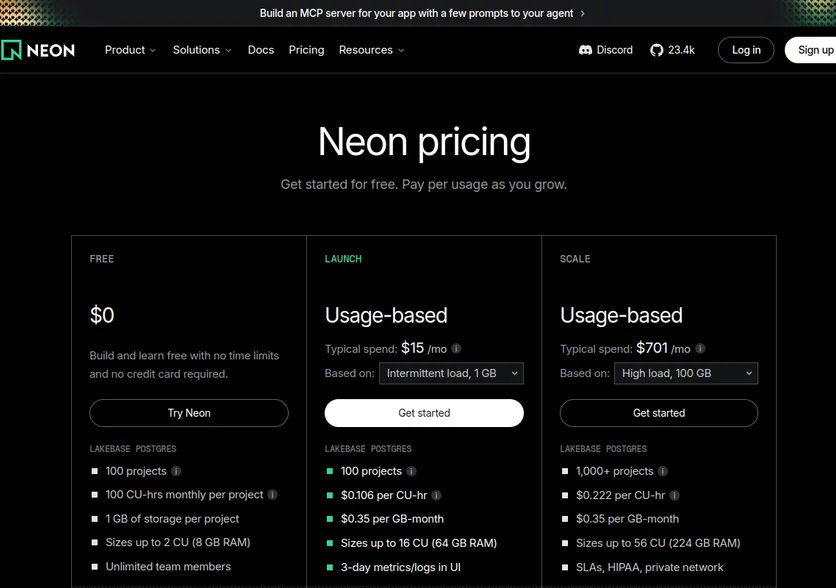
Paid tool Starting price: $15/month · Launch plan, usage-based with a typical spend of $15 a month ($0.106 per CU-hour, $0.35 per GB-month); Scale typical $701 a month; free tier included
Free plan: Free tier included
Neon feels like Postgres with superpowers, because every branch is a full copy of the database that appears in seconds. This Neon Launch plan is usage-based, with a typical spend of fifteen dollars a month. A developer who tests features against real data will like the branching, because a pull request gets its own database without a manual dump and restore.
What we like
- Branching in seconds, no manual dumps
- Scales to zero when idle, saving money
- Instant point-in-time restore
Watch out for
- Launch is usage-based, so the bill varies with compute and storage
- A database that never idles costs more than the typical spend
How to try it
- Open the Neon pricing page and claim the free tier
- Create a Postgres database and connect your app
- Branch it for a feature and test against real data
3. PlanetScale
Best for: Developers who want MySQL with safe, code-like schema changes
Paid tool Starting price: $29/month · MySQL Scaler plan, $29 a month for 1 production database; Team $39 a user a month; Hobby free
Free plan: Free Hobby plan, 1 database and 5 GB
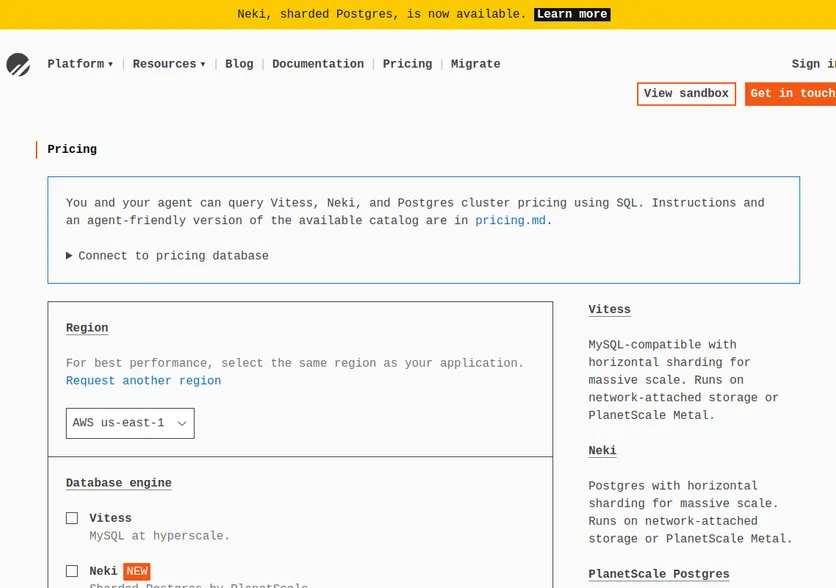
Schema changes scare developers because they can break production, and PlanetScale turns them into branches and deploy requests that feel like a pull request. This PlanetScale Scaler plan costs twenty-nine dollars a month for one production database with branching and automated backups. A developer who ships often will like the workflow, because a migration is reviewed, tested and merged like any other code change.
What we like
- Schema changes feel like code review
- Zero-downtime migrations
- Automated backups included
Watch out for
- One production database on the entry plan
- Postgres offering starts separately at five dollars a month
How to try it
- Open the PlanetScale pricing page and claim the free plan
- Create a database and open a branch for a change
- Merge the branch with a deploy request
4. Xata
Best for: Developers who want search and a modern API from their database
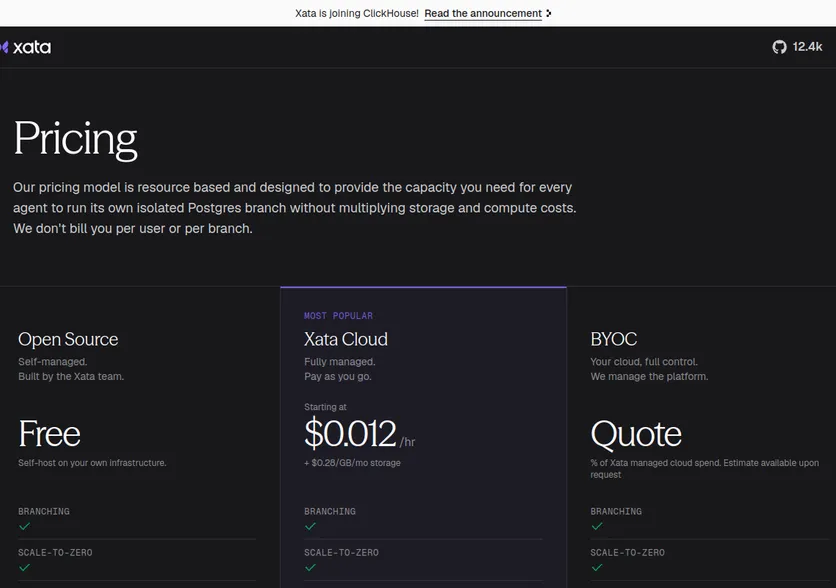
Paid tool Starting price: $9/month · Micro instance, about $9 a month if it runs all month, plus storage; old subscription plans are gone after a 2026 restructure; 14-day trial
Free plan: Free self-hosted open source tier; 14-day cloud trial
Xata reads like a database built for developers who hate boilerplate, with a clean API, full-text search and file attachments out of the box. This Xata micro instance costs about nine dollars a month if it runs all month, plus storage, after a 2026 move to pure pay-as-you-go pricing. A developer building a search-heavy app will like the built-in search, because records can be found by text without adding another service.
What we like
- Clean API with almost no boilerplate
- Search built into the database
- Pay only for what you use
Watch out for
- Pricing restructured in 2026, still settling
- Smaller community than the big databases
How to try it
- Open the Xata pricing page and start the 14-day trial
- Create a database and add a table with search
- Connect your app through the API
5. Turso
Best for: Developers who want the simplest possible database for a global app
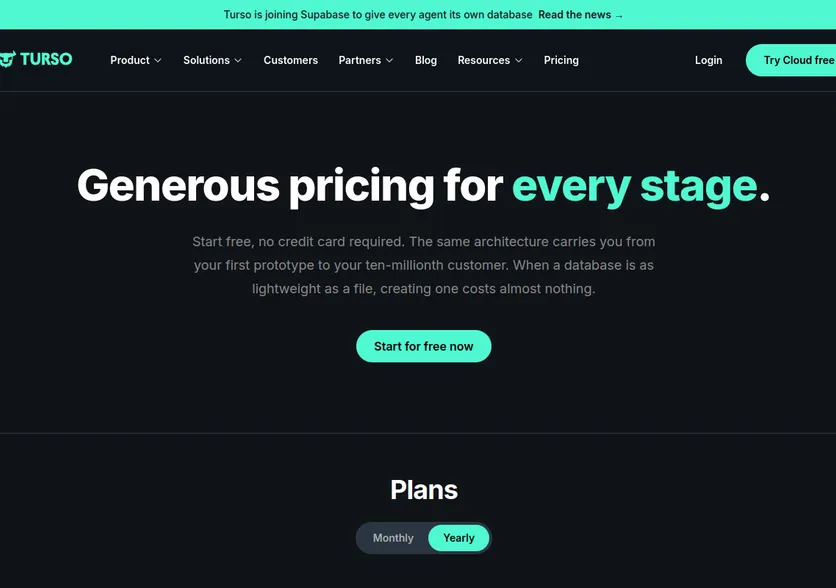
Paid tool Starting price: $4.99/month · Developer plan, $4.99 a month billed yearly or $5.99 billed monthly; Scaler $24.92 a month billed yearly; free tier included; Supabase announced an acquisition in October 2026 with pricing unchanged
Free plan: Free tier, 100 databases and 5 GB
Turso keeps development simple by speaking SQLite, so a developer who knows the basics can build a global app without learning a new query language. This Turso Developer plan costs four dollars and ninety-nine cents a month billed yearly and covers nine gigabytes, two and a half billion reads and twenty-five million writes. A developer shipping a small app worldwide will like the edge replicas, because users read from a nearby copy instead of a faraway server.
What we like
- Cheapest paid plan in this comparison
- SQLite, nothing new to learn
- Edge replicas keep reads fast worldwide
Watch out for
- SQLite model suits some workloads poorly
- Acquisition news may change the roadmap
How to try it
- Open the Turso pricing page and claim the free tier
- Create a database and connect your app
- Add a replica close to your users and test the speed
6. Appwrite
Best for: Developers who want a self-hosted backend with databases, auth and functions
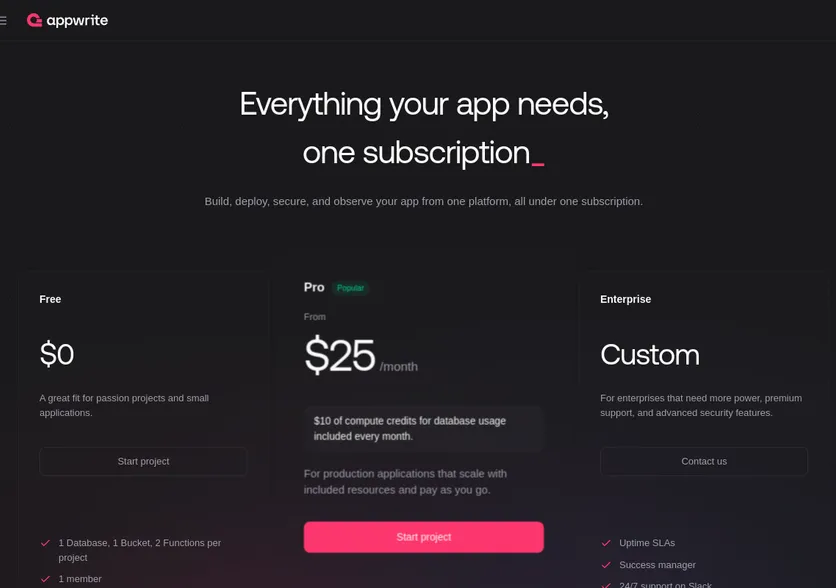
Paid tool Starting price: $10/month · Dedicated Starter database, $10 a month per database; serverless tier is free to start; pricing restructured in November 2026
Free plan: Free serverless tier to start
Appwrite is an open source backend platform with databases, auth, storage and functions, and a November 2026 restructure moved it to per-database pricing. This Appwrite Dedicated Starter database costs ten dollars a month per database for one core and one gigabyte, while the serverless tier stays free to start. A developer who wants to self-host will like the control, because the whole backend can run on their own server.
What we like
- Full backend with auth and functions
- Open source, self-hosting stays an option
- Free serverless tier to start
Watch out for
- Pricing restructured in November 2026
- Per-database pricing adds up with many databases
How to try it
- Open the Appwrite pricing page and claim the free tier
- Create a database and add a collection
- Turn on auth and connect your app
7. Convex
Best for: Developers who want a reactive database that updates the app live
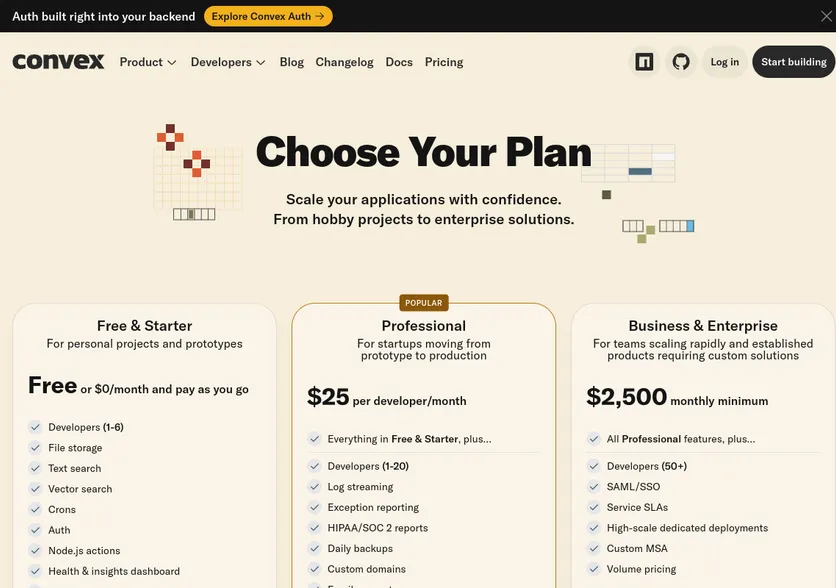
Paid tool Starting price: $25/developer/month · Professional plan, $25 a developer a month; Free and Starter tiers are pay-as-you-go; Business and Enterprise from $2,500 a month minimum
Free plan: Free and Starter pay-as-you-go tiers
Convex is a reactive backend where the database pushes changes to the app the moment they happen, so a chat or dashboard updates without a refresh. This Convex Professional plan costs twenty-five dollars a developer a month and includes twenty-five million function calls, fifty gigabytes of database storage and one hundred gigabytes of files. A developer building a live app will like the reactivity, because the frontend subscribes to queries and updates itself.
What we like
- Live updates without a refresh
- Functions and storage in one place
- Generous free tier for starting
Watch out for
- Per-developer pricing adds up with a big team
- Newer platform with a smaller community
How to try it
- Open the Convex pricing page and claim the free tier
- Create a project and define your first table
- Subscribe to a query in your frontend and watch it update
8. Nhost
Best for: Developers who want a full Postgres backend with GraphQL included
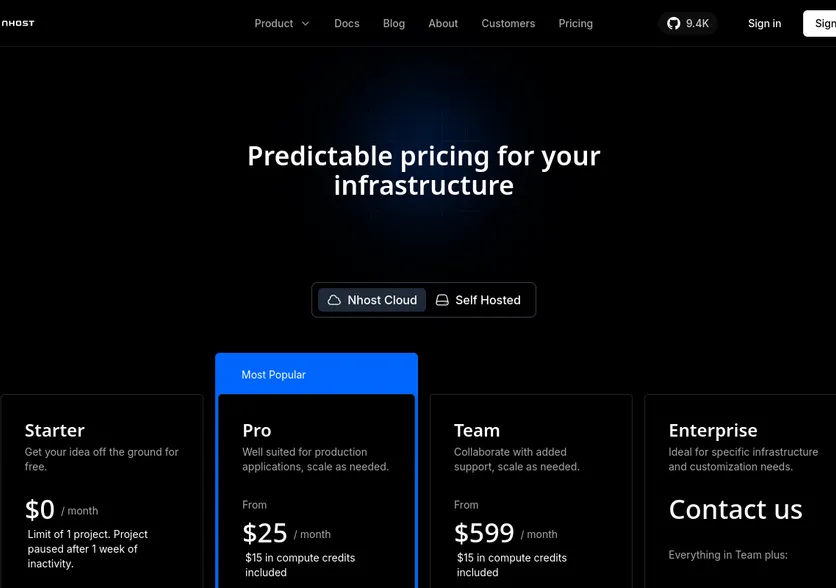
Paid tool Starting price: $25/month · Pro plan, from $25 a month per project, including $15 of compute credits; Team $599 a month; free Starter tier included
Free plan: Free Starter tier, 1 project and 1 GB database
Nhost pairs managed Postgres with auth, storage, functions and GraphQL, so a developer gets a whole backend from one project dashboard. This Nhost Pro plan starts at twenty-five dollars a month per project and includes fifteen dollars of compute credits, ten gigabytes of database storage and fifty gigabytes of file storage. A developer building a modern web app will like the GraphQL API, because the frontend can ask for exactly the data it needs.
What we like
- Postgres plus GraphQL in one project
- Auth and storage built in
- Free tier covers starting a project
Watch out for
- Compute is billed separately on top
- Custom domains cost ten dollars a project a month
How to try it
- Open the Nhost pricing page and claim the free tier
- Create a project and add a table
- Query the GraphQL API from your frontend
Prices above were checked on each vendor’s own website on Nov 26, 2026 and can change — the vendor’s page is the final word. Vendor links are editorial: nobody paid to be listed or ranked here. Vendors who want a featured listing can see how it works on our Get listed page.
What database software for developers costs in 2026
Developer database pricing splits in two, because some tools charge a flat monthly fee and others charge per developer or by usage. Supabase costs twenty-five dollars a month flat and Neon is usage-based with a typical spend of fifteen dollars a month, while Convex charges twenty-five dollars a developer a month and Xata about nine dollars a month for a micro instance. The headline plan each vendor shows on its own pricing page is the number in the table above, checked on November 26, 2026.
Start with the free tier on two tools and build one real feature in each, including auth and a query your app actually needs. Compare how long it takes, how clear the docs are, and whether the local setup works. Pick the database that gets out of your way, because a cheap plan that fights you costs more in lost time than any subscription.
Before you buy
- Check the learning curve, because a database that needs a week to learn slows the whole project.
- Count the included extras, because auth and storage can cost as much as the database itself elsewhere.
- Confirm the local story, because a good local setup makes development far faster.
- Test with a real feature, because a demo app hides the rough edges of the API.
- Compare annual and monthly billing, because some tools here cut the price by about a fifth on annual plans.
Official websites
Official websites of the products reviewed above. Features and prices were checked against these sites when this guide was written, and they can change, so confirm on the vendor site before you buy.
Frequently asked questions
Which database software is best for intuitive development in 2026?
Supabase is the best overall pick for intuitive development, because it gives a developer a database, auth and storage from one dashboard with copy-paste examples from twenty-five dollars a month. Neon is the best Postgres pick, with branching that feels like a pull request with a typical spend of fifteen dollars a month. Xata is the best modern-API pick, with search built in from about nine dollars a month.
How much does database software for developers cost?
Entry prices here run from four dollars and ninety-nine cents a month for Turso to twenty-nine dollars a month for PlanetScale, with most tools between nine and twenty-five dollars a month. The cheapest plans cover a side project or a small app, while production workloads add storage and compute charges. Always check what the free tier covers before you pay, because most tools here let you build for free.
Is there free database software for developers?
Supabase, Neon, PlanetScale, Xata, Turso, Appwrite, Convex and Nhost all offer a free tier. A free tier is enough to build a real app and test it with real users. Move to a paid plan when you need more storage, no idle pausing or team features.
How do I choose a database for intuitive development?
Start with the docs, because a database with clear examples saves more time than any feature list. Then check the local story, since a good local setup makes development far faster. Build one real feature in a trial, measure how long it takes, and pick the database that gets out of your way.
Which database is best for a solo developer?
Yes, most tools here work well for a solo developer: Turso starts at four dollars and ninety-nine cents a month, Xata at about nine dollars a month, and Neon at a typical fifteen dollars a month. Supabase, Convex and Nhost all offer free tiers that cover a side project. Pick the one whose docs you enjoy reading, because you will live in them.
Need everyday developer help too? Try Toolsvine's free developer tools right in your browser.
Browse Developer Tools tools


