
On this page
Most YouTube viewers watch with the sound off at least sometimes, so captions are no longer a nice extra but a basic part of publishing. The eight tools below run from about twelve dollars a month to a full transcript editor, and every price was checked on the vendor site on November 26, 2026. Most offer a free plan, so you can caption a real video before paying anything. CapCut Pro is our first pick — captions and editing in one app you already know.
How we researched this
We started with the caption apps YouTubers actually use, then read each price on the vendor pricing page on November 26, 2026 and noted the free plan or trial each one carries. We judged them for a creator who publishes regularly and needs captions that look good without hours of manual work. We kept only tools with a published price and dropped any tool whose price we could not verify on the vendor site.
Compare the tools
| Name | Best for | Starting price | Free plan | |
|---|---|---|---|---|
 CapCut Pro | YouTubers who want captions and editing in one app | $19.99/month | Free plan with basic editing and auto captions | Visit |
 Descript | Creators who edit video by editing the transcript | $24/person/month | Free plan with one hour of transcription a month | Visit |
 Submagic | Short-form creators who want punchy word-by-word captions | $12/member/month | Free trial available; free plan with limited monthly credits | Visit |
 Captions | Mobile creators who film and caption on their phone | $24.99/month | Free plan with limited credits | Visit |
 VEED | Teams that caption and edit together in the browser | $12/month | Free plan with watermarked exports | Visit |
 OpusClip | Creators who repurpose long videos into captioned clips | $15/month | Free plan with limited monthly credits | Visit |
 Riverside | Podcasters and interviewers who record remote guests | $15/month | No free plan; 14-day free trial | Visit |
 Kapwing | Teams that make captioned social videos together | $16/member/month | Free plan with watermarked exports | Visit |
The free caption apps for YouTube videos, compared
1. CapCut Pro
Best for: YouTubers who want captions and editing in one app
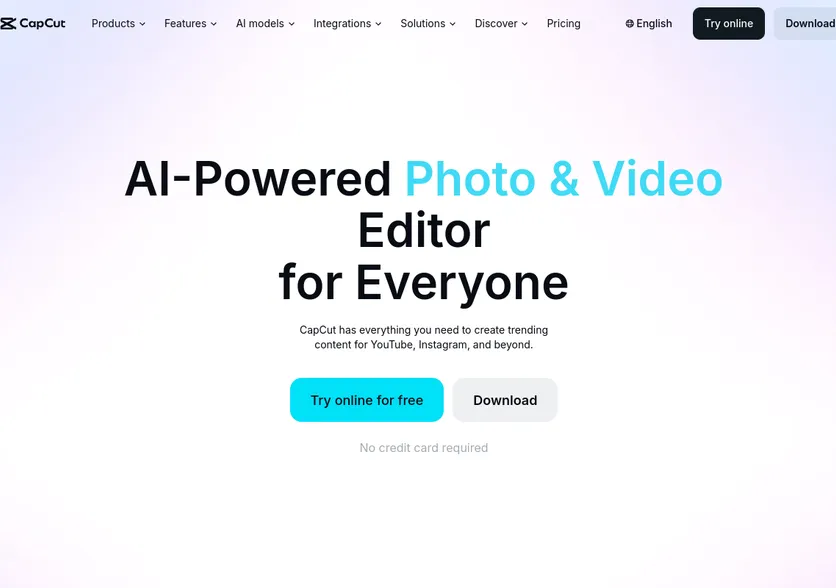
Paid tool Starting price: $19.99/month · Pro plan, $19.99 a month or $179.99 a year; older $9.99 Pro price is now the Standard tier
Free plan: Free plan with basic editing and auto captions
CapCut Pro is the all-in-one video editor that most YouTubers already know, with automatic captions built into the same timeline as your cuts and effects. This CapCut Pro plan unlocks unlimited auto captions, premium templates and cloud storage for your projects. A creator who edits and captions in one place will finish videos faster than with two separate tools.
What we like
- Auto captions built into a full editor
- Huge template and effect library
- Works on desktop, web and mobile
Watch out for
- Pro costs about twenty dollars a month
- Some features need a steady internet connection
How to try it
- Open the CapCut pricing page and start a Pro trial
- Import your YouTube video and generate auto captions
- Style the captions and export the finished video
2. Descript
Best for: Creators who edit video by editing the transcript
Paid tool Starting price: $24/person/month · Creator plan, $24 per person a month billed annually ($35 billed monthly); Hobbyist plan $16 a month billed annually
Free plan: Free plan with one hour of transcription a month
Descript turns your video into a transcript you can edit like a document, and the captions follow every cut you make. This Descript Creator plan adds more transcription hours, studio sound and the full caption styling kit. A YouTuber who talks to camera will find Descript the fastest way to go from a rough recording to a captioned final cut.

What we like
- Edit video by editing text
- Studio sound cleans up noisy audio
- Captions stay in sync with every cut
Watch out for
- Creator costs twenty-four dollars per person a month
- Transcription hours cap the free plan fast
How to try it
- Open the Descript pricing page and start a trial
- Upload your video and let Descript transcribe it
- Edit the transcript and export with styled captions
3. Submagic
Best for: Short-form creators who want punchy word-by-word captions
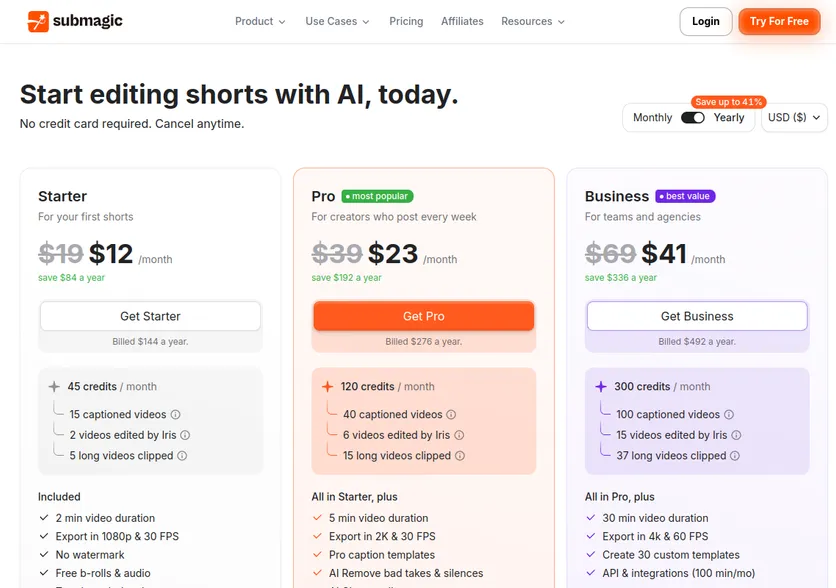
Paid tool Starting price: $12/member/month · Starter plan, $12 per member a month billed yearly ($19 billed monthly); Pro $23, Business $41
Free plan: Free trial available; free plan with limited monthly credits
Submagic is the caption specialist for short videos, turning a talking-head clip into animated word-by-word captions in seconds. This Submagic Starter plan adds more monthly credits, premium templates and the magic B-roll tool. A creator who posts Shorts and Reels will find Submagic the quickest route to captions that stop the scroll.
What we like
- Word-by-word animated captions in seconds
- Templates built for Shorts and Reels
- Magic B-roll adds cutaway footage automatically
Watch out for
- Starter costs twelve dollars per member a month
- Credit limits cap heavy creators fast
How to try it
- Open the Submagic pricing page and start a trial
- Upload your short video and generate captions
- Pick an animated style and export the clip
4. Captions
Best for: Mobile creators who film and caption on their phone
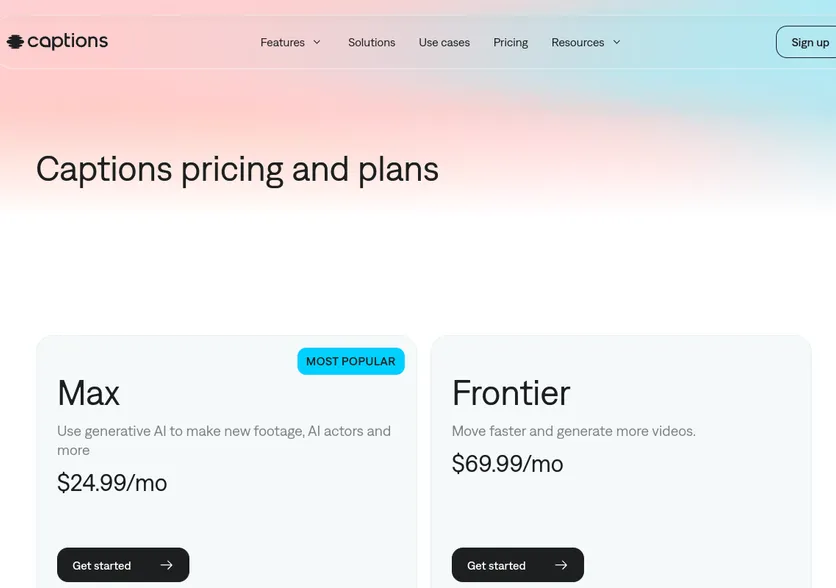
Paid tool Starting price: $24.99/month · Max plan, $24.99 a month with 500 credits; Basic plan $9.99 a month appeared in earlier reads but the November 2026 pricing page lists paid plans from Max
Free plan: Free plan with limited credits
Captions is the AI video app that turns a phone recording into a captioned, edited clip with almost no manual work. This Captions Max plan adds five hundred credits a month, more voices and the full AI editing toolkit. A creator who films everything on a phone will find Captions the fastest way from recording to a posted video.
What we like
- AI editing with almost no manual work
- Word-by-word captions that look modern
- Built for mobile-first creators
Watch out for
- Max costs about twenty-five dollars a month
- Credit limits apply to heavy use
How to try it
- Open the Captions pricing page and start a trial
- Record or upload a video in the app
- Generate captions and share the finished clip
5. VEED
Best for: Teams that caption and edit together in the browser
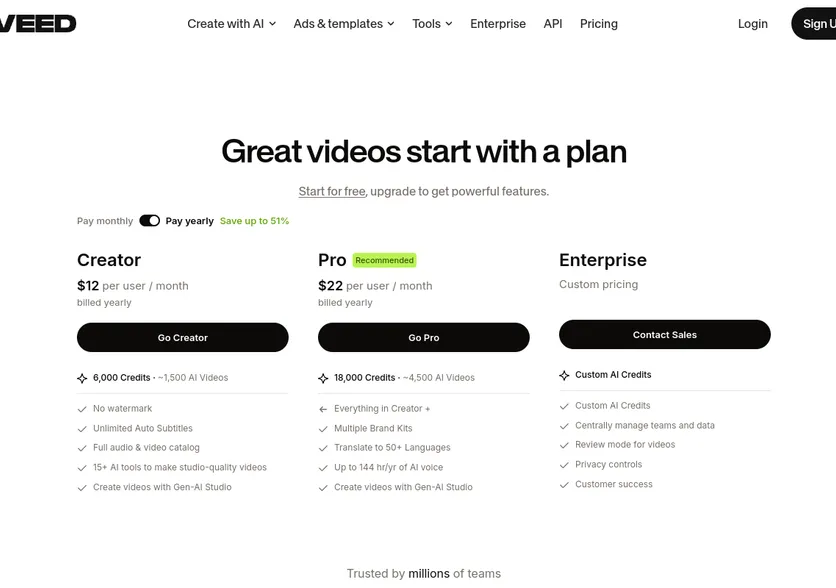
Paid tool Starting price: $12/month · Creator plan, $12 a month billed annually ($25 billed monthly); Pro plan $22 a month billed annually ($45 billed monthly)
Free plan: Free plan with watermarked exports
VEED is the browser-based video studio where a team can caption, edit and share a YouTube video without installing anything. This VEED Creator plan adds more caption minutes, clean exports and the brand kit for consistent videos. A small channel that works across computers will like VEED for keeping every project in one shared workspace.
What we like
- Runs entirely in the browser
- Team workspaces keep projects shared
- Brand kit keeps captions consistent
Watch out for
- Creator costs twelve dollars a month billed annually
- Free exports carry a watermark
How to try it
- Open the VEED pricing page and start a trial
- Upload your video and generate subtitles
- Style the captions and export for YouTube
6. OpusClip
Best for: Creators who repurpose long videos into captioned clips
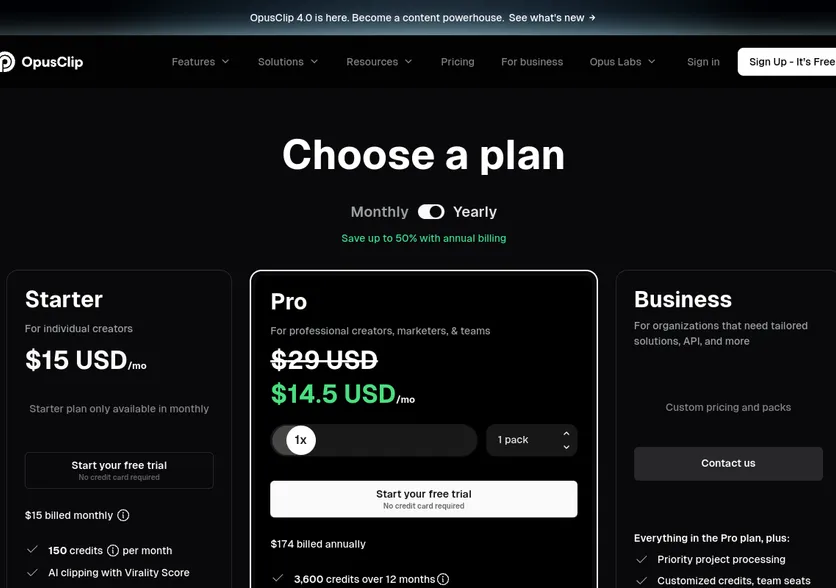
Paid tool Starting price: $15/month · Starter plan, $15 a month with 150 credits; Pro plan $29 a month or $14.50 a month billed yearly
Free plan: Free plan with limited monthly credits
OpusClip watches a long YouTube video and cuts it into short captioned clips that are ready for Shorts, Reels and TikTok. This OpusClip Starter plan adds one hundred fifty credits a month and more clip styles for your channel. A creator with a back catalogue of long videos will find OpusClip the fastest way to turn one upload into a week of short content.
What we like
- Turns long videos into ready Shorts
- AI picks the most shareable moments
- Captions are styled automatically
Watch out for
- Starter costs fifteen dollars a month
- Credit limits cap the number of clips
How to try it
- Open the OpusClip pricing page and start a trial
- Paste a YouTube link and let the AI find the best moments
- Review the captioned clips and post the best ones
7. Riverside
Best for: Podcasters and interviewers who record remote guests
Paid tool Starting price: $15/month · Standard plan, $15 a month billed annually ($19 billed monthly); 5 hours of recording a month; free plan reportedly replaced by a 14-day trial in September 2026
Free plan: No free plan; 14-day free trial
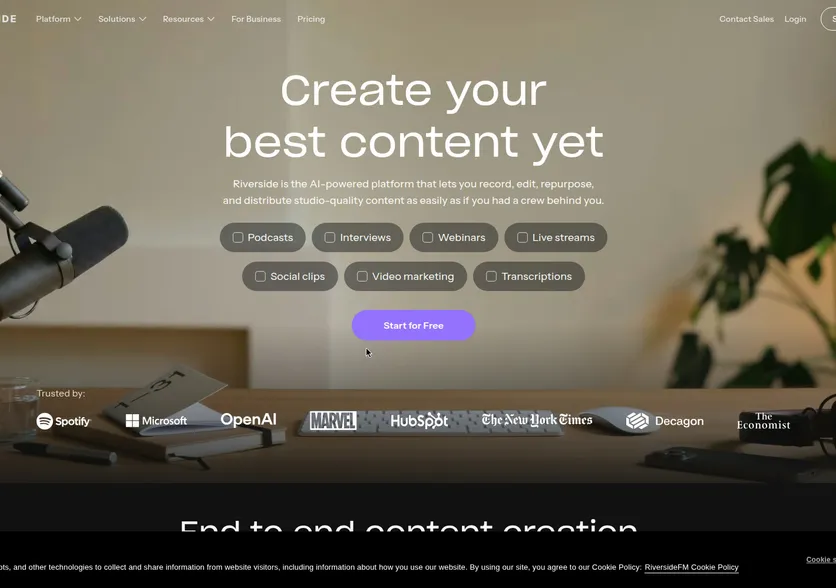
Riverside records studio-quality video and audio in the browser, then generates captions and transcripts from the same session. This Riverside Standard plan adds five hours of recording a month, separate audio tracks and the full caption editor. A creator who interviews guests over the internet will find Riverside the cleanest way to record and caption in one place.
What we like
- Studio-quality local recordings
- Separate tracks for every speaker
- Captions and transcripts from one session
Watch out for
- Standard costs fifteen dollars a month billed annually
- Recording hours are capped on the plan
How to try it
- Open the Riverside pricing page and start a trial
- Invite your guest to a studio session
- Record, then generate captions from the transcript
8. Kapwing
Best for: Teams that make captioned social videos together
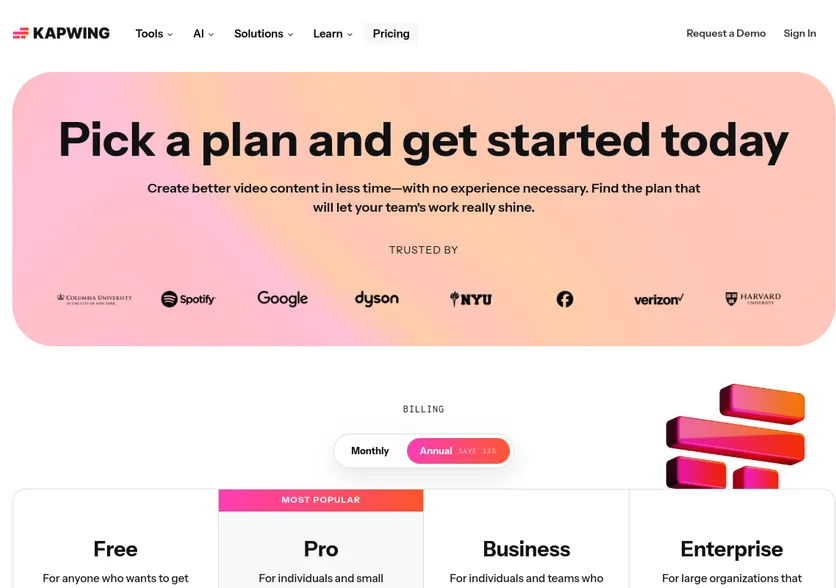
Paid tool Starting price: $16/member/month · Pro plan, $16 per member a month billed yearly ($24 billed monthly); Business plan $50 a month
Free plan: Free plan with watermarked exports
Kapwing is the collaborative video editor where a team can caption, trim and brand YouTube videos from any browser. This Kapwing Pro plan removes the watermark, adds more export minutes and unlocks the full template library. A small team that publishes often will like Kapwing for keeping every caption style and brand asset in one shared space.
What we like
- Team collaboration in the browser
- Clean auto subtitles with style controls
- Templates for every social format
Watch out for
- Pro costs sixteen dollars per member a month
- Free exports carry a watermark
How to try it
- Open the Kapwing pricing page and start a trial
- Upload your video and generate auto subtitles
- Style the captions and export for YouTube
Prices above were checked on each vendor’s own website on Nov 26, 2026 and can change — the vendor’s page is the final word. Vendor links are editorial: nobody paid to be listed or ranked here. Vendors who want a featured listing can see how it works on our Get listed page.
What caption apps for YouTube cost in 2026
Most creators pay for one caption tool, so the monthly price is the whole budget and the credit limit matters as much as the price. This list runs from about twelve dollars a month for a caption specialist to twenty-five dollars a month for a full AI video app, and every tool here offers a free plan or trial. The headline plan each vendor shows on its own pricing page is the number in the table above, checked on November 26, 2026.
Start with the free plan on two tools and caption the same video in both. Compare the accuracy, the caption style and how long the export takes, then pay for the one that saves you the most time. A twelve-dollar tool that captions a video in two minutes beats a twenty-five-dollar app you have to fight.
Before you buy
- Test the caption accuracy on your own voice first, because a demo video never shows how it handles your accent.
- Check the export style options, because burned-in captions need to match your channel look.
- Count the monthly minutes or credits, because a cheap plan with a small cap costs more after overage fees.
- Ask whether captions work in your language, because some tools only support English well.
- Try the free plan on a real video, because a trial that only covers one minute tells you nothing useful.
Official websites
Official websites of the products reviewed above. Features and prices were checked against these sites when this guide was written, and they can change, so confirm on the vendor site before you buy.
Frequently asked questions
What is the best caption app for YouTube videos in 2026?
CapCut Pro, at about twenty dollars a month, is the safest default because it pairs auto captions with a full editor and works on desktop, web and mobile. Descript is better when you edit by transcript, at twenty-four dollars per person a month. Submagic wins for short-form videos, since its word-by-word captions are built for Shorts and Reels.
What is the cheapest caption app for YouTube?
Submagic Starter, at twelve dollars per member a month billed yearly, is the cheapest paid plan here. VEED Creator, at twelve dollars a month billed annually, matches it for browser-based captioning. Both offer free plans with limited credits, so you can test the caption quality on your own videos before paying anything at all.
Can I add captions to YouTube videos for free?
Yes, most of them. CapCut, Descript, Submagic, Captions, VEED, OpusClip and Kapwing all offer free plans with real caption features, though exports may carry a watermark or a credit limit. Riverside offers a fourteen-day trial instead. Start free, caption three real videos, and pay only when the free credits run out.
Do captions help my YouTube videos get more views?
Yes, and you should. Captions help viewers who watch with the sound off, and YouTube can read them to understand your video better. Upload an SRT file through YouTube Studio, or use one of the tools above to burn captions into the video. Burned-in captions work everywhere, while YouTube captions let viewers toggle them off.
Is CapCut Pro or Descript better for YouTube captions?
CapCut Pro is better for most YouTubers because it combines captions with a full editor, templates and effects in one app. Descript is better when you record long talking-head videos and want to edit by deleting words from a transcript. Both cost about twenty to twenty-four dollars a month, and both have free plans, so try each on one real video.
Want free video tools too? Try Toolsvine's free video tools right in your browser.
Browse Video Tools tools


