
On this page
Hospitals run hundreds of projects across departments, and alignment is the hard part. Asana leads this list because its portfolios, timelines and templates scale from one ward to the whole organization. The eight project tools below were priced live on November 27, 2026, from four dollars a user a month to 45 dollars a month, and every one offers a free plan or a free trial for a pilot team.
How we researched this
We started with the project tools hospitals actually use, then read each price on the vendor's own site on November 27, 2026 and noted the free plan, the portfolio views and the governance features. We judged them for a hospital running projects across many departments.
Compare the tools
| Name | Best for | Starting price | Free plan | |
|---|---|---|---|---|
 Asana | Hospitals running projects across departments | $10.99/user/month | Free Personal plan | Visit |
 Monday.com | Hospitals needing work visible across teams | $9/seat/month | Free plan | Visit |
 ClickUp | Hospitals wanting one workspace for many teams | $9/user/month | Free Forever plan | Visit |
 Smartsheet | Hospitals needing auditable program tracking | $9/member/month | 30-day free trial | Visit |
 Wrike | Hospitals needing flexible department workflows | $10/user/month | Free plan | Visit |
 Teamwork | Hospitals tying services to time and cost | $10.99/user/month | Free plan (up to 5 users, 2 projects) | Visit |
 Basecamp | Hospital departments needing simple organization | $29/month | Free plan (1 project) | Visit |
 ProofHub | Hospitals wanting one flat bill for projects | $45/month | 14-day free trial (no free plan) | Visit |
The project management tools for hospitals, compared
1. Asana
Best for: Hospitals running projects across departments
Paid tool Starting price: $10.99/user/month · Starter plan, $10.99 per user a month billed annually; monthly billing is $13.49; Advanced is $24.99 a month billed annually
Free plan: Free Personal plan
Hospitals run hundreds of projects across departments that must stay aligned. Asana offers portfolios, timelines and templates that scale from one ward to the whole hospital. Starter starts at about eleven dollars per user a month billed annually.

What we like
- Clear task lists, timelines and boards
- Strong templates for clinical workflows
- Good integrations with common work tools
Watch out for
- Starter plan limits some automation features
- Per-user pricing adds up for large hospitals
How to try it
- Start the free Personal plan and create a project
- Add tasks, owners and due dates
- Switch to a timeline view to track progress
2. Monday.com
Best for: Hospitals needing work visible across teams
Paid tool Starting price: $9/seat/month · Basic plan, $9 per seat a month billed annually; monthly billing is $12; Standard is $12 and Pro is $19 a month billed annually; three-seat minimum
Free plan: Free plan
A hospital needs work visible across departments, from facilities to clinical teams. Monday.com offers boards and automations that scale across departments, with dashboards for leadership. Basic starts at nine dollars per seat a month billed annually, with a three-seat minimum.

What we like
- Visual boards that are easy to read at a glance
- Many templates for clinics and operations
- Automations save repetitive admin work
Watch out for
- Three-seat minimum on paid plans
- Basic plan lacks time tracking and formulas
How to try it
- Start a free trial and pick a project template
- Add your team and assign the first tasks
- Set up automations for status changes
3. ClickUp
Best for: Hospitals wanting one workspace for many teams
Paid tool Starting price: $9/user/month · Core plan, $9 a user a month billed annually ($12 billed monthly); Business $17 a user a month billed annually
Free plan: Free Forever plan
Hospitals need one workspace for tasks, docs and goals across many teams. ClickUp combines a huge feature set with a low entry price, though the depth can overwhelm new users. Unlimited starts at seven dollars per user a month billed annually.

What we like
- Huge feature set for the price
- Docs, goals and chat in one place
- Free Forever plan for small teams
Watch out for
- Feature depth can overwhelm new users
- Business tier is needed for advanced automations
How to try it
- Start the Free Forever plan and create a space
- Add lists, tasks and docs for your clinic
- Upgrade to Unlimited when you need more
4. Smartsheet
Best for: Hospitals needing auditable program tracking
Paid tool Starting price: $9/member/month · Pro plan, $9 per member a month billed annually; monthly billing is $12; Business is $19 a month billed annually with a three-seat minimum; the free plan was discontinued in 2025
Free plan: 30-day free trial
Hospital programs need auditable, spreadsheet-style tracking at scale. Smartsheet offers governed grids, Gantt views and resource management suited to regulated work. Pro starts at nine dollars per member a month billed annually, with Business at 19 dollars.

What we like
- Spreadsheet-style grids teams already understand
- Strong Gantt and resource views
- Good for regulated, auditable workflows
Watch out for
- Free plan was discontinued in 2025
- Business tier needs a three-seat minimum
How to try it
- Start the 30-day Business trial and import a sheet
- Set up columns, owners and due dates
- Share the sheet with your care team
5. Wrike
Best for: Hospitals needing flexible department workflows
Paid tool Starting price: $10/user/month · Team plan, $10 per user a month billed annually for 2 to 15 users; Business is $25 a month billed annually; no monthly-billing price is published
Free plan: Free plan
Large hospitals need workflows that adapt to each department. Wrike offers flexible views, approvals and dashboards for cross-department programs. Team starts at ten dollars per user a month billed annually, with Business at 25 dollars.

What we like
- Flexible project views for many work styles
- Strong request forms and approvals
- Good for cross-department projects
Watch out for
- Team plan covers only 2 to 15 users
- No monthly-billing price is published
How to try it
- Start the free plan and create a project
- Build a workflow with custom statuses
- Add dashboards to track team workload
6. Teamwork
Best for: Hospitals tying services to time and cost
Paid tool Starting price: $10.99/user/month · Deliver plan, $10.99 per user a month billed annually; monthly billing is $13.99; Grow is $19.99 and Scale is $54.99 a month billed annually; the vendor page also shows $9.99 in its comparison table
Free plan: Free plan (up to 5 users, 2 projects)
Hospitals delivering services for partners need projects tied to time and cost. Teamwork combines delivery tracking with time and billing, built for client-facing service teams. Deliver starts at about eleven dollars per user a month billed annually.

What we like
- Built for client-facing project delivery
- Time tracking and billing in one place
- Good templates for service teams
Watch out for
- Vendor page shows two different Deliver prices
- Free plan covers only five users and two projects
How to try it
- Start the free plan and create your first project
- Add tasks, milestones and time tracking
- Invite clients to view progress
7. Basecamp
Best for: Hospital departments needing simple organization
Paid tool Starting price: $29/month · Freelancer plan, $29 a month flat; Pro Unlimited is a flat $199 a month billed annually or $329 monthly for unlimited users and projects
Free plan: Free plan (1 project)
A hospital department needs simple organization that new staff learn in minutes. Basecamp keeps projects, to-dos and messages in one calm place, with a flat plan for unlimited users. Pro Unlimited is a flat 199 dollars a month billed annually for the whole organization.

What we like
- Simple, calm interface with no learning curve
- Flat $199 plan for unlimited users
- Message boards, to-dos and schedules in one place
Watch out for
- No Gantt charts or advanced reporting
- Freelancer covers 3 projects
How to try it
- Start a free trial and create your first project
- Add to-dos, messages and a schedule
- Invite your team and clients to the project
8. ProofHub
Best for: Hospitals wanting one flat bill for projects
Paid tool Starting price: $45/month · Essential plan, $45 a month billed annually for unlimited users and 40 projects; monthly billing is $50; Ultimate Control is $89 a month for the first three months, then $135 a month billed annually
Free plan: 14-day free trial (no free plan)
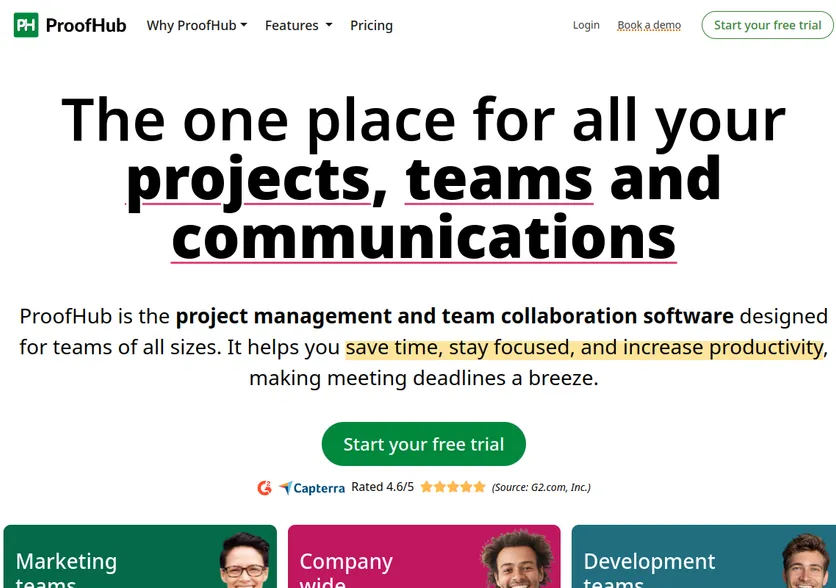
Hospitals need one flat bill for project work, not per-seat math. ProofHub charges a flat monthly fee with unlimited users, plus proofing and file approval built in. Essential costs 45 dollars a month billed annually, with a 14-day trial.
What we like
- Flat monthly fee with unlimited users
- Proofing and file approval built in
- Simple pricing with no per-seat math
Watch out for
- Essential plan caps at 40 projects
- Ultimate Control price rises after three months
How to try it
- Start the 14-day trial and create a project
- Add unlimited users and set up boards
- Use proofing to approve files and designs
Prices above were checked on each vendor’s own website on Nov 27, 2026 and can change — the vendor’s page is the final word. Vendor links are editorial: nobody paid to be listed or ranked here. Vendors who want a featured listing can see how it works on our Get listed page.
What project software costs a hospital in 2026
Hospital project tools are priced per seat, so a large rollout needs careful math. Nine dollars a seat sounds cheap until you multiply it by hundreds of staff across departments. Start with a pilot department, count the seats it actually uses, and negotiate volume pricing before a hospital-wide rollout. Check whether guests, clients and contractors consume paid seats, because some tools charge for every person invited to a project. Also confirm the tool integrates with your health record and finance systems, because a hospital cannot run projects in isolation from clinical data, and ask whether implementation support is included, because a hospital rollout needs training for hundreds of staff.
Before you buy
- Start with a pilot department and count the seats it actually uses.
- Ask about volume pricing before a hospital-wide rollout.
- Check whether guests and contractors consume paid seats.
- Confirm the tool handles portfolios and governance across departments.
- Test reporting with real hospital data, not a sample project.
Official websites
Official websites of the products reviewed above. Features and prices were checked against these sites when this guide was written, and they can change, so confirm on the vendor site before you buy.
Frequently asked questions
Which project management tool is best for hospitals?
Asana is the best all-round pick for hospitals, because its portfolios, timelines and templates scale from one ward to the whole organization. Monday.com suits hospitals that want visual boards across departments, while Smartsheet fits regulated, auditable programs. The right choice depends on scale, governance and how many departments will use the tool.
How much does project software cost a hospital?
Hospital project tools are priced per seat, so a large rollout needs careful math. Nine dollars a seat sounds cheap until you multiply it by hundreds of staff across departments. Start with a pilot department, count the seats it actually uses, and negotiate volume pricing before a hospital-wide rollout, because list prices rarely match large contracts.
Can project software handle hospital governance?
Project software can support hospital governance with portfolios, approvals and audit trails, but the depth varies. Asana and Smartsheet offer the strongest governance features here, with portfolios, custom fields and reporting. Check whether your plan includes audit logs and admin controls, because a hospital needs to prove who changed what and when.
Should a hospital use one tool or many?
A hospital should use one project tool where possible, because many tools create silos and duplicate work. Asana or Monday.com can cover most departments with templates and portfolios, while specialist tools handle clinical systems separately. Standardize on one tool for projects, and integrate it with your health record and finance systems rather than adding more project tools.
What is the best project tool for hospital construction?
Smartsheet is the best pick for hospital construction and facilities projects, because its spreadsheet-style grids, Gantt views and resource management suit large, auditable programs. Wrike also handles cross-department projects well, with approvals and dashboards. Choose a tool with dependencies, resource views and reporting, because construction projects live or die on schedule and budget tracking.
Need the everyday productivity jobs too? Track time, plan tasks and organize work free on Toolsvine right in your browser.
Browse Productivity Tools tools


